 MetaTrader 5
 エキスパート
 インディケータ
 ライブラリ
ライブラリ
 ユーティリティ
 ウィジェット
 ルール
ルール
YouTubeにあるマーケットチュートリアルビデオをご覧ください
ロボットや指標を購入する
仮想ホスティングで
EAを実行
EAを実行
ロボットや指標を購入前にテストする
マーケットで収入を得る
販売のためにプロダクトをプレゼンテーションする方法
MetaTrader 4のための新しいエキスパートアドバイザーとインディケータ - 314
 自動売買ロボットは市場取引を自動的に実行しますが、インジケータを使用すると、相場をより適切に分析し、価格行動を予測できます。
これらのアプリケーションを使用すると、より多くの機会を獲得しながら、より多くの情報に基づいた方法でMetaTrader4で取引を実行できるようになります。
自動売買ロボットは市場取引を自動的に実行しますが、インジケータを使用すると、相場をより適切に分析し、価格行動を予測できます。
これらのアプリケーションを使用すると、より多くの機会を獲得しながら、より多くの情報に基づいた方法でMetaTrader4で取引を実行できるようになります。 
Pro Strong Trend is an indicator that generates trend signal. It generates trend signal with its own algorithm. These arrows give buying and selling signals. The indicator certainly does not repaint. Can be used in all pairs. Sends a signal to the user with the alert feature.
Trade rules Enter the signal when the buy and sell signal arrives. Processing should only be initiated when signal warnings are received. It is absolutely necessary to close the operation when an opposite signal is receive

The Sensitive Oscillator indicator is designed to find trends. It recognizes trends with its own algorithm and changes color. Finds trends relative to the degree of sensitivity. You can use it in all time periods. You can use this indicator alone or in conjunction with other indicators suitable for your other strategies.
Transaction strategies You can do breakout strategies with this indicator. Each time you change colors, you can enter the process. You can use it in the long run by putting sto
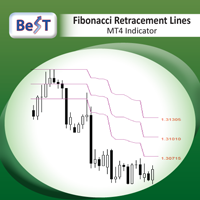
BeST_Fibonacci Retracement Lines is an MT4 Indicator that by default is based on common Fibonacci levels but it can also draw any 3 desired levels of Retracement or Support of a trending move. It can be used to identify pullback points but also additionally as a kind of a Trailing Stop . BeST_Fibonacci Retracement Lines indicator: • by default draws 38.2%, 50% and 61.8% Retracement Levels of the current price move defined using the Highest High (HH) and Lowest Low (LL) of a desired Look Back Pe

This is the FXTraderariel F.U.E.L . It scans the market for opportunities and shows a buy or sell signal.It uses price action and VIX to find the best opportunities. Depending on the settings it and trading style, it can be used for scalping or long-term trading . The indicator can be used on every time frame , but we advise to use it on H1 and H4 . Especially if you are a novice trader. Pro Traders can also you use it for scalping in smaller timeframes (M1, M5 and M15). This indicator is not a

Все трейдеры знают, что без статистики работать нельзя и ведут статистику на бумаге или используют интернет ресурсы. Индикатор "VG-Statistics" создает статистику по истории Ваших сделок. Для правильной работы нужно выбрать нужный период в истории сделок и нажать кнопку "Развернуть" в левом углу графика, по умолчанию будут подсчитаны все сделки загруженные в ваш терминал с учетом комиссии и свопа, для подсчета например только "EURUSD" установите индикатор на график "EURUSD" и в настройках изменит

Neuron One
is a masterpiece EA, jointly developed from 9 champion forex traders together with our programmers and software. We approached those 9 champion forex traders, who have almost 10 years-experience in forex trading to corporately generate a powerful EA.
During 4 years of developing Neuron One, 9 forex champions have applied their best strategies to our EA. Moreover, our programmers have been optimizing the trading strategies using our ultimate software to maximize the efficiency of EA.

ブレイクアウトロボットEAは、 時間ベースのブレイクアウトを 自動化するために設計された特殊な取引ツールです。このEAは、指定された入力時間パラメータに基づいて、価格帯ボックスと高値/安値ラインを描画することで動作します。価格がこの定義された範囲の高値または安値を上抜けると、EAは自動的に取引を実行します。このシステムの中核機能は、22:00~02:00 GMTの EURJPYブレイクアウト に重点を置いていますが、柔軟なアーキテクチャにより、パラメータ調整によって ロンドン、ニューヨーク、東京、 ミッドナイトキルゾーン などの他の時間ベースの戦略にも適応できます。
主な機能は次のとおりです。
EURJPYレンジフォーカス: EURJPYのブレイクアウトを22:00~02:00 GMTの時間帯で監視するようにハードコードされており、レンジしきい値は調整可能です。 カスタムセッションへの適応性: 特定のセッション向けに事前設定はされていませんが、トレーダーは設定を変更することで、ロンドン、ニューヨーク、東京、またはミッドナイトキルゾーン戦略を実装できます。 ダイナ
マルチタイムフレーム対応、カスタマイズ可能なビジュアルシグナル、設定可能なアラートシステムを備えたCommodity Channel Index(CCI)インジケーター。
フリーランスプログラミングサービス、アップデート、その他のTrueTL製品は私の MQL5プロフィール からご利用いただけます。
フィードバックとレビューを大歓迎します!
CCIとは? Commodity Channel Index(CCI)は、1980年にドナルド・ランバートが開発した汎用性の高いオシレーターで、価格の統計的平均からの乖離を測定します。このインジケーターは現在の価格水準を特定期間の平均価格水準と比較し、買われすぎ・売られすぎの状態を示します。 CCIは主にサイクル的なトレンドと極端な状態の識別に使用されます。+100を超える値は買われすぎの状態を示し、-100を下回る値は売られすぎの状態を示します。インジケーターはゼロ周辺で振動し、ほとんどの値は通常+100と-100の間に収まります。トレーダーはCCIと価格動向の乖離にも注目します。これは潜在的なトレンド転換を示す可能性があります。 特徴:
FREE

RSI Action Expert Advisor は、 人気のある RSI (相対強度指数) 戦略を自動化し、効率的かつ正確な取引を可能にする強力なツールです。このEAは買われすぎと売られすぎのレベルを利用することで、買い注文と売り注文の最適なエントリーポイントを特定します。また、RSI 反転ポイント、未決注文、メジャー トレンド識別、移動平均クロスオーバー シグナルなど、取引精度を向上させるさまざまなシグナル フィルター オプションも提供します。さらに、利益を自動的に保護し、利益を最大化するためにストップを追跡する最新のトレーリングシステムが組み込まれています。 このEAには、取引体験を最適化するために設計された重要な機能が満載されています。これには適切なリスク管理システムが含まれており、責任ある取引慣行が保証されます。完全に自動化された機能により、EA は独立して取引を実行し、時間と労力を節約します。最新のトレーリングおよび利益保護システムは、不安定な市場状況でも利益を確保するのに役立ちます。ユーザーフレンドリーな設定により、取引の好みに応じて簡単にカスタマイズできます。注文の発

インジケータに垂直方向のボリュームが含まれる !!!! 指標には予測モジュールが含まれています。
あなたが迷惑なメッセージを止めたいなら
このエキスパートを購入したものと一緒に使用する
有料インジケータ「V-Scale Live Trainer」。
手動取引のみ。
簡単な専門家がトレーダーの生活を楽にします。
注:それを使用するには、ワンクリック取引を有効にするだけです。 AUTO_TRADEを無効にすることを忘れないでください。 ターミナルが新たに起動するたびに、直ちに約2回、メタトレーダー4がエキスパートがインストールされている各ウィンドウのすべての時間フレームを切り替えて、正しく初期化されるようにします。
おおよそ次のようになります:M1、M5、M15、M30、H1、H4、D1、W1、MN。
その後、希望の時間枠に切り替えることができます。
/////////////////////////////////////////////////////////
美しいインターフェイスと機能をお楽しみください。
がんばろう。
//////////////////
FREE

Universal author's strategy, allows to determine the entry points for Buy and Sell both in the direction of the trend, on the reversals of trends and in the flat market. The indicator is equipped with a unique scanner which each tick analyzes the price chart, calculates optimal levels and patterns for finding entry points by one of the 3 strategies. Each of the strategies combines author formulas and algorithms, for optimal trading we recommend using 3 strategies simultaneously as they are compl

MMM Zig Zag Strategy: The Expert Advisors uses its built-in Zig Zag indicator to determine the prices trends and calculates the signal to decide to open buy or sell positions. It sends an order, closes or moves the Trailing Stop loss position as the indicator works. You can define the time period of each day of the week the EA should not trade (the bad time to trade). Usually the period of day when the impact news are published. General Inputs: Closes orders with any profit of value (currency):

Advisor trades inside the channel of the standard technical indicator Bollinger Bands. Advisor can work both in one and two sides simultaneously (option in the settings).
Closing of all positions on the trading instrument is made either by the total number of points, or when the profit is reached in percent of the balance.
Advisor is suitable for trading on relatively calm trading instruments.
You can see the principle of the adviser in a video. Settings:
Comment to Orders - Comments on open

Fully automatic expert adviser developed for the forex market. - The number of characters in quotes is determined automatically. - Works with standard accounts and ECN accounts. - The timeframe of the chart does not matter. This parameter is defined in the settings. - You can use a dynamic lot or a fixed lot. - The spread filter does not allow the Expert Advisor to open orders at a large value. - Expert advisor always set TakeProfit on all of its open orders. - Drawdown control allows you to spe
VMeter EA is Expert Advisor based on proprietary VMeter Indicator. Recommended Signal Settings: Sensor Range 35, Minimum Low-Level Bars 2 and Compare Price Dependencies 6 for optimal results on M5 or H1 on any pair.
Order Settings (Take Profit, Stop Loss and Slippage are set in pips: 1 pip=10 points=0.00010):
TakeProfit - Take Profit in pips StopLoss - Stop Loss in pips Lot - Lot Size Slippage - Order Slippage in pips Magic - Magic Number Order_Comment - Order's comment
Signal Settings by VMet
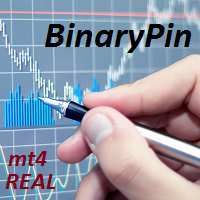
BinaryPin is an indicator developed and adapted specifically for trading short-term binary options. The indicator's algorithm, before issuing the signal, analyzes many factors, such as market volatility, searches for the PinBar pattern, calculates the probability of success when making a deal. The indicator is set in the usual way. The indicator itself consists of an information window where the name of the trading instrument is displayed, the probability of making a successful transaction, the
FREE

Целью создания советника была автоматическая работа терминала в отсутствие трейдера. Используемая стратегия - мартингейл. Одновременно работает в обоих направлениях. Необходимо иметь не менее 100 USD депозита на центовом счете. Параметры советника работают от месячной и недельной волатильностей рынка. Целевая ставка возврата составляет от 0% до 20% каждый месяц. Желательная валюта транзакций: eur/usd. Период удержания позиции составляет от 1 дня до 1 месяца, в среднем - 1 неделя. Описание

Triangle Trader ( Triangile Trader )
This EA assist professional traders for semi-auto trading. It takes position when the price break out the hypotenuse and adjacent leg of TRIANGLE in the chart.
When the trader can not distinguish the trend and possibility of both BULLISH and BEARISH break out are expected, this EA will be trader magic stick.
At this EA, trader needs to adjust two plotted Trade Lines in the chart as Hypotenuse and Adjacent Leg of a TRIANGLE . The opposite leg will be draw by
The EA uses two strategies, the first trend strategy the second reverse strategy can be enabled or disabled through the settings. The EA has been optimized for the last 10 years. The adviser uses a variety of indicators such as Bollinger Bands , Moving Average , Momentum with different settings for the most accurate signals. To close positions, stop loss and take profit are used, as well as additional methods of order modifications. Very easy to set up, does not require special knowledge. Y

The Oscillators histogram indicator is designed to show the histogram of some oscillator indicators. These oscillators are RSI, Momentum, ATR and CCI indications. Our Popular Products Super Oscillator HC Cross Signal Super Cross Trend Strong Trend Super Signal Parameters Oscillators - indicator name. Period - indicator period. Level indicator - indicator level. MAPrice - applied price for Momentum, CCI or RSI. Alerts - enable/disable alerts. Email Notification - enable/disable Email notifica
FREE

Easiest Trader is an user friendly and very easy to use algorithmic system. Open the first Order according to your own strategy using the buttons that are available on the left corner of the Chart and continue your personal life instead of continuously monitoring the markets. Easiest Trades will assume to set Take Profit, open more Orders using Grid system if needed, protect the percentage of Balance you have set according to settings doing all the work for you without you. Just eight settings

THE TREND IS YOUR FRIEND and I am your guide. Allow me to shed light to your surroundings in the darkness of trading. This indicator will give you the direction you need to trade with the trend. It does not require any specific settings, optimisation or curb fitting. No restrictions on symbols or time frames. It will work on metatrader 4 for any market and on all time frames. Does NOT repaint once candle closes. The Trend Qualifier is a great tool. It also helps to reduce the clutter on your c

Strong Oscillator is an indicator designed to find indicator trends. It finds trends using a set of algorithms and a set of indicators.
This indicator is a trend indicator. Helps to find trends easily. You can use this indicator alone, or you can use it as an auxiliary indicator for other strategically appropriate indicators. You can use it as a trend validation indicator.
Suggestions and Features There are 4 level lines on the indicator. These level lines 5, 20 and 80 are 95 lines. 5, 20 leve
Easily and rapidly access to the average range of all the markets with "A.R. Dashboard"!! This professional multi-timeframe indicator will show you the average range of all desired markets (till 50) with one click!! Choose the number of bars to calculate the average range and this indicator will show you, automatically, this average range in points of the chosen markets for each timeframe. You'll have at your disposal two panels: AR Dashboard : Main panel. Notifications Settings : Here you can

The Auto Super Pivot indicator is an indicator designed to calculate support points and resistance points for pivot points. this indicator has the ability to calculate standard pivot, fibonacci, camarilla, woodie and demark pivot points. It also allows you to use all time zones with the time frame feature. Another feature of the indicator is the auto time slice feature. This feature allows automatic calculations without having to set any time zone.
Features 6 different pivot calculation modes A
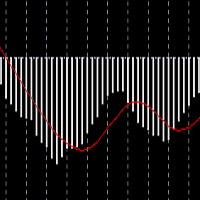
Tai Chi2EA Tai Chi2EA is according to MACD indicator deviation written a trend oriented EA。 Broker: ECN broker, low communication / Commission, 1:400 leverage, non FIFO or FIFO. If you want to run in different currency pairs, please modify the parameters BM and SM。 Please use default parameters. As the world's most knowledgeable person, I've set the parameters to the optimal parameters, users can directly use, without modification.

Панель предназначена для быстрого визуального нахождения и отображения внутренних баров по всем периодам и на любых выбранных валютных парах одновременно. Цвет сигнальных кнопок, указывает на направление паттерна. По клику на сигнальную кнопку, осуществляется открытие графика с данным паттерном. Отключить не используемые периоды, можно кликом по его заголовку. Имеется поиск в истории (по предыдущим барам). Прокрутка (scrolling) панели, осуществляется клавишами "UP" "DOWN" на клавиатуре. Имеется

WCK Trading Scalper Pro The system operates 24 hours a day. The EUR/USD is the above-indicated currency for trading. Broker with low spread and commission, preferably without delay with a good VPS. The proposed broker is ICMarkets https://www.icmarkets.com/en Time range for trade: M15 The default settings are already embedded in the EA with the possibility of modification.
The system has the task of maximum capital protection, small drawndown. There is NO MARTINGALE, NO GRID TRADING Contact me

Expert adviser MaxProfitDz v1.3
Recommendations EA Settings : Use setting below Time Frame :1M. Brokers : ALL brokers, low spread/commission Minimum Deposit Recommended : $500 USD Lot Size for 500$ : 0.01 Use a broker with good execution and with a low spread . A very fast VPS is required
Parameters MMType :2
LotMultiplikator = 1.0
LotConst_or_not = TRUE Take profit : 5---20 pips for accounts with five-digit Take profit is 50---200 pips
Step : 40 pips for accounts with f
Oscillator The Trend Signal indicator is an indicator designed to generate trend signals. It uses its own set of algorithms and the moving average indicator to find signals. It has the feature of filtering the signals with the channel system. In this way, it tries to improve the quality of the signals.
Features and Trade strategy There are two channels in the indicator. These channels are 70 and -70 channels. You will reach the signals without losing time thanks to the alarm features found on t
This indicator shows the Up/Down trend calculated on a specific Time Frame defined by the user.
The trend is shown in color coding for easy identification. ex: User can show the trend calculated from a Daily (D1) chart on the H4 chart. NOTE: Required Time Frame must be higher than the chart current time frame, otherwise the indicator will draw nothing. The available Moving Averages for the signal are: Simple Moving Average.
Exponential Moving Average. Smoothed Moving Average. Linear Weighted Mov
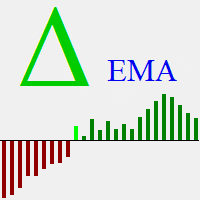
Delta EMA is a momentum indicator based on the changes of closing price from one bar to the next. It displays a histogram of the exponential moving average of those changes, showing magnitude and direction of trend. Positive delta values are displayed as green bars, and negative delta values are displayed as red bars. The transition from negative to positive delta, or from positive to negative delta, indicates trend reversal. Transition bars that exceed a user specified value are displayed in br
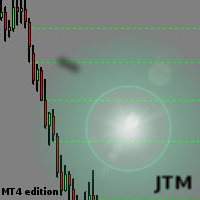
This indicator scanning thorough the history and drawing horizontal rays on all bars untested lows and highs. Fresh supply/demand zones and support/resistance levels will be marked down. It allows to be sure that certain levels is fresh and has not been tested yet. Usually after strong departure price is not retesting base immediately and leaving unfilled orders. There is no inputs, so indicator is ready to go. Version for MT5 is also available here: https://www.mql5.com/en/market/product/3084
Signal Arrows is an indicator that generates trade arrows. It generates trade arrows with its own algorithm. These arrows give buying and selling signals. Can be used in all pairs. Sends a signal to the user with the alert feature. The indicator certainly does not repaint.
Trade rules Enter the signal when the buy signal arrives. In order to exit from the transaction, an opposite signal must be received. It is absolutely necessary to close the operation when an opposite signal is received. The

Buffer Scanner is a Scripts to help you export only 2 buffers of your custom indicator data with history date time and open&close price in CSV file, The file name already has rename. More like for BinaryOptions indicators, analyzes, you can modify the input from script parameters,especially~!No need to worry about the indicator sets bars limited, some of the indicators have parameters, but important thing is bars limited, remind you this script just only for "The indicator which has one paramet
FREE
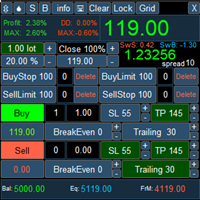
PanelLongProfit -многофункциональная панель нового поколения. Возможности: Позволяет оперативно реагировать на резкие движения рынка, все управление сосредоточено в панели в одном месте экрана Выбор языка сообщений (RUS, ENG) Кнопка "Clear" очищает график от лишних и не нужных объектов Кнопка "Lock" локирует все сделки. Если кнопка включена, то советник постоянно локирует позиции. Кнопка "Grid" возможность выставлять сетку ордеров отложенными ордерами. В параметрах советника можно настроить се

If you need to follow more than 1 open position , you would ike to use this simple TrailingStop EA.
Input 1 You have 4 options to set the TrailingStop , Follow the positions of the graph's symbol. Follow a position that has a given ticket number. Follow the positions that has a given Magic number. Follow All the positions. Input 2 Ticket Number ( if 2nd option is selected as input 1) Input 3
Magic Number ( if 3rd option is selected as input 1) Input 4
Trailing Stop amount in Pips Input 5
2
FREE

Sell Bot - это полностью автоматизированный советник для торговли в нисходящем тренде. Используются элементы стратегий сетки, скальпинга, без убытка, установка Stop Loss и Take Profit . Торговля по новостям. Советник выводит на график и сохраняет новости на локальном компьютере за 1 год. Новости обновляются каждые 60 минут или при нажатии кнопки "Обновить новости". Новости загружаются с сайта http://www.investing.com/economic-calendar/ . Для работы советника нужно добавить сайт в список разреш
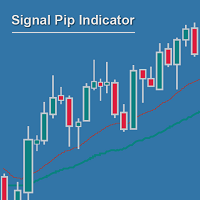
Measuring the distance between two MAs can be much more powerful and reliable than waiting for crossing MAs, and then again for confirmatory setups... If you no longer want to wait for MA crosses as being too late for good entry positions, you are right with the Signal Pip Indicator.
You are supposed to set an alarm for the distance between two MAs, fast & slow, whereas a 3rd confirmatory MA can be added as additional trigger & a fourth to filter out.
You are able to select to be alerted when t
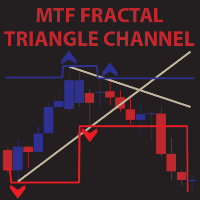
MTF Fractal Triangle Channel is a complete set of fractal indicator not just showing ascending,decending and flat fractal channel but also triangle channel with built in trend detector.It can notify you through e-mail,push alert and pop up window once it detected triangle or any kind of channel you wish for combine with trend. For example,this indicator found a new triangle channel and it wait for specific trend to alert you buy or sell.It up to you to set your own best trend.Not only that,you c

収益性の高い取引機会を簡単に特定するのに役立つ強力な外国為替取引インジケーターをお探しですか?ビースト スーパー シグナル以外に探す必要はありません。 この使いやすいトレンドベースのインジケーターは、市場の状況を継続的に監視し、新しいトレンドを検索したり、既存のトレンドに飛びついたりします。ビースト スーパー シグナルは、すべての内部戦略が一致し、互いに 100% 合流したときに売買シグナルを発するため、追加の確認は不要です。シグナル矢印アラートを受け取ったら、単に売買します。 購入後、プライベート VIP グループに追加されるようにメッセージを送ってください! (完全な製品購入のみ)。
購入後、最新の最適化されたセット ファイルについてメッセージを送ってください。
MT5バージョンは こちらから入手できます。
Beast Super Signal EA は こちらから 入手できます。
コメント セクションをチェックして、最新の結果を確認してください。
ビースト スーパー シグナルは、1:1、1:2、または 1:3 のリスクと報酬の比率に基づいて、エントリー価格、ストッ

このアドバイザーは、複数のペアをワンクリックで取引できるダッシュボードです。 クリック 開ける 選択したペアの注文を開くボタン。 クリック 近い 選択したペアの注文を閉じるボタン。 注文ロットはユーザーが入力した番号です。正の数は買い注文に対応し、負の数は売り注文に対応します。 部分的に閉じるのではなく、注文全体を閉じるには、 「CLOSE」 ボタンをクリックします。クロージングアクションはロット数とは関係ありません。 マジックインプットを 0 に設定すると、アドバイザーが同時に手動注文を閉じるのを手伝ってくれます。 エントリーマジックを別のアドバイザーのマジックで構成すると、アドバイザーは、別のアドバイザーがオープンした注文を同時にクローズするのに役立ちます。 三角生垣 ワンクリックで。 取引シンボルはカスタマイズ可能です。市場観察からインポートするか、ユーザーが入力します。
禁止: Magic - アドバイザーのマジックナンバー。 MaxLots: 最大ロット。ロット数がこのMaxLotsを超える場合、注文ロットはMaxLotsとなります。 StopLo

マルチタイムフレーム対応、カスタマイズ可能なビジュアル信号、設定可能なアラートシステムを備えた相対力指数(RSI)インジケーター。
フリーランスプログラミングサービス、アップデート、その他のTrueTL製品は私の MQL5プロフィール からご利用いただけます。
フィードバックとレビューを心よりお待ちしております!
RSIとは? 相対力指数(RSI)は、価格変化の速度と大きさを測定するモメンタムオシレーターです。このインジケーターは0から100の間で振動し、指定された期間にわたって最近の上昇幅と最近の下落幅の大きさを比較します。 RSIは主に買われすぎと売られすぎの状態を識別するために使用されます。高い値は買われすぎ状態を示し、低い値は売られすぎ状態を示します。トレーダーはまた、RSIと価格動作の間のダイバージェンスにも注目しており、これは潜在的なトレンド転換を示す可能性があります。 機能: 矢印と垂直線を使用したビジュアルシグナルマーカー 設定可能なトリガー付きの3つの独立したシグナルバッファ(方向変化、レベル交差、ピーク/谷、極端ゾーン) 時間帯フィルタリング付きの設定可能なア
FREE

Grade Day 1日で計算されたサポートとレジスタンスのトレンドラインの指標。インジケーターは、4時間を超えるチャート期間ではその読み取り値を表示しません。 設定の説明 color_1-3番目のサポートラインの色 width_1-3番目のサポートラインの太さ style_1-3番目のサポートラインのスタイル color_4-2番目のサポートラインの色 width_4-2番目のサポートラインの太さ style_4-2番目のサポートラインのスタイル color_6-最初のサポートラインの色 width_6-最初のサポートラインの太さ style_6-最初のサポートラインのスタイル color_3-中心線の色 width_3-中心線の太さ style_3-中心線スタイル color_7-最初の抵抗線の色 width_7-最初の抵抗線の太さ style_7-最初の抵抗線のスタイル color_5-2番目の抵抗線の色 width_5-2番目の抵抗線の太さ style_5-2番目の抵抗線のスタイル color_2-3番目の抵抗線の色 width_2-3番目の抵抗線の太さ style_2 -
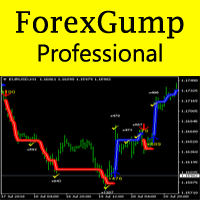
Now ForexGump has become an even more professional tool for trading on Forex. ForexGump Professional works on the strategy of following a trend. All filtering, optimization and monitoring functions of the market are built into one indicator. Fully automatic neural network algorithm with accuracy determines the direction of the price and the most effective points of opening and closing orders. All you need is to follow the instructions of ForexGump Professional. Now the indicator in a very simple

ExPad - a trade panel for comfortable trading on financial markets. Suitable for trading any financial instruments. In general, the panel is able to perform the following functions: Open and reverse of deals Operation with visible and hidden StopLoss and TakeProfit Independent management of visible and hidden StopLosses Profit protection due to Breakeven and Trailing Stop Choice of technique for Trailing Stop Distance from market price Moving Average Bolinger Bands Middle Line High and Low pri

The Pinnacle Expert Advisor is the culmination of extensive reviews and feedback received for the Three Peaks Indicator. After much anticipation, I am thrilled to introduce the Pinnacle Expert Advisor, built upon the foundation of the Three Peaks Indicator. Pinnacle is a versatile Expert Advisor that can trade in both upward and downward directions. With meticulous research, I have determined the optimal ratio between Take Profit and Stop Loss. Following the popular belief of a 2:1 relationship

EA Sapphire is a fully automated expert adviser that uses a model of trading at key price levels. Each market's entry point is analyzed by an advanced selection algorithm and, depending on the specified criteria, a strategy of rebound or breakout of the key level is used. All trading positions contain a protective stop order, and also include take profit and break-even levels. The expert contains a block of trailing stop order, a flexible filter of economic news, a block of protection from incre

UniFractal Trader is based on 5-modes proprietary 1-bar fractal algorithm in combination with Moving Average, signal filtering by VMeter indicator, Trailing Stop and option to reverse trade signal. Standard fractal indicator uses 2-bar verification process, which means that order cannot be sent until 3rd bar after fractal. Fractal algorithm of this expert allows to trade on 2nd bar away from fractal, which means entering each position 1 bar earlier before trend ends.
This expert considers FIFO(
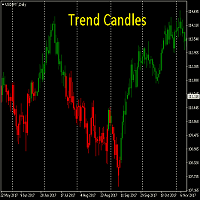
Know the TREND at first glance. The ability to see which way the market is heading instantly. This is a must for all trend traders. Works on all time frames. No need to optimise
DOES NOT REPAINT once candle is closed The Trend Candles are a great tool to replace standard candles. They also help to reduce the clutter on your charts and show you what you need to see - DIRECTION
Join my Telegram Analysis channel ( Free )
You will see how I use my indicators to get in & out of my trades.
htt
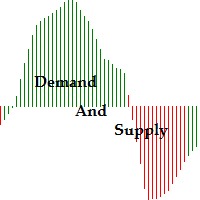
Function Indicate Buy Sell Signals Indicate Strength of Buy Sell Signals This system is for both type of traders (Short & Long Term) Instead of Other Calculations, Parabolic Sar & Awesome are also used In Any time frame this can be use. What is in for Trader? Trading Switch: Short Term & Long Term Finally, we all knows that Forex Trading needs completely concentrate & proper cash management, So I never promising that my program will never give you loss but I tried well to provide good and respo
FREE
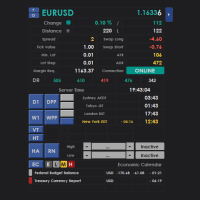
Intraday Dashboard for MetaTrader 4 The Intraday Dashboard provides a comprehensive set of market information that can be displayed on demand through a toggle function. Many traders prefer a clean and uncluttered chart to maintain focus during market analysis. However, there are situations where access to additional information—such as trading sessions, economic calendar events, and other market data—is essential for informed decision-making. The Intraday Dashboard addresses this need by allowi
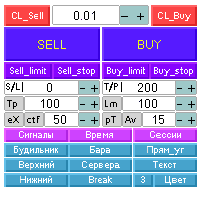
Автоматизированная панель “panel_kjutaMultiTS_l” для торговли. Открывает, модифицирует, закрывает и удаляет торговые и отложенные ордера с графика c помощью виртуальных линий, кнопок и активного информационного терминала. Автоматически открывает ордера по сетке, Мартингейлу и индикаторным уровням. Подсказки на русском, английском языке или отключены. Имеет ряд функций по тралу виртуальных линий Take Profit и лимитных ордеров. Выводит информацию на активный информационный терминал.

BSS SCALPING EA FOR MT4
EA works on based on HFT (high frequency trading) algorithm. Its mean trades average holding time remains in seconds. EA put two stop orders 1 buy stop and 1 sell top at near current price. And these two stop orders frequently keep modifying at predefined timer in seconds at predefined distance from current price. And during news events and sudden high volatility events EA took these orders into trades. And while a stop order becomes a trade after it second stop order de

Volumes - one of the very important indicators of trade, since it is high volumes that move the market in one direction or another. This adviser trades by volume, analyzing candles. On this depends how strong the trend can begin. To improve the quality of transactions, uses many other indicators (Moving Average, RSI, ATR, ADX) and can determine the amount of take-profit and stop-loss, depending on the strength of the previous move. Recommended timeframes: M5, M15, M30. Before trading, optimize t

The algorithm of the Tic Tac Toe indicator differs from the usual indicators on the price charts in that it completely ignores the flow of time and reflects only changes in the price. Instead of displaying the time intervals on the X axis, and the price value on the Y axis, the Tic Tac Toe indicator displays price changes on both axes. The indicator displays in red if prices rise by a certain base value (TicTacToe) and blue if prices fall on the same value. If prices fell / rose by less than a c

YinYang hedging This is a fully automatic EA base on two currency hedging.The parameters are simple and adaptable,the EA can deal with any type of market, and the performance is stable. Using Requirements: Run timeframe: H1; EA loading currency:currency A,currency B do not need to loading the EA; Minimum account funds:$1000; When used,the parameters "Test" should be adjusted to "false" from "true" by default; VPS hosting 24/7 is strongly advised; Currency pairs are recommended:A-GBPUSD,B-EURUSD;
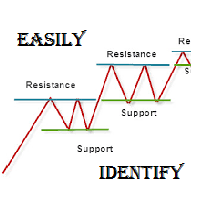
As per name Easily Identify, This Indicator is a affordable trading tool because with the help of Popular Developers & Support of M Q L Platform I have programmed this strategy. I tried to input 4 types and 3 periods of Calculation regarding Support Resistance, Furthermore, I have also care about Trend lines that Trader can easily get in touch with market in another way also. What is in for Trader?
Trading Modes: This selection is for activate whole strategy "Easily Identify" Support_R
FREE
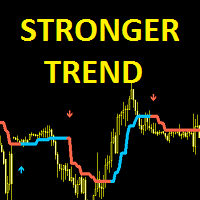
Stronger Trend is an indicator that generates trend signal. It generates trend signal with its own algorithm. These arrows give buying and selling signals. The indicator certainly does not repaint. Can be used in all pairs. Sends a signal to the user with the alert feature.
Trade rules Enter the signal when the buy and sell signal arrives. Processing should only be initiated when signal warnings are received. It is absolutely necessary to close the operation when an opposite signal is received.
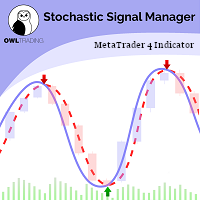
Stochastic Alert Manager Introduction: The Stochastic Alert Manager is a customizable indicator used to send alerts when trading signals occur. It also gives the user an overall idea of the tendency in all timeframes through a panel, to keep an eye on the global market behaviour. It is based on the stochastic crossovers strategy. The Stochastic Alert Manager is not meant to open trades for now. - Simple - Configurable - Respond quickly - Monitor the global behaviour How is it working? - It

ATR Accelerator Indicator informs you about strong price movements based on the ATR Indicator. This Indicator works for all Timeframes and Symbols, the strength of movements can be configured.
Important: Get informed about new Products, join our MQL Channel: https://www.mql5.com/en/channels/etradro
Useage This Indicator works for all Timeframes and Symbols, the strength of movements can be configured. Features works on all timeframes and forex pairs or indices. Alert and Notify function i
FREE

FOLLOW THE LINE GET THE FULL VERSION HERE: https://www.mql5.com/en/market/product/36024 This indicator obeys the popular maxim that: "THE TREND IS YOUR FRIEND" It paints a GREEN line for BUY and also paints a RED line for SELL. It gives alarms and alerts of all kinds. IT DOES NOT REPAINT and can be used for all currency pairs and timeframes. Yes, as easy and simple as that. Even a newbie can use it to make great and reliable trades. NB: For best results, get my other premium indicators for more
FREE

LookOut is an EA based on an algorithm that includes in addition to standard technical analysis, such as the Momentum evaluation, short and medium term Market Trends or the transitory and structural Volatility , an exclusive smart identification of typical Risk Patterns of the EURUSD pair
It makes use of an Adaptative Martingale trading, in an intelligent and dynamic way, far away from the classical and mechanical conception of this technique.
A close up Money Management is achieved by the con
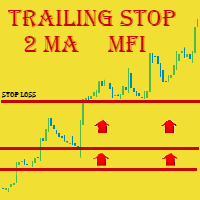
We highly recommend you running this expert at EURUSD H4. This expert has the name Triple Trailer because it employs Trailing Stop and is based on 3 following elements: Slow Moving Average Fast Moving Average Money Flow Index Indicator Main Information
MA intersection is mostly a criteria for closing positions, while MFI is used to open ones . The signal for buying is received when fast MA intersects slow MA from the bottom AND MFI is in its oversold area (< 20) Respectively, the signal for sell

Индикатор Magneto BCS работает на основе анализа свечей. Определяет точки разворота и продолжение тренда. Основан на простой и стабильной стратегии для внутридневной и среднесрочной работы. Адаптируется к текущей волатильности инструмента.
Настройка и работа с индикатором Настройка индикатора сводится к подбору параметров Gate и Size detect . Чем больше значение Gate тем меньше сигналов. Size detect позволяет применить расчёт только к телу свечи либо к полному размеру. Кроме выделенных на граф
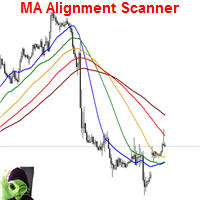
This indicator scans and displays currency pairs that have recently aligned moving averages on a given timeframe. You can configure which pairs the indicator will scan. It also includes all types of alert options. Bullish MA Alignment = MA1>MA2>MA3>MA4>MA5
Bearish MA Alignment = MA1<MA2<MA3<MA4<MA5
Features Attach to one chart and scans all the currency pairs configured and visible in the Market Watch Window It can monitor all the available timeframes from M1 to MN1 and sends alerts on every
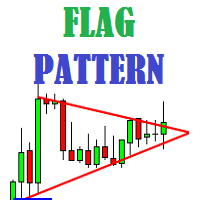
Flag Pattern indicator is an indicator designed to find flag patterns. Bullish and bear find flag patterns. It finds these patterns by its own algorithm. The display is easy to use and simple.
Features Bullish and bear find flag patterns. Draw patterns on the graphic screen. invalid flag patterns. alert the user with the alert feature. Flag patterns have the ability to change colors. Parameters MinSplashHeight - Min. height of splash setting MaxBarsDuration - Max bars before crossing setting

This classic "old school" MAGIC MACD indicator gives you the cross of the parameters you set. Standart setting is (12,26,9) . The arrows give you a possible change of trend. Be careful and do not use this indicator as a single signal source.
FREE version Please feel free to check out our other REX indicator series. We do have other free indicators.
"OLD BUT GOLD"
FREE

This indicator is designed to find the difference in MOMENTUM price and indicator. This indicator shows the price and indicator difference on the screen. The user is alerted with the alert sending feature. Our Popular Products Super Oscillator HC Cross Signal Super Cross Trend Strong Trend Super Signal Parameters divergenceDepth - Depth of 2nd ref. point search Momentum_Period - Second calculation period indAppliedPrice - Applied price of indicator indMAMethod - MA calculation method findEx
FREE

NewsReleaseEA is an expert to trade about economic news uses pending orders. Expert receives data for events from ' http://forexfactory.com '." The expert can trade up 28 (31 with yuan) pairs from one chart. Expert has the option for manual strategy (user strategy) or uses one of five included strategies. Expert has analyzer for any trade to show information for any currency and any pair to help trader to make better strategy.
Include Strategies Custom_Stategy - There are too many options t
FREE
MetaTraderマーケットが取引戦略とテクニカル指標を販売するための最適な場所である理由をご存じですか?宣伝もソフトウェア保護も必要なく、支払いのトラブルもないことです。これらはすべて、MetaTraderマーケットで提供されます。

取引の機会を逃しています。
- 無料取引アプリ
- 8千を超えるシグナルをコピー
- 金融ニュースで金融マーケットを探索