 MetaTrader 5
 Experts
 Indicateurs
 Bibliothèque
 Utilitaires
 Widgets
 Règles
Regardez les tutoriels vidéo de Market sur YouTube
Comment acheter un robot de trading ou un indicateur
Exécutez votre EA sur
hébergement virtuel
hébergement virtuel
Test un indicateur/robot de trading avant d'acheter
Vous voulez gagner de l'argent sur Market ?
Comment présenter un produit pour qu'il se vende bien
Nouveaux Expert Advisors et indicateurs pour MetaTrader 4 - 314
 Les robots de trading effectuent automatiquement les transactions sur le marché, tandis que les indicateurs vous permettent de mieux analyser les cotations et de prédire le comportement des prix. Grâce à ces applications, vous serez en mesure d'effectuer des transactions dans MetaTrader 4 de manière plus avisée, tout en saisissant davantage d'opportunités.
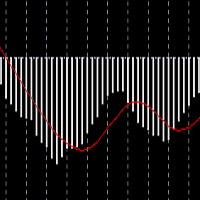
The Oscillators histogram indicator is designed to show the histogram of some oscillator indicators. These oscillators are RSI, Momentum, ATR and CCI indications. Our Popular Products Super Oscillator HC Cross Signal Super Cross Trend Strong Trend Super Signal Parameters Oscillators - indicator name. Period - indicator period. Level indicator - indicator level. MAPrice - applied price for Momentum, CCI or RSI. Alerts - enable/disable alerts. Email Notification - enable/disable Email notifica
FREE

Easiest Trader is an user friendly and very easy to use algorithmic system. Open the first Order according to your own strategy using the buttons that are available on the left corner of the Chart and continue your personal life instead of continuously monitoring the markets. Easiest Trades will assume to set Take Profit, open more Orders using Grid system if needed, protect the percentage of Balance you have set according to settings doing all the work for you without you. Just eight settings

THE TREND IS YOUR FRIEND and I am your guide. Allow me to shed light to your surroundings in the darkness of trading. This indicator will give you the direction you need to trade with the trend. It does not require any specific settings, optimisation or curb fitting. No restrictions on symbols or time frames. It will work on metatrader 4 for any market and on all time frames. Does NOT repaint once candle closes. The Trend Qualifier is a great tool. It also helps to reduce the clutter on your c
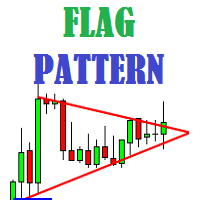
Flag Pattern indicator is an indicator designed to find flag patterns. Bullish and bear find flag patterns. It finds these patterns by its own algorithm. The display is easy to use and simple.
Features Bullish and bear find flag patterns. Draw patterns on the graphic screen. invalid flag patterns. alert the user with the alert feature. Flag patterns have the ability to change colors. Parameters MinSplashHeight - Min. height of splash setting MaxBarsDuration - Max bars before crossing setting
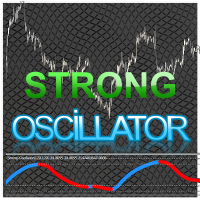
Strong Oscillator is an indicator designed to find indicator trends. It finds trends using a set of algorithms and a set of indicators.
This indicator is a trend indicator. Helps to find trends easily. You can use this indicator alone, or you can use it as an auxiliary indicator for other strategically appropriate indicators. You can use it as a trend validation indicator.
Suggestions and Features There are 4 level lines on the indicator. These level lines 5, 20 and 80 are 95 lines. 5, 20 leve
Easily and rapidly access to the average range of all the markets with "A.R. Dashboard"!! This professional multi-timeframe indicator will show you the average range of all desired markets (till 50) with one click!! Choose the number of bars to calculate the average range and this indicator will show you, automatically, this average range in points of the chosen markets for each timeframe. You'll have at your disposal two panels: AR Dashboard : Main panel. Notifications Settings : Here you can

The Auto Super Pivot indicator is an indicator designed to calculate support points and resistance points for pivot points. this indicator has the ability to calculate standard pivot, fibonacci, camarilla, woodie and demark pivot points. It also allows you to use all time zones with the time frame feature. Another feature of the indicator is the auto time slice feature. This feature allows automatic calculations without having to set any time zone.
Features 6 different pivot calculation modes A
The Channel Trade System indicator is an indicator designed to trade with channels. Only by this indicator can be done beautifully by itself. This indicator is composed of moving average and some algorithms.
Features and Suggestions The display has 4 channels. There is one main trend line. The signal line is the thick channel with magenta color. To trade, it is advisable to start with the channel line which is magenta color. A channel calculation setting of 3 to 5 is recommended. the different
Tai Chi2EA Tai Chi2EA is according to MACD indicator deviation written a trend oriented EA。 Broker: ECN broker, low communication / Commission, 1:400 leverage, non FIFO or FIFO. If you want to run in different currency pairs, please modify the parameters BM and SM。 Please use default parameters. As the world's most knowledgeable person, I've set the parameters to the optimal parameters, users can directly use, without modification.

Панель предназначена для быстрого визуального нахождения и отображения внутренних баров по всем периодам и на любых выбранных валютных парах одновременно. Цвет сигнальных кнопок, указывает на направление паттерна. По клику на сигнальную кнопку, осуществляется открытие графика с данным паттерном. Отключить не используемые периоды, можно кликом по его заголовку. Имеется поиск в истории (по предыдущим барам). Прокрутка (scrolling) панели, осуществляется клавишами "UP" "DOWN" на клавиатуре. Имеется

WCK Trading Scalper Pro The system operates 24 hours a day. The EUR/USD is the above-indicated currency for trading. Broker with low spread and commission, preferably without delay with a good VPS. The proposed broker is ICMarkets https://www.icmarkets.com/en Time range for trade: M15 The default settings are already embedded in the EA with the possibility of modification.
The system has the task of maximum capital protection, small drawndown. There is NO MARTINGALE, NO GRID TRADING Contact me

Expert adviser MaxProfitDz v1.3
Recommendations EA Settings : Use setting below Time Frame :1M. Brokers : ALL brokers, low spread/commission Minimum Deposit Recommended : $500 USD Lot Size for 500$ : 0.01 Use a broker with good execution and with a low spread . A very fast VPS is required
Parameters MMType :2
LotMultiplikator = 1.0
LotConst_or_not = TRUE Take profit : 5---20 pips for accounts with five-digit Take profit is 50---200 pips
Step : 40 pips for accounts with f
Oscillator The Trend Signal indicator is an indicator designed to generate trend signals. It uses its own set of algorithms and the moving average indicator to find signals. It has the feature of filtering the signals with the channel system. In this way, it tries to improve the quality of the signals.
Features and Trade strategy There are two channels in the indicator. These channels are 70 and -70 channels. You will reach the signals without losing time thanks to the alarm features found on t
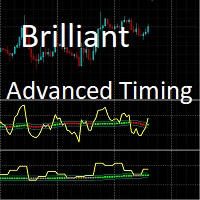
This indicator shows the Up/Down trend calculated on a specific Time Frame defined by the user.
The trend is shown in color coding for easy identification. ex: User can show the trend calculated from a Daily (D1) chart on the H4 chart. NOTE: Required Time Frame must be higher than the chart current time frame, otherwise the indicator will draw nothing. The available Moving Averages for the signal are: Simple Moving Average.
Exponential Moving Average. Smoothed Moving Average. Linear Weighted Mov
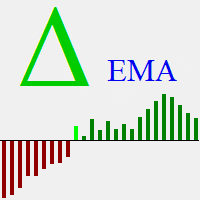
Delta EMA is a momentum indicator based on the changes of closing price from one bar to the next. It displays a histogram of the exponential moving average of those changes, showing magnitude and direction of trend. Positive delta values are displayed as green bars, and negative delta values are displayed as red bars. The transition from negative to positive delta, or from positive to negative delta, indicates trend reversal. Transition bars that exceed a user specified value are displayed in br
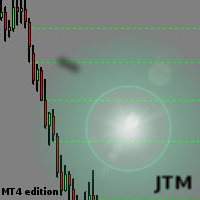
This indicator scanning thorough the history and drawing horizontal rays on all bars untested lows and highs. Fresh supply/demand zones and support/resistance levels will be marked down. It allows to be sure that certain levels is fresh and has not been tested yet. Usually after strong departure price is not retesting base immediately and leaving unfilled orders. There is no inputs, so indicator is ready to go. Version for MT5 is also available here: https://www.mql5.com/en/market/product/3084

Buffer Scanner is a Scripts to help you export only 2 buffers of your custom indicator data with history date time and open&close price in CSV file, The file name already has rename. More like for BinaryOptions indicators, analyzes, you can modify the input from script parameters,especially~!No need to worry about the indicator sets bars limited, some of the indicators have parameters, but important thing is bars limited, remind you this script just only for "The indicator which has one paramet
FREE
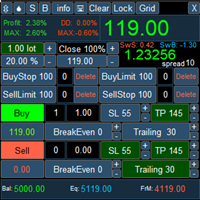
PanelLongProfit -многофункциональная панель нового поколения. Возможности: Позволяет оперативно реагировать на резкие движения рынка, все управление сосредоточено в панели в одном месте экрана Выбор языка сообщений (RUS, ENG) Кнопка "Clear" очищает график от лишних и не нужных объектов Кнопка "Lock" локирует все сделки. Если кнопка включена, то советник постоянно локирует позиции. Кнопка "Grid" возможность выставлять сетку ордеров отложенными ордерами. В параметрах советника можно настроить се
If you need to follow more than 1 open position , you would ike to use this simple TrailingStop EA.
Input 1 You have 4 options to set the TrailingStop , Follow the positions of the graph's symbol. Follow a position that has a given ticket number. Follow the positions that has a given Magic number. Follow All the positions. Input 2 Ticket Number ( if 2nd option is selected as input 1) Input 3
Magic Number ( if 3rd option is selected as input 1) Input 4
Trailing Stop amount in Pips Input 5
2
FREE

Sell Bot - это полностью автоматизированный советник для торговли в нисходящем тренде. Используются элементы стратегий сетки, скальпинга, без убытка, установка Stop Loss и Take Profit . Торговля по новостям. Советник выводит на график и сохраняет новости на локальном компьютере за 1 год. Новости обновляются каждые 60 минут или при нажатии кнопки "Обновить новости". Новости загружаются с сайта http://www.investing.com/economic-calendar/ . Для работы советника нужно добавить сайт в список разреш
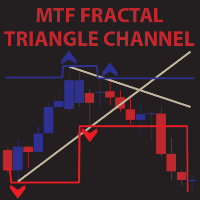
MTF Fractal Triangle Channel is a complete set of fractal indicator not just showing ascending,decending and flat fractal channel but also triangle channel with built in trend detector.It can notify you through e-mail,push alert and pop up window once it detected triangle or any kind of channel you wish for combine with trend. For example,this indicator found a new triangle channel and it wait for specific trend to alert you buy or sell.It up to you to set your own best trend.Not only that,you c

Vous recherchez un puissant indicateur de trading forex qui peut vous aider à identifier facilement des opportunités de trading rentables ? Ne cherchez pas plus loin que le Beast Super Signal. Cet indicateur basé sur les tendances facile à utiliser surveille en permanence les conditions du marché, en recherchant de nouvelles tendances en développement ou en sautant sur celles existantes. Le Beast Super Signal donne un signal d'achat ou de vente lorsque toutes les stratégies internes s'alignent e

Ce conseiller est un tableau de bord qui vous permet de trader plusieurs paires en un seul clic. Cliquez sur ouvrir Ce bouton ouvre une commande pour la paire sélectionnée. Cliquez sur fermer Ce bouton ferme la commande pour la paire sélectionnée. Le lot de commande est le numéro saisi par l'utilisateur. Les nombres positifs correspondent aux ordres d’achat, tandis que les nombres négatifs correspondent aux ordres de vente. Cliquez sur le bouton Fermer pour fermer la

Indicateur d'Indice de Force Relative (RSI) avec support multi-timeframe, signaux visuels personnalisables et système d'alertes configurable.
Services de programmation freelance, mises à jour et autres produits TrueTL sont disponibles sur mon profil MQL5 .
Les retours et avis sont très appréciés !
Qu'est-ce que le RSI ? L'Indice de Force Relative (RSI) est un oscillateur de momentum qui mesure la vitesse et l'ampleur des variations de prix. L'indicateur oscille entre 0 et 100, comparant l'amp
FREE

Grade Day The indicator of trend lines of support and resistance, calculated for one day. The indicator does not display its readings on a chart period higher than 4 hours. Description of settings color_1 - color of the third support line width_1 - thickness of the third support line style_1 - style of the third support line color_4 - color of the second support line width_4 - thickness of the second support line style_4 - style of the second support line color_6 - color of the first support l
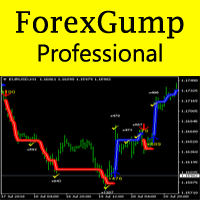
Now ForexGump has become an even more professional tool for trading on Forex. ForexGump Professional works on the strategy of following a trend. All filtering, optimization and monitoring functions of the market are built into one indicator. Fully automatic neural network algorithm with accuracy determines the direction of the price and the most effective points of opening and closing orders. All you need is to follow the instructions of ForexGump Professional. Now the indicator in a very simple

ExPad - a trade panel for comfortable trading on financial markets. Suitable for trading any financial instruments. In general, the panel is able to perform the following functions: Open and reverse of deals Operation with visible and hidden StopLoss and TakeProfit Independent management of visible and hidden StopLosses Profit protection due to Breakeven and Trailing Stop Choice of technique for Trailing Stop Distance from market price Moving Average Bolinger Bands Middle Line High and Low pri

L'expert-conseil Pinnacle est basé sur l'indicateur Three Peaks (En savoir plus). J'ai reçu de nombreuses critiques, et maintenant, j'ai enfin trouvé le temps de développer la version Expert-Conseil de Three Peaks, appelée Pinnacle.
Pinnacle peut trader dans les deux sens (à la hausse ou à la baisse). J'ai passé beaucoup de temps à trouver le bon ratio de Take Profit par rapport à Stop Loss. Selon la croyance populaire, le Take Profit est deux fois plus élevé que le Stop Loss, soit une relatio

EA Sapphire is a fully automated expert adviser that uses a model of trading at key price levels. Each market's entry point is analyzed by an advanced selection algorithm and, depending on the specified criteria, a strategy of rebound or breakout of the key level is used. All trading positions contain a protective stop order, and also include take profit and break-even levels. The expert contains a block of trailing stop order, a flexible filter of economic news, a block of protection from incre
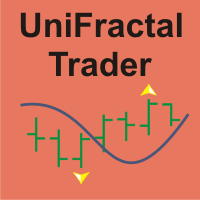
UniFractal Trader is based on 5-modes proprietary 1-bar fractal algorithm in combination with Moving Average, signal filtering by VMeter indicator, Trailing Stop and option to reverse trade signal. Standard fractal indicator uses 2-bar verification process, which means that order cannot be sent until 3rd bar after fractal. Fractal algorithm of this expert allows to trade on 2nd bar away from fractal, which means entering each position 1 bar earlier before trend ends.
This expert considers FIFO(
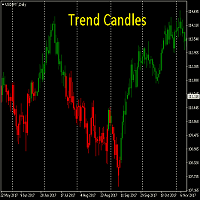
Know the TREND at first glance. The ability to see which way the market is heading instantly. This is a must for all trend traders. Works on all time frames. No need to optimise
DOES NOT REPAINT once candle is closed The Trend Candles are a great tool to replace standard candles. They also help to reduce the clutter on your charts and show you what you need to see - DIRECTION
Join my Telegram Analysis channel ( Free )
You will see how I use my indicators to get in & out of my trades.
htt
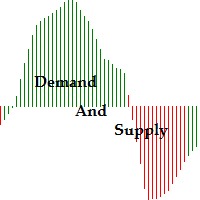
Function Indicate Buy Sell Signals Indicate Strength of Buy Sell Signals This system is for both type of traders (Short & Long Term) Instead of Other Calculations, Parabolic Sar & Awesome are also used In Any time frame this can be use. What is in for Trader? Trading Switch: Short Term & Long Term Finally, we all knows that Forex Trading needs completely concentrate & proper cash management, So I never promising that my program will never give you loss but I tried well to provide good and respo
FREE
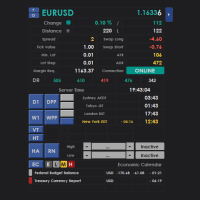
Intraday Dashboard for MetaTrader 4 The Intraday Dashboard provides a comprehensive set of market information that can be displayed on demand through a toggle function. Many traders prefer a clean and uncluttered chart to maintain focus during market analysis. However, there are situations where access to additional information—such as trading sessions, economic calendar events, and other market data—is essential for informed decision-making. The Intraday Dashboard addresses this need by allowi
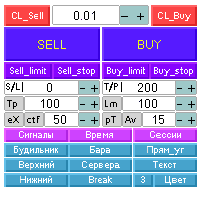
Автоматизированная панель “panel_kjutaMultiTS_l” для торговли. Открывает, модифицирует, закрывает и удаляет торговые и отложенные ордера с графика c помощью виртуальных линий, кнопок и активного информационного терминала. Автоматически открывает ордера по сетке, Мартингейлу и индикаторным уровням. Подсказки на русском, английском языке или отключены. Имеет ряд функций по тралу виртуальных линий Take Profit и лимитных ордеров. Выводит информацию на активный информационный терминал.

This indicator shows not just a line of the price balance, but also forecasts it for the specified number of bars ahead. That is, the level of the probable balance of the price reflects on the chart in the future. The level of balancing is set by the Balance parameter, that is, it can be drawn at any level. Forecasting the future with the Shift parameter. The indicator reflects information in a visual form. Do not forget that the approach to trading should be comprehensive, to enter the market r

BSS SCALPING EA FOR MT4
EA works on based on HFT (high frequency trading) algorithm. Its mean trades average holding time remains in seconds. EA put two stop orders 1 buy stop and 1 sell top at near current price. And these two stop orders frequently keep modifying at predefined timer in seconds at predefined distance from current price. And during news events and sudden high volatility events EA took these orders into trades. And while a stop order becomes a trade after it second stop order de
Volumes - one of the very important indicators of trade, since it is high volumes that move the market in one direction or another. This adviser trades by volume, analyzing candles. On this depends how strong the trend can begin. To improve the quality of transactions, uses many other indicators (Moving Average, RSI, ATR, ADX) and can determine the amount of take-profit and stop-loss, depending on the strength of the previous move. Recommended timeframes: M5, M15, M30. Before trading, optimize t
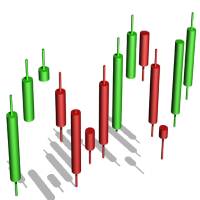
The algorithm of the Tic Tac Toe indicator differs from the usual indicators on the price charts in that it completely ignores the flow of time and reflects only changes in the price. Instead of displaying the time intervals on the X axis, and the price value on the Y axis, the Tic Tac Toe indicator displays price changes on both axes. The indicator displays in red if prices rise by a certain base value (TicTacToe) and blue if prices fall on the same value. If prices fell / rose by less than a c
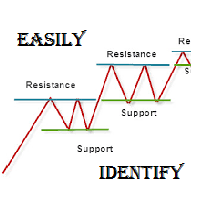
As per name Easily Identify, This Indicator is a affordable trading tool because with the help of Popular Developers & Support of M Q L Platform I have programmed this strategy. I tried to input 4 types and 3 periods of Calculation regarding Support Resistance, Furthermore, I have also care about Trend lines that Trader can easily get in touch with market in another way also. What is in for Trader?
Trading Modes: This selection is for activate whole strategy "Easily Identify" Support_R
FREE

The Super Cross Trend Advanced indicator is designed for trend and signal trading. This indicator generates trend signals. It uses many algorithms and indicators to generate this signal. It tries to generate a signal from the points with the highest trend potential. This indicator is a complete trading product. This indicator does not need any additional indicators. You can only trade with this indicator. The generated signals are displayed on the graphical screen. Thanks to the alert features y
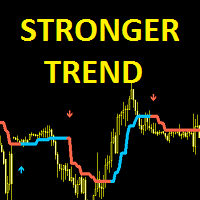
Stronger Trend is an indicator that generates trend signal. It generates trend signal with its own algorithm. These arrows give buying and selling signals. The indicator certainly does not repaint. Can be used in all pairs. Sends a signal to the user with the alert feature.
Trade rules Enter the signal when the buy and sell signal arrives. Processing should only be initiated when signal warnings are received. It is absolutely necessary to close the operation when an opposite signal is received.
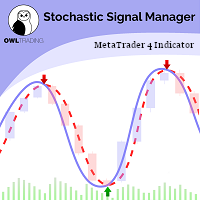
Stochastic Alert Manager Introduction: The Stochastic Alert Manager is a customizable indicator used to send alerts when trading signals occur. It also gives the user an overall idea of the tendency in all timeframes through a panel, to keep an eye on the global market behaviour. It is based on the stochastic crossovers strategy. The Stochastic Alert Manager is not meant to open trades for now. - Simple - Configurable - Respond quickly - Monitor the global behaviour How is it working? - It

ATR Accelerator Indicator informs you about strong price movements based on the ATR Indicator. This Indicator works for all Timeframes and Symbols, the strength of movements can be configured.
Important: Get informed about new Products, join our MQL Channel: https://www.mql5.com/en/channels/etradro
Useage This Indicator works for all Timeframes and Symbols, the strength of movements can be configured. Features works on all timeframes and forex pairs or indices. Alert and Notify function i
FREE

FOLLOW THE LINE GET THE FULL VERSION HERE: https://www.mql5.com/en/market/product/36024 This indicator obeys the popular maxim that: "THE TREND IS YOUR FRIEND" It paints a GREEN line for BUY and also paints a RED line for SELL. It gives alarms and alerts of all kinds. IT DOES NOT REPAINT and can be used for all currency pairs and timeframes. Yes, as easy and simple as that. Even a newbie can use it to make great and reliable trades. NB: For best results, get my other premium indicators for more
FREE

LookOut is an EA based on an algorithm that includes in addition to standard technical analysis, such as the Momentum evaluation, short and medium term Market Trends or the transitory and structural Volatility , an exclusive smart identification of typical Risk Patterns of the EURUSD pair
It makes use of an Adaptative Martingale trading, in an intelligent and dynamic way, far away from the classical and mechanical conception of this technique.
A close up Money Management is achieved by the con
Signal Power System is an indicator that generates trade arrows. It generates trade arrows with its own algorithm. These arrows give buying and selling signals. The indicator certainly does not repaint. Can be used in all pairs. Sends a signal to the user with the alert feature.
Trade rules Enter the signal when the buy and sell signal arrives. Processing should only be initiated when signal warnings are received. It is absolutely necessary to close the operation when an opposite signal is rece
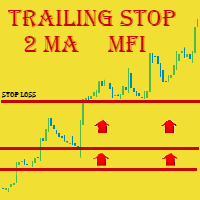
We highly recommend you running this expert at EURUSD H4. This expert has the name Triple Trailer because it employs Trailing Stop and is based on 3 following elements: Slow Moving Average Fast Moving Average Money Flow Index Indicator Main Information
MA intersection is mostly a criteria for closing positions, while MFI is used to open ones . The signal for buying is received when fast MA intersects slow MA from the bottom AND MFI is in its oversold area (< 20) Respectively, the signal for sell

Индикатор Magneto BCS работает на основе анализа свечей. Определяет точки разворота и продолжение тренда. Основан на простой и стабильной стратегии для внутридневной и среднесрочной работы. Адаптируется к текущей волатильности инструмента.
Настройка и работа с индикатором Настройка индикатора сводится к подбору параметров Gate и Size detect . Чем больше значение Gate тем меньше сигналов. Size detect позволяет применить расчёт только к телу свечи либо к полному размеру. Кроме выделенных на граф
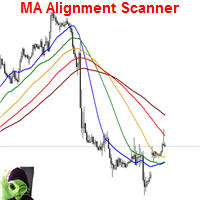
This indicator scans and displays currency pairs that have recently aligned moving averages on a given timeframe. You can configure which pairs the indicator will scan. It also includes all types of alert options. Bullish MA Alignment = MA1>MA2>MA3>MA4>MA5
Bearish MA Alignment = MA1<MA2<MA3<MA4<MA5
Features Attach to one chart and scans all the currency pairs configured and visible in the Market Watch Window It can monitor all the available timeframes from M1 to MN1 and sends alerts on every

This classic "old school" MAGIC MACD indicator gives you the cross of the parameters you set. Standart setting is (12,26,9) . The arrows give you a possible change of trend. Be careful and do not use this indicator as a single signal source.
FREE version Please feel free to check out our other REX indicator series. We do have other free indicators.
"OLD BUT GOLD"
FREE
This indicator is designed to find the difference in MOMENTUM price and indicator. This indicator shows the price and indicator difference on the screen. The user is alerted with the alert sending feature. Our Popular Products Super Oscillator HC Cross Signal Super Cross Trend Strong Trend Super Signal Parameters divergenceDepth - Depth of 2nd ref. point search Momentum_Period - Second calculation period indAppliedPrice - Applied price of indicator indMAMethod - MA calculation method findEx
FREE

NewsReleaseEA is an expert to trade about economic news uses pending orders. Expert receives data for events from ' http://forexfactory.com '." The expert can trade up 28 (31 with yuan) pairs from one chart. Expert has the option for manual strategy (user strategy) or uses one of five included strategies. Expert has analyzer for any trade to show information for any currency and any pair to help trader to make better strategy.
Include Strategies Custom_Stategy - There are too many options t
FREE

Features This EA is a fully automated EA for Forex trading. This EA will be entered when the volatility of the market increased. The target currency is GBPJPY. This EA takes up to two positions. The input parameters are optimized for H4,H1,M30. The maximum profit is set at 300pips. The maximum loss cut is set at 100pips.
Parameters FUNDA - If you only want to buy, please set 1. If you only want to sell, please set -1. if you wish both, please set both 0 . magic - Please set a magic number whic
FREE

Индикатор " AutoDiMA " рисует по графику в основном окне скользящую среднюю с динамическим периодом, рассчитываемым по стандартному индикатору " Average True Range (ATR) ". Когда " ATR " изменяется в диапазоне значений между верхним уровнем и нижним уровнем - тогда в заданном диапазоне меняется вариативный период скользящей средней. Принцип ускорения или замедления скользящей средней переключается в настройках параметром " FLATing ".
ВХОДНЫЕ ПАРАМЕТРЫ: - DRAWs : Количество баров для отображения
FREE

Just Rider EA is a fully automated Expert Advisor with the using of martingale and hedging strategies. Linear Regression and Moving Average Indicator-based filter are used for entries. The minimum deposit is 100 USD (10,000 cent), the recommended symbol is EURUSD and GBPUSD, timeframe is H1. Use a broker with good execution. A VPS is required. The product works both on 4 and 5-digit quotes. Specify values in points like for 5 decimal places in the input parameters, and it will automatically reca
Super Bollinger Trend indicator is an oscillator designed to calculate trend points. A set of bollinger bands calculations and a set of algorithms to calculate trend reversals. Level probing system with high probability trends. All of these features combine to make it easier for investors to find trends. Prameters bollinger_Period - bollinger bands period setting bollinger_Deviations - bollinger bands deviations setting
Big DipperEA Big DipperEA is According to the indicators, Martin Geer should cooperate with each other. From Martin's theory, but the risk is much lower than Martin's, built-in risk control, so that you do not like pure Martin EA, after ten years of historical data review, repeated revision strategy, I have just released, in line with investors and users responsible for Caution is prudent. As the world's most knowledgeable person, I've set the parameters to the optimal parameters, users can dire

This robot searches for important support and resistance on the market, and trades breakouts of these levels. It uses hidden pending orders and tight TrailingStop. The default setting is for EURUSD H1. This EA can also be used in other markets and time frames.
For safer trading, it includes protection against large slippage and high spread. No hedge, no martingale, no grid or any other type of dangerous practices. Stop loss is set for every order. Use True ECN broker with a low spread and a low
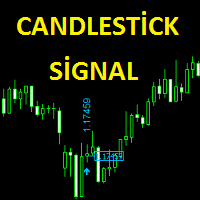
The Candlestick Signal indicator generates signals using a set of indicators and a set of candle patterns. It allows you to operate with these signals. Features
Works on any currency pairs. It works in all periods. Sensitivity setting. You can set the signal frequency. Use recommended standard settings. The greatest feature of this display is the possibility of manual martingale.
The signal intensity region tends to go in the direction of the signal. Works on all charts. Any broker. It is advi
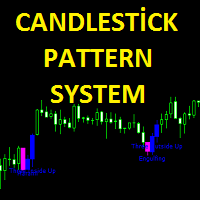
Candlestick pattern system finds 40 candle formations. Features Has the feature to send the notification. It has candlestick patterns feature. Bullish patterns feature. Bearish patterns feature. Trend filter and reliability features.
Parameters Show alert - Send alert Send email - Send alerts to mail address. Look back - Retrospective calculation === PATTERN SETUP === Show bullish patterns - Open close feature Show bearish patterns - Open close feature Trend filter - Open close feature

Утилита « Loss Control Panel » является информационной панелью для контроля убытков. Во входных параметрах пользователь задает начальный депозит и минимально допустимый размер эквити, при достижении которого все ордера, включая отложенные, принудительно закрываются, предотвращая, таким образом, потерю средств. Также есть возможность детально настроить цветовую схему панели. На панели отображаются следующие данные: Start deposit Начальный депозит. Min allowable deposit Минимально допустимый разме
FREE
Brave man EA Brave man EA is a Martin-like EA, from Martin's theory, but the risk is much lower than Martin's, built-in risk control, so that you do not like pure Martin EA, after ten years of historical data review, repeated revision strategy, I have just released, in line with investors and users responsible for Caution is prudent. On the parameters
control : You can control this EA as you like. Reap profit1 and Reap profit1 :Profit point。 proposal
As the world's most knowledgeable person,
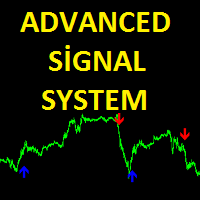
Advanced Signal System is an indicator that generates trade arrows. It generates trade arrows with its own algorithm. These arrows give buying and selling signals. Can be used in all pairs. Sends a signal to the user with the alert feature. The indicator certainly does not repaint.
Trade rules Enter the signal when the buy signal arrives. In order to exit from the transaction, an opposite signal must be received. It is absolutely necessary to close the operation when an opposite signal is rece
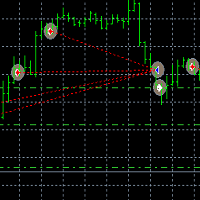
Tai Chi EA Tai Chi EA is according to the system's own indicator Written。Strong trend capability,you can to be try. As the world's most knowledgeable person, I've set the parameters to the optimal parameters, users can directly use, without modification. Use default settings. Broker: ECN broker, low communication / Commission, 1:400 leverage, non FIFO or FIFO. If you want to run in different currency pairs, please modify the parameters BM and SM. Please use default parameters.
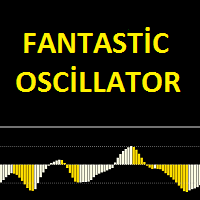
Fantastic oscillator indicator is an oscillator designed to calculate trend reversal points. A set of bar calculations and a set of algorithms to calculate trend reversals. Level probing system with high probability trends. All of these features combine to make it easier for investors to find trends.
Suggestions and Features There are two levels on the fantastic oscillator indicator. They are at levels of 0.5 and -0.5. The oscillator bar should be below -0.5 to find the upward trend. And a blue
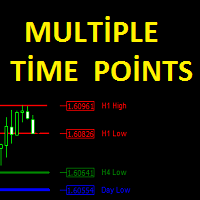
The Multiple Time Points indicator is designed to show candle high and low points. It also shows the high and low points of 4 different time periods. All graphics appear on a single graphical screen. the currently used time slots are H1, H4, D1, W1. Parameters Line style - Line style setting. H1 color - H1 color setting. H4 color - H4 color setting. Day color - D1 color setting Week color - W1 color setting. H1 width - H1 width setting. H4 width - H4 width setting. Day width - D1 width setting.
This indicator is designed to find the difference in RSI price and indicator. This indicator shows the price and indicator difference on the screen. The user is alerted with the alert sending feature. Our Popular Products Super Oscillator HC Cross Signal Super Cross Trend Strong Trend Super Signal
Parameters divergenceDepth - Depth of 2nd ref. point search RSI_Period - Second calculation period indAppliedPrice - Applied price of indicator indMAMethod - MA calculation method findExtInte
This indicator is designed to find the difference in MACD price and indicator. This indicator shows the price and indicator difference on the screen. The user is alerted with the alert sending feature. Our Popular Products Super Oscillator HC Cross Signal Super Cross Trend Strong Trend Super Signal
Parameters divergenceDepth - Depth of 2nd ref. point search Fast ema - Fast ema setting Slow ema - slow ema setting MACD sma - macd sma setting indAppliedPrice - Applied price of indicator indMAM

VolatilityHunter
VolatilityHunter is an intelligent expert advisor that records unusually high movement bars to csv file.
VolatilityHunter's generated csv file can be found in:
Files/VolatilityHunter/{BROKER_NAME}/{PAIR_NAME} [{TIME_FRAME}].csv
Afterwards it is possible to compare csv data with economic calendar such as:
https://www.investing.com/economic-calendar/ for further analysis.
RECOMMENDATIONS:
Use history ticks data converted to GMT time zone.
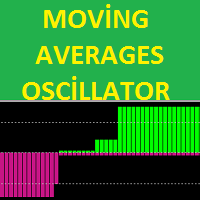
The MA's oscillator indicator is a trend indicator consisting of moving average indicators. It was formed with 4 moving average indicators. This indicator is used to find trends. It is also compatible with other indicators suitable for stretching. The indicator also has multi-time frame (MTF) capability.
Features There are two channel lines on the display. these are the channel lines 3.5 and -3.5. The 3.5 level is the overbought territory The -3.5 level is the oversold territory. The indicator
Le MetaTrader Market est un magasin unique de robots de trading et d'indicateurs techniques.
Lisez le mémo de l'utilisateur de MQL5.community pour en savoir plus sur les services uniques que nous offrons aux traders : copie des signaux de trading, applications personnalisées développées par des freelancers, paiements automatiques via le système de paiement et le MQL5 Cloud Network.

Vous manquez des opportunités de trading :
- Applications de trading gratuites
- Plus de 8 000 signaux à copier
- Actualités économiques pour explorer les marchés financiers
Inscription
Se connecter
Vous acceptez la politique du site Web et les conditions d'utilisation
Si vous n'avez pas de compte, veuillez vous inscrire