 MetaTrader 5
 エキスパート
 インディケータ
 ライブラリ
ライブラリ ユーティリティ
 ウィジェット
 ルール
ルール
YouTubeにあるマーケットチュートリアルビデオをご覧ください
ロボットや指標を購入する
仮想ホスティングで
EAを実行
EAを実行
ロボットや指標を購入前にテストする
マーケットで収入を得る
販売のためにプロダクトをプレゼンテーションする方法
MetaTrader 4のための新しいエキスパートアドバイザーとインディケータ - 283
 自動売買ロボットは市場取引を自動的に実行しますが、インジケータを使用すると、相場をより適切に分析し、価格行動を予測できます。
これらのアプリケーションを使用すると、より多くの機会を獲得しながら、より多くの情報に基づいた方法でMetaTrader4で取引を実行できるようになります。
自動売買ロボットは市場取引を自動的に実行しますが、インジケータを使用すると、相場をより適切に分析し、価格行動を予測できます。
これらのアプリケーションを使用すると、より多くの機会を獲得しながら、より多くの情報に基づいた方法でMetaTrader4で取引を実行できるようになります。 
Advisor Information: EG Connection Alert FREE every hour sends simple push notifications about the presence of a terminal connection to the server.
The utility will be useful to you if automated trading is carried out on a remote machine and there is no possibility to constantly check the operation of the terminal. Just install the adviser on any chart with any timeframe. You will receive notifications about the connection every hour. If no notifications are received, the terminal should be chec
FREE

We present you NeuroIntelligence Advisor . Advisor is recommended to use on TimeFrames (M1) and with Spread less than 13 pips. Recommended pairs for trading EURUSD, GPBUSD, USDCAD, AUDUSD, USDJPY. Options Risk- This parameter means - what risk will be involved in the transaction ( Low Risk - 3% / Mediam Risk - 10% / Deposit Overclocking - 15% ). Orders Magic Number - This parameter means what the Magic Number of open orders will be. FullRisk - This parameter increases StopLoss many times, but

*Translated from Russian using Google translator Advisor Information:
EG Connection Alert with the frequency specified by you sends Push notifications about the presence of a terminal connection to the server and a change in the deposit balance.
The utility will be useful to you if automatic trading is conducted on a remote machine or several and there is no possibility to constantly check the operation of the terminal. Just install the adviser on any chart with any timeframe. You can also ins

Magic Trend Signal Arrow is an indicator that generates trade arrows. It generates trade arrows with its own algorithm. These arrows give buying and selling signals. The indicator certainly does not repaint. Can be used in all pairs. Sends a signal to the user with the alert feature.
Trade rules Enter the signal when the buy signal arrives. In order to exit from the transaction, an opposite signal must be received. It is absolutely necessary to close the operation when an opposite signal is rec

NearTheMarket is a fully automated trading EA with an excelent predicting criteria to enter into Market. First it opens market orders, buy or sell, with a predefined Take Profit. If after a specified time the trade is still open, the robobot deletes the Take Profit and opens a limited order with a lots amount equal to a multiple of lots of the market order. The mission of the robot is to get the PayOffPrice (average price of the net position) closer to market price. Again, if open orders are on
FREE

SrEwo Expert adviser designed and optimized for EURUSD. You may Optimize all other instruments. It is easy to use. *** It uses only M5 chart graphic and you need to use M5. ( Both test and live ) Input Parameters: Lots: Base lot amount.Expert use this amount as referance. crossfactorlimit: expert will open new order with this limit modifylimit & TP limit : order modify and another TP limit. targetprofit : expert calculates this number in its logic. crossfactor : next order lots multiply with t

Expert's signal link has been working on 25 different instruments since 09.07.2019. It will be stopped after a while. https://www.mql5.com/en/signals/605823 This expert advisor works well on daily charts. Opens a pending order based on daily price movements and may revise this pending order based on price movements during the day. It can keep the current order by following the price movements and can open two different types of additional orders as soon as it sees the opportunity. If he sees t

Pegasus Pro works on based on HFT (high frequency trading) algorithm , but it’s so sensitive, it’s 100% automatic,Pegasus Pro is capable to scalp every different situation ,Please try Backtest with the lowest spread : ( MAX 5 for majur currency ) Because the ECN accounts Types have very low spreads , Maximum Ms for VPS: 5, do not forget to get this Ms your broker's server address must be in the same place with your VPS address Live signal, https://www.mql5.com/en/signals/2256700?source=Site+S

This is a very powerful indicator which is very useful in trend detection the way is used is similar to moving average but giving very reliable results. principle is very easy, that depicts a mobile support and resistance line when the price is below the orange line the trend is bearish and the line act as resistance and as soon as the resistance is broken and price is above the line then the trend becomes bullish and the line changes into the support line. this can be used in any time frames. i

Install as an EXPERT ADVISOR for it to work. This product will not work in strategy tester because it requires trades to be opened first. Therefore, the 1 month rental option for $10 is included for you to test the product. That is the lowest price allowed by the website. The trailing stop loss (TSL) on MetaTrader 4 only works on set ranges. For example, if the TSL is set at 20 pips or 200 points, the trailing SL will move to sell/buy price only once 20 pips/200 points are gained. It does not

A great indicator that allows one to spot reversals, and follow a trend easily, on any timeframe. Works on any forex pair and other instruments. Works extremely well on exotic pairs It changes colour and direction and can be set to provide an alert for both long and short trades. It can also be used to set the stop loss and manually trail the trade. The indicator can be used on different timeframes easily, and is reliable in that it does not change during slight market corrections, once a tren

This EA loads Support & Resistance Trend Lines and trade purely based on price action of Trend Reversal strategies. No effect with manual entry. It is possible to use this Expert Advisor as indicator. It also featuring safe virtual Hedging method as recovery as well MANUAL entry by using control panel. Auto Strategy: Swing Reversal Patterns and Major Trendline Breakout with trailing TP & Stop. Manual Strategy: BUY/SELL using Control Panel on chart with trailing TP & Stop. Operating Procedure U

By checking Trend direction by 3MA at trading time frame and upper time frame With Intelligence Averaging system ,This EA " FX Smart " is made. This is very constant steady monthly profits EA ,As you know well Backtest Result has no News Control. so On real will be more steady Profits and low DD M5 EURUSD Recommended. Min 500USD , 1:400
Using News Filter, Please protect unexpected entry during News , So Please add at MT4 Tools/Options/ExpertAdvisors URL: http://ec.forexprostools.com/
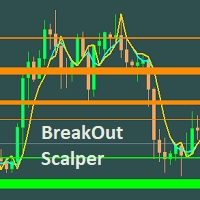
This Scalper is based on Support/Resistance level that are identified using innovative algorithm. This is very simple EA to set it up. Demo Accounts : Growth Status as of 2/06/2020 TickMill - https://www.mql5.com/en/signals/620466 -- 105327% (Initial Deposit - 200 USD, Profit - 210654.42 USD)
Recommended Currency Pair to run - GBPUSD Renko 4 pips bar chart with Wicks generated for Back testing. EURUSD Renko 4 pips bar chart with Wicks generated for Back testing. EURUSD M15 Recomme
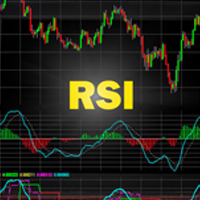
RSIbot - expert adviser which based on indicator RSI. Lot for 10000USD: Lot for 5000USD: Lot for 1000USD: Lot for 100USD: high risk = 2; high risk = 1; high risk = 0.5 - 1; high risk = 0.1; medium risk = 0.5 - 1; medium risk = 0.5; medium risk = 0.1; medium risk = 0.01; low risk = 0.1; l
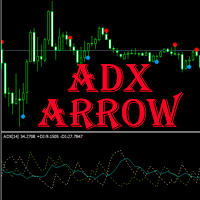
ADX arrow このインジケーターは、ADXインジケーター(平均方向移動インデックス)の信号をチャート上のポイントとして表示します。
これにより、信号の視覚的識別が容易になります。 インジケータはまた、警告(ポップアップメッセージボックス)プッシュと電子メールに信号を送信する機能します。
パラメータ 期間-期間を平均化します。 計算に使用される価格:終値、始値、高値、安値、中央値(高値+安値)/2、標準値(高値+安値+終値)/3、加重終値(高値+安値+終値)/4。 アラート-アラートを有効/無効にします。 電子メール-電子メールへの信号の送信を有効/無効にします。 Push -pushへの信号の送信を有効/無効にします。


Th3Eng PipFinite PRO Indicator This product is distinct from the Th3Eng PipFinite Original, utilizing a different logic and algorithms. The Th3Eng PipFinite Pro indicator offers analysis of trend directions using custom algorithms. It provides indications of trend direction, entry points, a stop loss point, and three take profit points. The indicator also displays pivot points, dynamic support and resistance channels, and a side-box with detailed current signal information.
How to Trade with T

automatically sets a pre set take profit and stop loss on all orders that lack the selected stop(orders without sl/tp or both). This enables quicker opening of orders especially if you use a common take profit, stop loss or both for all orders of a current pair. You only need to open orders without having to calculate your stops and no matter how many orders you have opened the EA will set stops for you as long as you have attached the EA on the currency pairs chart. For pending orders the EA

Mars 7 is a Trend indicator is a powerful indicator of TREND CHANGE for any par and any timeframe. It doesn't requires any additional indicators for the trading setup.The indicator gives clear signals about opening and closing trades.This Indicator is a unique, high quality and affordable trading tool.
Perfect For New Traders And Expert Traders Low risk entries. Never repaints signal. Never backpaints signal. Never recalculates signal. For MT4 Only Great For Scalping Great For Swing Tradi

Trend Fo is a fully automated expert advisor. This expert advisor is based on Trend Trading Strategy.
This trading algorithm can be applied across any markets. When will get more buying pressure, which results in higher prices (uptrend), on the other hand,
when will get more selling pressure, which results in lower prices (downtrend) and when will trend trading stop working (sideway). For trend trading:
-high win rate
-better risk to reward
-trading with the trend
-adopt a swing trading appro
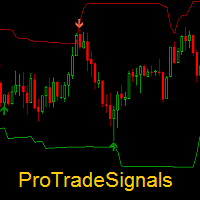
Dear traders, ProTradeSignals is a professional trading indicator. It performs Multi time frame analysis using Price- Volumes- Volatility. Main indicator alongwith its adaptive bands helps in trading in different market conditions.
Please refer to attached video for detailed information on the indicator.
If you have any further queries, feel free to write to use.
Thanks for showing interest in this indicator.
About us: We are a small team of professional traders with experience in forex- s

Intraday Volume Profile Forex MT4 Intraday Volume Profile - This is a visualization tool for understanding the high activity zone and low activity zone, as part of the D1 senior timeframe. The volume profile provides an excellent visual image of supply / demand at each price for the selected timeframe. Introducing POC - Point of Control, which indicates the price at which the maximum volume was sold, as well as Value Area - the area where 68% of the instrument's assets are traded. POC -

Session Volume Profile is an advanced graphical representation that displays trading activity during Forex trading sessions at specified price levels. The Forex market can be divided into four main trading sessions: the Australian session, the Asian session, the European session and the favorite trading time - the American (US) session. POC - profile can be used as a support and resistance level for intraday trading.
VWAP - Volume Weighted Average Price.
ATTENTION! For the indicator to wo
KT MACD Divergence Seeker trades the regular and hidden divergence signals generated by our free indicator named KT MACD Divergence indicator.
Trading the standalone divergences can be a risky affair that's why the KT MACD Divergence Seeker combines the standard divergence signals with an advanced analysis module to exploit the price inefficiencies on some FX pairs.
What is the Divergence exactly?
As a general conception if the price is making higher highs, then macd should also be making hig

Take your investments to the professional level with Auto Grid Investor, this expert will place a set of coordinated orders every certain amount of points, taking advantage of the price oscillations, regardless of the direction taken, once the market has changed it's behaviour; Auto Grid Investor also will change the investment parameters on all the orders, managing automatically many more orders than you could control manually. Don't waste time finding out the optimal parameters for the c
FREE

Swing Trade Breakout is a fully automated expert advisor. This expert advisor is based on breakout trading strategy and is a breakout through support and resistance that suggests that the market is pausing or consolidating. The bulls cannot create pressure for a higher high and the bears cannot create a lower low. So if the inside bar breakout is bullish, typically want to buy. But if price turns against and it breaks the lower level of the inside bars, the system mechanism will consider rev

Avg - the adviser uses many moving average indicators to search for signals to enter. Works in fully automatic mode! You do not need any settings, you can use the default settings. The bot passes the historical gap for the 19-year period from 2000 to 2019. Unlike alternative developments, this bot can simultaneously trade both on buy and on sell. That is, it has two independent systems of analysis. This is a significant advantage in real life because it gives the opportunity to achieve signific

The Expert Advisor algorithm determines the formed trend movement, and starts working in the direction of the existing trend. To determine the direction of price movement, the EA uses candlestick analysis, certain technical analysis patterns, significant price levels, trading volatility both separately and combined with the obtained data. Each deal is managed by a tight trailing stop, which is applied to both profitable and unprofitable orders. An example of the correct installation of the EA is
Description: The indicator of tick volumes Better Volumes allows you to assess the general mood of the market and quite accurately catch the moments of the formation of large movements. The indicator is a color histogram in an additional window. In the calculation of Better Volumes the Price Action combinations are taken into account, the values of the volumes with the height of columns and color marking are displayed. Input parameters: Display_Bars - the number of displayed bars (at 0, all are

Automatic/semi-automatic trading robot, working on AB = CD pattern signals. It can work as an indicator. Supports sending signals in notifications, to a mobile device, as well as e-mail. This EA has been ported from the Harmonic ABCD Wizard version for the MetaTrader 5 trading terminal . A more detailed description of the EA can be found here . And also in the blog . Parameters
EA Values magic - magic ID deviation - deviation Parameters Peak ZigZag minPeakDist - the minimum distance of the Zi
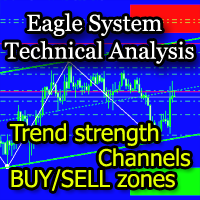
The EagleSystem indicator is a complete trading system.
The indicator algorithm determines wave movements, price channels formed, Pivot-levels, zones of intended purchases and sales (overbought / oversold zones).
The indicator can be used both independently and as an addition to any trading system.
Settings Alert for turning points - Alert when forming a point; Send Emails - Send to e-mail; Display the EagleSystem - Show price peaks; Alert at the color dot change - Alert when the dot changes

Triton Arrow - уникальный авторский индикатор, имеющий возможность отображать 3 типа сигналов. Которые появляются в направлении текущей тенденции, и против нее, а также при определенном превышении волатильности. Triton Arrow подходит для любого таймфрейма, валютной пары. Сигналы индикатора не пропадают ни при каких условиях. Рекомендуются таймфреймы M5, М15.
Параметры индикатора
Основные настройки ( Main Settings ): CounterTrendPeriod - период для расчета сигналов против тенденции, и расчета
Euro Momentum es un EA que opera en el par EURUSD,en temporalidad de 5 minutos. Usa el canal de Donchian y el indicador de Momentum para determinar los momentos de entrada y salidas en el mercado en base a la tendencia existente y al volumen. No se usan sistemas de GRID,ni martingala,así como estrategias de entrada en las aperturas de mercado,ni momentos donde los spreads son muy altos ,ni ninguna otra práctica dañina para la cuenta. El lotaje recomendado según el capital sería: Cuenta de 1000 =
FREE

Base Trading System (MTF) MULTI TIME FRAME
For Single Time Frame click here BASE TRADING SYSTEM MTF is a useful tool to trade with simple strategy. It draws automatically base up for long trade and base down for short trade. Clear trade when base is going opposite direction. User can trade by instant market entry or by pending order entry. It depends on user best strategy. input: Arrow UP, Arrow DOWN. Base Box Color- UP base box , DOWN base box, UP base shadow, Down base shadow.

Hello guys, This is my New EA. You can try this. But first note few things. This EA has high risk, high drawdown. So your deposit should be large enough to use this EA. This EA use only pending orders. No complex strategy. Only use this EA for positive swap charge trades . Because some orders must hold for long term for hit TP. Use minimum lot size(0.01) to trades and use a trading account that can open 1000 open position or more. minimum deposit 10000USD or if you use cent account you can sta

EZ.Smart Trend This EA uses a variety of strategies and functions such as neural network grid scalping, mobile stop loss, automatic lot number setting, etc. Use revolutionary price model algorithms, price behavioral trading, and signature collaborative work with artificial intelligence adaptive processing units. The system adopts some kind of reverse sampling development method, which makes the system show a very substantial benefit in the 13-year historical backtesting. Profit drivers to keep

This dashboard is designed and simplified for use on the standard mt4 terminal. There are 1 spread columns and adjustable signal columns for 5 different timeframes. For the signals, I used a special indicator that I developed and called mars. I haven't published the Mars indicator in the market yet. You can use this indicator only as dashboard signals. I'm in preparation for an expert for the indicator, and I will publish it when it's ready. ( Published https://www.mql5.com/en/market/product/40

Marsi Expert is an effective advisor especially at low spread rates. Tested and designed on M5 & H1 chart in EURUSD. There is no input option other than lot selection and Magic number selection. The other settings will be adjusted according to the time period of the chart you will put on the Expert. Advanced versions will be updated with renewed sales price. * Must be tested on demo accounts before using in real account, due to your broker behavior.

Distance Breakout EA is a Forex Robot that uses a set of calculated distances. One for Buy Long and another one for Sell Short, and automatically detects true price breakout based on that distances. It uses two sets of number of bars, Fast and Slow periods, to calculate and analyze the breakout. G U I D E E B O O K Download it here for free: https://www.yumpu.com/en/document/view/65402349/under-the-radar-forex-masterstroke Click here to get the demo version so you can forward-test

PROFIT CALCULATIONS
Manual Trade floating minus $ 1 x 30 pip = - $ 30
The first EA transaction is floating minus $ 2 x 20 pip = - $ 40
The second EA transaction is floating minus $ 4 x 10 pip = - $ 40
Third EA transaction $ 8 x 0 pip = + $ 0
The fourth EA transaction is profit of $ 16 x 10 pip = + $ 160
Profit = -30 - 40 - 40 - 0 + 160 = profit + $ 50
PARAMETERS StarLotManual this is the first manual lot you trade, used to calculate the next lot from EA Multiplier Lot multiplication va

The Multi Trendlines indicator automatically draws the dominant trendlines on the current chart. The indicator looks for the 5 best Up trends and the 5 best Down trends as at the current price, drawing each trendline if filter conditions are met. The trendlines are named "Trendline"+[Direction]+Symbol()+TrendlineSequenceNumber For example: The second Up trendline on a EURUSD chart would be named "TrendlineUpEURUSD2". To get its current value would be: ObjectGet("TrendlineUpEURUSD2",OBJPROP_PRI
FREE

The Sentiment Ratio indicator gauges current Market Sentiment between -100% and 100%, where lower than -40% is considered Bearish and higher than 40% is Bullish. The channel between the two is considered Neutral. The indicator has been a very useful filter tool for signals within a trading system.
Example call function: int SentimentIndicator(double triggerLevel)//Return sentiment if trigger level is activated { double sentimentRatio=iCustom(NULL,0,"Sentiment Ratio",0,0,0); if(sentimentRat
FREE
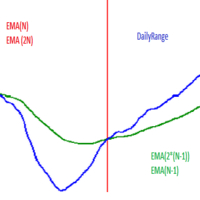
Hello! This EA uses selected time frame exponential moving averages and higher time frame (daily) exponential moving averages in combination with daily price action to determine whether or not to open a trade. Below is a description of input parameters: MN - Magic number; PTS_Risk* - Variable that is connected with PROC_Risk in order to calculate position size; PROC_Risk* - Variable that is connected with PTS_Risk in order to calculate position size; ONE_ORDER_A_DAY - If true then open maxi

Tick Hamster for MetaTrader 4 — シンプルに使える完全自動売買 Expert Advisor 複雑な設定は不要です。 Tick Hamster は、MetaTrader 4 向けに設計された自動売買 Expert Advisor で、あらゆる取引シンボルに対して内部ロジックを自動最適化し、すぐに運用を始めたいトレーダーに適したシンプルなソリューションです。 細かなパラメータ調整に時間をかけたくない方や、できるだけ簡単に自動売買を始めたい方のために作られています。チャートにセットし、ロットを指定するだけで、残りの主要ロジックは EA が自動で処理します。 Tick Hamster は TickSniper と同じ基本的な売買アイデアをベースにしながら、ほとんどの設定項目を省いた簡潔なバージョンです。継続的な手動調整を避けたいユーザーにとって、より扱いやすい構成になっています。 MT5 版 | 詳細説明 + DEMO + PDF | 購入方法 | インストール方法 | ログファイルの取得方法 | テストと最適化の方法 | Expforex の全製品 使い方 T

マルチタイムフレーム対応、カスタマイズ可能なビジュアルシグナル、設定可能なアラートシステムを備えたAverage Directional Movement Index(ADX)インジケーター。
フリーランスプログラミングサービス、アップデート、その他のTrueTL製品は私の MQL5プロフィール からご利用いただけます。
フィードバックとレビューを大歓迎します!
ADXとは? Average Directional Movement Index(ADX)は、J. Welles Wilderが開発した技術的指標で、方向性に関係なくトレンドの強さを測定するために使用されます。ADXはポジティブ方向指標(+DI)とネガティブ方向指標(-DI)から導出されますが、トレンドの方向ではなく強さのみを示します。 ADX値は0から100の範囲です。一般的に、20〜25未満の値は弱いまたは存在しないトレンド(レンジ相場)を示し、25を超える値は強いトレンドを示します。50を超える値は非常に強いトレンドを示します。ADXは市場がトレンド中かレンジ中かを識別するのに特に役立ち、トレーダーがトレンドフォ
FREE
強力な分析方法の1つは、Levyプロセスを使用した金融シリーズのモデリングです。これらのプロセスの主な利点は、最も単純なものから最も複雑なものまで、膨大な数の現象をモデル化するために使用できることです。市場におけるフラクタルな価格変動の考えは、レヴィ過程の特別な場合にすぎないと言えば十分でしょう。一方、パラメータを適切に選択すると、どのLevyプロセスも単純な移動平均として表すことができます。図1は、フラグメントを数倍に拡大したLevyプロセスの例を示しています。 価格チャートを滑らかにするためにLevyプロセスを使用する可能性を考えてみましょう。まず、線形プロセスをシミュレートするために使用できるように、Levyプロセスのパラメータを選択する必要があります。それから、異なる符号の係数を含む重みのシステムを得ます。このおかげで、私たちは財務範囲を平準化するだけでなく、そこに存在する反トレンドと定期的な要素を追跡することもできるでしょう。 インジケータの動作は、パラメータ LF を選択することによって設定されます。分析されるストーリーの深さを決定します。このパラメーターの許容値は、0か
弱い通貨に対して強い通貨を取引することは、常に最も安全なプレイです。この指標は、主要通貨間の相対的な強さを測定し、金融商品の選択、入場、退出をより簡単にします。基本的な考え方は、弱い通貨をカウンター通貨として使用し、その逆を使用することです。弱さに対する強さおよび強さに対する短い弱さを購入します。 [ インストールガイド | 更新ガイド | トラブルシューティング | よくある質問 | すべての製品 ] 一目で強い通貨と弱い通貨を見つける ある通貨を別の通貨と簡単に比較する 通貨は強化されていますか?長い間探します 通貨は弱くなっていますか?ショートパンツを探す 複数時間枠のダッシュボードを実装します それは取引のための最高品質の確認です インディケーターは最適化をまったく必要としません カスタマイズ可能なルックバック期間 インジケーターは再描画されていません インジケーターの解釈はかなり簡単です。 27通貨ペアの現在と以前の価格を比較し、各通貨が他のすべての通貨に対して獲得または損失した回数をカウントします。通貨は8つしかないため、最大スコアは+7(他のすべてに対して獲得された通貨
I recommend you to read the product's blog (manual) from start to end so that it is clear from the beginning what the indicactor offers. This multi time frame and multi symbol indicator sends an alert when one or more trend reversal candle patterns have been identified on several time frames. It can be used with all time frames from M5 to MN. It is possible to enable moving average or RSI trend filter to filter out only the strongest setups. Combined with your own rules and techniques, this

Curiosity 6 The Perfect Wave It is an advanced trading system. This is a fully automatic Expert Advisor, which allows you to presize the trade according to the preferences of the trader. Curiosity 6 have more than 260 customization options for your trade. Different options for different styles of trade. Curiosity 6 The Perfect Wave is a Trend system of trade with different algorithm of trade mode. This EA using signals to place orders. Is a revolution in the customization of the trading. Th
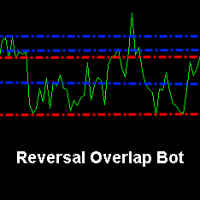
Reversal Overlap Bot is an automated trading strategy. No technical indicators are used in the work. At the beginning of trading, the first order is placed in a certain direction (at your option). When you open a new candle, this order is closed if it is in profit. Otherwise, the next order opens in the opposite direction. Orders are closed when profit is reached. If there are unprofitable orders on the chart, the robot will close one of them. When closing loss-making orders, the profit covers t

The EA uses a strategy based on the average price deviation using the following indicators: Bollinger Bands, Envelopes and Standard Deviation , as well as support and Resistance levels for the best signals. The first order is opened for price Deviation and subsequent orders are opened from the support and Resistance levels, and trading can be inside the Support and Resistance levels. The EA uses only the M5 timeframe and trades on most of the major pairs. EA is safe if you comply with the re
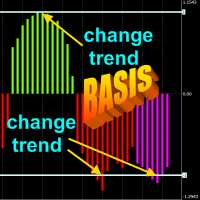
The principle of the indicator.
The Asummetry indicator allows you to predict the beginning of a change in the direction of trends, long before their visual appearance on the price chart. The author statistically revealed that before changing the direction of the trend, the probability distribution function of the price is made as asymmetric as possible. More precisely, the price movement in any direction always pulls sideways the function of its dist

Adapted RSI indicator (according to DeMark), automatically constructed Fibonacci lines and convenient active information panel create reliable conditions for profitable multicurrency trading by the advisor Signals Provider RSI and Fibonacci Attaching EA to different windows of currency pairs creates a hedging effect (minimizing the risk of unforeseen market price fluctuations). To do this, after attaching EA to the currency pair window, you need to change the MagicNumber number and, accordingly,

WeightTF FREE is a free demo version of the WeightTF automated trading system, which is based on intelligent monitoring of a number of strategies for each time frame of the currency instrument. The user manually sets the numeric parameters of the “Weight” of each timeframe, and the robot makes a decision on opening a trading order to buy or sell on the set of signals for each timeframe. The main idea of a trading robot is minimization of false entries into the market, which arise due to the sh
FREE

EA works with none of the technical indicators. It works on logic, every jump has the reversal, It waits for the jump and on reversal it begins to trade. No standard indicators. No grid trading. No arbitrage. No curve fitting according to back-test results No Hedge Very low Stop Loss Ratio Tested with 99.90% data Modelling quality. Recommendations : Developed for M1, EURUSD ECN Broker with 5 points Settings Spread: Need to be as low as possible. Trailing Status: trailing stop usage option Tr

Advisor Stability EurChf, Gbpchf works on currency pairs EurChf, Gbpchf timeframe is m1! In the video below the description of the test with the quality of modeling 99.90%! Please note that the standard quality of modeling on the timeframe is M1 25%! Expert Stability EurChf, Gbpchf works in a calm market, which allows you to avoid poor execution of orders!The principle of work of the adviser is scalping from levels in a calm market!
Please pay attention to the test that all systems have d

Forex Kryptonite Kryptonite expert Advisor has no analogues , it was created on the basis of trading experience in the markets for more than 15 years. The EA has good information and shows excellent profitability, but still, at the heart of the EA is the security of the trading account. There are many included trading modules that improve the trading process of the robot and the trader, as well as the ability to connect the news indicator and connect your indicator. The EA has a trading strate

Often it is necessary to analyze the history of order opening/closing on your real or demo trading account, or to take a screenshot of the terminal chart to see how well you or an EA performs. This is where the "Analysis of Orders History" tool comes in. The tool scans the history for all orders with the specified magic number and displays orders on the terminal screen, draws the history of deals opening and closing, and connects them with lines to make them clearly visible. Red arrows represent

The utility is designed for manually placing the first order in trading with a user-defined magic number that corresponds to the magic number of the currently running EA. You can choose the direction for opening an order and open it using "The First Order". After that, disable "The First Order" and enable your trading expert, which picks up the newly placed order and considers it to be its own, managing it accordingly. Trading experience helps traders to better determine the trade direction than

EA works with none of the technical indicators. It works with logics in slow market. It's very important to give GMT-offset value to EA. GMT-offset value is the value that need to be according to chart off-set time. If your chart is GMT +3 than give GMT Offset value 3. Tested with 99.90% data Modelling quality. Recommendations : Developed for M1, EURUSD ECN Broker with 5 points Settings Lot Size: manual lot size if "money management" is disabled Money management: EA will decide the lot size if t

Kryptosystém automaticky Automatický kryptosystém je v súčasnosti plne automatizovaný so všetkými špeciálnymi vlastnosťami a funkciami, je kontrolovaný a pravidelne monitorovaný. Jeho vývoj, parametre a jednotlivé algoritmy sú odborne vyhodnotené a optimalizované skúsenou vývojovou skupinou programátorov, ktorí vyvíjajú nové aktualizované verzie systému. Na rozdiel od ostatných systémov sme sa zamerali na vytvorenie systému, v ktorom je spätné testovanie úspešných výsledkov zodpovedajúce situ
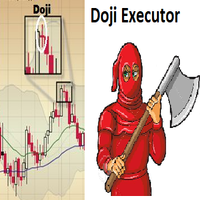
Doji Executor is an expert advisor who works by opening a trading position after detecting a doji candle, according to the doji formation.
Continuation formation bull - doji - bull = buy bear - doji - bear = sell
Reversal formation bear - doji - bull = buy bull - doji - bear = sell
with this ea, you don't need to monitor the chart all day long just to find a doji candle Pair = all pair Time Frame = all time frame suitable for use with brokers who give rebate programs please test first in th

Open Orders Engineering Panel This Utility is NOT created to open any order or trade for Traders but to manage open orders in diverse ways with these 15 different functions On-chart BUTTONS features: Apply TP: Apply Take-Profit to any order without take-profit Apply SL: Apply Stop-loss to any order without stop-loss Apply TP and SL: Apply both Take-Profit and Stop-loss to any order without them Cancel TP: You can cancel your Take-profit Cancel SL: You can cancel your Stop-loss Cancel TP and SL
TradingDesk Demo – Performance Analyse MT4 This is a Demo version of TradingDesk indicator which is limited to show only EURUSD. Full version can be found here: https://www.mql5.com/en/market/product/40189
TradingDesk analysed MetaTrader 4 historical data by Symbol, Magic Number, Trade or Comment. All these evaluations will be displayed in real time on your MetaTrader 4 chart window.
All this information will be displayed in the following dashboards: account info General information about the
FREE
TradingDesk – Performance Analyse MT4
To test the indicator download free Demo version here: https://www.mql5.com/en/market/product/40471
TradingDesk analysed MetaTrader 4 historical data by Symbol, Magic Number, Trade or Comment. All these evaluations will be displayed in real time on your MetaTrader 4 chart window.
All this information will be displayed in the following dashboards: account info General information about the account is displayed in the account info dashboard. performance inf

White Shark is a fully automatic Expert Advisor. It can actually outsmart a market by placing BUY and SELL orders when the requirements are met. It uses an advanced technology to place orders in the right time with the right lot. This robot is designed for beginners yet expert traders: Most of the inner parameters are hidden from user so that even a beginner will not mess up. You can download this Ea and back-test. I personally used a 99.9% real tick data for back-testing for an accurate result.

Heiken Ashi Trend (EURUSD M30) This EA has been developed for EURUSD M30, e verything is tested and ready for immediate use on real account. This Expert Advisor is based on continuation of TREND by HEIKEN ASHI CANDLES. It uses STOP pending orders with ATR Stop Loss . To catch as much profit as possible there is also a BREAKEVEN functions provided Every Friday at 9:00 pm we are closing trades to prevent weekly gaps.. !!!Adjust these times to your broker time. Preset values are for UTC+2 on

This expert works with the strategy of supply and demand, whether the offer is stronger buy or demand stronger selling in addition to several indicators working with them as confirmation of the right to enter the matter is good result I added capital management with this strategy risk management to be an expert resistant to all market conditions from news to Otherwise

Full Dashboard Trade Panel Utility is built to perform overall task of trades and order managements to make trading an easy task for every trader that bought and using it. It comprises of three sections with each having a shift setting for a convenient placement as desired: 1. Trades Managements Panel 2. Basket Trades Panel 3. Symbol and Time frame Changer Each of these three sections has its own unique functions and roles to perform for a complete enjoyable forex trading ex
MetaTraderマーケットは、履歴データを使ったテストと最適化のための無料のデモ自動売買ロボットをダウンロードできる唯一のストアです。
アプリ概要と他のカスタマーからのレビューをご覧になり、ターミナルにダウンロードし、購入する前に自動売買ロボットをテストしてください。完全に無料でアプリをテストできるのはMetaTraderマーケットだけです。

取引の機会を逃しています。
- 無料取引アプリ
- 8千を超えるシグナルをコピー
- 金融ニュースで金融マーケットを探索