 MetaTrader 5
 Experts
 지표
지표 라이브러리
라이브러리 유틸리티
유틸리티 위젯
위젯 규칙
규칙MetaTrader 4용 새 Expert Advisor 및 지표 - 283
 트레이딩 로봇은 자동으로 시장거래를 수행하는 반면 지표는 가격을 더 잘 분석하고 가격 행동을 예측할 수 있게 해줍니다.
이러한 어플리케이션을 사용하면 MetaTrader 4에서 더 많은 기회를 포착하는 동시에 보다 정보에 입각한 방식으로 거래를 수행할 수 있습니다.
트레이딩 로봇은 자동으로 시장거래를 수행하는 반면 지표는 가격을 더 잘 분석하고 가격 행동을 예측할 수 있게 해줍니다.
이러한 어플리케이션을 사용하면 MetaTrader 4에서 더 많은 기회를 포착하는 동시에 보다 정보에 입각한 방식으로 거래를 수행할 수 있습니다. 
Standart "PureDailyEA" 's signal link has been working on 25 different instruments since 09.07.2019. It will be stopped after a while. https://www.mql5.com/en/signals/605823 Differences between Standart " PureDailyEa" and "PureDailyAdvanced" are: 1. Added one more input parameters for fine tuning ( optimizasyon ) 2. Only 5 currencies works together. You can add daily all 25 currencies but experts open orders ( if conditions met ) only five of them. This because margin problem in the small a

Auto Chart Updater Indicator is created to update the window chart for any indicator, expert or any trading program receive fresh data retrieval at xx period interval set by the user as a preference. It is laced with on-chart Candle clock to give the user the sense of time when the updater would refresh the chart or the remaining time for the candle/session to end. It also has an option for the user to choose when exactly does he/she wants the Updater to update the chart. The User can also selec

Dear Traders it's happy to launch this EA much as possible. You can use various settings on this EA to maximize the profits. 100USD is enough for safe trading with small lot sizes. Enjoy the EA. Dollars will come to your hand. Feel free to ask any thing about the EA. You can choose several modes to trading activities. Safe trading is included to the EA. Your Equity is on safe hand with this EA.

Trading Robot which automates your scalping and take your profitability and forex trading experience to the next level ,Computer cannot analyse market as humans do, at same time we cannot compete with them in terms of speed of execution, hft & emotionlessness . In this scalp-trading robot we have integrated human analysis with quick algorithmic execution to enter and exit trades at fraction of seconds Get More details at : https://www.noemotionfx.com/tl-scalper-ea To test , use it in dem

Это самая полная и продвинутая версия эксперта Start Trade. Отлично зарекомендовавшая себя. Ссылка: https://www.mql5.com/ru/market/product/39225 В платной версии вы получаете: более проработанную механику Траллинга ордеров. более прочная связь между параллельно открытыми валютными парами. дальнейшие обгрейды и поддержку. Коротко о главном.
Для начала торговли достаточно небольшого депозита. Идеален для быстрого разгона депозита!!! Подходит для мультивалютной торговли. Невосприимчивость к больш

The adviser works on the indicator, the martingale is used in the strategist, and when you turn it on, you can disable it in the settings. Recommended pair USDCHF
extern int Sl = 0; // SL extern int Tp = 50; // TP extern int Tral = 10; // Trailing 1 pp extern int magic = 3456346; // Magic extern double lot = 0.01; // Lot extern bool ilan_martin = true; // true or false ex

Good looking overview panel for the current instrument showing: Instrumentname Flags of involved currencies for forex or indicies Bid/Ask price Spread The look and location of the panel can also be configured. Here the desctiption of the useable parameters: panelFontName : Name of the system font that is used to paint all text. panelBackgroundColor : Background color of the panel. panelNeutralColor : Color of the text within that panel. panelBorderColor : Color of the panel border panelBorderAl

This EA uses strategy which works year after year. It makes an entry in the market early enough when the trend shifts at Price action verified supports and resistance levels. why renting/Sell it when l can make enough using it? Well to be honest, am renting/selling out just to raise enough Capital for trading. Those who buy it are fortunate as it won’t be available after raising capital. Let’s discuss the Parameters to have an idea of how it trades. Name of EA =Triumph Forex Strategy Properties

Jealous about the colorful fibonacci tools in tradingview? Here is the solution for MT4! You can turn your existing charts into colorful masterpieces by adding this tool. Bring your presentations, webinars to the next level and attract more users when posting or sharing your analysis.
Simply add the indicator to the chart and your fibs will turned into the colorful ones. Don't loss your objects! They will turn back into "standard" objects when the indicator gets removed.
Watch this video to
Ready trading system that gives the trader buy and sell signals. It is enough to place the indicator on the chart, it automatically analyzes the market situation, determines the direction of the trend, calculates support and resistance levels, analyzes the price movement dynamics and shows the trader on the chart in the form of arrows the moments when it is necessary to open orders and in what direction.
Trading strategies with ScalpingCircles: Trading with these signals is very simple. Add a
The high and low band points made strictly according to Dow's theory can be used to distinguish the position of support and resistance, to identify the starting point of trend, and to stop and stop loss.
Whether you are a trend trader, an day short-term trader, or a scalp trader, I believe this indicator will be of great help to you.
For example, when the price goes down through the green line, the current short trend starts, and when the price goes up through the red line, the bull trend

indicator for trading binary options and forex trading. The indicator does not redraw the readings. when trading binary options, testing was performed. This indicator showed the good results correct predictions.
Under these conditions, the eur / usd m1 chart, when a signal appears, the transaction opens in the direction indicated by the indicator for 5 candles, then the truth is (5 minutes since in us the 1-minute chart of a candlestick is 1 minute) the result was.
When trading in the forex m

Robot nest is a robot advisor working on price levels calculated using a quantum system. The advisor is made with static flexible settings, which allows you to most accurately determine the price levels. There is an opportunity to work with a change in the period of the estimated time. The Expert Advisor applies security varnishing orders and fixes the profit only with a positive balance. Suitable for any style of trading, scalping, medium and long-term trading. It is possible to use martingale

The EA is not a scalper. The EA uses a strategy based on the breakdown of local support and resistance levels, also uses the reverse and rebound from support and resistance levels. The EA is based on the original author's strategy. Real monitoring: https://www.mql5.com/en/signals/author/profi_mql Detailed description of the strategy here: https://www.mql5.com/ru/blogs/post/728430 This is a link for general discussion of the EA: https://www.mql5.com/ru/blogs/post/728430 Hidden Take profit,

Indicator patterns Price Action. The indicator uses in its work 12 patterns, a trend channel and horizontal price lines (support and resistance lines). You can work both by channel and lines, or simply by patterns. Some patterns are customizable. Below is a small manual.
Period of candles: Set the period on which the indicator will work.
Parameters of information on the chart
Consider trend and horizontal lin

Curiosity 7 The River It is an advanced trading system. This is a fully automatic Expert Advisor, which allows you to presize the trade according to the preferences of the trader. Curiosity 7 have more than 260 customization options for your trade. Different options for different styles of trade. Curiosity 7 The River is a Trend system of trade with different algorithm of trade mode. This EA using signals to place orders. Is a revolution in the customization of the trading. The algorithms d
GAP Hunter EA
The expert's trading strategy is based on finding a gap (price gap) that occurs after weekends and holidays. Basically, the majority of gaps closes on the same day or within several days, the expert tracks such price gaps and when it arrives opens an order in the opposite direction in the direction of closure.
There are settings to search for gep only on Monday, search for gep every day on the shift of days, and 0-24 gap search around the clock.
In the settings there is a sprea

This indicator can be interpreted as a trend and channel indicator. The indicator divides the market into two parts. In one part, it is more promising to buy, the whole price zone is allocated for purchase. In the other part, for sale, there is also an entire zone. If you work with algorithms such as grids or catch-up, then this indicator is very good to use for work.

Expert Pro Scalping GBPUSD works at night taking small profits! The system passes the test from 2000 to the current day! The system is long-term and will not give you a sharp increase in the deposit! The expert uses independent strategies, including trading in short-term and long-term trends! Attention, the profitability of the system is not in one year, but in a couple of decades! It is for the patient! Take a test from 2000 to the current day to understand!
The price of the adviser will gro

Update: Push to mobile notification is now added as optinal in the settings. Most traders fail to generate profit because of the lack of so-called filters and scanners. If you want to win at trading you need a solid system and also a filtering tool for some or all of your entry criteria. It is impossible to follow 24 currency pairs, all the indices, stocks and commodities without a filtering tool. Imagine you can get an email any time CCI crosses bellow 100 and 0 when the price is bellow MA5 an

DailyFx - EA for scalping. Works on the principle of a smooth analysis of the market and the determination of peak wave values. With the help of three adaptation algorithms, EA systematically scans the time segments of the price chart by determining the impulse points of contact between demand and supply. The smoothed neural network algorithm, learning from historical data of price behavior, predicts its further behavior.
Trading with the indicator is very simple. To do this, simply place the

Quantum nest is a robot advisor using trade hedging. Refers to trend advisers, working on a quantum variable system.. The Expert Advisor applies security varnishing orders and fixes the profit with only a positive balance. Suitable for any style of trading, scalping, medium and long-term trading. It is possible to use martingale in trade. The Expert Advisor works on all market instruments of the MT4 platform. ATTENTION! First of all, before work, it is necessary to optimize the adviser on your

Stick - уникальный авторский индикатор, отображающий сигналы в направлении основной тенденции, и против нее. Благодаря разнообразию настроек и фильтров индикатор можно настроить под свой стиль торговли. Stick подходит для любого таймфрейма, валютной пары. Сигналы индикатора не пропадают ни при каких условиях. Отличительной особенностью является возможность настроить сигналы индикатора отдельно для тенденции и против нее. С помощью Stick можно открывать сделку только в направлении основного д

NearTheMarket is a fully automated trading EA with an excelent predicting criteria to enter into Market. First it opens market orders, buy or sell, with a predefined Take Profit. If after a specified time the trade is still open, the robobot deletes the Take Profit and opens a limited order with a lots amount equal to a multiple of lots of the market order. The mission of the robot is to get the PayOffPrice (average price of the net position) closer to market price. Again, if open orders are on
FREE
FXRog = Forex Running On Growth
Expert Advisor description ShortTerm : Yes MidTerm : Yes LongTerm : Yes TargetProfit : By Money (fixlot mode), value can be changed in the parameter. 3% (volumelot mode) StopLoss : By Maximum Open Position, all position will closed when maxtrade is reach, value can be changed in the parameter optimum time frame H1 eurusd
Parameter description StartTrade : begining time to start trading EndTrade : last time ea to open a position MoneyManagement : 1 = FixLot,
FREE

SrEwo Expert adviser designed and optimized for EURUSD. You may Optimize all other instruments. It is easy to use. *** It uses only M5 chart graphic and you need to use M5. ( Both test and live ) Input Parameters: Lots: Base lot amount.Expert use this amount as referance. crossfactorlimit: expert will open new order with this limit modifylimit & TP limit : order modify and another TP limit. targetprofit : expert calculates this number in its logic. crossfactor : next order lots multiply with t

Pegasus Pro works on based on HFT (high frequency trading) algorithm , but it’s so sensitive, it’s 100% automatic,Pegasus Pro is capable to scalp every different situation ,Please try Backtest with the lowest spread : ( MAX 5 for majur currency ) Because the ECN accounts Types have very low spreads , Maximum Ms for VPS: 5, do not forget to get this Ms your broker's server address must be in the same place with your VPS address Live signal, https://www.mql5.com/en/signals/2256700?source=Site+S

This is a very powerful indicator which is very useful in trend detection the way is used is similar to moving average but giving very reliable results. principle is very easy, that depicts a mobile support and resistance line when the price is below the orange line the trend is bearish and the line act as resistance and as soon as the resistance is broken and price is above the line then the trend becomes bullish and the line changes into the support line. this can be used in any time frames. i

Install as an EXPERT ADVISOR for it to work. This product will not work in strategy tester because it requires trades to be opened first. Therefore, the 1 month rental option for $10 is included for you to test the product. That is the lowest price allowed by the website. The trailing stop loss (TSL) on MetaTrader 4 only works on set ranges. For example, if the TSL is set at 20 pips or 200 points, the trailing SL will move to sell/buy price only once 20 pips/200 points are gained. It does not

A great indicator that allows one to spot reversals, and follow a trend easily, on any timeframe. Works on any forex pair and other instruments. Works extremely well on exotic pairs It changes colour and direction and can be set to provide an alert for both long and short trades. It can also be used to set the stop loss and manually trail the trade. The indicator can be used on different timeframes easily, and is reliable in that it does not change during slight market corrections, once a tren

This EA loads Support & Resistance Trend Lines and trade purely based on price action of Trend Reversal strategies. No effect with manual entry. It is possible to use this Expert Advisor as indicator. It also featuring safe virtual Hedging method as recovery as well MANUAL entry by using control panel. Auto Strategy: Swing Reversal Patterns and Major Trendline Breakout with trailing TP & Stop. Manual Strategy: BUY/SELL using Control Panel on chart with trailing TP & Stop. Operating Procedure U

By checking Trend direction by 3MA at trading time frame and upper time frame With Intelligence Averaging system ,This EA " FX Smart " is made. This is very constant steady monthly profits EA ,As you know well Backtest Result has no News Control. so On real will be more steady Profits and low DD M5 EURUSD Recommended. Min 500USD , 1:400
Using News Filter, Please protect unexpected entry during News , So Please add at MT4 Tools/Options/ExpertAdvisors URL: http://ec.forexprostools.com/

Funcionamiento:
Little Shoutgun funciona de la siguente manera: En el momento en que usted ponga el EA a funcionar, éste colocara ordenes pendientes de compra hacia abajo del precio, cada 1.5 pips o 15 puntos (dependiendo del broker) y ordenes pendientes de venta hacia arriba del precio. Cerrara las operaciones con 2.8 usd de ganancia cada una hasta llegar al 25% del balance inicial; si se inicia con una cuenta de 100 el robot se reiniciara cuando el valor liquido sea igual a 125. Una vez que
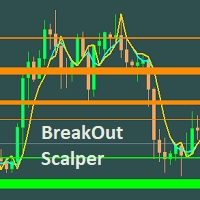
This Scalper is based on Support/Resistance level that are identified using innovative algorithm. This is very simple EA to set it up. Demo Accounts : Growth Status as of 2/06/2020 TickMill - https://www.mql5.com/en/signals/620466 -- 105327% (Initial Deposit - 200 USD, Profit - 210654.42 USD)
Recommended Currency Pair to run - GBPUSD Renko 4 pips bar chart with Wicks generated for Back testing. EURUSD Renko 4 pips bar chart with Wicks generated for Back testing. EURUSD M15 Recomme
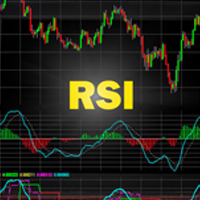
RSIbot - expert adviser which based on indicator RSI. Lot for 10000USD: Lot for 5000USD: Lot for 1000USD: Lot for 100USD: high risk = 2; high risk = 1; high risk = 0.5 - 1; high risk = 0.1; medium risk = 0.5 - 1; medium risk = 0.5; medium risk = 0.1; medium risk = 0.01; low risk = 0.1; l
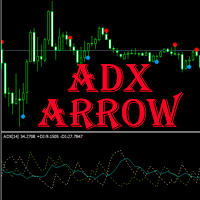
ADX arrow
이 표시기는 ADX 표시기의 신호(평균 방향 이동 지수)를 차트의 점으로 표시합니다. 이것은 신호의 시각적 식별을 용이하게합니다. 표시기는 또한 경고(팝업 메시지 상자)를 특징으로하고 전자 메일로 신호를 보냅니다. 매개 변수: Period - 평균 기간. Apply to - 계산에 사용 된 가격: Close, Open, High, Low, Median (high+low)/2, Typical (high+low+close)/3, Weighted Close (high+low+close+close)/4. Alert - 경고 활성화/비활성화. EMail - 전자 메일로 신호를 보내는 것을 활성화/비활성화합니다. Push - 푸시 할 신호 전송 활성화/비활성화.


Th3Eng PipFinite PRO Indicator This product is distinct from the Th3Eng PipFinite Original, utilizing a different logic and algorithms. The Th3Eng PipFinite Pro indicator offers analysis of trend directions using custom algorithms. It provides indications of trend direction, entry points, a stop loss point, and three take profit points. The indicator also displays pivot points, dynamic support and resistance channels, and a side-box with detailed current signal information.
How to Trade with T

Arrow signal indicator for scalping Defines price reversals, kickbacks and trend changes All arrows remain in place and do not disappear Can send notifications to your phone or email Works on any currency pairs, metals and cryptocurrency Suitable for working with binary options Distinctive features Does not redraw; Defines trend changes; Sends signals to a smartphone or email; Advanced settings for fine tuning; Works on all timeframes and on all symbols; Suitable for trading currencies, metals,

automatically sets a pre set take profit and stop loss on all orders that lack the selected stop(orders without sl/tp or both). This enables quicker opening of orders especially if you use a common take profit, stop loss or both for all orders of a current pair. You only need to open orders without having to calculate your stops and no matter how many orders you have opened the EA will set stops for you as long as you have attached the EA on the currency pairs chart. For pending orders the EA

Mars 7 is a Trend indicator is a powerful indicator of TREND CHANGE for any par and any timeframe. It doesn't requires any additional indicators for the trading setup.The indicator gives clear signals about opening and closing trades.This Indicator is a unique, high quality and affordable trading tool.
Perfect For New Traders And Expert Traders Low risk entries. Never repaints signal. Never backpaints signal. Never recalculates signal. For MT4 Only Great For Scalping Great For Swing Tradi
(MT4 to Telegram) - Fast and instant publication of your trade in the telegram channel (chat or personal message). F rom version 1.77 it sends Alerts of any indicators in telegram!
!!!Attention!!! If you want to test all the functions of this utility please contact me and get this advisor for 1 month for FREE! TTS can send the following messages in all languages: Opening a new position; Placing a pending order; Pending order activation; SL and TP modification; Pending order price modif

Trend Fo is a fully automated expert advisor. This expert advisor is based on Trend Trading Strategy.
This trading algorithm can be applied across any markets. When will get more buying pressure, which results in higher prices (uptrend), on the other hand,
when will get more selling pressure, which results in lower prices (downtrend) and when will trend trading stop working (sideway). For trend trading:
-high win rate
-better risk to reward
-trading with the trend
-adopt a swing trading appro

Creature - is an automated trading system - trend scalper. EA work strategy: The trades are made at rollback from main trend. Indicator Bollinger Bands is responsible for trend and channel determination. The EA opens orders at channel breakdown for definite value of points. False enters are filtered by breakdown minimal price bounce limiter resulting in loss trades cut.Orders can be closed at take-profit, trailing-stop, stop-loss and at defined time elapse. Time limit of the EA work is availabl
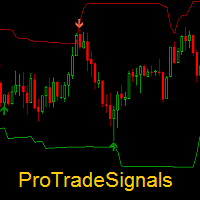
Dear traders, ProTradeSignals is a professional trading indicator. It performs Multi time frame analysis using Price- Volumes- Volatility. Main indicator alongwith its adaptive bands helps in trading in different market conditions.
Please refer to attached video for detailed information on the indicator.
If you have any further queries, feel free to write to use.
Thanks for showing interest in this indicator.
About us: We are a small team of professional traders with experience in forex- s

A simple indicator algorithm with the highest accuracy generates input signals by intersecting lines. Strategy for trading by trend, filtering and all the necessary functions built into one tool! The principle of the indicator is to automatically determine the current state of the market when it is placed on a chart, analyze historical data, based on historical data and display instructions to the trader for further actions. The system itself shows in the form of intersection of lines when to bu

Intraday Volume Profile Forex MT4 Intraday Volume Profile - This is a visualization tool for understanding the high activity zone and low activity zone, as part of the D1 senior timeframe. The volume profile provides an excellent visual image of supply / demand at each price for the selected timeframe. Introducing POC - Point of Control, which indicates the price at which the maximum volume was sold, as well as Value Area - the area where 68% of the instrument's assets are traded. POC -

Session Volume Profile is an advanced graphical representation that displays trading activity during Forex trading sessions at specified price levels. The Forex market can be divided into four main trading sessions: the Australian session, the Asian session, the European session and the favorite trading time - the American (US) session. POC - profile can be used as a support and resistance level for intraday trading.
VWAP - Volume Weighted Average Price.
ATTENTION! For the indicator to wo
This EA has been developed for DAX (GER30) M15 timeframe. It also works very well on the same market and TF M30 and M5. So you will get 3 strategies for lower price, that means better equity curve, higher profits and lower drawdowns. Everything is tested for M15 timeframe, tests are made also for M30 and M5 TF . Strategy is based on continuation of TREND by HIGHEST channel after some period of consolidation. It uses STOP pending orders with FIXED STOP LOSS . Strategy uses also some BREAKEV

Take your investments to the professional level with Auto Grid Investor, this expert will place a set of coordinated orders every certain amount of points, taking advantage of the price oscillations, regardless of the direction taken, once the market has changed it's behaviour; Auto Grid Investor also will change the investment parameters on all the orders, managing automatically many more orders than you could control manually. Don't waste time finding out the optimal parameters for the c
FREE

Avg - the adviser uses many moving average indicators to search for signals to enter. Works in fully automatic mode! You do not need any settings, you can use the default settings. The bot passes the historical gap for the 19-year period from 2000 to 2019. Unlike alternative developments, this bot can simultaneously trade both on buy and on sell. That is, it has two independent systems of analysis. This is a significant advantage in real life because it gives the opportunity to achieve signific

Automatic/semi-automatic trading robot, working on AB = CD pattern signals. It can work as an indicator. Supports sending signals in notifications, to a mobile device, as well as e-mail. This EA has been ported from the Harmonic ABCD Wizard version for the MetaTrader 5 trading terminal . A more detailed description of the EA can be found here . And also in the blog . Parameters
EA Values magic - magic ID deviation - deviation Parameters Peak ZigZag minPeakDist - the minimum distance of the Zi
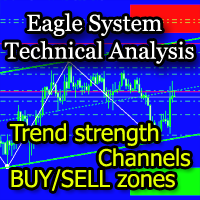
The EagleSystem indicator is a complete trading system.
The indicator algorithm determines wave movements, price channels formed, Pivot-levels, zones of intended purchases and sales (overbought / oversold zones).
The indicator can be used both independently and as an addition to any trading system.
Settings Alert for turning points - Alert when forming a point; Send Emails - Send to e-mail; Display the EagleSystem - Show price peaks; Alert at the color dot change - Alert when the dot changes

The indicator algorithm with the highest accuracy generates input signals using the arrows. Strategy for trading in a flat, all the necessary functions built into one tool! The principle of the indicator is to automatically determine the current state of the market when it is placed on a chart, analyze historical data, based on historical data and display instructions to the trader for further actions. The system itself shows in the form of arrows when to buy and when to sell.

Advisor Information: EG Connection Alert FREE every hour sends simple push notifications about the presence of a terminal connection to the server.
The utility will be useful to you if automated trading is carried out on a remote machine and there is no possibility to constantly check the operation of the terminal. Just install the adviser on any chart with any timeframe. You will receive notifications about the connection every hour. If no notifications are received, the terminal should be chec
FREE

We present you NeuroIntelligence Advisor . Advisor is recommended to use on TimeFrames (M1) and with Spread less than 13 pips. Recommended pairs for trading EURUSD, GPBUSD, USDCAD, AUDUSD, USDJPY. Options Risk- This parameter means - what risk will be involved in the transaction ( Low Risk - 3% / Mediam Risk - 10% / Deposit Overclocking - 15% ). Orders Magic Number - This parameter means what the Magic Number of open orders will be. FullRisk - This parameter increases StopLoss many times, but

*Translated from Russian using Google translator Advisor Information:
EG Connection Alert with the frequency specified by you sends Push notifications about the presence of a terminal connection to the server and a change in the deposit balance.
The utility will be useful to you if automatic trading is conducted on a remote machine or several and there is no possibility to constantly check the operation of the terminal. Just install the adviser on any chart with any timeframe. You can also ins
Magic Trend Signal Arrow is an indicator that generates trade arrows. It generates trade arrows with its own algorithm. These arrows give buying and selling signals. The indicator certainly does not repaint. Can be used in all pairs. Sends a signal to the user with the alert feature.
Trade rules Enter the signal when the buy signal arrives. In order to exit from the transaction, an opposite signal must be received. It is absolutely necessary to close the operation when an opposite signal is rec

Base Trading System (MTF) MULTI TIME FRAME
For Single Time Frame click here BASE TRADING SYSTEM MTF is a useful tool to trade with simple strategy. It draws automatically base up for long trade and base down for short trade. Clear trade when base is going opposite direction. User can trade by instant market entry or by pending order entry. It depends on user best strategy. input: Arrow UP, Arrow DOWN. Base Box Color- UP base box , DOWN base box, UP base shadow, Down base shadow.

Hello guys, This is my New EA. You can try this. But first note few things. This EA has high risk, high drawdown. So your deposit should be large enough to use this EA. This EA use only pending orders. No complex strategy. Only use this EA for positive swap charge trades . Because some orders must hold for long term for hit TP. Use minimum lot size(0.01) to trades and use a trading account that can open 1000 open position or more. minimum deposit 10000USD or if you use cent account you can sta

Expert's signal link has been working on 25 different instruments since 09.07.2019. It will be stopped after a while. https://www.mql5.com/en/signals/605823 This expert advisor works well on daily charts. Opens a pending order based on daily price movements and may revise this pending order based on price movements during the day. It can keep the current order by following the price movements and can open two different types of additional orders as soon as it sees the opportunity. If he sees t

EZ.Smart Trend This EA uses a variety of strategies and functions such as neural network grid scalping, mobile stop loss, automatic lot number setting, etc. Use revolutionary price model algorithms, price behavioral trading, and signature collaborative work with artificial intelligence adaptive processing units. The system adopts some kind of reverse sampling development method, which makes the system show a very substantial benefit in the 13-year historical backtesting. Profit drivers to keep

This dashboard is designed and simplified for use on the standard mt4 terminal. There are 1 spread columns and adjustable signal columns for 5 different timeframes. For the signals, I used a special indicator that I developed and called mars. I haven't published the Mars indicator in the market yet. You can use this indicator only as dashboard signals. I'm in preparation for an expert for the indicator, and I will publish it when it's ready. ( Published https://www.mql5.com/en/market/product/40

Marsi Expert is an effective advisor especially at low spread rates. Tested and designed on M5 & H1 chart in EURUSD. There is no input option other than lot selection and Magic number selection. The other settings will be adjusted according to the time period of the chart you will put on the Expert. Advanced versions will be updated with renewed sales price. * Must be tested on demo accounts before using in real account, due to your broker behavior.

Distance Breakout EA is a Forex Robot that uses a set of calculated distances. One for Buy Long and another one for Sell Short, and automatically detects true price breakout based on that distances. It uses two sets of number of bars, Fast and Slow periods, to calculate and analyze the breakout. G U I D E E B O O K Download it here for free: https://www.yumpu.com/en/document/view/65402349/under-the-radar-forex-masterstroke Click here to get the demo version so you can forward-test

PROFIT CALCULATIONS
Manual Trade floating minus $ 1 x 30 pip = - $ 30
The first EA transaction is floating minus $ 2 x 20 pip = - $ 40
The second EA transaction is floating minus $ 4 x 10 pip = - $ 40
Third EA transaction $ 8 x 0 pip = + $ 0
The fourth EA transaction is profit of $ 16 x 10 pip = + $ 160
Profit = -30 - 40 - 40 - 0 + 160 = profit + $ 50
PARAMETERS StarLotManual this is the first manual lot you trade, used to calculate the next lot from EA Multiplier Lot multiplication va

The Multi Trendlines indicator automatically draws the dominant trendlines on the current chart. The indicator looks for the 5 best Up trends and the 5 best Down trends as at the current price, drawing each trendline if filter conditions are met. The trendlines are named "Trendline"+[Direction]+Symbol()+TrendlineSequenceNumber For example: The second Up trendline on a EURUSD chart would be named "TrendlineUpEURUSD2". To get its current value would be: ObjectGet("TrendlineUpEURUSD2",OBJPROP_PRI
FREE

The Sentiment Ratio indicator gauges current Market Sentiment between -100% and 100%, where lower than -40% is considered Bearish and higher than 40% is Bullish. The channel between the two is considered Neutral. The indicator has been a very useful filter tool for signals within a trading system.
Example call function: int SentimentIndicator(double triggerLevel)//Return sentiment if trigger level is activated { double sentimentRatio=iCustom(NULL,0,"Sentiment Ratio",0,0,0); if(sentimentRat
FREE
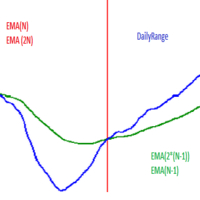
Hello! This EA uses selected time frame exponential moving averages and higher time frame (daily) exponential moving averages in combination with daily price action to determine whether or not to open a trade. Below is a description of input parameters: MN - Magic number; PTS_Risk* - Variable that is connected with PROC_Risk in order to calculate position size; PROC_Risk* - Variable that is connected with PTS_Risk in order to calculate position size; ONE_ORDER_A_DAY - If true then open maxi

Tick Hamster for MetaTrader 4 — 간편하게 사용할 수 있는 완전 자동 Expert Advisor 복잡한 설정 없이 바로 사용할 수 있습니다. Tick Hamster는 MetaTrader 4용 자동 매매 Expert Advisor로, 다양한 거래 심볼에 맞춰 내부 로직을 자동으로 최적화하며 빠르고 간편하게 자동매매를 시작하고 싶은 트레이더를 위해 설계되었습니다. 세부 파라미터를 직접 조정하고 싶지 않거나, 최대한 단순한 방식으로 자동매매를 시작하고 싶은 사용자를 위한 제품입니다. 차트에 설치하고 거래 로트만 지정하면, 나머지 핵심 로직은 EA가 자동으로 처리합니다. Tick Hamster는 TickSniper와 동일한 기본 매매 아이디어를 기반으로 하지만, 대부분의 설정 항목을 제거한 간소화 버전입니다. 지속적인 수동 조정 없이 자동화를 선호하는 사용자에게 더 편리한 구성을 제공합니다. MT5 버전 | 전체 설명 + DEMO + PDF | 구매 방법 | 설치 방
트레이딩 전략과 기술 지표를 판매하기에 가장 좋은 장소가 왜 MetaTrader 마켓인지 알고 계십니까? 광고나 소프트웨어 보호가 필요 없고, 지불 문제도 없습니다. 모든 것이 MetaTrader 마켓에서 제공됩니다.
