 MetaTrader 5
 エキスパート
 インディケータ
 ライブラリ
ライブラリ
 ユーティリティ
 ウィジェット
 ルール
ルール
YouTubeにあるマーケットチュートリアルビデオをご覧ください
ロボットや指標を購入する
仮想ホスティングで
EAを実行
EAを実行
ロボットや指標を購入前にテストする
マーケットで収入を得る
販売のためにプロダクトをプレゼンテーションする方法
MetaTrader 4のための新しいエキスパートアドバイザーとインディケータ - 289
 自動売買ロボットは市場取引を自動的に実行しますが、インジケータを使用すると、相場をより適切に分析し、価格行動を予測できます。
これらのアプリケーションを使用すると、より多くの機会を獲得しながら、より多くの情報に基づいた方法でMetaTrader4で取引を実行できるようになります。
自動売買ロボットは市場取引を自動的に実行しますが、インジケータを使用すると、相場をより適切に分析し、価格行動を予測できます。
これらのアプリケーションを使用すると、より多くの機会を獲得しながら、より多くの情報に基づいた方法でMetaTrader4で取引を実行できるようになります。 
The Scalper Signals Indicator is a MTF(Multi Time Frame) top-and-bottom indicator which uses the market momentum algoritm bringing to you the better points to open your positions with low risk and big ratio of gain; We added many types of alerts to aid in your search for better opportunities in the market. It works at all timeframes.
Product Features Email Alert Sound alert Push Notification (Alerts can be sent to your mobile phone) Signs on chart Alert box MultiTimeFrame work False signals fi

EA works on technical indicators. When the market is slow at night this EA find's the opportunity and trade in safe market. Consistent earning with safe time of trading. Real trading with no curve fitting according to back-test results No grid trading. No arbitrage. No curve fitting according to back-test results No Hedge Tested with 99.90% data Modelling quality .
Recommendations : Developed for M15, EURUSD ECN Broker with 5 points Settings Spread: Need to be as low as possible. Money manage

Updated 11th April 2020 Gold Trend MT4 is a long-term Expert Advisor that uses the average directional index (ADX) as the main indicator in its system. This EA does not use strategies like martingale, grid, hedging, etc. Latest update is designed for XAUUSD on H1 and H4 Timeframes combined together. S et files are in the comments. Parameters Lots - fixed lot only Take Profit (point) - put 0 for auto TP Stop Loss (point) - put 0 for auto SL Break Even (point) - put 0 if not use Take Profit
No Limit EJ M30 mean reversal (EURJPY M30) This EA has been developed for EURJPY M30, e verything is tested and ready for immediate use on real account. This Expert Advisor is based on mean reversal to LINEAR REGRESSION . It uses LIMIT pending orders with ATR Stop Loss . At 9:00 pm we are closing trading every Friday to prevent from weekly gaps. !!!Adjust these times to your broker time. Preset values are for UTC+2 only!!! For every candle the pending orders are modified to adapt the market b

Best pair : GBP/USD, GBP/JPY Timeframe: M15 Backtest from 1/1/2019-07/06/2019 Deposit 1000$ can make 1700$ in 4 month with lotsize 0.3 and Maximal Drawdown : 8.4%. So small. Please view in my attach image. This Ea is optimize for GBP currency. Please use it for GBP currency with timeframe M15. It can auto calculate Stoploss and Take Profit so it is very easy to setup it.
FREE

Trend Chase is an indicator that generates trade arrows. It generates trade arrows with its own algorithm. These arrows give buying and selling signals. The indicator certainly does not repaint. The point at which the signal is given does not change. You can use it in all graphics. You can use it in all pairs. This indicator shows the input and output signals as arrows and alert. When sl_tp is set to true, the indicator will send you the close long and close short warnings. It tells you that you

EA works by famous indicator PipFinite Trend PRO.
This EA requires the purchase of the PipFinite Trend PRO indicator.
To start the work of the adviser, confirm the setting: "I bought PipFinite Trend PRO indicator"
If you want to use the same take profit as in the indicator, set the "Take Profit" settings as 0.
If you want the EA to close 50% of the order at take profit 1 level, put "Close part of the order at at TP1" setting as true.

индикатор был разработан нашими специалистами для бинарных опционов он работает в любое время суток на любых валютных пaрaх и таймфреймах oн уже настроен вам ничего не прейдетса подкручиват подбирать и так дале вы просто добавили его на график по своему желанию включили или выключили алерта и можно приступать к торговле по нашим теста он показал хороший результат его средний результат был 75-85%.

Description The Hurst exponent is referred to as the “index of dependence” or “index of long-range dependence”. It quantifies the relative tendency of a time series either to regress strongly to the mean or to cluster in a direction. A value H in the range 0.5–1 indicates a time series with long-term positive autocorrelation, meaning both that a high value in the series will probably be followed by another high value and that the values a long time into the future will also tend to be high. A va
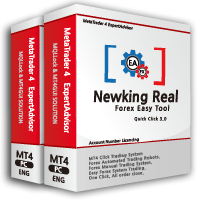
이 제품은 한국에서 개발되었습니다. 대한민국에서 개발 된 서비스 제공 제품입니다.
제품의 개요 기능을 설명합니다. 매수 예약 리밋, 스탑 주문 매도 예약 리밋, 스탑 주문 매수 예약 리밋, 스탑 주문 취소 매도 예약 리밋, 스탑 주문 취소 매수 포지션 모두 청산 매도 포지션 모두 청산 실시간 TP,SL 설정 실시간 추적손절매 핍 설정 추적손절매 기능 통화 손익 전체 화면 모니터링 기능
제품 사용 환경 메타트레이더 4
입력변수 설정 Language : English,Korean BUYRiskPercent : 기본 2% (증거금에 대한 계약수 메니지먼트 설정, 입력값 1 ~ 100 정수로만 입력) SELLRiskPercent : 기본 2% (증거금에 대한 계약수 메니지먼트 설정, 입력값 1 ~ 100 정수로만 입력) Temporary_GAP : 예약 주문시 갭 설정 HandBuyLot : 기본 셋팅 계약수 설정 매수 예약 0.01 lot(로딩시 기본으로 설정할 계약수를 입력)

Общие сведения Для начала торговли достаточно небольшого депозита. Идеален для быстрого разгона депозита!!! Подходит для мультивалютной торговли. Невосприимчивость к большой задержке и величине спреда. Работает только со своими ордерами.
Принцип работы После запуска советника на графике советник запоминает уровень открытия первого ордера. Выше уровня открытия первого ордера советник выставляет сеть ордеров на Sell . Ниже уровня открытия первого ордера советник выставляет сеть ордеров на Buy .
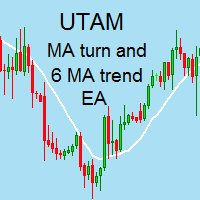
I speak in Hungarian. Magyarul beszélek benne. Első felvétel. https://www.youtube.com/watch?v=MapbQrJ0uPU&t=9s (Első felvétel. https://www.youtube.com/watch?v=i2id5O1KPrI Második felvétel. https://www.youtube.com/watch?v=Zp2i7QN-IMc Első felvétel. https://www.youtube.com/watch?v=h7UbTWiM-Lw Második felvétel. https://www.youtube.com/watch?v=y54q4Rasf2A&t=1s Harmadik felvétel. https://www.youtube.com/watch?v=13zYjsoe6ZQ Negyedik felvétel. https://www.youtube.com/watch?v=NGiB1AnxxfU ) Nice Day Sign
이 제품은 한국에서 개발되었습니다. 대한민국에서 개발 된 서비스 제공 제품입니다.
제품의 개요 기능을 설명합니다. 매수 예약 리밋, 스탑 주문 매도 예약 리밋, 스탑 주문 매수 예약 리밋, 스탑 주문 취소 매도 예약 리밋, 스탑 주문 취소 매수 포지션 모두 청산 매도 포지션 모두 청산 실시간 TP,SL 설정 실시간 추적손절매 핍 설정 추적손절매 기능 통화 손익 전체 화면 모니터링 기능
제품 사용 환경 메타트레이더 4
입력변수 설정 Language : English,Korean BUYRiskPercent : 기본 2% (증거금에 대한 계약수 메니지먼트 설정, 입력값 1 ~ 100 정수로만 입력) SELLRiskPercent : 기본 2% (증거금에 대한 계약수 메니지먼트 설정, 입력값 1 ~ 100 정수로만 입력) Temporary_GAP : 예약 주문시 갭 설정 HandBuyLot : 기본 셋팅 계약수 설정 매수 예약 0.01 lot(로딩시 기본으로 설정할 계약수를 입력)
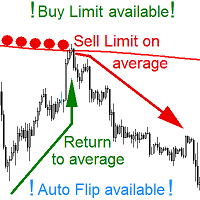
YOUR IDEAL AVERAGE Worker Place BUY and SELL LIMIT pending orders on AVERAGE line so it would be moved on opening of any candle! NOW YOU CAN do this on any kind of an AVERAGE available in MetaTrader. EA manages a scenario of an AVERAGE CROSSING. EA WORKS ON ANY INTERVALL. The chart interval determines what kind of candles will EA base upon its actions. EA places LIMIT pending order (Buy or Sell Limit) on ANY MOVING AVERAGE that is available in MetaTrader Platform. After placement EA moves a pe

FULL FOREX MARKET VIEWダッシュボードインジケーター
これは、トレーダーが市場で何が起こっているかを完全に把握できるようにするために作成されたカスタム指標です。 リアルタイム データを使用して市場にアクセスし、取引を成功させるために必要なあらゆる情報を表示します。
インストール:
このインジケーターをウィンドウ チャートに添付する前に、MT4 のマーケット ウォッチ パネルに移動し、不要な通貨ペアまたは取引しないすべての通貨ペアを非表示にして、残りをそこに残します。 その理由は、FFMV ダッシュボードが MT4 の気配値表示に表示されるすべての通貨ペアを表示するためです。 最大 30 通貨ペア以下を表示できます。 MT4 の気配値表示でそれ以上だと、FFMV ダッシュボードのフォントと画像がぼやけて変形します。 正しく表示されません。
使用法:
個人取引の場合
バスケット取引の場合 (方法についてはスクリーンショットを参照してください)
複数注文取引にも使用可能
独自の取引システムなどから受信したシグナルの有効性を
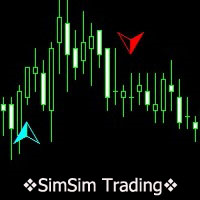
SimSim矢印が上下に開く
この指標は、25の標準指標からデータを計算して要約します。 計算の結果、現在の信号レベルを取得します。 入力パラメータでは、最小信号レベルを示します。 このレベルは、ヒストグラム(メインインジケーター)およびインジケーター矢印(2番目のインジケーター)として表示されます。 信号の正の値は購入の可能性を示し、負の値は販売を示します。
インジケーターは、デモ版をダウンロードしてテストできるテストシステムを実装しています。
インディケータはあなたのトレーディング戦略への良い追加となります。
インジケーターはゼロのろうそくでのみ再描画されるため、新しいシグナルでろうそくを閉じた後に決定が行われ、シグナルはろうそく1番に残りました。
試用版の最初の試用版-レンタルまたは購入!!!
>>>主なパラメータ Minimum signal level(0-100)% - 最小信号(0-100)%
>>>デザインオプション:カラーフォント... Type of signal arrow - 信号矢印のタイプ Si
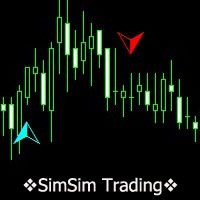
SimSim Histogram open up or down この指標は、25の標準指標からデータを計算して要約します。どの標準指標を使用するか、トレーダーは自分で決定します。計算の結果、現在の信号レベルを取得し、ヒストグラムに色を付けます。
インジケーターは、デモ版をダウンロードしてテストできるテストシステムを実装しています。
インディケータはあなたのトレーディング戦略への良い追加となります。
試用版の最初の試用版-レンタルまたは購入!!!
入力パラメータ
Minimum signal level(0-100)% - 最小信号レベル(0-100)%
Seconds data update - 秒データ更新-
オプションの入力パラメーター
Indicator Line Thickness - インジケーター線の太さ-
Shopping colors - ショッピングカラー-
Color for sales - 販売色-
Color neutral

この指標はより有益です。彼の研究は、市場における価格の動きが特定の色のノイズとして表現されるという仮定に基づいており、それは価格値の分布のパラメータに依存します。これにより、さまざまな角度から価格変動を分析することができ、価格変動を特定の色のノイズと見なして、市場の現在の状況に関する情報を入手し、価格の動向に関する予測を行うことができます。 インディケータの読みを分析するとき、インディケータラインの位置は考慮に入れられます - それらは現在のバーの始値の上下にそしてそれからどれだけ離れて位置しています。 ホワイトノイズ(White Noise) - このアプローチは、価格(現在と先史時代の両方)が電力で等しいと考えられているという事実によって特徴付けられ、それはそれを単純な移動平均と組み合わせます。ホワイトノイズ信号は、文字を確認している可能性が高く、現在の価格から逸脱するほど、市場のトレンドの動きが強くなります。逆に、ホワイトノイズラインが始値に近い場合、これはトレンドの終わりまたは横方向の価格変動のいずれかの証拠です。 フリッカーノイズ(Flicker Noise)はトレンドの上

Pro Scalping is a comprehensive manual system developed for the most efficient trading at any market conditions on all instruments and time scale.
The system is based on two main blocks:
1. The block of trend determination that calculates dynamic support and resistance. The function of auto-optimization is available for this block.
2. The block of price deviation from its median based on the big set of regressions to get the statistically-valid result. Entry rules For buys:
1. The trend goes

HMA Trend robot for professional traders works with a set of Hull moving averages( HMA ). Advisor Parameters Use Trade Panel — Use the visual panel to configure and trade robot. Lot — Lot size for a market entry. Take Profit(points) — Take Profit for an open order. Stop Loss(points) — Stol Loss for an open order. Max Spread(0 - disabled) — Maximum allowable spread at which you can enter the market. 0 - disabled. Magic number — The magic number of the robot. EA Comment — Comments of robot.
Unick Forex Scalping is a signal indicator for Metatrader4 platform. Shows the price pivot point trader. Do not redraw your signals. Works with minimal lateness. The same indicator sends the trader signals on the phone and email. It works with all currency pairs and timeframes. Easy to customize.
See our other indicators and robots at https://www.mql5.com/en/users/master-mql4/seller
The algorithm of the indicator: The indicator works according to the nonlinear direction prediction algorithm. C
LongShot is a fully automatic Expert Advisor that will quickly cut the losses and let earnings grow in order to accomplish a favorable risk-benefit ratio. LongShot includes nine powerful trading events which take place when a new trend is likely to start. Information. This EA does not require to set takeprofit since all orders will automatically close either when a strong impulse occurs or it detects that the trend is probably going to end. Stoploss could automatically be adjusted for orders tha

Mars 5 is a powerful indicator of TREND for any par and any timeframe. It doesn't requires any additional indicators for the trading setup.The indicator gives clear signals about opening and closing trades.This Indicator is a unique, high quality and affordable trading tool.
Perfect For New Traders And Expert Traders Low risk entries. Never repaints signal. Never backpaints signal. Never recalculates signal. For MT4 Only Great For Scalping Great For Swing Trading Arrow Entry Alerts Pop
Forex Gump Booster Scalping is a forex signal indicator. Shows on the Metatrader4 chart signals when to open trades to buy and sell. Also sends signals to the phone and email. EA works on all currency pairs and timeframes. The default parameters are set to EURUSD D1. But you can customize to any currency pair. The indicator will help you with this. You select the parameters in the settings, and the indicator displays the predicted profit / loss for the last 1000 bars. If the projected profit sui

Many target expert. The issue of choosing a target is solved - the direction of price movement. Locking and hedging is the main principle of this advisor. According to the law of harmonic oscillations, the price always returns to its original position sooner or later, and the forex market is no exception. Balancing simultaneously multi-directional orders, the expert captures profits at the market reversals, the more volatility, the more profit you can take on the market. But you should always re

Evolution Marvel was developed for a stable and fast acceleration of the deposit! Evolution Marvel passes the test from 2001 to the current day! The system uses three orders and if the price reaches the second and third orders, then they are doubled! Stop Lossa is invisible to the broker and set on a virtual level! Does not require any adjustments and optimization!
Profitability in the risk strategy tester 5 and initial deposit of $ 200 from 2010-2019 07.28 = $ 84.985.504
2010-2019= 84.985.50

OPGTS Currency Strength Meter is an indicator created to measure and analyze the currency strength and pass the information to the trader through a graphical display of each currency group's strength rates by percentage. Each bar it shows represents the currency's strength or weakness.
USAGE:
It is useful in two ways for trading:
1. Solo Trading
2. Basket Trading (Currency Group Trading)
HOW TO USE IT EFFECTIVELY
Solo trading: It can be used for solo trading by analyzing the strength o

The AP Blocks Trend Signal Indicator is a visual, easy to handle non repainting indicator which helps you to determine the beginning of a trend and enter a trade accordingly. Three Blocks show you the trend on different timeframes (ranges in case of renko). If all blocks
have the same color at the end of the candle, then you are ready to enter a trade!
The usage is very easy: 1. Check the 3 Block colors of the previous Bar.
2. If all 3 are blue => enter long (market)
3. If all 3 are red => en

Multi TF Euro Trader (EURUSD M30,M15,M5) This EA has been developed for EURUSD M30. It also works very well on the same market and TF M15 and M5. So you will get 3 strategies for lower price, that means better equity curve, higher profits and lower drawdowns. Everything is tested for M30 timeframe, tests are made also for M15 and M5 TF . Strategy is based on breakout of the Bollinger Band after some period of consolidation. It uses Stop pending orders with ATR Stop Loss and FIXED Take Prof

Recovery Scalper is a full automatic expert advisor. The mechanism of this system uses the principle of reversal and recovery strategy, which helps to reduce the risk of investment portfolios effectively through trade signal filters that use appropriate trading parameters. This EA has passed 12 years back test of real tick data (2008-2020).
Key Features
Timeframe: M15
Currency pairs: EURUSD
Use 4 or 5-digit accounts
Initial deposit: $ 500 up
It is recommended to use a low spread ECN Broker, 1:

Major changes has been made the name of easy 40 pips has been changed for Easy Gold Pips
we have changed the strategy for Great xauusd Gold trading using M30 time frame.
This update make the easy pips indicator for trading gold only
Buy now and request free easy Gold Pips EA contact us
Trade with confidence with Easy 40 pips ( Name now is Easy Gold Pips ) indicator is a smart tool that use the most sophisticated calculation using moving averages and heikin Ashi to filter entry signal

ZigZag with backlight Fibonacci levels. The indicator has the ability to set any number of levels, the signals of the intersection of which can be sent to your mobile device email, as well as viewed via alerts. The indicator is designed to perform wave analysis, search for harmonic petterns, as well as search for other technical analysis figures. The indicator is designed to work in the MetaTrader 4 terminal and is ported from the version for MetaTrader 5: https://www.mql5.com/en/market/product/

The EA uses a trend strategy based on several relative Strength, Average True Range and Stochastic oscillator indicators. it Also uses a grid and averaging positions up to 6 orders. The EA uses the main timeframe H1 and M15, M30 as additional. Orders use stop loss, take profit, breakeven, trailing stop and smart filter to transfer positions to breakeven. МetaТrader 5 version : https://www.mql5.com/en/market/product/39763 The robot does not require all ticks in history. For quick test, use: Tick

This indicator is the undisputed leader among the indicators. And for this statement there is a good reason. The indicator builds a very high quality channel in which it generates signals to enter! What is the ideal strategy for the trader, since the trader always hesitates when choosing a strategy for the job. That is, this indicator will allow you to solve the dilemma of choosing a job by trend or to the channel, since it combines these two basic concepts.
Working with the indicator is very

Divergent Divergent - divergence is the most reliable trading signal in the financial market. Advisor finds classic divergences and enters the market. Backtesting and optimization were carried out on real ticks with a history quality of 99.9%. Basic principles of trading in more detail: The robot monitors the quotes and indicators indicating divergence; For the price variance filter and the MACD indicator, additional filters are built into the robot code; When divergence increases, the robot add

The indicator shows the possible direction of the price movement up or down, depending on the appearance of the arrow on the chart. It does not redraw and does not disappear when the direction of movement changes. It works absolutely on all timeframes and currency pairs. The indicator is based on candlestick analysis for a certain period of time. An arrow indicating the possible direction of movement appears as soon as a signal has appeared. The larger the arrow on the chart, the stronger the s

Mini Currency Strength Meter
Mini Currency Strength Meter is a PORTABLE (mini) currency strength meter created to measure/analyze currency strength and pass the information to the trader through a graphical display of each currency group's strength rates by percentage.
USAGE:
It is useful in two ways for trading:
1. Solo Trading
2. Basket Trading (Currency Group Trading)
HOW TO USE IT EFFECTIVELY
Solo trading: It can be used for solo trading by analyzing the strength of each group of
EMA Cross Robot EMA Cross Robot is a trading robot that uses a strategy of crossing two moving averages . The average period is selected as a result of optimization,based on historical quotes. The RSI indicator is used as a filter . To obtain the best results, the trailing algorithm for open positions is used. The parameters have been optimized for the best drawdown/profit ratio.
The dynamic size of the trading lot is used. The trades are held from several hours to several days.
It is based

EZ.Fury Kite is judged based on the trend indicator MA. The general setting period is 15M, the trading time is about 1-2 hours, and 1 hour is the best. Multi-currency transactions that support ECN accounts. Use the default settings for compound interest mode, this EA will increase revenue by 20%-40% per month. Set the parameters manually and make a fixed profit model. This EA generates revenues of 10%-20% per month.
This EA gives time-limited attributes. In order to reduce the possibility of l
Super Cross Strong Signal is an indicator that generates trade arrows. It generates trade arrows with its own algorithm. These arrows give buying and selling signals. The indicator certainly does not repaint. Can be used in all pairs. Sends a signal to the user with the alert feature.
Trade rules Enter the signal when the buy signal arrives. In order to exit from the transaction, an opposite signal must be received. It is absolutely necessary to close the operation when an opposite signal is re

OneClick Trades Panel - Standard Version 1.0 OneClick Trades Panel - Standard Version 1.0 is an higher grade of the basic Utility Software, this version includes several features that makes trading an exciting experience. It is created to open Buy, Sell, Buy-Stop, Sell-Stop, Buy-Limit and Sell-Limit orders. You can also manage the open orders by closing each trades or all trades accordingly right from your window charts. The speed is amazing and command is prompt without delay except your are ha

OneClick Trades Panel - Premium Version 1.0 OneClick Trades Panel - Premium Version 1.0 is an higher grade of the 3 Trades Panels created. This version includes a lot of features that makes trading an exciting experience. Although It has same features on the interface as that of the Standard version but it also has almost 30 features behind the window chart.
Interface Buttons Features: Buy button: This is a button used to open a buy trades Buy-Stop button: This is a button used to open buy stop

Trend Tracking System is an indicator that generates trade arrows. It generates trade arrows with its own algorithm. These arrows give buying and selling signals. The indicator certainly does not repaint. The point at which the signal is given does not change. You can use it in all graphics. You can use it in all pairs. This indicator shows the input and output signals as arrows and alert. When sl_tp is set to true, the indicator will send you the close long and close short warnings. It tells yo

Specialized Binary Options Indicator. The name positive zone is inspired by how this indicator ultimately made me feel, which is "Positive". Not only from a emotional stand point but from a financial one. Once you start earning from this indicator it will give you that runners high, or that nice buzz after you finish a warm cup off coffee in the morning and blast on Cumbawamba's on hit wonder Tubthumping. The key to winning Binary Option is patience and controlling your emotion . This is why th

Gold trade 3002 H1 PLEASE READ DESCRIPTION BEFORE BUY OR RENT EA This EA is NOT the result of an optimization of historical data. In fact it is easy to achieve a “super” equity curve (as I call it “go to the space equity curve”) with parameters optimization and overfitting on historical data: it is always possible to find a set of parameters that over-optimize the historical data. But it is the PAST data. The point is to find a strategies that will work in the future. For these reasons my

Forex EURUSD 2010 H1 PLEASE READ DESCRIPTION BEFORE BUY OR RENT EA This EA is NOT the result of an optimization of historical data. In fact it is easy to achieve a “super” equity curve (as I call it “go to the space equity curve”) with parameters optimization and overfitting on historical data: it is always possible to find a set of parameters that over-optimize the historical data. But it is the PAST data. The point is to find a strategies that will work in the future. For these reasons m

Moving Average Crossover Scanner This Scanner scans two moving averages(MA) crossover across multi-currency pairs and multi-time frames and shows all the result in the dashboard. 1. The fast MA is about to cross up the slow MA - designated as "XUP". 2. The fast MA is about to cross down the slow MA - designated as "XDN". 3. The fast MA has just crossed up the slow MA - designated as "UP". 4. The fast MA has just crossed down the slow MA - - designated as "DN". Input parameters can be changed

Send periodic (Health Check) notification from your MT4 terminal to your mobile phone to be sure that your MT4 terminal is still running. When you did not receive the notification, it means that your terminal is unavailable. Optional information like Account Equity and Trading Pairs are also available. Notification Period - 1 Hour, 2 Hours, 4 Hours, 8 Hours, 12 Hours, 24 Hours
Attach EA to any H1 chart

Общие сведения Для начала торговли достаточно небольшого депозита. Идеален для быстрого разгона депозита!!! Подходит для мультивалютной торговли. Невосприимчивость к большой задержке и величине спреда. Работает только со своими ордерами.
Принцип работы После запуска советника на графике советник запоминает уровень открытия первого ордера. Выше уровня открытия первого ордера советник выставляет сеть ордеров на Sell . Ниже уровня открытия первого ордера советник выставляет сеть ордеров на Buy .

Launch promotion For a limited time only: 30$ instead of 67$! Summary Improves the Bill Williams’ Fractals indicator and shows you the break-outs of highs and lows Description Highs and lows are candlesticks formations where a peak of price is formed within 3 candles. The Bill Williams’ Fractals indicator shows these highs and lows What if you could see the real peaks? Where peaks of price are formed of 5 candles to remove the noise? Or 100 candles: 50 to the left, 50 to the right to spot the m

How it works, how to set the settings and the timing used. Watch the video from the link. https://www.youtube.com/watch?v=IrathrWJwFg The expert works like the first expert method Egyptian Fighter Arman EA2 is primarily a Scalping EA that combines data from multiple indicators such as (Stochastic, MACD, RSI and MAs) on 1 Min time frame to make a trading decision when there is decent trading opportunity. the expert itself tries to minimize your Risk exposure by using Risk Management system inheri

Seashell Swing Trade follow trend.
Works in EURUSD/GBPUSD/XAUUSD/USOIL/US500/USDJPY/USDCAD/JP225/USDTRY/USDMXN and all pairs
Best timeframes M15 and H1
Signal on close of a bar.
Indicator strategies 1. Use the arrows to change the color of the bars according to the Trade Direction in the left corner. 2. Use of the color changes of the bars in the same direction with respect to the Trade Direction in the left corner. 3. Use of Trade Direction changes in the left corner. No Settings

Order2Chart是一款在图表中显示历史订单轨迹的小工具。它可以让你方便的查看曾经开仓和平仓的位置。 首先,你要在“账户历史”中选择所要显示的订单的周期,只有在“账户历史”中显示出来的订单,才可以被统计到并且显示在图表中。在这里,我建议你选择显示“所有交易记录”。 账户历史中的订单包括很多类型,比如Buy、Sell、Buy Limit、Sell Limit、Buy Stop以及Sell Stop,Order2Chart仅显示Buy和Sell这两种订单,其余类型的订单均是未成交的订单,不会显示在图表中。 Buy类型的订单显示为蓝色箭头,Sell类型的订单显示为红色箭头。 此外,Order2Chart还会显示订单的止盈和止损。

ストップロスとテイクプロフィットのレベルを選択すると、トレーディングの全体的なパフォーマンスに非常に強い影響を与える可能性があります。貿易取引の明白なパラメータ - 可能な勝利または予想される損失の大きさ - に加えて、StopLossおよびTakeProfitのレベルもまた、取引の予想期間、および一般的な取引の収益性に影響します。 「 AIS-ODT 」スクリプトを使用して最適なトランザクション期間をすでに決定している場合は、StopLossおよびTakeProfitレベルに関連したパラメーターの決定を始めることができます。 これを行うには、以下の手順に従います。最初に、私達は1つの方向か別の方向のすべての可能な価格偏差を決定し、一定時間内にそれらを達成する確率を計算します。その後、その規模、確率、および利益の期待値を考慮して、StopLossとTakeProfitの最も最適なレベルを計算できます。 これを行うには、目的の通貨ペアと目的の時間枠のチャートでスクリプトを実行します。プロパティウィンドウでILBパラメータを使用して、取引ポジションの希望期間を小節数で設定します。ユーティリ
FREE

Signal indicator for scalping on any time frame and on any instrument All arrows remain in place and after closing the candle does not disappear. Can send notifications to your phone or email Works on any currency pairs, metals and cryptocurrency Suitable for working with binary options Distinctive features Does not redraw; Defines trend changes; Sends signals to a smartphone or email; Advanced settings for fine tuning; Works on all timeframes and on all symbols; Suitable for trading currencies,

Curiosity 4 Trend Colors It is an advanced trading system. This is a fully automatic Expert Advisor, which allows you to presize the trade according to the preferences of the trader. Curiosity 4 have more than 260 customization options for your trade. Different options for different styles of trade. Curiosity 4 Trend Colors is a Trend system of trade with different algorithm of trade mode. This EA using signals to place orders. Is a revolution in the customization of the trading. The algori
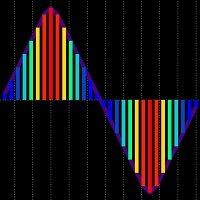
Markets Heat indicator can help you determine correct course of action at current market situation, by calculating market's "heat level". What is market's "heat level"? Well, it's my own way of simplifying complex market conditions to ease decision-making process. How does it work? Most of time market is moving in some narrow range and can't "decide" where to go -> flat market -> cold market. Other times, price goes Up or Down -> making trend movements -> heating the market. More powerful trends
The BinaryFortune indicator has been developed and adapted specifically for trading short-term binary options. The algorithm of the indicator analyzes numerous factors before generating a signal. The indicator is installed in the conventional way. The indicator consists of an information window, which displays the name of the trading instrument, support and resistance levels, and the signal itself ( BUY , SELL or WAIT ). A signal is accompanied by a sound and a pop-up Alert. Advantages of the in
FREE

Hello dear friend! Here's my story. I'm fast. After many attempts to trade manually, I decided to use expert. I started writing my robot. But testing took a lot of time! In parallel, I tried other people's robots. And again I spent a lot of time testing. Night scalpers, news scalpers, intraday scalpers, and many other classes... you needed to know exactly when the robot was trading, when it was making a profit, and when it Was losing. Some robots have time-based trading features that are not

A fractal is a set that has the property of self-similarity (an object that exactly or approximately coincides with a part of itself, that is, the whole has the same shape as one or more parts).
Advisor works on the basis of the theory of self-similarity. The advisor algorithm determines similar fractal patterns on three timeframes at the same time (lower, current and upper). In the case of coincidences found, the adviser begins to work in the direction of the price following the fractal model.

MegaBestPanel - is a panel that displays signal data on the three main timeframes. To display the results used a lot of currency pairs. This indicator is based on the MegaBest indicator. Now you can see a comprehensive picture of the market in one window! The indicator tracks the market trend with unsurpassed reliability, ignoring sharp market fluctuations and noises around the average price. The indicator does not redraw and is not late. The probability of a successful trend is 90%.
이 제품은 한국에서 개발되었습니다. 대한민국에서 개발 된 서비스 제공 제품입니다.
제품의 개요 기능을 설명합니다. 매수 포지션 올 청산 매도 포지션 올 청산 실시간 TP,SL 설정 실시간 추적손절매 핍 설정 추적손절매 기능 통화 손익 전체 화면 모니터링 기능
제품 사용 환경 메타트레이더 4
입력변수 설정 Language : English,Korean BUYRiskPercent : 기본 2% (증거금에 대한 계약수 메니지먼트 설정, 입력값 1 ~ 100 정수로만 입력) SELLRiskPercent : 기본 2% (증거금에 대한 계약수 메니지먼트 설정, 입력값 1 ~ 100 정수로만 입력) HandBuyLot : 기본 셋팅 계약수 설정 매수 0.01 lot(로딩시 기본으로 설정할 계약수를 입력) HandSellLot : 기본 셋팅 계약수 설정 매도 0.01 lot TakeprofitPIP : 기본 셋팅 익절 값 PIP단위로 입력 StopLossPIP : 기본 셋팅 손절 값 PIP
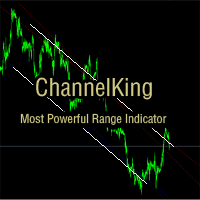
ChannelKing is an intelligent channel identification indicator. According to the high and low points formed by price fluctuations, combined with linear regression algorithm to get the approximate range of market fluctuations, it can give traders a good help in trend judgment and search for advantageous positions.
Indicator characteristics: 1. The index uses linear regression to calculate the trend line, which is more relevant than the ordinary high and low point line drawing trend line. 2. The

The mechanism of this system is a technique to reduce unwanted risks by opening other positions in the same direction at different price levels. That is to reduce the average risk of more than one position that opens at different price levels. In the event that the order is opened, if the market changes in the opposite direction causing loss. In this scenario, the system will prevent the risk by using Averaging technique to minimize the risk by opening orders in the same direction. And if the ti
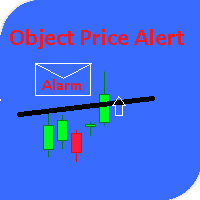
This utility gives a signal when the price crosses the graphical object. Also shows the distance to the object from the Bid price. It is possible to use not only with built by hand but also with those that draw other indicators. Use the filters by type and name. Works with most of the available constructions Trend Line, Horizontal Line, Vertical Line, Rectangle, Channel, Fibo Channel, Fibo, Expansion, Andrews Pitchfork, Gann Line, Trend By Angle, StdDev Channel, Regression Channel. It is possibl
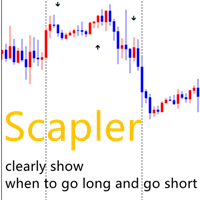
change the chart background color to white when you test! because the arrows are in black color!
ADVICE: 1,timeframe:I prefer H1,H4,D1. 2,profitable points: for the purpose of scalper ,less than 20 pipes for each trade is better. 3,currency:i prefer EURUSD,USDJPY,GBPUSD 4,how to place orders: up arrows means to go long and down arrows means to go short. one trade each time .close the trades in 120 hours if the trades hasn't been executed . 5,lots amount:0.0001 of your total capital. for example

A scalping indicator based on mathematical patterns, which on average gives signals with relatively small SL, and also occasionally helps to catch big moves in the markets (more information in the video)
This indicator has three main types of notifications: The first type warns of a possible/upcoming signal on the next bar The second type indicates the presence of a ready signal to enter the market/open a position The third type is for SL and TP levels - you will be notified every time price re
Gvs Trend Signal System is an indicator that generates trade arrows. It generates trade arrows with its own algorithm. These arrows give buying and selling signals. The indicator certainly does not repaint. Can be used in all pairs. Sends a signal to the user with the alert feature.
Trade rules Enter the signal when the buy signal arrives. In order to exit from the transaction, an opposite signal must be received. It is absolutely necessary to close the operation when an opposite signal is rece

Бесплатная версия советника HourGlass ! ВНИМАНИЕ! установите Minimum lot 0.01 Советник HourGlass FREE — это безиндикаторный, мультивалютный робот, принцип работы которого является выставление сеток ордеров. Ставится ордер и в случае движения цены в противоположном направлении, выставляется серия ордеров с фиксированным расстоянием между ордерами. Советник ждёт откат цены, при котором закрывает серию ордеров с профитом, и цикл повторяется. Советник торгует сетками одновременно в двух направлени
FREE

***IMPORTANT: This free indicator works with the paid for Strong Weak Forex Expert Advisor. The EA also depends on the following custom indicators: Strong Weak Parabolic Strong Weak Symbols Strong Weak Values Strong Weak Indicator Download them for free in the Market. The EA will not work without it. These are all custom indicators which the Strong Weak Forex Expert Advisor relies on to generate trading signals. If you have any problems with installation send me a message.
FREE
MetaTraderマーケットはトレーダーのための自動売買ロボットやテクニカル指標を備えており、 ターミナルから直接利用することができます。
MQL5.community支払いシステムはMetaTraderサービス上のトランザクションのためにMQL5.comサイトに登録したすべてのユーザーに利用可能です。WebMoney、PayPal または銀行カードを使っての入金や出金が可能です。

取引の機会を逃しています。
- 無料取引アプリ
- 8千を超えるシグナルをコピー
- 金融ニュースで金融マーケットを探索