 MetaTrader 5
 エキスパート
 インディケータ
 ライブラリ
ライブラリ
 ユーティリティ
 ウィジェット
 ルール
ルール
YouTubeにあるマーケットチュートリアルビデオをご覧ください
ロボットや指標を購入する
仮想ホスティングで
EAを実行
EAを実行
ロボットや指標を購入前にテストする
マーケットで収入を得る
販売のためにプロダクトをプレゼンテーションする方法
MetaTrader 4のための新しいエキスパートアドバイザーとインディケータ - 188
 自動売買ロボットは市場取引を自動的に実行しますが、インジケータを使用すると、相場をより適切に分析し、価格行動を予測できます。
これらのアプリケーションを使用すると、より多くの機会を獲得しながら、より多くの情報に基づいた方法でMetaTrader4で取引を実行できるようになります。
自動売買ロボットは市場取引を自動的に実行しますが、インジケータを使用すると、相場をより適切に分析し、価格行動を予測できます。
これらのアプリケーションを使用すると、より多くの機会を獲得しながら、より多くの情報に基づいた方法でMetaTrader4で取引を実行できるようになります。 
Definition : Market View is a dashboard (scanner) to view price graphs of all symbols and all timeframes at a glance. The utility is designed user friendly and added a wide range of customization options.
Main features of Market View : Visual settings window on the chart Customizable list of symbols and timeframes Different shapes : Real Candles, Schematic Candles, Arrows Customizable number of candles Changeable size of dashboard (scanner)
Highlight timeframes with gaps on candles Open approp
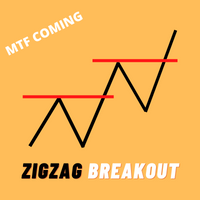
ZigZag Breakout Arrow Very high accurate buy and sell signals provide, you can also use as market reverse signal or Trend change alert Features. ZigZag Parameters changeable. Alerts. Buy and Sell Signal. ZigZag Breakout on candle close or candle high price. and MTF Update will coming soon. ZigZag Breakout on candle close or candle high price. Setting adjustable

Hedge Hogg is not the classic hedge strategy you often see, with two trades opening at the same time hedging each other from the beginning. It is rather a trend following hedge strategy, meaning trades are opened in the direction of the trend using a proven dynamic grid algorithm, and starting to hedge when the trend changes. The whole basket is closed as soon as breakeven is reached or the trailed profit target is hit. I have developed the strategy for GBPUSD on the M15 timeframe. It can basic
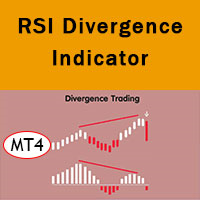
RSI divergence indicator finds divergences between price chart and RSI indicator and informs you with alerts (popup, mobile notification or email). Its main use is to find trend reversals in the chart. Always use the divergence indicators with other technical assets like support resistance zones, candlestick patterns and price action to have a higher possibility to find trend reversals. Three confirmation type for RSI divergences: RSI line cross 50 level (doesn't repaint) Price returns to
FREE

Hello everyone,
Today I want to share with you a sclaping strategy who can works on many currency pair timeframe M1 .
Multicurrency Scalper is not a spread sensitive scalper . Multicurrency Scalper is an expert with a backtest around 67% of winrate . Multicurrency Scalper is very easy to use . Multicurrency Scalper do not use any dangerous strategy . Multicurrency Scalper can work on XAUUSD, EURUSD, GBPUSD, USDJPY, AUDCAD, EURCHF and many others.
This expert is free because results are variab
FREE

Hello everyone,
Today I want to share with you a strategy who is designed especially on EURUSD timeframe M5 .
Pikachu is a sclaper who is not spread sensitive . Pikachu is very easy to use . Pikachu is using a dangerous strategy .
Why it's free? Pikachu is using a dangerous strategy : the expert will multiply by 2 the lot for each loss trade until a trade close with profit. To see another product with another strategy click on the link : https://www.mql5.com/en/users/coco
FREE

Index Master Index Master is the free edition of a rule-based automated trading system created for traders who want to evaluate the core structure of the product before moving to the Pro version. Overview This EA was designed for index markets with an emphasis on disciplined automation, practical usability and controlled execution. It is intended to give users a simplified but meaningful view of the product philosophy. There is no martingale, no grid and no hedge logic. Main Features Rule-based
FREE

Hello everyone,
Today I want to share with you a strategy who is designed especially on EURUSD timeframe M1 .
Chevre miel is not spread sensitive . Chevre miel is very easy to use . Chevre miel does not use any dangerous strategy .
The expert is free because it doesn't trade often.
Settings : Autolotsize : can be true or false . if it's true the expert will trade with a percent of you balance that you can choose. if it's false the expert will trade with the lot that
FREE

This versions is free because a dangerous strategy is used.
If you want to see my full and best product (not dangerous), check it out : https://www.mql5.com/en/market/product/82662
I'm sharing with you a scalping strategy who is designed especially on GBPNZD timeframe M5 . Scalping GBPNZD is a scalper who is not spread sensitive. Scalping GBPNZD 's backtest is around 70% of winrate. Scalping GBPNZD is very easy to use. Scalping GBPNZD is using a dangerous strategy. Scalping GBPNZD is a
FREE

This is a multi time frame demand and supply indicator for MT4 platform. You can use multi time frame demand and supply levels on smaller time frames. Additionally you can choose to kill every level has has been tested. you have narrow bands that is you can select the whole demand and supply level or just a narrow section Finally, you also get price range for the zones. Awesome
FREE

Vina Moon is the advance scalping system which utilizes smart entry/exit algorithms to identify only the safest entry points during calm periods of the market. The system only use pending limit order, Trailing stop loss, Trailing take profit, don't use market order for trade. This system is focused on a long-term stable growth. The improved exit logic reduces the drawdown and increases the efficiency of the system. In addition, the Stop Loss calculating algorithm works excellent adapting the

GBP Scalper 02 is a simple EA that can work automatically to carry out trading activities. Like the previous version (GBP Scalper 01), this EA is kept simple and only requires Lot, TP, and SL settings to use.
As the name implies, this EA is suitable for trading with the GBPUSD pair, and is designed to work optimally from M5 to H1 time frames. GBP Scalper 02 is an upgrade from the previous version with the addition of various internal functions to enhance the EA's ability to earn profits and pr

Index Master Pro Index Master Pro is a professional automated trading system developed for traders who want a structured approach to index trading with clear rules, controlled risk and practical usability. Overview The system was built to operate major indices through objective logic and disciplined execution. Its philosophy is based on safer automation, avoiding unstable recovery methods and focusing on long-term consistency. There is no martingale, no grid and no hedge logic. Every trade is ma

Fibonacci retracements are trend lines drawn between two significant points, usually between absolute lows and absolute highs, plotted on a chart. Intersecting horizontal lines are placed at the Fibonacci levels. Fibonacci retracements are useful tools that help traders identify support and resistance levels. With the information gathered, they can place orders, identify stop-loss levels, and set price targets. Although useful, traders often use other indicators to make more accurate assessments
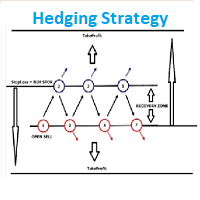
EA Hedging Strategy Is a high class automated expert advisor which is fully optimized for the future market in EURUSD etc. M5. No Loss forex Hedging Strategy and work with the open orders and open position orders to get opportunities to enter and exit trading.
ADVANTAGES: Advanced market entry filter. Automatic Money manager. High spread protection. Slip Protection. Does not use indicator.
Trailing stop and Take Profit.
No need for optimization.
RECOMMENDATIONS: leverage: 1:500!, working

Scalping Code is for trend scalping. It is simple to use and is profitable. It can work on any time frame and any asset. This indicator can be used on it's own or together with another system. The arrow does not repaint or recalculate.
The rules are as follows: A blue arrow above the moving average is a buy. An exit for the buy above the moving average is a red arrow or target. A red arrow below the moving average is a sell. An exit for the red below the moving average is a blue arrow

取引を強化し、新しいRSIスキャナーのバージョンでさらなる興奮を追加しましょう! 自動的なインストゥルメントのグループ化 : スキャナーは、マーケットウォッチからすべてのインストゥルメントを自動的に収集し、主要(Majors)、副次(Minors)、エキゾチック(Exotics)、その他(Others)の4つのカテゴリに整理します。 カスタマイズ可能な信号選択 : 設定ページで、信号をスキャンしたいインストゥルメントを選択できます。 柔軟な時間枠の選択 : 信号を監視したい時間枠を指定することもできます。 RSIパラメータの設定 : RSIパラメータ(期間と適用価格)を簡単に設定し、売買レベルを定義できます。現在のキャンドルデータを使用するか、キャンドルが閉じるのを待ってから信号を処理するかを選択できます。 個別のカラーカスタマイズ : 前景、背景、買い矢印、売り矢印の色をカスタマイズできます。スキャナーは、各要素の色を自動的に調整して、視覚的に魅力的なインターフェースを作成します。 矢印タイプの選択 : 好みに合わせてさまざまな矢印タイプを選択できます。 リアルタイムアラート : 選
FREE

私たちのロボットは4つの反転チャートパターンに従って取引します。 (ダブルトップ、ダブルボトム、ヘッド&ショルダー&リバーサルヘッド&ショルダー。また、トレンドの方向を示し、時間枠ごとの現在のチャートのどこに価格があるかを正確に知ることができます。したがって、9通貨でインストールします。ペアを組んでチャートをスキャンし、それらのパターンを探します。パターンを特定すると、パターンを確認して取引を行います。ロボットがトリガーするすべての取引にはTPとSLがあります。リスクは1〜5%です。エントリーごとに最大10%のドローダウンのアカウント。それは95%の勝率を持っているので、1か月であなたの資本で50-100%以上の利益を得ることができます。それはあなたが市場がどこにあるかを知ることができるようにサポートとレジスタンスラインも引き出しますチャート構造(上昇トレンド/下降トレンド)にあります。 Million Dollars Maker Robotは、月額50%〜100%以上の資本のリターンを提供し(リスク/取引によって異なります)、取引ごとに10%のドローダウンしか提供しないこの種の最初

TradeSnapは、BUY/SELLオーダーが約定した際に自動的に画面キャプチャを行い保存します。 チャートにセットするだけで、余計な作業をすることなく、自動で保存されます。
また、チャートに記載された線や矢印なども、そのまま画像に保存されます。 保存できる画像サイズは、10000x10000ピクセルですので、値動き経緯がわかる横長の画像で保存することもできます。
パラメタ設定 --Event Parameter--
Magic number (0=ALL): キャプチャ対象のマジックナンバーを指定します。
Entry: エントリー時にキャプチャします。
Exit: クローズ時にキャプチャします。
--Capture Info--
Image width, Image height: 出力する画像のサイズを指定します。
--Message Info--
Text color, Text size, Text pos, Display seconds: メッセージの表示内容を設定します。
画像の保存先:データフォルダ/MQL4/Files/OshiraseSnap/ NOTE:画
FREE

EA Samurai is a strategy that is perfect for any market. The EA is optimized. This is a counter-trend scalping strategy Rebound levels to get an entry point The EA opens the first order on the signal of the expected price reversal and fixes the profit at the specified level, but if the price does not reach the profit and rolls back, an additional order is automatically opened averaging the level of the total profit, making it closer to the entry point. A series of orders is always closed with a

外国為替をあなたのビジネスに変えてください。私たちのボットは、すべての取引プロセスを完全に自動化します。ロボットをターミナルに設置した後、ロボットは自動的に市場をスキャンし、傾向を分析し、価格の動きの方向を決定し、取引ロットのサイズを最適に計算し、取引を開始および終了します。毎日23:00に、ロボットは電子メールと電話でトレーダーに取引レポートを送信します。取引レポートでは、ロボットは取引日ごとに開かれた取引の数と取引残高の現在のサイズをトレーダーに示します。
私たちのロボットを使用すると、外国為替取引を不適切なゲームから実際のビジネスに変えることができます。このボットは、その機能を使用して経験豊富なトレーダーのタスクを実行します。あなたが15年間外国為替市場で取引していて、それからあなたがすべての経験を取引アルゴリズムに入れて、これらのアルゴリズムに基づいてロボットを作成すると想像してください。私たちは15年間外国為替市場で取引を行っており、すべての取引経験をこのボットに取り入れています。いくつかのボタンをクリックすることで、今すぐ私たちの経験を購入し、すぐに取引を開始することが

スキャルピングインジケーター。ポイントはチャート上の価格反転場所を示します。再描画されません。最小遅延。 M1、M5、M30、H1、H4の時間枠で動作します。すべての通貨ペアで作業できます。インジケーターは、金、銀、暗号通貨でも機能します。このインジケーターは、バイナリーオプションにも使用できます。
取引方法(GBPUSDの戦略の例)? 青い点が表示されたら購入します。 赤い点が表示されたら、売ります。 TakeProfitは25ポイントに設定されています。 StopLossは35ポイントを設定しました。 TrelingStopは15ピップに設定されています。 インジケーターの利点: M1の時間枠で取引 すべての通貨ペアで機能します 暗号通貨で動作することができます 金属に取り組むことができます 再描画されません 結果に影響を与えない遅延はほとんどありません 非常に使いやすい インジケーター設定: period-反転ポイントを計算するための決済期間を指定します。 bars-インジケーターを表示するチャート上のバーの数を指定します。

Ready trading system. The indicator arrow shows when and in what direction you need to open an order. At the end of the blue rectangle we put TakeProfit, and at the end of the red rectangle we put StopLoss. The indicator calculates the size of TakeProfit and StopLoss automatically, depending on the market volatility and the probability of price direction. Therefore, the indicator does all the work instead of the trader. He analyzes the market himself, determines the distance for TakeProfit and
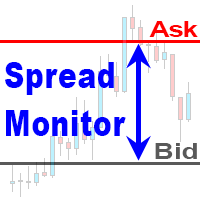
The "Spread Monitor" indicator allows you to analyze the spread change during the day, control the expansion of the spread by your broker and has a number of interesting additional features Choosing a broker with a minimum spread value is very important for the work of night advisors, scalping and intraday trading.
However, the MT4 terminal does not store spread data, so the multifunctional "Spread Monitor" indicator will be useful for any intraday trader. Features:
The indicator shows the curr

写真やビデオと同じ結果を得るにはどうすればよいですか?
これを行うには、FXopenブローカーでアカウントを開く必要があります。アカウントタイプECNを選択し、1/100以上からレバレッジする必要があります。 Metatrader4にロボットをインストールし、GBPUSD通貨ペア、M5タイムフレームを選択します。上で書いたとおりにすべてを実行すると、私たちが得たのとまったく同じ結果が得られます。ロボットを別の期間テストすることができます。ただし、期間が長いほど、テスト結果はより正確で客観的になります。 「すべての目盛り」モードでロボットをテストする必要があります。ブローカーは週末のデフォルトスプレッドを大幅に増やすため、平日にロボットをテストすることをお勧めします。または、テスト時に、最大10ポイントの固定スプレッドを指定します。
このロボットはどのように取引されますか? ロボットの原理は非常に単純です。ロボットは急激な価格変動を待っています。価格が急激に下落または上昇し始めると、ロボットは移動方向に保留中の注文を開きます。注文がトリガーされた場合、ロボットはトレーリングストップ
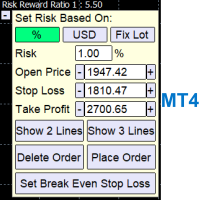
A Trading Assistant EA that can place order at user's desired open, stop loss, and take profit prices with automatically calculated lot size based on user's risk per trade
$30 for the next 25 downloaders, next price: $45 Try it out on demo account for free: Download Demo
Features: Smart Place Order : Automatically determine the Type of Order (Market/Stop/Limit & Buy/Sell) to be placed based on Open, and Stop Loss Price input, then execute it immediately Risk Manager : Set your risk of loss o
Sentalis Master Key PRO EA is a fully automated, multi-currency Expert Advisor designed for the MetaTrader 4 platform. It integrates multiple built-in indicators to analyze market conditions, including price trends, volatility, and currency strength, to inform its trading decisions. Key Features: Configuration: Offers over 60 customizable settings, allowing traders to adapt the strategy to their preferences. Trading Modes: Can be used in fully automated, manual, or hybrid modes. Risk Mana
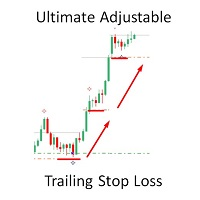
Get The Most Out Of Your Trades! Spreads from 0.1pip RAW/ECN Accounts, click here .
No More Sitting And Watching Your Trades All Day!
Have you ever … ??? Had a trade go into good profit only to turn round and lose? Had a trade where you could have got more profit because your Take Profit was too tight? Wondered how to get the most out of your trades in a trend? Of course! We all have!
Before, you had to sit and watch your trades … and trail by … A fixed amount of pips – easily done on MT4.
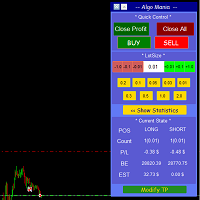
This is a trade manager specially for traders using martingale strategy and multiple trades at the same chart.
features: - easy and fast to set the lot size with mouse clicks. - Close all trades and close profit trades with a single click. - Show details on the running symbol: - number of trades (long - short) and total lots of each direction. - total profit/loss on this symbol separately and for both directions. - Break even point for both long and short. - Estimated profit if all the trades
FREE

Trend indicator Trend Esay MTF is an indicator that draws arrows directly on the price chart. Like every trend indicator, it works well with good price movement and worse in a flat. A feature of this indicator is the ability to send alerts both in the terminal and on a smartphone. The indicator menu contains the number of bars in the history of the indicator and period value for determining the trend. The "trend" function has been added to the indicator menu, which filters the indicator signals
FREE

The utility allows you to open, monitor and manage open positions on the forex market and only on instruments in which it is possible to create triangulations or those instruments that share the same currency in the numerator or denominator:
ex: EURSUSD --- GBPUSD --- EURGBP The help of operational lines and valuable information on the panel allow the trader to manage trades more easily. Recommended for novice and experienced traders.
External variables
CrossSymbol = choose the cross on which

The EA opens two opposite orders, one of which is always closed with a profit , then the next pair of orders is placed. If the price goes in one direction, the adviser starts to increase profits, and losing trades increase the next lot, thereby closing all trades at the minimum profit. The Expert Advisor is well suited for overclocking a deposit on a cent account. Can be used on any pair.
Options: Max Spread - Spread limit for opening the first orders. Lot - initial lot. MaxLot - Maximum lot. P

Target Striking - One of the best binary options trading tools!
It is set up so powerfully that you can trade not only on currency pairs, but also on raw gold oil!
You can also try on cryptocurrency!
Ideal for trading on currency pairs, the percentage of reliable transactions is more than + 75%
The trading tool is already set for the best profit!
Only Target Striking can unlock the potential of the trading market for you!
With it, the signals are even and accurate without redrawing, a sig

Only 7 copies of the EA left at $ 150 ! Next price --> $ 320
Yolo EA is an automated trading system that adapating itself on whatever the market conditions are. It can follow strong trend / counter trend / neutral.
Recommended currency pairs: GBPUSD Recommended timeframe: M15 Recommended session: London Session (10.00-18.00 GMT+2)
Backtest (2020.06.04 - 2022.04.19) results showing that it can grow $1,423 account into $2,423 with maximal drawdown 12.33% only.
Notes: Can be used for any b

CHART OBJECTS: Blue box : Bullish Order Blocks (OB) Red box : Bearish OB Orange box : Mitigated OB. Price bounce from this area the made a new high/low Light gray box : Price bounced from this area but did not made a new high/low Dark gray box : Broken OB. Filled boxes : TimeFrame 1 Order Blocks
Unfilled boxes : TimeFrame 2 Order Blocks
INDICATOR SETTINGS: Order Block Required Length: Required number of subsequent candles in the same direction to identify Order Block. Default value: 5 Imba

Only 5 copies of the EA left at $ 150 ! Next price --> $ 320
King Pro EA is an automated trading system that adapating itself on whatever the market conditions are. Mainly using averaging & EMA indicator results to train the EA which direction should it trade. Also it will apply early cut loss system when market strongly change direction and recover it on current trend.
Recommended currency pairs: GBPUSD Alternative currency pairs: EURUSD / XAUUSD Recommended timeframe: M30
See EA Liv

About Scanner:
Detailed blog post is here: https://www.mql5.com/en/blogs/post/749119
BB Squeeze Scanner uses bbsqueeze.ex4 in background to calculate when BB Squeeze (Bollinger Bands Squeeze) happens and when BBands expand. It is attached with the above blog post.
What is Bollinger Bands Squeeze:
The Bollinger bands squeeze is a special pattern when the volatility of a market decreases after trending periods. It is generally observed the price is ranging during this period until a new t

Parabolic SAR extreme When the Parabolic SAR value indicates an uptrend or downtrend, the EA will open a buy or sell trade respectively, given that all other criteria are met This EA allows you to set up to 21 separate Parabolic SAR criteria for the EA to work on There are 3 input parameter sets (SAR1, SAR2, and SAR3) Each set allows you to determine the parameters (such as the step and max step) for each set And within each set, you get to indicate up to 7 timeframe for the EA to operate in
FREE

Questo Expert Advisor è un professionale EA il quale sarà sempre aperto. Userà diversi indicatori, tra cui il parabolic Sar. Attualmente è possibile fissare il numero di lotti (0.20 di defoult); Non usa Martingala, non usa grid o altri sistemi rischiosi. Provalo in demo. Ottimi risultati su tante coppie di scambi. Consiglio di non usarlo su leva altissima.
FREE

GBP Scalper 01 is a simple EA that can work automatically to carry out trading activities. This EA is made simply and requires only Lots, TP, and SL settings to use.
As the name implies, this EA is only suitable for use in trading with the GBPUSD pair, and is designed to work optimally on the H4 time frame.
For novice users the default setting of GBP Scalper 01 is enough to get optimal settings for EA.
FREE

Advanced Moving Average Example of how the EA works: When the fast moving average line crosses over the slow moving average line, from below it to above it, this implies that the instrument is in an uptrend, hence a potential buy trade might be opened This EA allows you to set up to 21 separate moving average cross over criteria: There are 3 Moving Average Crossover input parameter sets Each set allows you to set the bars used for the Fast and Slow moving average line And it also allows you to
FREE

IMPORTANT; Price is subject to rise at any time from now! Do not miss this offer! Dear trader I am glad to introduce my new tool called Trend Analyser Dashboard to you. The design, style, and settings of this indicator have been made simple to make its users not take too much time in understanding the indicator itself. The purpose is to help traders in analysing the direction of the major trend and the status of the trend whether in weak trend or its strong trend. The indicator will also prov

Cysteamine Gold EA is an automatic trading robot to trade Gold(XAUUSD) . Using advanced calculations it opens and manages trading for you automatically. It is a robot specifically adapted to withstand the high volatility conditions usually seen in gold. Its a strategy based on a series of indicators that measure the strength of the market to enter trades, when market conditions allow it. No experience is required and it’s easy to set up. Using EA is a way to improve your trading result

Improve trading with this indicator. Find areas of buys or sells in Fibonacci retracement areas. Fulltrend is for scalping and making swing trades. Fib levels are added for take profits and stop losses. This works on any time frame and can be used by itself or together with other systems and indicators for filters. The indicator doesn't repaint. Alerts are added and can be true or false. No need to sit glued to the computer, just set on charts and listen or the alerts to come. Take a posi

Golden Bull ea mt4 is a EURUSD 1h trend EA developed by our team for 3 years.
EURUSD 1h EA is a typical trend EA that is fully automatic and stable with multiple indicators.
No scalping, no grid, no martingale, suitable for most brokers EURUSD 1h
Working pairs :EURUSD Recommended account type – any account type Minimum lever: 1:30 even 1:20 Working Timeframe: H1 Minimum deposit: $1000/lot 0.1 VPS is recommended Features:
Not a martingale, arbitrage, hedge or other dangerous methods of m

Keep missing the Imbalance or always Enter late?
Imbalance Sniper Entry EA is a bot that provides the perfect entry on Imbalance, the bot comes with a built in 1:2 Risk Reward, however the bot is not designed to run on its own, even though it can , it is best to keep an eye on it once awhile with the right indicators as support you can make sure it stays on track or take your profit before it turns.

Support and Resistance Levels by svidoks
This utility draws support and resistance zones to which the price reacts well. It also has a trend indicator that works on the basis of support and resistance zones. You can work with the indicator-advisor both manually and automatically (there is also an external control panel). Group for support, you can also write your Wishlist and wishes - telegram chat Supports all currency pairs
Options: Dist_set_limit - 300, this is the value in pips. When the
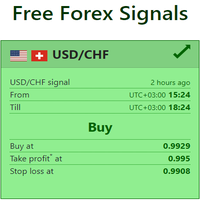
Live Forex Signals サイト信号での取引用に設計されています https://live-forex-signals.com/en と https://foresignal.com/en . Live Forex Signals for MetaTrader 5 https://www.mql5.com/ru/market/product/81448
パラメータ サイトへのサブスクリプションを持っている場合は、ユーザー名とパスワードlive-forex-signals.com/foresignal.com サブスクリプションがない場合は、フィールドを空のままにします; オープンされているお得な情報へのコメント リスクリスクは、取引のための預金の割合として、リスク=0の場合、値ロットが使用されます 取引のためのロット固定ボリューム UseTakeProfitは、サイトから利益を取る使用します 当サイトからのご利用停止のご案内 F r e c h encysignalupdateinminute顧問のサイトへの訪問頻度を指定します MaximumSpreadFo

このユーティリティの仕事は、デポジットのドローダウンを防ぐために、すべての金融商品に関する他のアドバイザーの仕事を分析することです。指定されたパラメーターを超えた場合、「エクイティ・プロテクション」はポジションをロックし、クローズし、それに関する通知を送信できます。 「株式プロテクション 」は 現在のシンボルまたはすべてのシンボルに対して機能し、組み込み機能により保留中のポジションを削除したり、アカウントで作業している他のアドバイザーを閉じることもできます。 機会:
アカウントでアクションが開始されたときにあらゆる種類の通知を送信します。 アカウント上のすべての商品を操作するには、1 つのチャートにアップロードするだけで十分です。 選択したマジック ナンバーまたはすべて、現在のシンボルまたはすべてのシンボルを操作します。 ブロックしたり、損失をクローズしたり、単に損失について通知したりできます。 必要に応じて、すべてのシンボルまたは現在のシンボルで他のアドバイザを無効にします。 未決注文だけでなく、ストップロスやテイクプロフィットも削除できます。 カスタマイズ可能なパネル。パネル

すべてを歓迎する! YouTubeチャンネルと電報に関するトレーディングアドバイザーと開発チームの詳細。 https://www.youtube.com/channel/UCl6__g5EDDbq3GtXpYaejmA https://t.me/artemrobotvorets Pixelは、ピクセル分析とボラティリティバランスの戦略に基づくトレーディングアドバイザーです。 このシステムは、中程度のリスクを伴う年間平均利回り50〜70%の安定した長期取引向けに設計されています。 EAはマーチンゲールやグリッドを使用しません。 各取引には独自のストップロスがあり、利益を上げます。 複雑な設定はありません。チャートにEURUSDとUSDJPYを設定し、コメントにある設定ファイルをダウンロードするだけです。 開始価格 99$ 残り10部
次の価格 299$
電報で私に書いてください、私はあなたがあなたの預金のためにインストールして推薦を与えるのを手伝います。 すべての成功した取引。 常に連絡を取り合う!

このフィルターはベッセル多項式に基づいています。その主な利点は、わずかな時間遅延です。このフィルターのもう1つの機能は、財務時系列の最新の値に対する感度が高いことです。このため、インジケーターは、ノイズの偏差を滑らかにしながら、アクティブな価格変動を強調表示します。 古典的な変形に加えて、ベッセル係数の対数が重み関数としてインジケーターに追加されました。この場合、インジケーターはより滑らかになりますが、同時に価格が活発に動くと遅れる可能性があります。 ベッセル多項式を計算するときは、階乗が使用されます。このため、インジケーターの期間は上下から制限されます。通常のベッセルフィルターを使用する場合は、インジケーターの短い周期に注意することをお勧めします。期間が長くなると、インジケーターの動作がますます安定し、違いが目立たなくなります。 図は、両方のフィルタータイプの動作を示しています。 インジケーターパラメーター: TypeFilter-通常/対数フィルタータイプの選択 iPeriod-インジケーター期間、有効な値3-85。

高度なトレンドフィルタリングとアラート表示を備えたMACDオシレーター。トレンドを決定し、弱いトレンドを除外し、トレンドの新しい強さを示します。 MACDオシレーターは、任意の時間枠とすべてのシンボル(通貨、インデックス、石油、金属、株式、オプション、オフライン練行足チャート)で動作します 1.ユーザーはMACD値を変更できます。 2.最小MACDレベルフィルター、 3.除算値は、チャートでトレンド変化の表示が必要な電力比を除外します。 4.バッファ値には、トレンドが変更された後にアラートを通知するための追加のMacd値の移動を提供する追加のフィルターがあります。 5.アラートは、追加のメッセージポップアップに対してTrueまたはFalseを選択できます。 このバージョンはトレードエントリーシグナル用であり、どのチャートでもMACDのさまざまなレベルチェックを使用してトレンドが変化します トレードを終了する場合、ユーザーはトレードの終了に必要な独自のトレーリングストップロスを使用できます。 推奨されるチャートの時間枠は、練行足の価格枠でH1、H4、D1および同等のチャートです。 あな
D1 Free Fibo Channels with support and resistences...
Become a constantly profitable 5-star forex trader!
We offer a few indicators to support you understand and analyse the market! With our strategies you will improve your trading system and bacome an expert...
We have indicators for trend direction, market direction and others.. for multi-time frames and that covers all majors or your favorite trading symbols! Some of them offer a customizable calculation parameters... or Graph features!
FREE

The EA uses scalping strategy at night, trading consists of three algorithms and each algorithm works in its own time interval. The EA uses many smart filters to adapt to almost any economic situation. Pending orders are used for the least slippage when trading scalping. The adviser is safe and does not require any settings from the user, just install it on the chart and you are ready. The EA sets a protective stop order, so the trader does not have to worry that the robot will allow significant

The automated expert advisor that builds a grid of orders based on my developed algorithm. The initial lot of order can be fixed or dynamically calculated, depending on the deposit balance and the risk parameter used. To prevent opening trades at a high spread value, the EA has a corresponding filter. You can specify the maximum allowable value in the settings. The internal algorithm of work and settings of the expert advisor for Short and Long trades are completely identical. Thus, the expert

I will support only my client. สำหรับลูกค้า Some Features: - Swing or ZigZag or Sideway trading - No News filter to high impact news, It will dash with Martingale with Position Percent from Lot size starter,
Increase / Decrease via amount of position on chart. - You can run it on sideway chart at current timeframe or H4-D1 timeframe. - If chart has trend don't worry with your small lot size starter and frequncy and your funding. - You can always consult with me on how to use it via chat.
Wa
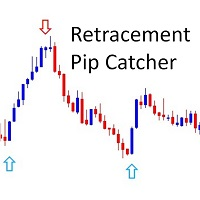
!! FLASH SALE !! Over 80% off !! For ONE week only. Now only $47 - normally $297! >>> Ends on 30 June 2023 - Don't miss it!
Buy and Sell Arrows when price is about to retrace. It Also Sends Alerts – On MT4 To Your Phone To Your Email
Does not repaint.
Works ony any pair, any timeframe.
10 Activations allowed so you are free from limitations
See an example of alerts from today (23 May 2020) using this and 2 more of my indicators here . MT5 Version here . Spreads from 0.1pip RAW
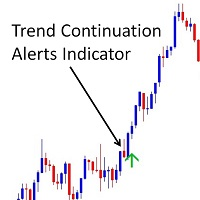
!! FLASH SALE !! Over 80% off !! Now only $47 - normally $297!
Buy and sell arrows on the chart when the trend is about to continue. Aslo Sends Alerts – On MT4 To Your Phone To Your Email.
Does not repaint.
Works on any pair, any timeframe. (Just ajust the settings for your pair and timeframe.)
10 Activations allowed so you are free from limitations
See an example of alerts from today (23 May 2020) using this and 2 other indicators here . MT5 version here .
Spreads from 0.1pip RAW/
The indicator helps to determine the potential for price movement within the day and on a trend. For calculations, the average price movement on the instrument is used. If you have a problem setting TP, the indicator allows you not to overestimate your expectations. For volatile instruments, the SL position can also be taken into account. If the entry was in the right place, the risk / reward ratio will prompt a profitable level for profit taking. There is a reset button at the bottom of the sc
FREE
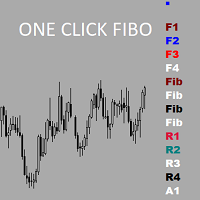
Утилита предназначена для упрощения графического анализа.Настроив один раз , можно сохранить в шаблон,все настройки сохранятся.В настройках меняются уровни фибоначчи , цвета,стили и толщина линий также текстовые метки на кнопках.Есть возможность расширить функционал , добавить временные зоны Фибоначчи ,Фибо арки ,линии по углу ,продление прямоугольных зон до текущей цены.Присылайте рекомендации,все можно осуществить в рамках бесплатной утилиты.
FREE

50% off. Original price: $60 Order Manager is a trade assistant and trade copier with a money manager that helps traders open, modify and close manual trades and also copy their trades between multiple accounts in the most simple way to help them focus more on their market analysis and open orders with just a few clicks.
Download Demo here (It only works on demo accounts for 14 days) Full guide here MT5 version here
Order Manager features: Works on all instruments such as currency pairs, i
Multipair Analyzer - An expert advisor which analyze market structure across multiple currency pairs.
Its a tool which uses purely price action structure based trading strategy. Based on the market structure, the EA finds the optimal place to enter and can either take trade or can alert the user to take a better look. Just by placing the EA one one chart, all the other currency pairs are automatically analyzed. Based on its analysis it provide multiple messages . These messages can be easil

For the correct operation of this Expert Advisor, a minimum trading spread is required. 15 points on the 5th sign is optimal. The smaller your spread, the better the trading will be. The Expert Advisor opens a buy or sell order only after a strong activity has been formed in the market. The basis of the strategy is an indicator for scalping - Scalping Dong. The robot has more than 60 settings so that you can efficiently manage your trading strategy. Recommendations: Trading on any trading pairs

Pomo Panel is a simple panel to help trader using grid strategy. It is designed with grid strategy in mind.
Its features: Open standard transactions Set up pending transactions Delete all pending transactions Modify multiple Stop-Loss and Target-Profit Calculate Lots of all opened transactions Calculate average Open-Close, High-Low Close All Opened Orders
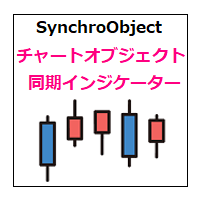
MT4に表示している同一通貨ペアのチャート上で、水平線や垂直線、トレンドラインなどのオブジェクトを同期します。 このインジケーターを使うと、1つの時間足で作成した水平線などのオブジェクトが、同一通貨ペアの他のチャートにも同じオブジェクトが作成されるようになります。また、作成後の移動、プロパティ変更、削除なども同期することができます。
チャートオブジェクトが同期されるケース
・チャートオブジェクトの作成 ・チャートオブジェクトのスタイル変更(色、太さなど) ・チャートオブジェクトの移動 ・チャートオブジェクトの削除
対応しているチャートオブジェクト
以下24のオブジェクトに対応しています。 ・水平線
・垂直線
・トレンドライン
・平行チャネル
・フィボナッチリトレースメント
・フィボナッチ・エクスパンション
・フィボナッチ・チャネル
・フィボナッチ・タイムゾーン
・フィボナッチ・ファン
・フィボナッチ・アーク
・角度によるトレンドライン
・アンドリューズ・ピットフォーク
・標準偏差チャネル
・線形回帰チャネル
・サイクルライン
・三角形
・長方形
・楕円
・ギャン・ライン

[ MT5 Version ] Ultimate Alpha Trend MT4
Ultimate Alpha Trend is the first trend indicator, which combines volatility, volume, average price and momentum. The results is a highly versatile representation of trendy and sideways market conditions, highlighting, at the same time, significant supply and demand levels. The Ultimate Alpha Trend indicator can be used to find entry oportunities and to set SLs taking into consideration current market volatility, volume and momentum. Besides that, the ind
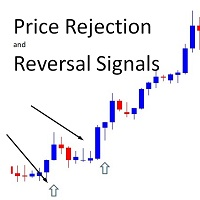
!! FLASH SALE !! Over 80% off !! For ONE week only. Now only $47 - normally $297! >>> Ends on 30 June 2023 - Don't miss it!
Buy And Sell Signal Arrows On The Chart When The Price Is About To Reverse. Also Sends Alerts – On MT4 To Your Phone To Your Email.
Does not repaint.
Works on any pair, any timeframe. (Just ajust the settings for your pair and timeframe.)
10 Activations allowed so you are free from limitations
MT5 version here . Spreads from 0.1pip RAW/ECN Accounts,

Imbalance / Fair Value Gap (FVG), this is a zone / gap created when the price move with force in a given direction. It identify a zone where the price could potentially go back. This gives perfect targets for your trades.
Imbalance is created from the high and low of 3 candles. When the wicks the of 1st and 3rd candle does not fully overlap the middle one.
This indicator will help you to easily spot mitigated/unmitigated imbalances in your chart.
NEW FEATURE Update: Multi-TimeFrame Feature
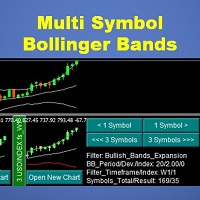
This indicator will display mini candlestick chart with Bollinger Bands indicator of the symbols that pass a filter criteria in the indicator subwindow from 1 to 10 symbols per subwindow. Feature:
Button to scroll 1 symbol, click to scroll the displaying symbols back and forth 1 symbol per click Button to scroll 1 page , click to scroll the displaying symbols back and forth 1 page(number of symbols per subwindow) per click Button to open new chart, click to force mt4 terminal to open a new char
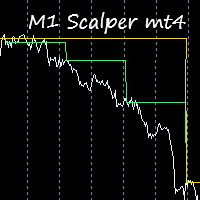
This indicator is excellent for scalping on the M1 or M5 chart. Uses a special algorithm for the lines. No need to set up the indicator. Does not feature any alerts and is best used manually after visually confirming the line displays. NB: Make sure to download M1 history before testing and use.
How to use: Simply attach to M1 or M5 chart. Zoom chart out completely. Sell when all lines above the white line (PriceLine). Sniper line crosses above white line. Buy when all lines below the white lin
MetaTraderマーケットはMetaTraderプラットフォームのためのアプリを購入するための便利で安全な場所を提供します。エキスパートアドバイザーとインディケータをストラテジーテスターの中でテストするためにターミナルから無料のデモバージョンをダウンロードしてください。
パフォーマンスをモニターするためにいろいろなモードでアプリをテストし、MQL5.community支払いシステムを使ってお望みのプロダクトの支払いをしてください。

取引の機会を逃しています。
- 無料取引アプリ
- 8千を超えるシグナルをコピー
- 金融ニュースで金融マーケットを探索