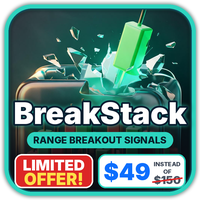
BreakStack
- Indicatori
-
M Trihana Muslim
 I have been developing Expert Advisors and trading tools for more than 10 years. I build practical tools for disciplined trading: risk-based lot sizing, clean SL / TP management and clear market structure analysis. Simple to use, light on the terminal and regularly updated. Questions? Send me a
- Versione: 1.20
- Attivazioni: 5
BreakStack - Range Breakout Trend Signals
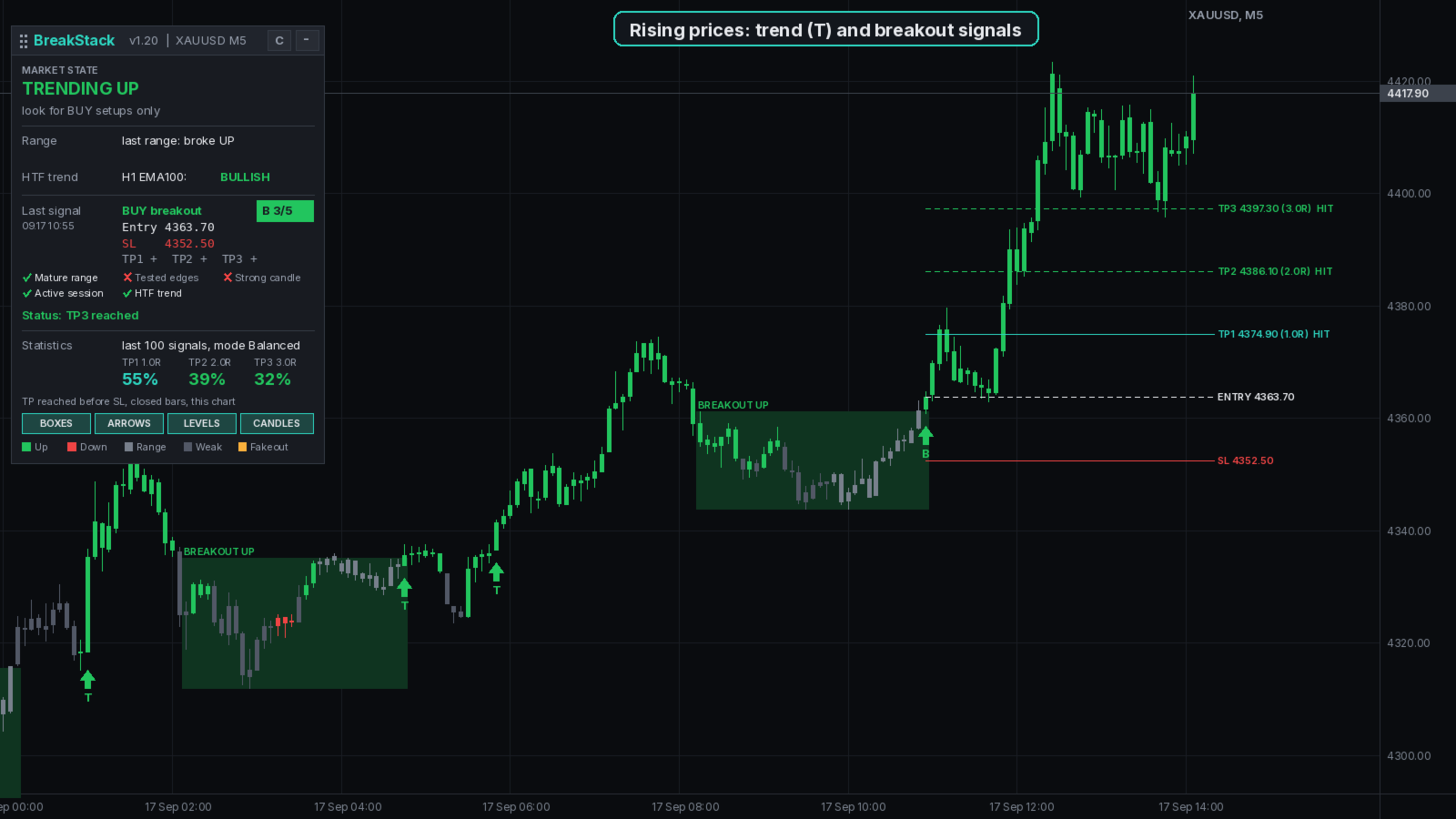
Most trend indicators lose money in the same place: when the market moves sideways. BreakStack is built around that problem. It first finds the consolidation, keeps you out while price is inside it, and gives a signal when the range ends. When price moves fast without a range, trend signals follow the move. Every breakout is graded, and one input chooses how many signals you see.
How It Works
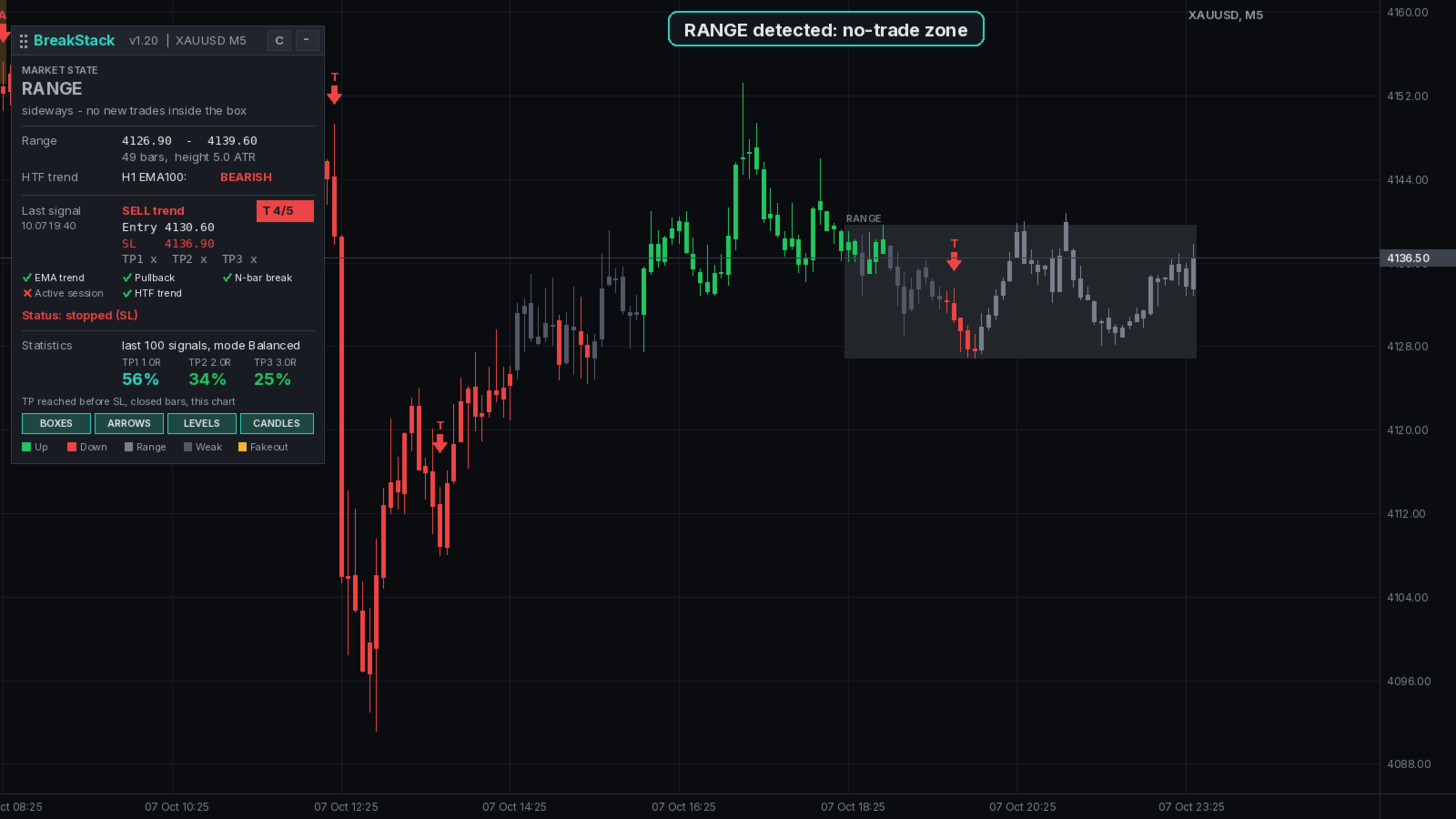
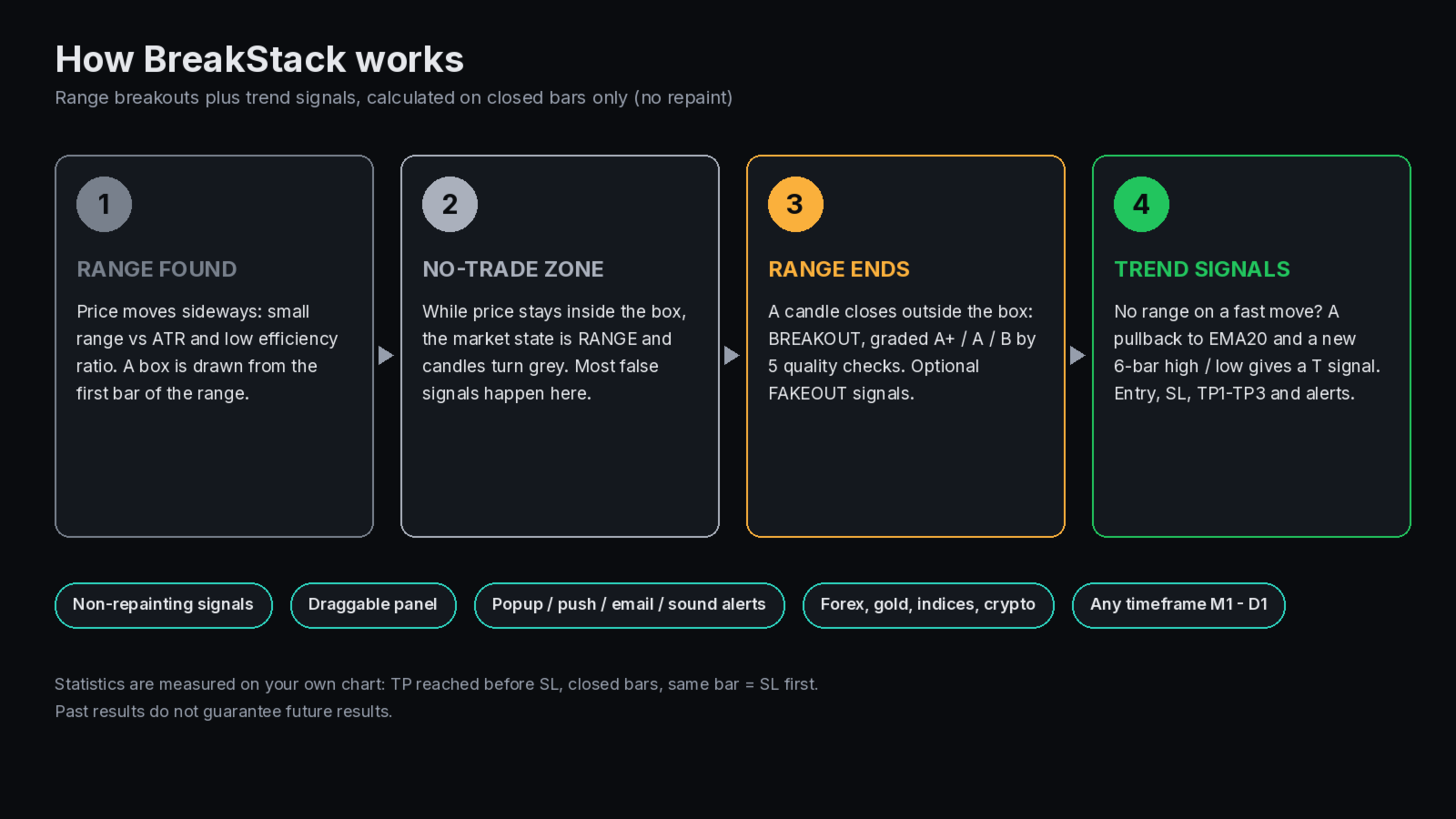
- 1. Range found: price moves sideways (small range compared to ATR and a low efficiency ratio). A box is drawn from the first bar of the range.
- 2. No-trade zone: while price stays inside the box, the market state is RANGE and candles turn grey.
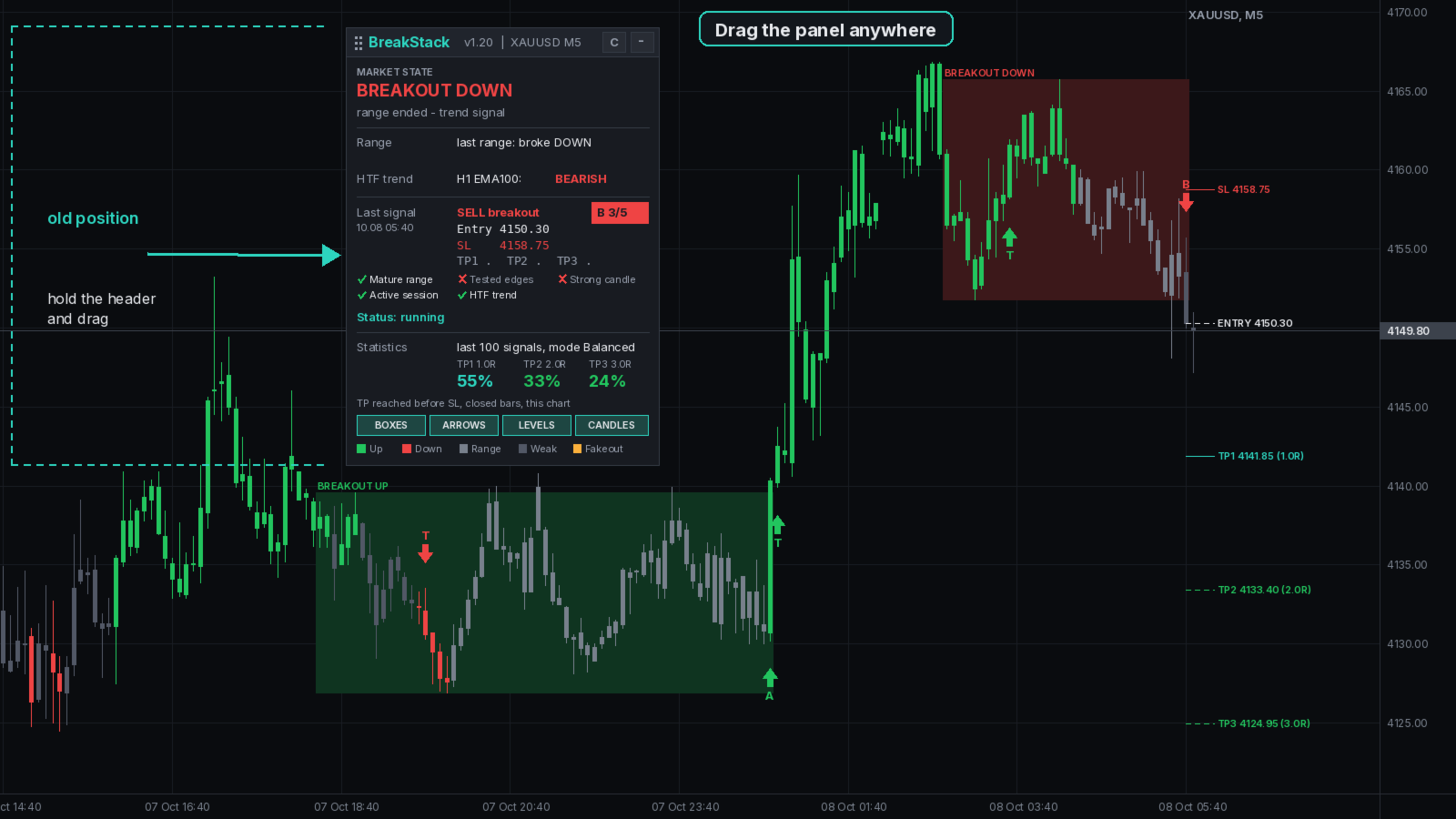
- 3. Range ends: a candle closes outside the box = BREAKOUT. Optional: if price closes back inside within 3 bars = FAKEOUT (reversal signal).
- 4. Quality grade: 5 checks are made on the breakout and give a grade A+ / A / B.
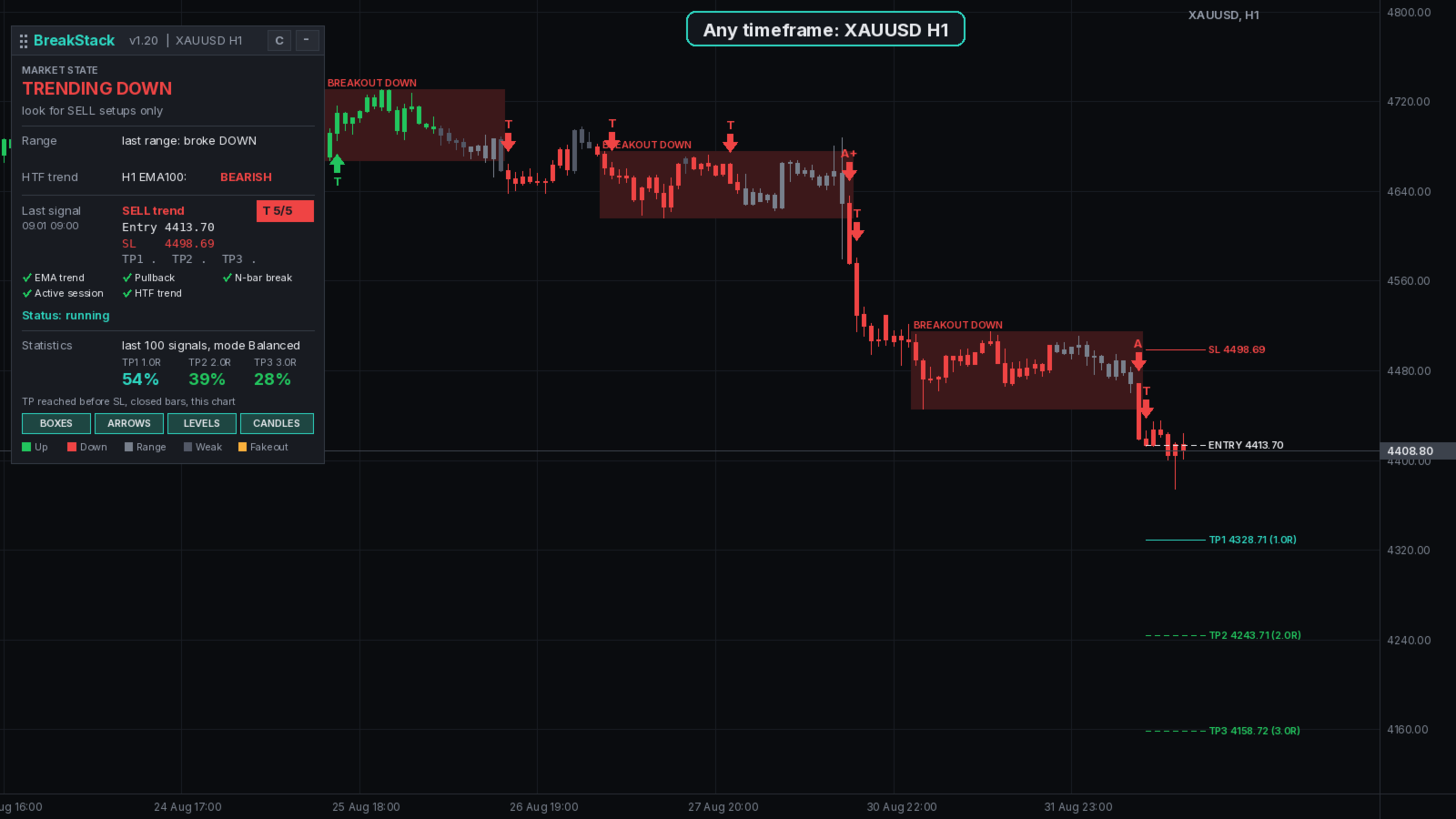
- 5. Trend signals (T): in a trend (EMA20 above EMA50 and EMA50 rising, mirror for sells), price pulls back to EMA20 and then closes beyond the high / low of the last 6 bars. This catches rising and falling markets that do not form a range first.
For every signal, entry, stop loss and TP1 / TP2 / TP3 are drawn on the chart and an alert is sent.
The 5 Quality Checks
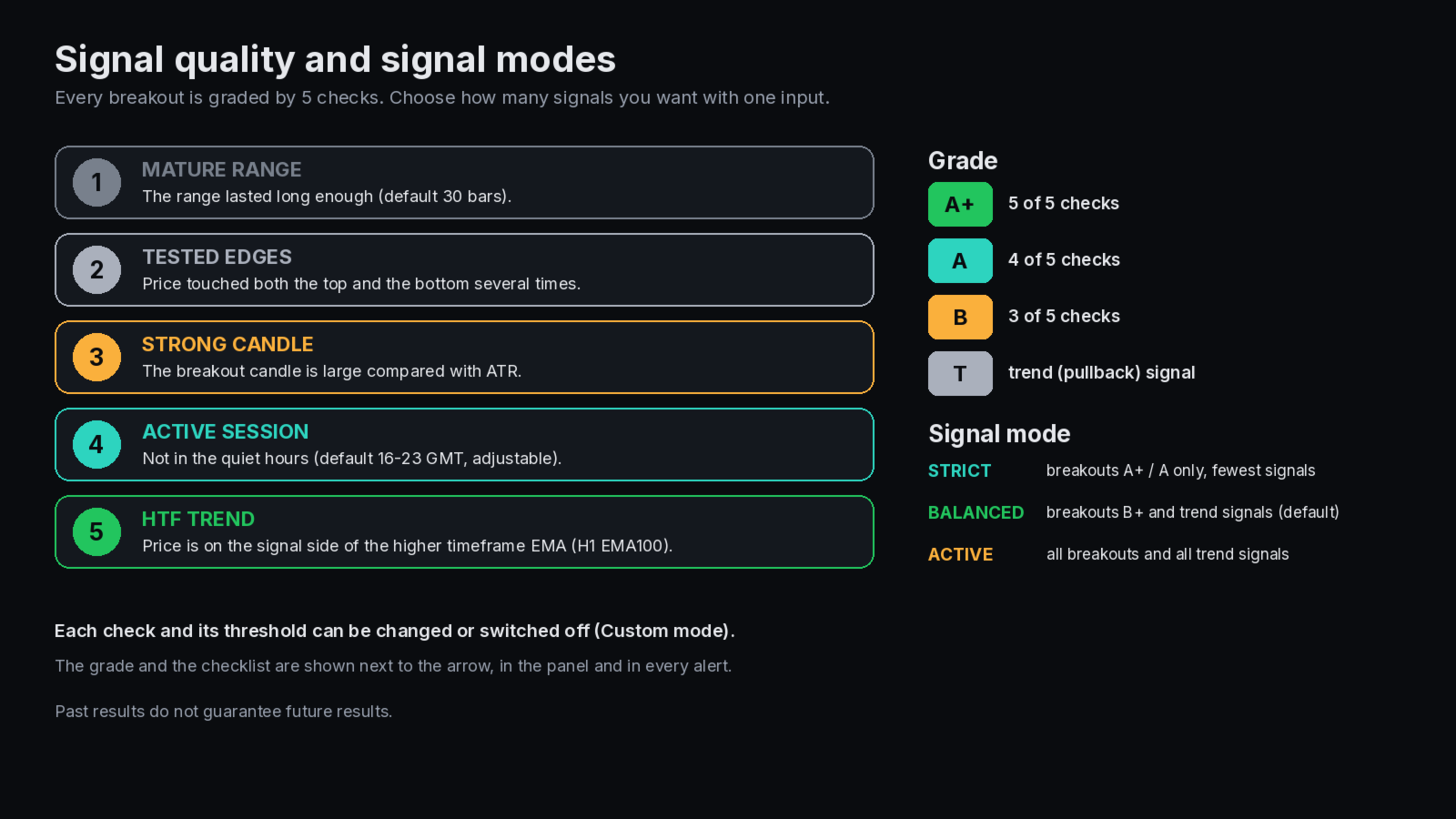
- 1. Mature range: the range lasted long enough (default 30 bars).
- 2. Tested edges: price touched both the top and the bottom of the range several times.
- 3. Strong candle: the breakout candle is large compared with ATR.
- 4. Active session: the breakout is not in the quiet hours (default 16-23 GMT, adjustable or off).
- 5. HTF trend: price is on the signal side of the higher timeframe EMA (default H1 EMA100); the EMA slope can be required as well.
Grade: A+ = 5 of 5, A = 4 of 5, B = 3 of 5, T = trend signal. The grade is shown next to the arrow, in the panel (with a checklist of passed and failed checks) and in every alert.
Signal Modes
- Strict: breakouts with grade A+ / A only. Fewest signals.
- Balanced (default): breakouts B and better plus trend signals that pass the session or HTF check.
- Active: all breakouts and all trend signals. Most signals.
- Custom: set the minimum grade and the trend signal filter yourself.
Features
- Automatic range boxes: active range, breakout up, breakout down, fakeout, expired
- BUY / SELL breakout arrows with a grade label, trend signal arrows (T), optional fakeout arrows
- Signal quality grade from 5 checks, every threshold adjustable
- Four signal modes: Strict, Balanced, Active, Custom
- Entry, SL and TP1-TP3 levels for the last signal (risk multiples, adjustable)
- Candles coloured by market state (fast EMA trend): up trend, down trend, range, weak; they turn green or red quickly when the market moves
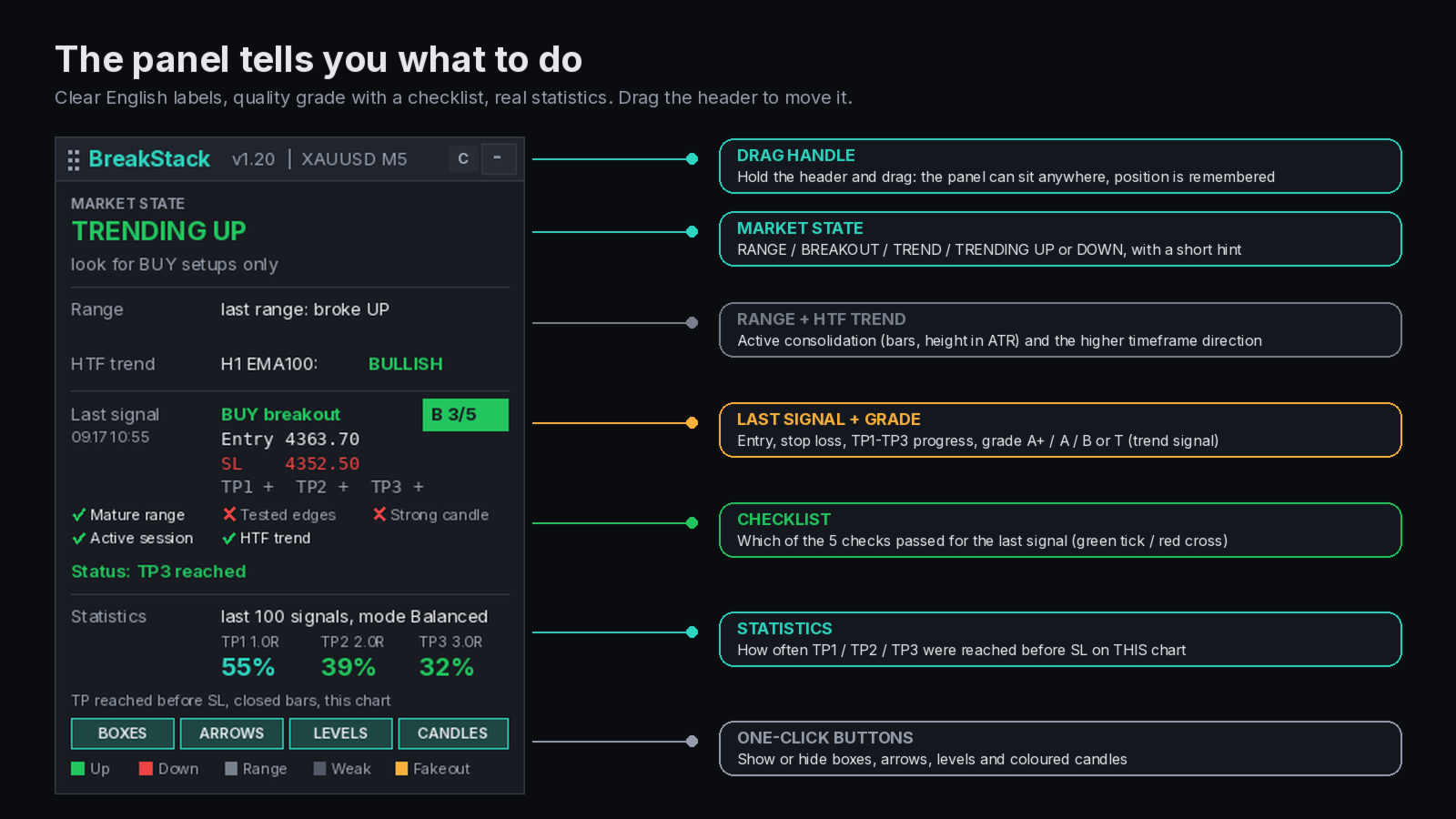
- Draggable info panel: hold the header and move it anywhere; press - to minimise it to one line
- Panel colours: the C button switches between Dark graphite, Midnight blue, Pitch black, Purple night, Light and your own Custom colours; position, theme and minimised state are remembered for each chart
- Panel in clear English: market state with a short hint, range size in bars and ATR, higher timeframe trend, last signal with grade, checklist and live status
- Built-in statistics: how often TP1, TP2 and TP3 were reached before the stop loss on the current chart (closed bars, same bar = stop loss first)
- One-click buttons: show / hide boxes, arrows, levels and candle colours
- Alerts: popup, push notification, email and sound, with the grade in the text; optional alert when a new range starts
- Non-repainting: all signals are calculated on closed bars; a range box is drawn back to its first bar once the range is confirmed
- Buffers for Expert Advisors (iCustom): 0 = BUY signal (breakout or trend), 1 = SELL signal, 2 = BUY fakeout, 3 = SELL fakeout, 9 = market state (1 range, 2 up, -2 down, 0 weak), 10/11 = active range top/bottom
- Works on forex, gold, indices and crypto, on any timeframe
Main Settings
- Bars to confirm a range (default 20)
- Max range height in long ATR (default 3.5)
- Max efficiency ratio (default 0.30, lower = stricter sideways filter)
- Signal mode (default Balanced), minimum grade and the threshold of each check
- Trend signals: fast / slow EMA (20 / 50) and pullback window (6 bars)
- Quiet hours in GMT, higher timeframe and EMA period
- Optional extra filters: chart EMA side, minimum candle body
- Fakeout signals on / off and fakeout window
- TP1 / TP2 / TP3 risk multiples (default 1 / 2 / 3)
- Display, panel position, colours and alerts
Tips
- Strict gives the fewest signals, Active the most. Use the statistics panel to compare modes on your own broker's data.
- If your broker's server time is unusual, check the quiet hours setting (it uses GMT).
- The SL and TP levels are a guide. Always use your own risk management.
Note: BreakStack is an analysis tool. It does not open trades. Trading involves risk and past results do not guarantee future results.
Platforms
BreakStack is sold as two separate products, one for MetaTrader 5 and one for MetaTrader 4, with the same features. Please make sure you buy the version for the platform you use.
Feedback and Questions
If BreakStack is useful in your trading, please take a moment to rate it and leave a short review on this page. Honest feedback, positive or critical, helps other traders decide and shows me what to improve in the next version. If you have any questions, please send me a message or write in the Comments tab, and I will be glad to help.
BreakStack is part of the Stack series, a set of MetaTrader tools built with the same clean design: trade panels, signal indicators and dashboards. To see the other products in the series, open my seller profile by clicking my name at the top of this page.