BlockStack
- Indicatori
-
M Trihana Muslim
 I have been developing Expert Advisors and trading tools for more than 10 years. I build practical tools for disciplined trading: risk-based lot sizing, clean SL / TP management and clear market structure analysis. Simple to use, light on the terminal and regularly updated. Questions? Send me a
- Versione: 1.0
- Attivazioni: 5
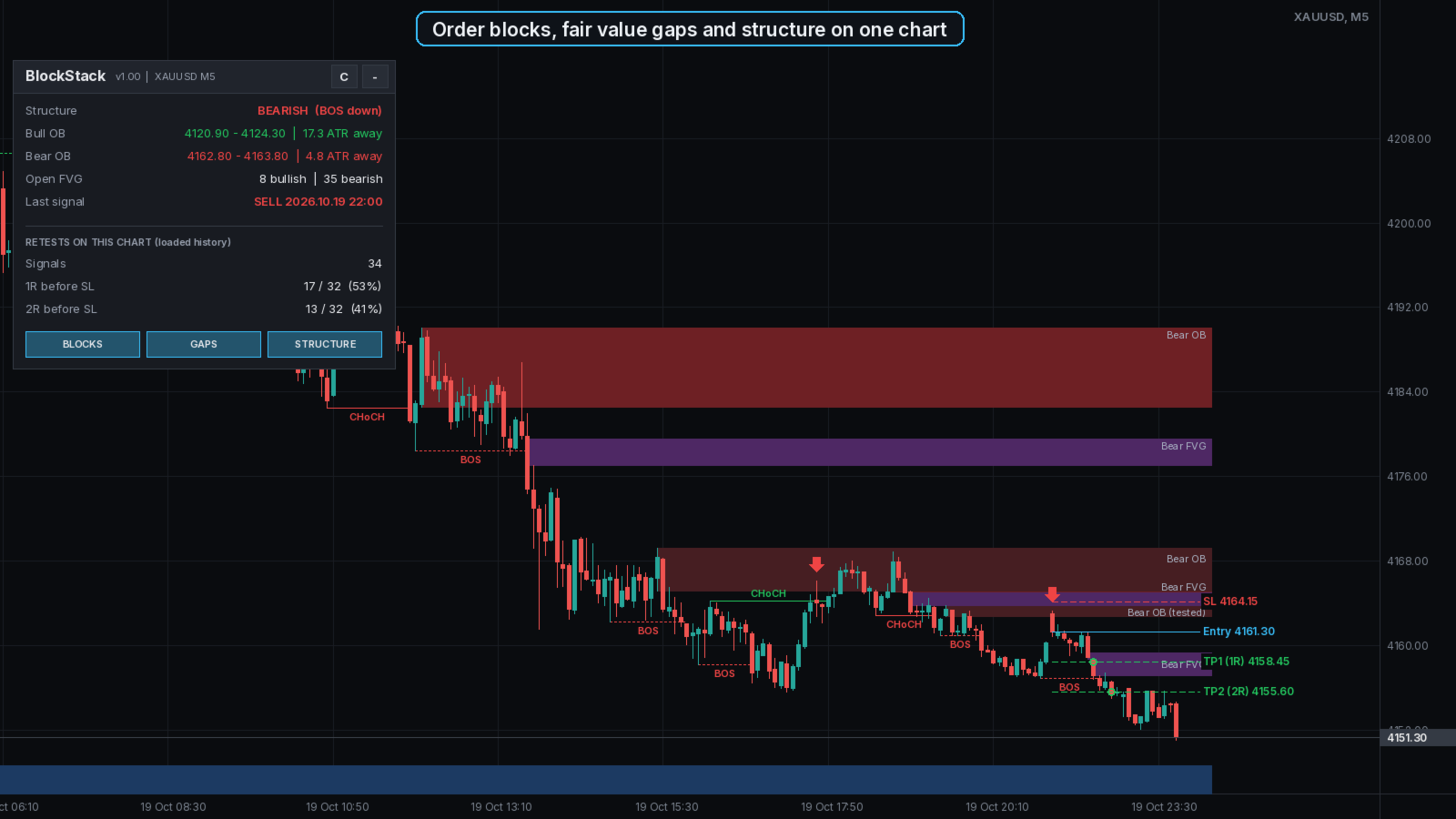
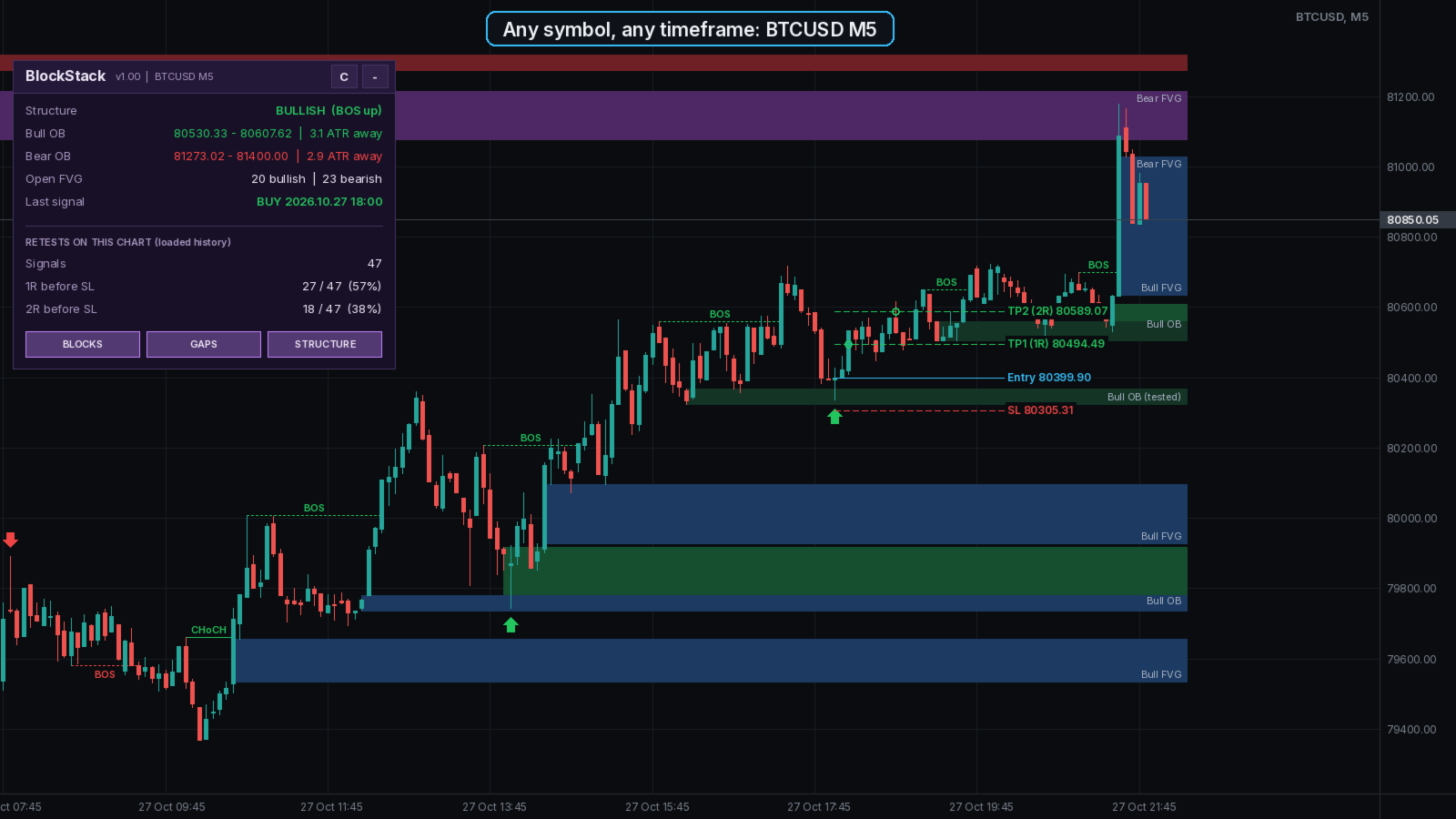
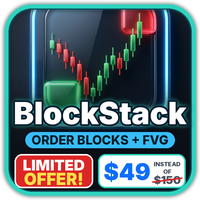
BlockStack puts the structure tools that smart money traders draw by hand on the chart automatically: breaks of structure, changes of character, order blocks and fair value gaps. When price comes back to a fresh order block in the direction of the structure and rejects it, an arrow marks the bar and the entry, stop loss and two targets are drawn. All sizes are measured in ATR, so the same settings work on gold, forex, indices and crypto and on any timeframe.
Structure
- Swing highs and lows are confirmed after a set number of bars on each side (default 5).
- BOS: a candle closes beyond the last swing in the direction of the current structure. Drawn as a dotted line.
- CHoCH: the first close beyond a swing against the current structure. Drawn as a solid line, with an optional alert.
- Breaks are decided on the close, not on a wick.
Order blocks
- After each break, the last opposite candle at the origin of the move becomes the order block.
- Only blocks with a real impulse are kept: the move from the block to the break must be at least 1.5 ATR (adjustable).
- Very tall blocks are skipped (default more than 2.5 ATR). Block size can be the full wick range or the body.
- Fresh blocks are drawn in a strong colour, tested blocks in a lighter colour. A block is removed when a candle closes through it.
- The number of active blocks shown per side is adjustable.
Fair value gaps
- Three-candle gaps larger than 0.30 ATR (adjustable) are drawn as boxes.
- A gap is closed when it is filled completely or, if you prefer, when price reaches its middle.
Retest signals
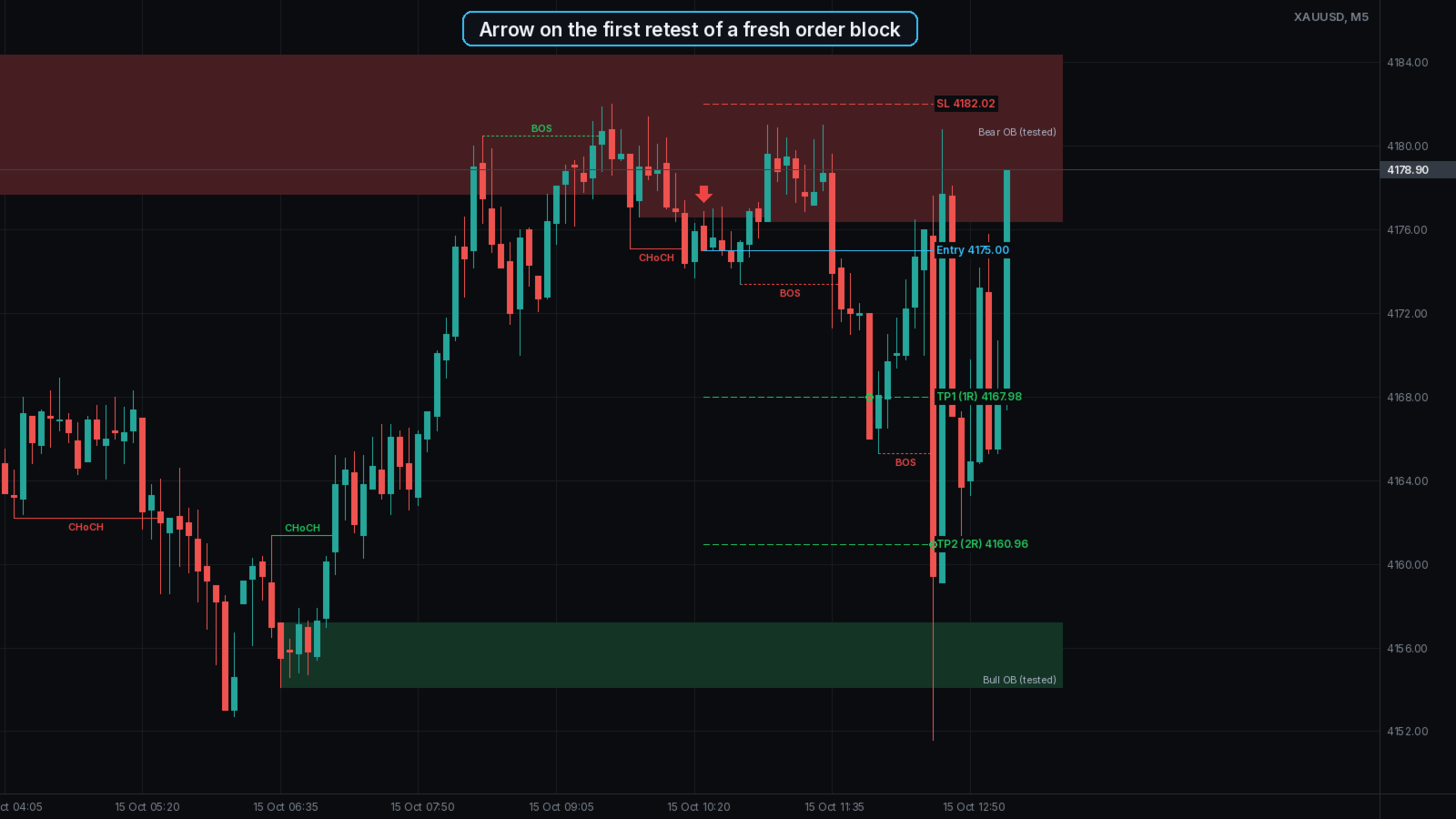
- An arrow is given only on the first touch of a fresh order block.
- By default only in the direction of the structure: bullish blocks in a bullish structure, bearish blocks in a bearish one.
- The candle must reject the block: it closes in the block direction and back in the outer half of the block.
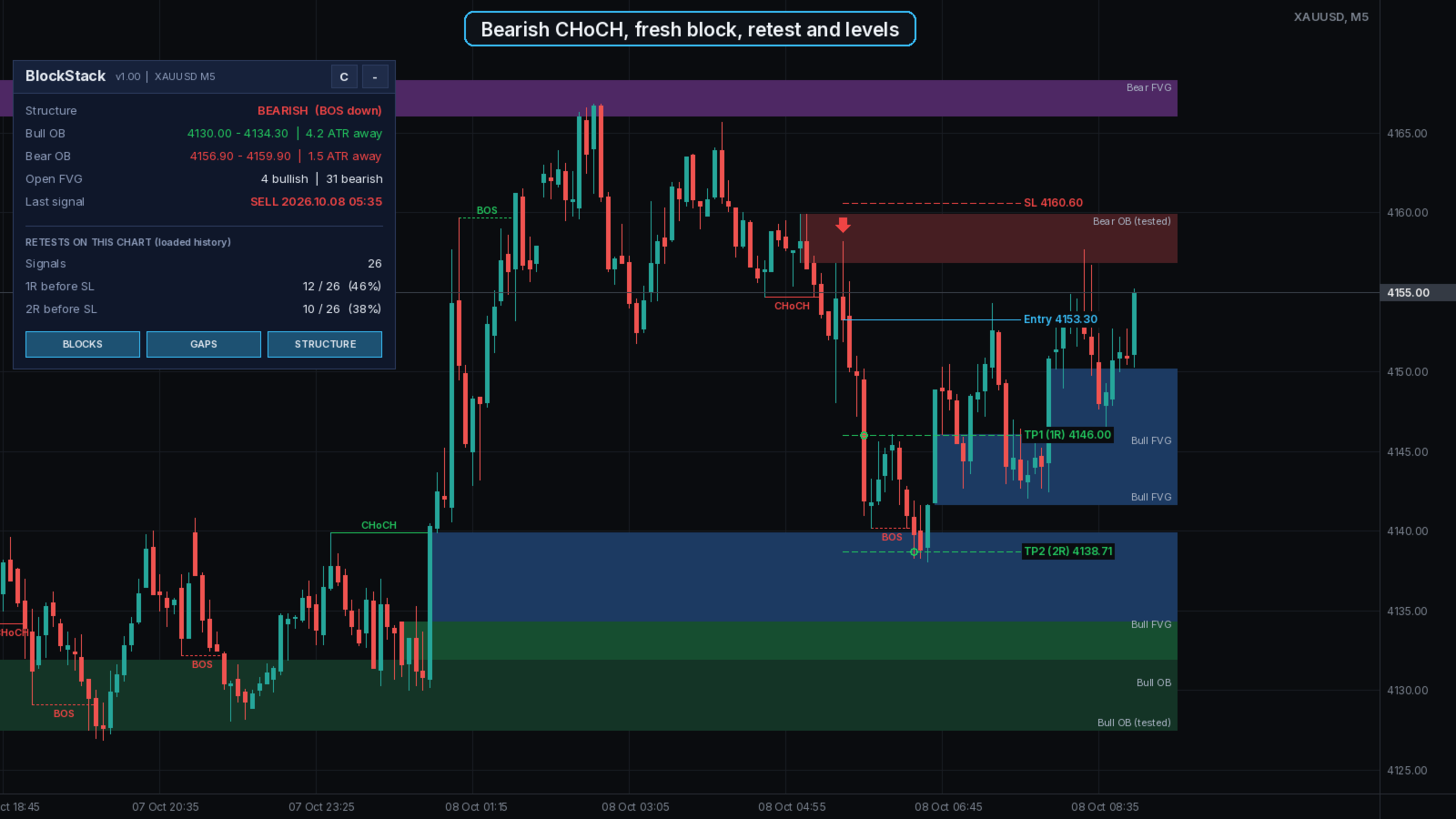
- Entry is the close of that candle, the stop loss is beyond the block plus 0.20 ATR, TP1 is 1R and TP2 is 2R.
- Signals are calculated on closed bars and are not repainted.
Info panel
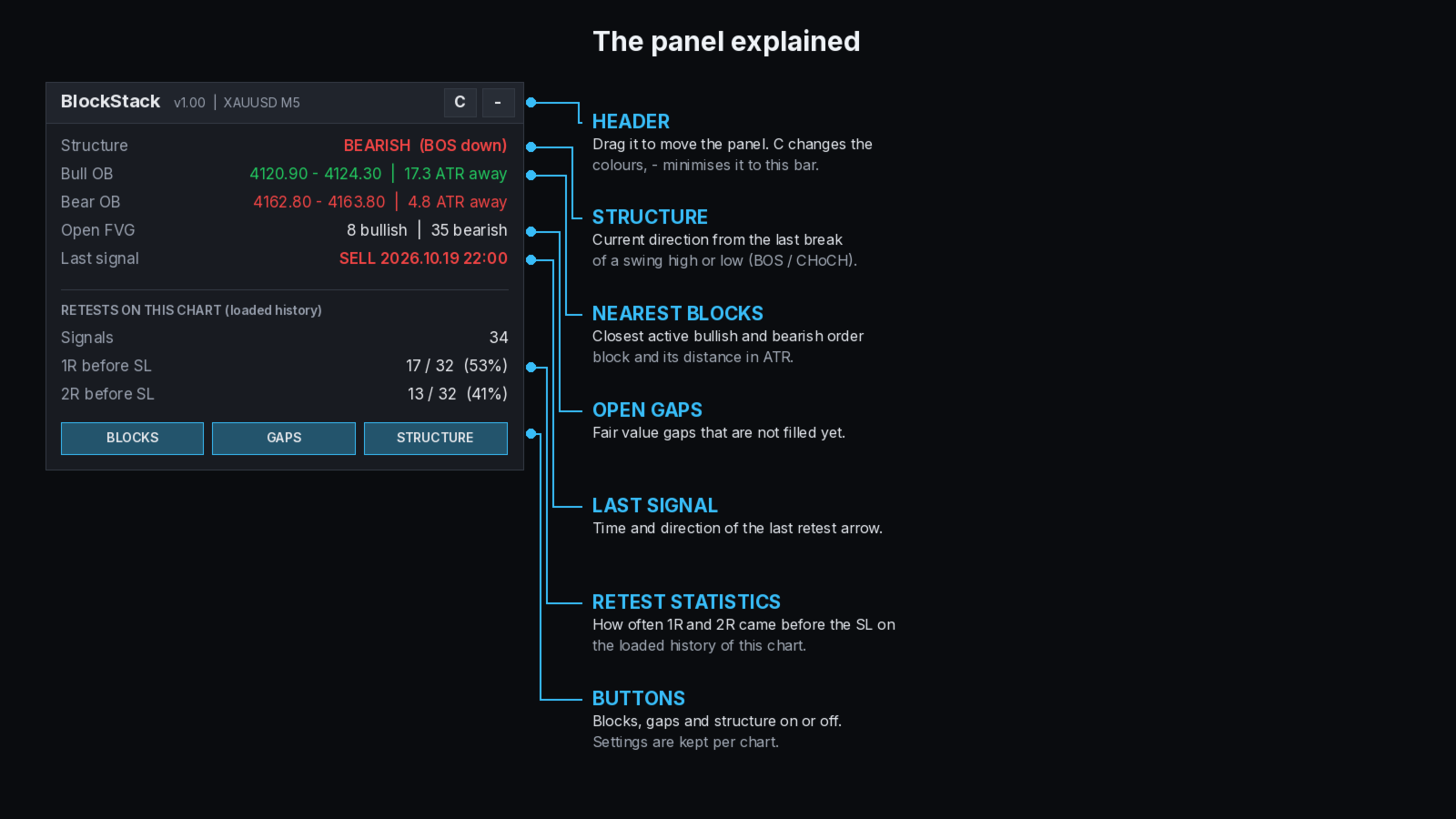
The panel shows the current structure and the last break, the nearest active bullish and bearish order block with its distance in ATR, the number of open gaps, and the time of the last signal. The statistics block counts the retest signals on the loaded history of the chart and shows how often 1R and 2R were reached before the stop loss. The stop loss is checked first when both are inside the same bar, and there is no spread, so you can judge the tool on your own symbol and timeframe.
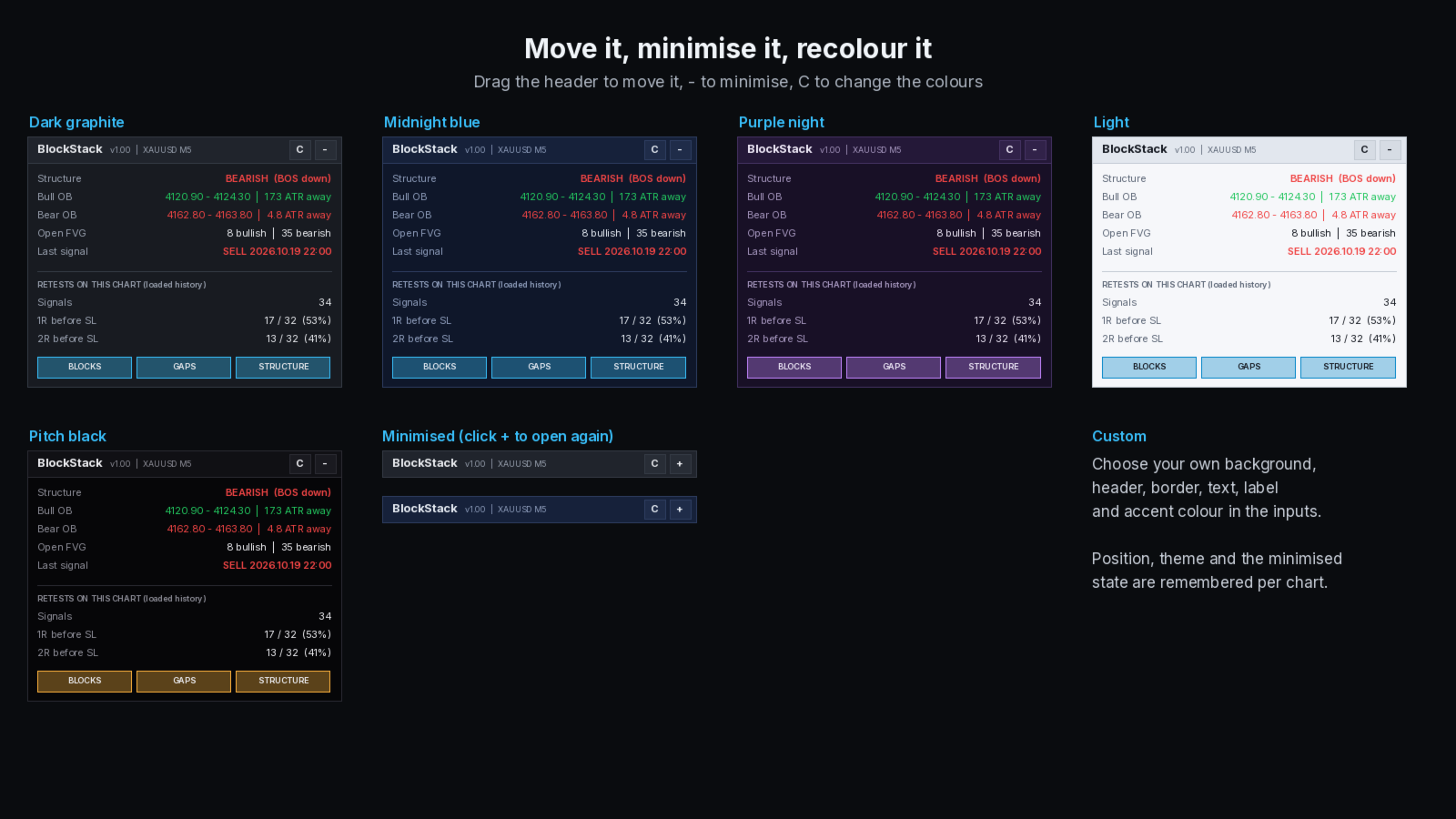
Drag the header to move the panel anywhere on the chart, or press - to minimise it to one line. The C button switches the panel colours between Dark graphite, Midnight blue, Pitch black, Purple night, Light and your own Custom colours. The position, the colour theme and the minimised state are remembered for each chart, also after a timeframe change. The BLOCKS, GAPS and STRUCTURE buttons show or hide each layer.
Alerts
Alerts on retest signals, on CHoCH and, if you wish, on every BOS. They can be a popup, a push notification to the MetaTrader mobile app, an e-mail or a sound.
For EA developers
Buffer 0 holds the BUY signal and buffer 1 the SELL signal on the signal bar, so the arrows can be read with iCustom.
Notes
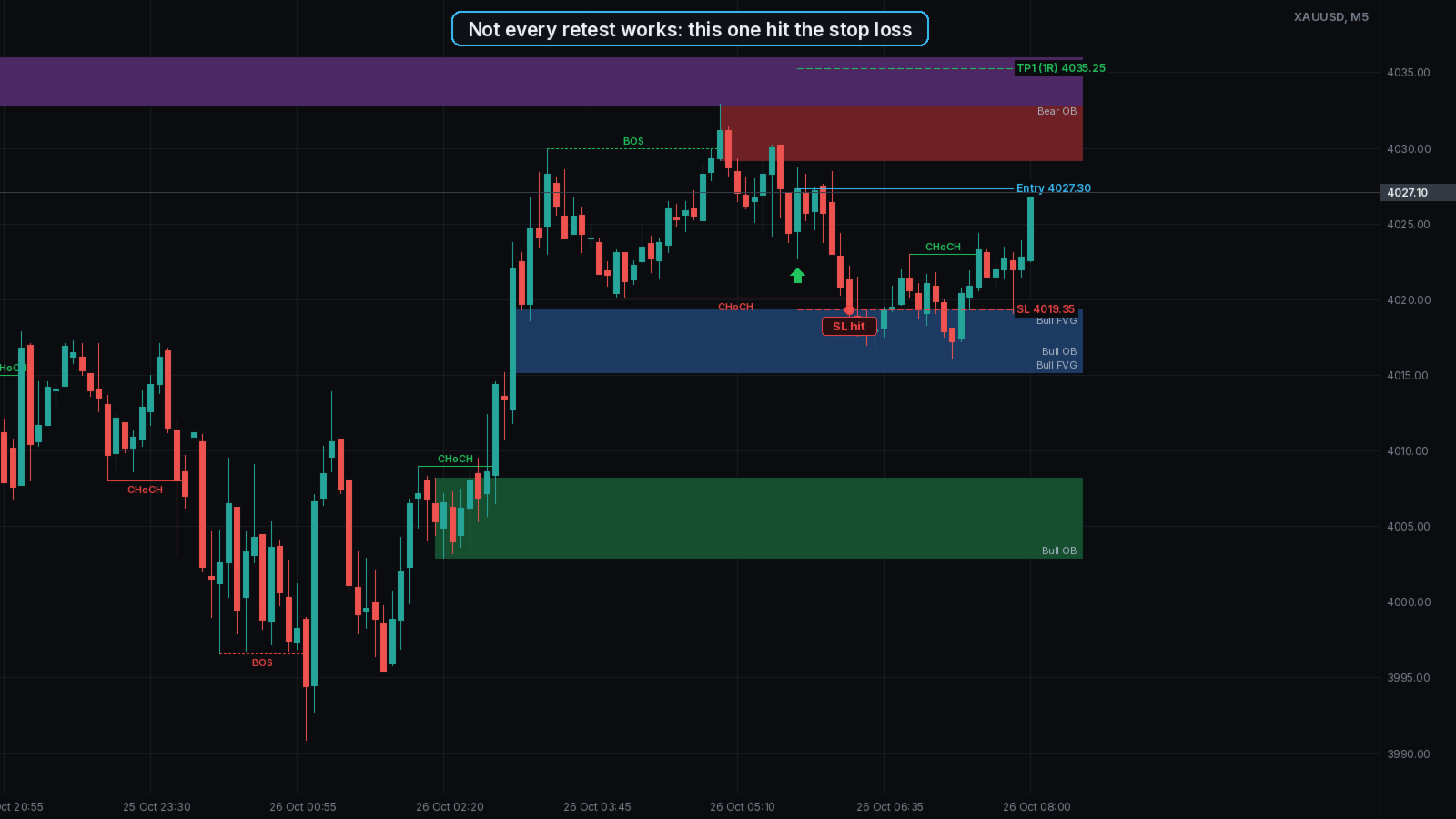
Order blocks and gaps are areas where price often reacts, not levels that always hold. Many retests fail, and the panel shows how often this happened on your chart. Use a stop loss and a position size you are comfortable with. A swing is confirmed only after the set number of bars, so structure breaks appear after that delay. In the Strategy Tester the drawings and arrows are shown, but the panel buttons do not respond, because the tester does not pass chart clicks to indicators.
Platforms
BlockStack is sold as two separate products, one for MetaTrader 5 and one for MetaTrader 4, with the same features. Please make sure you buy the version for the platform you use.
Feedback and questions
If BlockStack is useful in your trading, please take a moment to rate it and leave a short review on this page. Honest feedback, positive or critical, helps other traders decide and shows me what to improve in the next version. If you have any questions, please send me a message or write in the Comments tab, and I will be glad to help.
BlockStack is part of the Stack series, a set of MetaTrader tools built with the same clean design: trade panels, signal indicators and dashboards. To see the other products in the series, open my seller profile by clicking my name at the top of this page.