Stopwise Risk Manager
- Utilità
-
Heng Li
 Rule No.1: Never Lose Money. Rule No.2: Never Forget Rule No.1.
- Versione: 3.84
- Attivazioni: 10
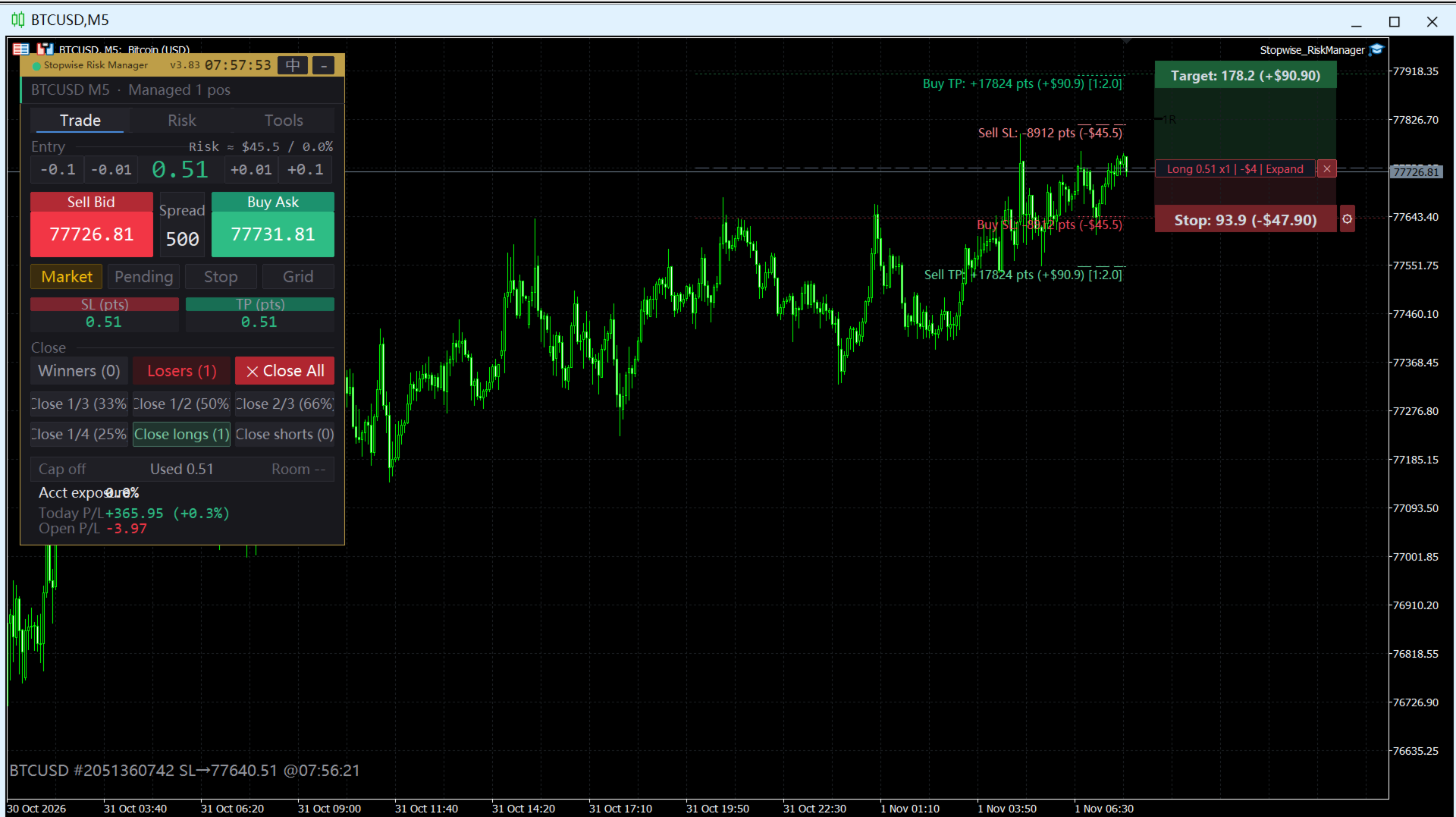
Stopwise Risk Manager is a trade panel and risk manager that sits on your MetaTrader 5 chart. It helps you place orders faster, manage open positions with ATR-based trailing stops, and keep your daily losses inside limits you set yourself.
It is not a signal generator and not an auto-trading robot. It never decides when to buy or sell. You place the trades; Stopwise handles the stops, the exits and the limits.
ORDER PANEL
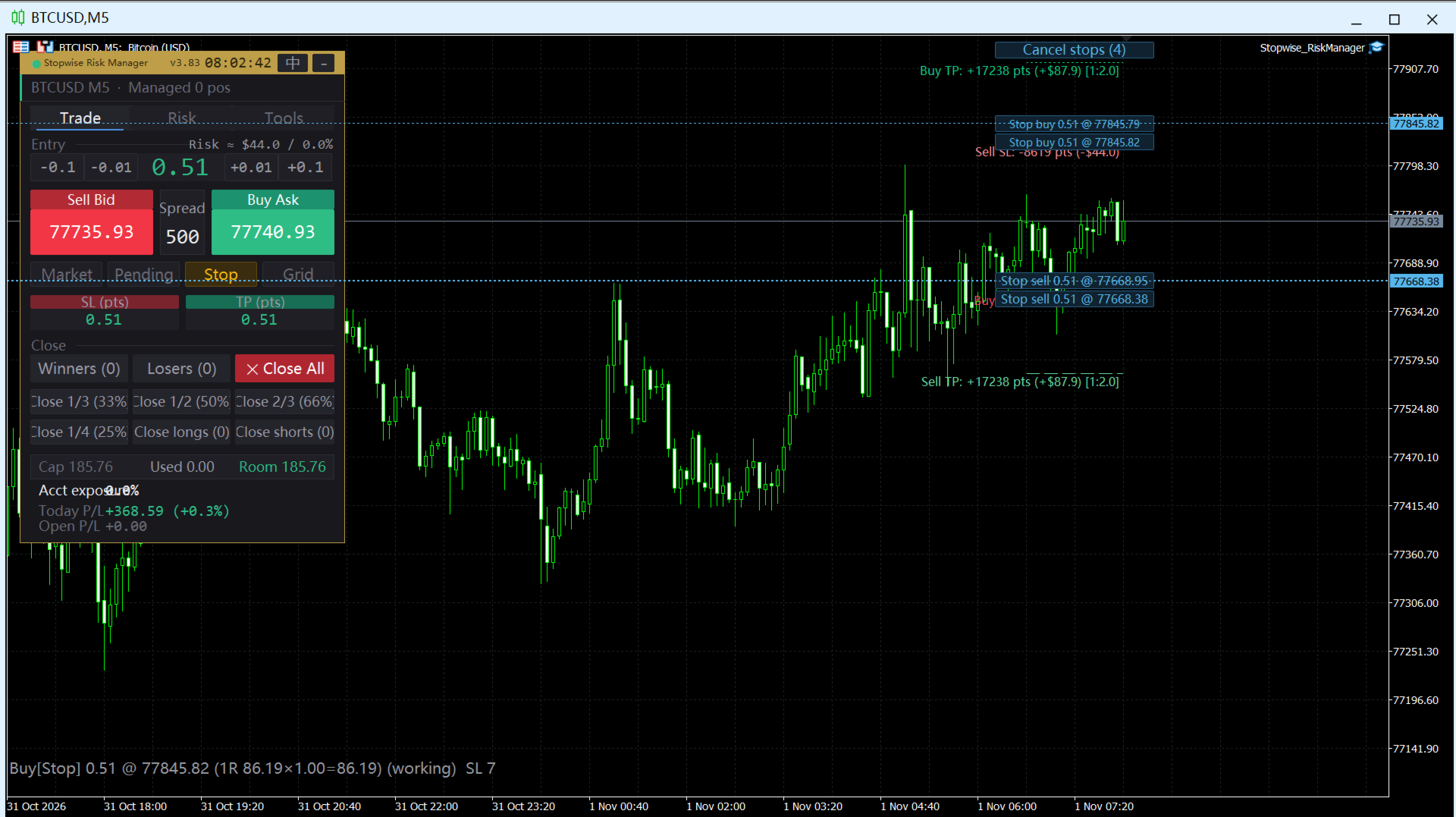
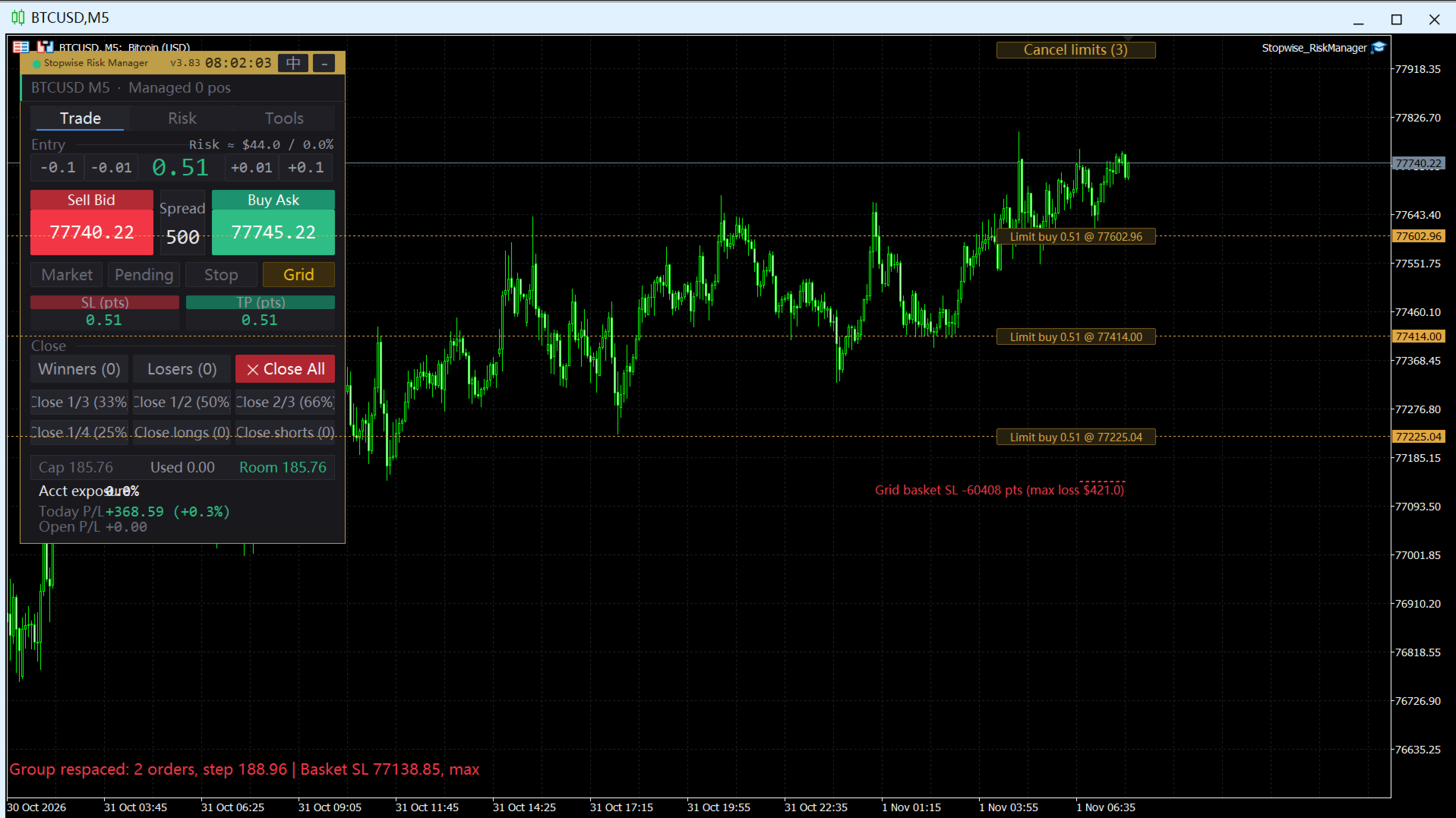
Buy and sell with one click, set the lot size with quick step buttons, and choose between market, pending, breakout and grid entry. Pending orders are drawn on the chart and can be dragged to a new price or cancelled. A grid order places 2 to 20 layers spaced by ATR, with a second-click confirmation so you cannot send one by accident. When "auto SL/TP" is on, every new order gets an ATR-based stop loss and take profit, or you can set fixed point values yourself.
TRAILING STOP AND BREAKEVEN
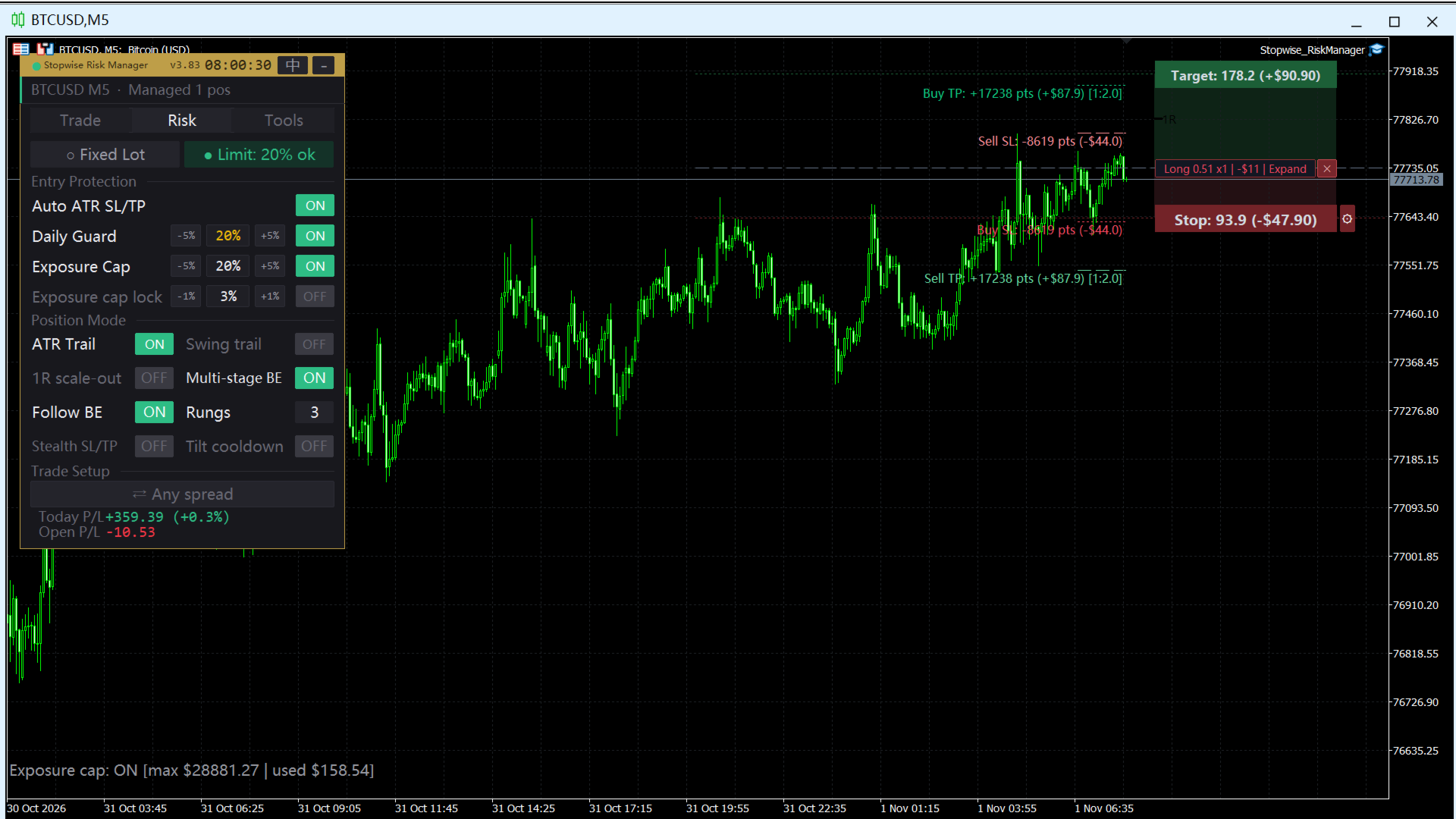
The trailing stop follows price at ATR x multiplier (defaults: M5, ATR 14, x2.0), or follows the structure of the previous candles if you prefer. Breakeven moves the stop to entry plus a small lock once the trade has gone a set distance in your favour, and ladder breakeven raises the stop step by step in multiples of your initial risk (1R, 2R, 3R). The stop only ever moves in your favour. You can drag the stop and take-profit ribbons on the chart to adjust them by hand.
EXITS
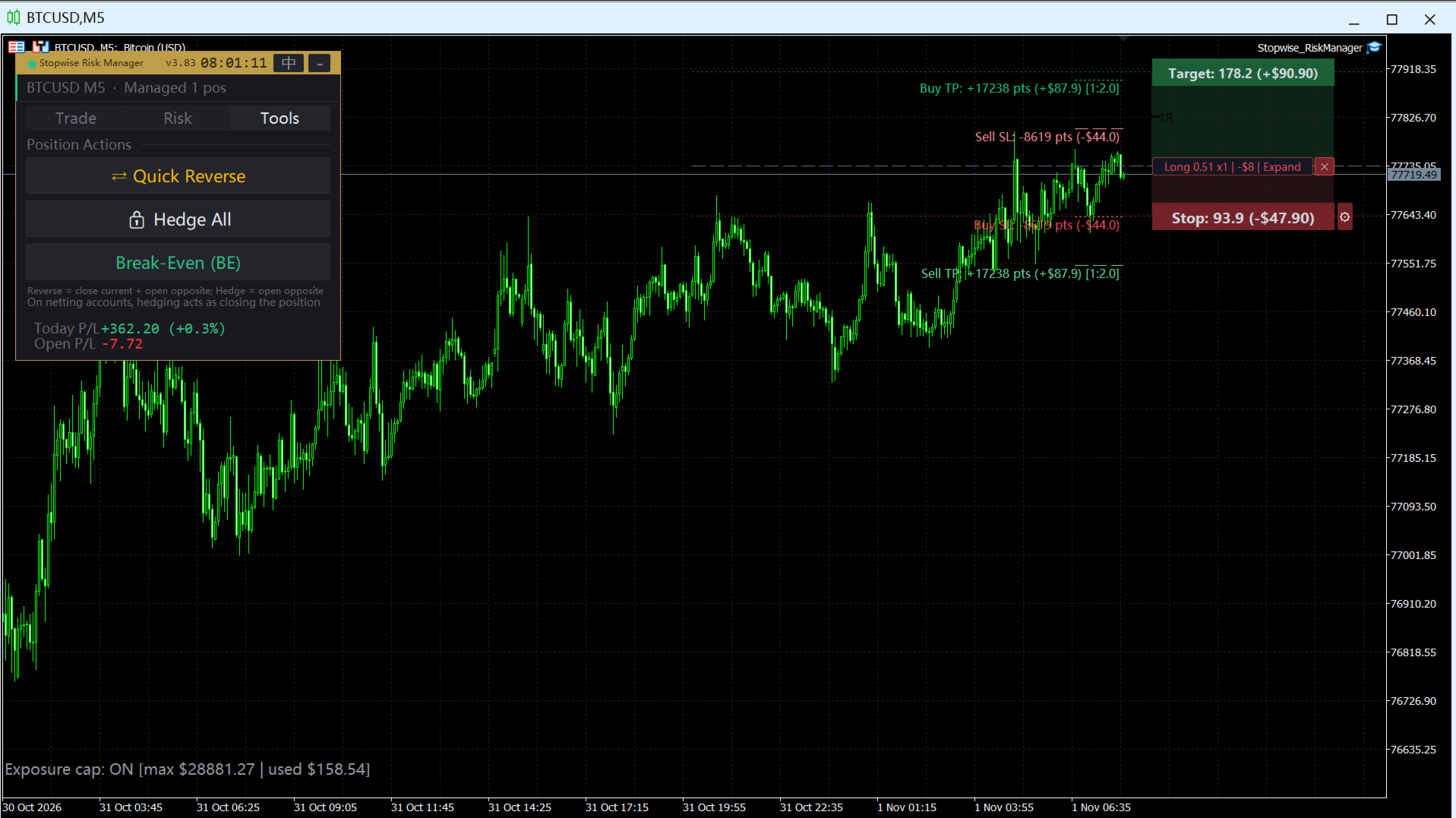
Split take-profit divides the position into 2 to 6 targets and closes each part as it is reached. Scale-out can close a set percentage at 1R and move the rest to breakeven. The panel also closes in one click: profitable trades, losing trades, 1/3, 1/2, 2/3 or 1/4 of the position, longs only, shorts only, or everything. Close-all asks for a double click to confirm. Hedge (lock) and reverse buttons are included. Apart from Close All, every close button acts only on the symbol of the current chart.
RISK LIMITS
Daily drawdown guard: set a maximum daily loss in percent or in account currency. When the line is hit, the panel can lock new orders and close all positions automatically. Total position cap: limit open exposure as a percentage of equity. Account risk limit: cap the combined stop-loss risk of all open trades. Dynamic risk lot: size each trade so the stop-loss risk equals a percentage of equity (for example 1%). Cooldown: pause trading for a set time after a number of consecutive losses. Spread filter: block entries when the spread is wider than your limit.
STEALTH MODE
Optional stealth stop loss and take profit keep your real levels on your side and place only a wide protective stop at the broker, which makes stop hunting by price spikes less likely. The real exit is checked and executed by the panel.
CHART TOOLS
Profit and loss labels on each position, preview lines that show where the stop and target would be before you click, and a panel you can place in any corner, resize, and collapse. Panel settings are remembered between sessions. The interface is available in English and Chinese, with a one-click language switch.
COMPATIBLE WITH
Hedging and netting accounts, any symbol and any timeframe. It can manage trades opened by hand and trades opened by other EAs; use the magic number list to manage only the ones you choose.
HOW TO USE
1. Attach the EA to one chart (one instance per terminal is enough).
2. Make sure "Algo Trading" is enabled in the terminal.
3. Set your daily loss limit and ATR settings in the inputs, or change them from the panel.
4. Place trades from the panel. The EA takes care of the stops.
IMPORTANT
Trading leveraged products carries a high level of risk and you can lose more than you deposit. This tool helps you apply rules; it cannot guarantee any result. Test on a demo account first, and check the stop and risk settings before you use them on a live account.