
SMC OrderBlock MT5 EA
- Experts
-
Lungile Mbanjwa
 # About Me – Lungile Mbanjwa
Hi, I'm Lungile Mbanjwa, from South Africa. - Versione: 3.0
- Aggiornato: 26 novembre 2026
- Attivazioni: 12
SMC OrderBlock MT5 EA
Developed by Lungile Mbanjwa | Assisted by Grok and Claude
Overview
SMC OrderBlock MT5 EA is an automated trading system based on Smart Money Concepts (SMC). It analyses order blocks, market structure and price action to identify potential trading opportunities.
The EA uses H1 for its main trade entries, with H4 and D1 analysis providing additional market context. Version 3.00 introduces additional entry confirmation and order block selection settings, giving traders more control over how trades are evaluated.
Key Features
-
Order Block Detection
-
Identifies bullish and bearish order blocks.
-
Assigns quality grades: C, B and A.
-
Supports fresh and unmitigated order block filtering.
-
Configurable order block size and zone measurements.
-
Optional Break of Structure requirement.
-
Optional H4 order block confluence.
-
Entry Methods
-
Touch: Enters when price reaches the order block zone.
-
Fill: Waits for price to move a specified percentage into the zone.
-
Sweep: Checks for a liquidity sweep before entry.
-
Fill or Sweep: Accepts either qualifying condition.
-
Version 3.00 Confirmation Settings
-
Buy confirmation using Higher Lows (HL), Lower Lows (LL), or both.
-
Sell confirmation using Lower Highs (LH), Higher Highs (HH), or both.
-
Structure confirmation or price-fill confirmation.
-
Configurable confirmation strength and lookback.
-
Latest available or strict latest order block selection.
-
Optional H1 market structure trend filter.
-
Multi-Timeframe Analysis
-
H1: Main order block detection and trade entries.
-
H4: Higher-timeframe analysis and optional order block confluence.
-
D1: Daily order blocks, reference levels and Fair Value Gaps.
D1 order block trading can be enabled through the settings.
-
Market Structure and Liquidity
The EA can identify and display:
-
Break of Structure (BOS).
-
Change of Character (CHoCH).
-
Higher Highs (HH) and Higher Lows (HL).
-
Lower Highs (LH) and Lower Lows (LL).
-
Buy-Side Liquidity (BSL) and Sell-Side Liquidity (SSL).
-
Equal Highs (EQH), Equal Lows (EQL) and liquidity sweeps.
-
Daily Levels and Fair Value Gaps
-
Previous Day High and Low.
-
Daily Open.
-
Daily Fair Value Gaps.
-
Optional D1 bullish and bearish order blocks.
-
Take Profit and Trade Management
Available take-profit methods:
-
Fixed Reward-to-Risk.
-
Smart Structural Targets.
-
Recent H1 Higher Highs for buy trades and Lower Lows for sell trades.
Smart targets can include opposing order blocks, D1 Fair Value Gaps, Break of Structure levels and market swing levels.
Additional trade management:
-
Stop Loss beyond the order block with a configurable buffer.
-
Optional break-even management.
-
Optional trailing stop.
-
Broker minimum stop-distance consideration.
-
Risk Management
-
Fixed lot size or percentage-based risk.
-
Maximum lot size per trade.
-
Maximum number of trades per day.
-
Optional maximum spread filter.
-
Optional maximum daily loss limit.
-
Automatic lot adjustment according to available margin.
-
News Filter and Trading Sessions
-
Optional high-impact news filter.
-
Configurable protection periods before and after news.
-
Configurable trading session hours.
-
Individual weekday trading permissions.
-
Optional Saturday and Sunday trading for supported symbols.
Session times use broker server time and should be adjusted according to your broker.
-
Dashboard, Results Calendar and Notifications
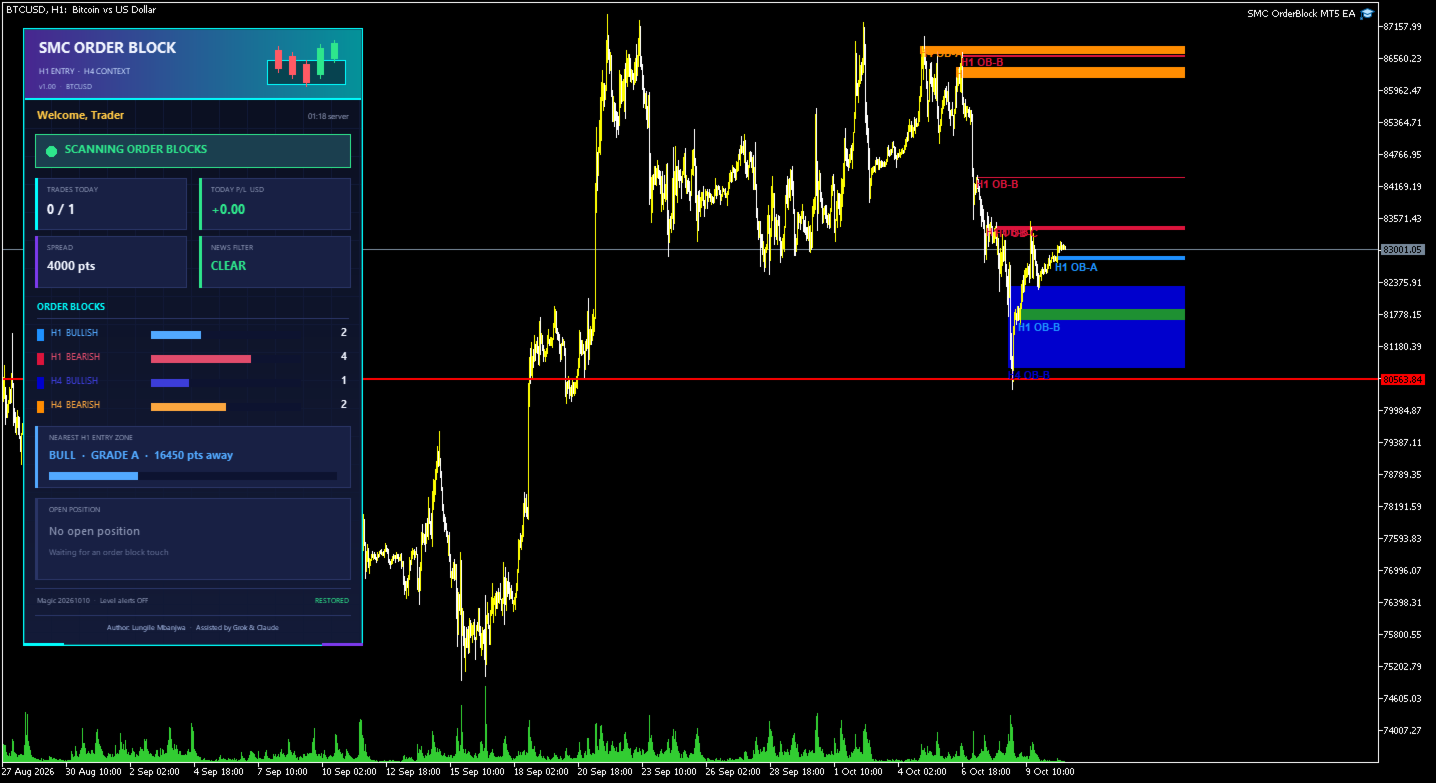
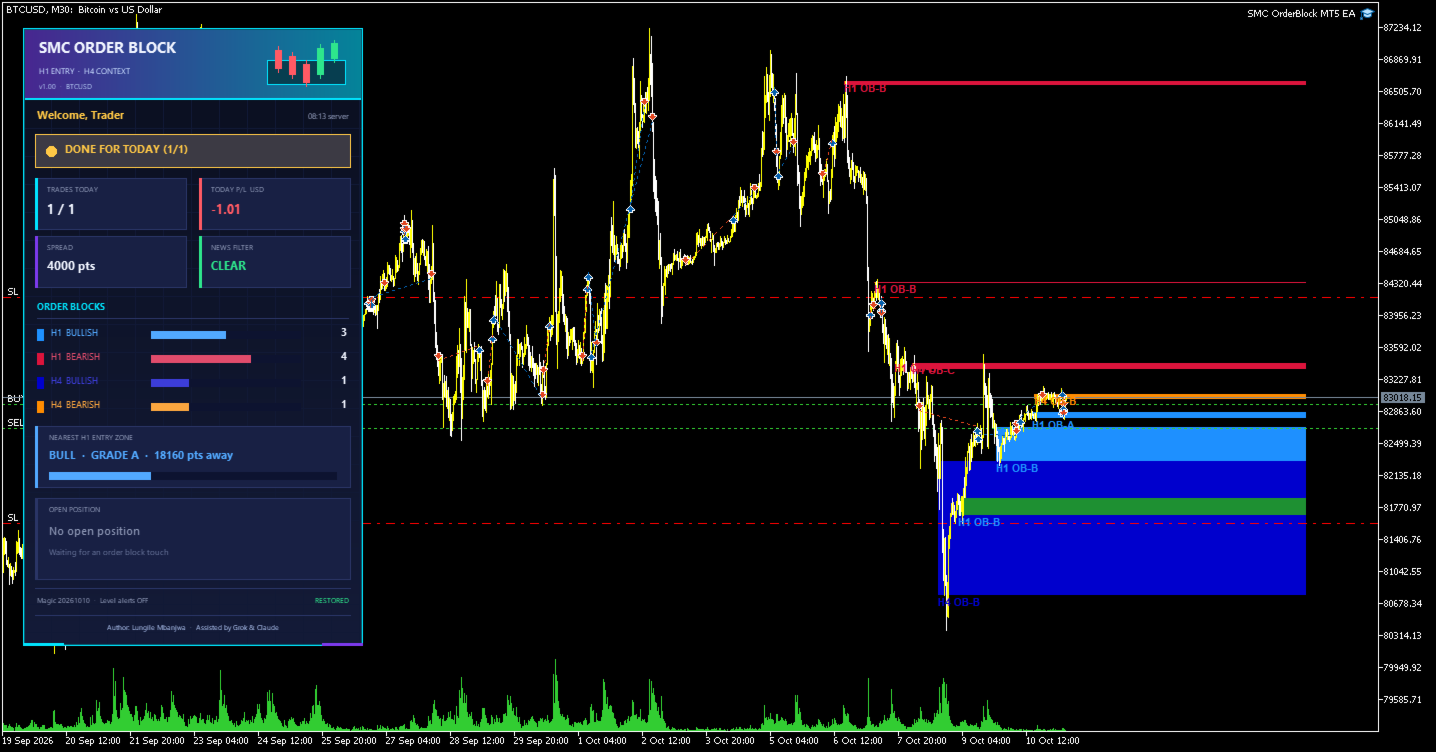
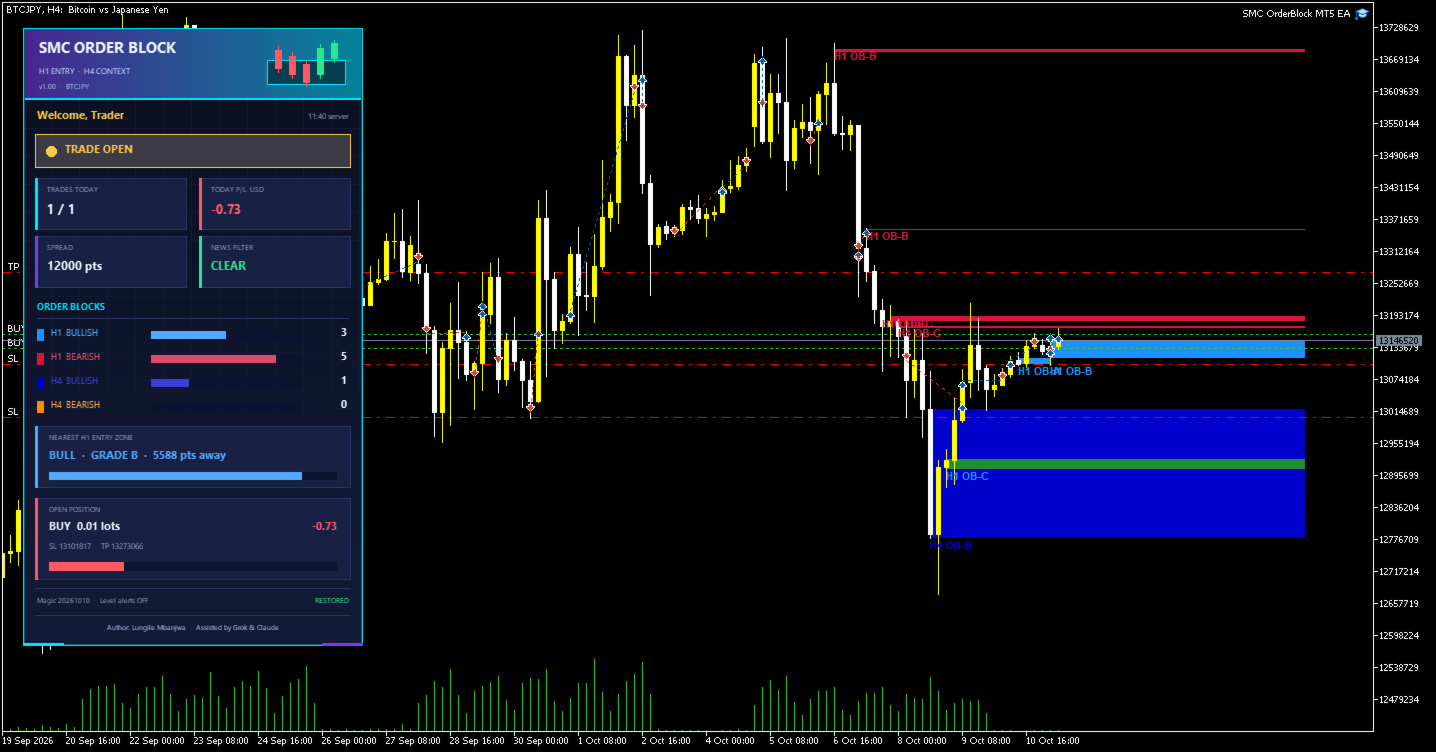
The optional dashboard displays EA status, trade information, daily statistics, market structure, and entry and target settings.
The results calendar displays monthly trading activity, including winning, losing and break-even days, with monthly navigation and a collapsible display.
Optional pop-up alerts and mobile push notifications are also available.
-
Trade Identification and State Restoration
-
Uses a configurable Magic Number to identify trades.
-
Filters trade management by symbol and Magic Number.
-
Uses its own chart-object naming system.
-
Restores the daily trade count after a terminal restart.
-
Rebuilds daily trading statistics from deal history.
Use a unique Magic Number for each EA instance. On netting or exchange accounts, positions on the same symbol can merge, so another EA trading that symbol may interfere.
Recommended Setup
-
Test the EA on a demo account before using real funds.
-
Allow sufficient time for H1, H4 and D1 chart data to load.
-
Review the entry confirmation and order block settings.
-
Adjust lot size and risk settings according to your account.
-
Check your broker server time before configuring trading sessions.
-
Use the MetaTrader Strategy Tester to evaluate the EA on your preferred symbol.
The default maximum trade count is one trade per day. This can be adjusted through the EA settings.
Risk Disclaimer
Trading Forex, Gold, Indices and Cryptocurrencies involves financial risk. Automated trading does not guarantee profits, and losses can occur.
Trading results may vary depending on market conditions, spreads, slippage, execution quality and broker specifications. Past performance and Strategy Tester results do not guarantee future results.
Always test the EA on a demo account before using it on a real account. Use appropriate risk settings and never risk money you cannot afford to lose.































Very good results so far! Great support from Lungile Mbanjwa as usual. Recommended!