Market Session KillZone MT5

  • Indicatori
  • Lungile Mbanjwa
    Lungile Mbanjwa
    Hi, I’m Lungile Mbanjwa, a 27-year-old reliable and dedicated Expert Advisor (EA) developer.
    I specialize in building smart, adaptive trading robots using Moving Average strategies — including SMA/EMA crossovers, trend detection, slope analysis, and dynamic filters.
    My promise to you:
  • Versione: 1.0
  • Attivazioni: 7

Overview

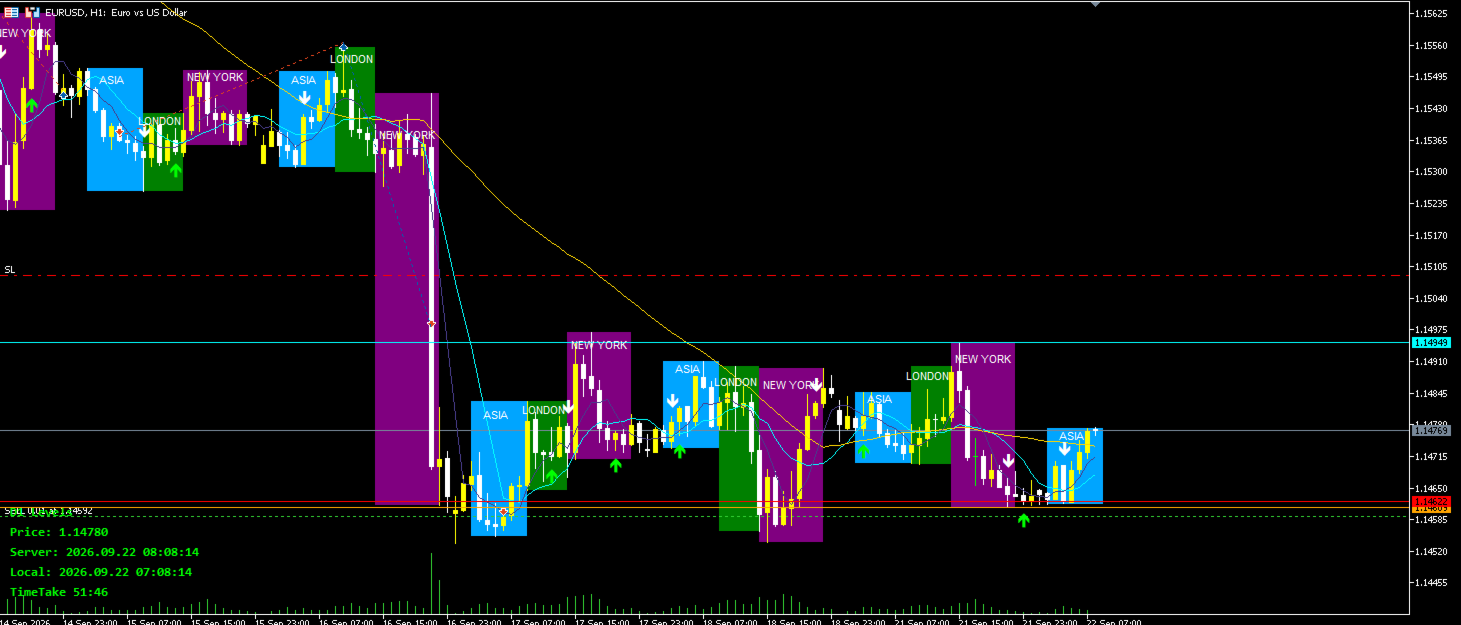
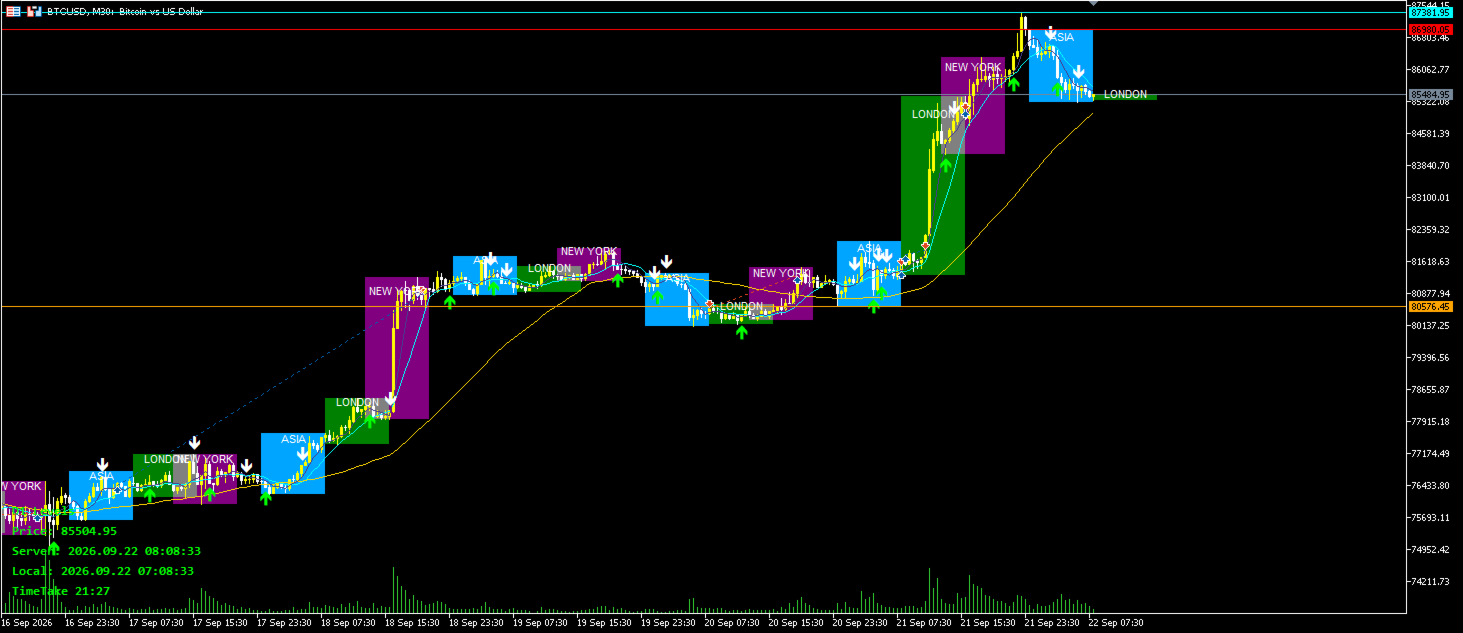
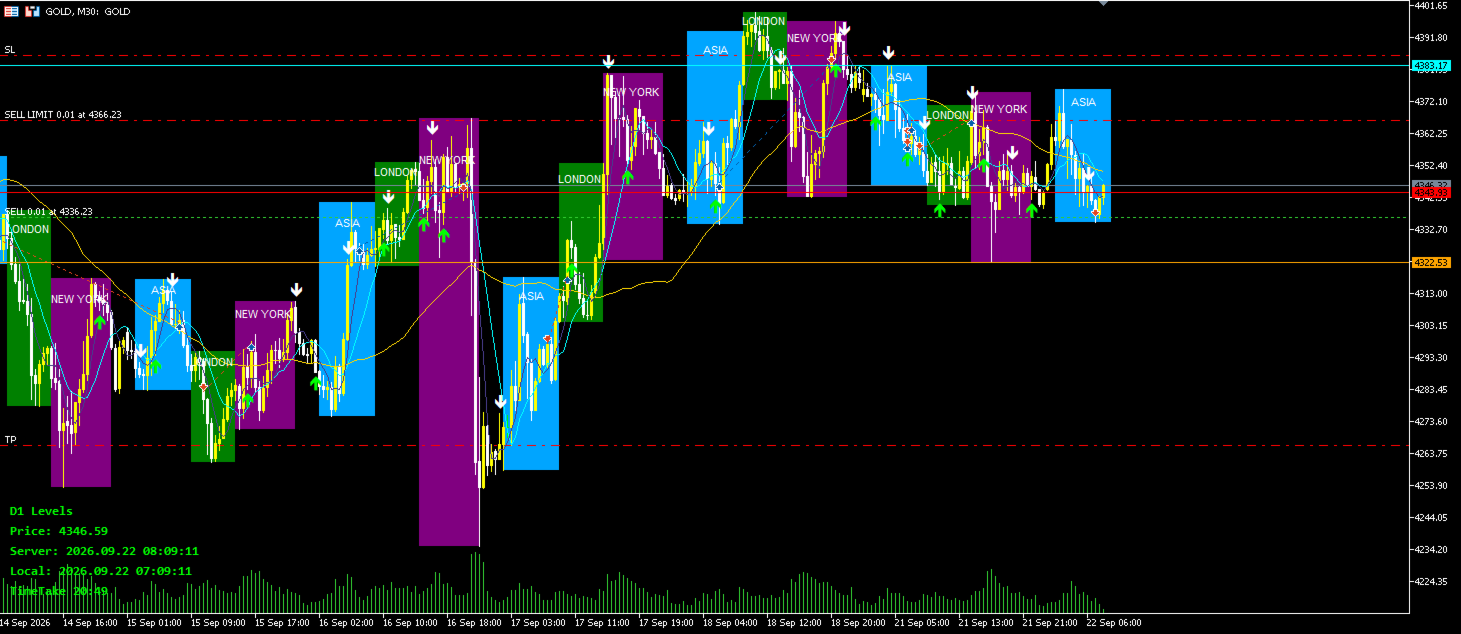
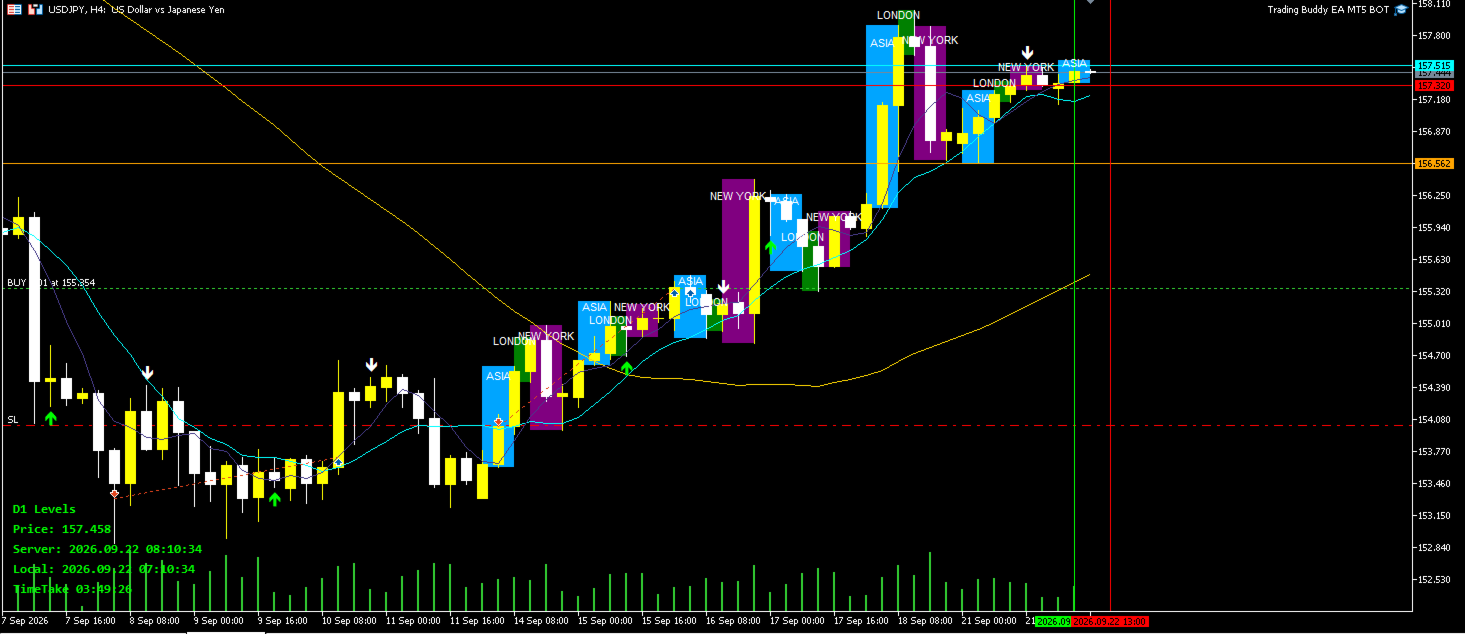
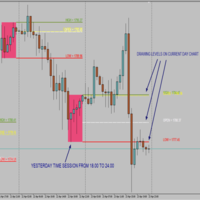
Market Session KillZone MT5 is a clean and powerful visual indicator designed to highlight the major forex trading sessions directly on your chart. It clearly marks the Asia, London, and New York sessions with customizable semi-transparent shaded boxes and labels, helping traders instantly identify high-probability “Kill Zones” and session overlaps.

Whether you trade session opens, London-New York overlap, or specific Kill Zones, this indicator gives you a clear visual structure of the trading day without cluttering your chart.

Key Features

  • Three Major Sessions
    Asia, London, and New York sessions are fully supported with individual control.
  • Fully Customizable Session Times
    Set exact start and end times for each session according to your preferred timezone (broker time).
  • Custom Colors & Transparency
    Choose unique colors and transparency levels for each session box so they blend perfectly with your chart theme.
  • Smart Session Labels
    Clear labels (ASIA / LONDON / NEW YORK) placed in the center of each session box.
    Label color, font size, and visibility are fully adjustable.
  • Multi-Day History
    Display session boxes for the last 1–30+ days (user selectable).
  • Clean Chart Design
    • Option to draw boxes behind candles
    • Non-selectable and non-intrusive objects
    • Automatic cleanup when the indicator is removed
  • Performance Optimized
    Option to refresh only on new bar (recommended) or on every tick.

Inputs Overview

Asia Session

  • Show/Hide Asia session
  • Start & End time
  • Color & Transparency
  • Show/Hide label

London Session

  • Show/Hide London session
  • Start & End time
  • Color & Transparency
  • Show/Hide label

New York Session

  • Show/Hide New York session
  • Start & End time
  • Color & Transparency
  • Show/Hide label

Display Settings

  • Days to display
  • Label font size
  • Label color (independent from session colors)
  • Draw behind candles
  • Show labels
  • Refresh only on new bar

How to Use

  1. Attach the indicator to any chart.
  2. Adjust the session times to match your broker’s server time (or your preferred timezone).
  3. Customize colors and transparency to your liking.
  4. Enable/disable individual sessions or labels as needed.
  5. Use the shaded zones to identify:
    • Session opens
    • Session closes
    • London–New York overlap (classic Kill Zone)
    • Asia range breakouts
    • High-volume periods

Ideal For

  • Forex traders focusing on session-based strategies
  • Kill Zone / ICT / SMC traders
  • Traders who want clear visual structure of the trading day
  • Anyone who wants a clean, professional session indicator without unnecessary features

Compatibility

  • MetaTrader 5
  • All symbols and timeframes
  • Works on both real and demo accounts
  • Lightweight and does not slow down the terminal

Market Session KillZone MT5 gives you a clear visual edge by highlighting the most important trading sessions of the day — simply, cleanly, and professionally.


Altri dall’autore
Trade Panel Description Version: 1.00 This Trade Panel is a manual, on-chart trading interface designed to provide fast and precise control over trade execution and position management directly from the chart. It enables one-click trading and real-time adjustment of risk parameters without using the standard MetaTrader order window. Trade Execution BUY Button Instantly opens a Buy position on the current symbol using the selected lot size. Stop Loss and optional Take Profit are applied accordi
FREE
Indicator Description TimeTake v2.05 is a clean and functional multi-purpose information indicator for MetaTrader 5. Main Features: Candle Countdown Timer Displays a real-time countdown to the close of the current candle in format TimeTake HH:MM:SS (or with days when applicable). Time Information Local computer time (with date) Server time (with date) Current Price Shows the average of Bid and Ask prices. Displays "Last:" when trading is disabled. Previous Period Levels Automatically draws thre
FREE
Bullish EA MT5 – Gold Edition v1.29 Professional Multi-Session Trading Expert Advisor Bullish EA is a carefully engineered Expert Advisor designed for traders who want structured, disciplined, and controlled trading on MetaTrader 5. Built with precision and real trading logic in mind, this EA combines classic Moving Average crossover strategy with advanced session management, risk control, and dual order systems. Core Strategy The EA uses a triple Moving Average system: Fast MA Slow MA Long-ter
USDJPY & EURUSD Trading Buddy EA - Detailed Description Name: USDJPY & EURUSD Trading Buddy Version: 1.05 Platform: MetaTrader 5 (MT5) Supported Symbols: Exclusively USDJPY and EURUSD Strategy Type: Trend-following with triple SMA confirmation Optimized Default Settings USDJPY: MA Timeframe H4 (4-hour), Signal Timeframe M15 (15-minute) EURUSD: MA Timeframe H1 (1-hour), Signal Timeframe M30 (30-minute) These settings are fully customizable via inputs. Trading Hours The EA is configured to trade
Dual MA EA v1.07 Developed by LUNGILE MBANJWA Overview Dual MA EA is a clean and professional multi-timeframe trend-following Expert Advisor for MetaTrader 5. It uses a higher-timeframe Moving Average trend filter combined with a lower-timeframe Moving Average crossover to open trades only in the direction of the main trend. The EA is fully isolated with its own magic number, works on any symbol, restores its statistics after terminal restarts, and can safely run together with other Expert Advi
Arrows Crossover MT5 Professional Moving Average Crossover Arrow Indicator for MetaTrader 5. This clean and accurate indicator automatically detects when the Fast MA crosses the Slow MA and instantly displays clear visual arrows on the chart: Lime Green ↑ Arrow = Buy signal (Fast MA crosses above Slow MA) Red ↓ Arrow = Sell signal (Fast MA crosses below Slow MA) Key Features: Fully customizable Fast & Slow Moving Averages (period, method, price, shift) Adjustable arrow colors, size, and vertical
MirrorForge Local MT5 Trade Copier MirrorForge is a local MT5 trade copier designed to mirror trading activity from a Master account to a Slave/Target account using a file-based communication system. The EA can copy open market positions and pending orders , synchronize Stop Loss and Take Profit levels, support different lot-sizing configurations, handle broker symbol differences through prefix/suffix mapping, and maintain Master-to-Slave ticket relationships across terminal restarts. MirrorFor
Filtro:
Nessuna recensione
Rispondi alla recensione