ApeX Indicator SMC MT5
- Indicatori
- Versione: 3.4
- Aggiornato: 6 ottobre 2026
- Attivazioni: 10

Smart Money Concepts, built for MetaTrader 5
Clean market structure, Order Blocks, Fair Value Gaps and liquidity analysis — designed to work naturally with your MT5 chart.
Powered by ApeX SMC
Market Structure • BOS / CHoCH • Order Blocks • FVG • Equal Highs/Lows • Premium/Discount • Multi-Timeframe Analysis
Introduction
ApeX SMC is a complete Smart Money Concepts indicator for MetaTrader 5.
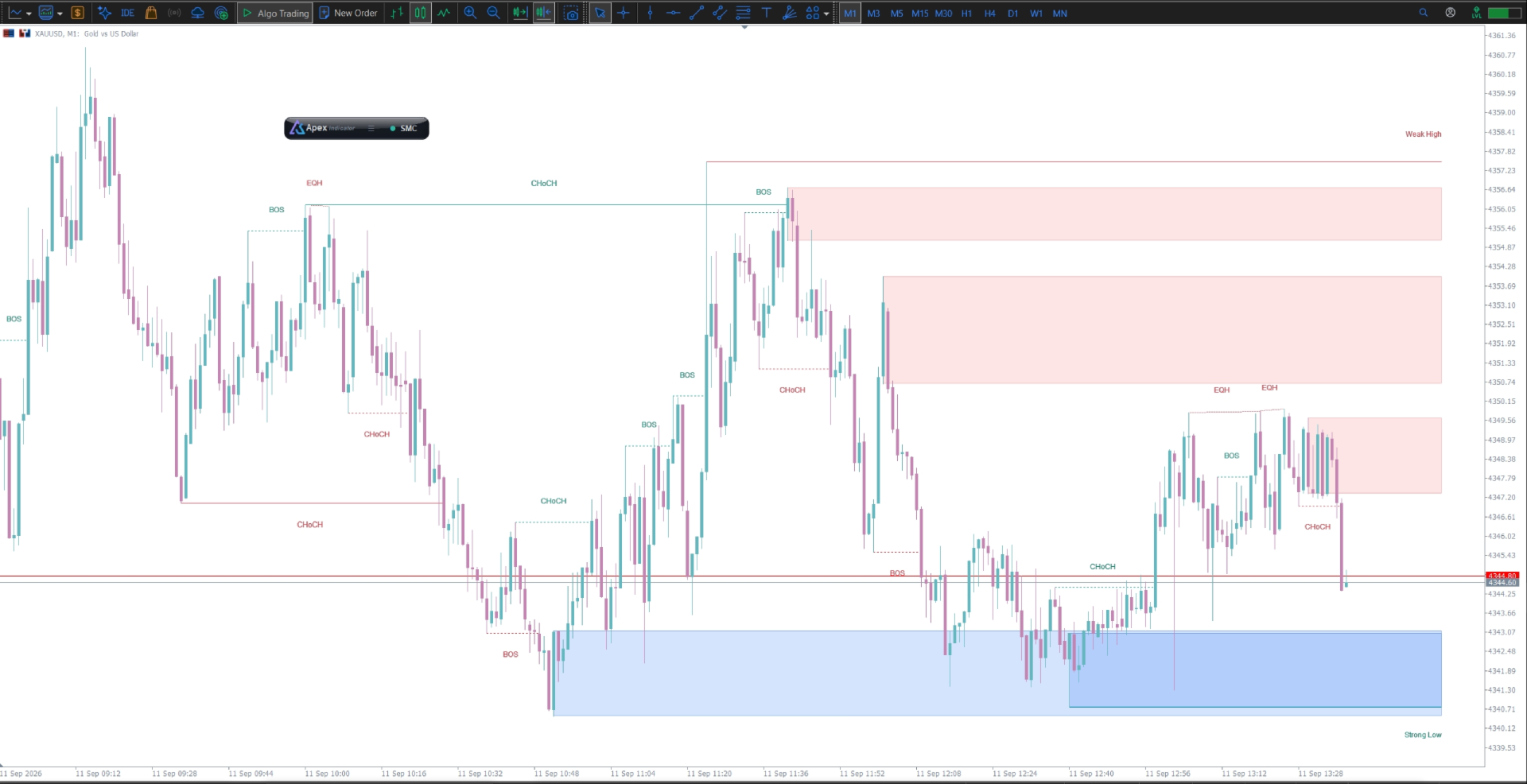
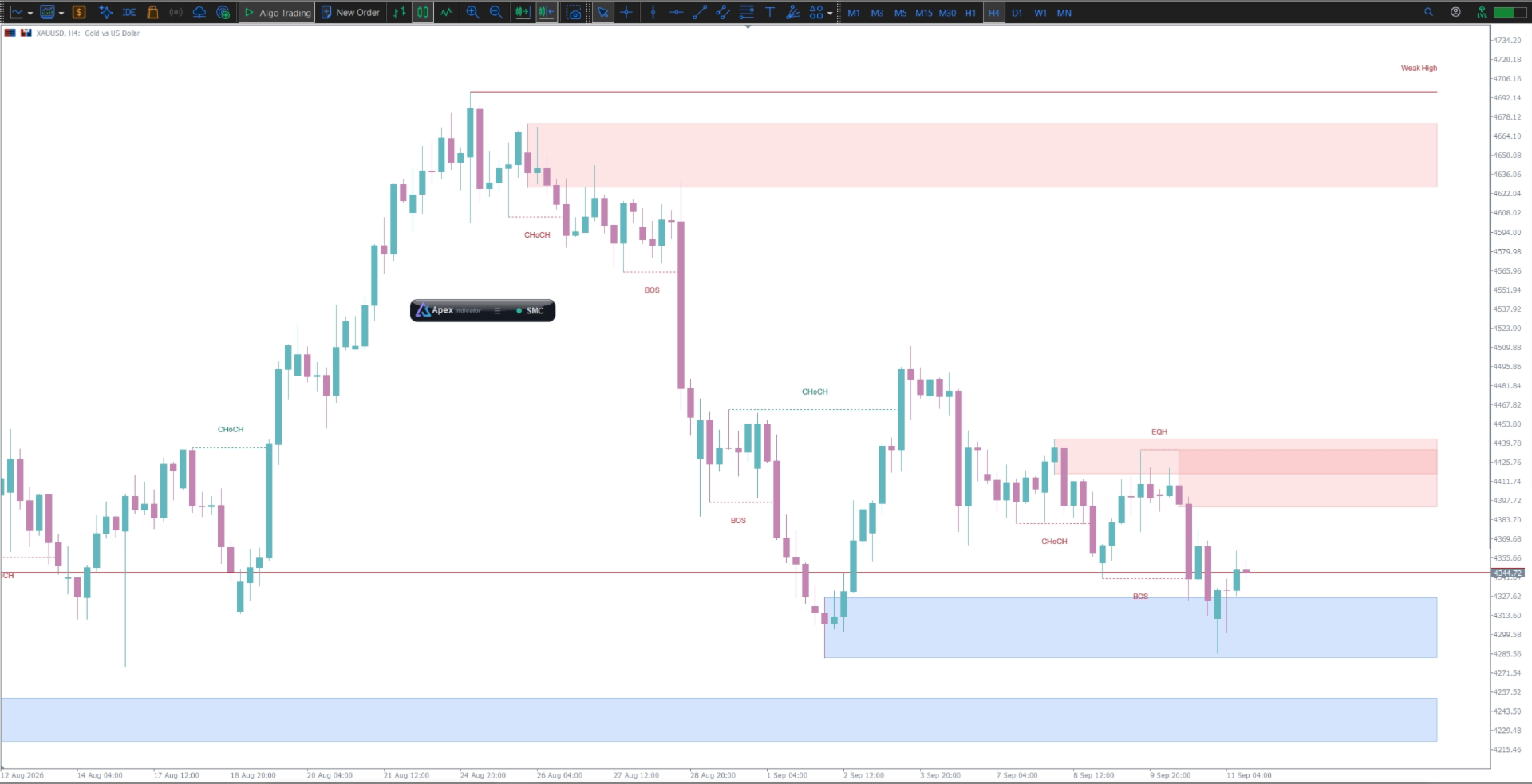
Analyze internal and swing market structure, BOS and CHoCH, Order Blocks, Fair Value Gaps, Equal Highs/Lows, Premium & Discount zones, and Daily / Weekly / Monthly levels — all directly on your chart.
Configure how structures and zones are detected, filtered and mitigated to match your trading style.
And when used together with ApeX Trading Console, selected structure events can be used as the starting point for trade setups.
Part of the ApeX line.
ApeX SMC can work alongside ApeX ICT Concepts, ICT Macros and Volume Profile, with a unified toolbar when used with ApeX Trading Console.
Get the Lifetime License at the special launch price while available.
🧠 Why ApeX SMC?
Clean and responsive chart experience
- Clean visualization. Structures and zones are clearly drawn directly on price.
- Stay in control. Draw trendlines, Fibonacci and other MT5 objects normally.
- Multi-timeframe analysis. Display higher-timeframe FVGs and levels on your current chart.
- Configurable detection. Adjust structure, Order Block, FVG and liquidity settings to your trading style.
- Flexible display. Choose historical or present structures and customize how they are displayed.
- Lightweight design. Built to keep the chart responsive while displaying multiple structures and zones.
1. Market Structure
- Internal & Swing Structure. BOS and CHoCH with independent filtering.
- Swing Points. Identify significant highs and lows and their relative strength.
- Confluence Filter. Reduce unnecessary structure signals by requiring supporting price movement.
- Historical / Present Mode. Display historical structures or focus only on active ones.
- Color / Monochrome Mode. Keep your chart clean and focused.
2. SMC Zones & Levels
Order Blocks
Internal and swing Order Blocks with configurable filtering and mitigation rules.
- ATR or cumulative-range filtering
- Wick-touch or candle-close mitigation
- Configurable search window
Fair Value Gaps
Display FVGs from any timeframe directly on your current chart.
- Multi-timeframe FVG
- Automatic size threshold
- Higher-timeframe analysis on lower-timeframe charts
Equal Highs & Lows
Identify areas where liquidity may be concentrated with configurable tolerance and spacing.
Premium / Discount
Visualize the current dealing range across:
Premium → Equilibrium → Discount
Daily / Weekly / Monthly Levels
Display previous-period highs and lows with independent styling.
3. Better Together with ApeX Trading Console ( Trade Manager )
Turn market structure into a trade setup
When ApeX SMC is used with ApeX Trading Console, selected structure events can become the starting point for a trade.
Three ways to execute:
Draft
Create a trade setup on the chart and review it before execution.
Pending
Turn the setup into a pending order.
Market
Execute directly at market price.
Position sizing, risk management, SL/TP and trade management are handled by ApeX Trading Console.
Getting Started
- Add ApeX SMC to your chart.
- Use the toolbar to enable or hide the analysis.
- Open Properties and configure your Structure, Zones and Display settings.
- Start analyzing.
ℹ️ Good to Know
- MetaTrader 5
- Any broker
- Any symbol
- Any timeframe
- Indicator only. ApeX SMC does not place orders.
- Structure and signals are confirmed using closed bars.
- Live-bar conditions can change before the candle closes.
- An Order Block remaining on the chart does not necessarily mean it is still an active trade opportunity.
- Trade execution, risk sizing and Trade Engine functionality are provided by ApeX Trading Console and sold separately.
Demo Mode
The MQL5 Demo runs in the Strategy Tester, where the interactive toolbar cannot be clicked. This is a limitation of the Strategy Tester environment.
For the full interactive experience, run ApeX SMC on a regular MT5 chart.