VWAP Trinity
- Indicatori
- Versione: 1.0
- Attivazioni: 5

How it works
The indicator calculates VWAP (Volume Weighted Average Price) — the average price weighted by traded volume, widely used by institutional traders as the intraday "fair price" benchmark. Unlike a regular moving average, VWAP gives more weight to periods with higher volume, showing where most of the money was actually traded.
The product combines three ways of calculating this average in a single indicator, so there is no need to install separate tools:
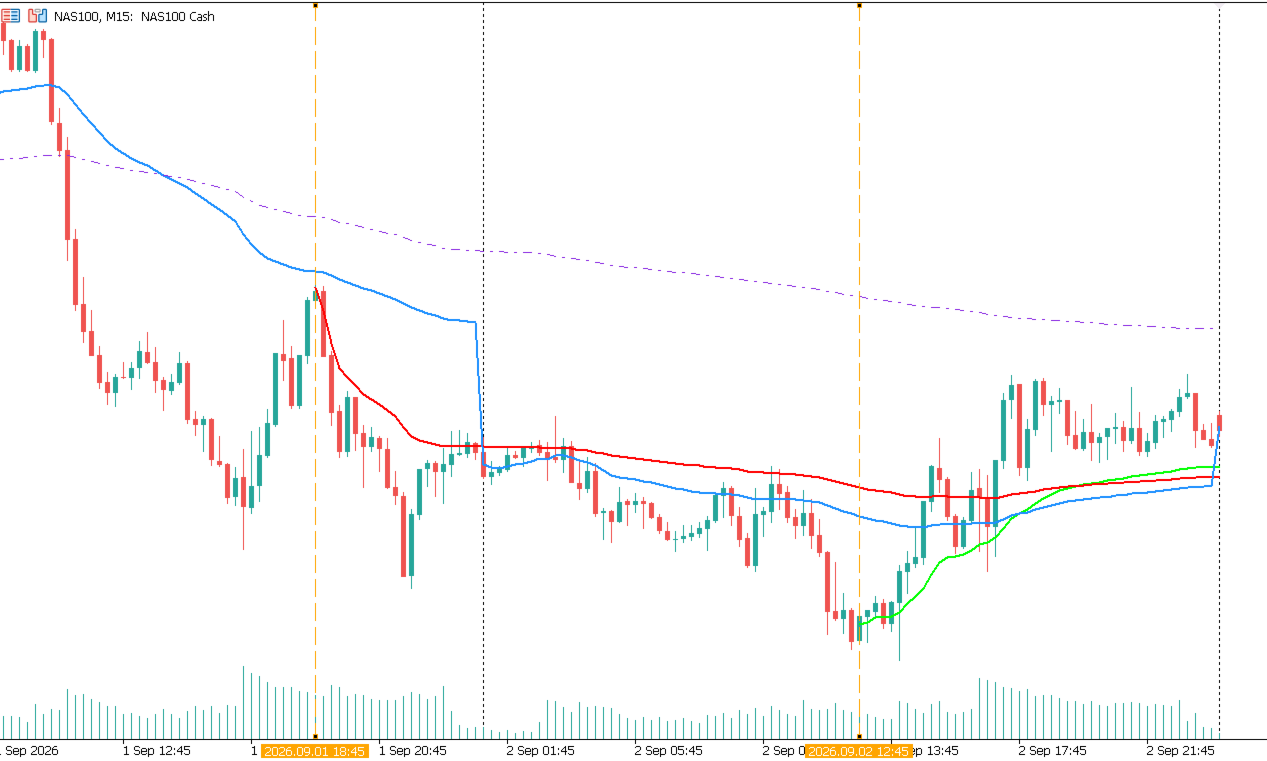
- Daily: the sum resets every day at server midnight, showing the VWAP of the current session from the open.
- Weekly: the sum resets every Monday, tracking the accumulated VWAP for the week.
- Anchored: the calculation starts from a point freely chosen by the user. When this mode is enabled, a draggable vertical line appears on the chart. Simply drag it to the desired candle — for example, the start of an important news release, a price breakout, or the opening of a position — and the VWAP recalculates automatically from that point, with no need to reopen the indicator's properties.
Advantages
Three indicators in one product, covering the most common VWAP use cases at no extra cost.
The anchor is adjusted directly on the chart by dragging a line, making it fast to use even for traders with no experience configuring indicators.
Robust volume handling: the indicator uses real volume when available and, when it is not (common in Forex), automatically falls back to tick volume, so the line keeps working instead of simply stopping.
Lightweight and responsive: the indicator recalculates efficiently and updates the line immediately after the anchor is moved, without waiting for a new candle.
Supports multiple instances: you can add more than one Anchored VWAP to the same chart, each with its own starting point, ideal for comparing different reference levels at the same time.
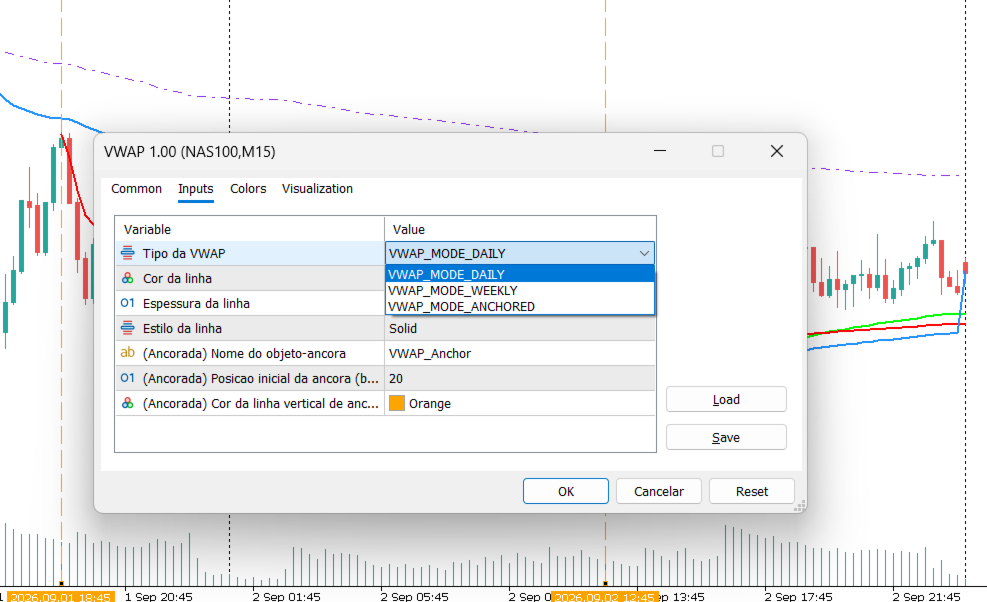
Input parameters
Common to all modes:
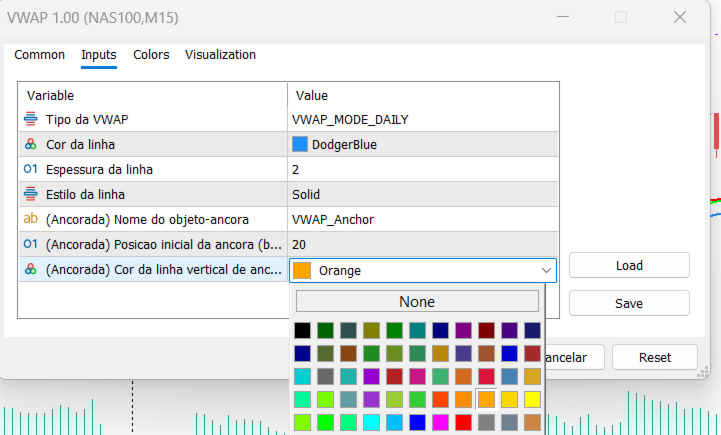
VWAP Type — chooses between Daily, Weekly, or Anchored.
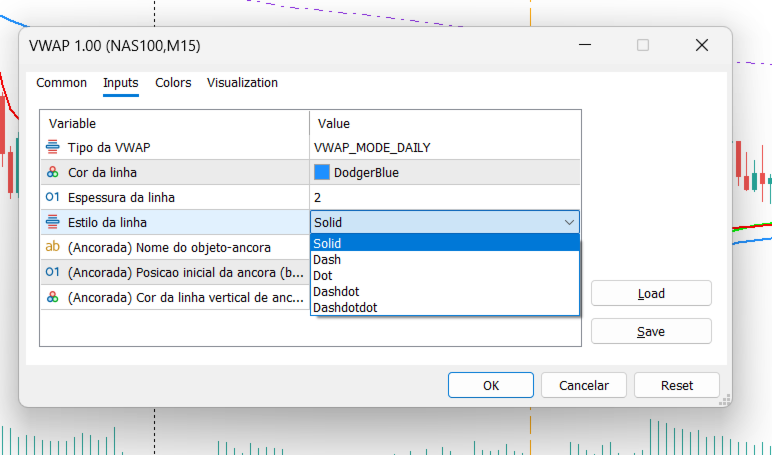
Line Color — sets the color of the VWAP line on the chart.
Line Width — controls the visual thickness of the line.
Line Style — sets the line as solid, dashed, or dotted.
Exclusive to Anchored mode:
Anchor Object Name — identifies the vertical anchor line; use a different name for each instance if you want more than one Anchored VWAP on the same chart.
Anchor Initial Position — sets, in number of candles, where the anchor line first appears when the indicator is attached.
Anchor Line Color — sets the color of the draggable vertical line used to mark the calculation's starting point.