Nabeeha Trade Manager MT4

Nabeeha Trade Manager - Get Setfile for Propfirms

Compact Manual Trade Manager for MetaTrader 5 and Meta Trader 4

Nabeeha Trade Manager is a lightweight, chart-based manual trading assistant designed to make trade execution and position management faster and easier directly from the MT5/MT4 chart.

It provides a compact control panel with BUY, SELL, partial close, breakeven, profit/loss management, and close-all functions, together with flexible lot calculation modes and swing-based automatic Stop Loss placement.

Key Features

1. One-Click BUY & SELL

Open trades directly from the on-chart panel.

  • BUY — Opens a Buy position on the current symbol.
  • SELL — Opens a Sell position on the current symbol.
  • Automatically calculates and applies an SL based on the selected swing structure.
  • The current market spread is included in the SL calculation.

2. Three Lot Calculation Modes

The EA supports three different position-sizing methods:

Manual Lot

  • Enter the exact lot size you want to trade.
  • Example: 0.10

USD

  • Enter the approximate USD position value.
  • The EA calculates the corresponding lot size based on the current symbol price and contract size.
  • Example: 100

Risk %

  • Enter the percentage of account balance you want to risk.
  • The EA calculates the lot size from the distance between entry price and automatically calculated Stop Loss.
  • Example: 1.00 = approximately 1% account-balance risk.

Click the Lot Mode button to cycle:

Manual Lot → USD → Risk % → Manual Lot

3. Automatic Swing-Based Stop Loss

When opening a trade, the EA searches for a valid swing level on the selected timeframe.

BUY:

  • Finds a valid swing low.
  • SL is placed below the swing low by the current spread.

SELL:

  • Finds a valid swing high.
  • SL is placed above the swing high by the current spread.

The swing timeframe and swing depth can be changed directly from the panel.

4. Selectable Swing Timeframe

Click the Swing TF button to cycle through:

M1 → M5 → M15 → M30 → H1 → H4 → D1 → W1 → M1

The default timeframe is H1.

5. Adjustable Swing Depth

The Depth button controls how strict the swing detection is.

The value cycles from:

1 → 2 → 3 → ... → 10 → 1

A higher depth generally requires a more significant swing structure.

6. Partial Close

Manage active positions quickly using:

  • 25% — Close approximately 25% of each active position.
  • 50% — Close approximately 50%.
  • 75% — Close approximately 75%.

The EA automatically respects the symbol's minimum lot and volume step.

7. SL to BE

The SL to BE button moves the Stop Loss of active positions to breakeven with spread adjustment.

For Buy positions:

New SL = Open Price + Current Spread

For Sell positions:

New SL = Open Price - Current Spread

This helps protect positions after they have moved into profit.

8. Close Profit Trades

Close Profit Trades closes active positions whose:

Profit + Swap > 0

This provides a quick way to close profitable positions.

9. Close Losing Trades

Close Losing Trades closes active positions whose:

Profit + Swap < 0

10. Close All Active Trades

Close All Active Trades closes all currently open positions managed through the MT5/MT4 account.

Use this button carefully.

11. Compact & Minimizable Interface

The panel can be minimized using the − / + button.

  • − = Full panel
  • + = Minimized panel

The panel automatically adjusts its position when the chart is resized.

Panel Position

The panel can be placed in four locations:

  • Top Left
  • Top Right
  • Bottom Left
  • Bottom Right

Default position:

Bottom Right

Panel dimensions can also be customized through the EA inputs.

============================================================================================

User Manual

Step 1 — Attach the EA

  1. Open MetaTrader 5 / MetaTrader 4.
  2. Open the desired trading chart.
  3. Attach Nabeeha Trade Manager to the chart.
  4. Enable Algo Trading.
  5. Make sure trading is permitted for the account/symbol.

The EA works as a chart-based manual trading panel.

Step 2 — Select Lot Mode

Click Lot Mode to select:

  • Manual Lot
  • USD
  • Risk %

Then enter the desired value in the Value field.

Examples:

  • Manual Lot → 0.10
  • USD → 100
  • Risk % → 1.00

Press Enter after editing the value.

Step 3 — Configure Swing SL

Select:

  • Swing TF — timeframe used for swing detection.
  • Depth — swing detection depth.

These settings are used when pressing BUY or SELL.

Step 4 — Open a Trade

Click:

BUY

or

SELL

The EA calculates the appropriate lot size and automatically places the Stop Loss using the selected swing settings.

Step 5 — Manage Open Trades

Use the panel buttons according to your needs:

  • 25% / 50% / 75% → Partial close
  • SL to BE → Move SL to breakeven plus spread adjustment
  • Close Profit Trades → Close profitable positions
  • Close Losing Trades → Close losing positions
  • Close All Active Trades → Close all active positions

Important Notes

  • This is a manual trade-management EA, not an autonomous trading strategy.
  • It does not generate automatic trading signals.
  • It does not open trades automatically on every tick.
  • BUY and SELL trades are opened only when the corresponding panel button is clicked.
  • Risk-based lot calculation depends on the symbol's tick size, tick value, account balance, and calculated SL distance.
  • Actual execution depends on broker conditions, including spread, minimum volume, volume step, available margin, execution rules, and market conditions.
  • Always test the EA on a demo account before using it on a live account.
  • Partial-close behavior can differ between hedging and netting account types.

Recommended Use

Nabeeha Trade Manager is suitable for traders who manually analyze the market but want a faster and more organized way to:

  • Execute Buy/Sell trades
  • Automatically place swing-based Stop Loss
  • Calculate position size
  • Control risk by percentage
  • Manage partial profits
  • Move Stop Loss to breakeven
  • Close profitable or losing positions
  • Close all active positions from one compact panel

Nabeeha Trade Manager — Simple. Fast. Practical Trade Management for MT5/MT4.


Prodotti consigliati
Godfather Market Theory
Afjal Hussain Swapan
Godfather Market Theory EA – Comprehensive Description The   Godfather Market Theory EA   is a sophisticated, multi-strategy expert advisor designed for MetaTrader 4. It combines three powerful trading methodologies into one integrated system: the   Godfather Market Theory , the   Secret Profit   entry system, and the   Fury Scalper   (a trend-following scalper with hedging and recovery). Additionally, it includes a   Trend Rider   for non-grid trend trades, multiple   partial close mechanisms ,
Double or Nothing Daily Version MT4
Rui Fernando Pimentel De Oliveira
DOUBLEorNOTHING Daily is the version of the DOUBLEorNOTHING family designed to combine an aggressive Gold / XAUUSD trading strategy with a capital-management model focused on frequently protecting realized profits. The core idea behind the DOUBLEorNOTHING family is simple: recovery strategies may generate strong growth, but they can also experience significant drawdowns. For this reason, every version uses the same main trading concept while handling capital and profits differently. In Daily mod
Grid Trading
Waseem Raza
5 (3)
Grid Trading EA is a semi-automated one-click trading EA for both Normal Trading and Grid/Martingale Trading . Normal Trading Simply click Buy or Sell directly from the chart. The EA will automatically manage trades by: Setting Stop Loss and Take Profit Managing Trailing Stop Grid / Martingale Trading When Grid Trading mode is enabled, the EA will automatically open additional grid orders at specified distances while increasing the lot size based on your settings. Inputs & Settings Lots — Initia
Introduction It is common practice for professional trades to hide their stop loss / take profit from their brokers. Either from keeping their strategy to the themselves or from the fear that their broker works against them. Using this indicator, the stop loss / take profit points will be drawn on the product chart using the bid price. So, you can see exactly when the price is hit and close it manually.  Usage Once attached to the chart, the indicator scans the open orders to attach lines for t
FIBO Price Calculator  Brief Description 1. Automated Fibonacci Retracement Drawing This indicator automatically draws Fibonacci Retracement lines on the MT4 chart, assisting traders in quickly identifying potential support and resistance levels. 2. Customizable Fibonacci Sequence Users can customize the Fibonacci sequence values, and the indicator automatically converts them into corresponding price levels based on the current market price. 3. Adjustable Indicator Window Position The indicator
Angry bull Option Binary
Fabio Oliveira Magalhaes
1 (1)
Angry Bull Option Binary   This is a Binary Options robot, which contains 7 strategies, you can backtest it to check what the best strategies are Settings Initial Batch Value Dynamic Investment = If activated it will use an automatic lot according to its capital Balance ($) w/ backtest = Starting balance to backtest PorcRiscoInvestment = It will be the value of % for the automatic lot if it is activated Expiration (in minutes) = It will be the expiration time of orders in Binary Options Magic
Flip Flops
Tatiana Savkevych
The Flip Flop indicator tracks market trends, ignoring sharp fluctuations and market noise. The indicator can work both for entry points and as a filter. The Flip Flop indicator displays information in a visual way. Helps in finding entry points during analysis. Suitable for trading on small time frames because it ignores sudden price spikes or corrections in price movements by reducing market noise around the average price.
Exp Swing
Vladislav Andruschenko
4.45 (65)
Utilizza il modello di una famosa strategia chiamata Swinger (Pendulum, Cheburashka) - posizionamento alternativo di ordini pendenti con aumento del lotto. La strategia consiste nel piazzare due ordini pendenti opposti. Quando il prezzo si muove in una determinata direzione, viene attivato un ordine pendente, mentre la dimensione del lotto dell'altro ordine viene aumentata. L'EA prevede tre tipologie di apertura degli ordini pendenti (TypeofTrade) Apertura automatica dopo il posizionamento (Ape
FREE
Automated Timeframe cycling with Symbols centered.  Force every timeframe onto one clock window, so the story you see on Daily is the same story you are slicing on H4, H1, and M1.  Traders usually flip timeframes and lose the span. A Daily chart shows a few weeks, then M15 shows a few hours, and the eye treats them as different markets. This indicator locks the window to N bars of the highest enabled timeframe — default 10 Daily — and maps every lower timeframe to that same stretch. You stay ins
FREE
TSim
Sergey Kruglov
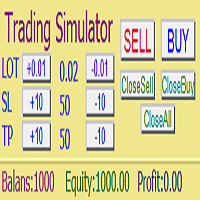
Утилита  TSim   позволяет симулировать ручную торговлю в Тестере Стратегий MetaTrader 4. В панеле можно устанавливать размеры лота, тейпрофита и стоплосса. Панель имеет кнопки Sell   и Buy для выставления рыночных ордеров, а также кнопки CloseSell, CloseBuy и CloseAll для быстрого закрытия ордеров. Под панелью отображается список открытых ордеров. Внимание. Панель работает только в Визуальном режиме Тестера Стратегий MetaTrader 4.
FREE
Features: Waddah Trend, Explosion Increase/Decrease Trend Percentage with Threshold DeadZone Trend Direction Aligned Checks Highlight and Alerts Multi-Timeframe & Multi-Currency Check out the blog post for more info: https://www.mql5.com/en/blogs/post/758020 With customizable threshold, you can identify best trading opportunities in volume-based trading. Use Trend Height (x times Explosion): Trend height in relation to the explosion signal Trend Percent: Compares the trend height to the maximu
Simple RSI Forex Trading Strategy
Victor Manuel Valderrama Zamora
2.5 (2)
Diversify the risk in your trading account by combining our Expert Advisors. Build your own custom trading system here:   Simple Forex Trading Strategies The expert advisor opens trades when RSI indicator enter in oversold or overbought areas. The Stop Loss, Take Profit, and Trailing Stop are calculated based on the ATR indicator. The recommended currency pair is EURGBP and the recommended timeframe to operate and to do backtests is H4. This Expert Advisor can be profitable in any TimeFrame an
FREE
SmartTrader Pro — Advanced Order Management Panel Type: Order Management Platform: MetaTrader 4 Version: 1.0 Created by: HANI MABAD * 2025  --- Overview SmartTrader Pro is a professional multi-order launcher and manager designed for traders who want precise USD-based control over profits and losses. It enables you to open, manage, and close trades with a single click — across market and pending orders — while keeping full visibility through an integrated smart panel. Whether you tra
Be notified of every color change of Heiken Ashi (HA) candles. The indicator will trigger past and new signals every time that HA candles change their colors. Note : this tool is based on the code of Heiken Ashi indicator developed by MetaQuotes Software Corp. Features The signals are triggered at closing of last bar/opening of a new bar; Any kind of alerts can be enabled: Dialog Box, Email message, SMS notifications for smartphones and tablets, and Sound alerts; By default, up arrows are plott
Magic EA MT4
Kyra Nickaline Watson-gordon
3 (1)
Magic EA is an Expert Advisor based on Scalping, Elliot Waves and with filters such as RSI, Stochastic and 3 other strategies managed and decided with the robot smartly. Large number of inputs and settings are tested and optimized and embedded in the program thus inputs are limited and very simple. Using EA doesn't need any professional information or Forex Trading Knowledge. EA can trade on all symbols and all time frames, using special and unique strategies developed by the author. The EA wo
MT4 to MT4 Trade Copier
Freedom Uzochukwu Nnadi
MT4 to MT4 Two Way Copier: Skyrocket Your Trading Success with Seamless Precision! Unlock the power of automated trade replication with This Copier, the ultimate Expert Advisor (EA) designed to revolutionize your trading experience on MetaTrader 4  Whether you are a seasoned trader, a hedge fund manager, or a prop firm guru, this robust, feature-packed tool ensures your trades are copied with lightning-fast accuracy across multiple accounts or platforms. Say goodbye to manual trade management a
Exotic Adv
Ivan Simonika
Exotic Bot   is a multi -cream multifunctional adviser working on any time frame and in any market conditions. The robot’s work is taken as a system of averaging with the non -geometric progression of the construction of a trading grid. Built -in protection systems: special filters, spreading, internal restriction of trading time. Building a trading grid, taking into account important internal levels. The ability to configure trading aggressiveness. Work postponed orders with trailing orders. T
NAS100 Auto Sl And TP
Moustapha Boulouz
5 (2)
Vi presentiamo NAS100 Auto SL e TP Maker per MT4: Non perdete mai più l'impostazione di StopLoss e TakeProfit con il nostro NAS100 Auto SL e TP Maker, un assistente indispensabile per i trader che navigano sul mercato del Nasdaq 100 su MetaTrader 4. Questo strumento è stato progettato per coloro che cercano una soluzione perfetta per automatizzare la gestione dei livelli di StopLoss e TakeProfit. Questo strumento è stato progettato per coloro che cercano una soluzione perfetta per automatizzare
FREE
DFGX Dashboard
Tsvetan Tsvetanov
5 (2)
Take your trading to the next level with DFGX - our second generation Dynamic Fibonacci Grid. This new, powerful and easy to use application is specially designed and optimized for contrarian intraday trading, scalping and news trading on the Forex market. This system is the ideal solution for active professional traders and scalpers who are looking for innovative ways to optimize their strategy. The system also provides excellent opportunity for new traders who want to learn to trade in a syste
Universal Indicator to Telegram Alerts  is a smart trading tool that works seamlessly with both MT4 and Telegram, offering traders more flexibility and convenience. It connects your MT4 platform to Telegram, sending real-time alerts and chart screenshots directly to your Telegram from any indicator with buffers. This means you can stay updated on your trades even when you're not at your computer. Whether you're on your phone or tablet, you'll never miss an important trading opportunity. The ale
Details of each condition Type 1. Set no use Hedging Martingale, to open the order by yourself only through the push button. TP and SL follow setting. Set Setting_Hedging =false;     Use_HLine =false;      Set Setting_TrailingStop =false; if not use. Type 2. Semi Auto Recovery Zone You have to open the order by yourself only through the push button. If in the wrong direction and Set true on Hedging Martingale, EA will fix the order with the zone system by use Hedging Martingale Set Se
=== RISK ANALYZER MT4 === Professional position sizing and margin calculator for serious traders. MAIN FEATURES: • LOT SIZE CALCULATOR - Calculate optimal position size based on your risk • MARGIN CALCULATOR - See required margin, free margin, and margin level BEFORE trade • TRADING STATISTICS - Win rate, profit factor, expected payoff analysis • DRAWDOWN MONITORING - Track absolute and maximal drawdown • REAL-TIME RISK ANALYSIS - All metrics update automatically CALCULATE BEFORE YOU TRADE:
You can trade one-way with this product. Pre-adjustable start and end price entries are made. Then, the transaction intervals are determined. When the price reaches its target, trade stops. The most important issue is to find the start and end according to the support resistance levels. In addition, the maximum number of transactions that can be opened with risk management can be limited. Some price levels will be given free of charge when purchasing this product. Thank you for your support by p
Quick Funding in Prop Trading Firms
Abdeljalil El Kedmiri
4.85 (27)
This EA is designed to pass challenges of prop firms (proprietary trading firm) that allow use of High and Low Frequency trading strategies. A Gift i ncluded in this expert    :   Range Breakout strategy  that identify daily support and resistance levels and initiating both Long and Short trades automaticly at these key points. We use special HFT strategy that detect large movements and employ stop loss to protect your equity. It has build-in equity protector which will stop the EA once the pro
Milch Cow Hedge
Mohamed Nasseem
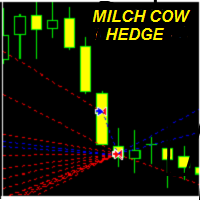
MILCH COW HEDGE V1.12 EA is primarily a Hedging Strategy. Expert support is to seize every opportunity in any direction. Not just opens the deals, but chooses the right time to close the open positions to begin trading again. We recommend the use of an expert with a pair of high volatility for the currency, such as GBPAUD, AUDCAD Testing expert during the period from 01.01.2016 until 09.12.2016 profit doubled four times to account Experts interface allows the user to directly trading open order
Forex Daily Scalping EA is a professional scalping advisor for daily work on the FOREX currency market. In trading, along with experience, traders usually come to understand that the levels of accumulation of stop orders, price and time play a significant role in the market. - Recommend ECN broker with LOW SPREAD: IC Market , Exness, NordFX , FXPRIMUS , Alpari , FXTM PARAMETERS: PRICE - the price distance to be covered in the allotted time period; TIME - time allotted in seconds; HL_PERIOD - n
MV Liquidity Sniper High EA
Norma Binti Abdul Razak
MV Liquidity Sniper High EA If you’re the type who doesn’t like staring at charts all day, this EA is built to help simplify your trading flow with a more structured setup. This EA uses High Line (HA) as Liquidity Level together with momentum detection to automate entries, exits, and recovery flow. Simple concept: Price closes above the HA High Line → BUY Price closes below the HA High Line → SELL The EA continuously follows market direction based on the active High Line level. Entry Logic The
Indicator for binary options arrow is easy to use and does not require configuration works on all currency pairs, cryptocurrencies buy signal blue up arrow sell signal red down arrow tips do not trade during news and 15-30 minutes before their release, as the market is too volatile and there is a lot of noise it is worth entering trades one or two candles from the current period (recommended for 1 candle) timeframe up to m 15 recommended money management fixed lot or fixed percentage of the depo
Protect your account from Margin Call when the market is going opposite with your trades. Manage your risk when you're using Martingale, Grid, Average . They are not dangerous anymore, but manageable  Use this EA utilities to accompany your every MT4 installation This EA is a utility to protect your capital when your trading are unfavorable : Maximum loss in money, Maximum Draw-down/ equity loss in percentage, Your minimum equity reached Those are whichever reached first It's simple, straightfor
FREE
Mr Martin
Vasiliy Kolesov
5 (2)
Mr Martin MT4   EA Mr.Martin MT4 is a fully automated Expert Advisor that is designed for quiet, investment trading over a long period of time.  The Expert Advisor uses in its strategy the principles of averaging unprofitable positions, but due to the unique input system, several filters, one of which is a unique indicator, developed by the author, not used in any other Expert Advisor, and the deposit protection system, expressed in the   SL_percent_balans   parameter,it is safe enough for your
Gli utenti di questo prodotto hanno anche acquistato
Forex Trade Manager MT4
InvestSoft
4.98 (447)
Benvenuto a Trade Manager EA, lo strumento definitivo per la gestione del rischio , progettato per rendere il trading più intuitivo, preciso ed efficiente. Non è solo uno strumento per l'esecuzione degli ordini, ma una soluzione completa per la pianificazione delle operazioni, la gestione delle posizioni e il controllo del rischio. Che tu sia un principiante, un trader avanzato o uno scalper che necessita di esecuzioni rapide, Trade Manager EA si adatta alle tue esigenze, offrendo flessibilità s
Exp COPYLOT CLIENT for MT4
Vladislav Andruschenko
4.69 (65)
Copiatore professionale di operazioni per MetaTrader 4 Un copiatore di operazioni veloce, affidabile e professionale per MetaTrader 4 . COPYLOT consente di copiare operazioni Forex tra i terminali MetaTrader 4 e MetaTrader 5 , offrendo una sincronizzazione flessibile per diversi tipi di conto e modalità operative. La versione COPYLOT MT4 supporta: MetaTrader 4 → MetaTrader 4 MetaTrader 5 Hedge → MetaTrader 4 MetaTrader 5 Netting → MetaTrader 4   Versione MT5 Descrizione completa + DEMO + PDF Com
Local Trade Copier EA MT4
Juvenille Emperor Limited
4.96 (111)
Local Trade Copier EA MT4 è un trade copier rapido e flessibile per copiare e gestire operazioni tra più conti MetaTrader 4 sullo stesso computer Windows o Windows VPS. Combina la sincronizzazione locale delle operazioni con controlli lato Receiver per dimensione del lotto, gestione del rischio, filtraggio delle operazioni, mappatura dei simboli, gestione delle operazioni e protezione del conto. Configura i terminali Transmitter e Receiver in circa 1 minuto e copia operazioni manuali o aperte d
Trade Assistant MT4
Evgeniy Kravchenko
4.43 (197)
It helps to calculate the risk per trade, the easy installation of a new order, order management with partial closing functions, trailing stop of 7 types and other useful functions. Additional materials and instructions Installation instructions   -   Application instructions   Line function -   shows on the chart the Opening line, Stop Loss, Take Profit. With this function it is easy to set a new order and see its additional characteristics before opening.   Risk management  - The risk calcu
Trade Dashboard MT4
Fatemeh Ameri
4.96 (55)
Trade Dashboard simplifies how you open, manage, and control your trades, with built-in lot size calculation. It allows you to execute trades, manage risk, and control positions directly on the chart, with tools such as partial close, breakeven, and trailing stop. Designed to reduce manual work and help you stay focused on your trading decisions. A demo version is available for testing. Detailed explanations of features are provided within the MQL5 platform. Installation instructions are include
RS Trade Copier
Boris Sedov
5 (1)
RS Trade Copier - il local trade copier ultra-veloce con una vera interfaccia grafica. Smetti di inserire i numeri di conto manualmente. Addio alle interminabili liste di oltre 200 parametri nelle impostazioni. Uno strumento affidabile e flessibile per copiare operazioni di trading tra multipli terminali MT4 e MT5. È adatto sia a trader esperti e servizi di segnali, sia a investitori privati. Permette di sincronizzare il trading da uno o più Fornitori a uno o più Clienti con elevata precisione e
Ultimate No Nonsense FX Backtester - You can Run Forward Test Simulation with this tool! Do Not Download the Demo Here, Please Read Below! Step by Step Manual Guide PDF for this backtester PDF List of Commands(Shortcuts) for this backtester Ultimate NNFX Backtester is a powerful utility tool that significantly reduces the length of backtesting process for NNFX followers.  As well as for Forex traders that operates their entries and exits at the close of a candle and manage the risk using ATR.
The product will copy all telegram signal to MT4   ( which you are member  ) , also it can work as remote copier.  Easy to set up, copy order instant, can work with almost signal formats, image signal, s upport to translate other language to English Work with all type of channel or group, even channel have "Restrict Saving Content", work with  multi channel, multi MT5 Work as remote copier: with signal have ticket number, it will copy exactly via ticket number. Support to backtest signal. How to
Simple button panel of trade on your chart with OneClick VZ . This trade panel will make it easier for you. Equipped with several functions that make it very easy for you. You can try Trial Version OneClick V1 in here . This version includes: Open Order Buy Open Order Sell Open Pending Order [Buy Limit - Buy Stop - Sell Limit-Sell Stop] Close ALL orders Close Order Buy Close Order Sell Delete Pending Order [Buy Limit - Buy Stop - Sell Limit-Sell Stop] Order Management: Stop Loss Take Profit Tra
Trade Indicator Assistant is a powerful MT4 utility designed to turn indicators into automated trading systems. Its main feature is the ability to automatically detect an indicator’s   BUY and SELL signal buffers , without requiring you to know the buffer numbers, search through indicator settings, or modify the indicator source code. Bonus Indicator: After purchasing Trade Indicator Assistant, contact me to receive Trade Signal Pro completely free as a bonus indicator. [Download Demo Version]
News Filter EA MT4
Rashed Samir
5 (10)
News Filter EA: Advanced Algo Trading Assistant News Filter EA is an advanced algo trading assistant designed to enhance your trading experience. By using the   News Filter EA , you can integrate a Forex economic news filter into your existing expert advisor, even if you do not have access to its source code. In addition to the news filter, you can also specify   trading days   and   hours   for your expert. The News Filter EA also includes   risk management   and   equity protection   features
Trailing Stop and Breakeven Manager - Trail Architect MT4 Auto Trailing Stop and Breakeven Manager for MT4. Protect profit with automatic break even, then trail your stop loss using Classic, Step, ATR or Candle trailing - all from one professional panel. Every trader knows the pain: a winning trade turns into a loss because the stop loss was never moved. Watching the chart all day just to move your stop to break even and trail the stop loss by hand is exhausting - and one missed move can wipe o
TradePanel MT4
Alfiya Fazylova
4.84 (95)
Trade Panel è un assistente commerciale multifunzionale. L'applicazione contiene più di 50 funzioni di trading per il trading manuale e permette di automatizzare la maggior parte delle attività commerciali. Istruzioni per l'applicazione : https://www.mql5.com/it/blogs/post/762331 Versione di prova dell'applicazione per un conto demo: https://www.mql5.com/it/blogs/post/762419 Come installare l'applicazione: https://www.mql5.com/it/blogs/post/762362 Come testare l'applicazione in modalità visuale:
Grid Manual MT4
Alfiya Fazylova
4.71 (17)
Grid Manual è un pannello di trading per lavorare con una griglia di ordini. L'utilità è universale, ha impostazioni flessibili e un'interfaccia intuitiva. Funziona con una griglia di ordini non solo nella direzione delle perdite, ma anche nella direzione dell'aumento dei profitti. Il trader non ha bisogno di creare e mantenere una griglia di ordini, lo farà l'utilità. È sufficiente aprire un ordine e il manuale di Grid creerà automaticamente una griglia di ordini per esso e lo accompagnerà fino
DoIt Trade Manager - Risk Panel and EA Position Manager for MT4 Finding an entry is only half the job. Many execution mistakes happen in position sizing, partial exits, breakeven, trailing and account protection. DoIt Trade Manager puts the complete workflow on the chart. Plan the risk before entry, execute the order and apply consistent management rules to your manual trades and selected positions opened by other EAs. Full setup guide + how the free version works and where PRO starts :  https:/
Telegram to MT4 Multi-Channel Copier   copia automaticamente i segnali di trading dai tuoi canali Telegram e Discord direttamente su MetaTrader 4. Niente bot, niente estensioni del browser, niente copia manuale. Il segnale arriva su Telegram o Discord e l'EA apre l'operazione nel tuo terminale in pochi secondi. E prima di copiare un canale, il backtester integrato ti mostra cosa avrebbe fatto quel canale sul tuo conto. Il prodotto include due componenti: un'applicazione Windows che ascolta i tuo


CloseIfProfitorLoss with Trailing
Vladislav Andruschenko
4.88 (32)
Close If Profit or Loss with Trailing per MetaTrader 4 — chiusura automatica per profitto totale o perdita totale Un’utilità pratica per MetaTrader 4 che chiude automaticamente le posizioni quando il profitto totale o la perdita totale raggiunge il livello impostato. L’Expert Advisor monitora le operazioni aperte, calcola il risultato flottante, può usare Trailing Profit e aiuta a gestire le posizioni più rapidamente rispetto a una reazione manuale. MetaTrader 4 è ancora molto utilizzato da tra
Trade copier MT4
Alfiya Fazylova
4.62 (37)
Trade Copier è un'utilità professionale progettata per copiare e sincronizzare le transazioni tra conti di trading. La copiatura avviene dal conto/terminale del fornitore al conto/terminale del destinatario, che sono installati sullo stesso computer o vps. Prima di acquistare, puoi testare la versione demo su un account demo. Versione demo qui . Istruzioni complete qui . Funzionalità e vantaggi principali: Supporta la copia degli ordini: MT4> MT4, MT4> MT5, MT5> MT4, inclusi i conti di compensaz
Telegram to MT4 Coppy
Sergey Batudayev
4.09 (11)
Da Telegram a MT4: la soluzione definitiva per la copia del segnale Semplifica il tuo trading con   Telegram su MT4   , l'utility all'avanguardia progettata per copiare i segnali di trading direttamente dai canali e dalle chat di Telegram sulla tua piattaforma MetaTrader 4, senza bisogno di DLL. Questa soluzione affidabile garantisce un'esecuzione impeccabile dei segnali con una precisione e opzioni di personalizzazione senza pari, risparmiando tempo e aumentando la tua efficienza. [ Instruction
Trading History MT4
Siarhei Vashchylka
5 (9)
Trading History - A program for trading and money management on the history of quotes in stratagy tester. It can work with pending and immediate orders, and is equipped with trailing stop, breakeven and take profit functions. Very good for training and testing different strategies. Manual (Be sure to read before purchasing) Advantages 1. Allows you to test any trading strategy in the shortest possible time 2. An excellent simulator for trading training. You can gain months of trading experience
Exit Manager
Victor Christiaanse
5 (2)
Close every trade at the right moment, automatically. Most traders spend their energy on the entry and then close too early, too late, or on a feeling. Exit Manager takes the exit off your hands. Open a trade the way you always do, by hand or with any Expert Advisor, and Exit Manager watches it and closes it, fully or partly, when the indicator signal you chose appears. You can see it working on the chart. A clean panel on your chart shows, for every open trade, which rule will close it next, ho
Forex Sentiment Trader PRO EA
Salvador Martinez Ramos
5 (2)
I have created this  MT4 Tool EA to test if it is more profitable to trade in favor of the mass sentiment of traders or it is better to go against it. Remember to authorize Myfxbook url in WebRequest options in MT4 .  Features: Market Sentiment update every 30 minutes SL TP BreakEven Trail SL Daily Target Profit Max Daily DrawDown (Useful for prop firm) Max Spread Filter Time Filter Custom Trade Comments Protection in case a pair is not read correctly from the web (Prevents improper closing or o
Drawdown Minimizer for MetaTrader 4 - your EAs pay in, old losers get paid off. This utility runs next to your other Expert Advisors and never opens a trade. It keeps a savings book of the net realized profit of your whole account and uses it to close the oldest losing positions of the EAs you choose - slice by slice, oldest first. WHY IT EXISTS Made by traders, for traders. One of our grid EAs got stuck in drawdown for months. The old positions did not come back, and they paid swap every single
ATTENTION: The Indicator cannot be backtested, as it is generated exclusively from live intraday calculations based on options flow. GEX Level Converter – Gamma Exposure Mapping for CFD Charts NASDAQ-100 edition — for US100 · NDX · NAS100 · USTECH and every Nasdaq-100 CFD equivalent Instantly see professional options-market levels directly on your MetaTrader Nasdaq-100 CFD chart. The GEX Level Converter translates the daily Gamma Exposure (GEX) zones of the NDX options market into precise pri
RiskManager
Roman Zhitnik
5 (4)
Risk Manager MT4   is an account protection Expert Advisor for traders who want strict risk control inside MetaTrader 4. The utility monitors your account equity, daily and weekly results, drawdown, open positions, trade count, consecutive losses, and trading hours. When a configured limit is reached, it can automatically close positions, cancel pending orders, stop other EAs, send notifications, or close the terminal. Instead of relying on discipline during a stressful trading session, you defi
The program is use to copy trading from MT4   to MT4 and MT5  on same Windows   PC or VPS .   Now you can easy copy trades to any MT4 account or MT5 account. Instants copy, speed smaller 0.1 seconds, easy to setup. Need run EA as Signal provider on one MT4 account, other MT4 / MT5 will run EA as Trade copier. You can download and try demo version on demo account Copi Trade MT4 demo   version   here   Copi Trade MT5 demo   version  here  
Az OrderGun
Jose Antonio Valle Magana
AZ_OrderGun MT4 - Professional 1-Click Trading Panel AZ_OrderGun is the all-in-one panel to execute and manage your trades without wasting time setting up SL/TP. KEY FEATURES: 1. 4 INSTANT ENTRIES: Buy SLL - Buy with SL on Low of previous candle Sell SLH - Sell with SL on High of previous candle Buy SLO / Sell SLO - SL on Open of previous candle > Fully configurable % Risk 2. ADVANCED VISUAL MANAGEMENT: Draggable lines for Pending and Market orders Auto calculation of Lot Size, $ Ri
Alerts to Telegram
Alexander Pekhterev
5 (15)
Alerts to Telegram   The utility sends Alerts of all your indicators or advisers to a telegram channel (group or personal message). Benefits: 1. There is no need to be at the terminal waiting for an alert from your indicator or advisor; 2. Simple setup. Currently works with terminal languages: 1.Russian; 2.English. If it is necessary to add your language please let me know. The utility works together with the AlertToFile indicator (put the indicator in the Indicators folder) Indicator:   Alert
Take a Break
Eric Emmrich
5 (32)
Take a Break pauses your Expert Advisors when trading is a bad idea: before news, after a daily loss, outside your trading hours, or when a rule you wrote yourself says so. When the pause is over, your EAs simply continue. Account protection for all your EAs in one tool: news filter, drawdown and equity protection, time filter and custom rules. One EA on one chart protects the whole account, the free indicator gives every chart its own rules on top. Free demo | What is new in 26.09 | Support Ass
Copiatrice->Interazione dell'interfaccia comoda e veloce, gli utenti possono utilizzarla subito       ->>>> Si consiglia di utilizzarlo su computer Windows o VPS Windows Caratteristiche: Impostazioni di copy trading diversificate e personalizzate: 1. È possibile impostare diverse modalità di lotto per diverse fonti di segnale 2. È possibile impostare diverse fonti di segnale per il copy trading forward e reverse 3. I segnali possono essere impostati con commenti 4. Se calibrare il lotto in base
Altri dall’autore
PEARL HFT PRO  [Gold in Cent Acc.   Multi-layer of protection, Auto Time sync, Trade with Trend ] [VPS required for Long Term Setfiles] CONFIGURE PROPERLY BEFORE RUN, Download -   Setfiles Cent Account Recommended. Back Testing will not give you real result. Practice on Live Chart Demo Account First. Pearl HFT Pro is an advanced automated trading system designed for disciplined basket trading with multiple layers of trade and account protection. Key Features Automated Basket Trading — Manages BU
NHK Liquidity HeatMap helps traders visualize potential liquidity zones directly on their MT5 charts. Identify Buy/Sell Liquidity Levels, visualize liquidity distribution through a dynamic volume profile, and locate the Point of Control (POC)—the highest liquidity area. ( MT5 Vresion ) See Where the Market Hunts Your Stops. Trade with a Liquidity Advantage! Key Features: Buy & Sell Liquidity Zone Detection Dynamic Liquidity HeatMap Profile POC (Maximum Liquidity) Highlight Liquidity Levels Visu
Pearl hft EA MT5
S M Najmul Hasan
PEARL HFT EA V2.809  ( the full version is available here - https://www.mql5.com/en/market/product/193862 CONFIGURE PROPERLY BEFORE RUN - Setfiles Cent Account Recommended. Back Testing will not give you real result. Practice on Live Chart Demo Account First.Close trading 1 hour before and after Red Box news, and do not trade in a volatile market. Do not run 24/7. Use Session Profit target for Each Run.   Suitable for For All Forex Symbols, All Type of Cent Accounts, Any Broker  Just need to con
FREE
NHK Local Time Scale NHK Local Time Scale displays your PC/local time directly on the MT5 chart , alongside the broker's native chart time. The trader can easily compare both time zones for any candle. Benefits for Traders: Quickly convert Broker Time ↔ Local/PC Time . Helps accurately set News Stop/News Filter times. Makes London, New York, Asian and other trading sessions easier to identify in your local time. Helps verify that EA session and news time settings are correct. Reduces mistakes ca
FREE
Nhk Heikin Ashi
S M Najmul Hasan
NHK Heiken Ashi – MT5 Indicator ONE CLICK ON/OFF from Chart. Trade with greater clarity using NHK Heiken Ashi , a professional MT5 indicator designed to smooth price action and make market trends easier to read. Choose between 2-color or 4-color modes , customize candle colors and width, and quickly toggle Heiken Ashi ON/OFF while preserving your original MT5 chart settings. Key Features: Heiken Ashi candles for clearer trend visualization Standard 2-color & Trend 4-color modes Custom Bull, Bear
FREE
Firefly EA by NHK
S M Najmul Hasan
FIREFLY EA _NHK  - Get the setfile Trades based on trend , martingale (on/off) with stop loss and TP. Recommended balance 500USD (50000 Cent) Preferred Broker and Account type : Exness - Cent or similar Timeframe: As per setfiles. VPS: Recommended. Has Drawdown Recovery.  Important Risk Warning This EA, and other financial instruments involves substantial risk and may not be suitable for every investor. T his  EA does not guarantee profits. Trading results can vary depending on market condition
NHK PERIODIC PNL DASHBOARD   ( MT4 Version ) Your Trading Performance. Organized by Period. Take control of your trading performance with NHK Periodic PnL Dashboard , a compact and customizable account-wide profit and loss monitoring indicator for MetaTrader. The indicator automatically analyzes your trading history and presents your Net P&L in an organized dashboard, allowing you to monitor your performance across daily, weekly, monthly, and yearly periods. Whether you trade manually, use Exper
FREE
NHK PERIODIC PNL DASHBOARD   ( MT5 version ) Your Trading Performance. Organized by Period. Take control of your trading performance with NHK Periodic PnL Dashboard , a compact and customizable account-wide profit and loss monitoring indicator for MetaTrader. The indicator automatically analyzes your trading history and presents your Net P&L in an organized dashboard, allowing you to monitor your performance across daily, weekly, monthly, and yearly periods. Whether you trade manually, use Exper
FREE
Nafiyan MTF Indicator Nafiyan MTF Indicator   is a multi-timeframe technical analysis tool designed to give traders a clear view of   RSI, MA trend direction, swing levels, active trades, PnL, and multiple Stochastic signals   in one compact indicator. Key Features Multi-Timeframe RSI Table   — Monitor RSI across 5 customizable timeframes, with automatic overbought, oversold, and neutral color zones. Multi-Timeframe MA Trend   — Displays   Bullish, Bearish, or Neutral   conditions using Fast/Sl
NHK Key Levels - The  All in One Price Action Indicator ( MT5 version ) NHK Key Levels is a multi-timeframe technical analysis indicator for MetaTrader 5 and 4, combining essential market structure and price-action tools in one powerful chart interface. Key Features Swing High & Low Detection – Identify important market turning points. ZigZag Market Structure – Visualize market swings and structure. Fair Value Gaps (FVG) – Detect bullish and bearish price imbalances across two selectable timefra
Currency Strength by NHK is a LIVE chart indicator that continuously displays real-time currency strength and relative market momentum. It helps traders monitor the changing strength of major currencies and currency pairs directly on their trading charts, making it easier to identify stronger and weaker currencies as market conditions evolve. Key Features: 8 Major Currencies: EUR, USD, JPY, CHF, GBP, AUD, CAD and NZD. Live Currency Strength: Monitor changing currency strength directly on the cha
Nafiyan MTF Indicator Setfiles Nafiyan MTF Indicator is a multi-timeframe technical analysis tool designed to give traders a clear view of RSI, MA trend direction, swing levels, active trades, PnL, and multiple Stochastic signals in one compact indicator. Key Features Multi-Timeframe RSI Table — Monitor RSI across 5 customizable timeframes, with automatic overbought, oversold, and neutral color zones. Multi-Timeframe MA Trend — Displays Bullish, Bearish, or Neutral conditions using Fast/Slow MA
Nabeeha Trade Manager - Get Setfile for Propfirms Compact Manual Trade Manager for MetaTrader 5 & MetaTrader 4 Nabeeha Trade Manager is a lightweight and easy-to-use manual trading assistant that helps traders execute and manage trades directly from a compact on-chart panel. It is designed for traders who manually analyze the market but want faster execution, simple risk control, and convenient position management . Key Features One-Click Trading BUY and SELL buttons for quick trade execution.
NHK Liquidity HeatMap helps traders visualize potential liquidity zones directly on their MT5 charts. Identify Buy/Sell Liquidity Levels, visualize liquidity distribution through a dynamic volume profile, and locate the Point of Control (POC)—the highest liquidity area. ( MT4 Version ) See Where the Market Hunts Your Stops. Trade with a Liquidity Advantage! Key Features: Buy & Sell Liquidity Zone Detection Dynamic Liquidity HeatMap Profile POC (Maximum Liquidity) Highlight Liquidity Levels Visu
NHK Key Levels
S M Najmul Hasan
NHK Key Levels - The  All in One Price Action Indicator ( MT4 Version ) NHK Key Levels is a multi-timeframe technical analysis indicator for MetaTrader 5 and 4, combining essential market structure and price-action tools in one powerful chart interface. Key Features Swing High & Low Detection – Identify important market turning points. ZigZag Market Structure – Visualize market swings and structure. Fair Value Gaps (FVG) – Detect bullish and bearish price imbalances across two selectable timefra
NHK News + Sessions – Full Auto MT5 Indicator Stay informed. Track market-moving news. Never miss a trading session. NHK News + Sessions is an automatic MetaTrader 5 indicator designed to keep traders informed about important economic news events and major global trading sessions directly on their charts. The indicator uses the MT5 Economic Calendar to identify upcoming economic events, monitor their impact levels, and display the latest released news result. It also automatically detects major
Currency Strength by NHK is a LIVE chart indicator that continuously displays real-time currency strength and relative market momentum. It helps traders monitor the changing strength of major currencies and currency pairs directly on their trading charts, making it easier to identify stronger and weaker currencies as market conditions evolve. Key Features: 8 Major Currencies: EUR, USD, JPY, CHF, GBP, AUD, CAD and NZD. Live Currency Strength: Monitor changing currency strength directly on the cha
Filtro:
Nessuna recensione
Rispondi alla recensione