FC Panel Cruce de MA
- Indicatori
- Versione: 1.0

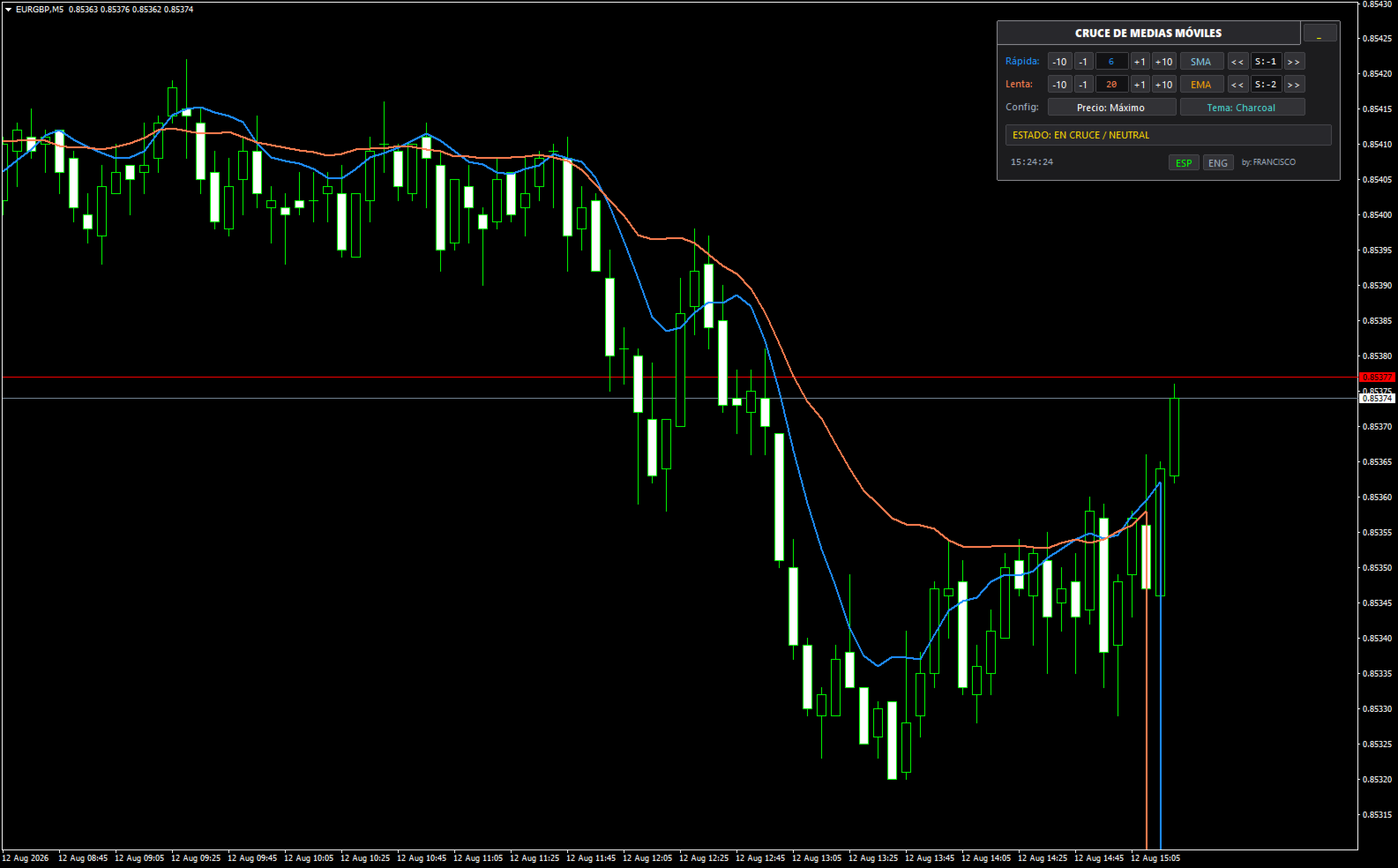
Moving Average Crossover (v1.00) is a technical analysis and dynamic control tool for MetaTrader 4 designed to monitor market trends through the interaction of two moving averages, allowing you to modify all operational parameters directly on the chart without opening indicator settings windows.
General Description of Panel Options
Moving Average Controls (Rows 1 & 2)
-
Period Selectors (-10, -1, +1, +10): Quickly increase or decrease the calculation period in individual steps or tens.
-
Period Value Box: Displays the current calculation period (default: blue for fast MA, orange for slow MA).
-
Method Selector (SMA, EMA, SMMA, LWMA): Clicking the button cyclically toggles between Simple, Exponential, Smoothed, or Linear Weighted moving averages.
-
Shift Adjustment (<<, S:x, >>): Modifies the horizontal bar shift forward or backward.
Global Settings (Row 3)
-
Price Button (Precio: ... / Price: ...): Cycles through the applied price type for both calculations (Close, Open, High, Low, Median HL/2, Typical HLC/3, or Weighted HLCC/4).
-
Theme Button (Tema: ... / Theme: ...): Switches in real-time between three visual themes: Dark Slate (dark slate with blue accents), Navy Blue, and Charcoal (dark graphite gray).
Trend Status Monitor (Row 4)
-
Dynamic Badge: Evaluates the relative position of both lines in real-time:
-
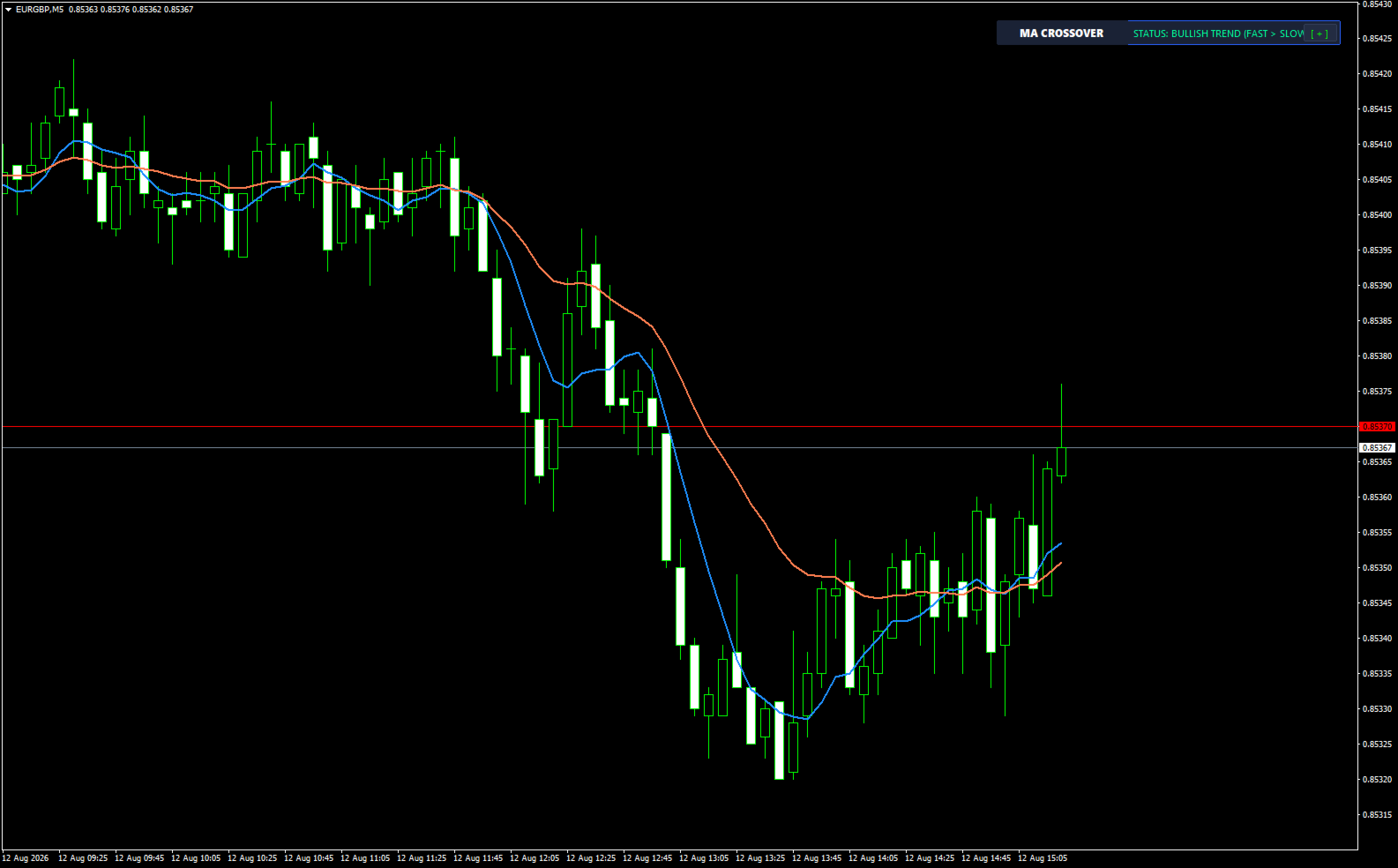
Green (Bullish): Fast MA is above the slow MA.
-
Red (Bearish): Fast MA is below the slow MA.
-
Yellow (Neutral / Crossover): MAs are crossing or have identical values.
-
Status Bar & Footer (Row 5 and Header)
-
Minimize/Expand (_ / [ + ]): Collapses the panel into a compact bar showing only the title and status badge to clear chart space.
-
Real-Time Clock: Displays the current server time updated every second.
-
Language Selectors (ESP / ENG): Instantly translates the entire interface, button labels, and status badges between Spanish and English.
Input Parameters
-
InpFastPeriod / InpSlowPeriod: Initial base periods for the fast and slow moving averages.
-
InpFastMethod / InpSlowMethod: Initial calculation methods.
-
InpFastShift / InpSlowShift: Initial bar shifts.
-
InpMAPrice: Initial price applied to the calculation.
-
InpPanelCorner: Chart corner where the panel is anchored (Top-Left, Top-Right, Bottom-Left, Bottom-Right).
-
InpPanelTheme: Visual theme applied upon initialization.
-
InpPanelLang: Initial panel language (Spanish or English).