Apex Event Trader
- Experts
- Versione: 1.0
- Attivazioni: 5

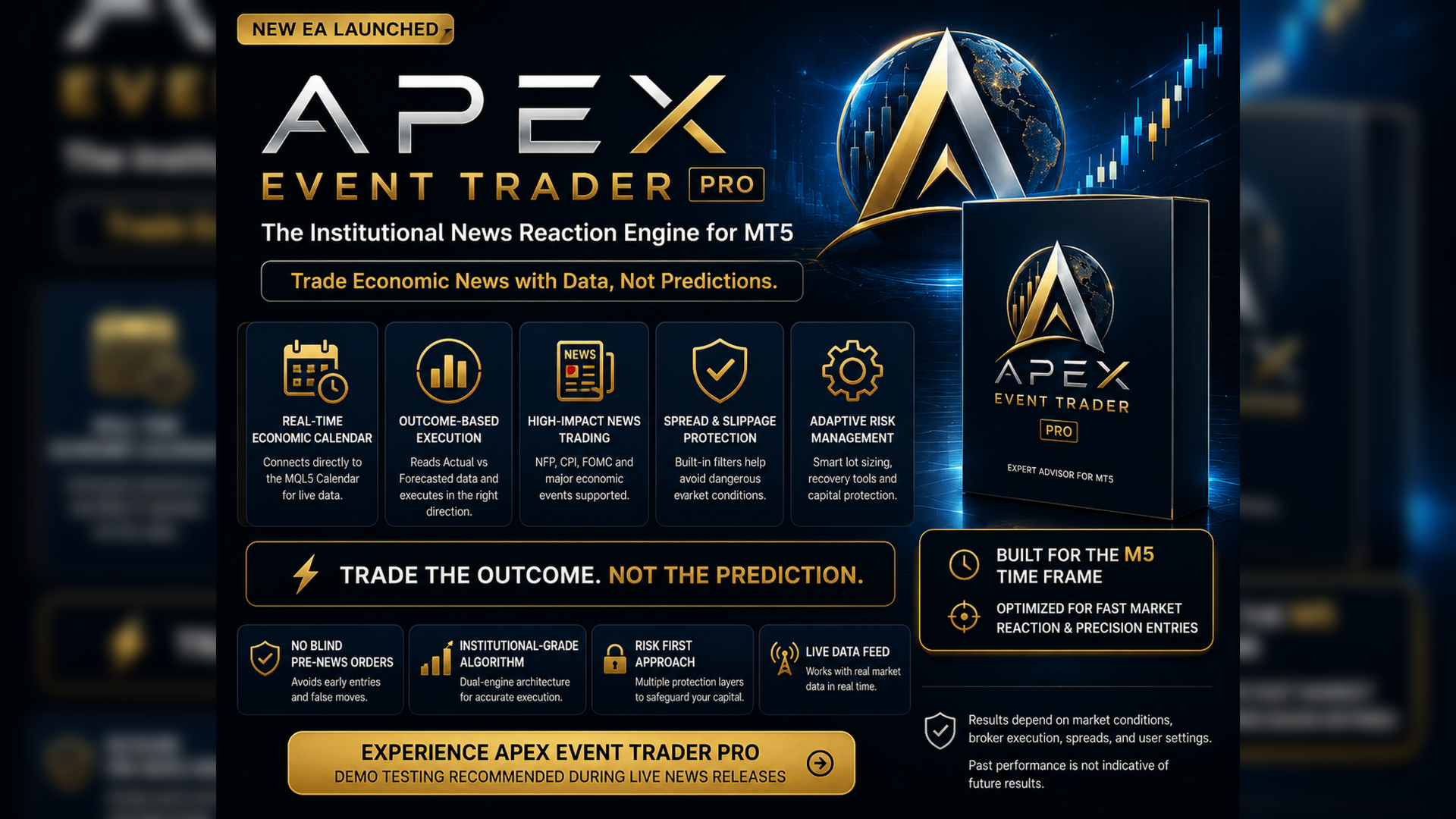
The Institutional News Reaction Engine for MT5
The vast majority of retail "news bots" fail for one simple reason: they blindly place Pending Orders directly into the market right before a major news event. During NFP, CPI, and FOMC releases, spreads widen massively and slippage destroys your account before the market has even picked a direction.
Apex Event Trader fixes this.
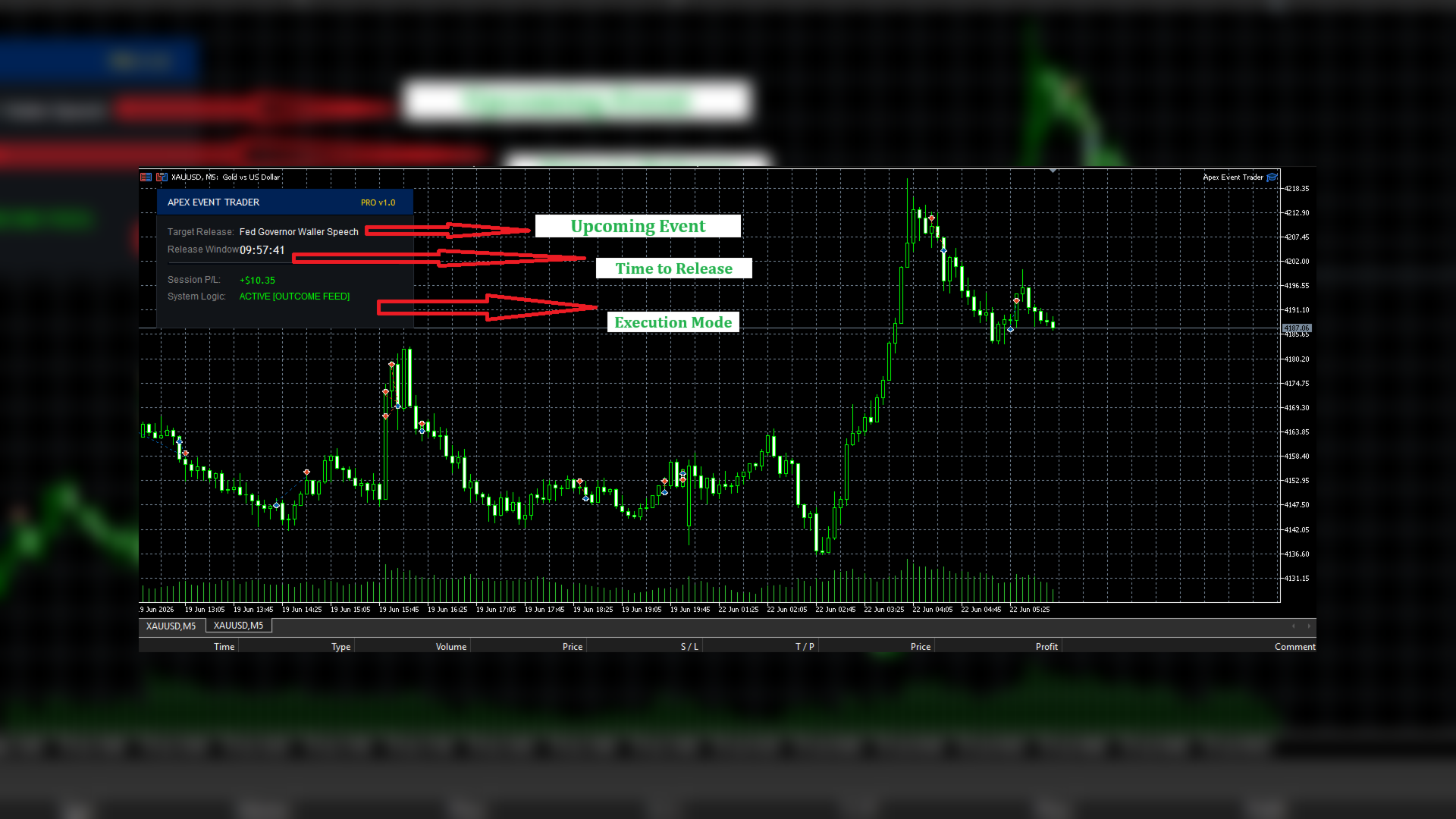
Apex utilizes a dual-engine algorithmic architecture. Instead of guessing, the Outcome-Based Execution Engine connects directly to the MQL5 Macroeconomic Calendar. It waits until the exact millisecond the Actual US Economic Data is published, compares it to the Forecasted data, checks the spread, and fires the trade in the correct direction safely.
⚠️ IMPORTANT: REGARDING BACKTESTING
This EA CANNOT be backtested in the MT5 Strategy Tester.
Because Apex Event Trader relies on a Live Data Feed from the MT5 Economic Calendar to read Actual vs. Forecasted data in real-time, the Strategy Tester cannot simulate this environment (MT5 does not provide historical calendar data). To evaluate the EA, please run it on a Demo account during live, high-impact news events.
⚡ Core Trading Engines
- Engine 1: Outcome Trading (Recommended): The EA waits for the data to drop. If the Actual CPI is higher than the Forecast, it instantly executes your pre-selected direction. No guessing. No premature slippage.
- Engine 2: Classic OCO Straddle: For traders who prefer the traditional method, the EA drops a Buy Stop and Sell Stop seconds before the event. If one triggers, the other is automatically purged.
💰 Account & Chart Requirements
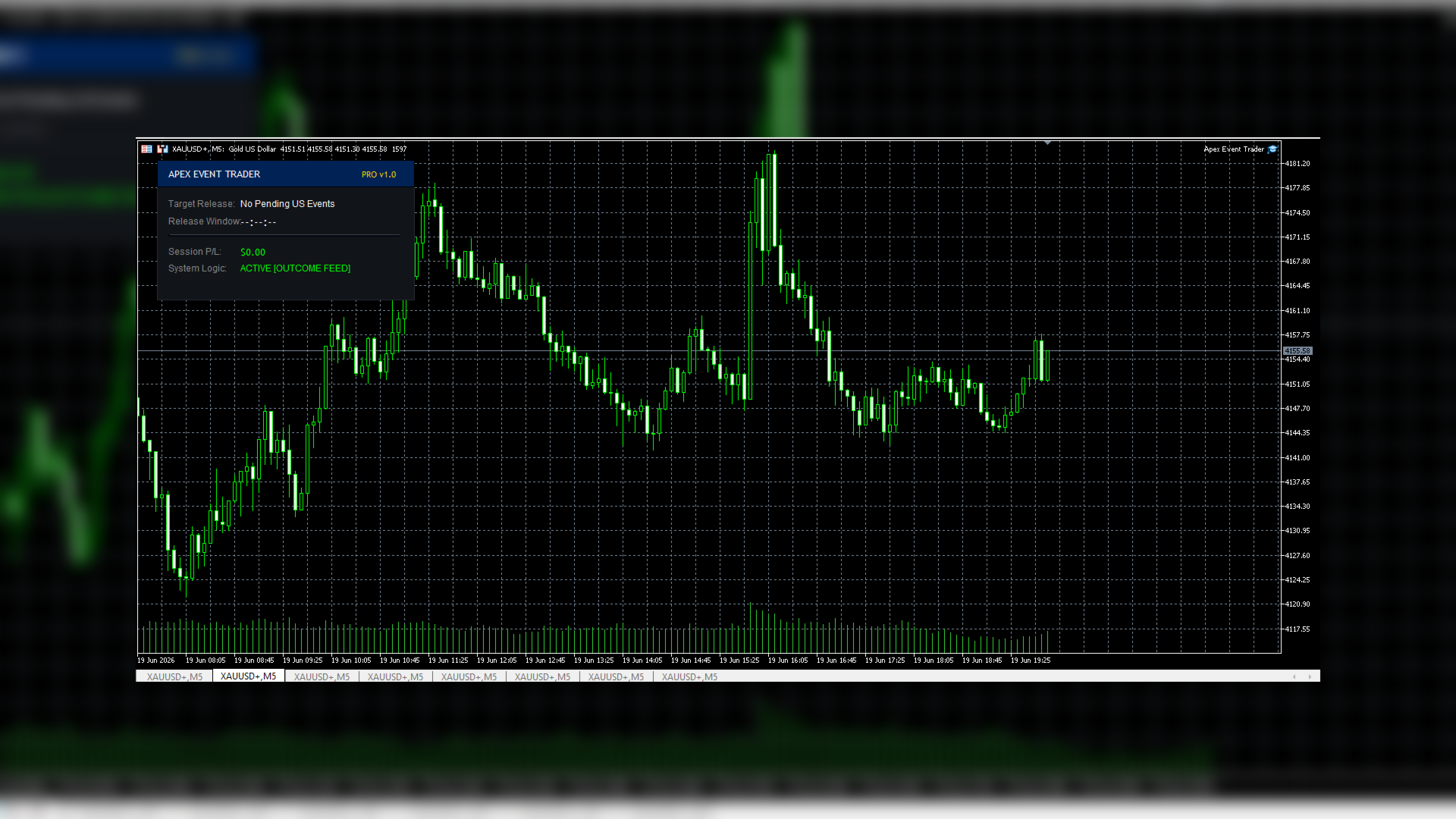
- Timeframe Independent: The EA calculates based on raw market ticks and hardcoded data loops. It does not rely on chart candles. You can attach it to any timeframe, though M1 or M5 is recommended simply so you can watch the fast-moving price action!
- Minimum Balance: $100 is the absolute minimum, but $500+ is highly recommended for standard accounts so the Auto-Lot algorithm can safely calculate micro-lots (0.01) without over-leveraging on wide Stop Losses.
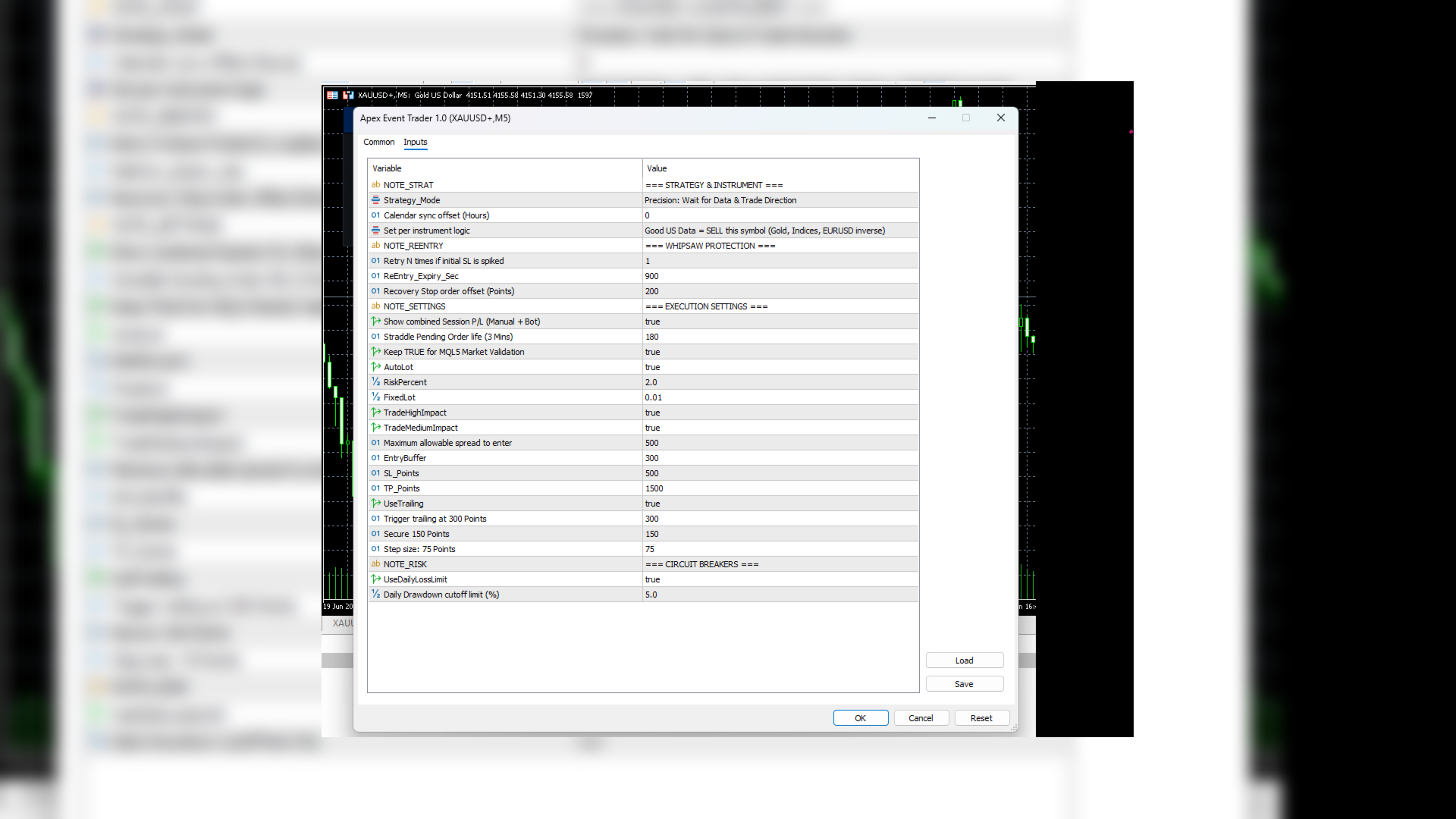
- How Risk % Works: If you enable AutoLot, you simply input your RiskPercent (e.g., 2.0). The EA looks at your current Account Equity and your Stop Loss distance, and instantly calculates the exact Lot Size required. If the market goes against you and hits your Stop Loss, you will lose exactly 2.0% of your account balance—no manual math required!
🛡️ Institutional Protections
- Whipsaw Re-Entry Protocol: If your initial Stop Loss is hit during a volatile spike, Apex instantly lays down a smart Recovery Stop order to catch the true reversal.
- Max Spread Guard: Apex reads the live spread in real-time. If the spread exceeds your max allowed points, it safely aborts the entry.
- Daily Circuit Breaker: Define a Max Daily Drawdown. If the market is too chaotic and you hit this limit, the EA permanently locks trading until the next daily rollover.
⚙️ Key Settings & Parameters
- Strategy_Mode: Choose between News Outcome (Wait for data) or Pending Straddle (Place orders before news).
- Symbol_Bias: Tell the EA how to react to good US Data (E.g., Good Data = SELL Gold/EURUSD, but BUY USDJPY).
- Max_Reentries: How many times to attempt a recovery trade if you get whipsawed.
- MaxSpreadPoints: The absolute maximum spread allowed to take a trade (Protects against slippage).
- UseDailyLossLimit: Stops all trading if your account drops by X% in a single day.
🛠️ Setup Instructions
- Open MT5 and ensure the Algo Trading button at the top is green (enabled).
- Attach the EA to an M1 or M5 chart of your chosen symbol.
- That's it! The EA will automatically sync with the native MT5 Economic Calendar (No WebRequest URLs required!).
💬 Support & Contact the Developer
Need help setting up your EA, or want to discuss the optimal .set files for major news events?
Please contact me directly via MQL5 Private Message.
I am the sole developer and will gladly assist you in getting your EA running perfectly on your live or demo accounts!