Visual PMax Expert
- Experts
- Versione: 1.3
- Aggiornato: 12 giugno 2026
- Attivazioni: 5

Visual PMax Expert MT5 is a modern PMax-based Expert Advisor designed for traders who want both automatic trading and clear visual market signals on the chart.
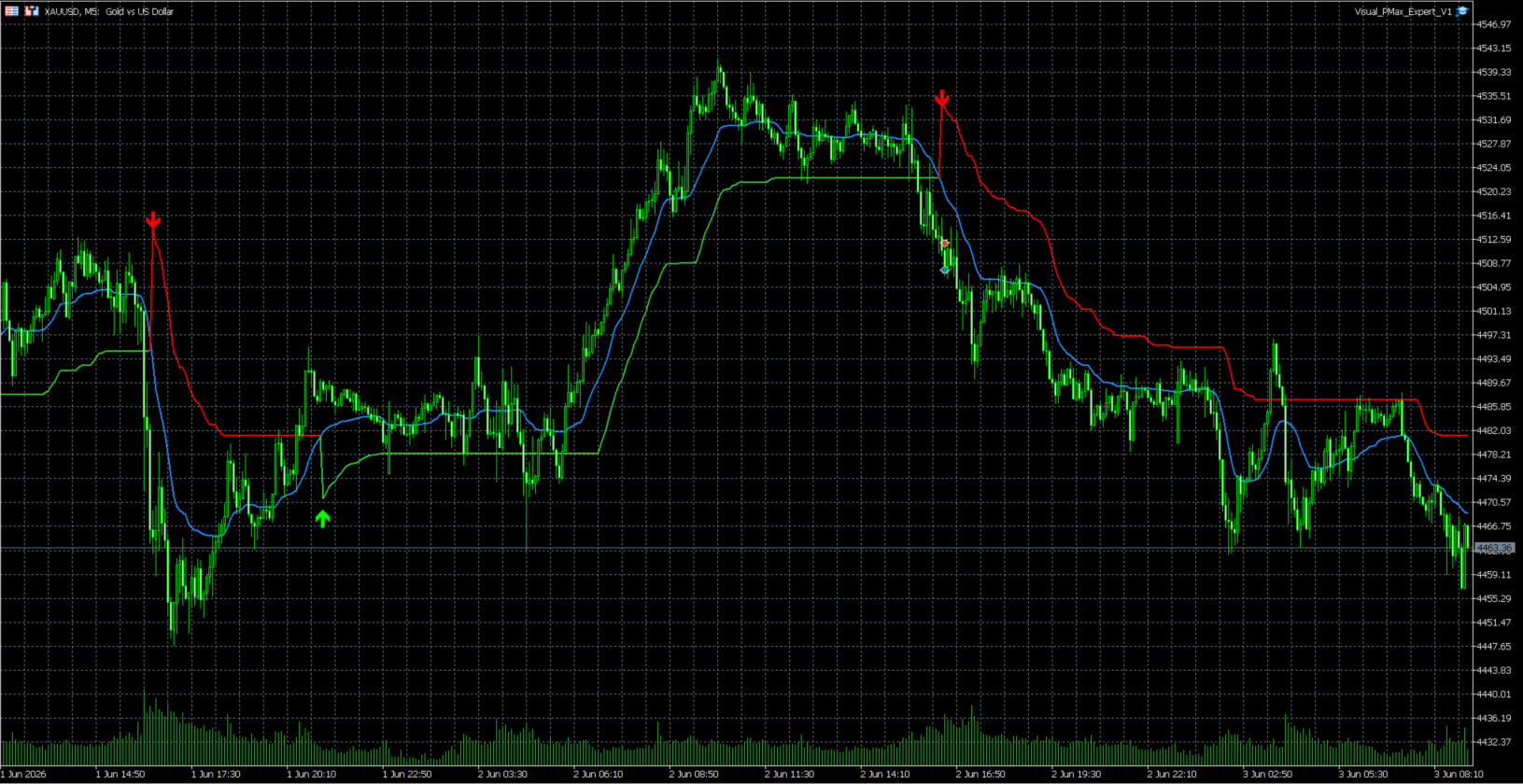
The EA calculates the PMax trend-following logic internally and displays the trend structure directly on the chart with PMax lines, a moving average line, and buy/sell signal arrows. This makes it easier to follow market direction, analyze possible trend changes, and understand why a trade signal appears.
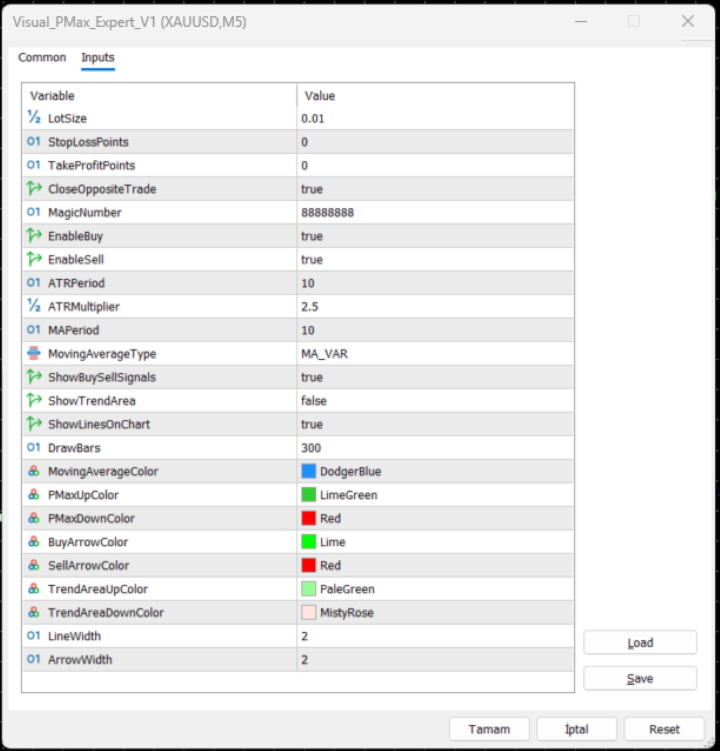
Visual PMax Expert MT5 can automatically open Buy and Sell trades based on PMax signal conditions. It also includes practical trading controls such as lot size, optional Stop Loss and Take Profit, Magic Number support, and the option to close an opposite trade when a new opposite signal appears.
Key Features
* PMax-based trend-following Expert Advisor
* Internal PMax calculation without external indicator files
* Visual PMax trend lines directly on the chart
* Moving Average line display
* Buy and Sell signal arrows
* Automatic Buy and Sell trading
* Enable or disable Buy trades
* Enable or disable Sell trades
* Adjustable Lot Size
* Optional Stop Loss and Take Profit
* Close opposite trade option
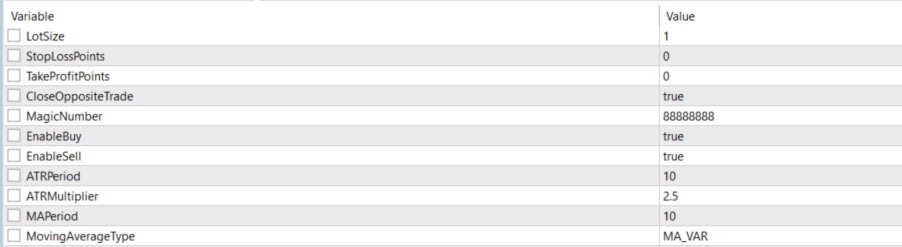
* ATR Period, ATR Multiplier, and MA Period settings
* Moving Average type selection
* Customizable chart colors for lines and arrows
Why Visual PMax Expert MT5?
Many Expert Advisors work silently in the background, but Visual PMax Expert MT5 gives traders a clearer view of the logic behind the signals. The chart visualization helps users see the trend line, moving average behavior, and signal arrows, making the EA easier to monitor and understand.
The EA can be tested on different symbols and timeframes. Users can adjust the settings according to their trading style, broker conditions, spread, volatility, and preferred risk level.
Recommended Use
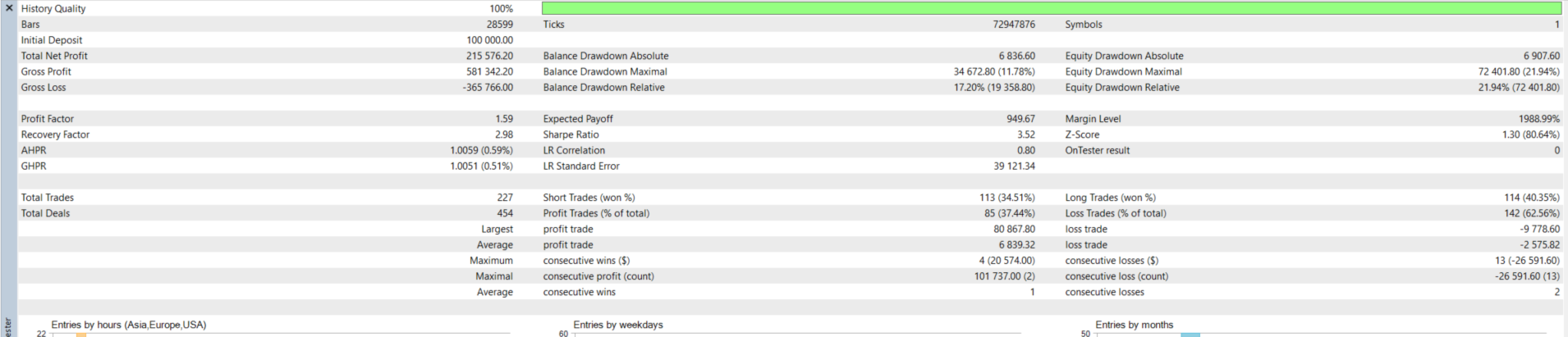
Before using the EA on a real account, test it carefully in the MetaTrader 5 Strategy Tester. It is also recommended to run it on a demo account first and optimize the inputs for the selected symbol and timeframe.