Cortex Max AI
- Experts
-
Rabi Oudani
 Professional developer of AI-driven algorithmic trading systems for MetaTrader environments, focused on execution precision, market logic, and disciplined risk engineering.
All systems are engineered with:
Structured, rule-based trade logic
Real market condition validation - Versione: 1.20
- Aggiornato: 4 novembre 2026
- Attivazioni: 10
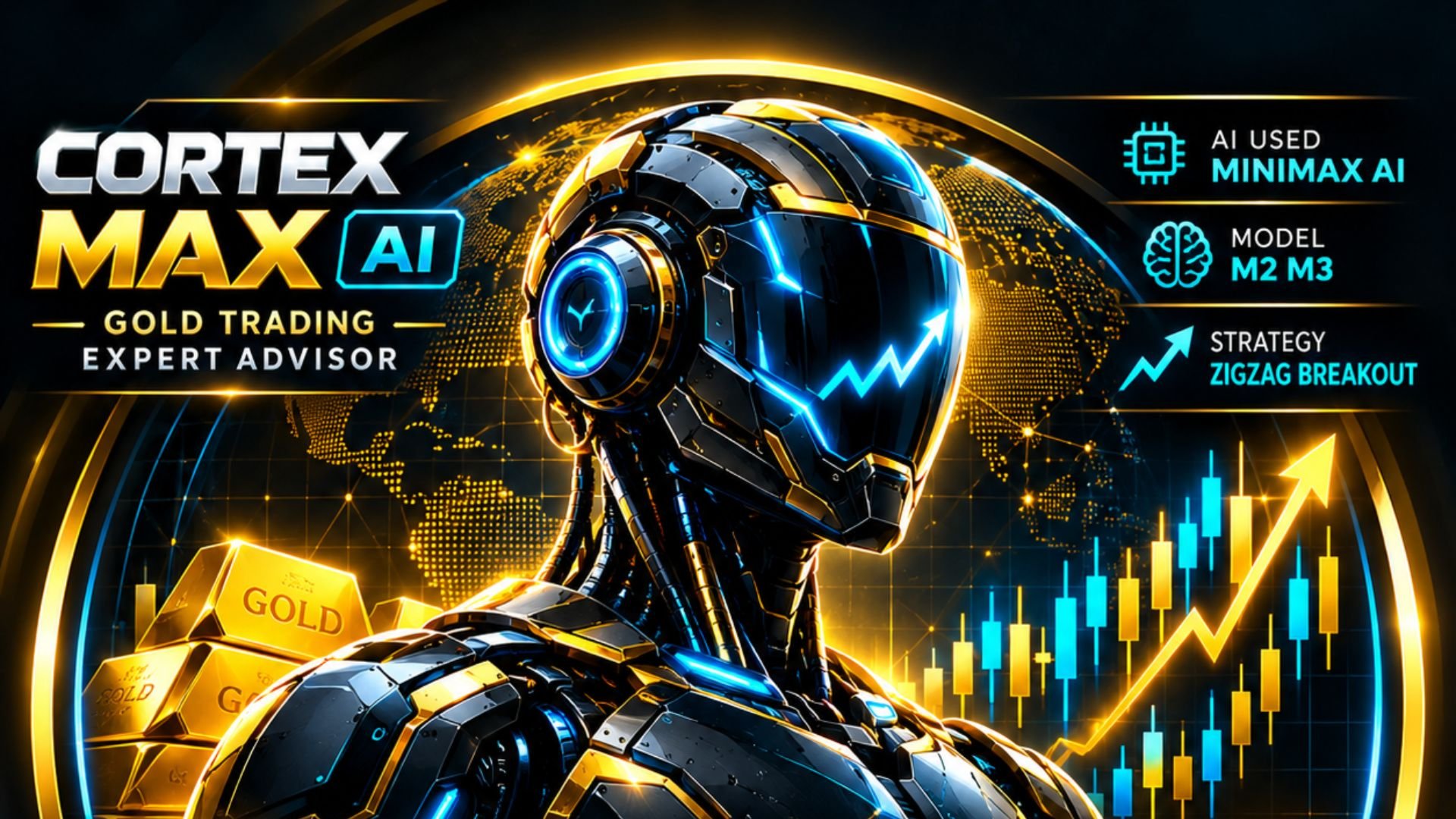
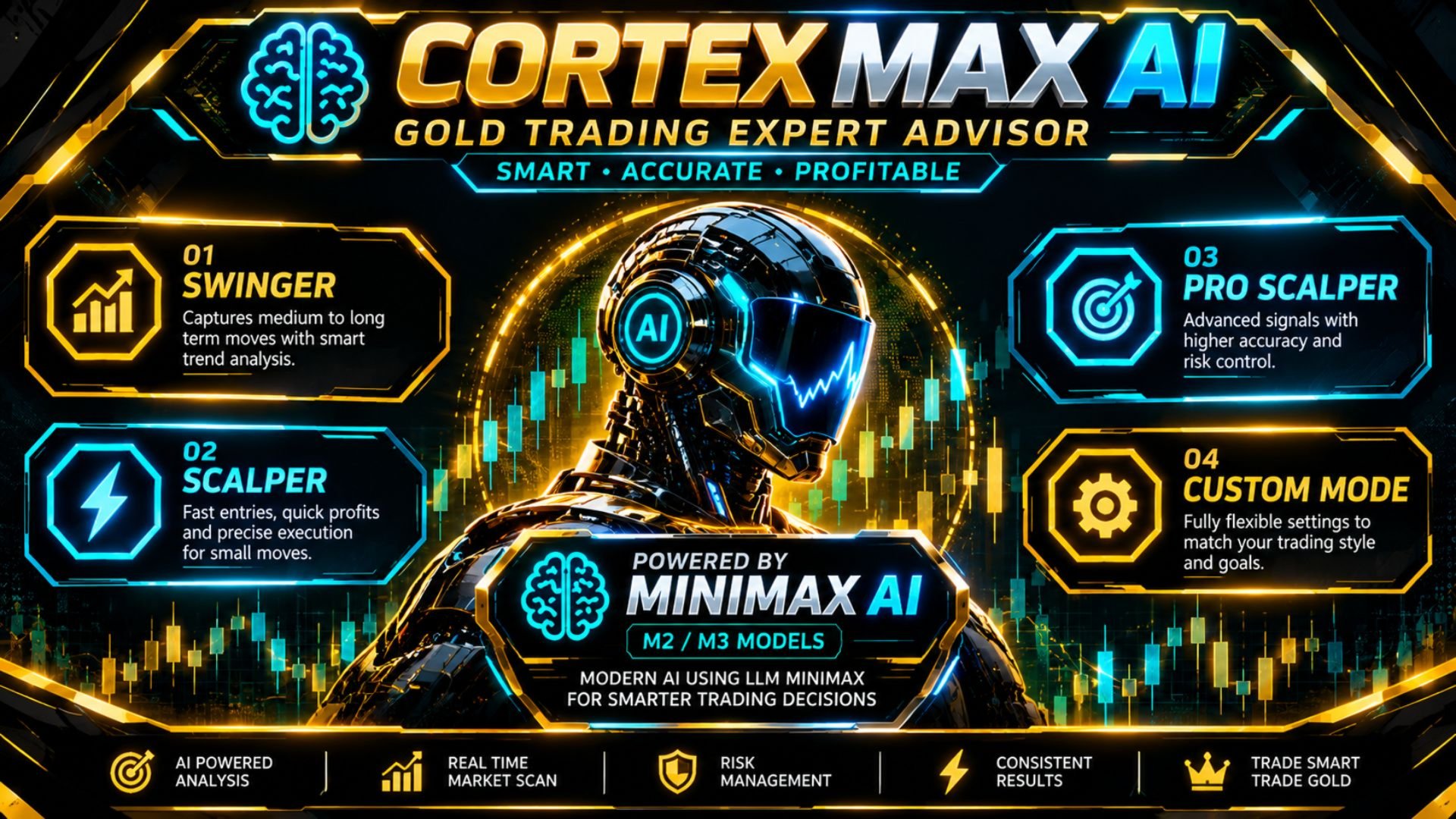
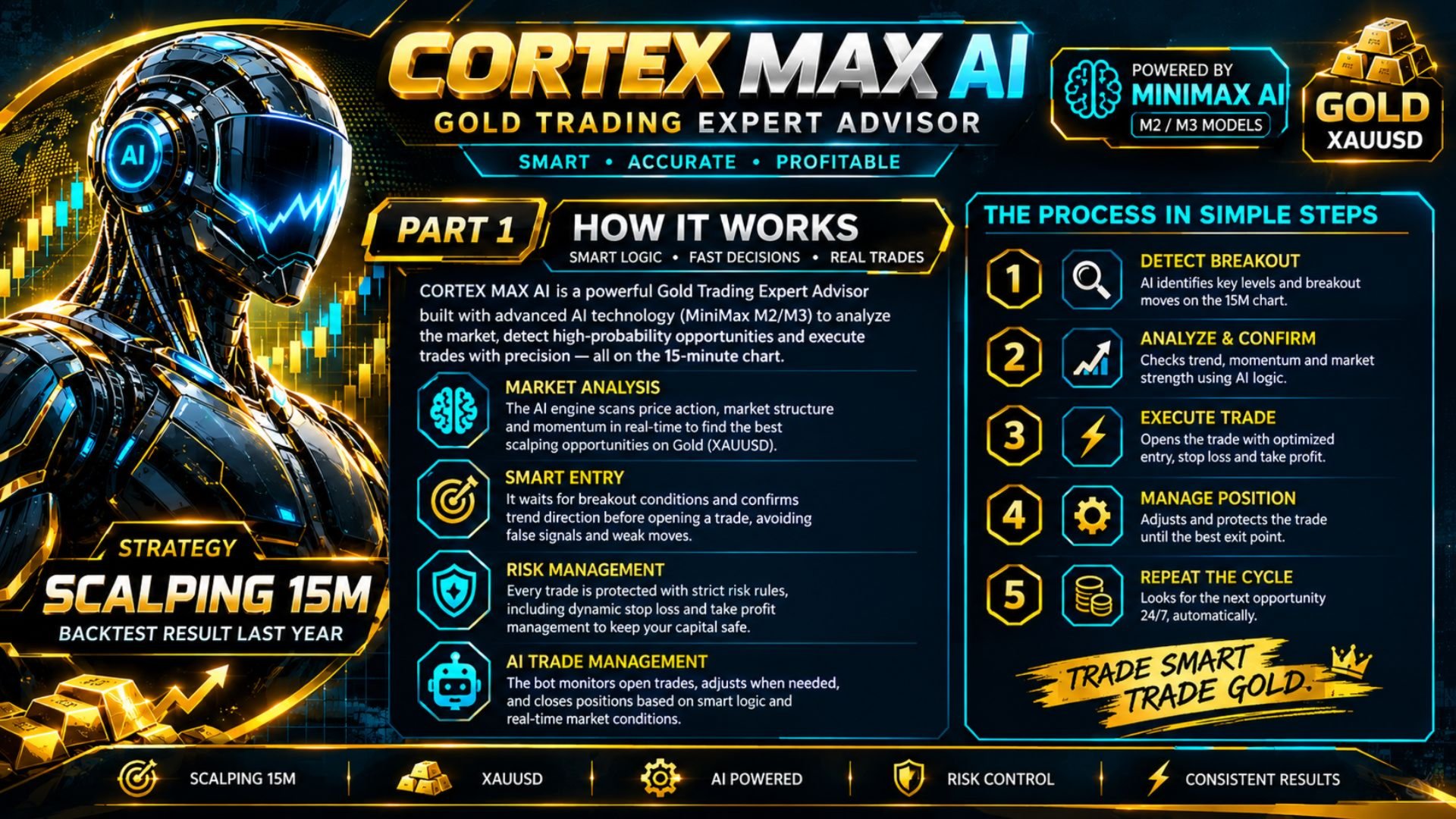
Cortex MAX AI is a MetaTrader 5 Expert Advisor designed primarily for XAUUSD (Gold). It combines a local trading engine with an AI decision engine powered by MiniMax M3/M3.1 Flash, with configurable risk, trade management, economic-news protection and pending-order control.
The EA supports Scalping, Intraday and Swing workflows and can operate with AI trading, the local Cortex MAX engine, or both.
AI Decision Engine
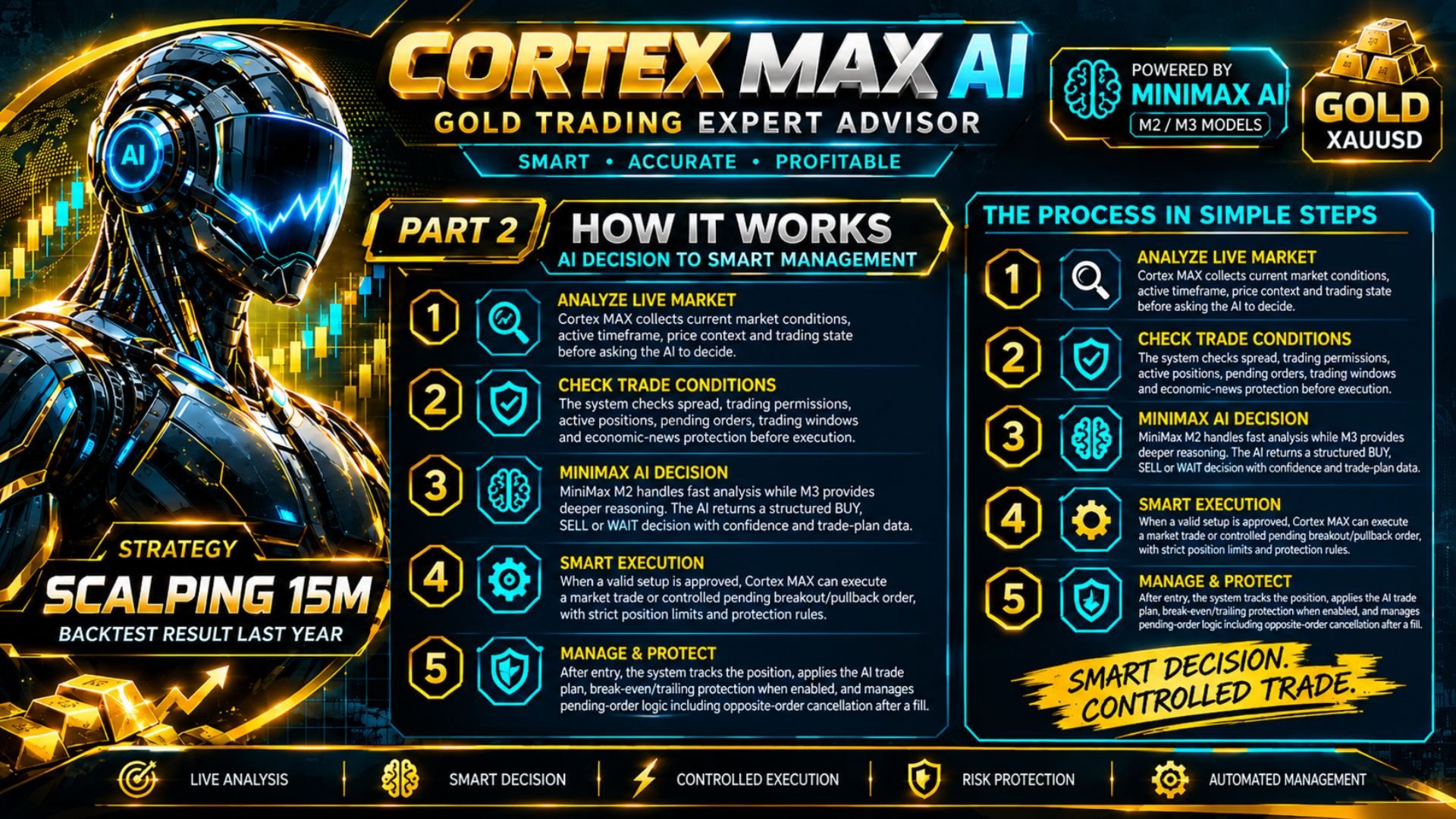
Cortex MAX AI connects to the MiniMax API through MT5 WebRequest() and sends structured market information for analysis.
Available models:
- MiniMax M3.1 Flash — faster reasoning for Scalping and Intraday trading
- MiniMax M3 — deeper reasoning for Swing analysis
- AUTO — automatically selects M2 or M3 according to the active trading mode
The AI can evaluate:
- Price action and market structure
- Support and resistance
- Break of Structure (BOS)
- Change of Character (CHOCH)
- Liquidity sweeps and rejection
- Fair Value Gaps (FVG)
- Order Blocks (OB)
- ATR and volatility
- Moving averages
- RSI
- MACD
- Stochastic
- ADX
- Bollinger Bands
- DXY context
- Current trading session
- Existing positions and pending orders
- Spread and trading conditions
The AI does not operate continuously on every tick. Analysis is performed according to the configured AI scan cycle, while AI SCAN NOW can be used for an immediate analysis.
Trading Modes
The active AI mode is determined by the selected timeframe:
| Mode | Timeframes | AI Model in AUTO |
|---|---|---|
| SCALPING | M1–M15 | MiniMax M3.1F |
| INTRADAY | M30–H1 | MiniMax M3P |
| SWING | H4–W1 | MiniMax M3P |
Supported AI timeframes are M1, M5, M15, M30, H1, H4, D1 and W1.
The local Cortex MAX engine also provides configurable profiles including SCALPER, SWINGER, POS-RR, PROP SCALPER and CUSTOM.
Trade Execution
The AI engine can work with:
- Market orders
- Pending orders
- Breakout entries
- Pullback entries
- Position management
- Break-even protection
- Trailing stops
- Structural SL/TP protection
The EA includes controls for the number of simultaneous AI positions and pending orders. By default, the AI is configured for one active trade cycle, with separate limits for live and pending orders.
Pending orders can also be automatically expired and restricted by maximum distance from the current market price.
Risk & Money Management
Position sizing can be configured using:
- Fixed lot
- Equity-based sizing
- Risk-percentage sizing
- Custom capital-base sizing
The AI and local engines have separate magic numbers and configurable risk parameters.
Global protection includes:
- Maximum spread
- AI cooldown
- Maximum combined positions
- AI live-position limit
- AI pending-order limit
- Total AI trade-cycle limit
- Pending-order expiration
- Maximum pending-order distance
These settings allow traders to adapt the EA to different account sizes and risk-management approaches.
Position Management
Cortex MAX AI supports two management approaches:
AI Management
The AI can determine trade-management parameters according to the market conditions and active mode.
Manual Management
Fixed break-even and trailing parameters can be applied instead.
The EA also provides structural SL/TP protection to prevent trade-management values from moving outside configured mode parameters.
Mode-Based Target Profiles
The source includes separate default profiles for:
Scalping — M1 to M15
- TP: 2500 points
- SL: 1500 points
- Trailing start: 200 points
- Trailing step: 60 points
Intraday — M30 to H1
- TP: 4000 points
- SL: 2000 points
- Trailing start: 600 points
- Trailing step: 50 points
Swing — H4 to D1
- TP: 8000 points
- SL: 4000 points
- Trailing start: 1000 points
- Trailing step: 300 points
These are configurable defaults, not fixed trading requirements.
Economic Calendar Protection
The EA includes an integrated MetaTrader 5 Economic Calendar filter.
It can monitor selected currencies and high- or medium-impact events and can stop:
- AI trading only
- Local trading only
- Both AI and local trading
The default configuration monitors USD, EUR, GBP and JPY.
The news protection window can be configured before and after an economic event.
Trading Schedule Protection
Additional controls are available for the beginning and end of the trading week:
- Monday start delay
- Friday trading stop
- Automatic cancellation of pending orders before the Friday cutoff
These controls are intended to reduce exposure around the configured weekly boundaries.
XAUUSD Focus
Cortex MAX AI is designed around XAUUSD / Gold market conditions.
The source contains XAUUSD-specific logic and parameter calibration, including volatility, ATR and price-distance handling. For this reason, XAUUSD is the primary intended symbol.
The EA should not be presented as a generic multi-pair system unless the strategy has been separately adapted and tested for additional instruments.
WebRequest / MiniMax API
The AI component communicates with the MiniMax API using MT5 WebRequest() .
Before using AI functions, the MiniMax API domain must be permitted in:
MetaTrader 5 → Tools → Options → Expert Advisors → Allow WebRequest for listed URL
Add https://api.minimax.io to the MT5 allowed URL list.
The EA also includes a TEST API function that checks the API connection and reports common HTTP/WebRequest errors.
AI functions are not intended for use in the MetaTrader 5 Strategy Tester.
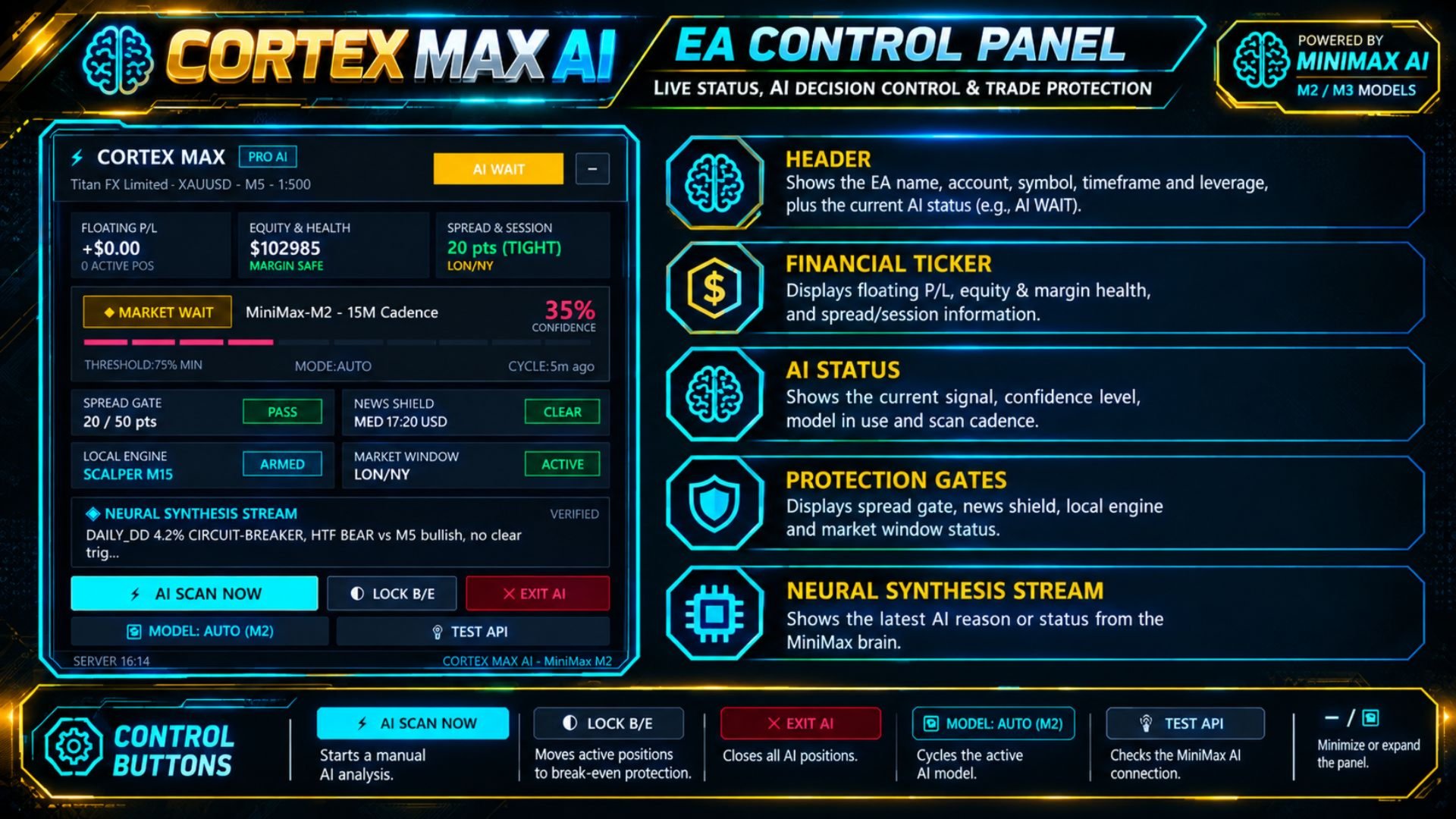
On-Chart Control Panel
The integrated panel provides real-time information about:
- AI status
- Active model
- Current timeframe
- Trading mode
- Spread status
- News status
- Local engine status
- AI analysis state
Available controls include:
AI SCAN NOW
Starts an immediate AI market analysis.
LOCK B/E
Controls the break-even protection function.
EXIT AI
Closes positions associated with the AI trading engine.
MODEL: AUTO / M2 / M3
Changes the active AI model selection.
TEST API
Tests communication with the MiniMax API.
Installation
- Install MetaTrader 5.
- Attach Cortex MAX AI to the desired chart.
- For the intended configuration, use XAUUSD.
- Select the desired timeframe and trading mode.
- Configure lot sizing and risk parameters.
- Configure AI and/or Local Engine settings.
- Add the MiniMax API domain to the MT5 WebRequest allow-list.
- Use TEST API to verify connectivity.
- Review the EA parameters before enabling live trading.
Recommended Starting Configurations
| Objective | Timeframe | Mode | Model |
|---|---|---|---|
| Short-term trading | M1–M15 | Scalping | M3.1F |
| Intraday trading | M30–H1 | Intraday | M3.1F |
| Higher-timeframe trading | H4–W1 | Swing | M3P |
| Automatic model selection | Any supported TF | AUTO | M3.1/M3 |
Risk, lot size, SL, TP and trailing parameters should be adapted to the account, broker conditions and trader's own risk limits.
Important
Cortex MAX AI is an automated trading system and market conditions can change rapidly. AI analysis, technical signals and risk controls do not eliminate trading risk.