EU Hunter MT5
- Experts
- Versione: 6.1
- Aggiornato: 4 maggio 2026
- Attivazioni: 5

EU Hunter - The Fully Automated Expert Advisor for EURUSD.
Now on MQL5 Market -- Special starting price $39
[Limited Time Only]
The Journey of EU Hunter
-
October 2023: Initial development of EU Hunter v1 for MetaTrader 4 (MT4), originally used for private trading.
-
2023 - 2025: Continuous development through live account testing, evolving from v2 to v4.
-
August 2025: Ported core algorithm to MetaTrader 5 (MT5) with the release of v5.
-
April 2026: Finalized codebase, re-optimization and official public launch on MQL5 Market with the release of v6.
Concept
-
Precision Entry: EA initiates trades based on accurate indicator signals using a strategic combination of Stochastic Oscillator and RSI.
-
Dynamic Exit: Automatically closes positions based on indicator reversal signals or optimized TP.
-
Triple-Bot Logic: Supports parallel trade execution. If signals trigger multiple times, the system activates "Bot A, Bot B and Bot C" to maximize entry opportunities.
-
Smart Recovery: Utilizes an optimized Martingale/Grid strategy to enhance profitability and manage drawdowns effectively.
-
Advanced Money Management: It is the core priority of this EA, ensuring sustainable long-term growth.
-
Anti-Overtrade System: Dynamic lot size is automatically calculated to ensure capital protection and prevent over-leveraging.
-
Withdrawal-Ready Logic: Rapidly closes all trades upon reaching optimized profit to minimize market exposure and ensure funds are always ready for withdrawal.
-
Optimal Performance: Best suited for Sideways and Swing market.
-
Risk Profile: May experience lower performance during periods of strong trending momentum
-
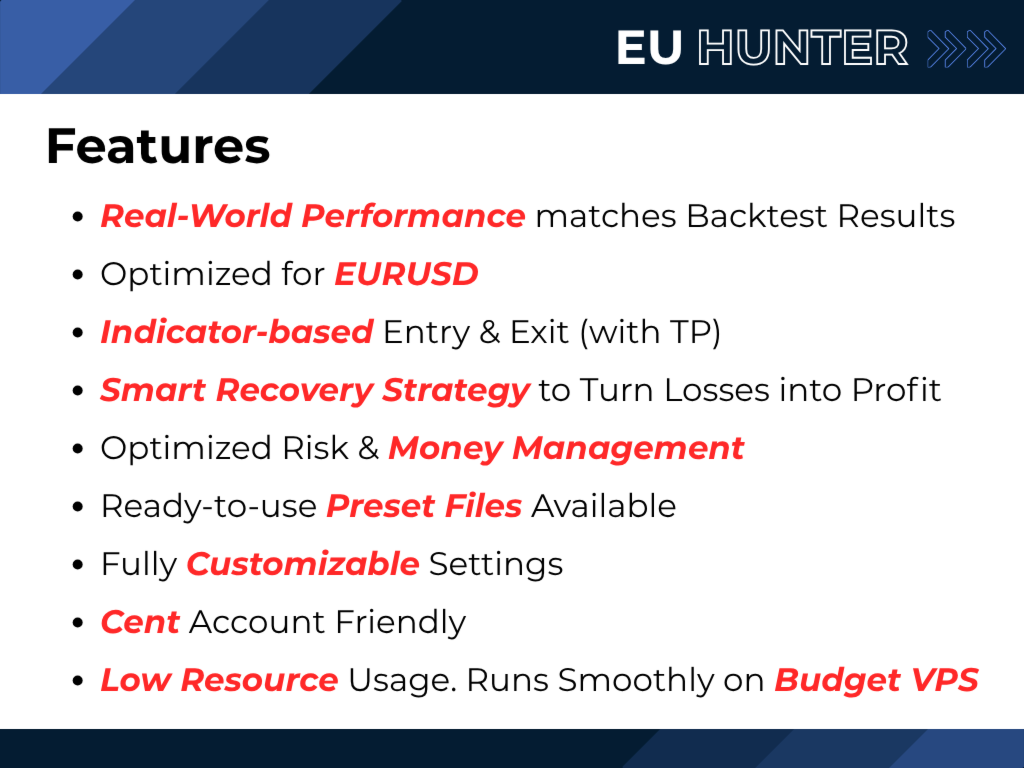
Fully optimized and stress-tested for EURUSD symbol
Features and Benefits
-
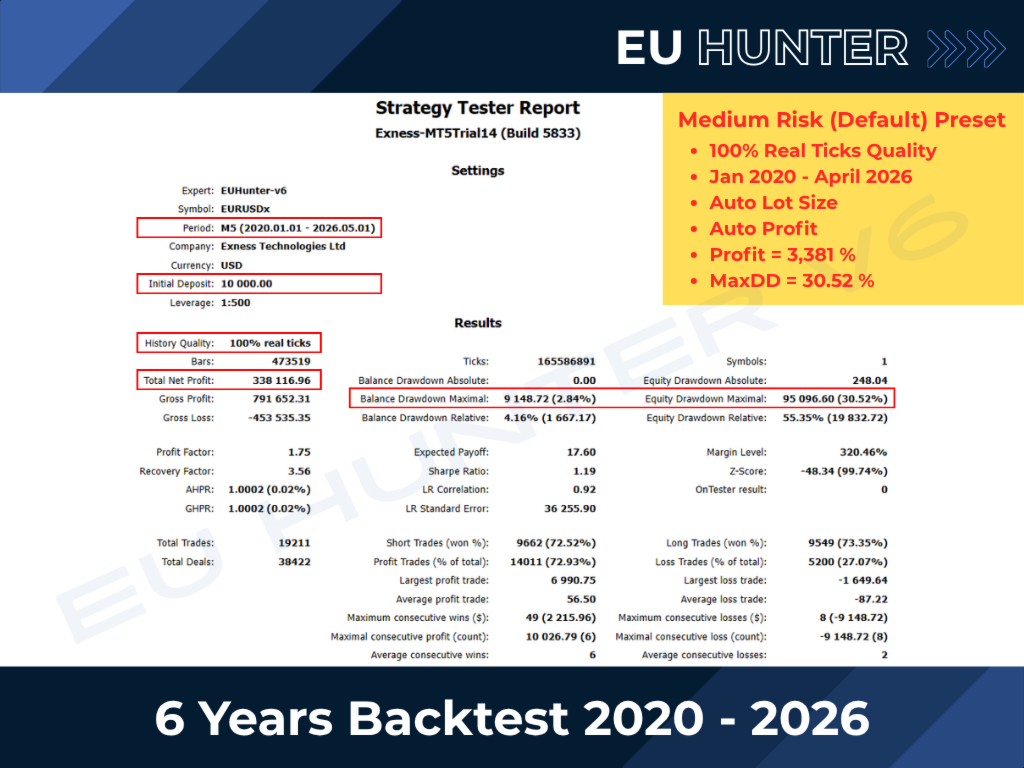
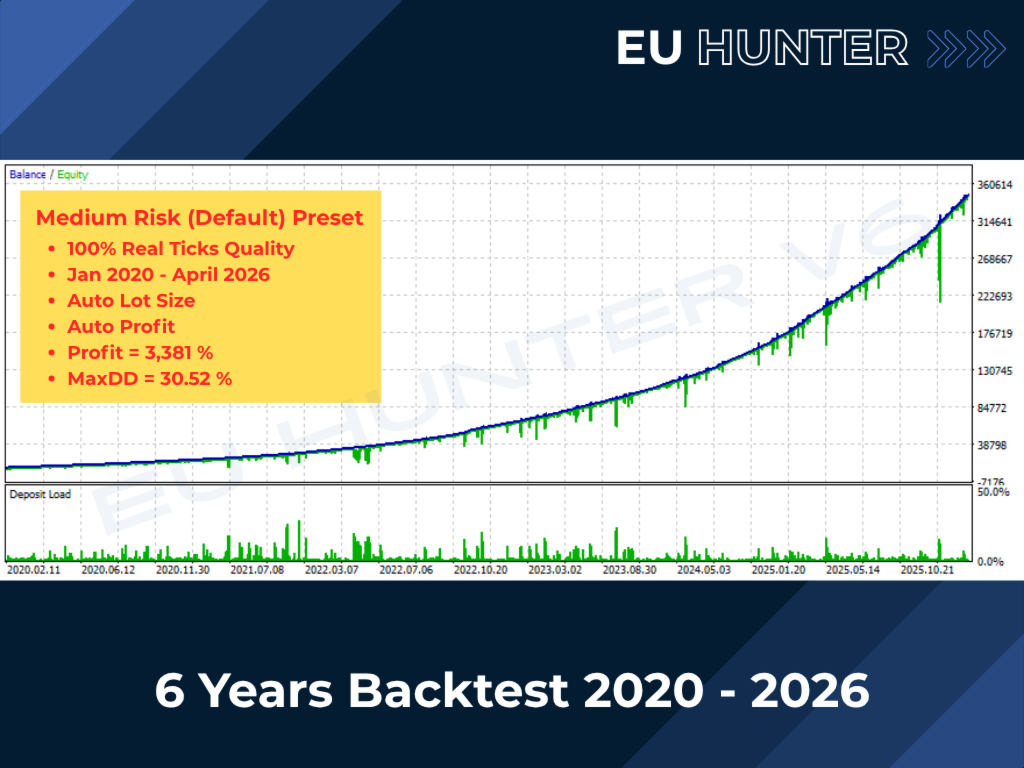
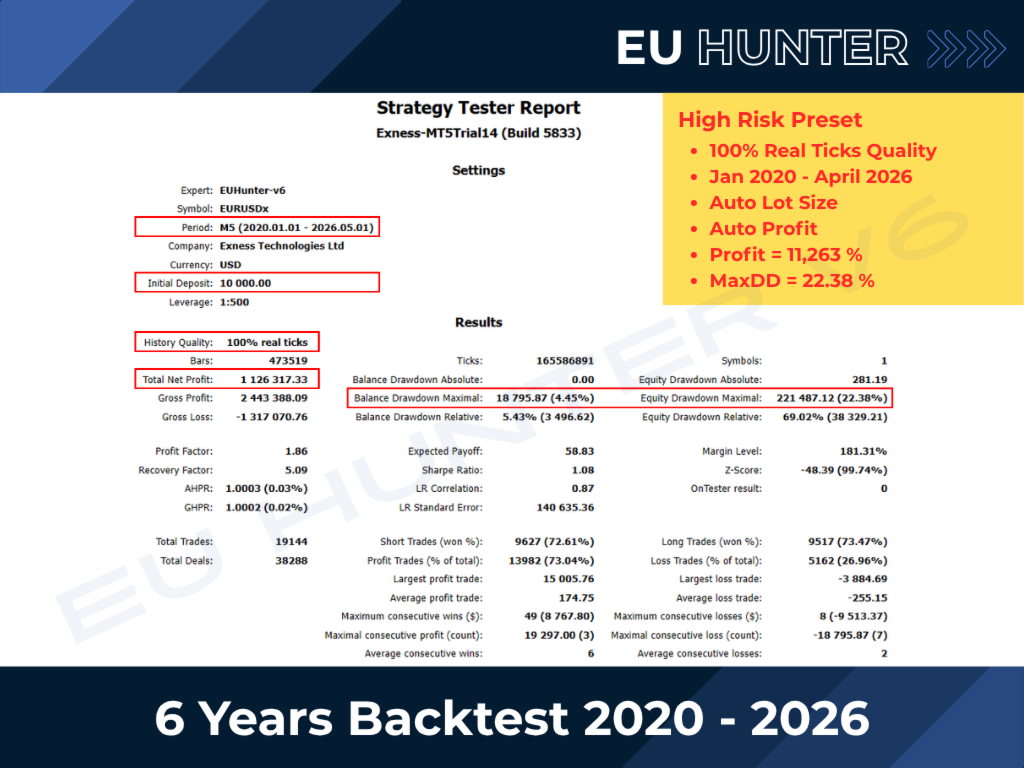
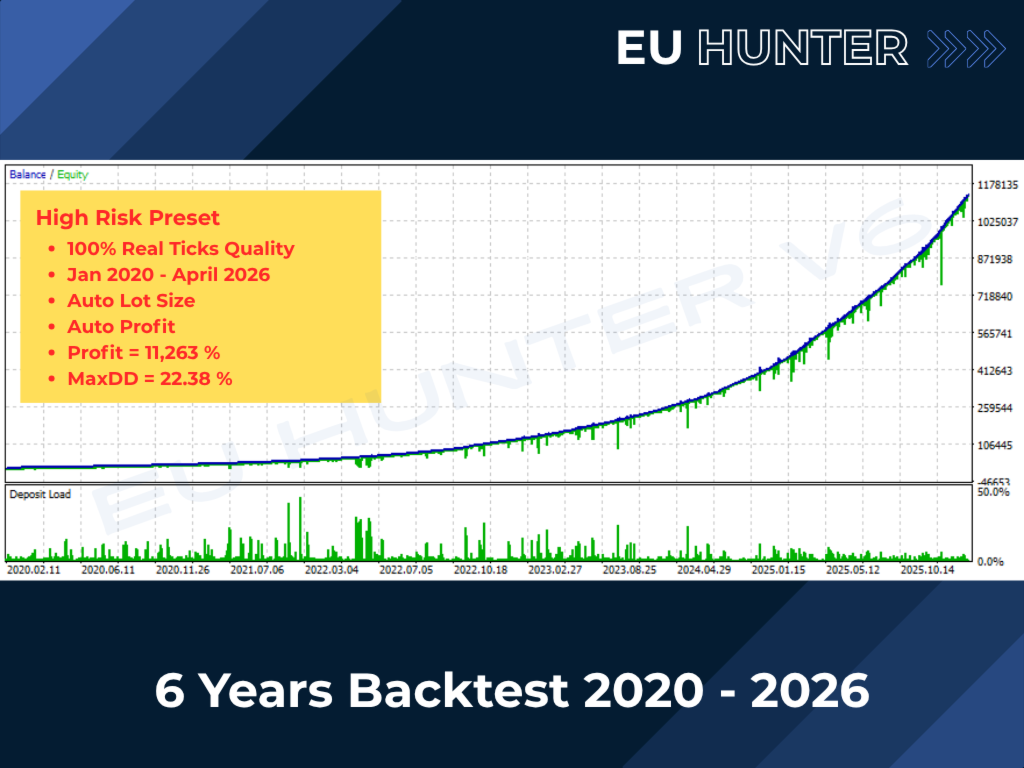
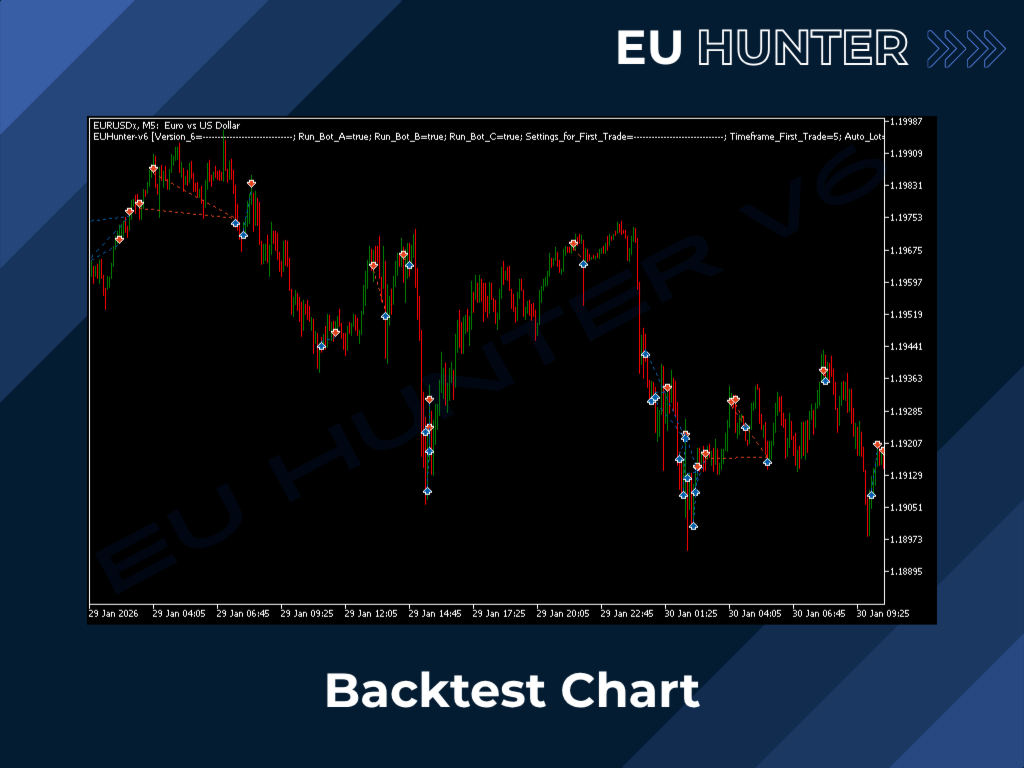
Verified 6-Year Backtest: January 2020 - March 2026 with 100% Real Ticks Quality (QuantDataManager History Data).
-
100% Fully Automated: Runs 24/7, No manual intervention required.
-
Daily Trading: Find opportunities every day, strictly based on actual indicator signals.
-
Plug-and-Play: "Set and Forget" design. Easy setup and run immediately using fully optimized default values.
-
Ready-to-Use Presets Available: A variety of .set files for different risk profiles, each accompanied by its corresponding backtest results.
-
Fully Customizable Settings: Advanced users can fine tune and optimize every variable for their own trading setup.
-
Low Deposit: Start with as little as $100 (or 10,000 USC) on Cent Account.
-
Capital Protection: Features an automated safety cutloss system to secure your account during extreme market volatility.
-
Low Resource Usage: Lightweight and efficient code that runs smoothly on budget VPS. No high-end VPS required.
Your Requirements
-
Symbol: EURUSD (Supports all suffixes: EURUSDm, EURUSDc, EURUSD.sc, etc.)
-
Timeframe: M5
-
Minimum Deposit: $100 for Cent Accounts (10,000 USC) or $10,000 for Standard USD Accounts
-
Broker: Any ECN/STP broker
-
Account Type: Hedge account type is required
-
Leverage: 1:500 or higher is required
-
Spread: 15 Points (1.5 Pips) or lower for optimal performance
-
VPS: Standard VPS is highly recommended for 24/7 uninterrupted operation
Ready-to-Use Preset Files
-
Medium Risk Preset: https://c.mql5.com/31/1997/EUHunter-MediumRisk-3Bot-AutoLot.set
-
High Risk Preset: https://c.mql5.com/31/1997/EUHunter-HighRisk-3Bot-AutoLot.set
Input Settings
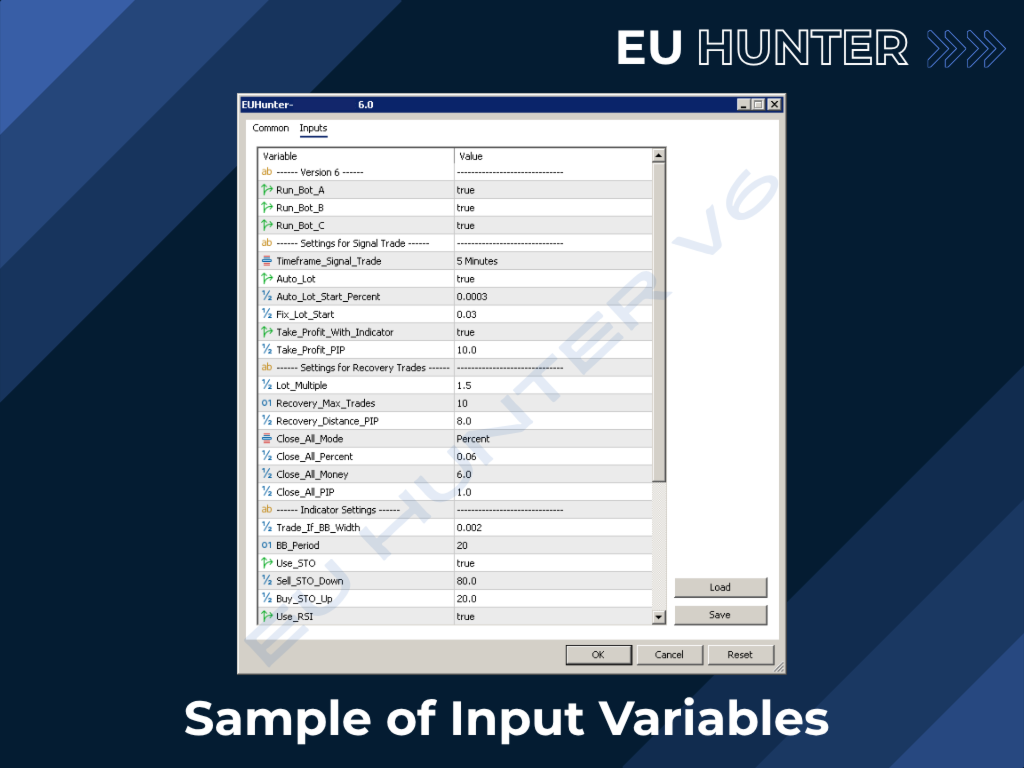
If you wish to fine-tune the EA settings, optimize for better results, or adapt the system for other symbols, please refer to the variable descriptions below:| Variables | Description | Risk Profile |
|---|---|---|
| ------ Version 6.0 ------ | ||
| Run_Bot_A | Enable/Disable trading for Bot A (Bot A must always be enabled) | |
| Run_Bot_B | Enable/Disable trading for Bot B |
|
| Run_Bot_C | Enable/Disable trading for Bot C |
|
| ------ Settings for Signal Trade ------ | ||
| Timeframe_Signal_Trade | Timeframe for indicator signals. Usually matches the chart timeframe, but can be set independently here. |
|
| Auto_Lot | Enable/Disable automatic lot size calculation based on account balance. | |
| Auto_Lot_Start_Percent | If Auto_Lot is enabled, sets the percentage of account balance to be used for the initial trade. |
|
| Fix_Lot_Start | If Auto_Lot is disabled, set the fixed lot size to be used for the initial trade. |
|
| Take_Profit_With_Indicator | Enable/Disable the use of indicator signals to exit the trade. |
|
| Take_Profit_PIP | Target profit in Pips. |
|
| ------ Settings for Recovery Trades ------ | ||
| Lot_Multiple | Lot size multiplier for recovery trades. |
|
| Recovery_Max_Trades | Maximum number of recovery trades allowed in each Bot. |
|
| Recovery_Distance_PIP | Distance in Pips between each recovery trade. |
|
| Close_All_Mode | Select the closing method for all recovery trades in each Bot. | |
| Close_All_Percent | Target profit based on a percentage of account balance. |
|
| Close_All_Money | Target profit based on a specific amount of money. |
|
| Close_All_PIP | Target profit based on the distance in Pips. |
|
| ------ Indicator Settings ------ | ||
| Trade_If_BB_Width | Minimum Bollinger Bands width (in Price) to allow trading. (Upper - Lower) |
|
| BB_Period | Bollinger Bands Period. | |
| Use_STO | Enable/Disable Stochastic Oscillator signals. | |
| Sell_STO_Down | Overbought threshold to trigger Stochastic sell signals. | |
| Buy_STO_Up | Oversold threshold to trigger Stochastic buy signals. | |
| Use_RSI | Enable/Disable RSI signals. | |
| RSI_Period | RSI Period. | |
| Sell_RSI_Down | Overbought threshold to trigger RSI sell signals. | |
| Buy_RSI_Up | Oversold threshold to trigger RSI buy signals. | |
| ------ Misc Settings ------ | ||
| Max_Spread_PIP | Maximum spread in Pips allowed for trading. It is recommended to set this near your broker's average spread. This prevents trading during high-impact news or low liquidity periods with unexpected spreads. | |
| Cutloss_Money | Maximum loss amount in currency. If this limit is reached, all trades will be closed immediately. | |
| Cutloss_Percent | Maximum loss percentage of account balance. If this limit is reached, all trades will be closed immediately. | |
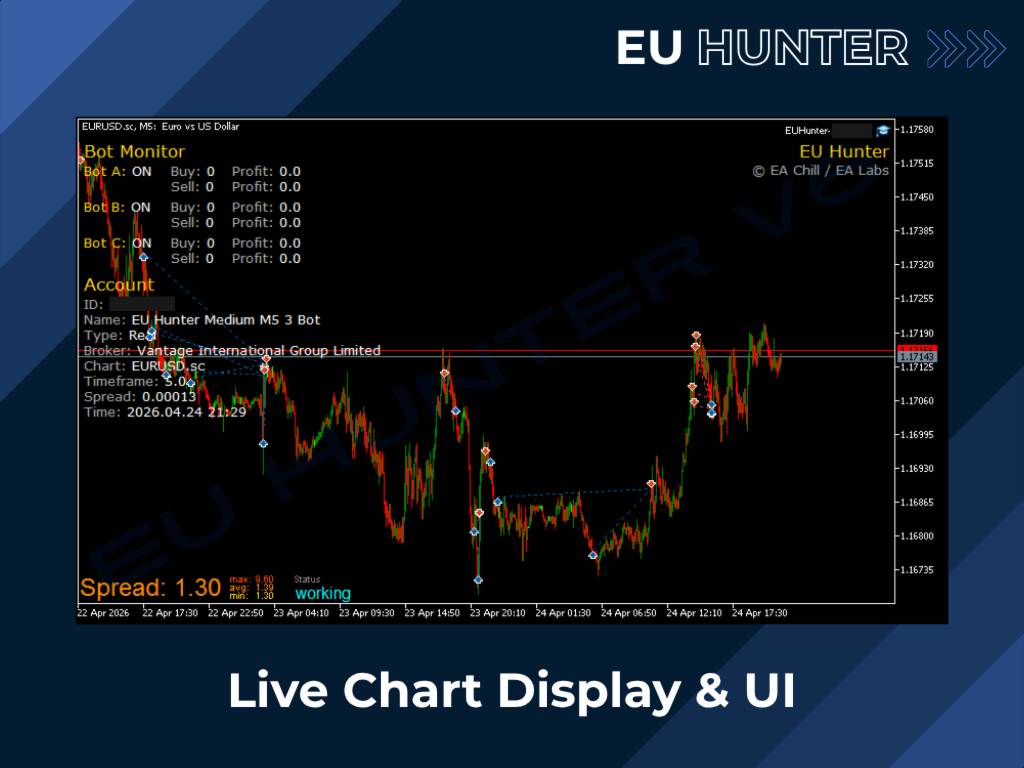
| Show_Stats_on_Chart | Enable/Disable trading statistics and account information on the chart. |
Risk Disclaimer
-
Past Performance: Backtest and past results are not indicative of future performance. Trading involves significant risk.
-
Capital at Risk: Forex trading and the use of automated Expert Advisors (EAs) carry a high level of risk and may not be suitable for all investors. You should only invest money that you can afford to lose.
-
No Guarantees: EU Hunter is a tool designed to assist your trading. We do not guarantee specific profits or account growth.
-
Market Volatility: Global economic events and extreme market volatility can impact EA performance. Users are responsible for monitoring their accounts and managing their own risk levels.