EagleDomain SuperTrend X

英文版本

1) Short Description

EAGLEDOMAIN SuperTrend X is a chart-based trend signal utility for MetaTrader 5, built for traders who want clear SuperTrend X style signals together with Telegram and MT5 mobile push alerts. It is designed to help users monitor trend shifts, warning states, and signal changes directly from the chart.

2) Full Prodct Description

EAGLEDOMAIN SuperTrend X is a professional trend signal utility for MetaTrader 5.

It is designed for traders whowant a clean chart-based signal system with real-time alert delivery through Telegram and MetaTrader 5 mobile push notifications.

This product is not a fully automated trading robot.
It does not place, close, or manage trades automatically.
Its purpose is to detect trend state changes, signal transitions, and warning conditions on the chart, then deliver these signals through the selected notification channels.

The utility combines visual chart output with practical alert functions, allowing traders to monitor the market more efficiently without relying only on screen watching.

Main Features

  • SuperTrend X style trend signal detection
  • Buy and Sell signal alerts
  • Warning state alerts
  • Telegram alert support
  • MT5 mobile push notification support
  • On-chart arrows and signal labels
  • Status panel with trend, state, latest signal, and time
  • Configurable ATR-based signal settings
  • Closed-bar confirmation logic
  • Separate alert controls for Buy, Sell, and Warning notifications

What It Is Designed For

EAGLEDOMAIN SuperTrend X is designed for traders who want:

  • a clear trend signal structure on the chart
  • faster signal delivery through Telegram or MT5 Push
  • signal awareness without using an automatic trading EA
  • a more practical workflow for monitoring multiple charts

Core Logic

The utility uses ATR-based trend calculations with configurable confirmation settings.
Users can adjust the signal behavior through parameters such as ATR mode, ATR period, ATR multiplier, deviation filter, and reversal confirmation bars.

This allows the product to be adapted to different symbols, timeframes, and trading styles.

Notification Channels

The product supports two main alert channels:

Telegram Alerts
Buy alerts, Sell alerts, Warning alerts, and optional test message on initialization.

MT5 Mobile Push Alerts
Buy alerts, Sell alerts, and Warning alerts sent to the MetaTrader mobile application.

Each alert type can be enabled or disabled independently.

Important Note

EAGLEDOMAIN SuperTrend X is a signal and alert utility.
It is not an auto-trading Expert Advisor.
Users should test and optimize the settings based on their own symbol, broker feed, and timeframe before using it in live market conditions.

3) Installation & Setup Guide

How to Install

  1. Copy the product into MetaTrader 5.
  2. Attach EAGLEDOMAIN SuperTrend X to the desired chart.
  3. Adjust the input settings according to your preferred symbol and timeframe.
  4. Enable the alert channels you want to use.

Telegram Setup

To enable Telegram alerts:

  1. Create a Telegram bot using BotFather.
  2. Get your Bot Token.
  3. Get your Chat ID.
  4. Enter both values into the product inputs.
  5. In MetaTrader 5, open Tools -> Options -> Expert Advisors.
  6. Enable Allow WebRequest for listed URL.
  7. Add this URL:
    https://api.telegram.org

After that, the product can send Telegram alerts when signal conditions are triggered.

MT5 Mobile Push Setup

To enable MT5 push alerts:

  1. Open MetaTrader 5.
  2. Go to Tools -> Options -> Notifications.
  3. Enable Push Notifications.
  4. Enter your MetaQuotes ID.
  5. Test the connection.
  6. Turn on MT5 Push alerts in the product inputs.

Suggested Workflow

Attach the utility to the chart you want to monitor, configure the trend parameters, then activate Telegram and/or MT5 Push based on your personal workflow.
This helps you receive signal updates even when you are away from the screen.

4) Important Disclaimer

This product provides trend signals and alert notifications only.
It does not guarantee profits and should not be treated as financial advice.
All trading decisions remain the responsibility of the user.


Version 1.1 is the English Market edition for MQL5 compliance.
If you need Chinese user guidance, parameter reference, or setup assistance, please contact me via the built-in MQL5 messenger.


EAGLEDOMAIN · SuperTrend X 2.0 is now officially released.

This is not a minor patch. Version 2.0 is a full upgrade designed to bring trend recognition, structural context, multi-timeframe bias, resonance strength, and alert delivery into one clearer and more practical framework.

Version 2.0 officially introduces the multi-timeframe battlezone bias system, which monitors M5, M15, M30, H1, H4, and D1 together and presents the dominant structural direction of the market in a more intuitive way. It also adds resonance strength classification and current timeframe highlighting, so users can understand the broader market environment instead of reacting to an isolated signal alone.

On the alert side, Version 2.0 upgrades buy, sell, and warning alerts from the active chart into merged alerts that can include a multi-timeframe structural summary. This makes each notification more complete and more useful in real trading conditions. The new version also supports unified multi-timeframe alerts, including timeframe-flip alerts and broader directional alignment alerts.

Version 2.0 officially adds Chinese / English display mode, and alert language now automatically follows the current display language. This provides a more consistent experience for both local and international users.

In addition, Version 2.0 refines the status panel, battlezone bias section, branding placement, and the international input layout, making the chart clearer, the parameters easier to read, and the overall product presentation more polished.

The real value of EAGLEDOMAIN · SuperTrend X 2.0 is not to create more noise, but to integrate trend recognition, structural context, and alert logic into one complete trading tool.


What’s New in Version 2.0:

1. Officially added the multi-timeframe battlezone bias system with synchronized structure display across M5, M15, M30, H1, H4, and D1.

2. Added resonance strength classification including balanced, moderate alignment, and strong alignment.

3. Added current chart timeframe highlighting for faster multi-timeframe reading.

4. Upgraded buy, sell, and warning alerts into merged alerts with multi-timeframe structural summaries.

5. Added unified multi-timeframe alert logic for timeframe flips and directional alignment events.

6. Officially added Chinese / English display mode.

7. Alert language now automatically follows the current display language.

8. Improved the status panel structure and battlezone bias display.

9. Refined branding placement and overall chart layout.

10. Improved the international input panel with a Chinese-first layout and English notes.

11. Finalized Version 2.0 as the official stable release baseline for future maintenance.


Core Features:

- Trend Recognition

Identifies the current trend direction using a SuperTrend-based core.

- Buy/Sell Signal Indications

Provides buy or sell indications when the trend flips.

- Warning Zone Detection

Displays warning information in potentially sensitive structural areas.

- Multi-Timeframe Battlezone Bias

Monitors M5, M15, M30, H1, H4, and D1 together and summarizes the current structural bias.

- Resonance Strength Classification

Supports balanced, moderate alignment, and strong alignment conditions.

- Current Timeframe Highlighting

Automatically highlights the active chart timeframe for faster reading.

- Merged Signal Alerts

Buy, sell, and warning alerts can include a multi-timeframe structural summary.

- Unified Multi-Timeframe Alerts

Supports timeframe-flip alerts and broader directional alignment alerts.

- Chinese / English Display Mode

Chart and alert content support both Chinese and English.

- Alert Language Follows Display Language

Chinese display mode sends Chinese alerts, and English display mode sends English alerts.


EAGLEDOMAIN · SuperTrend X 2.0 officially introduces multi-timeframe battlezone bias, resonance strength classification, current timeframe highlighting, merged alerts, unified multi-timeframe alerts, Chinese / English display mode, and alert language following display language, while also refining the status panel, chart layout, and international input structure.


English Usage Notes

Usage Notes

EAGLEDOMAIN · SuperTrend X 2.0 is designed as an indicator for trend recognition, structural context, and alert delivery.
Its purpose is not to replace a trader’s decision-making, but to help users understand trend direction more clearly, read broader market structure more efficiently, and receive alerts when important changes appear.

This indicator is best used together with your own trading plan, risk management, and position sizing rules.

Basic Usage

1. Read the current trend first

After loading the indicator on the chart, first check the current trend direction and status panel.
The goal is to identify whether the market is mainly in a bullish or bearish condition before focusing on individual signals.

2. Watch buy/sell signals and warning zones

When the chart shows a buy, sell, or warning event, do not look at the signal alone.
Always read it together with the broader structural context.

A practical way to interpret them is:

  • Buy/Sell Signal: suggests a meaningful shift in directional rhythm
  • Warning Zone: suggests that price may be entering a sensitive structural area

A warning is not an instant entry command. It is a signal to pay closer attention.

3. Use “Battlezone Bias” to understand the broader environment

Version 2.0 includes the multi-timeframe battlezone bias system.
It monitors M5, M15, M30, H1, H4, and D1 together and summarizes the current structural bias.

Example:

Battlezone Bias: Bearish 1:5 | Strong Alignment

This means you are not only seeing a signal on the current timeframe, but also understanding which side has broader structural control across multiple timeframes.

A practical interpretation is:

  • Current chart signal = local opportunity
  • Battlezone Bias = broader market environment
  • Resonance Strength = structural support behind the signal

4. Watch the highlighted active timeframe

Inside the multi-timeframe status line, the current chart timeframe is highlighted.
This helps users quickly identify:

  • which timeframe is the active execution zone
  • whether the active timeframe agrees with broader structure
  • whether the signal is aligned with the market environment

5. Use alerts to improve execution efficiency

If MT5 push notifications or Telegram alerts are enabled, buy/sell/warning events from the active chart can include a multi-timeframe structural summary.

This helps users understand the environment behind the signal even when they are away from the chart.

Recommended Use

Method 1: Execute on the active timeframe, filter with multi-timeframe structure

This is the most practical approach.

For example, if you mainly trade on M15 or M30:

  • use the current chart as the execution timeframe
  • use battlezone bias to judge the broader environment
  • use resonance strength to evaluate structural support

This is usually stronger than reacting to a signal alone.

Method 2: Treat warnings as early awareness, not direct entry commands

The value of a warning is to indicate possible structural change.
It is better used as an attention signal, not as a mechanical trigger by itself.

Method 3: Use alerts as structure reminders

The alert system is not only about signal delivery.
It is also meant to provide structural context.
If you cannot watch the chart continuously, enabling alerts can improve execution efficiency.

Important Notes

  • This indicator is designed for trend recognition, structural assistance, and alert delivery. It does not guarantee profits.
  • It should be used together with your own trading strategy, position sizing, and risk management rules.
  • The multi-timeframe battlezone bias is intended to help interpret the broader market environment and should not be used in isolation.
  • MT5 push notifications and Telegram delivery require user-side configuration.
  • In the international version, alert language automatically follows the current display language.
Prodotti consigliati
Momentum Divergence V2 EA
Catalin Aurel Nicolae
Below is a ready-to-paste English description for the MQL5 Market editor. It is written to sound professional and attractive without making unrealistic profit guarantees. [b]Momentum Divergence V2 – Professional Momentum Divergence Expert Advisor for MetaTrader 5[/b] Momentum Divergence V2 is a fully configurable Expert Advisor designed to identify [b]regular bullish and bearish momentum divergences[/b] directly from confirmed market structure. The strategy compares price swing points with the M
MUNNA Aurion – Free Edition MUNNA Aurion Free Edition is a free MetaTrader 5 Expert Advisor developed for traders who want a simple, reliable, and rule-based trading experience on XAUUSD (Gold). This version is designed to help traders learn, evaluate strategies, and experience the MUNNA Aurion trading system without any cost. The primary objective of this Free Edition is to provide a stable and beginner-friendly trading solution while introducing the core philosophy behind the MUNNA Aurion e
️ High Rate EA – Technical Specifications & Trading Architecture High Rate EA is an advanced Expert Advisor (EA) developed for MetaTrader 5 , built on a modular architecture that combines multi-indicator technical analysis, dynamic risk management, and high-precision algorithmic execution. Trading Logic The robot is based on a multi-factor confluence approach , integrating several layers of analysis: Primary trend detection using moving averages (EMA/ALMA) Momentum confirmation (RSI, Stocha
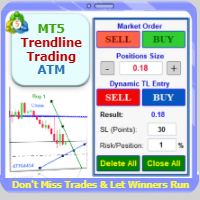
Trade with Confidence Using the Trendline Trading ATM (Advanced Trade Management)! Master entries, exits, and risk management with the powerful tools of the MetaTrader Trendline Trading ATM. This expert advisor equips you with a comprehensive suite of tools to trade consistently smarter, not harder.  Take control of your trading risk and drawdown, capture profitable entries, and let your winners run.  This innovative Trade Entry/Exit and Risk Management utility empowers you to:   Precision Entr
Venom Gold Pro
Antoine Melhem
4.48 (31)
Venom Gold Pro EA   L’EA progettato per proteggere il tuo conto Venom Gold Pro è un Expert Advisor completamente automatizzato, sviluppato per operare su XAUUSD nel timeframe M30. Utilizza una logica strutturata basata sul movimento del prezzo e include funzioni opzionali di gestione del rischio per controllare efficacemente il drawdown. Non utilizza indicatori, strumenti previsionali o segnali esterni Trasparenza dei backtest Tutti i risultati dei backtest si basano sulla logica originale dell
CampTrader Dashboard is an all-in-one visual indicator for MetaTrader 5 that combines three powerful technical indicators into a single clean panel — with an automatic weekly win rate tracker built in. What's Inside the Panel Bollinger Bands Section Upper, Middle, and Lower band values Price position: Above / Inside / Below the band Bandwidth % (band width relative to mid) BB Signal: BUY / SELL / Neutral Ichimoku Cloud Section Tenkan, Kijun, Span A, and Span B values Cloud status: Bullish or
DESCRIPTION: The EA is a trade manager for managing manual or other trades by EA. It will do automatic Martingale based from the initial trades like other Martingale EAs,  but its special feature is the Dynamic Distance . The Subsequent Martingale trades will have different distance depends on the Settings and Price Movements.  The EA will not open the initial trades, but can be backtested to see how it works. Please make sure to do the tests in the Strategy Tester first before deciding to buy.
XAU APOLLO ONNX VANGUARD  The 4-Core Neural Consensus Engine (No Grid / No Martingale) XAU Apollo ONNX Vanguard  is an elite, institutional-grade Expert Advisor built exclusively for the XAUUSD (Gold) market. Inspired by Apollo, the God of Light and Gold, this system acts as a vanguard for your portfolio, trading with absolute precision and unyielding risk management. Unlike traditional EAs that rely on dangerous Grid or Martingale strategies, Apollo uses a pure single-shot execution model wi
MACD all
Cristian Alexander Aravena Danin
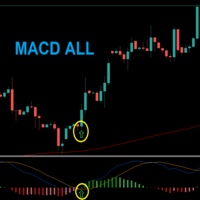
MACD ALL is a project where i want to create an EA that can trade every strategy of the MACD indicator, an EA where you can customize every aspect of the trades, such as using filters for the entry signal, the stoploss placement, risk management, trail stoploss, etc. currently working on: Making a news filter. It works on any symbol , but in the developing of the EA i encountered some profitable setups that look promising, on the US100 symbol and the US500 symbol, both using the 4H timeframe, I
Blubbify SMC
Saiful Izham Bin Hassan
Blubbify Smart Money Concept è un motore analitico avanzato e un sistema di trading automatizzato progettato per tracciare le impronte istituzionali. Utilizza modelli matematici ad alta probabilità per identificare squilibri tra domanda e offerta, monitorare l'accumulo di volumi ed eseguire operazioni in linea con lo slancio del mercato. Il sistema funziona analizzando il grafico alla ricerca di cambiamenti strutturali improvvisi e spazzate di liquidità. Una volta confermata un'impronta istitu
Final Scalper Strategy is a fully automated, institutional-grade Martingale Basket Expert Advisor engineered for MetaTrader 5. Built specifically for volatile market conditions, the EA completely eliminates emotional trading by utilizing a mechanical Multi-Candle Mean Reversion strategy backed by advanced safety filters. Unlike standard grid systems that enter trades blindly, the Final Scalper Strategy uses an entry filter that analyzes a pool of consecutive closed candles to identify overextend
Smart Grid EA Pro
Horacio Arnaldo Sfrede
5 (1)
ESTRATEGIA PROFESIONAL CON GESTIÓN DE RIESGO AVANZADA SmartGrid EA es un Expert Advisor profesional diseñado para traders que buscan un sistema de trading automatizado robusto, transparente y altamente configurable. A diferencia de otros EAs del mercado, SmartGrid combina análisis técnico basado en múltiples osciladores con un sistema de grillas inteligente y 2 capas de protección de capital . CARACTERÍSTICAS PRINCIPALES Sistema Multi-Oscilador Configurable 5 Osciladores Diponibles: RSI, DeMar
FTrend3
Sonia Tait
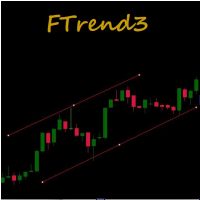
Este EA combina a tendência do tempo gráfico principal com mais dois tempos gráficos configuráveis. Os stops são técnicos baseados na técnica dos canais OffRoad. Ao executar otimizações, é interessante buscar as combinações de tempos gráficos que corroboram para um bom resultado para cada ativo e seu comportamento. Estudos apontam para resultados mais assertivos quando os testes são feitos nos últimos meses para operar no próximo. O período do ADX e das bandas de Bollinger também podem variar co
VORTEX — Advanced Market Intelligence Engine VORTEX is an advanced MetaTrader 5 Expert Advisor designed for high-volatility markets such as XAU/USD (Gold) and BTC/USD (Bitcoin). Rather than relying on simple indicators, VORTEX combines multiple layers of market analysis to identify high-probability trading conditions. Its decision engine is built around four core pillars: Pressure — measures the strength of buyers versus sellers. Momentum — evaluates whether market movement is strengthening or w
LG Doji Reclaim MTF Adaptive Overview LG Doji Reclaim MTF Adaptive is a fully automated Expert Advisor for MetaTrader 5 designed around a multi-timeframe doji, failed expansion and reclaim trading concept. The EA continuously scans selected lower and medium intraday timeframes and searches for market situations where price attempts to expand beyond a recent area, fails to hold that expansion, and then reclaims the previous structure. The strategy is built for traders who want an adaptive, ru
Deep Analyst
Yvan Musatov
Description Deep Analyst is an automated trading algorithm designed for the MetaTrader 5 platform. The Expert Advisor analyzes price fluctuations and evaluates volatility parameters based on historical market data of the selected instrument. The algorithm applies a mathematical price processing model including deviation calculations, data smoothing, and market noise filtering. Trading signals are generated strictly according to user-defined parameters. Entry conditions are determined by compari
Titan Backup
Elies Noah Siebenpfeiffer
Introducing Titan Backup : Are you ready to enhance your trading game with an automated system built for precision and flexibility? Meet Titan Backup , your expert trading assistant designed to capture high-profit breakouts by identifying accumulation zones . This powerful Expert Advisor (EA) excels in high-volatility markets such as the Nasdaq 100 and Crypto 10 , offering both hands-free automation and manual assistance to support your trading strategies. How Titan Backup Works: Titan Backup ru
The insurance policy for your $500 challenge. Your EA on your Prop Firm work great. Until it doesn't. Every move, instant to your phone You have 5 EAs running on a VPS. You trust your EA's, but you don't trust the glitches.  The moment a system goes rogue or breaches your daily drawdown, your phone pings. You stop the bleeding before you fail the challenge.   Stop being blind. Buy now. 10 activations Prop firms are strict. One bad day costs you everything. Trade Alert Pro clones your eyes to


PropFirmEA
Onofrio Lofu
LAUNCH PROMO first 10 copies = 49$ the price will increase by 50$ for every 10 copies sold PropFirmEA – Advanced Monthly Trading Expert Advisor Optimized for Prop Firms & Low Drawdown Accounts Description: PropFirmEA is a fully automated Expert Advisor for MetaTrader 4, built around a proprietary monthly strategy and specifically optimized for Prop Firm Challenges thanks to its extremely low drawdown and strict risk control mechanisms . Unlike conventional grid or martingale systems, it feature
Prop firm king
Ricky Zoltan Beznec
This Expert Advisor is a fully automated trading system designed exclusively for the   USD/CHF   currency pair on the  1 -hour (H1) chart . It identifies high-probability reversal opportunities by detecting when price reaches statistically extreme overbought or oversold conditions. When a qualifying signal is confirmed, the EA automatically enters a trade, manages position size relative to available margin, and applies a dynamic trailing stop to protect profits as the trade moves in favour. The
AlphaNet AI GOLD Pro - AI-Powered Trading for XAUUSD H1 AI-Based Expert Advisor for XAUUSD H1 AlphaNet AI GOLD Pro is an Expert Advisor built for XAUUSD H1 trading. Combining LSTM neural network technology with dynamic risk management, this AI EA has been optimized for XAUUSD H1 conditions. For detailed setup instructions and parameter explanations, please see: Key Features LSTM (Long Short-Term Memory) neural network architecture for adaptive learning AI analyzes 13 features: price patterns (OH
Gold Aura Quant Pro
Saiful Izham Bin Hassan
Gold Aura Quant Pro: Trading Istituzionale con IA È probabile che abbiate già sperimentato la frustrazione di acquistare un Expert Advisor che mostrava un backtest impeccabile, per poi vederlo prosciugare lentamente il vostro conto reale. Conoscete quella sensazione di ansia quando un'operazione entra in un profondo drawdown, in attesa che una pericolosa griglia riesca a recuperare. Immaginate di svegliarvi, aprire il vostro terminale MT5 e provare una pace assoluta. Mentre osservate la vostr
UNIVERSAL RISK TRADE MANAGER MT5 Control Your Risk. Protect Your Capital. Trade with Confidence. Successful trading is not only about finding the right entry. It is about controlling how much you can lose when the market moves against you. Universal Risk Trade Manager MT5 is a professional risk-management and trade-execution assistant designed to calculate position sizes, protect trading capital, and manage open trades directly from a clear, easy-to-use chart panel. Whether you trade Forex, Gold
SwissTradingHub
Maurin Casey Mueggler
SwissTradingHub – Software di Trading Automatizzato per MetaTrader 5 SwissTradingHub è un software professionale di trading automatizzato per MetaTrader 5, sviluppato per trader che desiderano operare sui mercati finanziari in modo più efficiente, strutturato e senza influenze emotive. Il software analizza automaticamente i movimenti del mercato, identifica potenziali opportunità di trading ed esegue operazioni in modo automatico sulla base di logiche di trading predefinite e sistemi integrati d
Sloth Trader
Justus Wamswa Chemirmir
Un Expert Advisor professionale che opera i concetti istituzionali Smart-Money con un motore di rischio multilivello — disciplinato, consapevole delle sessioni e completamente automatizzato. Sloth Trader — Automazione istituzionale Smart-Money Opera come operano le istituzioni — senza fissare il grafico. Sloth Trader è un Expert Advisor completamente automatizzato costruito sulla metodologia Smart-Money. Racchiude un decennio di ricerca sulla struttura di mercato in un unico robot disciplinato
Tesla M30 Trend Momentum Tesla M30 Trend Momentum is an automated Expert Advisor designed for Tesla-related stock instruments on the MetaTrader 5 platform. The EA analyzes M30 market data using a combination of trend, momentum and price-action indicators. Instead of relying on a single indicator, it uses a flexible multi-condition scoring system to identify potential BUY and SELL opportunities. TRADING STRATEGY The Expert Advisor evaluates four primary conditions: 1. EMA Trend 2. RSI Momen
-         What it does? Opens BUY (or SELL) orders automatically every X pips you decide. Closes each trade at your personal TP .  Works on any symbol: SP500, NAS100, GOLD, EURUSD, BTC... 100 % YOUR SETTINGS   What can you enter in the settings? - Trading direction: Buy or Sell - Entry level - Entry volume - Maximum number of buy orders - Maximum number of sell orders - Pips required for each new entry - Pips to take profit per trade - Stop Loss Level - Close all trades when SL level is hit Exam
VOLQUIS GOLD M30    Intraday   Institutional-Grade Systematic Trading Architecture  6-Year Track Record of Unbroken Annual Profitability (2020–2026)  Zero Losing Years   | Strict Capital Protection & Controlled Drawdown  Pure Mathematical Edge   : No Martingale. No Grid. No Averaging Down. Recommended Subscription & Capital Management Dynamic Position Sizing:   0.1 Mini Lot per $10,000 of account equity   (Scaled strictly proportionally / Fixed-fractional model) Mandatory Investment Horizon:  
Gold Matrix TrendGrid M1 ATTENTION GLOBAL TRADERS: EXCLUSIVE LAUNCH PROMO! The first (1st) copy only will be sold at a heavily discounted price of $45! Immediately after the first buyer, the price will permanently return to its real commercial value of $250 ABOUT GOLD MATRIX TRENDGRID M1 Welcome, fellow traders! Gold Matrix TrendGrid M1 is my most accomplished and proudly engineered trading algorithm. This Expert Advisor belongs to the high-frequency "Attack Class" of EAs, specif
SAR in Volatility
Sergio Izquierdo Rodriguez
Expert Advisor trend-following che opera con l'indicatore Parabolic SAR durante i periodi di volatilità monitorati dalle Bande di Bollinger in base a una percentuale tra le bande superiore e inferiore, sempre a favore del trend. Offre un controllo opzionale dello stop-loss basato su una percentuale di variazione del prezzo o "stop and reverse" tra questi periodi di volatilità, e un ridimensionamento dei lotti in base all'aumento del saldo. Scopri quali parametri offrono prestazioni migliori per
Gli utenti di questo prodotto hanno anche acquistato
Trade Assistant MT5
Evgeniy Kravchenko
4.43 (216)
It helps to calculate the risk per trade, the easy installation of a new order, order management with partial closing functions, trailing stop of 7 types and other useful functions. Additional materials and instructions Installation instructions - Application instructions - Trial version of the application for a demo account Line function -   shows on the chart the Opening line, Stop Loss, Take Profit. With this function it is easy to set a new order and see its additional characteristics bef
Forex Trade Manager MT5
InvestSoft
4.98 (684)
Benvenuto a Trade Manager EA, lo strumento definitivo per la gestione del rischio , progettato per rendere il trading più intuitivo, preciso ed efficiente. Non è solo uno strumento per l'esecuzione degli ordini, ma una soluzione completa per la pianificazione delle operazioni, la gestione delle posizioni e il controllo del rischio. Che tu sia un principiante, un trader avanzato o uno scalper che necessita di esecuzioni rapide, Trade Manager EA si adatta alle tue esigenze, offrendo flessibilità s
================================================================================ POC BREAKOUT - V20.72. Full Professional Grade Toolkit ================================================================================ POC Breakout is a full MetaTrader 5 trading dashboard for discretionary traders who want breakout signals, Point of Control (POC) context, volume profiles, order flow, market structure, news, alerts, and advanced trade planning in one professional workspace. Attached directly to you
Telegram to MT5 MultiChannel Copier
Sergio Marquez Uroz
4.59 (17)
Telegram to MT5 Multi-Channel Copier   copia automaticamente i segnali di trading dai tuoi canali Telegram direttamente su MetaTrader 5. Niente bot, niente estensioni del browser, niente copia manuale. Il segnale arriva su Telegram e l'EA apre l'operazione nel tuo terminale in pochi secondi. E prima di copiare un canale, il backtester integrato ti mostra cosa avrebbe fatto quel canale sul tuo conto. Il prodotto include due componenti: un'applicazione Windows che ascolta i tuoi canali Telegram, e
TradePanel MT5
Alfiya Fazylova
4.88 (170)
Trade Panel è un assistente commerciale multifunzionale. L'applicazione contiene più di 50 funzioni di trading per il trading manuale e permette di automatizzare la maggior parte delle attività commerciali. Istruzioni per l'applicazione: https://www.mql5.com/it/blogs/post/762331 Versione di prova dell'applicazione per un conto demo: https://www.mql5.com/it/blogs/post/762419 Come installare l'applicazione: https://www.mql5.com/it/blogs/post/762362 Come testare l'applicazione in modalità visuale:
Copia i segnali Telegram con le tue regole di trading Telegram to MT5 Signal Trader copia automaticamente i segnali di trading testuali dai canali e gruppi Telegram pubblici e privati in MetaTrader 5. Gestisci più fornitori e conti MT5 da un'unica applicazione desktop, con impostazioni di rischio e di trading specifiche per ogni fornitore . Per copiare i segnali non servono bot Telegram né configurazioni API. Accedi semplicemente con il tuo account Telegram tramite numero di telefono o codice QR
FarmedHedge Pair Trading Dashboard
Tanapisit Tepawarapruek
5 (5)
Farmed Hedge Yield Farming | All Markets (Manual - Hybrid - Semi/Automated EA) VERIFIED TRADING RESULTS - Farmed Hedge Yield Axi Copy:  https://www.mql5.com/en/signals/2356376 - Farmed Hedge Yield Exn Copy:   https://www.mql5.com/en/signals/2356404 - Farmed Hedge Yield V Copy:  https://www.mql5.com/en/signals/2357156 IMPORTANT NOTICE: FarmedHedge is a MANUAL-FOCUSED TRADING UTILITY ,not a fully automated EA. Results shown on this Signal include manual trades and overall strategic management.
Exp COPYLOT CLIENT for MT5
Vladislav Andruschenko
3.97 (35)
Copiatore professionale di trade per MetaTrader 5 Un copiatore di trade veloce, professionale e affidabile per MetaTrader . COPYLOT consente di copiare operazioni Forex tra terminali MT4 e MT5 con supporto per conti Hedge e Netting . La versione MT5 di COPYLOT supporta: - MT5 Hedge → MT5 Hedge - MT5 Hedge → MT5 Netting - MT5 Netting → MT5 Hedge - MT5 Netting → MT5 Netting - MT4 → MT5 Hedge - MT4 → MT5 Netting Versione MT4 Descrizione completa + DEMO + PDF Come acquistare Come installare Come ot
Power Candles Strategy Scanner - Strumento di ricerca configurazioni multi-simbolo con ottimizzazione automatica Power Candles Strategy Scanner utilizza lo stesso motore di auto-ottimizzazione che alimenta l'indicatore Power Candles, applicandolo a tutti i simboli presenti nel tuo Market Watch, uno accanto all'altro. Un unico pannello ti indica quali simboli sono statisticamente negoziabili in questo momento, quale strategia è vincente su ciascuno di essi, la coppia ottimale di Stop Loss / Take
Signal Trading View to MT5 Pro
Mirel Daniel Gheonu
4.5 (2)
Signal TradingView to MT5 Pro Automator Esecuzione professionale istantanea tra TradingView e MetaTrader 5 Automatizza la tua strategia di trading con il ponte di comunicazione più robusto tra gli alert di TradingView e l'esecuzione reale in MT5. Progettato per i trader che richiedono velocità, flessibilità e una gestione del rischio impeccabile, questo Expert Advisor trasforma qualsiasi messaggio di avviso in un preciso ordine a mercato o limite. PUNTI DI FORZA E VANTAGGI Motore di Parsing Univ
MT5 to Telegram Signal Provider è un'utilità facile da usare e completamente personalizzabile che consente l'invio di segnali specificati a una chat, canale o gruppo Telegram, rendendo il tuo account un fornitore di segnali. A differenza della maggior parte dei prodotti concorrenti, non utilizza importazioni DLL. [ Dimostrativo ] [ Manuale ] [ Versione MT4 ] [ Versione Discord ] [ Canale Telegram ]  New: [ Telegram To MT5 ] Configurazione Una guida utente passo-passo è disponibile. Nessuna cono
Premium Trade Manager - Il pannello di trading con un coach integrato Premium Trade Manager porta un coach di trading direttamente nel tuo grafico, con un motore di esecuzione completo al di sotto. Imposta il trade come fai sempre, poi lascia che Max, il tuo coach di trading IA, legga esattamente quel setup rispetto al tuo conto live e ti dia un verdetto chiaro prima che tu confermi: lo stop rispetta un approccio disciplinato, il rischio è ragionevole, c'è un evento ad alto impatto tra pochi min
HINN MagicEntry Extra
ALGOFLOW OÜ
4.74 (19)
HINN MAGIC ENTRY – the ultimate tool for entry and position management! SIMPLE. FASTEST. INTUITIVE. MAX AUTOMATED. Place orders by selecting a level directly on the chart! full description   ::  demo-version  :: 60-sec-video-description Key features: - Market, limit, and pending orders - Automatic lot size calculation - Automatic spread and commission accounting - Unlimited partitial take-profits  - Breakeven and trailing stop-loss and take-profit  functions - Invalidation leves - Intuitive, a
EA Overfitter
Stephen J Martret
5 (1)
That backtest looks great. But will it still be making money tomorrow, next week, next month? EA Overfitter re-runs your EA on 100 price histories it has never seen. One score tells you if the edge is real. A backtest tells you what an EA did on one price history — the one that happened to occur. What you cannot tell from it is how much of that result was the strategy and how much was the particular path. EA Overfitter answers that. It builds up to 100 synthetic price histories your EA has n
Footprint Chart Pro — Professional OrderFlow EA for MetaTrader 5 Version 6.34 | Professional tool for real traders | Institutional-Grade Visualization DEMO USERS - PLEASE SELECT EVERY TICK / REAL TICK WHEN TESTING AND YOU HAVE DOWNLOADED HISTORICAL DATA. IF YOU SEE A WAITING SCREEN AND IT IS NOT DOWNLOADING, IT MEANS YOU HAVE LOW HISTORICAL DATA. TRY 1 MIN AND 5 MIN FIRST ON 1 DAY DATA. ONE DAY DATA SHOULD BE THE NEWEST AND MOST CURRENT DATE. PLEASE WAIT UNTIL THE MARKET HAS ROLLED OVER PERIOD.
EA Slipstream
Stephen J Martret
5 (1)
Your backtest filled every order at the price it asked for. Your account does not. EA Slipstream measures what execution costs your EA, using your own fills, slippages and spreads to show you the true performance of your EA. A backtest prices every trade at the level the EA named. In live trading a pending order fills at whatever price is available when it triggers, a stop closes wherever the market is when it is hit, and the spread at that moment is whatever the account was quoting. The differ
Trade Manager DaneTrades
Levi Dane Benjamin
4.23 (30)
Trade Manager per aiutarti a entrare e uscire rapidamente dalle operazioni calcolando automaticamente il tuo rischio. Incluse funzionalità che ti aiutano a prevenire l'eccessivo trading, il vendetta trading e il trading emotivo. Le operazioni possono essere gestite automaticamente e i parametri di performance del conto possono essere visualizzati in un grafico. Queste caratteristiche rendono questo pannello ideale per tutti i trader manuali e aiuta a migliorare la piattaforma MetaTrader 5. Suppo
Dynamic Fibonacci Grid
Tsvetan Tsvetanov
5 (1)
Presentazione dell’ultima versione del Dynamic Fibonacci Grid Dashboard per MT5. Ora dotato di molte nuove funzionalità, questo nuovo dashboard trasforma la tua esperienza di trading e ti permette di osservare il mercato e l’azione dei prezzi da una prospettiva completamente nuova. Scopri nuove possibilità grazie all’analisi simultanea di più timeframe e simboli. Interfaccia user-friendly per il trading manuale e la gestione delle posizioni, con capacità ampliata di applicare strategie automati
Trade Indicator Assistant   is a powerful MT5 utility designed to turn indicators into automated trading systems. Its main feature is the ability to automatically detect an indicator’s   BUY and SELL signal buffers , without requiring you to know the buffer numbers, search through indicator settings, or modify the indicator source code. Bonus Indicator:   After purchasing Trade Indicator Assistant, contact me to receive   Trade Signal Pro   completely free as a bonus indicator. [Download Demo V
Welcome to ENTRY IN THE ZONE AND SMC MULTI TIMEFRAME Entry In The Zone and SMC Multi Timeframe is a real-time market analysis tool based on Smart Money Concepts (SMC), designed to analyze market structure, price direction, and key trading zones. It supports both Single-Timeframe Analysis and Multi-Timeframe Analysis, providing a clearer view of the overall market structure across multiple timeframes, with real-time BUY / SELL signals that do not repaint. It is designed to help filter trading opp
Grid Manual MT5
Alfiya Fazylova
4.73 (22)
Grid Manual è un pannello di trading per lavorare con una griglia di ordini. L'utilità è universale, ha impostazioni flessibili e un'interfaccia intuitiva. Funziona con una griglia di ordini non solo nella direzione delle perdite, ma anche nella direzione dell'aumento dei profitti. Il trader non ha bisogno di creare e mantenere una griglia di ordini, lo farà l'utilità. È sufficiente aprire un ordine e il manuale di Grid creerà automaticamente una griglia di ordini per esso e lo accompagnerà fino
DrawDown Limiter
Haidar Lionel Haj Ali
5 (22)
DrawDown Limiter v5.0 — Controller avanzato per la protezione del conto DrawDown Limiter v5.0 è un controller di protezione del conto lato client, progettato per monitorare il tuo conto di trading e reagire automaticamente quando vengono raggiunti i limiti configurati relativi a rischio, profitto, notizie, pianificazione, rollover o numero di posizioni. Può monitorare operazioni manuali, strategie automatizzate, più Expert Advisor, ordini pendenti e posizioni aperte da un unico grafico dedicato.
Trade Dashboard MT5
Fatemeh Ameri
4.94 (134)
Trade Dashboard simplifies how you open, manage, and control your trades, with built-in lot size calculation. It allows you to execute trades, manage risk, and control positions directly on the chart, with tools such as partial close, breakeven, and trailing stop. Designed to reduce manual work and help you stay focused on your trading decisions. A demo version is available for testing. Detailed explanations of features are provided within the MQL5 platform. Installation instructions are include
The product will copy all telegram signal to MT5 ( which you are member) , also it can work as remote copier.  Easy to set up, copy order instant, can work with almost signal formats, image signal,  s upport to translate other language to English Work with all type of channel or group, even channel have "Restrict Saving Content", work with  multi channel, multi MT5 Work as remote copier: with signal have ticket number, it will copy exactly via ticket number. Support to backtest signal. How to s
Anchor Trade Manager
Kalinskie Gilliam
5 (9)
Your EAs cannot see each other, but Anchor can. Anchor gives you one place to coordinate your EAs, manage risk, and decide when trading is allowed. It works alongside the trading bots you already use without any changes to them. The Problem One EA opens a trade. Then another starts trading. The next thing you know, you wake up to multiple grids built across your account. Each EA may be doing exactly what it was designed to do, but together they can place far more risk on your account than you in
FUTURES ORDERFLOW FOOTPRINT CHART Professional OrderFlow EA for MetaTrader 5 Version 1.01| Professional tool for real traders | Institutional-Grade Visualization STRATEGY TESTER USERS - PLEASE SELECT EVERY REAL TICK WHEN TESTING AND YOU HAVE DOWNLOADED HISTORICAL DATA. IF YOU SEE A WAITING SCREEN AND IT IS NOT DOWNLOADING, IT MEANS YOU HAVE LOW HISTORICAL DATA. TRY 1 MIN AND 5 MIN FIRST ON 1 DAY DATA. ONE DAY DATA SHOULD BE THE NEWEST AND MOST CURRENT DATE. PLEASE WAIT UNTIL THE MARKET HAS ROL
The Expert Advisor will help you forward all alert from  MetaTrader 5 to Telegram channel/ group.  All alert must save to folder <Data folder>MQL5\Files\Alerts\ , text file with format *.txt and screenshot with format *.gif or *.png. Parameters: - Telegram Bot Token: - create bot on Telegram and get token. - Telegram Chat ID:  - input your Telegram user ID,  group / channel ID - Forward Alert: - default true, to forward alert. - Send message as caption of Screenshot: - default false, set true t
The product is used to trade base on any Alert signal in MT5 Easy to setup, simple format with custom keyword All option to management orders as trailing stop, breakeen, partial close, time filter, news filter ... Option to auto open grid orders How to setup and guide: Let read all details about setup and download indicator for auto get   Alert Signal   here Do not buy if you even can not install demo EA to your VPS ( some VPS block download EA from mql5 market) We always bring customers high q
Timeless Charts
Samuel Manoel De Souza
5 (8)
Timeless Charts è un'utilità di trading completa progettata per trader professionisti. Combina tipi di grafici personalizzati come Grafici a Secondi e Renko con analisi avanzata del flusso ordini tramite Footprints , Clusters , Profili di Volume , studi VWAP e strumenti di analisi ancorata per una visione più approfondita del mercato. Il trading e la gestione delle posizioni vengono eseguiti direttamente dal grafico tramite un pannello integrato di gestione delle operazioni , mentre Market Repla
Prop Guardian Risk Manager MT5 – Drawdown, Risk & Hedge Protection for Prop Firm and Managed Accounts Prop Guardian Risk Manager is a professional risk-control utility for MetaTrader 5, designed for prop firm traders, money managers and anyone who wants strict account-level risk protection. It does not generate trading signals, strategy entries or trading decisions. Instead, it runs in the background, monitors your account risk and can automatically block new exposure, close managed positions or
Filtro:
Nessuna recensione
Rispondi alla recensione