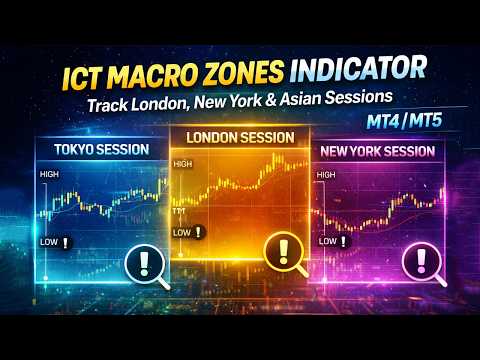
Abiroid ICT Macro Zones MT4
- Indicatori
-
Abir Pathak
 I create MT4 and MT5 indicators. They are mainly arrows and scanner indicators and also some essential utilities.
I'm hoping they will make your trading easier and make you profitable.
You can join my Telegram channel to keep track of all products I post. - Versione: 1.4
- Aggiornato: 11 marzo 2026
- Attivazioni: 5
This is an MT4 only version.
For MT5 version go here:
https://www.mql5.com/en/market/product/165129
Read the product description post with screenshots here:
https://www.mql5.com/en/blogs/post/767360
Key Features at a Glance
- Plots up to 6 customizable time-based sessions
- Tracks session highs and lows
- Extension lines track entry/exit of price into session zones
- Adjustable colors
- Optional labels showing session name and start/end time
- Supports overnight sessions (crossing midnight)
- Best on any timeframe from M1 to H4
- Choose custom timezone offsets
- Buffer values available for EAs and scanners
- Optional alerts on session start/end
What This Indicator Does
At its core, this is a session visualization tool. It draws boxes around specific time windows and continuously updates the high and low of each session as price moves.
Think of it as a clock-aware assistant:
"The London session just started. Current high is X. Current low is Y."
As long as the session is active, the range adjusts. When the session ends, the box locks in place with its final high and low, giving you a clear historical range.
How to Use the Indicator
Setup – Major Forex Sessions
When first loaded, the indicator is typically configured as:
• Tokyo: 00:00 – 09:00
• London: 07:00 – 16:00
• New York: 12:00 – 21:00
• Sydney: 22:00 – 07:00 (overnight)
These give a quick visual of when each major market is active. Overnight sessions automatically span across midnight without extra configuration.
Setup – ICT Macro Sessions
If you follow ICT concepts, you can replace the default sessions with macro windows.
Example configuration:
Macro 1 – AM Macro
Start: 09:50
End: 10:10
Use: Early morning reversals
Macro 2 – London Close
Start: 10:50
End: 11:10
Use: Mid-morning liquidity runs
Macro 3 – Lunch Macro
Start: 11:30
End: 13:30
Use: Consolidation / ranges
Macro 4 – PM Macro
Start: 14:50
End: 15:10
Use: Afternoon reversals
You simply change the start and end times in the inputs and rename each macro. Any macro you don’t need can be disabled.