Sniper Pro Trio Expert
- Experts
- Versione: 1.32
- Attivazioni: 10

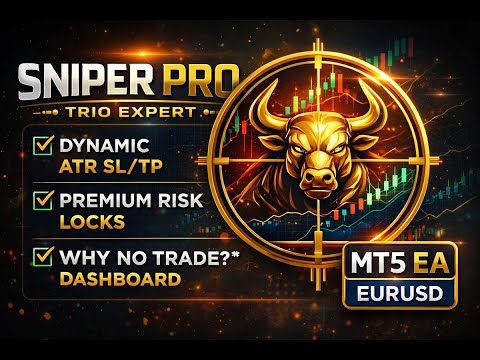
Sniper Pro Trio Expert is a selective, swing-focused EURUSD Expert Advisor built to capture high-quality moves using a powerful confirmation system: EMA trend filter + RSI + MACD + Bollinger Bands, combined with ATR-based dynamic SL/TP and Ultra-Premium Risk Protections.
It is designed to trade only when multiple conditions align, helping reduce low-probability entries and overtrading.
Why Traders Love It
-
Multi-confirmation logic (3 core signals): RSI, MACD, Bollinger
-
Trend filter (EMA 200): trades with the dominant direction
-
ATR dynamic SL/TP: adapts to volatility instead of fixed distances
-
Clean “WHY NO TRADE” dashboard: always shows the exact reason the EA didn’t enter
-
Ultra Premium Protections (persistent): daily limit, cooldown, drawdown lock stay saved even after MT5 restart
-
Works on most MT5 brokers (tested on multiple conditions)
Best Use
✅ Optimized for: EURUSD
✅ Recommended timeframes: H4 (Swing) / H1 (More active)
✅ Risk style: Conservative & controlled
✅ Perfect for: traders who prefer fewer, higher-quality entries
This EA is selective by design. Some days it may take 0 trades, and that is normal.
Built-In Ultra Premium Protections
These features help protect your account from overtrading and unstable conditions:
1) Daily Trade Limit (Persistent)
Set a maximum number of entries per day.
Even if you restart MT5, the counter remains saved.
2) Cooldown Bars (Persistent)
Forces the EA to wait a number of bars after a trade before entering again — helps avoid rapid re-entries.
3) Equity Protection Lock (Persistent)
If drawdown exceeds your chosen limit, the EA can lock new entries for the rest of the day (auto-resets the next day).
Live Dashboard (Professional)
A clean on-chart panel shows:
-
Current Bid/Ask + Spread (live)
-
ATR volatility value
-
Confirmation score: Conf BUY / Conf SELL
-
Signal status: BUY / SELL / NEUTRAL
-
WHY NO TRADE: outside hours, spread too high, waiting new bar, cooldown active, daily limit reached, etc.
This makes it extremely easy to test and understand the EA’s behavior.
Strategy Overview (Simple Explanation)
The EA looks for high-probability setups by requiring multiple confirmations:
-
EMA 200 Filter (trend direction)
-
RSI (momentum/mean-reversion zone)
-
MACD (trend momentum confirmation)
-
Bollinger Bands (price extremity / re-entry confirmation)
If conditions are strong enough (your confirmation level), the EA enters with:
-
ATR-based SL/TP (recommended)
or -
Fixed SL/TP (optional)
Parameters (Inputs) Explained
General
-
Inp_MagicNumber – Unique ID for the EA’s trades
-
Inp_UseClosedBar – Use closed candle for safer signals (recommended: true)
-
Inp_MaxPositions – Maximum open positions at the same time
-
Inp_CloseOnOppSignal – Close trade if an opposite signal appears
Risk Management
-
Inp_UseRiskPercent – Use % risk-based lot sizing
-
Inp_RiskPercent – Risk per trade (recommended: 0.5–1.0%)
-
Inp_FixedLots – Fixed lot size if risk mode is OFF
SL/TP Mode
-
Inp_UseATR_SLTP – Dynamic SL/TP using ATR (recommended: true)
-
Inp_SL_Pips / Inp_TP_Pips – Fixed SL/TP if ATR mode is OFF
ATR Settings
-
Inp_ATR_Period – ATR period
-
Inp_ATR_Mult_SL – SL multiplier (default swing-friendly)
-
Inp_ATR_Mult_TP – TP multiplier (default swing-friendly)
-
Inp_ATR_MaxPipsSanity – Safety cap for extreme volatility
Filters
-
Inp_EMA_Period – Trend filter EMA period (default 200)
-
Inp_RSI_Period / BuyThresh / SellThresh – RSI settings
-
MACD Fast/Slow/Signal – MACD settings
-
BB Period/Deviation – Bollinger settings
-
Inp_RequireBBReentry – Extra confirmation for BB re-entry (recommended: true)
-
Inp_MinConfirmations – How strict the strategy is (recommended: 2)
Execution
-
Inp_MaxSpreadPips – Max allowed spread (recommended: 2.0–2.5 for EURUSD)
-
Inp_DeviationPoints – Slippage tolerance
Trading Hours (Optional)
-
Inp_UseTradingHours – Limit trades to specific broker hours
-
Inp_StartHour / Inp_EndHour – Trading window (server time)
Trailing (Optional)
-
Inp_UseTrailingStop – Enable trailing
-
Inp_TrailStartPips / Inp_TrailStepPips – Trailing settings
Premium Protections (Highly Recommended)
-
Inp_UseDailyTradeLimit / Inp_MaxTradesPerDay – Max trades per day
-
Inp_UseCooldown / Inp_CooldownBars – Wait X bars after entry
-
Inp_UseEquityProtection / Inp_MaxDrawdownPercent – Daily drawdown lock
Ultra Persistence
-
Inp_PersistState – Saves protection state across restarts (recommended: true)
-
Inp_ResetPersistedState – Reset saved state (use once, then turn OFF)
Recommended Presets
Swing (Recommended)
-
Timeframe: H4
-
Risk: 0.5% – 1%
-
Confirmations: 2
-
MaxSpread: 2.0–2.5
-
Trades/day: 2
-
Cooldown: 3
More Active (Optional)
-
Timeframe: H1
-
Confirmations: 2
-
Trades/day: 2–3
-
Cooldown: 3–5
Important Notes
-
Always test on a Demo account first before using live funds.
-
Results depend on broker spread, execution, and market conditions.
-
The EA is designed to be selective; no trade days are normal.