Session Range Pro
- Indicatori
-
JM Highridge Global LLC
 MQL5 Developer & Trader – JM Highridge Global LLC
I’m Jason Miguel, trader and MQL5 developer at JM Highridge Global LLC.
I design practical indicators, EAs, and dashboards for MT5 that focus on risk control, clear entries, and real-world usability. - Versione: 1.0
- Attivazioni: 5
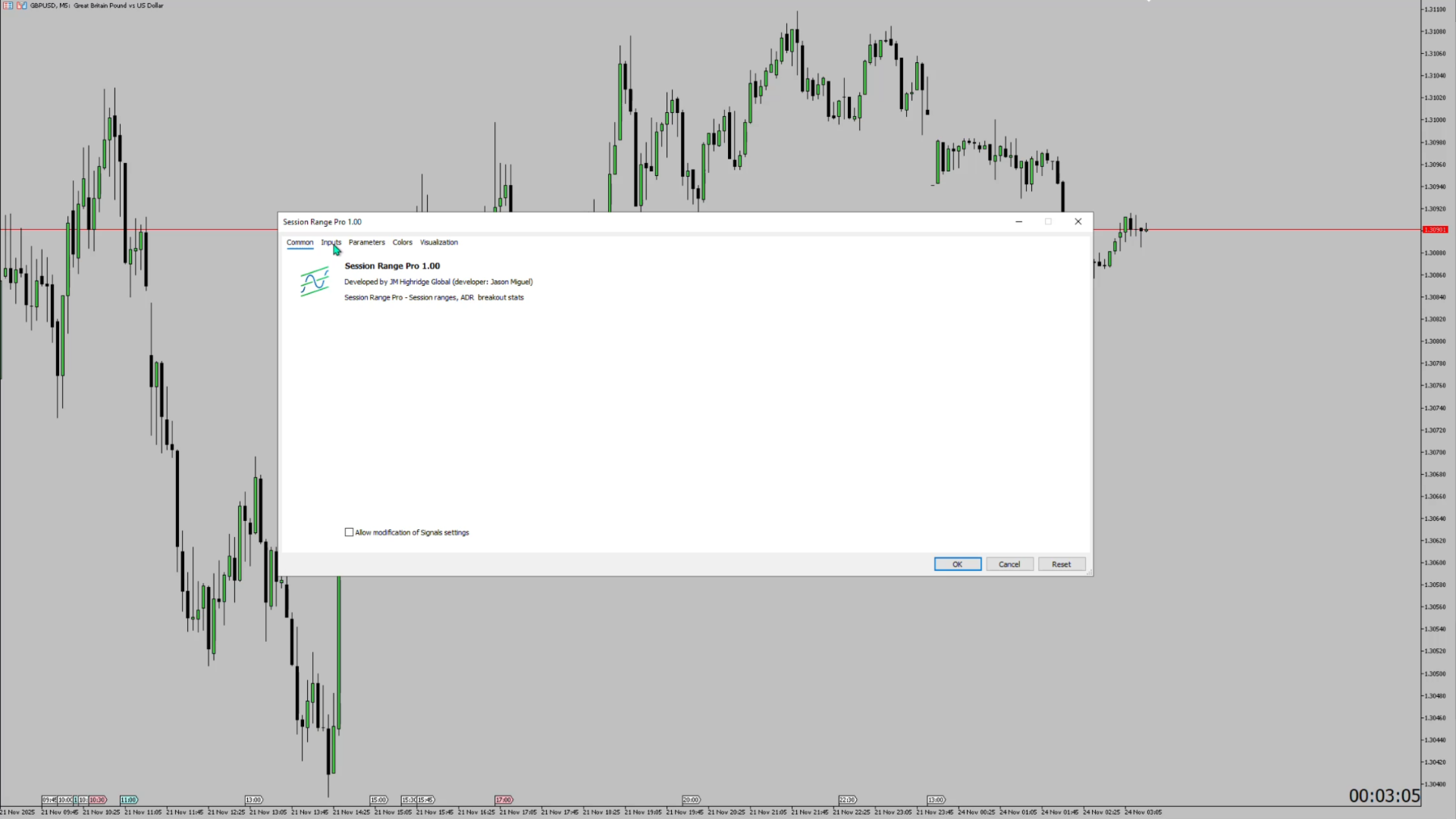
Session Range Pro – Professional Session & ADR Analytics for MetaTrader 5
See what really moves the market – by session, by day, with stats that actually matter.
What is Session Range Pro?
Session Range Pro is a professional-grade MetaTrader 5 indicator that highlights the true behavior of price during the three main trading sessions:
-
Asia
-
London
-
New York
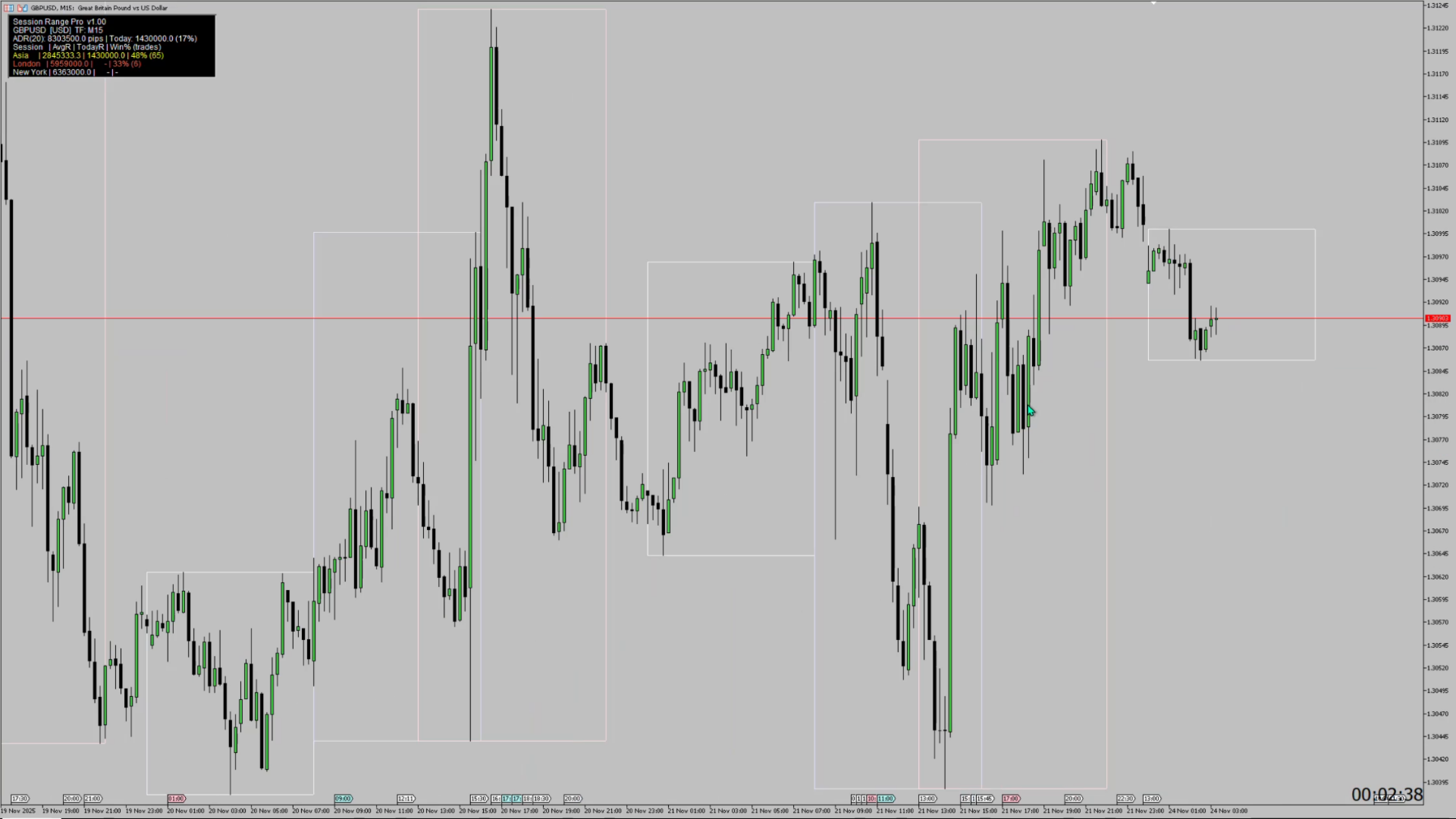
It draws clean, color-coded session ranges directly on your chart, and powers them with deep statistics: average session range, breakout win rate, ADR metrics, and more.
Designed for traders who respect structure, volatility and data-driven edge, Session Range Pro turns your charts into a simple, powerful session dashboard.
Core Features
1. Clean Session Range Visualization
-
Draws session boxes (rectangles) for:
-
Asia, London, New York
-
-
Each session has:
-
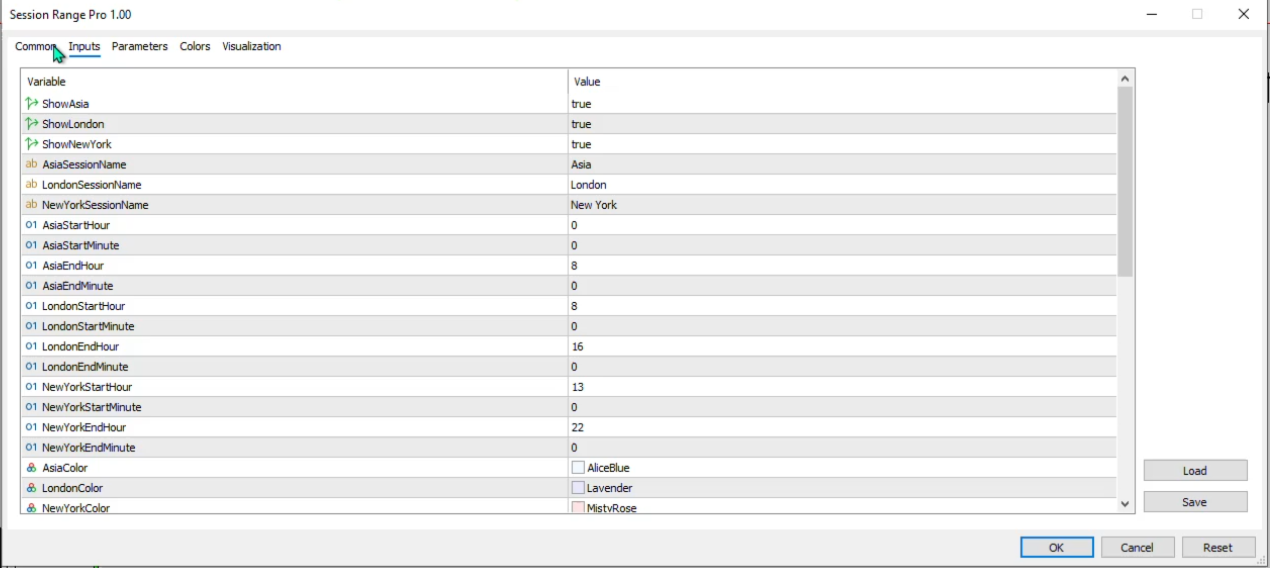
Configurable start & end times (by broker server time)
-
Independent on/off toggle
-
Custom colors
-
Custom session names (rename or repurpose sessions as you like)
-
-
Optional session high/low levels:
-
Horizontal levels extended to the right for X bars
-
Ideal for breakout, retest and liquidity-based strategies
-
You instantly see how price behaved in each session: did it expand, consolidate, fake out, or set up the day’s main trend?
2. ADR (Average Daily Range) Engine
Session Range Pro includes a built-in ADR calculator:
-
ADRPeriod – number of completed days used for ADR (e.g. 20 days)
-
Uses D1 data from your broker to calculate:
-
ADR (in pips) – average high–low range of recent days
-
Today’s current daily range
-
Today’s range as % of ADR
-
On the stats panel, you’ll see something like:
ADR(20): 83.5 pips | Today: 62.3 (75%)
Perfect for:
-
Identifying days with room to move vs exhausted days
-
Filtering trades when daily volatility is already over-extended
3. Session Statistics & Volatility Profile
For each session (Asia / London / New York), Session Range Pro computes historical statistics over a configurable lookback:
-
Average session range (pips)
-
Minimum & maximum session range
-
Standard deviation of session range (volatility spread)
-
Directional bias – how often the session closes above vs below its open
This gives you a quantified view of:
-
Which session typically drives most of the move
-
Which session tends to be quieter or more explosive
-
Whether a session is usually bullish, bearish or neutral for your symbol
4. Built-In Breakout Model & Win Rate
Session Range Pro includes a simple, transparent breakout model and calculates the historical win rate of that model for each session.
User inputs:
-
BreakoutBufferPips – how many pips beyond the session high/low counts as a true breakout
-
TargetRR – reward:risk multiple (e.g. 1.0R, 1.5R, 2.0R)
-
UseCloseAfterSession – whether breakout evaluation starts after the session ends
Logic per completed session:
-
Compute SessionHigh, SessionLow, SessionRange
-
Long breakout:
-
Entry above SessionHigh + buffer
-
SL at SessionLow
-
TP at Entry + SessionRange * TargetRR
-
-
Short breakout:
-
Entry below SessionLow – buffer
-
SL at SessionHigh
-
TP at Entry – SessionRange * TargetRR
-
-
Evaluated over the rest of that trading day:
-
TP hit before SL → Win
-
SL hit before TP → Loss
-
If neither is hit before end of day → ignored
-
If both TP and SL fall inside the same bar → ignored as ambiguous
-
For each session you get:
-
Total number of executed breakout trades (wins + losses)
-
Number of wins and losses
-
Win rate %
-
Average R-multiple per trade (optional aggregated stat)
This is not an auto-trading system; it’s an analytics tool that answers:
“If I traded simple breakouts of this session over the last X days, how would that have performed?”
On-Chart Stats Panel
Session Range Pro displays a compact, readable on-chart panel in the main window:
-
Symbol name & current timeframe
-
ADR settings & values
-
For each session (row per session):
-
Session name
-
AvgR – average session range in pips
-
TodayR – today’s session range (once completed)
-
Win% (trades) – breakout win rate and number of trades
-
Win rate is color-coded:
-
Green – high win rate (e.g. > 60%)
-
Yellow – moderate (40–60%)
-
Red – low (< 40%)
Panel customization via inputs:
-
Show/hide panel
-
Corner (top-left, top-right, etc.)
-
X / Y offsets
-
Background & text colors
-
Font name & size
Performance & Reliability
-
Works on any symbol: forex, indices, metals, crypto, CFDs.
-
Works on any timeframe (M1–MN); calculations use a configurable intraday timeframe (default M15).
-
Non-repainting:
-
ADR uses only completed days.
-
Breakout statistics use only data visible after each session completes.
-
-
Optimized to recalculate on new bars, not every tick, to keep the platform responsive.
Typical Use Cases
-
London/NY breakout traders who want quantified session behavior.
-
Day traders who rely on session ranges for structure and confluence.
-
Swing traders who monitor ADR exhaustion and look for mean reversion.
-
Quant-minded discretionary traders who like to see probabilities & stats directly on their chart.
Inputs Overview (Summary)
-
Sessions
-
Toggle Asia / London / New York
-
Start & end times (HH:MM)
-
Colors & custom names
-
-
Time & Broker
-
BrokerGMTOffset to align sessions with actual market times
-
SessionCalcTimeframe for intraday calculations
-
-
ADR / Stats
-
ADRPeriod – number of completed D1 bars
-
StatsLookbackDays – days used for session & breakout stats
-
-
Breakouts
-
BreakoutBufferPips
-
TargetRR
-
UseCloseAfterSession
-
-
Visuals
-
Draw session rectangles
-
Extend session levels & length
-
Stats panel position, font and colors
-
Important Note
Session Range Pro is a tool for analysis and decision support, not a guarantee of profit. Historical stats and breakout win rates are based on past data and do not predict future results. Always combine this tool with sound risk management and your own trading plan.
Session Range Pro gives you a clean visual of when the market moves and how much it typically moves – and backs it with hard stats on volatility and breakouts. Attach it to your chart, align the session times to your broker, and start trading with clearer structure and better information.