Gina Panel MT5
- Utilità
- Versione: 2.0
- Aggiornato: 5 gennaio 2026
- Attivazioni: 5

1. Brief Description of Gina Panel Code Functionality for End UserThe "Gina Panel" is a customizable trading dashboard Expert Advisor (EA) for MetaTrader 5 (MT5). It provides a graphical user interface (GUI) overlay on your chart to simplify trading and account management. Key functionalities include:
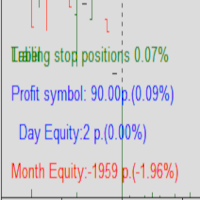
- Account Monitoring: Displays real-time balance, equity, profit/loss, margin levels, and net positions in a compact panel.
- Trade Execution: Quick buttons for buying/selling at market, setting lot sizes, and closing positions (all, last, profitable, losing, or pending orders).
- Position Management: Supports stop loss (SL), take profit (TP), trailing stop (TS), and breakeven (BE) for long/short trades. Values can be calculated in pips/points, percentages, or money, with options for per-order or average-based application.
- Symbol Information: Shows spread, swap rates, tick values, leverage, and other symbol details in an expandable info box.
- Customization: Light/dark themes, panel resizing, chart shift control, and min/max lot modes. Minimizable for a compact view.
- Alerts and Safety: Pop-up alerts for actions (e.g., order confirmations, zero balance warnings). Handles market closures, connection status, and error retries.
- Efficiency: Caches order data to reduce computations, supports multiple symbols, and integrates with MT5's one-click trading.
This EA is ideal for manual traders wanting a streamlined interface without complex automation. It does not auto-trade but enhances manual control.2. Manual of Gina Panel MQL5 Code for Beginner UsersThis manual is designed for beginners new to MT5 and EAs. It explains how to install, use, and troubleshoot the "Gina Panel" EA.
Introduction
- What is Gina Panel?: A trading tool that adds a panel to your MT5 chart. It helps monitor your account, execute trades quickly, manage open positions (e.g., set SL/TP), and view symbol details. It's not an automated robot—it requires your input for trades.
- Key Benefits for Beginners:
- Simplifies complex MT5 features into buttons and displays.
- Reduces errors by showing real-time calculations (e.g., margin impact of trades).
- Customizable to avoid cluttering your chart.
- Limitations: It's for educational/trading purposes only—test on a demo account first. No support for illegal activities (per safety instructions in code).
- System Requirements: MT5 terminal, stable internet, any broker/symbol.
- Download the EA: Save the provided MQL5 code as Gina Panel.ex4
- Copy to MT5 Folder:
- Open MT5 > File > Open Data Folder.
- Navigate to MQL5\Experts.
- Paste the .ex4 file here.
- Attach to Chart:
- In MT5, open a chart (e.g., EURUSD).
- Drag "Gina Panel" from Navigator (Ctrl+N) > Experts onto the chart.
- In the pop-up, enable "Allow live trading" if prompted.
- Click OK. The panel should appear in the top-left corner.
- Troubleshooting:
- If no panel: Check Journal tab for errors (e.g., "Expert not allowed"). Enable auto-trading (Ctrl+E or toolbar button).
- Restart MT5 if issues persist.
- Test on a demo account to avoid real money risks.
- Top Bar (Always Visible):
- Move icon (drag to reposition panel).
- "A" button: Checks connection and auto-resizes panel.
- Minimize/Maximize button: Collapses to a small bar.