 MetaTrader 5
 Experts
 Indicatori
 librerie
 Utilità
 Widget
 Regole
Guarda i video tutorial del Market su YouTube
Come acquistare un Robot di Trading o un indicatore
Esegui il tuo EA
hosting virtuale
hosting virtuale
Prova un indicatore/robot di trading prima di acquistarlo
Vuoi guadagnare nel Market?
Come presentare un prodotto per venderlo con successo
Utilità di trading gratuite per MetaTrader 4 - 13
 Di seguito sono riportati i programmi di trading che semplificano il trading in MetaTrader 4. Passa il mouse su un'utilità nella lista qui sotto per leggerne la descrizione e la sua funzione.
Use this multifunction button to execute orders instantly! Several buttons will handle:
1. BUY: Open a BUY order with preferred size (configurable in Expert config). 2. SELL: Open a SELL order with preferred size (configurable in Expert config). 3. LOCK PAIR: Open an order with the same lot to LOCK your order position, based on the currently opened chart (current pair). 4. LOCK ALL: Open an order with the same lot to LOCK your order position, based on all your open positions (all pairs). 5. Cl
FREE
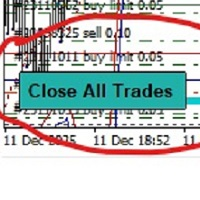
-Product Description- This close_all_entry button can use to close all your active entry with profit or lose . Button can't use to delete all your pending order . Just one click can close all active entry , no need anymore to close one by one . Maybe get some delay to close all your active entry . Just trade with amount you dare to lose . o.o.o.o.o.o.o.o.o.o.o.o.o.o.o
FREE

M ulti Cross Alert! on your smartphone. Use multiple indicators to get a crossover signal on chart as well as on MetaTrader app. You can use all crossovers at the same time but it is not recommended cause your chart will look messy. Instead use combination of two indicators which will be better. IMP NOTE:- More indicators will be added in future updates. Any suggestions regarding indicators are welcome! Indicators List: 1. MA (Cross) 2. RSI (OB/OS) 3. MACD Lines (Main Line & Signal Line Cross)
FREE
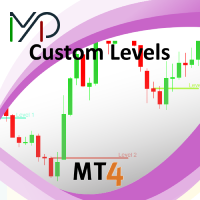
This utility identifies certain candle open times on chart, this can help you to see your favorite candle open and use it as it fits in your strategy. This tool is very useful for intraday charting and indicating your sessions. ___________________________________________________________________________________
Disclaimer: Do NOT trade or invest based upon the analysis presented on this channel. Always do your own research and due diligence before investing or trading. I’ll never tell you what
FREE

特徴: このツールはDOWやNIKKEIなど500や1000ポイントがラウンドナンバーの 指数を取引する際に表示するように開発しました。 もちろんメジャー通貨でも表示はされます。
更新頻度を制限しているのでチャート表示が遅くなるということは ありません。
XMでDOWを取引される場合、Main Levelsを10000 Sub Levelsを5000にしてください。
各パラメータの説明: Number to display lines:表示するライン数を設定します。 Main Levels:メインレベルをポイントで指定します。 Main Line Color:メインラインの色を設定します。 Main Line Style:メインラインで使用されるラインを設定します。 Show Sub Lines:サブラインを表示するか設定します。 Sub Levels:サブレベルをポイントで指定します。 Sub Line Color:サブラインの色を設定します。 Sub Line Style:サブラインで使用されるラインを設定します。 Update Frequency(600
FREE
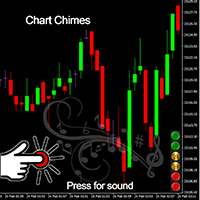
Presentazione di Chart Chimes: l'indicatore MT4/MT5 che rende il trading una sinfonia di suoni! Stanco di guardare le classifiche tutto il giorno? Hai bisogno di un piccolo tirami su per mantenere alto il morale mentre fai trading? Bene, Chart Chimes ti ha coperto!
Con Chart Chimes, ogni volta che premi quel pulsante, sentirai un suono divertente che ti farà sorridere e ti farà saltare il passo. Immagina di fare trading con il suono di una tromba trionfante o di un'arpa gentile in sottofondo:
FREE

L'unico scopo di Blind Broker System è nascondere i tuoi piani commerciali e renderli invisibili al tuo Broker. Se vuoi davvero renderlo "cieco" e assicurarti che non sappia nulla dei tuoi livelli di stop loss, volumi, livelli di take profit in anticipo, usa semplicemente questo robot di trading.
Blind Broker System è un sistema alternativo di gestione degli ordini. In un certo senso è lo stesso del sistema all'interno di Meta Trader Terminal.
La differenza è che tutti gli ordini inviati tr
FREE

EA Master Version any Follow Copy Account (Acc. Number) need a open MT Terminal, download multiple times Step1: Open Master MT5 Terminal = install master- Version (on any Symbol just one Time) Step2: Open Follower MT5 Terminal = install follower- Version (on any Symbol just one Time) Step3: all Trades from any Symbol or any Robot are copy now to follow- Terminal immediately for simple copy set on Chart and Start no optimization. This Robot is a Trade Copier for MT5 that automa
FREE

RiskLock MT4 — Professional Drawdown Protection & Emergency Account Lock System RiskLock MT4 is a professional risk management utility designed to protect trading accounts from excessive drawdown and catastrophic loss events.
Main Features Drawdown Percentage Protection
Fixed Monetary Loss Protection
Emergency Account Lockdown
Automatic Position Liquidation
Pending Order Deletion
Optional Close-All-Charts Protection
Real-Time Color Dashboard
Emergency Global Variable Lock
Mult
FREE

Tired of laggy panels with a bunch of unnecessary buttons? This linker is designed for those who value clean graphics and speed. Nothing extra - just instant switching of tools in one click
Advantages: - Solves the main problem of the Meta Trader terminal - inconvenient and slow switching of charts -Not overloaded with unnecessary functionality - Works lightning fast -Easy to install and configure -Can be customized to suit your chart color scheme
This is a free Lite version. The difference fr
FREE

我很高兴欢迎您来到我的产品页面 面板初次加载会服从后台设置,面板控制交易管理凌驾于后台之上。请注意交易方向的管理,正确的交易方向是交易市场生存的根本,这点很重要。 Ea交易有2种策略Sto,MA和用户在面板打开的执行订单,同时也支持移动端下单(下单基础请服从后台自行设置手数)、移动端预下单功能。 Sto策略单量密度大,是激进策略;MA策略较缓和。
此EA可全自动化交易,设置偏向于辅助手控交易。 ============Basic settings============= Magic EA 交易品种(trading variety) 点差(Spreads) 点差系数(Spread coefficient) =============conditions for execution==== 交易模式(Choosing strategy) 打开新系列订单(Open new series) //是否允许,否的话会停止打开新阶段订单。关闭状态适合运行预交易功能,也就是控制运行,一阶段一结。。 开多(Trade Sell) //处于关闭状态会停止一切开Sell方向单子。 开
FREE

Risk Management Panel is unique to tool calculate your risk quickly and place trades based on your account money. There are two options for the user Account Equity Account Balance Tools like these is specially useful when you have to take a quickly decision about your trade but dont have the time to calculate the risk. It works with magic number. So the advantage is a trade placed by this panel could be manipulated by the other expert advisors as well
FREE

Use Forex Trading Profit Tracker to keep a record of your earnings across accounts. This indicator will show a dashboard in the Meta Trader chart to show for the profit or loss money in your account. It’s easy to see just how much money you’re making matched betting with the Forex Trading Profit Tracker. Key features: Track your profit over time Check out your stats. Track expected profits against actual profits. Export account history to Excel.
MT5 version(*): https://www.mql5.com/en/market/
FREE

The CandleStick Factory is a tool that allow you to perform a market scan and search any candlestick pattern that you already created. The lite version can be downloaded here : https://www.mql5.com/en/market/product/75622 You can perform a quick search in the current chart (500 bars will be scanned), or save your custom candlestick patterns, and search in different Symbols/Timeframes that you can select in the settings tab, the scan can be scheduled every 1, 5 or 10 minutes by updating t
FREE

EasyAgent Trade Tool.This is not an automatic trading robot (EA) and it doesn’t take decisions or opens position, but it helps your work when you trading manual work with Strategy Tester and you can control trade via magic number. The following functions are available: Order opening in one click. Order closing/deleting in one click. Modification of Stop Loss and Take Profit using a mouse. Closing all orders based on their type. Order reversal. Breakeven function. Trailing Stop function.
FREE

The Chart Navigator is a powerful and user-friendly indicator designed to enhance your chart navigation experience in the MetaTrader platform. With its advanced features and intuitive interface, it enables traders to effortlessly explore multiple timeframes, switch between symbols, and efficiently analyze price movements. Key Features: Timeframe Navigation: Seamlessly switch between different timeframes with just a single click. The Chart Navigator provides a graphical object that allows you to
FREE

OnBoard stats is a panel that show in a single view a lot of usefull information about working orders and trading account. It has 4 different sub-panels (from left to right): Symbols order statistics : it can be found symbols for which there are orders (market or pendings). Symbol with pendings are colored with "Pendings color". Clicking on a specific symbol row, chart will be changed to that symbol. Current symbol statistics : informations about the "current" symbol, the one which is opened in
FREE
A script for group removal of orders of a given type. To delete, drag the script onto the chart and in the pop-up window select the type of orders to be deleted and click OK. Settings
Types of orders to delete - order types to be deleted or closed ALL_PENDING - OP_BUYLIMIT, OP_SELLLIMIT, OP_BUYSTOP, OP_SELLSTOP ALL_LIMIT - OP_BUYLIMIT, OP_SELLLIMIT ALL_STOP - OP_BUYSTOP, OP_SELLSTOP ALL_MARKET - OP_BUY, OP_SELL ALL_LIMIT_BUY - OP_BUYLIMIT ALL_LIMIT_SELL - OP_SELLLIMIT ALL_STOP_BUY - OP_BUYSTOP A
FREE

Ti sei mai lasciato influenzare dai movimenti immediati del mercato quando un trend continua da molto tempo? Fare trading controtrend basandosi sulla sensazione che "stia per invertire". Presa di profitto prematura dovuta all'ansia di "non voler perdere i guadagni". Tutti questi sono rimpianti che avrebbero potuto essere evitati se avessi solo aspettato la chiusura della candela.
Questo strumento è stato creato per eliminare lo stress di fissare il monitor e per supportare un trading disciplinat
FREE

TraderTool is a tool/panel that will help any trader to perform trades quickly and easily. The product has been developed with user friendliness and ease of use in mind. It has the ability to manage multiple types of orders, either placed by an Expert Advisor, or manually. It also allows you to place orders in a single click. You can add stop loss and take profit, initiate a trailing stop or start break even operation, and all these with the simple panel. With the advanced panel (you can call it
FREE

Narcis Trader is an expert designed for managing trades and facilitating trading. Attention, the application does not work in the strategy tester. Download Real
Its features include: Determining the trade volume based on the selected trader's risk. Setting specific and fixed stop-loss and take-profit levels. Defining the take-profit level based on the specified risk-to-reward ratio (r/r). Entering trades using static and dynamic lines based on the predetermined risk. Position closure management
FREE

Elsna Alert (MT4 EA) is a lightweight Expert Advisor that monitors your trading account in real time and alerts you whenever a trade is opened or closed . It uses MetaTrader 5’s built-in OnTradeTransaction event to instantly detect any new executed deals—manual or automated—and plays a custom sound for each event.
You can choose whether it tracks all symbols or only the chart’s symbol . Key features: Instant audio alert when a trade opens or closes. Works with both manual and EA-driven trades. O
FREE
This Expert Advisor works as a slave in a trade copier system. It reads trading instructions from a CSV file and replicates the orders in the MetaTrader 4 terminal. It is designed to work with a master EA that writes trades to the same file. The EA continuously monitors the file for updates and synchronizes the local terminal by opening, modifying, or closing trades accordingly. What it does: Reads trade data from a CSV file located in the Common Files directory Parses order ID, symbol, order ty
FREE

MSP_Bridge è l'utility gratuita che collega AI Grok 4 a RiskKILLER AI Navigator , un assistente di direzione del mercato e strategia basato sull'IA per multipli timeframe.
Questo bundle ti aiuterà a ottenere insight di livello istituzionale con analisi di tendenza, sentiment e macro guidata dall'IA, personalizzata in base al tuo stile di trading.
RiskKILLER AI Navigator [ MT5 - MT4 ]
Implementazione
Scaricalo e segui le istruzioni di seguito.
Siamo a tua disposizione in caso di
FREE

NNFX TOOL – The Essential Order Management Tool for the Modern Trader A "small but mighty" EA, designed to optimize your trading workflow: High Performance: Lightweight yet powerful operation, ensuring precise and efficient order execution. Versatile: Perfect for NNFX method followers, while being incredibly user-friendly for beginners and sophisticated enough for pro-traders. SPECIAL FEATURE - Mobile Trading Support: Automatically sets immediate Stop Loss (SL) and Take Profit (TP) for pending
FREE

The script closes all positions for which the profit is more than 5 pips. Checks all open positions for all pairs (you can run it on any chart). The terminal must have the "Algo trading" mode enabled.
It is effective if there are many open positions that need to be closed quickly.
The script does not replace a trailing stop or an advisor. The script checks all open deals and closes those that meet the condition (profit is more than 5 pips) once at the time of launch.
For the subsequent closi
FREE

Un pulsante. Un clic. Un grafico nudo. MT5 version
Hai disegnato tutto. Linee di tendenza, Fibonacci, rettangoli, zone, frecce... Il tuo grafico sembra un'opera d'arte moderna. Bellissimo — ma il prezzo non si vede più. NAKED CHART risolve tutto con un clic. Un clic → tutti i disegni spariscono all'istante Altro clic → tutto torna esattamente com'era Gli indicatori non vengono toccati — vengono nascosti solo i tuoi disegni Pulsante trascinabile — posizionalo dove vuoi sul grafico Nessuna impost
FREE

Automation for setting up Stop Loss, Take Profit and Trailing Positions can be opened with all platforms MetaTrader 4 MetaTrader Android MetaTrader iOS MT4 Web Trader The Expert Advisor will arrange Trailing of trades Market Execution Pending Order (Buy Stop, But Limit, Sell Stop, Sell Limit)
Input Parameters (all in pips) Take Profit - take profit value. Stop Loss - stop loss value. Trailing Start - trailing start. Trailing Step - trailing step/stop. Lock Start - lock start (first time trailin
FREE

Price action Telegram is designed to follow the price while away from the trading terminal. There is no need to remember how the name of the currency is spelled correctly, those currencies on which expert is installed are available, because the trader does not jump aimlessly from currency to currency, he knows what he wants and what he is waiting for.
Through telegram, you can work with any timeframe and currency on which the expert is installed. You will always be aware of the market situatio
FREE

Welcome to the World of our Trade Copier via Internet *whatever is the technology we can copy trades from/to MT4 platforms. You can trade manually from your mobile phone or you can attach your trading robots (EA) to your master account(s) and the trades will be copied to all your usersaccount(s). Our trade copier is not self-hosted, it means that you need to keep your computer or VPS running, everything is managed via internet.
Everything works Via Internet! ( Please add the address "
FREE

"All in One" panel. You can simultaneously control: up to 3 symbols; up to 6 periods; up to 31 popular signals. You can see the sum for all signals taking into account the weight of the signal Version for MetaTrader 4: https://www.mql5.com/ru/market/product/27880 Version for MetaTrader 5: https://www.mql5.com/ru/market/product/27830
Parameters NUM_BAR - number of the bar to analyze (set a value greater than 0 to work on closed bars). timeframe_1....timeframe_6 - working timeframes (if set to "c
FREE

Panel Tool – Button Click Trading (Replaces Default Trade Panel)
Features
1. Open or close Long positions with a button click.
2. Open or close Short positions with a button click.
3. Set lot sizes.
4. Set Stop-Loss (SL) or Take-Profit (TP) points (0 = not used).
5. Set order comments.
6. Display the Break-Even price .
7. Show total Long and Short lot sizes.
8. Display Profit or Loss in USD.
9. Show daily Profit or Loss in USD.
10. Set ID = 0 to manage manual orders together .
FREE

OpenCharts for OpenOrders, Gestione intelligente dei grafici Trascina questo script su qualsiasi grafico e aprirà automaticamente una nuova finestra grafico per ogni simbolo con un ordine aperto nel terminale. Caratteristiche principali : Apre un grafico per ogni simbolo con ordini attivi Evita duplicati, anche con 10 ordini dello stesso simbolo, apre solo un grafico Scelta del timeframe prima dell'esecuzione Leggero e pratico per chi gestisce più posizioni Risparmia tempo e mantiene l’ambiente
FREE

The Tick Data Record is a multi-symbol multi-timeframe Expert Advisor that records tick data for later graphical representation and analysis. General Description
The Tick Data Record offers a(n) alternative/complement to the online/offline price charts displayed through the MT4/MT5 platform. The Expert Advisor permits to write and save the current/history values of Time, Bid, Ask, Spread, Last and Volume to a text file (“.txt”). The idea is to copy/open the obtained register to/in a spr
FREE

Chopar MT4 — Transaction Notification Utility This tool is designed exclusively for broadcasting trading account events to Telegram (@ChoparTradeBot). It does not analyze the market or provide advice; it acts as an information bridge between your MT4 terminal and the messenger. What exactly does this monitor track? Opening and Closing Trades: Records the moment a trade is added to the history. For closed positions, it immediately calculates and displays the final profit. Pending Orders:
FREE

This Expert Advisor Give Us Notification on MT4 Mobile Aplication if CAndle break throught the kumo aka senkou span A/B You can put your ichimoku cloud setting at your desire How to Setup Notification please read this https://www.metatrader4.com/en/trading-platform/help/setup/settings_notifications
This is an Expert Advisor just put on Experts on your MT4
FREE

DailyLossProtector EA — Smart Risk Control for Safer Trading.
Protect your capital with precision.
DailyLossProtector is a minimalist, high-utility Expert Advisor designed for traders who prioritize capital preservation and disciplined risk control . This EA monitors your open trades and will automatically close them when a predefined floating loss threshold is reached , helping you avoid emotional decisions and unexpected drawdowns. Key Features Daily Loss Guard: Automatically closes
FREE

If you want to test the functionality of this tool, you can do it trough this DEMO version, that is restricted to work only on EURUSD and USDJPY currency pairs. Full version is available here: https://www.mql5.com/en/market/product/29243/ This EA was originally coded as a back up tool for my personal trades as all of us (Or at least the ones who have left an order open and went to sleep) have experienced the frustration that involves waking up, check the trades and see that in some of them the
FREE

DESCRIZIONE DEL SISTEMA: Cyber Capital TRADE HUB è un software di supporto per i trader che desiderano migliorare e velocizzare l’apertura, la chiusura e la gestione dei trade, nonché il proprio risk management. Il sistema è sviluppato per MT4 e consente di aprire e chiudere posizioni con lotti fissi o automatizzati basati su rischio percentuale in un solo clic. Di seguito sono elencate tutte le funzionalità della dashboard. In aggiunta alle normali funzioni di una dahsboard di trading c'è la p
FREE

Trade Closer EA v2.0 – Strumento All-in-One per la Gestione dei Trade su MT4
Versione: 2.00 | Supporto: +1786 6057858 (WhatsApp)
Gestisci, controlla e chiudi le operazioni istantaneamente con un solo clic! Panoramica:
Trade Closer EA è un Expert Advisor per MetaTrader 4 progettato per aiutare i trader a chiudere rapidamente le operazioni o applicare trailing stop in base a criteri personalizzati — tutto tramite un'interfaccia semplice e interattiva a pulsanti. Perfetto per scalper, t
FREE

This is a light version of OneClickWonder. It has a limitation of lotsize ( 0.01 ) and also the trade direction (only SELL ) and magic number is fiexd (magic number = 11 ) ------------------------------------ OneClickWonder manages open trades by Magic Number and Symbol , providing: · Individual or Basket Trailing Stop · Optional Averaging system (adds new trades automatically) · OneClickOrder buttons (BUY / SELL directly from chart) · Works
FREE

This expert advisor can enter and exit trades at specific times and on specific weekdays, expressed in GMT Time. It offers weekday selection, trade management settings, a martingale function and money management features. [ Installation Guide | Update Guide | Troubleshooting | FAQ | All Products | Get Help ] Easy to use and supervise Fully configurable entry and exit times (up to 5 trades)
Enable or disable trading weekdays in inputs
Customizable break-even, stop-loss, take-profit and trail
FREE

ProTrade Panel – Speed, Precision, Professionalism Master the markets with the ultimate MT4 assistant. Are you tired of the slow, clumsy default execution in MT4?
Do you struggle to manage multiple orders during high volatility?
ProTrade Panel is designed for serious manual traders. It combines One-Click Execution, Breakout Pending Orders, Bulk Closing, and Visual Risk Management into one sleek, floating interface. Key Features Smart Drag & Drop : Long-press the header to move the
FREE
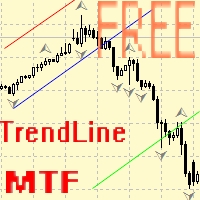
Советник для ручного построения трендовых линий и сопутствующих им стоплоссам и тейкпрофитам. После построения, советник запоминает уровни, направление и лот. При касании текущей цены с расчетной ценой, открывается ордер с заранее выбранными параметрами. Возможно построение и запоминание до 10 разнонаправленных уровней с разных таймфреймов. Можно использовать на любом торговом инструменте. Корректно работает с 4 и 5-значными ценами.
FREE

The utility TradeKeeper Lite can show your profits for different periods and bip a sound when you reach a profit target value. Click the tachometer to quickly switch to the next profit period. There are 5 of them: This Day, This Week, This Month, Last 90 Days and All I Made. With the utility TradeKeeper Pro , available at this link , you can also open trades with a magic number and volume of your choice, trail any orders with a simple trail or iSAR-based trail, as well as close any open trades a
FREE
This utility will help you avoid losing money on your trades when your terminal loses connection to the broker or your VPS / computer goes into an update and doesn't open your MetaTrader client automatically after the update. How is this product different from the other disconnect alerts? This one will email you and/or an SMS even when your MetaTrader client gets disconnected from the Internet or doesn't respond! Your client is monitored externally and doesn't rely on its own Internet conn
FREE

This is a simple script that places a defined number of lines above and below a given price. The script lets you set the number of lines, the separation in pips and the color. Instructions:
Drop the script on a chart to draw the level lines If the last parameter is set to false, the script will delete the lines previously placed by it.
Parameters:
English? Turn it yes to use English language, false will turn language to Spanish Separation Set the pips distance among lines From Price Ca
FREE

Trailing Even is a free complement for the Control adora Expert Adviser. It adds a trailing stop function and changes the exit level that works as stop loss if some price is reached, let's review how to make it work: First of all make sure you have the same language selected both in the Control adora Expert and in this indicator. Change of the exit level that works as stop loss with "BES" and "BEO": This function needs 2 arrows to work: 1 named BES (stands for Break Even Start) place it at the
FREE

This is an indicator that works as a plug-in for Control-adora and lets you set buy limit (bl) or sell limit (sl) orders when a trigger level is reached. This could be useful when you want for example wait until the price breaks support or resistance level and then place a limit order to take advantage of this breakout with a better price. In order to use this indicator, after placing the indicator on the chart with the Control-adora expert working on it, just add 2 Price Labels or trend lines a
FREE

AllHere is a plug-in for Control-adora that works as information panel. Its main function is to show you all the Control-adora elements placed in the chart, like the Control-adora's orders or the exit lines. On the lower left corner, AllHere shows a collection of buttons classified by color (you can set them in the indicator's properties) for several elements used in Control-adora system: Stop loss indications (stop loss Arrows) Exit lines Above (Above trend lines) Exit lines Below (Below trend
FREE

The script closes all positions for which the profit is more than 5 pips. Works only on an open pair (on an open chart).
The terminal must have the "Algo trading" mode enabled.
Effective if there are many open positions that need to be closed quickly.
The script does not replace trailing stop or advisor. The script checks all open deals and closes those that meet the condition (profit is more than 5 pips) once at the time of launch.
For the subsequent closing of new profitable positions, y
FREE

Recovery Zone Assistance, as its name says ... It is an assistant, an expert advisor that monitors all the orders for the asset in which it has been placed, no matter if that order was by some other expert advisor or by the trader placed on the Manually, he will start his work after each order that is negative.
This Expert Advisor is based on this sistem on video "Recovery Zone" on https://www.youtube.com/watch?v=DJz4E7VyeSw. See more products on: https://www.mql5.com/en/users/joaquinmetayer/
FREE

Trading Assistant with Equity Security (TAwES)
This EA for helping manual trading (the EA will be activated when manual trade opened - Semi Auto)
- This EA will be triggered by manual trading/first OPEN TRADE
- If some manual trades have been opened and EA activated then all manual trades will be take over by EA separately.
- This EA feature can be a martingale with multiplier, max order, and the distance can be adjusted
- This EA will secure your Equity by max/loss Equity Setup.
FREE
This Expert Advisor is used to send messages from the PCT Multi indicator to Telegram.
The EA has 5 settings: - Channel name: The name of the Telegram channel. - Token: Your bot's Token. - Entries: Entry messages will be sent. - Results: Entry results will be sent. - Alerts: Alerts will be sent.
How to set up: In the Tools -> Options menu, in the "Expert Advisors" tab: - Check the "Allow WebRequest for listed URLs:" option. - Click "add new URL" and add " https://api.telegram.org " (without th
FREE

1. ** Extremely simple oversized ** - override the chart with the real-time price of the oversized font, ** No need to look at the price **, suitable for multi-screen / long distance monitoring. - Support custom colors, background transparency, perfect adapt to any chart style. 2. ** Full customizable ** - free adjustment font size (support ** 10 ~ 500px **), color, location, meet personalization needs. - 3. ** Multi-variety & multi - time framework ** Simultaneously monitor the price changes o
FREE

Mobile Alert is a tool that allows you to send targeted messages to your mobile phone. You can control the number of messages received. This tool is particularly useful for systems that use Expert Advisors and where you may not be able to sit in front of your computer all the time. Simply have messages sent to your mobile phone and you’ll always be kept up to date with your trading activity and account balance.
FREE

Calendar File Converter
This script adapts the csv economic calendar file downloaded from the myfxbook.com portal for use by the Economic Calendar Viewer indicator. This indicator displays on the MT4 chart data about the upcoming current economic event and displays its data. It also notifies you with a sound before the upcoming event time. The read file should be named: - calendar_statement.csv The temporary intermediate file is named: - calendar_statement2.csv The output file is named: - Cale
FREE

Order management can become difficult, especially when many orders are open at the same time, long and short. With the standard tools from Metatrader, only one order can be changed at the time.
In case you want to change the stop loss level or the take profit level of all your open orders this tool is for you. This tool allows to change easily the Take Profit level of ALL the open orders with a simple "Drag and Drop" on the chart.
All the orders with the same chart symbol will be modified. Add t
FREE

This script generate close order history to a text file including order information such as - TicketNumber, OpenTime, Type, Volume, Symbol, - Price, S/L, T/P, CloseTime, Price, Commission, - Swap, Profit, MagicNumber, Comment
Text File located at \MQL4\Files Please leave a comment or send me an email if you have any idea. #FF8,#FF10,#FF11,#WayneClassIsTheBest Email: fxac19@gmail.com
FREE

Основное удобство донного индикатора в том, что он не назойлив как большинство, он хорошо показывает среднюю цену на текущем графике. индикатор информирует о количестве открытых позиций по текущему инструменту, а так же по всем открытым инструментам в том числе. при расчете средней цены учитывает комиссию и свопы, показывает чистую цену. Отображается на графике внизу экрана, есть возможность менять цвет и размер шрифта.
FREE

Metatrader 4 protection EA that limits loss Ways of working: * Aktif this EA to any pair in metatrader 4, you can start trade manual * Close all open orders if you have profit loss in money according to settings "Will close all open buy and sell orders regardless of profit or loss" * The EA/robot does not open orders, only closes orders if the settings are reached, this could be more or less due to market movements. For example, setting a loss of -5 $, the estimated profit can be -4.8 $ or -5.4
FREE

This is script to quickly modify multiple trades all at once and automatically calculate the breakeven point which work perfectly for martingale strategy and can be used alongside any martingale EA to adjust the TakeProfit and StopLoss For all the running orders on the chart. How to use: Pip worth : is for easily calculate the pips according to the chart you are running on, for example (pip = 10 points on major currency pairs, 100 point in indices, and 1000 on some crypto charts like BTCUSD) Sto
FREE

这是中文简体版本 为了让新手交易者更容易理解,我做了一个交易平台账户信息面板,不收取任何费用。 首先,您必须在交易前了解平台。 各平台报价及商品规格与账户交易规则不同。 您可以调整面板的颜色和大小,如果您尝试按下,面板可能会移动。 面板不会下单,放心加载EXPERTS 如果我升级了免费产品,您需要先将我的旧产品从市场上移除,然后重新启动 MT4,然后再次下载以使用我升级的免费产品。 In order to make it easier for novice traders to understand, I made a trading platform account information panel, which does not charge any fees. First of all, you must understand the platform before trading. The quotations and commodity specifications of each platform are not the same as the account tra
FREE

Tired of losing and never winning? It has never crossed your mind that if you did everything backwards you would always win, but when you see the orders, or accept that "you put an operation on the contrary" you can't do it right?
Here is the solution if you are an expert in losing like me.
A panel of buttons... when you press buy it opens a sell and when you press sell it opens a buy.
Clever right? Let's see if that's how we become profitable!
You can download more of my products here: htt
FREE

As in the Title. This is simply, but very usefull utility. Program "Common StopLoss And TakeProfit Value" enables You to set one value to Stop Loss, Take Profit, or both Stop Loss and Take Profit. For all Sell or Buy items, Depending on the option selected. All you need to do is select options, enter a value/values and press a button "APPLY THE SETTINGS". God Luck ! Enjoy using !
FREE

On the other hand, we denounce with righteous indignation and dislike men who are so beguiled and demoralized by the charms of pleasure of the moment, so blinded by desire, that they cannot foresee the pain and trouble that are bound to ensue; and equal blame belongs to those who fail in their duty through weakness of will, which is the same as saying through shrinking from toil and pain. These cases are perfectly simple and easy to distinguish. In a free hour, when our power of choice is untram
FREE

Информирование пользователя о величине текущего спрэда цветом, в зависимости от тренда. Простой и удобный информатор. Расположить можно в любом месте графика (настраивается во входных параметрах). При активном индикаторе наносим на график горизонтальную линию цветом, указанным во входных параметрах. Эта линия будет (по Вашему мнению) точкой разворота тренда. Если цена будет ниже линии - цвет величины спрэда будет окрашен в цвет "медвежьего" тренда, если цена буде выше линии - цвет величины спрэ
FREE

PositiveSwap
Легкий, бесплатный скрипт на языке MQL4, который выводит на график, в виде простой таблицы, все торговые пары с положительным свопом и указывает направление (покупка или продажа).
Скрипт автоматически просматривает все доступные торговые пары из окна "Обзор рынка". Поэтому, чтобы увидеть все возможные пары с положительным свопом, рекомендуется включить показ всех символов.
FREE

//+------------------------------------------------------------------------+ //+------------------------------------------------------------------------+
简单交易面板,应部分朋友建议,现更新为2.1版本。
//+------------------------------------------------------------------------+
//---更新如下:
1 价格显示参考系统自带面板样式对部分价格数字进行了放大处理。 2 交易手数上次已成功交易使用的手数。
FREE

Gelişmiş Profesyonel İşlem Paneli - Hızlı İşlem Gerçekleştirme ve Görsel Risk Yönetimi Gelişmiş Pro İşlem Paneline hoş geldiniz! Bu güçlü, hafif ve kullanıcı dostu araç, MT4 işlem deneyiminizi kolaylaştırmak için tasarlanmıştır. İster hızlı işlem yapan bir scalper olun, ister stratejik bir swing trader, bu panel size doğrudan grafik üzerinden işlem yürütme ve risk yönetimi üzerinde tam kontrol sağlar. https://www.youtube.com/watch?v=rFM6OcDmJZM&t=13s
Başlıca Özellikler ve Öne Çıkanlar:
1 T
FREE
Scopri come acquistare un robot di trading dal MetaTrader Market, il negozio di applicazioni per la piattaforma MetaTrader.
Il sistema di pagamento di MQL5.community supporta le transazioni tramite PayPal, carte bancarie e gli altri sistemi di pagamento più diffusi. Per essere pienamente soddisfatto, ti consigliamo vivamente di testare il robot di trading prima di acquistarlo.

Ti stai perdendo delle opportunità di trading:
- App di trading gratuite
- Oltre 8.000 segnali per il copy trading
- Notizie economiche per esplorare i mercati finanziari
Registrazione
Accedi
Accetti la politica del sito e le condizioni d’uso
Se non hai un account, registrati