 MetaTrader 5
 Experts
 Indicatori
 librerie
 Utilità
 Widget
 Regole
Guarda i video tutorial del Market su YouTube
Come acquistare un Robot di Trading o un indicatore
Esegui il tuo EA
hosting virtuale
hosting virtuale
Prova un indicatore/robot di trading prima di acquistarlo
Vuoi guadagnare nel Market?
Come presentare un prodotto per venderlo con successo
Expert Advisors e indicatori gratuiti per MetaTrader 4 - 61
 I robot di trading eseguono le operazioni di mercato automaticamente, mentre gli indicatori permettono di analizzare al meglio le quotazioni e prevedere il comportamento dei prezzi. Con queste applicazioni, sarai in grado di eseguire operazioni in MetaTrader 4 in modo più consapevole, cogliendo più opportunità.
The ADX Trader is a project for you, it has great potential. Ill upload the source file of this EA on my blog, so keep a look out for it. You may tweak it to your satisfaction. It comes with risk management, and built in Algo. You'll notice when you click on View" inside mt4, top left corner, you'll have an option "strategy tester". Click on it, run it in the strategy tester by selecting "Forex mastery ADX trader". If you have the source code (from my blog), then you have the ability to change h
FREE

GEV VPS Guardian V1.00 – Technical Specification & Professional User Guide 1. Product Overview GEV VPS Guardian is an advanced infrastructure monitoring system (Expert Advisor) engineered specifically for the MetaTrader 4 platform. It serves as a 24/7 technical sentinel, ensuring that your automated trading environment—comprising the VPS, internet connectivity, and the MT4 terminal—remains stable and synchronized. It is designed to eliminate "silent failures" by providing real-time transparenc
FREE

Signal Tester and Trader is an Expert Advisor that is capable to reading most indicators (except for indicator that has string as an input). Custom backtest the signal on a live chart and trade the signal on live account [Full Version Only] .
The expert has 2 modes: Backtest mode (custom backtest on current indicator and strategy settings) Trading mode (trade based on current indicator and strategy settings) [Full Version Only] Available Indicator types: Two cross indicator: indicator that gen
FREE

Core Positioning Advanced analytical tool designed specifically for MT4, providing in-depth analysis of trading history, uncovering data insights, optimizing strategies, and enhancing profitability. Core Usage Strategy Performance Evaluation: Analyzes profitability, stability, and risk to provide an objective rating from A+ to D.
Trading Pattern Discovery: Identifies high-quality assets, time periods, and profit-making habits suited to different market conditions.
Risk Management Optimization: C
FREE

Titolo del prodotto Smart Bears (MT4) – parte della serie SmartView Indicators Descrizione breve Indicatore Bears con un'esperienza utente unica sulla piattaforma MetaTrader. Offre capacità avanzate non disponibili in precedenza, come aprire le impostazioni con doppio clic, nascondere e mostrare gli indicatori senza eliminarli, e visualizzare la finestra dell'indicatore a dimensione intera del grafico. Progettato per funzionare perfettamente con il resto della serie SmartView Indicators. Panoram
FREE

This is the Free Version of "Just Copier Pro MT4" (Please check : https://www.mql5.com/en/market/product/34472) This free version is available to be used within 2 hours only, and it has limited features. Please also check this product at fxina.hostingerapp.com.
If you want to share your trading signal, but you dont want to distribute your investor password, this product is fit with you. "Just copier Pro" is designed to copy trading without any complicated settings. The copy can be done in o
FREE

This is the Free Version of "Just Copier MT4" (Please check : https://www.mql5.com/en/market/product/20920) This free version is available to be used within 2 hours only, and it has limited features. Please also check this product at fxina.hostingerapp.com.
"Just copier" is designed to copy trading without any complicated settings. The copy can be done in one PC. One EA can be set as master (provider) or slave (receiver). The receiver lot can be set to multiple providers lots. Any type of cop
FREE
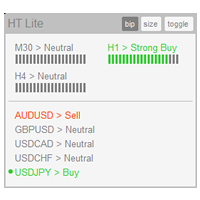
The indicator High Trend Lite monitors 5 symbols in up to 3 timeframes simultaneously and calculates the strength of their signals. The indicator notifies you when a signal is the same in different timeframes. The indicator can do this from just one chart. Therefore, High Trend Lite is a multicurrency and multitimeframe indicator. With the High Trend Pro , available at this link , you will have an unlimited number of symbols, 4 timeframes, a colourful chart of the primary MACD indicator, several
FREE

This tool adds alerts to your Fibo Retracement and Fibo Expansion objects on the chart. It also features a handy menu to change Fibo settings easily and quickly! Note: This is a demo version operating only on USDCHF . The full version purchase link: https://www.mql5.com/en/market/product/6760
Features Alert for Fibo Retracement and Fibo Expansion levels. Sound, Mobile and Email alert. Up to 20 Fibo Levels. Continuous sound alert every few seconds till a user clicks on the chart to turn it OFF.
FREE

This is a Semi Automated OTE EA based on the free teachings of ICT. One of the biggest challenges in trading is related to executing and managing trades. After analyzing charts, draw an OTE Fibonacci and turn on the EA. It will automatically execute orders based on the Fibonacci level of your placement and protect any open positions when in profit. Please review the documentation that accompanies this product.
Auto Lot Calculation Based on Risk Percent
Auto SL and TP
Auto BE
Risk Per
FREE
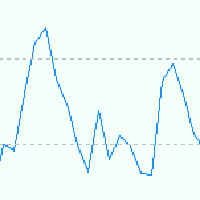
EA is based on Parabolic SAR and MACD indicator. if there are loss EA try to recover loss and fix position by placing another bigger order. Please test in strategy tester and let me know your feedback Suitable for Beginners No complex settings Just use EURUSD M5 time frame YOU CAN CONTACT ME FOR OPTIMIZATION Please leave the comment your like or dislike I will be happy to answer all kind of query related to this product... Please check in strategy tester and comment like or d
FREE
Questo indicatore mostrerà le sessioni di trading attive e inattive e imposterà variabili globali a seconda che la sessione di trading sia attiva (1) o inattiva (0). Utilizzando la funzione della libreria iCustom, puoi richiamare questo indicatore da un Expert Advisor o da uno script, come segue, // Richiama l'indicatore personalizzato iCustom ( Symbol (), PERIOD_D1 , "Market/RedeeCash_TimeZone" , 0 , 0 ,Blue,Red); // ottenere i valori delle variabili globali double NewYorkSessionIsActive = Glob
FREE

Summorai Questo indicatore somma fino a 5 medie mobili di diversi simboli e le posiziona comodamente sul tuo grafico. Come usarlo? Basta trascinare l'indicatore su un grafico e inserire i nomi dei simboli esattamente come appaiono nella tua finestra di osservazione del mercato. In questo modo, puoi tenere sempre sotto controllo il trend globale. Esempio di utilizzo: Fai trading sul DAX40 sul grafico dell'indicatore, è utile aggiungere Nasdaq100, S&P500 e Dow30 per confermare il trend. Esempio 2:
FREE
L'unico scopo di Blind Broker System è nascondere i tuoi piani commerciali e renderli invisibili al tuo Broker. Se vuoi davvero renderlo "cieco" e assicurarti che non sappia nulla dei tuoi livelli di stop loss, volumi, livelli di take profit in anticipo, usa semplicemente questo robot di trading.
Blind Broker System è un sistema alternativo di gestione degli ordini. In un certo senso è lo stesso del sistema all'interno di Meta Trader Terminal.
La differenza è che tutti gli ordini inviati tr
FREE
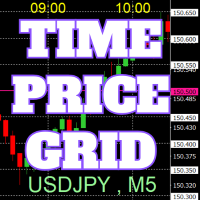
Sul grafico vengono disegnate griglie di prezzi e tempo su numeri interi per facilitare il riferimento.
Dal "Input dei Parametri", è possibile impostare gli intervalli di prezzo per ogni periodo. Le linee della griglia per i numeri significativi (numeri rotondi) sono più spesse e più evidenti rispetto alle altre linee, rendendole facilmente distinguibili. La griglia per i numeri significativi (numeri rotondi) può essere impostata con un colore diverso rispetto alle altre linee. I colori in var
FREE

Questo indicatore ti consente di scoprire quanto il prezzo può passare sulla barra corrente. Cerca la media ATR per le precedenti 5 barre e disegna 2 limiti di prezzo. Puoi usarlo su qualsiasi periodo di tempo di qualsiasi strumento.
Sulla base di questo indicatore, è possibile impostare i livelli di stop loss e profitto, nonché utilizzarlo in altre buone strategie.
Non dimenticare di utilizzare la gestione del rischio durante il trading!
FREE

Lord Info is an indicator for the financial market on the META TRADER 4 platform.
You can place Lord Info on any stock / currency pair on your platform.
Lord Info is able to show us the ATR report for the last (10) days or configurable, where we can see the base volatility of the pair, and its consequence.
The average true range (ATR) is an indicator of market volatility used in technical analysis. It is typically derived from the 14-day simple moving average from a series of real-range indi
FREE

Questo strumento non è solo un Expert Advisor, viene utilizzato per ottimizzare i tuoi indicatori, per progettare il tuo Expert Advisor, per analizzare i buffer dei tuoi indicatori senza avere accesso al codice sorgente. Ho cercato a lungo come ottimizzare i miei indicatori senza dover programmare o modificare ogni volta un esperto. Con questo strumento, chiunque può iniziare a progettare strategie o persino avere il proprio Expert Advisor personalizzato. Può ottimizzare i tuoi indicatori o la
FREE

ExportRange è uno script utilitario progettato per esportare i dati delle candele di un determinato timeframe in formato CSV. Lo script raccoglie il massimo, il minimo, la differenza tra i due (Range), oltre all'orario e all’indice di ogni barra. È indicato per utenti che necessitano di dati semplici e affidabili per analisi statistiche o studi di volatilità. Quando viene applicato a un grafico, lo script estrae il numero definito di barre e salva i risultati in formato CSV nella cartella Files
FREE

Created for signal providers, as well as for participation in various forex contests(and not only), can independently open an unlimited number of orders on the indicators WPR (Williams Percent Range) A series of experts: Lucky Star RSI and MACD, Lucky Star WPR, Lucky Star RSI, Lucky Star MA, Lucky Star SO, Lucky Star MACD, Lucky Star MA and SO, Lucky Star MA and MACD , Lucky Star SO and MACD the probability of winning real money in management or bonuses to real accounts ( read more on this in
FREE

Created for signal providers, as well as for participation in various forex contests(and not only), can independently open an unlimited number of orders on the indicators Moving Average and Stochastic Oscillator A series of experts: Lucky Star RSI and MACD, Lucky Star WPR, Lucky Star RSI, Lucky Star MA, Lucky Star SO, Lucky Star MACD, Lucky Star MA and SO, Lucky Star MA and MACD, Lucky Star SO and MACD the probability of winning real money in management or bonuses to real accounts ( read mor
FREE

The script opens 5 orders (buy) with 1 stop loss and 5 different take profits. And places 4 limit orders (buy). The following parameters are set by default: Stop loss for all open orders - 120 pips Take profit for 1 order (lot 0.1) - 30 pips take profit for other 4 orders (lot 0.04) - 50, 90, 140, 200 pips.
Stop loss for limit orders is 135-140 pips from the current price (at the time of placing orders). The distance of each limit order is 20 pips. Lot size with micro-martingale - 0.04, 0.05,
FREE

TelegramTradeReports - Il Tuo Trading Sempre Sotto Controllo TelegramTradeReports è l'Expert Advisor essenziale per il trader che non vuole mai perdere un colpo. Collega istantaneamente il tuo terminale MT4 al tuo account Telegram, inviando notifiche in tempo reale su ogni evento di trading e report periodici sull'andamento del tuo conto. Ideale per chi gestisce Expert Advisors, segnali o trading discrezionale e necessita di monitorare l'attività del conto anche quando è lontano dal PC. Car
FREE

Based on a combination of indicators, PS Acid Fulx is an excellent indicator for knowing when to buy or sell on any asset and temporaryity. The indicator myself I have used it as a tool for my analysis when trading Forex. It is a useful and easy-to-understand trend indicator. If you combine it with your own analyses you will surely get a good result in your operation.
FREE

ProTrade Panel – Speed, Precision, Professionalism Master the markets with the ultimate MT4 assistant. Are you tired of the slow, clumsy default execution in MT4?
Do you struggle to manage multiple orders during high volatility?
ProTrade Panel is designed for serious manual traders. It combines One-Click Execution, Breakout Pending Orders, Bulk Closing, and Visual Risk Management into one sleek, floating interface. Key Features Smart Drag & Drop : Long-press the header to move the
FREE

MT4 trading tool. Intuitive Dashboard that allows effortless automated trading, saving 99 Strategies , Advanced Money Management , Automatic group orders : Global Take Profit / Stop Loss, Smart TP (Multi-Level, Position Recovery) and Smart SL (Breakeven, trailing Stop, Multi-Level), Exit Manager , Signals, Strength Indicator , ATR Graph, Price Alert, News Warning… # If you have any other requirements or are interested in collaboration, please contact (info@styxia.com)
Get more information
FREE

Stable Helper – Keep Your Trading Connection Uninterrupted! Ensure your MT4 stays connected and stable automatically! Stable Helper works silently in the background, monitoring your connection, rescanning servers, and even restarting MT4 if necessary—all without manual intervention. Designed to minimize downtime and optimize server performance , Stable Helper protects your trades from unexpected disconnections and latency issues. Key Features: 1️⃣ Real-Time Connection Monitoring
Constantly
FREE
Bollinger Bands TP Guardian
Questo Expert Advisor di utilità utilizza le Bande di Bollinger per modificare il livello di Take Profit (TP) degli ordini aperti, migliorando la gestione del tuo trading e lasciandoti le mani libere dopo che la transazione manuale è stata eseguita. Caratteristiche principali Regolazione automatica del TP: L'EA regola automaticamente il TP degli ordini aperti. Integrazione delle Bande di Bollinger: I livelli di TP sono impostati utilizzando la Banda Superiore, Central
FREE

Introductory Pricing for one month
Brute force trader is specially designed to find the best entry point and exit point with the regular tested and proven indicators. The EA will automatically analyse the market and will follow trends with the right entry exit points. Since the timeframe it is using is 30 minutes, the chances that you are stuck into a long trade is very low. Thought it does not use stoploss but it has the
FREE
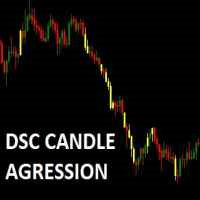
Corretora recomendada para usar esse indicador: https://tinyurl.com/5ftaha7c Indicador que pinta o candle de amarelo em pontos de muita agressão no mercado. Sempre que o mercado for se movimentar o candle irá ficar amarelo. Valido para todos ativos e todos timeframes. SEE OUR RESULTS ON INSTAGRAM: https://www.instagram.com/diogo.cansi/ TELEGRAM GROUP = https://t.me/robosdsc More information by email dscinvestimentos@gmail.com or by Whatsapp 55-991372299
FREE

Indicator Profitability Check Introduction: IPC means "Indicator Profitability Check". Some features will be locked in free version. Also you cannot check result more than 1 month. For paid version, please visit: https://www.mql5.com/en/market/product/45247 Here Indicator Profitability Check is a custom script which will check the profitability of a buy-sell arrow based custom indicator’s signal profitability. So traders who are very confusing for a buy-sell arrow based custom signal indicato
FREE

XAUUSD Trading EA (MT5) Get access to our fully automated Expert Advisor designed for consistent performance. Free Trial Available
Try the EA before you commit. Live Performance
Check real results via MyFXBook (link available in our Telegram channel https://t.me/xgoldscalper – pinned message). How to Get the EA
The original MT5 EA file is shared via Telegram.
Contact directly: https://t.me/SaravananL Available Models
Choose what suits you best: Subscription (Buy EA acc
FREE
Simple dashboard to view ATR value across multiple time frame, no need to click at any timeframe, we can see the overview of ATR quicker. Support changing value of ATR period. Download free! We already tested via Strategy Tester, nothing wrong. If you found something wrong just drop the comment below or contact me at site: https://youtube.com/@itwetrade
Email: itwetrade@gmail.com
--------------------------- Support for development: https://www.buymeacoffee.com/itwetrade
FREE

️ Prop Circuit Breaker MT4 Prop Circuit Breaker is an advanced, high-performance risk management utility designed exclusively for the MetaTrader 4 platform. This EA does not execute trades . Instead, it acts as an automated security shield, protecting your funded or challenge accounts from catastrophic losses and ensuring complete rule compliance. Whether you are manually trading or running a commercial EA that lacks built-in drawdown protection, Prop Circuit Breaker continuously monitors you
FREE
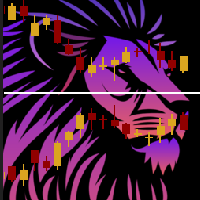
ChartOverlay indicator has two main functions 1. mirroring - i.e. for example, it will make USDEUR from EURUSD 2. displaying the price chart of the selected financial instrument (with selected period) in the subwindow of the main chart. This tool allows traders to easily analyze the relationship between different currency pairs and assets, offering unique customization and visualization features.
Key Features: Price Chart Display: The indicator displays the price chart of the selected instrume
FREE

A simple indicator showing the size of the spread at the current time, the maximum for the day and the maximum for the entire duration of the indicator.
Daily statistics of the maximum spread are also displayed, indicating the time when this spread was fixed.
The location of the display of the received information can be changed depending on your preferences and positioned anywhere on the screen.
It is possible to output alerts about exceeding the size of the spread specified in the input pa
FREE

EAsynRightNow - Professional Trading Expert Advisor for manual trading with advanced functionality
EAsyRightNow is a multifunctional trading Expert Advisor for MetaTrader 4, featuring a Trading Panel with a user-friendly interface and extensive trading position management capabilities. Perfect for scalping, it works on all timeframes.
Key Features
1. Trading Modes
- Single Orders: Management of one trading position
- Multiple Orders: Ability to open multiple orders in the same direction
- M
FREE

Il presente Ea, ha il solo scopo di proteggere il conto.
Quando il basket di operazioni presenti nel terminali raggiungono un profitto impostato in termini valutari l'expert chiuderà tutti i trade.
Replicherà lo stesso comportamento qualora venisse raggiunto il limite loss.
E' un expert advisor semplice ma al contempo utile per salvaguardare il conto e da tenere sempre attivo.
Si può mettere su qualsiasi time frame o grafico, l'importante è che venga inserito una sola volta.
FREE

The indicator works as an extension that recolors the candles and the background in the terminal at the click of a button (Night Theme / Day Theme). The user can also set the display of the watermark of the symbol, and specify its size. The interactive menu allows you to toggle the display of the Ask value. And switch chart scaling from adaptive to fixed with one click.
You can add your favorite color to the settings for switching.
FREE

An improved version of the standard Standard Deviation indicator.
It is now a responsive and smoothed line.
The setup is not straightforward - but I hope you can do it.
It is very easy to understand the readings of this indicator, the meaning is the same as that of the usual Standard Deviation.
//////////////////////////////////////////////// ///////////////////////////////////
I hope this indicator will be very useful to you in successful trading.
Good luck.
FREE
The technical indicator is a more advanced version of the relative strength index (RSI) that applies moving average convergence-divergence (MACD) principles to a double-smoothed RSI (DS RSI) indicator. The indicator is derived by computing the difference between a double-smoothed RSI and a simple moving average (SMA) of the DS RSI. The indicator's intent is to provide more accurate buy and sell signals than the standard RSI calculation.
The MACD is derived by subtracting the 12-period exponen
FREE
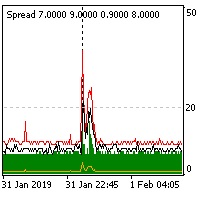
The indicator reads the current spread and displays it on the chart. The maximum value, the minimum value, the value at the time of opening the bar and the maximum value divided by 10 are displayed separately.
The indicator does not remember these values so the data will be lost if there is a change in the timeframe.
The indicator is useful for analyzing market volatility, comparing the spread between brokers and different types of accounts. By default: Red line - maximum spread; Green bar -
FREE

FractZigER calculates reversal vertices on the chart and connects them by lines individually for High and Low and complements the chart with lines by bottoms for High and Low in a similar way. Only one parameter is used for setup (ReachBars - number of neighbouring bars for plotting a vertex), as well as one parameter for drawing into history (DRAWs - number of bars in history to be used in calculation). Use the indicator the same way you previously used ZigZags and indicators based on fractals,
FREE
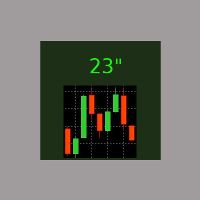
E' il più semplice indicatore esistente. Ha un'unica funzione: segnalare i secondi trascorsi dall'ultimo minuto in modo molto comodo, con un'etichetta spostabile nel grafico, in modo da evitare al trader di allontanare l'occhio dalla candela in formazione. Si usa su M1, ma anche su intervalli maggiori, per chi è interessato ad aprire/chiudere le posizioni nel momento migliore. Talvolta un movimento intenso negli ultimi 10" del minuto dà indicazioni sull'andamento futuro, ed è utilizzabile per s
FREE

Signalator Trade Summary Panel MT4 is a free local MetaTrader 4 utility that gives traders a clear account and open-trade overview directly on the chart.
The standard Trade tab shows individual positions, but it can be difficult to quickly understand the whole account situation when several trades or symbols are open. This panel summarizes the most important information in one compact dashboard.
The panel shows current floating profit or loss, floating P/L as a percentage of account balance,
FREE

Some short but nice algo giving signals and some ideas for stops. Five moving averages are used to find cross overs and create a zone. All periods and methods are adjustable but default values are optimized already. If you have lags on long history you can reduce MaxBars to make it work faster. Please comment if need to explain the parameters. Also any improvement ideas are welcome.
FREE

The indicator summarizes all open positions. Settings: HeaderTextColor = Yellow; // Header text color FooterTextColor = Yellow; // Text color in totals ProfitColorPositive = Lime; // Color for gain values ProfitColorNegative = Red; // Color for loss values SeparatorColor = Gray; // Color for separators FontSize = 12; // Text size LineSpacing = 15; // Line spacing FontName = "Courier New"; // Font name TableCorner = 0; // 0: Top
FREE

Just a panel for drawing levels. Minimal but very useful thing. This is a reimagining of Color Levels Pro. ---- 4 types of customized levels. support for rectangle and line levels. The indicator parameters are very simple and are divided into blocks. For any update idea please contact me here. ---- don't suffer don't suffer ---- Enjoy your work!!!!!!!! ----
FREE

I was looking for a lean symbol changer. I could not find any. Normally other products hide lot's of screen space. So I developed a very lean symbol changer Just click on the 2 currencies you want to combine. The order does not matter. If you miss some pairs, you can add up to 5 custom symbols. Please make sure, your broker support your custom symbols. Drag an drop the panel with the green button.
In future I plan to include suffix and prefix als well.
FREE

基于波段交易策略,使用低风险的交易策略来最大程度地尽量及时的获取利润. 策略原理 1、进场:点差限制,时间限制,ATR限制,确保波幅不会太大,布林带上轨开空单,布林带下轨开多单。 2、出场:点差限制,点差太大了平不了仓,这个请注意,平台时间0-1点点差会很大。多单在中轨上平台,空单在中轨下平仓。中轨就是布林带用到的那根均线,不知道的,自己了解下布林带的原理. 使用说明 1、适用品种:GBPCAD,GBPAUD,GBPNZD,EURNZD,EURAUD,EURCAD,AUDCAD,AUDCHF等等. 2、适用周期:M5,或者M15. 3、时间设置:参数中设置的是平台时间,须注意GMT的偏离换算........
FREE

Robot basado en indicadores para realizar operaciones de forma tendencial. Ideal para cuentas de cualquier capital, como un balance mínimo de 100$ Funciona con cualquier Timeframe. El bróker recomendado es Swissquote. Si desea utilizar el robot le recomendamos que se ponga en contacto con nosotros para asesorarle en la mejor configuración posible del sistema.
FREE

Todays High and Low
This indicator draws lines at the highest price of the day and at the lowest price of the day. Both lines are ended with labels with the maximum and minimum prices written. Lines and labels are moved according to the chart progress in real time. The indicator works on all chart time intervals. You can change and set colors and shift the chart. The indicator allows you to observe the price movement on the chart and not lose sight of the price maxima and minima achieved.
FREE

***IMPORTANT: This free indicator works with the paid for Strong Weak Forex Expert Advisor. The EA also depends on the following custom indicators: Strong Weak Heiken Ashi Strong Weak Parabolic Strong Weak Values Strong Weak Symbols Download them for free in the Market. The EA will not work without it. These are all custom indicators which the Strong Weak Forex Expert Advisor relies on to generate trading signals. If you have any problems with installation send me a message.
FREE

The LWO is a tool that effectively indicates the end of trends. Being an oscillator, it has values between 0 and 100, defining the areas of hyper-sold and those of hyper-bought. Its effectiveness is due to the weighing of prices at the end of individual periods on a logarithmic scale; this allows you to have a perception of the will of the market.
The parameters
The indicator has only 2 settable values, period and smooth factor.
The period indicates how many bars the weighing is performed, whi
FREE

The risk-to-reward ratio is used for assessing the potential profit (reward) against the potential loss (risk) of a trade. Stock traders and investors use the R/R ratio to fix the price at which they'll exit the trade, irrespective of whether it generates profit or loss. A stop-loss order is generally used to exit the position in case it starts moving in an opposite direction to what a trader anticipated.
The relationship between the risk and reward helps determine whether the potentia
FREE
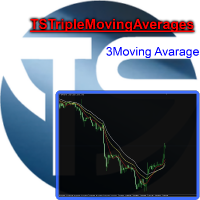
Useful indicator that incorporates three moving averages, for your favorite trading strategy. Moving averages are fully configurable, Period, Method, Color, Etc Just place it on your favorite timeframe.
The benefits you get : Never redesigns, does not retreat, never recalculates. Works on forex and CFD, timeframe from M1 to Monthly. Easy to use. Convenience for your trading.
FREE
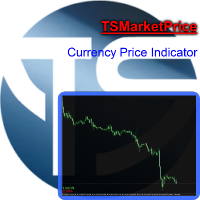
Indicator that displays the current price and the percentage of loss or gain, compared to the previous day.
The benefits you get : Possibility to choose your favorite crosses. Never redesigns, does not retreat, never recalculates. Works on forex and CFD, timeframe from M1 to monthly. Easy to use.
Parameters : FontSize = 20; font size FontType = "Tahoma"; character type Angle = Bottom_Right; angle view (top right .. top left sect ..) Show_Price = true; view the Bid Show_Var = true; see the dif
FREE

It's a simple but useful tool for creating a grid based on Bollinger Bands .
Only 2 parameters can be set: 1) "Period" - the period of all visible Bollinger Bands (i.e. 4) and 1 Moving Average (axis of all Bollinger Bands), 2) "Deviations Distance" - the distance between Bollinger Bands.
Naturally, the colors of all 9 lines can be changed as desired. It works with everything that is available in your Market Watch.
Good luck!
FREE
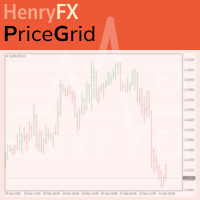
This indicator help you to easily calculate the price moving. You can change the gird size withing the input parameter for your trading style, such as hedge, swing trader, ect. It can let you easy to find your takeprofit and stoploss target price in chart.
For more about my tools and EA, you can join my channel below, thank you. Telegram channel: t.me/HenryEAChannel
FREE

Acceleration/Deceleration Technical Indicator (AC) measures acceleration and deceleration of the current driving force. This indicator will change direction before any changes in the driving force, which, it its turn, will change its direction before the price. If you realize that Acceleration/Deceleration is a signal of an earlier warning, it gives you evident advantages. But, a classical AC indicator does not include any input parameter. In the source file we can see that this indicator are us
FREE

The AllClosedMT4 utility in the form of an expert. The utility is designed for closing all open positions simultaneously based on the total profit (in the deposit currency) of all open positions. The utility can be attached to any chart with any trading instrument.
Parameters Profit - the total positive profit in the deposit currency, at which all open positions are closed (profit). Stop - the total negative profit in the deposit currency, at which all open positions are closed (loss). The valu
FREE
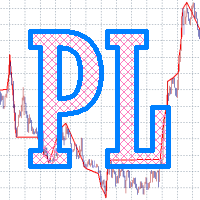
High, Low, Open, Close — isn't this too much? Sometimes you need a unique history of prices. But if choose one thing, you lose the rest. Smoothing also leads to data loss. Often you lose one of the most important market details: information about extremes. It is due to the preservation of information about the highs and lows, the correct "smoothing" for the history of price is a zigzag. But zigzags also have drawbacks — they do not provide intermediate values. The Price Line indicator solves thi
FREE
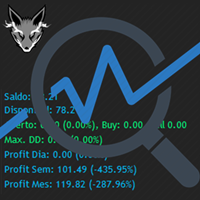
Track your overall trades! Monitor New Fox is an excellent indicator, which displays your current profits, being them monthly, weekly, and daily, that is, all profits obtained when you opened the mt4. Our brand new Monitor New Fox indicator is able to unlock all advanced features of MetaTrader 4. This indicator can graph with simple data key meta trader account data (Balance, Equity, Free Margin, Current Profit/Loss, Profit/Loss total, amount of open position(s) and size, etc.) and all this in a
FREE

EA_Agr_Test
This is a free version of EA_Agr_Full , designed to provide the buyer with the opportunity to check the product not in the tester, but on a live account. Here exactly the same trading algorithm is used, but there is no possibility to change the parameters, except for GMToffset .
Orders cannot be more than 0.01 lot and profit is taken very early.
For this reason, it is impossible to achieve high returns. Algorithm verified with broker just2trade
Parameters
GMToffset - differenc
FREE

我很高兴欢迎您来到我的产品页面 面板初次加载会服从后台设置,面板控制交易管理凌驾于后台之上。请注意交易方向的管理,正确的交易方向是交易市场生存的根本,这点很重要。 Ea交易有2种策略Sto,MA和用户在面板打开的执行订单,同时也支持移动端下单(下单基础请服从后台自行设置手数)、移动端预下单功能。 Sto策略单量密度大,是激进策略;MA策略较缓和。
此EA可全自动化交易,设置偏向于辅助手控交易。 ============Basic settings============= Magic EA 交易品种(trading variety) 点差(Spreads) 点差系数(Spread coefficient) =============conditions for execution==== 交易模式(Choosing strategy) 打开新系列订单(Open new series) //是否允许,否的话会停止打开新阶段订单。关闭状态适合运行预交易功能,也就是控制运行,一阶段一结。。 开多(Trade Sell) //处于关闭状态会停止一切开Sell方向单子。 开
FREE

The indicator allows you to trade binary options. The recommended time frame is М1 and the expiration time is 1 minute. The indicator suitable for auto and manual trading. A possible signal is specified as a arrows above/under a candle. You should wait until the candle closes! Arrows are not re-painted Trade sessions: TOKYO section (Half end) and LONDON section (First half) Currency pairs: EUR/USD Working time frame: M1 Expiration time: 1 minute. The indicator also shows good results when using
FREE

This is an Ea to help trader to fix his objectif in a day before trade. The Idea behind this EA is: This ea is for the postion management The trader should provide the number of trade he would like to take in a day As soon as his take a trade , this number dicrement when taking a trade the ea use this number and the number of volume to calculate tp and sl and place it on the market When the number come to 0 , the ea provide a message to the trader to stop trade for this day
FREE

Expert Advisor uses 2 ATR indicators and Bands for Enter trades. the trades will be closed after interaction with second Band indicator. tested and optimized from 2010 on IFCMarkets. default settings for GBPCAD 15m chart. best performance on ranging markets. can be optimize for trading more symbols and timeframes. EA uses grid and method.
trading deposit: 1000 and higher. This EA operates only once per bar opening. Fast methods of strategy testing and optimization are valid.
FREE
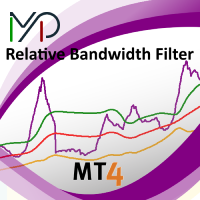
MP Relative Bandwidth Filter (RBF) is created to be used to identify your trading zones based on volatility. This easy to use technical indicator attempts to compare between Bandwidth of higher length and ATR of lower length to identify the areas of low and high volatility: Relative Bandwidth = Bandwidth / ATR The Bandwidth is based on Bollinger Band which its length ideally needs to be higher and ATR length needs to be ideally lower. After calculating Relative Bandwidth, the Bollinger Band is
FREE
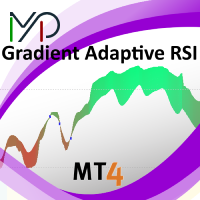
MP Gradient Adaptive RSI oscillator uses AMA with the basic RSI to cover the retracements with minimum lag. Trigger line crossing the oscillator will provide an entry point for trader.
Settings: RSI period: period of the oscillator Sensitivity of the oscillator: controls the sensitivity of the oscillator to retracements, with higher values minimizing the sensitivity to retracements. RSI applied price: source input of the indicator Number of bars to draw: is used when the Fill Type option is no
FREE
Scopri come acquistare un robot di trading dal MetaTrader Market, il negozio di applicazioni per la piattaforma MetaTrader.
Il sistema di pagamento di MQL5.community supporta le transazioni tramite PayPal, carte bancarie e gli altri sistemi di pagamento più diffusi. Per essere pienamente soddisfatto, ti consigliamo vivamente di testare il robot di trading prima di acquistarlo.

Ti stai perdendo delle opportunità di trading:
- App di trading gratuite
- Oltre 8.000 segnali per il copy trading
- Notizie economiche per esplorare i mercati finanziari
Registrazione
Accedi
Accetti la politica del sito e le condizioni d’uso
Se non hai un account, registrati