Swing Trap MT5

Swing Trap MT5 - User Guide

Recommended market: Gold (XAUUSD)  |  Timeframe: M15 only

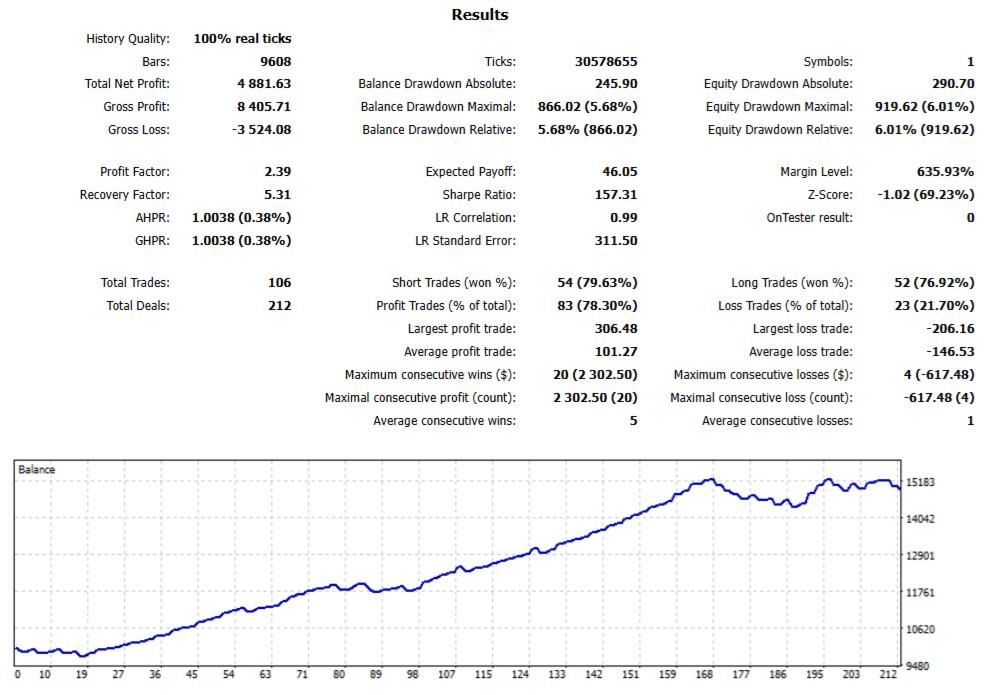
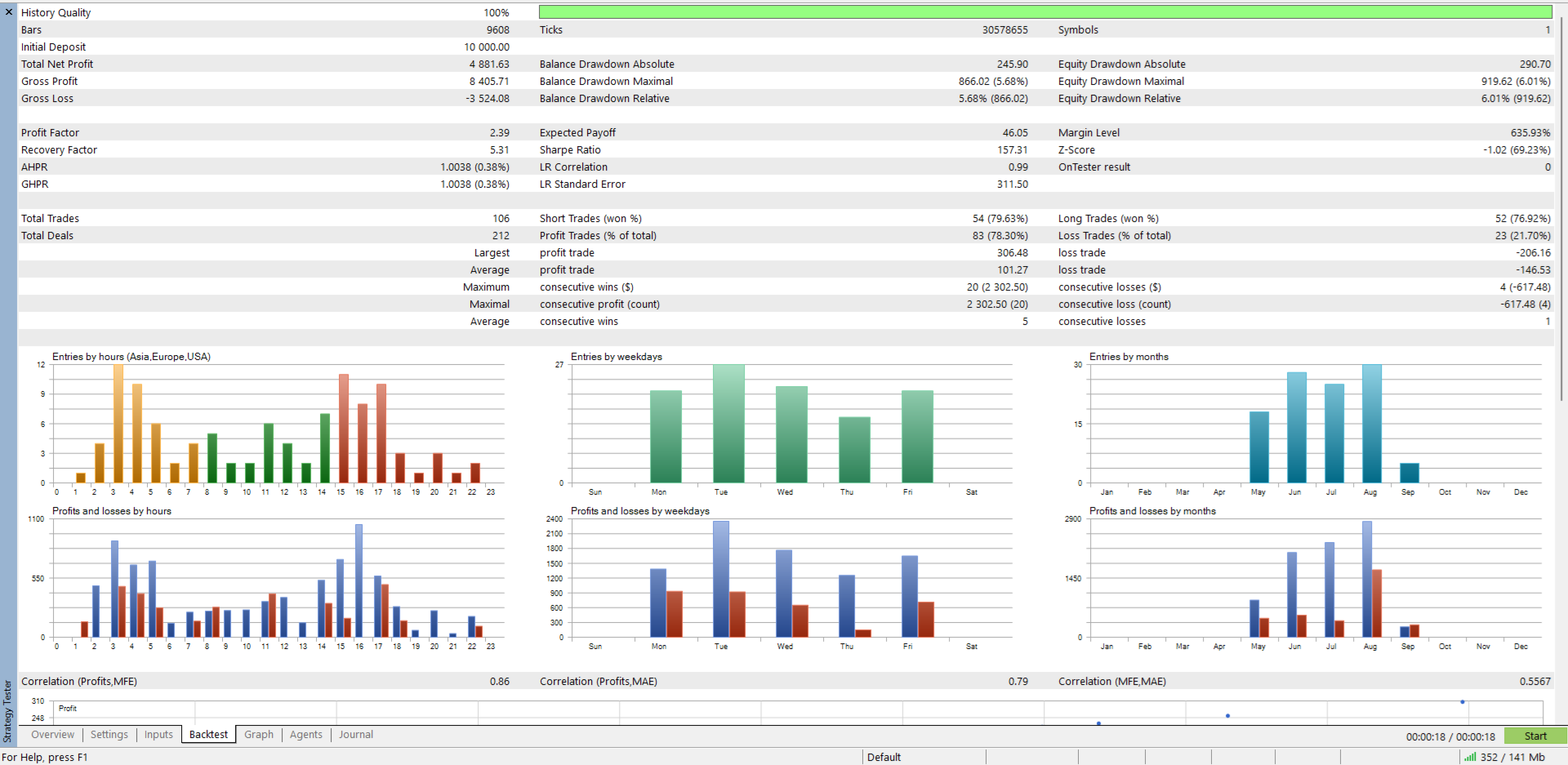
Swing Trap is a fully automated Expert Advisor that works with pending orders, fixed Stop Loss / Take Profit and a tight trailing stop. It is designed and tested for Gold (XAUUSD) on the M15 timeframe. It includes a full set of protection filters, so you stay in control of risk. No DLL and no manual trading are required - attach it to a chart, set your lot size and let it run.

Quick Start

  1. Open a XAUUSD (Gold) chart and set the timeframe to M15.
  2. Drag Swing Trap MT5 from the Navigator onto the chart.
  3. On the Common tab, tick Allow Algo Trading.
  4. On the Inputs tab, choose your lot mode (fixed lot or % risk) and adjust the limits below to fit your account.
  5. Click OK. Make sure the Algo Trading button in the MT5 toolbar is green.
  6. Check the info panel on the chart - it shows the EA status, spread, lot size, open positions, pending orders and daily P/L.

Before You Trade Live

  • Use XAUUSD on M15 only. Other symbols and timeframes are not supported and results may differ.
  • Run the EA in the Strategy Tester (XAUUSD, M15) and then on a demo account first.
  • Use a broker with low spreads. The EA can pause itself when the spread is too high.
  • Use a VPS if you want the EA to run 24/5 without interruption.
  • Keep only one copy of the EA on the XAUUSD M15 chart, or give each copy a different Magic Number.
  • Start with the smallest lot size and increase slowly.

Input Parameters

Trade

  • Use % risk sizing - false = fixed lot, true = lot calculated from account equity.
  • Risk per trade (%) - percentage of equity risked per trade when % risk sizing is on.
  • Fixed lot size - lot used when % risk sizing is off.
  • Max lot ceiling - upper limit for the lot size (0 = no cap).
  • Max spread (points) - the EA will not place new orders while the spread is higher than this value (0 = off).
  • Delete pendings on high spread - removes waiting orders while the spread is too high.
  • Magic number - unique ID of the EA's orders. Change it if you run several copies.

Strategy

  • Core parameters: Take Profit, Stop Loss, Trailing Start and Trailing Distance (all in points), pending order lifetime (hours) and the pause time after a closed trade (seconds).
  • Additional options let you allow Buy only, Sell only, or both directions.
  • The default values are a good starting point. Change one setting at a time and test each change before going live.

Daily limits

  • Daily profit target (%) - stop trading for the day once the target is reached.
  • Daily loss limit (%) - stop trading for the day when the loss limit (closed + floating) is reached.
  • Both are calculated from the day-start balance and can be switched on or off.

News filter (live trading only)

  • Uses the built-in MT5 Economic Calendar.
  • Choose the minimum importance (High, or Medium and High) and the currencies to watch (e.g. USD).
  • Set how many minutes before and after an event new orders are blocked.
  • Optionally delete waiting orders during the news window.
  • Note: the calendar is not available in the Strategy Tester.

Time filter (server time)

  • No new orders at rollover - avoids the wide-spread period around daily rollover.
  • Daily window - set a daily close and reopen time; optionally delete pending orders and close positions at the daily close.
  • Friday close protection - set a Friday close time; optionally delete pending orders and close positions before the weekend.

Display

  • Show info panel - status panel on the chart.
  • Draw levels - draws the order levels on the chart.

Tips

  • All point values are set for Gold. On a 2-digit gold quote, 100 points = $1. If your broker uses 3-digit gold, multiply the point values by 10.
  • Do not change inputs while trades are open unless you understand the effect - open positions keep the SL/TP they were opened with.
  • If the EA shows no activity, check: Algo Trading is on, the spread is below your limit, the current time is inside the allowed window, the news filter is not blocking, and the daily limit has not been reached.
  • Always test new settings on a demo account first.

Risk Warning

Trading leveraged products such as Forex and CFDs carries a high level of risk and may not be suitable for all investors. Past performance and backtest results do not guarantee future results. Only trade with money you can afford to lose.

Thank you for choosing Swing Trap MT5. If you have any question, please contact me through a private message on MQL5.
Plus de l'auteur
Smart Reversal Arrows
Thanat Thitithammaphong
Smart Reversal Arrows Non-repainting Buy/Sell reversal signals with built-in alerts. Smart Reversal Arrows is a clean, lightweight MT5 indicator that plots simple Buy/Sell arrows directly on your chart, warning you when price shows real signs of a reversal or a trend pullback. No clutter, no extra lines on the chart - just clear arrows and instant alerts when it matters. Timeframe This indicator works on all timeframes, but signal frequency depends on the timeframe you choose. Lower timeframes (
Smart Entry MT4
Thanat Thitithammaphong
Smart Entry MT4 Clean & High-Probability Trading Signal Tool Overview Smart Entry is a professional trading signal tool designed to help traders identify high-quality market entries with clarity and confidence. It removes guesswork from trading by providing clear buy and sell signals directly on the chart, allowing traders to focus on execution rather than analysis confusion. Built for traders who prefer a simple, clean, and rule-based approach to the market. Trading Signals The tool p
Confluence Arrow Pro
Thanat Thitithammaphong
Confluence Arrow Pro Trade only when Trend, Momentum, Volume and Volatility all agree. Confluence Arrow Pro is a non-repainting Buy/Sell arrow indicator that filters out weak, low-probability setups. Instead of relying on a single indicator, it waits until four independent market forces line up before printing a signal – helping you avoid false signals from choppy, low-quality price action. How It Works A signal only appears when all of the following conditions are true at the same time: Trend –
Smart Entry MT5
Thanat Thitithammaphong
Smart Entry — Precision Entry Signal Indicator Stop guessing your entries. Get clear, filtered Buy/Sell arrows only when it matters. What It Does Smart Entry is a MetaTrader 5 indicator that spots high-probability trend reversal points and marks them with simple green (Buy) and red (Sell) arrows directly on your chart. Every signal passes through a 3-layer filter before it appears: Reversal Detection — identifies the moment short-term price direction shifts Trend Confirmation — only signals that
Hi Trader
Thanat Thitithammaphong
Hi Trade EA is an EA facilitating hand trading. Hi Trader EA is a trading assistant EA, not an automatic order placing EA. Features of EAs Fix Lot will open positions based on the lot size specified by the user. Risk will calculate the lot size based on the percentage of the account balance, considering the distance from the open price to the Stop Loss. Therefore, a Stop Loss value greater than zero is required. TS = Trailing stop with separate stop loss, individual orders. AVR TS = Trailing sto
Fibo pending EA
Thanat Thitithammaphong
Fibo Pending EA turns any Fibonacci Retracement you draw on the chart into a fully managed grid of pending orders — with one click. Draw your Fibo, set the levels you want to trade, and press Place Pending . The EA reads the retracement directly from the chart, calculates Buy Limit or Sell Limit prices for each level you've enabled, and sends the orders. Stop Loss and Take Profit are then applied automatically based on the Fibo levels you choose — no manual order entry, no manual SL/TP dragging.
HiTrader MT5
Thanat Thitithammaphong
Hi Trade EA is an EA facilitating hand trading. Hi Trader EA is a trading assistant EA, not an automatic order placing EA. If you want to Backtest the functionality, please download the MT4 version for testing. Features of EAs Fix Lot will open positions based on the lot size specified by the user. Risk will calculate the lot size based on the percentage of the account balance, considering the distance from the open price to the Stop Loss. Therefore, a Stop Loss value greater than zero is requir
Smart Grid Multi-Symbol EA Fully Automated Trading with Dynamic Lot Scaling & Risk Control Overview Smart Grid Multi-Symbol EA is a powerful automated trading system designed to trade multiple currency pairs and gold simultaneously using a dynamic grid strategy with intelligent lot scaling . Built for traders who want: Consistent execution Hands-free trading Flexible risk control Portfolio diversification ️ Core Strategy This EA uses a Grid + Position Scaling system : Opens positions base
VBC Indicator
Thanat Thitithammaphong
VBC Indicator — Volatile Breakout Confirmation for Gold (XAU/USD) Version: 1.8 Stop guessing reversals. Let strong-candle exhaustion tell you where Gold is likely to turn. VBC Indicator is a price-action tool for MetaTrader 5 , built around Gold's sharp, fast, exhaustion-then-reversal price behavior. It automatically detects exhausted directional moves — runs of strong, same-color candles that have pushed far enough, fast enough — and marks the point where a reversal setup is forming. Alongside
Reversal Wick Zones
Thanat Thitithammaphong
Reversal Wick Zones Non-repainting reversal zones built from confirmed Engulfing candles. Reversal Wick Zones is a clean, lightweight MT5 indicator that highlights potential reaction areas on your chart, based on Engulfing candlestick patterns that occur at market swing (turning) points. How it works The indicator scans price for swing highs and swing lows — the turning points in price. Around each swing point, it looks for an Engulfing candle pair — a candle whose body fully engulfs the previou
Gold Box Breakout
Thanat Thitithammaphong
Gold Box Breakout is an automated H1/M15 breakout strategy that now combines TWO independent breakout conditions in a single EA. Each condition builds its own daily "box" from H1 candle data and, when an M15 candle closes beyond its own box, opens its own trade. Each condition takes at most 1 trade per day , so the EA can open up to 2 trades per day in total — either, both, or neither may fire on a given day, entirely independently of each other. Key Features Two independent breakout strategies
Apex Reversal Signals
Thanat Thitithammaphong
Apex Reversal Signals — Non-Repainting Arrow Indicator for High-Probability Reversal Zones Apex Reversal Signals scans price action for the exact moments where the market tests a key level, gets rejected, and confirms that rejection with a genuine shift in short-term structure before it ever plots an arrow. The result is a clean, uncluttered chart with signals that only appear when multiple independent conditions line up — not on every minor wiggle in price. How It Works Key Zone Mapping — autom
Smart Trade Assistant Virtual is a trading panel for manual traders. It calculates the lot size from your risk, places market and pending orders with one click, and manages your open trades: break-even, partial close, trailing stop, profit lock and OCO. SL/TP and pending orders can also be virtual , which means they are kept by the panel and hidden from the broker. The panel never opens a trade by itself. You decide when to trade, and the panel handles the parts that are easy to get wrong. The f
Filtrer:
Aucun avis
Répondre à l'avis