Trade Deck MT4

TradeDeck — The One-Click Trade Manager Every Chart Should Have

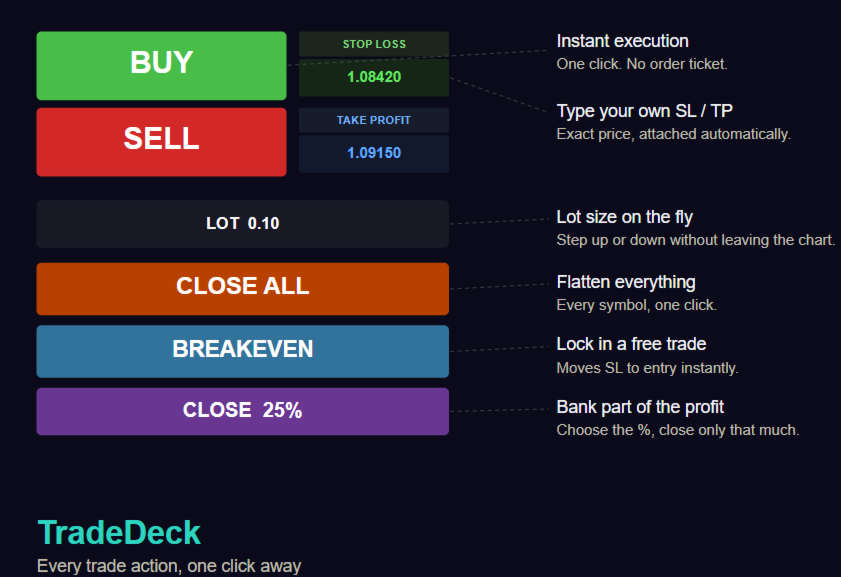
Stop switching between order tickets, position lists, and calculators. TradeDeck puts full control of every trade — entry, exit, breakeven, and partial closes — into a single compact panel that lives right on your chart.

Whether you trade manually, scalp fast-moving markets, or just want a faster way to manage positions than MetaTrader's default order dialog, TradeDeck turns every action you do dozens of times a day into a single click.

What TradeDeck does

  • Instant BUY / SELL execution at market price, with dedicated colour-coded buttons — no order dialog, no extra clicks
  • Type your Stop Loss and Take Profit directly into the panel before you click — enter the exact price level you want, and it's attached to the order automatically
  • Adjustable lot size right on the chart — a +/- stepper lets you size up or down instantly, with no need to dig into settings
  • Close All — flattens every open position on the account in one click, across every symbol
  • Close Trade — closes only the positions open on the current chart's symbol, leaving the rest of your account untouched
  • One-click Breakeven — instantly moves the Stop Loss to the entry price on every open position for the current symbol, locking in a risk-free trade the moment it's earned
  • Partial close by percentage — a second stepper lets you choose exactly how much of a position to close (5% increments, from 5% up to 100%), then one click banks that portion of the profit
  • Compact, dark, unobtrusive panel — sits neatly in the corner of your chart and never gets in the way of your price action

Why traders will want this

Every one of these actions exists somewhere in MetaTrader already — buried in a right-click menu, a modify dialog, or a manual lot calculation. TradeDeck's entire purpose is collapsing all of it into the two seconds it takes to glance at a button and click it. For a discretionary trader watching a fast market, that difference in speed is the difference between locking in a breakeven and watching a winning trade round-trip back to a loss.

  • Scalpers and day traders get in and out without breaking focus on the chart
  • Swing traders managing several open positions can flatten, partially close, or de-risk with one click instead of navigating the terminal's position list
  • Anyone new to MetaTrader's native trading tools gets a simpler, faster interface than the built-in order ticket

A Note on Risk

Trading involves substantial risk of loss and is not suitable for every investor. TradeDeck is a manual execution tool: it does not analyze the market, generate signals, or manage risk on your behalf beyond the actions you click. Every trade, stop level, and lot size is your own decision. Always test on a demo account first, and never risk capital you cannot afford to lose.

Have a feature request — trailing stops, hotkeys, multi-symbol lot presets? Let us know.

Produits recommandés
This indicator helps you control several pairs in a small workspace, therefore, it is not necessary to open several charts on the platform to do so. The indicator shows sequentially up to 6 different pairs, besides that each of these pairs has a button with which you can stop the indicator to observe the selected pair. Place the indicator on a chart to monitor several pairs and the rest of your space use it on the chart of the pair you wish to observe in detail.    MT5 version          Parameter
Shortcuts MT4 Hotkeys Scalping
Pablo Filipe Soares De Almeida
MT4 Hotkeys – Outil de gestion des ordres et positions Cet outil permet aux utilisateurs de gérer les ordres et positions sur la plateforme MetaTrader 4 via des raccourcis clavier. Il prend en charge l’exécution des ordres, la clôture des positions, la gestion de trailing stop et le contrôle du risque via des réglages personnalisables. Commandes principales « B » : place un ordre d’achat. « S » : place un ordre de vente. « C » : clôt toutes les positions ouvertes. « X » : clôt une position spé
Order Trailing Pro
Makarii Gubaydullin
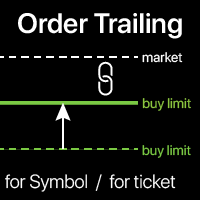
Trailing des ordres : obtenez le meilleur prix d'exécution à mesure que le marché évolue Les ordres en attente avec trailing vous permettront de maintenir la distance au prix d'entrée à la distance spécifiée. L'ordre se déplacera si le prix du marché s'éloigne de lui. Utilitaire multifonction : 66+ fonctionnalités, incluant cet outil | Contactez-moi si vous avez des questions | Version MT5 Pour activer le Trailing des Ordres, vous devez définir les 4 paramètres principaux (sur le panneau) : 1.
One more Copier MT4
Oleksii Chepurnyi
5 (1)
Yet another signal copier. Nothing special. Demo version can be downloaded here . Key Features The utility copies trades between terminals: by market, pending orders (optional), as well as their stop loss and take profit levels (optional as well). You can copy from one Master account to several Slave accounts, as well as from several Master accounts to one Slave account. Volume calculation At the moment, there are two options for calculating the volume: The trade volume is taken 1 to 1 from th
MT4 To Notion
Levi Dane Benjamin
5 (2)
Ce programme vous permettra d'exporter toutes vos transactions de votre compte MetaTrader directement dans Notion en utilisant une interface utilisateur très conviviale.  Version MT5  |  Guide de l'utilisateur + Démo Pour commencer, veuillez utiliser le Guide de l'utilisateur et télécharger le modèle Notion. Si vous souhaitez une démo, veuillez consulter le Guide de l'utilisateur. Ne fonctionne pas dans le testeur de stratégie ! Fonctionnalités Principales Exportez toutes les transactions de vot
The panel has the most intuitive interface that every beginner can handle. In the SLp column  – you need to specify the SL size in pips. If the value turns gray and at the same time the Bay / Sell buttons are also inactive, then you have specified a SL value that is less than that allowed before it was set by your broker. In the TP% column   – you indicate TP in% of the account balance. In the settings, you can choose on the basis of what this indicator will be calculated, by equity, balance or
Watermark Symbol
Makarii Gubaydullin
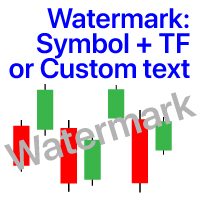
Filigrane sur le graphique: Symbole + Calendrier / ou votre propre texte Mon utilitaire #1:   comprend plus de 66 fonctions |   Contactez-moi   si vous avez des questions Dans les paramètres de l'indicateur, vous pouvez configurer: Taille de la police; Couleur du texte; Nom de la Police; Position: 1 = En haut à gauche; 2 = En haut à droite; 3 = En bas à gauche; 4 = En bas à droite; 5 = Centre; Afficher la période actuelle: on / off; Le préfixe du symbole à supprimer (n_AUDCAD>> AUDCAD); Le suff
Pending Orders Grid Complete System opens any combination of Buy Stop, Sell Stop, Buy Limit and Sell Limit pending orders and closes all existing pending orders. You will be able to Drag-and-Drop the Script on the chart and it will pick up the start price for the first position in the grid from the "Drop" point. Usually it should be in the area of Support/Resistance lines. Input Parameters Before placing all pending orders, the input window is opened allowing you to modify all input parameters:
Equity Shield 2 MT4
Algori Systems FZ-LLC
Equity Shield 2 for MT4 Equity Shield 2 monitors your account limits while you trade. Set daily drawdown, maximum drawdown, daily profit and account profit targets, then track your remaining room live from one on-chart panel. When an enabled limit is reached, Equity Shield 2 can close your open positions and alert you. Built for prop firm challenges and traders who want an additional layer of account protection. Account protection Monitor up to four account limits: Daily drawdown Maximum accoun
Trading Board is a Tool That Help you execute Sell and Buy Operation very smoothly. General Description : This Tool has this functions: The function of Send Buy or Sell orders. The function to close all orders in the current chart. Choose the volume you need to trade. Calculate of Stop loss and Take Profit with the number of points. Draw the Fibonacci retracement.
FREE
Discord Bot
Kyle Travis Mowery
MT4 Discord Utility gives traders a clean, reliable way to send live trade activity straight from MetaTrader 4 to Discord. It turns raw platform data into easy-to-read alerts, basket updates, daily summaries, and account snapshots, all from one lightweight utility. Built for traders who want better visibility and faster communication, it can report new baskets, stack adds, active positions, weekly and monthly summaries, and on-demand account status with simple chart buttons. Perfect for private
Smart Trade Guard Elite PRO MT4 " The Ultimate Manual Trading & Risk Discipline Panel " Stop Trading with Emotions. TradeGuard Elite PRO is an advanced manual trading panel designed for traders who want the speed of manual execution with the discipline of a professional risk management system. Open trades in one click, calculate lot size automatically, move to break-even, partial close positions, and even block yourself from revenge trading after consecutive losses. This is not an auto tradin
Pending Grid STOP Manual
Nantakan Leungonnam
5 (1)
Hola Traders. Lot - lot size for pending orders. Martingale - double lot size of pending orders. *(No Martingale = 1.00) TotalGridEachSide - unit each side of pending orders. SpaceOfFirstOrder - distance for the first order in points. Take Profit - profit in points. Stop Loss - loss in points. The entire positioning uses POINTS only. (10 point = 1 pip) and you can open order BUYSTOP, SELLSTOP, ALLBUYANDSELL you can Close Pending, Close orders Profit and Loss and Close All ***  ideas for using
Quick Lines
Andrey Vasilenko
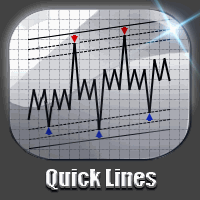
A simple tool for trading on trend and horizontal lines. A small panel of buttons on the chart allows you to set trigger lines in one click and track their status. Market orders open automatically when the price touches the lines. The order direction (Buy or Sell) is set by the line color when it is installed. Allows you to apply an unlimited number of lines, they will work as the price touches. You can create any graphic patterns: levels, channels, triangles, flags, grids, etc. The principle
Полуавтоматический торговый робот Booster Seven помогает трейдеру торговат, решения о торговле в направленнии Buy или Sell принимает трейдер. У робота на графике выведенны функции Buy, Sell, Buy Stop, Sell Stop, Buy Limit, Sell limit и AUTO S/L. Также статистические параметры торговли. При выборе функции Buy торговля начнется открытием позиции Buy начальным лотом, имеющим соответствующие Stop Loss и Take Profit. Новая позиция открывается, когда цена на указанный пункт превысит отметку предыдушег
Pending Grid LIMIT Manual
Nantakan Leungonnam
5 (3)
Hola Traders. Lot - lot size for pending orders. Martingale - double lot size of pending orders. *(No Martingale = 1.00) TotalGridEachSide - unit each side of pending orders. SpaceOfFirstOrder - distance for the first order in points. Take Profit - profit in points. Stop Loss - loss in points. The entire positioning uses POINTS only. (10 point = 1 pip) and you can open order BUYLIMIT, SELLLIMIT, ALLBUYANDSELL you can Close Pending, Close orders Profit and Loss and Close All ***  ideas for usin
SMT Trade Planner est un calculateur de risque professionnel et un panneau d'execution d'ordres directement sur le graphique MetaTrader. Il calcule la taille du lot, affiche des lignes visuelles d'entree, Stop Loss et Take Profit deplacables sur le graphique, valide le trade contre des regles de risque configurables et permet l'execution en un clic.   Fonctionnement Attachez le Trade Planner a n'importe quel graphique. Le panneau affiche les informations du compte et des boutons de selection rap
* The product for MT5 converted using  "BRiCK TradeByArrow MT4"  is  here. BRiCK is a simple and versatile utility.   By combining Experts, Indicators and utilities like the Lego block, various trading styles can be realized. "TradeByArrow" is Utility that executes order processing when an arrow object is created on the chart. Combined with Indicator which outputs arrow object, it can be used like Expert. Parameter [ArrowName] EntryBuy: Arrow object name for buy order (partial match) EntrySel
FREE
The utility is designed to send signals from MT4 to Telegram. It has several unique features, allowing not only the sending of trade signals but also the following functionalities: Send messages directly from the terminal to Telegram Send emojis along with custom text Send text and images from Telegram All of these features enable users to manage a signal channel while focusing on trading and finding quality signals. Customizable Signal Messages You can fully customize the signal message: Specif
DrawDownControl
Andrey Shvecov
This Expert Advisor is designed to control drawdown by the symbol it is set to. The Expert Advisor does not carry out trading operations on opening positions, only closing open positions on the symbol on which it is set under certain conditions! There are three drawdown levels implemented in the Expert Advisor. The drawdown size for each level is set in the input parameters and the profit size is assigned (it can be either positive or negative), upon reaching which the ADVISER will close all po
Track All Gains RJS
Robert Jasinski-sherer
This Program will not execute any trades! Works on any chart and any time frame! This is the MT4 version. MT5 version: https://www.mql5.com/en/market/product/125598?source=Site+Market+My+Products+Page This EA will produce a comment box at the top left of the chart and show you your equity % difference throughout the day, week, month and year. Updating constantly in real time. The daily resets back to zero on open of a new market open day. The weekly resests back to zero at open of a new mar
Modify SELL orders
Hafis Mohamed Yacine
Modify SELL orders v1.0    Managing Orders   During trading, you may need to modify   orders, i.e.   to change stop levels or  take profit. This can be done with one click with  the script Modify SELL orders v1.0 The script modifies all orders (market )  with specified Take Profit and Stop Loss.(pip or price) If the take profit or(and) stop loss is incorrect, then the value is not changed. Parameters script : Take Profit (PIP) Stop Loss (PIP) Take Profit (price) Stop Loss (price)
Top Flexible Trade Manager
Mr Edmund Harold J Forder
What Can this indicator do for YOU!:  Keeping it simple this year with a straightforward and highly flexible Trade Manager that can reduce your losses and preserve your capital and increase it overtime. Money Management is one of the key aspects of a successful traders career which is why this EA will serve you well.  So, how does this EA function? Below is a PDF attachment with a very in depth explanation into the various functions accompanied with a Demo Video to show you; All functions work
Call of Night MT4
Marat Baiburin
3.67 (3)
Discount on all my products until 01.05.   Live signal: https://www.mql5.com/ru/users/bayburinmarat/seller Correct GMT setting: https://www.mql5.com/ru/blogs/post/743531 Call of Night isa professional advisor with an innovative approach to night scalping, working on only 4 currency pairs: EURUSD GBPUSD EURAUD EURCHF The EA uses a different logic for entering trades: the author's indicator works as the main signal, Price Action only filters trades. This approach increases the number of trades an
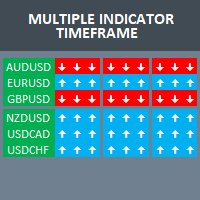
Build your own strategy by using this panel and specify indicator and multiple time frame to display and use in a summary calculation to generate a trade signal. A panel or dashboard that display multiple Indicator in a multiple Time Frame. The user has an option to specify number of Indicator to enable or display on the dashboard. A maximum of 10 indicators can be enabled. Each indicator column can be selected from multiple lists of Indicator type. The user has an option which Time Frame of eac
Element 7
Vladimir Deryagin
The Expert Advisor works based on the analysis of candles (bars). The Expert Advisor settings are intuitive. You can use this Expert Advisor on any currency pair, having previously selected the settings using testing. Expert Advisor settings, description: Magic is a unique number of open trades. Volume - the trading volume of the initial transaction. A sign for increasing the lot with the selected coefficient-the choice of the action sign between the lot and the coefficient by which this
Un seul graphique. Un contrôle total. Ne perdez plus de temps à gérer les objets, les couleurs et les paramètres de chaque graphique séparément.       Gestionnaire de synchronisation de graphiques   , vous pouvez       synchronisez, copiez et contrôlez tous vos graphiques MetaTrader       instantanément, en utilisant un seul panneau et quelques raccourcis. Dessinez une fois, actualisez partout. Ouvrez et fermez vos graphiques d'un simple clic. Gardez votre espace de travail propre grâce à      
Multi operations script to operate manually. It is not a toy! Warning: This script needs one to two months of utilization to achieve a proficient usage level and knowing all functions and market situations where it can be used. THIS IS A TOOL FOR PROFESSIONALS & EXPERIENCED TRADERS! You can save  thousands of configurations to make thousands  operations beyond your imagination . Steps buy to protect steps sell, chains of take profits and stop losses, protected, martingale, progressive, inverte
FREE
UMNi-CMND  UMNi-Cmnd — MT4 Remote Trade Command and Control UMNi-Cmnd turns Telegram into a full remote control panel for your MetaTrader 4 terminal. Send commands from your phone to open trades, manage positions, query account status, and receive complete trade telemetry — all without touching the platform. KEY FEATURES • Full remote trade execution via Telegram • Open, close, and manage positions by command • Move SL/TP, set breakeven • Live status, account, and positi
Smart Keys Sniper Entry
Stephen Sanjeeve Sahayam
Ce trade manager 2 en 1 est idéal pour trader les ruptures de chandelles. Cela peut coûter en moyenne une transaction en plaçant des ordres à cours limité supplémentaires sur les pullbacks. Cela vous assure d'obtenir le meilleur prix sur toutes vos positions et un RR plus élevé sur vos gains. Le risque est calculé par la hauteur de bougie la plus récemment fermée. Les boutons de l'assistant commercial aident à gérer toutes les commandes passées manuellement. Utilisez-le avec n'importe quelle m
Les acheteurs de ce produit ont également acheté
Bienvenue sur Trade Manager EA, l’outil ultime de gestion des risques conçu pour rendre le trading plus intuitif, précis et efficace. Ce n’est pas seulement un outil d’exécution d’ordres ; c’est une solution complète pour la planification des trades, la gestion des positions et le contrôle des risques. Que vous soyez débutant, trader expérimenté ou scalpeur ayant besoin d’une exécution rapide, Trade Manager EA s’adapte à vos besoins, offrant une flexibilité sur tous les marchés, des devises et i
Trade Indicator Assistant is a powerful MT4 utility designed to turn indicators into automated trading systems. Its main feature is the ability to automatically detect an indicator’s   BUY and SELL signal buffers , without requiring you to know the buffer numbers, search through indicator settings, or modify the indicator source code. Bonus Indicator: After purchasing Trade Indicator Assistant, contact me to receive Trade Signal Pro completely free as a bonus indicator. [Download Demo Version]
Local Trade Copier EA MT4
Juvenille Emperor Limited
4.96 (112)
Local Trade Copier EA MT4 est un copieur de trades rapide et flexible permettant de copier et de gérer des trades entre plusieurs comptes MetaTrader 4 sur le même ordinateur Windows ou Windows VPS. Il combine la synchronisation locale des trades avec des contrôles côté Receiver pour la taille des lots, la gestion du risque, le filtrage des trades, le mappage des symboles, la gestion des trades et la protection du compte. Configurez vos terminaux Transmitter et Receiver en environ 1 minute et co
Trade Assistant MT4
Evgeniy Kravchenko
4.43 (197)
It helps to calculate the risk per trade, the easy installation of a new order, order management with partial closing functions, trailing stop of 7 types and other useful functions. Additional materials and instructions Installation instructions   -   Application instructions   -   Trial version of the application for a demo account Line function -   shows on the chart the Opening line, Stop Loss, Take Profit. With this function it is easy to set a new order and see its additional characteris
Exp COPYLOT CLIENT for MT4
Vladislav Andruschenko
4.69 (65)
Copieur de trades professionnel pour MetaTrader 4 Un copieur de trades rapide, fiable et professionnel pour MetaTrader 4 . COPYLOT permet de copier des opérations Forex entre les terminaux MetaTrader 4 et MetaTrader 5 , avec une synchronisation flexible adaptée à différents types de comptes et styles de trading. La version COPYLOT MT4 prend en charge : MetaTrader 4 → MetaTrader 4 MetaTrader 5 Hedge → MetaTrader 4 MetaTrader 5 Netting → MetaTrader 4   Version MT5 Description complète + DEMO + PDF
Telegram to MT4 Multi-Channel Copier   copie automatiquement les signaux de trading de vos canaux Telegram directement vers MetaTrader 4. Pas de bots, pas d'extensions de navigateur, pas de copie manuelle. Un signal arrive sur Telegram et l'EA ouvre le trade dans votre terminal en quelques secondes. Et avant de copier un canal, le backtester intégré vous montre ce que ce canal aurait fait sur votre compte. Le produit comprend deux composants : une application Windows qui écoute vos canaux Telegr
Le MT4 to Telegram Signal Provider est un outil facile à utiliser et entièrement personnalisable qui permet d'envoyer des signaux à Telegram, transformant ainsi votre compte en fournisseur de signaux. Le format des messages est entièrement personnalisable ! Cependant, pour une utilisation simple, vous pouvez également opter pour un modèle prédéfini et activer ou désactiver des parties spécifiques du message. [ Démonstration ]   [ Manuel ] [ Version MT5 ] [ Version Discord ] [ Canal Telegram ]  N
Take a Break
Eric Emmrich
5 (31)
Take a Break pauses your Expert Advisors when trading is a bad idea: before news, after a daily loss, outside your trading hours, or when a rule you wrote yourself says so. When the pause is over, your EAs simply continue. Account protection for all your EAs in one tool: news filter, drawdown and equity protection, time filter and custom rules. One EA on one chart protects the whole account, the free indicator gives every chart its own rules on top. Free demo | What is new in 26.09 | Support Ass
Télécharger la version d'essai fonctionnelle Copy Cat More (Chat Copieur) — Copieur de Trades (Trade Copier) MT4 n'est pas un simple copieur de trades local ; c'est un cadre complet de gestion du risque et d'exécution (risk management and execution framework) conçu pour les défis du trading d'aujourd'hui. Des challenges de prop firm à la gestion de portefeuille personnel, il s'adapte à chaque situation grâce à sa combinaison d' exécution robuste, de protection du capital, de configuration fle
VirtualTradePad mt4 Extra
Vladislav Andruschenko
4.85 (61)
Panneau de trading pour trader en 1 clic.   Travailler avec des positions et des commandes!   Trading à partir du graphique ou du clavier. En utilisant notre panel de trading, vous pouvez trader en un clic à partir du graphique et effectuer des opérations de trading 30 fois plus rapidement que le contrôle MetaTrader standard. Des calculs automatiques de paramètres et de fonctions qui facilitent la vie d'un trader et aident un trader à mener ses activités de trading beaucoup plus rapidement et pl
Smart Copy Local MT4
Kyra Nickaline Watson-gordon
5 (7)
Smart Copy is an Easy-to-Use EA that supports Multi Copying Metatrader4 and Metatrader5 and Local/Remote Copying. (Remote Version is coming soon) Free version is available on Smart Copy Local Free MT4 Specifications :     Real Time, Multi Terminal - Multi Account - MT4/MT5 trade copying     Copy from netting to hedge and hedge to netting is supported.     Fast and instant copy     All settings are input visually.     Easy modifying symbol names, prefix, suffix     Enable/Disable copying s
Want automatically to put the pending order, take profit and stop loss? This EA will do it on your behalf! The Fibo Heart EA strategy will place limit order after the ‘check point’ breakout. The position will be triggered when the price make a successful retest. If not, the pending order will automatically deleted after price hit certain level. You also have option to enable market order (instant execution) and custom take profit in the inputs setting. This EA must be attached with Fibo Heart In
The product will copy all telegram signal to MT4   ( which you are member  ) , also it can work as remote copier.  Easy to set up, copy order instant, can work with almost signal formats, image signal, s upport to translate other language to English Work with all type of channel or group, even channel have "Restrict Saving Content", work with  multi channel, multi MT5 Work as remote copier: with signal have ticket number, it will copy exactly via ticket number. Support to backtest signal. How to
TradePanel MT4
Alfiya Fazylova
4.84 (95)
Trade Panel est un assistant commercial multifonction. L'application contient plus de 50 fonctions de trading pour le trading manuel et permet d'automatiser la plupart des tâches commerciales. Instructions d'utilisation + tutoriel vidéo : https://www.mql5.com/fr/blogs/post/772371 Version d'essai de l'application pour un compte démo : https://www.mql5.com/fr/blogs/post/762644 Comment installer l'application : https://www.mql5.com/fr/blogs/post/762645 Comment tester l'application en mode visuel :
King Trade Copier MT4
Mohammed Maher Al-sayed Mohammed Ahmed Saleh
5 (1)
King Trade Copier relie des terminaux MetaTrader qui tournent sur le même ordinateur ou le même VPS. Les trades ouverts sur un compte apparaissent sur les autres. Le fichier contient les deux rôles, de sorte que le même téléchargement devient l'émetteur ou un récepteur selon la valeur que vous donnez à Mode. Sur chaque graphique, le panneau indique si ce terminal envoie ou reçoit, nomme le compte de l'autre côté, compte les récepteurs qui ont répondu et donne l'ancienneté du dernier signal. Un
This is a program in the form of an EA that attaches to a chart in MetaTrader 4. Then, by using API from Bittrex, Binance websites, it downloads the history of altcoins. By selecting a pair name, the EA automatically downloads all time frames history (Daily,H12,H4,H2,H1,M30,M15,M5,M3,M1) so there is no need to attach multiple EAs to different charts. You can select one pair from Bittrex and 4 pairs from Binance exchange with one running EA and create up to 15 timeframes for 5 different pairs. Th
Copieur ->Interaction d'interface pratique et rapide, les utilisateurs peuvent l'utiliser immédiatement       ->>>> Recommandé pour une utilisation sur des ordinateurs Windows ou VPS Windows Caractéristiques: Paramètres de copy trading diversifiés et personnalisés : 1. Différents modes de lot peuvent être définis pour différentes sources de signaux 2. Différentes sources de signaux peuvent être définies pour le copy trading avant et arrière 3. Les signaux peuvent être définis avec des commentai
News Filter EA MT4
Rashed Samir
5 (10)
News Filter EA: Advanced Algo Trading Assistant News Filter EA is an advanced algo trading assistant designed to enhance your trading experience. By using the   News Filter EA , you can integrate a Forex economic news filter into your existing expert advisor, even if you do not have access to its source code. In addition to the news filter, you can also specify   trading days   and   hours   for your expert. The News Filter EA also includes   risk management   and   equity protection   features
Prop Guardian Risk Manager MT4 – Drawdown, Risk & Hedge Protection for Prop Firm and Managed Accounts Prop Guardian Risk Manager is a professional risk-control utility for MetaTrader 4, designed for prop firm traders, money managers and anyone who wants strict account-level risk protection. It does not generate trading signals, strategy entries or trading decisions. Instead, it runs in the background, monitors your account risk and can automatically block new exposure, close managed trades or ac
EA Local Trade Copier Pro MT4 : Le duplicateur de trades ultime sans DLL Êtes-vous fatigué des copieurs de trades compliqués qui nécessitent des DLL externes dangereuses, font planter votre terminal ou vous confondent avec des fichiers « Master » et « Client » distincts ? Découvrez la prochaine génération de copie de trades avec EA Local Trade Copier Pro MT4. Conçu pour une stabilité maximale, une exécution ultra-rapide et une simplicité ultime, cet utilitaire vous permet de copier de manière tr
X2 Copy MT4
Liubov' Shkandrii
Rapide. Précis. Innovant. Technologique. Découvrez la copie instantanée de transactions avec le révolutionnaire X2 Copy MT4. Avec seulement 10 secondes d'installation simple, vous obtenez un outil puissant pour synchroniser les transactions entre les terminaux MetaTrader sur un seul ordinateur ou Windows VPS avec une vitesse sans précédent. Que vous gériez plusieurs comptes, suiviez des signaux ou déployiez votre stratégie, X2 Copy MT4 s'adapte à votre flux de travail avec une précision et un co
Multi Copy
Kaijun Wang
5 (1)
Copieur ->Interaction d'interface pratique et rapide, les utilisateurs peuvent l'utiliser immédiatement       ->>>> Recommandé pour une utilisation sur des ordinateurs Windows ou VPS Windows Fonctions de base : La vitesse d'interaction normale du copy trading est inférieure à 0,5 s Détecter automatiquement les sources de signal et afficher une liste des comptes de sources de signal Associez automatiquement les symboles, 95 % des symboles de trading couramment utilisés sur différentes plateformes
Trade Dashboard MT4
Fatemeh Ameri
4.96 (54)
Trade Dashboard simplifies how you open, manage, and control your trades, with built-in lot size calculation. It allows you to execute trades, manage risk, and control positions directly on the chart, with tools such as partial close, breakeven, and trailing stop. Designed to reduce manual work and help you stay focused on your trading decisions. A demo version is available for testing. Detailed explanations of features are provided within the MQL5 platform. Installation instructions are include
Risk manager Risk manager - it will simplify the tracking of drawdown and will notify you (alert) when the specified risk is reached, and close/lock orders when the critical DD risk level is reached. If the specified drawdown is exceeded, you can choose two options for actions: All orders will be closed that mean loss will be fixed on depo. The terminal also closes. Instead of fixing the loss on depo, the opposite order will be opened - orders locking will occure. Not a single order will be c
Trade Manager MT4 DaneTrades
Levi Dane Benjamin
4.09 (11)
Trade Manager pour vous aider à entrer et sortir rapidement des transactions tout en calculant automatiquement votre risque. Y compris des fonctionnalités pour vous aider à éviter le sur-trading, le trading de vengeance et le trading émotionnel. Les transactions peuvent être gérées automatiquement et les mesures de performances du compte peuvent être visualisées dans un graphique. Ces fonctionnalités rendent ce panneau idéal pour tous les traders manuels et contribuent à améliorer la plateforme
Fast Trade MT4
Alexey Valeev
4.8 (5)
This trading panel has been developed for fast and comfortable operation of the financial markets. It is equipped with the necessary functions for manual and semi-automated trading. Due to the presence of the order trailing feature, trailing stop and automatic closure by equity, profit, time. You can use it to automate your trading system. All you have to do is open a position and set the parameters for maintenance, everything else will be handled by the EA. If you want to limit your losses, set
PZ Trade Pad Pro MT4
PZ TRADING SLU
3.67 (3)
Effortlessly calculate lot sizes and manage trades to save time and avoid costly errors The Trade Pad Pro EA is a tool for the Metatrader Platform that aims to help traders manage their trades more efficiently and effectively. It has a user-friendly visual interface that allows users to easily place and manage an unlimited number of trades, helping to avoid human errors and enhance their trading activity. [ Installation Guide | Update Guide | Troubleshooting | FAQ | All Products ] One of the k
Unlimited Trade Copier Pro is a tool to copy trade remotely to multiple MT4, MT5 and cTrader accounts at different computers/locations over internet. This is an ideal solution for you if you are a signal provider and want to copy your trades to other receivers globally on your own rules. One provider can copy trades to multiple receivers and one receiver can get trade from multiple providers as well. The provider can even set the subscription expiry for each receiver, so that receiver will not b
Bar Replay MT4
Hoang The Manh
3.43 (7)
Don't purchase before testing the Demo version first. DEMO version:   https://www.mql5.com/en/market/product/76917 __________________________________________________ This EA  - Tool allow you replay bar in Meta Trader 4 for back test. This Tool can back test in multi timeframe in only one chart. This Tool is very useful for Price action trader. It can work with Indicators, some indicators cannot works. So please download Demo to test before purchase.  Demo Version We do not accept refund in any
Strategy Builder offers an incredible amount of functionality. It combines a trade panel with configurable automation (covert indicators into an EA), real-time statistics (profit & draw down) plus automatic optimization of SL, TP/exit, trading hours, indicator inputs. Multiple indicators can be combined into an single alert/trade signal and can include custom indicators, even if just have ex4 file or purchased from Market. The system is easily configured via a CONFIG button and associated pop-up
Plus de l'auteur
Copytrade Sentinel MT4
David Julio Cuenca Oliver
CopyTrade Sentinel — Precision Trade Copier with Built-In Prop Firm Risk Protection Copy trades between any two MT5 accounts, on any broker, in milliseconds — with a full suite of independent, redundant safety systems built specifically for traders who cannot afford a single mistake. Whether you're managing multiple prop firm accounts, copying signals to client accounts, or running the same strategy across several brokers, CopyTrade replicates every trade with pinpoint accuracy — while a layered
Copytrade Sentinel MT5
David Julio Cuenca Oliver
CopyTrade Sentinel — Precision Trade Copier with Built-In Prop Firm Risk Protection Copy trades between any two MT5 accounts, on any broker, in milliseconds — with a full suite of independent, redundant safety systems built specifically for traders who cannot afford a single mistake. Whether you're managing multiple prop firm accounts, copying signals to client accounts, or running the same strategy across several brokers, CopyTrade replicates every trade with pinpoint accuracy — while a layered
Trade Deck MT5
David Julio Cuenca Oliver
TradeDeck — The One-Click Trade Manager Every Chart Should Have Stop switching between order tickets, position lists, and calculators. TradeDeck puts full control of every trade — entry, exit, breakeven, and partial closes — into a single compact panel that lives right on your chart. Whether you trade manually, scalp fast-moving markets, or just want a faster way to manage positions than MetaTrader's default order dialog, TradeDeck turns every action you do dozens of times a day into a single cl
Filtrer:
Aucun avis
Répondre à l'avis