Superior WhatsApp To MT5 Signals Copier

Superior WhatsApp Signals Copier MT5 automatically copies trading signals from your WhatsApp channels or groups straight to your MetaTrader 5 account. It reads the signal text, works out the symbol, direction, entry, stop loss and take-profit levels, sizes the position under your own risk rules, and sends the trade to MT5 within moments of the message arriving — no manual reading, typing or guessing during fast markets. The software is two parts working together: a desktop app that connects to Discord and reads your channels, and an MT5 Expert Advisor that executes and manages the resulting trades. Everything runs on your own PC or VPS.

Requirements

The EA requires a companion desktop application for WhatsApp communication. The installer and setup steps are provided in the official installation guide.

Download the Desktop app here 

Main Features

  • Multi-channel signal copying: Follow any number of Discord channels or groups and copy their signals straight to your MT5 account.

  • Advanced signal recognition: Understands varied signal formats, multiple languages, and buy/sell emoji, with a custom keyword override per provider for non-standard wording.

  • Reads screenshot signals too: Uses OCR to extract the signal text from images posted in a channel, not just typed messages — for providers who post trade calls as screenshots instead of text.

  • Trade control per provider: Pause or resume any channel independently without affecting the others.

  • Flexible risk management: Fixed lot, fixed money, % of balance/equity/free margin, or ATR-based volatility sizing.

  • Split TP orders: Automatically divides a signal across multiple take-profit levels.

  • Break-even and trailing stop: Automatic break-even, standard trailing, and a hidden "ghost" trailing mode that doesn't touch the broker-visible stop.

  • Auto partial-close ladder: Close a position in stages at up to three pip milestones, with optional move-to-break-even after the first.

  • Slippage guard: Converts to a pending order instead of chasing price when the market has already moved too far, with your own max-slippage limit.

  • Prop firm protection: Entry price offsets, randomized execution timing and lot-size variance, plus a stealth mode that hides SL/TP from the broker entirely.

  • Equity guard: Auto-blocks new trades after daily, weekly or monthly profit/loss thresholds are hit, without touching positions already open.

  • Trade limits: Cap open trades and trades per day/week/month.

  • Time filters: Allow or block trading by day of week, with scheduled auto-close (e.g. before the weekend).

  • News filter: Pause trading around high/medium/low impact news events, with currency-relevance matching.

  • Correlation & netting protection: Avoid stacking exposure to the same base currency, and stay safe on netting-style accounts.

  • Symbol handling: Prefix/suffix support, custom symbol mapping, and include/exclude lists.

  • Tick value correction: Manual overrides for accurate lot-size math on instruments your broker prices non-standardly (metals, crypto CFDs, etc.).

  • Trade Orders dashboard: Monitor every open position live, with one-click bulk close — winners only, losers only, buys, sells, or everything.

  • Signal log: A full history of every message received, the action detected, and its outcome, so you can see exactly why a trade did or didn't happen.

  • Performance reporting: One-click report of balance, P/L, providers and recent signals, ready to save or print.

  • Notifications & trade screenshots: Trade alerts via MT5 Email and Push, plus automatic chart screenshots on trade open/close — which can also be posted straight back into your Discord chat.

  • Safe coexistence: A unique magic number keeps the EA's own trades separate from your manual trades or any other EA on the same account.

  • Multi-language interface: English, Spanish, Russian, French, German, Portuguese and Chinese, with light and dark themes.

Check out the screenshots and the full setup handbook to learn more. If you have any questions or feedback, feel free to contact me anytime — happy to help!

Support

  • Setup guide and background reading: Official Guide

  • Official update and support channel: Support Channel


Produits recommandés
Synchronizer
PATRICK PAARSCH
This Expert Advisor monitors all open positions across all symbols in MetaTrader 5. Whenever a Stop Loss (SL) or Take Profit (TP) is manually set or adjusted on any position, the EA automatically applies that value to all other open positions , regardless of symbol or order type (Buy/Sell). This ensures consistent and synchronized SL and TP levels across your account. Perfect for mobile trading via tablet or smartphone!
Equity Guard AI
Niccyril Chirindo
5 (1)
Equity Guard AI Professional account protection system that closes trades and removes EAs when drawdown limits are breached.Equity Guard is a professional account protection utility designed to safeguard your trading capital. This tool monitors your account equity and drawdown in real-time, automatically executing protective measures when predefined risk thresholds are exceeded. Perfect for prop firm traders, FTMO challenges, and personal accounts. How It Works Equity Guard continuously monito
Click Trading
Jawad Tauheed
5 (2)
One Click Trading – Auto TP SL Developer TraderLinkz Version 1.00 Category Utility What it does Adds missing TP and SL to your manual trades and pending orders Sets them once per ticket Lets you move TP and SL afterward Works on hedging and netting accounts Scans on every tick and reacts on trade events Why you want it You place faster entries You get consistent risk and exit targets You reduce fat finger errors You keep full manual control Quick start Attach the EA to any chart Keep TP and SL e
FREE
Bonjour les Traders! Je suis votre assistant commercial. Pas beaucoup de mots, laissez - moi vous parler de ma spécialité: 1. Je suis bon dans la gestion de vos positions, peu importe à quelle extrémité vous passez une commande, je peux vous aider à ajouter une ligne de stop raisonnable et à déplacer le stop loss en premier. 2. Je peux vous aider à éviter la hausse et la baisse, à éradiquer les faiblesses humaines qui ne tiennent pas leurs principes à la racine. 3. Je vais vous envoyer un messa
DGem Trade Manager Panel
Damien Jean Michel Gremillet
Trade Manager Panel ## Short description  Manage your manual trades with one click: automatic break-even, trailing stop, two-level partial close and risk-based lot sizing — all from a single on-chart panel. --- ## Full description Trade Manager Panel is an on-chart utility that takes care of your open trades so you can focus on the market instead of the order ticket. Drop it on any chart and it manages every position on that symbol automatically, while an interactive panel lets you size new
Trading Pal MT5
Tan Bao Shen Chen
Why choose Trading Pal EA: This is a EA utility that auto-manage your   positions ' Stop-Loss (SL) and Take-Profits (TP) dynamically. When opening a single   position , it is easy to set the SL and TP manually. But when dealing with multiple   positions , it can be very tedious or   overwhelming   to fill in so many SL and TP values consistently, especially in a short span of time, like in scalping. Over time and after many such trades, trading itself can become a chore. That is where this EA c
25R - WASD Order is a visual risk management EA for MetaTrader 5 that combines gaming-style WASD keyboard controls with interactive chart drawing for precise order placement. Designed for active traders who value speed and accuracy, it lets you visually plan trades by dragging entry and stop-loss lines directly on the chart, while automatically calculating position size based on your risk percentage. The tool displays color-coded profit/loss zones with real-time risk metrics, supports automatic
This utility provides the ability to use hot keys in manual trading instantly responding to the current market situation. You can assign hot keys to open/close positions by their type, open/close all positions on the current chart and remove all orders on the current chart. You can also assign hot keys for five predefined trade volumes and switch between them if necessary with no need to change the volume manually from time to time. It is also possible to set the auto calculation of a trade volu
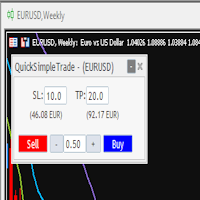
Quick Simple Trade is a very simple order panel for MT5 to quickly open a trade specifyng Stop Loss and Take Profit calculating and showing the price values. The panel can be also minimized to not interfere with the chart. When the order is open you can instantly move SL and TP directly on the chart. It makes up for one of the shortcomings of MT5, which I find most annoying.
The Utilitarian Platform is designed to quickly open a position with established orders, as well as the ability to automatically hedge or shift an order to close a position when losses are stopped. Automatic Increase of a profit taking order when hedging a position. It is possible to enable the automatic increase of the corridor when hedging a position. There is a built-in panel for placing orders to open positions. The order size, step tracking are established in paras.
DD Guardian Bot — User Guide Requirements MetaTrader 5 (any broker) A Telegram account Step 1 — Create your Telegram Bot Open Telegram and search for @BotFather Send /newbot and follow the prompts to set a name and username BotFather will reply with a Bot Token — copy and save it Send any message to your new bot (e.g. /start ) so it can detect your Chat ID Open the following URL in a browser to find your Chat ID: https://api.telegram.org/bot&lt ;YOUR_TOKEN>/getUpdates Look for "chat":{"id": 12
Quick Exit
Jefferson Judge Metha
This MT5 Utility is designed to simplify the process of managing multiple trades. If you have several open positions, it can be time-consuming to close each one manually. With this tool, you can easily close all profit trades, losing trades, or just the trades that are linked to the chart you're currently viewing. It saves you time and effort by allowing you to manage your trades with just a few clicks, making your trading experience smoother and more efficient. Whether you're focusing on profit
FREE
MQT Prop Guard DD MT5
Josue Fernando Servellon Fuentes
MQT Prop Guard DD protège les comptes de prop firm contre le dépassement de la limite de perte journalière et du drawdown total. Il surveille votre capital chaque seconde et ferme tout avant d'atteindre la limite journalière de votre challenge, puis bloque le trading jusqu'au reset quotidien suivant. Compatible avec les règles de prop firms comme FTMO, The5ers ou FundedNext (vérifiez toujours l'heure de reset et les limites exactes de votre firme). Comment ça marche (résumé de la logique) : À l'
FREE
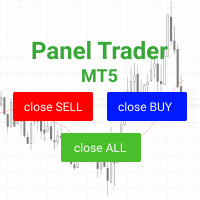
Trading panel for fast and convenient trading. The panel allows you to quickly open and close orders. Separate closing of orders for Sell and Buy positions. It is also possible to close all orders completely. The trading panel displays information about profit, total volume and number of orders for Sell and Buy positions. Sometimes some positions may not be closed due to market volatility. In this case, click close the position again.
Un seul graphique. Un contrôle total. Ne perdez plus de temps à gérer les objets, les couleurs et les paramètres de chaque graphique séparément.       Gestionnaire de synchronisation de graphiques   , vous pouvez       synchronisez, copiez et contrôlez tous vos graphiques MetaTrader       instantanément, en utilisant un seul panneau et quelques raccourcis. Dessinez une fois, actualisez partout. Ouvrez et fermez vos graphiques d'un simple clic. Gardez votre espace de travail propre grâce à      
Set Stop Loss to Breakeven Instantly
Muhammad Usman Siddique
4.33 (3)
Le script UZFX - Set Stop Loss to Breakeven Instantly pour MetaTrader 5 (MT5) est un outil puissant qui permet aux traders de déplacer rapidement le stop loss de toutes les positions ouvertes vers leur prix d'entrée, sécurisant ainsi les trades sans risque. Ce script est particulièrement utile pour gérer efficacement les transactions actives, en s'assurant qu'une fois qu'une position évolue favorablement, le trader est protégé contre les pertes potentielles. (Visitez le profil et consultez to
FREE
Ce conseiller est un tableau de bord qui vous permet de trader plusieurs paires en un seul clic. Cliquez sur       ouvrir       Ce bouton ouvre une commande pour la paire sélectionnée. Cliquez sur       fermer       Ce bouton ferme la commande pour la paire sélectionnée. Le lot de commande est le numéro saisi par l'utilisateur. Les nombres positifs correspondent aux ordres d’achat, tandis que les nombres négatifs correspondent aux ordres de vente. Cliquez sur   le bouton Fermer   pour fermer la
NoBreach Prop Protector watches your account's daily loss and total   drawdown and de-risks gradually in three stages — instead of the usual   all-or-nothing "close everything at the limit".   What makes it different   1. Three-stage protection, not a binary kill switch. WARN notifies you,   SOFT reduces exposure, HARD closes everything and locks trading until the   daily reset. You get slowed down before the limit, not executed at it.   2. Broker-side backstop. The EA continuously maintains
Close All in 1s
Seng Yang
4.71 (24)
Hello, Every one  A script to close all market positions and/or pending orders. ----------------------------------------------------------------------------------- This is Close All      market positions and/or pending orders button  You can close all orders in 1 second by one click  For advanced version:  Advanced:  https://www.mql5.com/en/market/product/77763           https://www.mql5.com/en/market/product/89311 Key:  1 Close all button: The script will close All orders market + pending
FREE
The EA supports closing orders based on the preset amount. It can close all orders on all pairs, or it can close orders based on Magic ID. Button "Close All" manual Input - Magic Number: Magic Number = 0: Close All pairs Magic Number diffrent 0: Close All with Magic - Money TP: Profitable in money.  the EA will close all orders - Money SL: Loss in money. the EA will close all orders Contact: t.me/nguyenvanbo128
FREE
One Click Breakeven Function: For multiple orders of the same currency but different order types (sell or buy), under the condition that the overall position is profitable, set the same stop-loss level or take-profit level. For example: there are currently 10 EURUSD orders, including 7 sell orders and 3 buy orders. When the overall position is profitable, if the overall take-profit for sell orders is set to 50 points: (1) When the total profit of the 7 sell orders is greater than the total loss
Overview AlphaForge Range Chart is a professional non-trading range-bar charting utility for MetaTrader 5. It generates live Range charts as MT5 custom symbols, helping traders analyze price movement through fixed-range bars instead of standard time-based candles. Unlike visual-only overlays, the generated Range chart behaves like a real MT5 custom-symbol chart. This means you can open it as a normal chart, apply templates, draw analysis objects, and add indicators directly to the Range chart fo
Overview The Expert Advisor sends notifications to a mobile phone, via e-mail or plays a sound in case any changes are detected on the trading account: opening/closing positions, changing order or position parameters, balance or leverage. Also, the Expert Advisor can inform that Equity on the trading account has dropped below a specified value or Free Margin is small compared to Margin. The Expert Advisor does not trade, it only monitors your account. Launching the Expert Advisor You should all
Overview Breakout Meter is a price action tool that identifies key breakout zones based on recent daily price activity. It highlights areas where momentum is likely to trigger, helping traders anticipate breakouts or reversals with minimal configuration. How It Works The EA analyzes a user-defined number of recent daily candles and marks high and low zones where price has shown strong reactions. It automatically updates levels with new data and removes outdated zones to keep charts clear. Users
Chart Manager est un organisateur d'espace de travail multi-graphiques pour MetaTrader 5. Il dispose les fenêtres de graphiques détachées autour du terminal dans une grille flexible — vous permettant de surveiller plusieurs symboles et périodes sans redimensionner ni positionner manuellement chaque fenêtre. Configurez votre espace de trading une fois et concentrez-vous sur le marché. Article détaillé avec captures d'écran : Chart Manager — Guide complet Pour les signaux d'indicateurs et l'analys
Is your trade at a loss? Does not matter ! You can use this Extra martingale tool.  In the set loss of your trade or your EA's trade , this tool will open another trade at a better price. It can also open multiple trades at different distances and with different lot sizes. Each trade will be assigned a TakeProfit. This tool has a lot of settings. You can set variable lot sizes, variable trade distances, variable TakeProfit sizes, maximum total profit or loss in money. You can also close trades
SMT Trade Planner est un calculateur de risque professionnel et un panneau d'execution d'ordres directement sur le graphique MetaTrader. Il calcule la taille du lot, affiche des lignes visuelles d'entree, Stop Loss et Take Profit deplacables sur le graphique, valide le trade contre des regles de risque configurables et permet l'execution en un clic.   Fonctionnement Attachez le Trade Planner a n'importe quel graphique. Le panneau affiche les informations du compte et des boutons de selection rap
Breakeven Bot
Gabriel Paul Ange Perrin
Optimize your trading management with Breakeven Bot, the essential tool for active traders managing multiple positions at once. No more wasting time manually adjusting your stops—one click is all it takes to secure your profits! Main Feature: ️ "BREAKEVEN" Button – Instantly set all profitable positions to breakeven and protect your gains quickly. ️ Customization Options: Set breakeven in pips or currency, depending on your preference. Choose whether breakeven should be at the entr
FREE
Quick Pending Panel
Sergei Ivashko
5 (1)
The panel is a compact interface that can be freely moved across the chart. A horizontal line and visual pointer show the exact price level where the pending order will be placed. The order type is determined automatically based on the panel position relative to the current market price. If the panel is above the Ask price — the Buy button becomes Buy Stop, below — Buy Limit. Similarly for Sell: above Bid — Sell Limit, below — Sell Stop. This eliminates the need to manually select the order ty
FREE
CloseAllPosition
Konstantin Chernov
4 (2)
A script for closing positions If you need to quickly close several positions, this script will make all the routine for you! The script does not have any input parameters. Allow AutoTrading before running the script. Usage: Run the script on a chart. If you need to specify the maximal deviation and the number of attempts to close positions, use the script with input parameters https://www.mql5.com/en/market/product/625 You can download MetaTrader 4 version here: https://www.mql5.com/en/market/
FREE
Les acheteurs de ce produit ont également acheté
Trade Assistant MT5
Evgeniy Kravchenko
4.41 (216)
It helps to calculate the risk per trade, the easy installation of a new order, order management with partial closing functions, trailing stop of 7 types and other useful functions. Additional materials and instructions Installation instructions - Application instructions - Trial version of the application for a demo account Line function -   shows on the chart the Opening line, Stop Loss, Take Profit. With this function it is easy to set a new order and see its additional characteristics bef
Bienvenue sur Trade Manager EA, l’outil ultime de gestion des risques conçu pour rendre le trading plus intuitif, précis et efficace. Ce n’est pas seulement un outil d’exécution d’ordres ; c’est une solution complète pour la planification des trades, la gestion des positions et le contrôle des risques. Que vous soyez débutant, trader expérimenté ou scalpeur ayant besoin d’une exécution rapide, Trade Manager EA s’adapte à vos besoins, offrant une flexibilité sur tous les marchés, des devises et i
================================================================================ POC BREAKOUT - V20.72. Full Professional Grade Toolkit ================================================================================ POC Breakout is a full MetaTrader 5 trading dashboard for discretionary traders who want breakout signals, Point of Control (POC) context, volume profiles, order flow, market structure, news, alerts, and advanced trade planning in one professional workspace. Attached directly to you
TradePanel MT5
Alfiya Fazylova
4.88 (167)
Trade Panel est un assistant commercial multifonction. L'application contient plus de 50 fonctions de trading pour le trading manuel et permet d'automatiser la plupart des tâches commerciales. Instructions d'utilisation + tutoriel vidéo : https://www.mql5.com/fr/blogs/post/762589 Version d'essai de l'application pour un compte démo : https://www.mql5.com/fr/blogs/post/762644 Comment installer l'application : https://www.mql5.com/fr/blogs/post/762645 Comment tester l'application en mode visuel :
Local Trade Copier EA MT5
Juvenille Emperor Limited
4.94 (148)
Découvrez une expérience exceptionnellement rapide de copie de trades avec le   Local Trade Copier EA MT5 . Avec sa configuration facile en 1 minute, ce copieur de trades vous permet de copier des trades entre plusieurs terminaux MetaTrader sur le même ordinateur Windows ou Windows VPS avec des vitesses de copie ultra-rapides de moins de 0.5 seconde. Que vous soyez un trader débutant ou professionnel, le   Local Trade Copier EA MT5   offre une large gamme d'options pour le personnaliser en fonc
Version Bêta Le Telegram to MT5 Signal Trader est presque prêt pour la sortie officielle en version alpha. Certaines fonctionnalités sont encore en développement et vous pourriez rencontrer de petits bugs. Si vous rencontrez des problèmes, merci de les signaler, vos retours aident à améliorer le logiciel pour tout le monde. Telegram to MT5 Signal Trader est un outil puissant qui copie automatiquement les signaux de trading depuis des chaînes ou groupes Telegram vers votre compte MetaTrader 5 .
Telegram to MT5 Multi-Channel Copier   copie automatiquement les signaux de trading de vos canaux Telegram directement vers MetaTrader 5. Pas de bots, pas d'extensions de navigateur, pas de copie manuelle. Un signal arrive sur Telegram et l'EA ouvre le trade dans votre terminal en quelques secondes. Le produit comprend deux composants : une application Windows qui écoute vos canaux Telegram, et cet Expert Advisor qui exécute les signaux dans votre terminal MT5. Une version MT4 est également disp

Astro Trade MT5
Indra Maulana
5 (4)
25% discount on the release of the tool: only for the next 3 buyers Send a message to receive a demo version. AstroTrade Trading Assistant AstroTrade is a comprehensive multi-functional trading utility developed for the MetaTrader 5 platform. It integrates essential tools for trade execution, risk management, and technical monitoring into a single unified interface. The application is designed to assist traders in managing their daily operations through a visual and structured environment. Vi
Telegram To MT5 Ultra
Mirel Daniel Gheonu
5 (5)
Telegram To MT5 — Copieur de signaux Transformez les appels de trading de vos canaux Telegram en véritables ordres MT5 — automatiquement, sur autant de comptes que vous le souhaitez, avec le risque et les règles entièrement sous votre contrôle. Telegram To MT5 relie les canaux VIP / de signaux que vous suivez déjà sur Telegram à votre terminal MetaTrader 5. Une application de bureau compagnon gratuite lit les messages (même des canaux qui bloquent les bots), et cet Expert Advisor les exécute sur
Premium Trade Manager - Le panneau de trading avec un coach intégré Premium Trade Manager intègre un coach de trading directement dans votre graphique, avec un moteur d'exécution complet en dessous. Configurez le trade comme vous le faites toujours, puis laissez Max, votre coach de trading IA, analyser ce setup exact par rapport à votre compte en direct et vous donner un verdict clair avant de vous engager : le stop est-il discipliné, le risque est-il raisonnable, une publication à fort impact e
Exp COPYLOT CLIENT for MT5
Vladislav Andruschenko
3.97 (35)
Copieur professionnel de trades pour MetaTrader 5 Un copieur de trades rapide, professionnel et fiable pour MetaTrader . COPYLOT permet de copier des trades Forex entre les terminaux MT4 et MT5 avec prise en charge des comptes Hedge et Netting . La version MT5 de COPYLOT prend en charge : - MT5 Hedge → MT5 Hedge - MT5 Hedge → MT5 Netting - MT5 Netting → MT5 Hedge - MT5 Netting → MT5 Netting - MT4 → MT5 Hedge - MT4 → MT5 Netting Version MT4 Description complète + DEMO + PDF Comment acheter Comme
HINN MagicEntry Extra
ALGOFLOW OÜ
4.74 (19)
HINN MAGIC ENTRY – the ultimate tool for entry and position management! SIMPLE. FASTEST. INTUITIVE. MAX AUTOMATED. Place orders by selecting a level directly on the chart! full description   ::  demo-version  :: 60-sec-video-description Key features: - Market, limit, and pending orders - Automatic lot size calculation - Automatic spread and commission accounting - Unlimited partitial take-profits  - Breakeven and trailing stop-loss and take-profit  functions - Invalidation leves - Intuitive, a
Trade Dashboard MT5
Fatemeh Ameri
4.95 (132)
Trade Dashboard simplifies how you open, manage, and control your trades, with built-in lot size calculation. It allows you to execute trades, manage risk, and control positions directly on the chart, with tools such as partial close, breakeven, and trailing stop. Designed to reduce manual work and help you stay focused on your trading decisions. A demo version is available for testing. Detailed explanations of features are provided within the MQL5 platform. Installation instructions are include
Anchor Trade Manager
Kalinskie Gilliam
5 (8)
Anchor: The EA Manager Your EAs cannot see each other, but Anchor can. Anchor gives you one place to coordinate your EAs, manage risk, and decide when trading is allowed. It works alongside the trading bots you already use without any changes to them. The Problem One EA opens a trade. Then another starts trading. The next thing you know, you wake up to multiple grids built across your account. Each EA may be doing exactly what it was designed to do, but together they can place far more risk on y
Trade copier MT5
Alfiya Fazylova
4.59 (54)
Trade Copier est un utilitaire professionnel conçu pour copier et synchroniser les commandesentre les comptes de trading. Les commandes sont copiées du compte/terminal du fournisseur vers le compte/terminal du destinataire, qui sont installés sur le même ordinateur ou vps. PROMOTION - Si vous avez déjà acquis le "Trade copier MT5", vous pouvez obtenir le "Trade copier MT4" gratuitement (pour la copie MT4 > MT5 et MT4 < MT5). Pour obtenir des informations plus détaillées sur les conditions, veuil
Ultimate Extractor
Clifton Creath
5 (8)
Ultimate Extractor - Professional Trading Analytics for MT5 *****this is the local HTML version of Ultimate Extractor. !!!!!it is not compatible with Cloud!!!! For the online version please reach out to me directly****** Ultimate EA manager also now available when you use cloud pro and above for free!! Ultimate Extractor transforms your MetaTrader 5 trading history into actionable insights with comprehensive analytics, interactive charts, and real-time performance tracking. What It Does Automa
Signal Trading View to MT5 Pro
Mirel Daniel Gheonu
4.5 (2)
Signal TradingView to MT5 Pro Automator Exécution professionnelle instantanée entre TradingView et MetaTrader 5 Automatisez votre stratégie de trading avec le pont de communication le plus robuste entre les alertes TradingView et l'exécution réelle sur MT5. Conçu pour les traders qui exigent vitesse, flexibilité et une gestion des risques impeccable, cet Expert Advisor transforme tout message d'alerte en un ordre au marché ou à cours limité précis. POINTS FORTS ET AVANTAGES Moteur d'analyse univ
X2 Copy MT5
Liubov' Shkandrii
Rapide. Précis. Innovant. Technologique. Découvrez la copie instantanée de transactions avec le révolutionnaire X2 Copy MT5. Avec seulement 10 secondes d'installation simple, vous obtenez un outil puissant pour synchroniser les transactions entre les terminaux MetaTrader sur un seul ordinateur ou Windows VPS avec une vitesse sans précédent. Que vous gériez plusieurs comptes, suiviez des signaux ou déployiez votre stratégie, X2 Copy MT5 s'adapte à votre flux de travail avec une précision et un co
Timeless Charts
Samuel Manoel De Souza
5 (8)
Timeless Charts est un utilitaire de trading tout-en-un destiné aux traders professionnels. Il combine des types de graphiques personnalisés tels que les graphiques en secondes et Renko avec une analyse avancée du flux d’ordre s utilisant Footprints , Clusters , Profils de Volume , études VWAP et outils d’analyse ancrés pour une compréhension plus approfondie du marché. Le trading et la gestion des positions sont effectués directement depuis le graphique via un panneau intégré de gestion des ord
News Filter EA
Rashed Samir
5 (2)
News Filter EA: Advanced Algo Trading Assistant News Filter EA is an advanced algo trading assistant designed to enhance your trading experience. By using the News Filter EA , you can integrate a Forex economic news filter into your existing expert advisor, even if you do not have access to its source code. In addition to the news filter, you can also specify trading days and hours for your expert. The News Filter EA also includes risk management  and equity protection features. MT4 Version Ma
Farmed Hedge Yield Farming | All Markets (Manual - Hybrid - Semi/Automated EA) VERIFIED TRADING RESULTS - Farmed Hedge Yield Axi Copy:  https://www.mql5.com/en/signals/2356376 - Farmed Hedge Yield Exn Copy:   https://www.mql5.com/en/signals/2356404 - Farmed Hedge Yield V Copy:  https://www.mql5.com/en/signals/2357156 * Before purchasing, please feel free to send me a message if you have any questions about the product or setup. ** After purchase,  Contact me via private message to receive t
The product will copy all telegram signal to MT5 ( which you are member) , also it can work as remote copier.  Easy to set up, copy order instant, can work with almost signal formats, image signal,  s upport to translate other language to English Work with all type of channel or group, even channel have "Restrict Saving Content", work with  multi channel, multi MT5 Work as remote copier: with signal have ticket number, it will copy exactly via ticket number. Support to backtest signal. How to s

YuClusters
Yury Kulikov
4.93 (43)
Attention: You can view the program operation in the free version  YuClusters DEMO .  YuClusters is a professional market analysis system. The trader has unique opportunities to analyze the flow of orders, trade volumes, price movements using various charts, profiles, indicators, and graphical objects. YuClusters operates on data based on Time&Sales or ticks information, depending on what is available in the quotes of a financial instrument. YuClusters allows you to build graphs by combining da
Power Candles Strategy Scanner - Outil de recherche de configurations multi-symboles à optimisation automatique Le Power Candles Strategy Scanner utilise le même moteur d'auto-optimisation que celui qui alimente l'indicateur Power Candles, pour chaque symbole de votre Market Watch, en parallèle. Un panneau vous indique quels symboles sont statistiquement négociables à l'instant, quelle stratégie est la plus performante pour chacun, la paire Stop Loss / Take Profit optimale, et vous alerte dès qu
MT5 to Telegram Signal Provider est un utilitaire facile à utiliser et entièrement personnalisable qui permet l'envoi de signaux spécifiés vers un chat, un canal ou un groupe Telegram, transformant ainsi votre compte en fournisseur de signaux. Contrairement à la plupart des produits concurrents, il n'utilise pas d'importations DLL. [ Démonstration ] [ Manuel ] [ Version MT4 ] [ Version Discord ] [ Canal Telegram ]  New: [ Telegram To MT5 ] Configuration Un guide utilisateur étape par étape est
EA Overfitter
Stephen J Martret
That backtest looks great. But will it still be making money tomorrow, next week, next month? EA Overfitter re-runs your EA on 100 price histories it has never seen. One score tells you if the edge is real. A backtest tells you what an EA did on one price history — the one that happened to occur. What you cannot tell from it is how much of that result was the strategy and how much was the particular path. EA Overfitter answers that. It builds up to 100 synthetic price histories your EA has n
Quant AI Agents
Ho Tuan Thang
5 (1)
Quant AI Agents are independent trading Expert Advisors. Instead of trading using a fixed strategy like other conventional EAs, Quant AI Agents   is a   multi-agent AI trading framework   that turns natural-language strategy prompts into live.  WANT THE SAME RESULTS AS MY LIVE SIGNAL?   Use the exact same brokers I do:   IC MARKETS , IC TRADING   .  Unlike the centralized stock market, Forex has no single, unified price feed.  Every broker sources liquidity from different providers, creating un
Trade Copier Ultimate
Janitha Sandaruwan Amaradasa Wickramasingha Arachchilage
5 (5)
Trade Copier Ultimate - Telegram to MT5 Signal Copier Trade Copier Ultimate automatically copies Telegram trading signals into MetaTrader 5. The EA can read signal messages, detect the symbol, order type, entry price, Stop Loss, Take Profit levels and selected update commands, then execute or manage the trade in MT5 using your lot and risk settings. It is more than a basic Telegram to MT5 copier. TCU also supports Bot API and user-account Bridge workflows, Discord signal routing, local MT5 to MT
Télécharger la démo fonctionnelle Copy Cat More (Chat Copieur) — Copieur de Trades (Trade Copier) MT5 est un copieur de trades local et un cadre complet de gestion du risque et d'exécution, conçu pour les défis du trading d'aujourd'hui. Des challenges de prop firm à la gestion de portefeuille personnel, il s'adapte à chaque situation grâce à une combinaison d'exécution robuste, de protection du capital, de configuration flexible et de gestion avancée des trades. Le copieur fonctionne dans les
Seconds Chart MT5
Boris Sedov
4.61 (18)
Seconds Chart - un outil unique pour créer des graphiques en secondes dans MetaTrader 5 . Grâce à Seconds Chart , vous pouvez créer un graphique avec une période définie en secondes, offrant une flexibilité et une précision idéales pour l'analyse, indisponibles sur les graphiques standards en minutes ou en heures. Par exemple, la période S15 indique un graphique avec des bougies d'une durée de 15 secondes. Vous pouvez utiliser n'importe quels indicateurs et experts advisors compatibles avec les
Plus de l'auteur
The Golden PainX and GainX Spike Indicator is a cutting-edge, advanced trading tool engineered exclusively for the synthetic indices market. It masterfully combines proprietary spike detection algorithms and real-time price action analysis to generate high-probability, non-repainting trade signals with exceptional accuracy. Important( Use only on  PainX 400and GainX 400 (M1 one minute timeframe) Identifies high-probability spikes with non-repainting buy/sell arrows. Sends profit targets and stop
The Superior Boom and Crash Spike Indicator is a strictly systematic MT5 tool designed exclusively for executing trades on sudden price spikes on Deriv Boom 300 Index and Crash 300 Index . Optimized for the M1 (one-minute) timeframe, this indicator strips away chart noise and leverages a Pure Price Action base strategy strictly filtered by Market Structure and higher-timeframe trend alignment. Rather than generating continuous alerts, it utilizes directional  and dual price-action "cooling zone
Superior Telegram Signals Copier MT5 automatically copies trading signals from your Telegram channels or groups straight to your MetaTrader 5 account. It reads the signal text, works out the symbol, direction, entry, stop loss and take-profit levels, sizes the position under your own risk rules, and sends the trade to MT5 within moments of the message arriving — no manual reading, typing or guessing during fast markets. The software is two parts working together: a desktop app that connects to
Superior MT5 To Telegram Signals Notifier OVERVIEW Superior MT5 To Telegram Signals Notifier is a smart bridge tool for MetaTrader 5 that instantly sends your trading activity directly to your Telegram phone app, channels, or group chats. It tracks your account in real time and broadcasts trade openings, closures, modifications, pending orders, and clear chart screenshots automatically using a simple Telegram Bot. Whether you run a VIP signal channel and want to share trades automatically wit

Superior Remote Trade Copier — MT4 The Superior Remote Trade Copier is a comprehensive MT4 utility that copies trades remotely and privately via Telegram, eliminating the need for external VPS bridges or third-party web servers. The ecosystem consists of a Master EA, a free Desktop App, and a Client EA. Master (Transmitter) Trade Broadcasting: Transmits market orders, pending orders, position modifications, and partial/full closures directly via Telegram. UI Dashboard: Interactive on-chart pane
Superior Local Trade Copier — MT4 Copy trades super-fast with the Superior Local Trade Copier instantly between multiple MetaTrader 4 accounts on the same Windows computer or VPS, with speeds under a few milliseconds. Built for beginners running multiple accounts, pros passing prop-firm challenges, and signal providers alike — we've made it simple. Start multiplying your profits in just a few seconds — attach it to a chart and go. Behind this easy setup is a powerful set of 217 settings, giving
Superior MT4 To Telegram Signals Notifier OVERVIEW Superior MT4 To Telegram Signals Notifier is a smart tool for MetaTrader 4 that sends your live trading activity directly to your Telegram app, public channels, or group chats. It watches your MT4 account in real time and automatically sends clear alerts whenever trades open, close, modify, or reach target prices, complete with live chart screenshots. Whether you run a signal group and want to share trades automatically without typing, or you
Superior Telegram To MT4 Signals Copier Superior Telegram To MT4 Signals Copier automatically copies trading signals from your Telegram channels or groups straight to your MetaTrader 4 account. It reads the signal text, works out the symbol, direction, entry, stop loss and take-profit levels, sizes the position under your own risk rules, and sends the trade to MT4 within moments of the message arriving—no manual reading, typing, or guessing during fast markets. The software consists of two parts
Superior MT4 To Discord Notifier is a utility designed to connect the MetaTrader 4 (MT4) desktop terminal directly to the Discord application. It monitors trading activity and broadcast formatted text updates to Discord channels, servers, or groups using webhook integrations. Core Use Cases 1. Signal Providers & Communities This tool is built to assist Signal Providers who manage public or private Discord servers. The EA automatically publishes trade entries, modifications, and exits directly to
Superior Discord Signals Copier MT4 Superior Discord Signals Copier MT4 automatically copies trading signals from your Discord channels or groups straight to your MetaTrader 4 account. It reads the signal text, works out the symbol, direction, entry, stop loss and take-profit levels, sizes the position under your own risk rules, and sends the trade to MT4 within moments of the message arriving — no manual reading, typing or guessing during fast markets. The software is two parts working together
Superior WhatsApp Signals Copier MT4 automatically copies trading signals from your WhatsApp channels or groups straight to your MetaTrader 4 account. It reads the signal text, works out the symbol, direction, entry, stop loss and take-profit levels, sizes the position under your own risk rules, and sends the trade to MT4 within moments of the message arriving — no manual reading, typing or guessing during fast markets. The software is two parts working together: a desktop app that connects to D
The Superior Remote Trade Copier is a comprehensive MT5 utility that copies trades remotely and privately via Telegram, eliminating the need for external VPS bridges or third-party web servers. The ecosystem consists of a Master EA, a free Desktop App, and a Client EA. Master (Transmitter) Trade Broadcasting: Transmits market orders, pending orders, position modifications, and partial/full closures directly via Telegram. UI Dashboard: Interactive on-chart panel for quick bulk actions (Close All,
Superior Local Trade Copier — MT5 Copy trades super-fast with the Superior Local Trade Copier instantly between multiple MetaTrader 5 accounts on the same Windows computer or VPS, with speeds under a few milliseconds. Built for beginners running multiple accounts, pros passing prop-firm challenges, and signal providers alike — we've made it simple. Start multiplying your profits in just a few seconds — just attach it to a chart and go. Behind this easy setup is a powerful set of 217 settings,
Superior MT5 To Discord Notifier is a utility designed to connect the MetaTrader 5 (MT5) desktop terminal directly to the Discord application. It  monitors trading activity and broadcast formatted text updates to Discord channels, servers, or groups using webhook integrations. Core Use Cases 1. Signal Providers & Communities This tool is built to assist Signal Providers who manage public or private Discord servers. The EA automatically publishes trade entries, modifications, and exits directly t
Superior Discord Signals Copier MT5   automatically copies trading signals from your Discord channels or groups straight to your MetaTrader 5 account. It reads the signal text, works out the symbol, direction, entry, stop loss and take-profit levels, sizes the position under your own risk rules, and sends the trade to MT5 within moments of the message arriving — no manual reading, typing or guessing during fast markets. The software is two parts working together: a desktop app that connects to
Filtrer:
Aucun avis
Répondre à l'avis