Trade Autopsy
- Utilitaires
- Version: 1.0
- Activations: 20

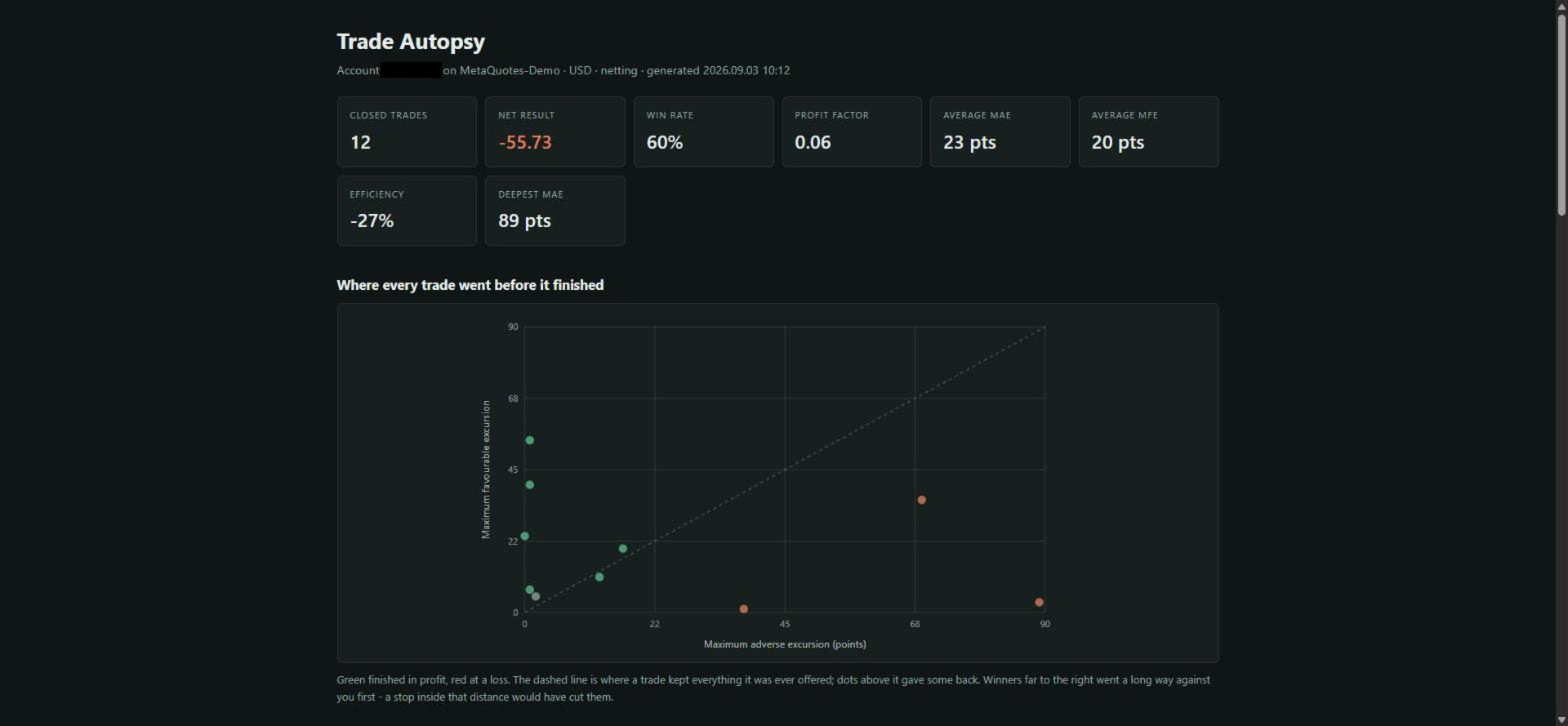
Trade Autopsy measures how far every one of your trades went against you before it finished, and how far it went for you before you closed it. Those two numbers - maximum adverse excursion and maximum favourable excursion - answer the two questions the standard MetaTrader report cannot: were my stops too tight, and did I leave money on the table.
It reads your trade history. It opens no orders, modifies nothing, and never touches your positions.
What you get
- A self-contained HTML report: headline figures, a scatter plot of every trade's adverse against its favourable move, and breakdowns by symbol, magic number, direction, hour opened, weekday opened and time held.
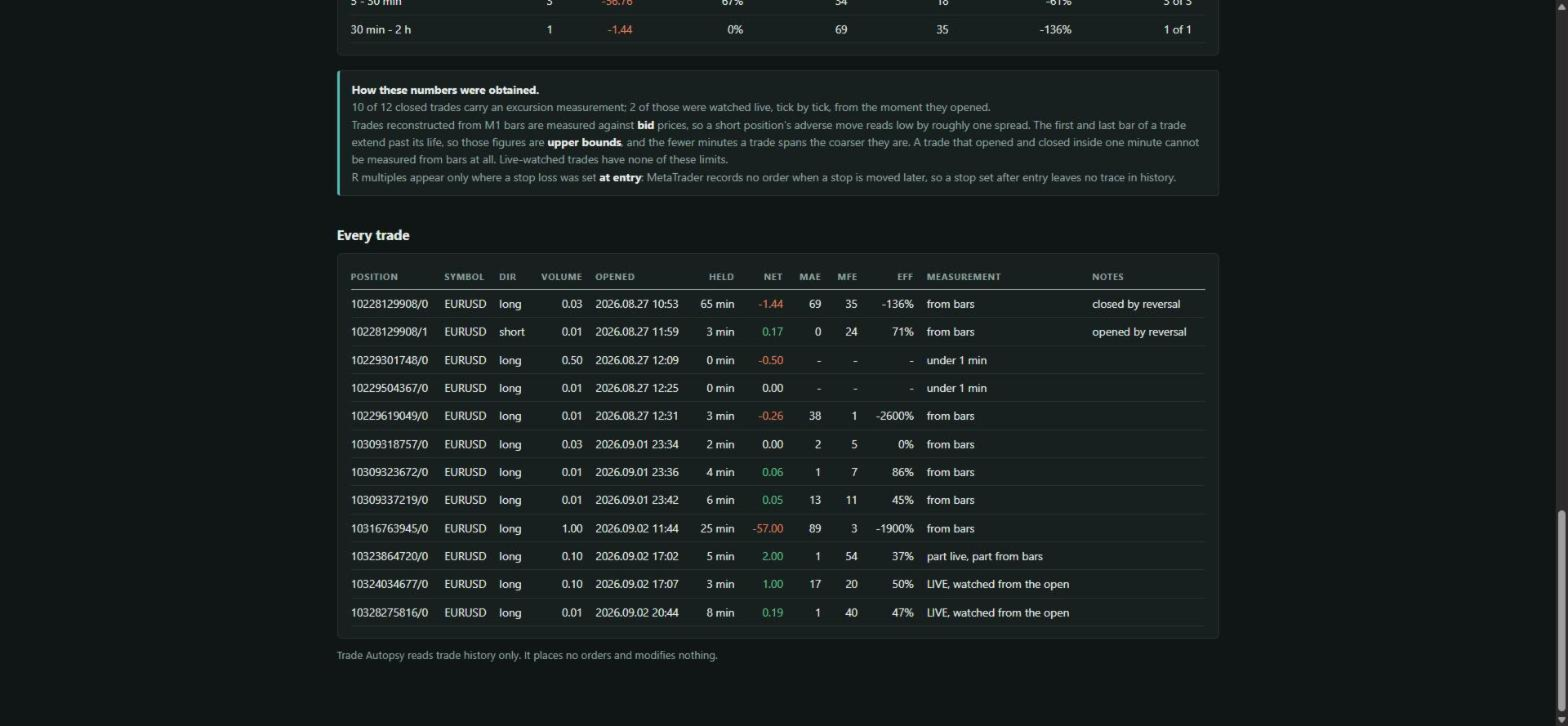
- A per-trade CSV, one row per position, for your own spreadsheet work.
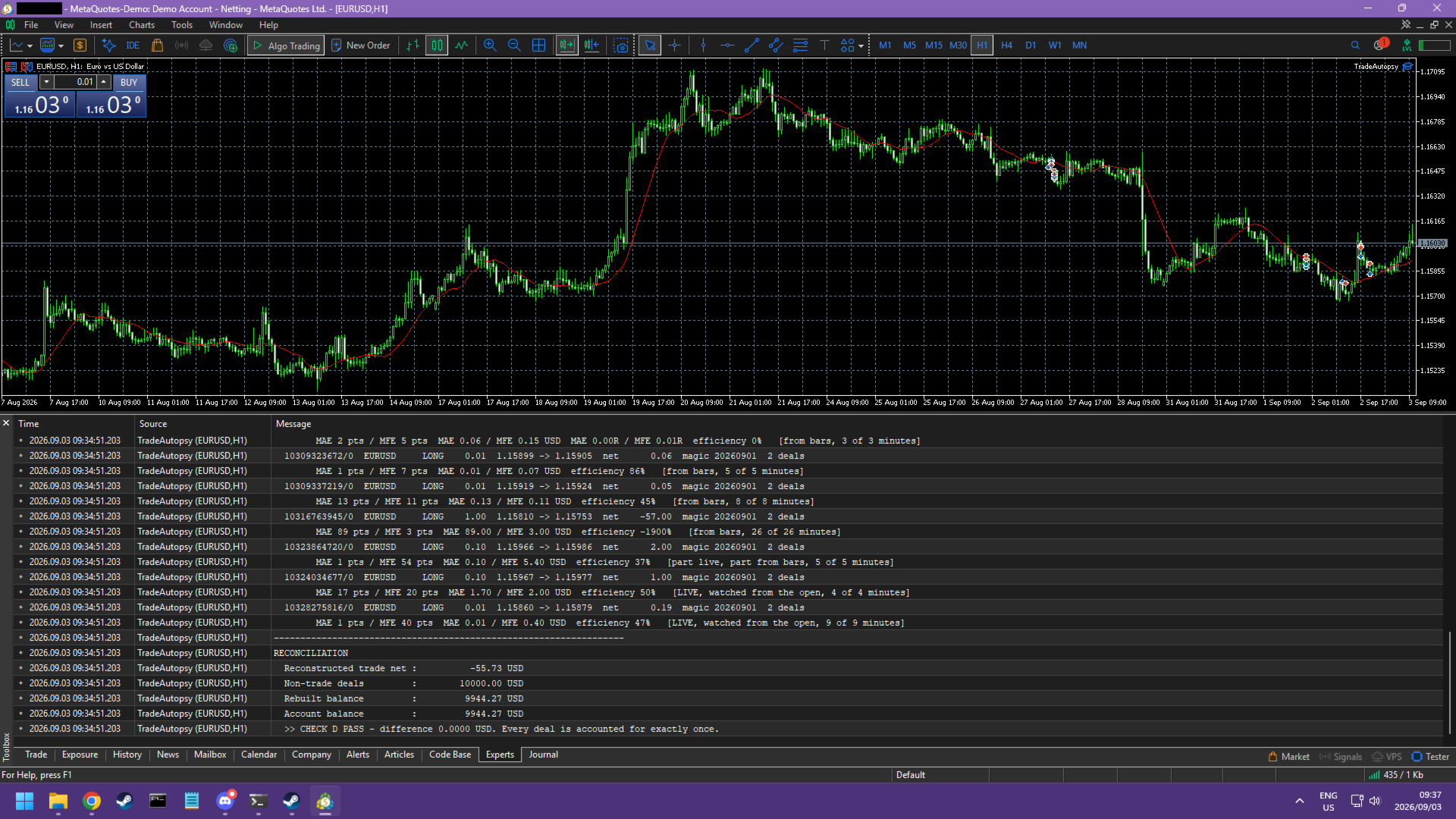
- A short summary in the Experts log every time it rebuilds.
The report is a single file with nothing loaded from the internet - no stylesheet, no script, no font, no image. It opens in any browser, on a VPS with no connection, and a page holding your trading history never phones anywhere.
Two ways of measuring, and it always tells you which one it used
Positions that are open while Trade Autopsy is running are watched tick by tick, against both bid and ask, and the record survives a terminal restart. That is the accurate figure: it catches moves shorter than a minute, and it prices a short position's adverse move at the ask, which is where a short actually gets stopped out.
Positions that closed before you installed it are reconstructed from one-minute bars instead. That works well and it has real limits, so every row carries a label saying which route produced it and how much of the trade's life the bars actually covered. Nothing is averaged across the two without saying so, and a figure that cannot be derived is left blank rather than filled with a zero.
What it will not tell you, stated plainly
- Reconstructed rows are measured against bid prices, because that is what one-minute bars record. A short position's adverse move therefore reads low by roughly one spread. Live-watched rows do not have this problem.
- The first and last bar of a trade extend past the moment it opened and closed, so a reconstructed figure is an upper bound. The fewer minutes a trade spans, the coarser it is.
- A trade that opened and closed inside one minute cannot be measured from bars at all. It is reported as unmeasured, not as zero.
- One-minute history reaches back only as far as your terminal keeps it, which is governed by the Max bars in chart setting. Trades older than that are listed with their money figures and no excursion.
- R multiples appear only where a stop loss was set at entry. MetaTrader records no order when a stop is moved later, so a stop set after entry leaves no trace in history and no R multiple is possible.
- It is a journal. It gives no signals, makes no predictions, and does not trade.
About the free demo
The Market's free demo runs a product only in the Strategy Tester, and the Strategy Tester has no trade history. The demo will therefore start, report that it found nothing, and write no files. That is the product working correctly on an empty account, not a fault. The screenshots on this page were taken against real account history and show what it produces on yours.
Settings
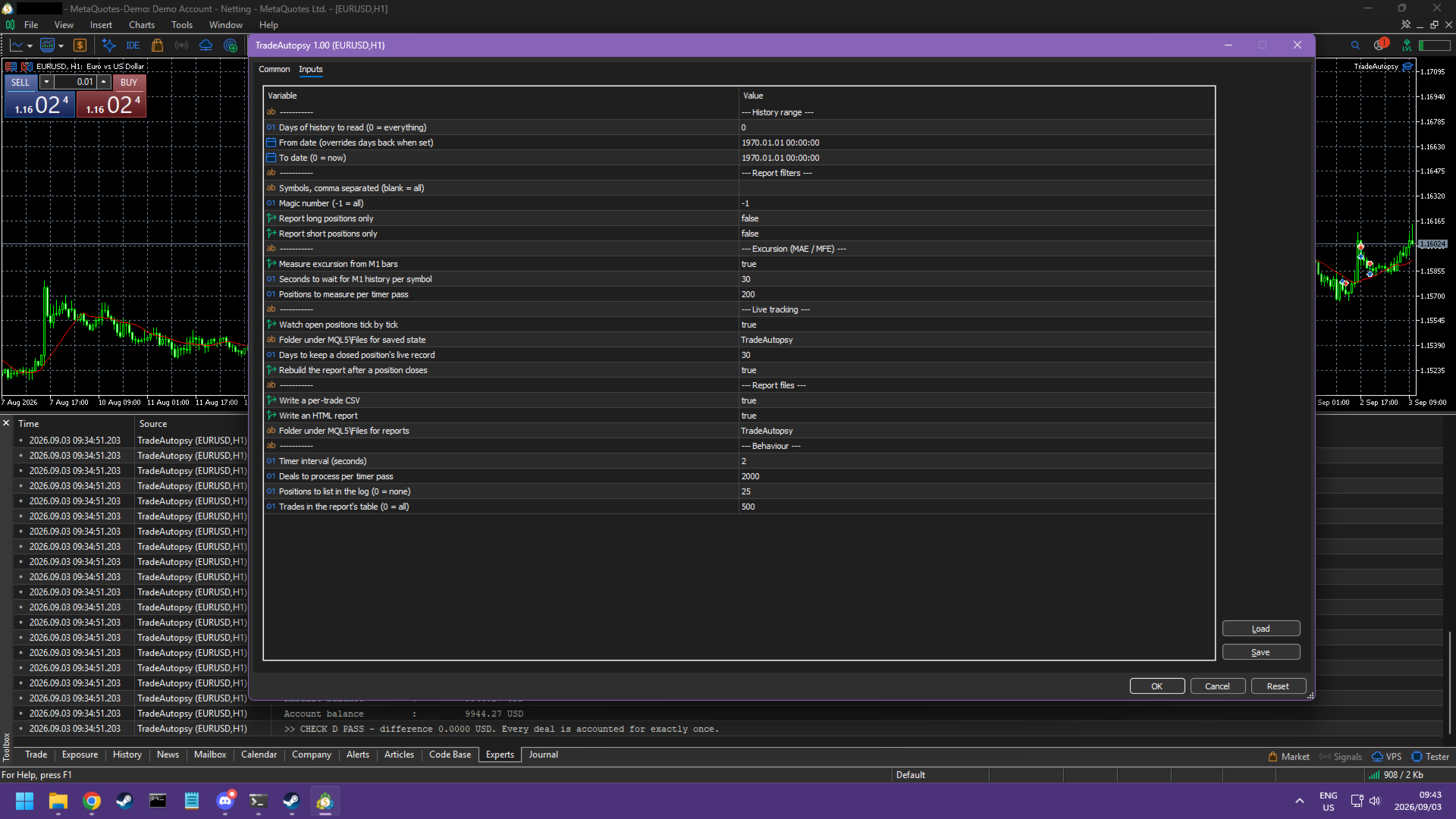
- History range. Read everything, the last N days, or an explicit window.
- Report filters. Restrict to a list of symbols, to one magic number, or to long or short trades only.
- Excursion. Turn the bar measurement off for a fast run on deal figures alone; set how long to wait for one-minute history per symbol.
- Live tracking. Turn the tick-by-tick watch on or off, choose where its state is saved, and how long a closed trade's record is kept.
- Report files. CSV, HTML, or both, and the folder under MQL5\Files they are written to.
- Behaviour. Timer interval, how much work is done per pass, how many trades are listed in the log, and how many rows the report's table carries.
The work is done in small slices on a timer, so a large history does not freeze your chart. Reports are dated, so a rebuild never overwrites yesterday's.
Requirements
MetaTrader 5, hedging or netting. Any symbol, any timeframe - the chart it sits on is irrelevant, because it reads the account rather than the chart. No DLL, no external connection, no additional files.