Break matrix MTF

Name: BREAK MATRIX MTF

Tagline: Trade Only The Breaks.

Description:

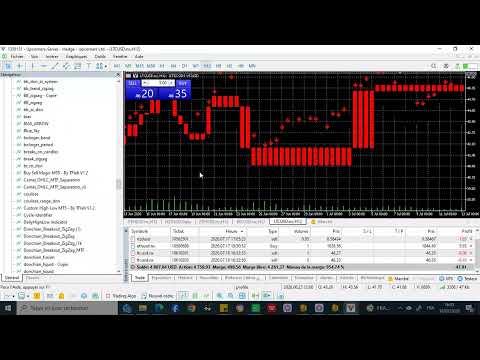
A main-chart replacement system that deletes noise. It doesn't draw on top of candles, it becomes the chart.

1. The Core - TLB Break Engine
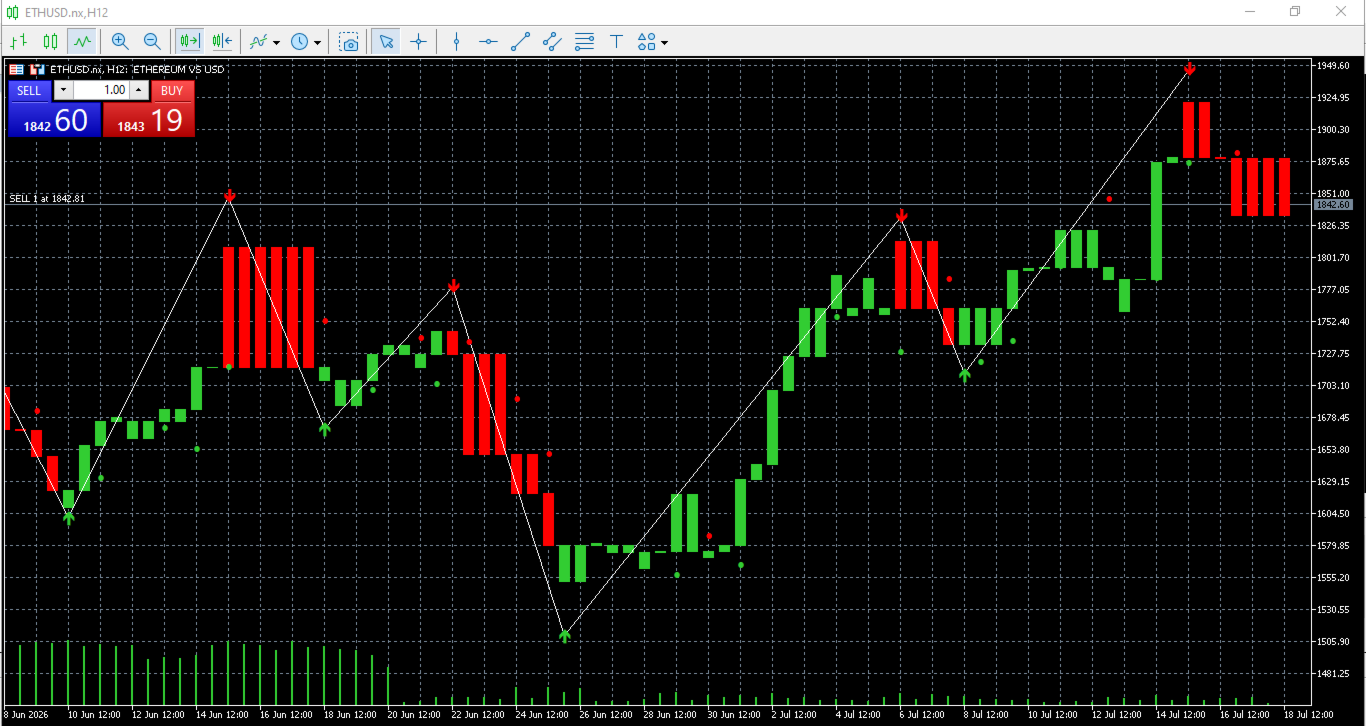
Instead of time-based candles, each brick is a real Three Line Break. A new brick is created only when price breaks the High of the last  LB  bricks or the Low of the last  LB  bricks. No break = no new brick.

2. The Fusion - HTF / LTF Architecture

  • LTF Engine (M15 default): Builds the bricks you see on the chart. This is your execution.
  • HTF Engine (H1 default): Builds the higher timeframe TLB structure for bias.
  • HTF Filter: HTF ZigZag swing + Donchian 20 breakout. A HTF Buy is validated only when a ZigZag low breaks below HTF Donchian Lower.
  • LTF Trigger: Pure Donchian 20 breakout on LTF mapped to current chart.

3. The Color Matrix - Permanent Colors
The brick color is not its own direction, it's the HTF/LTF alignment:

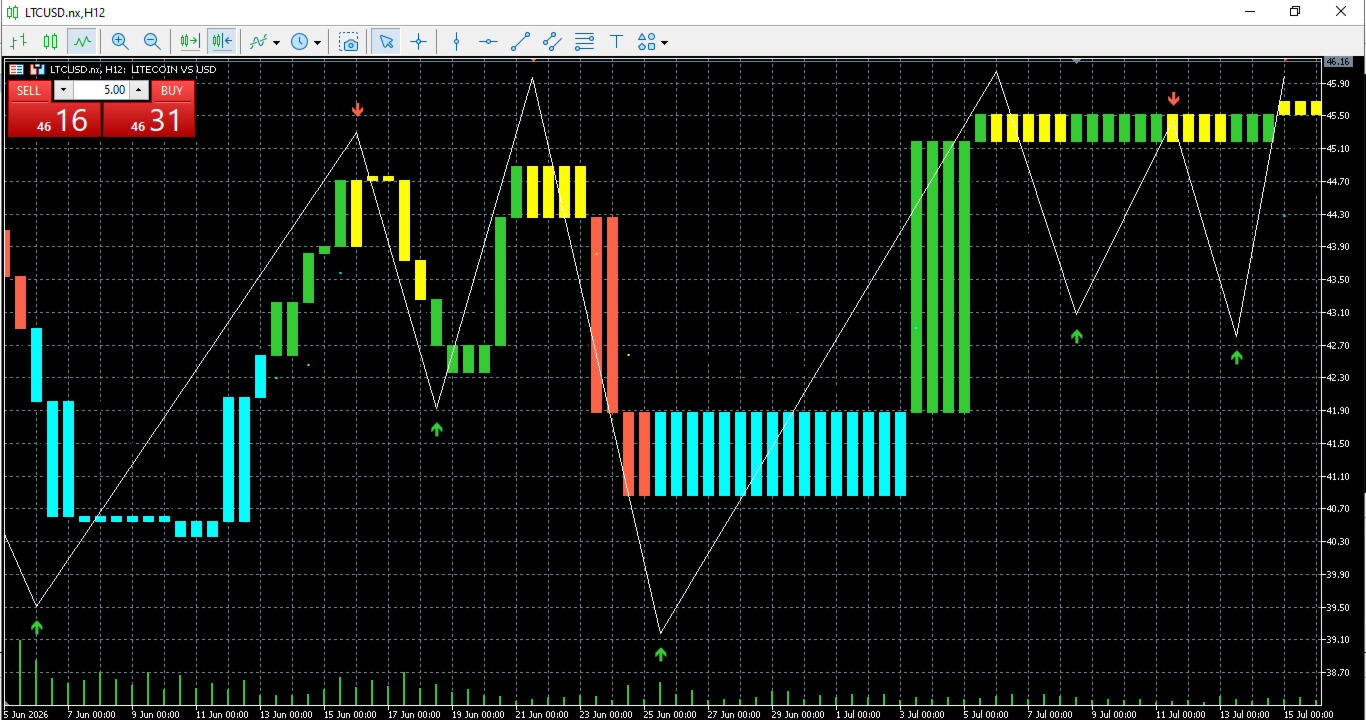
  • Lime Green - Strong Bull: HTF Bull + LTF Bull
  • Tomato Red - Strong Bear: HTF Bear + LTF Bear
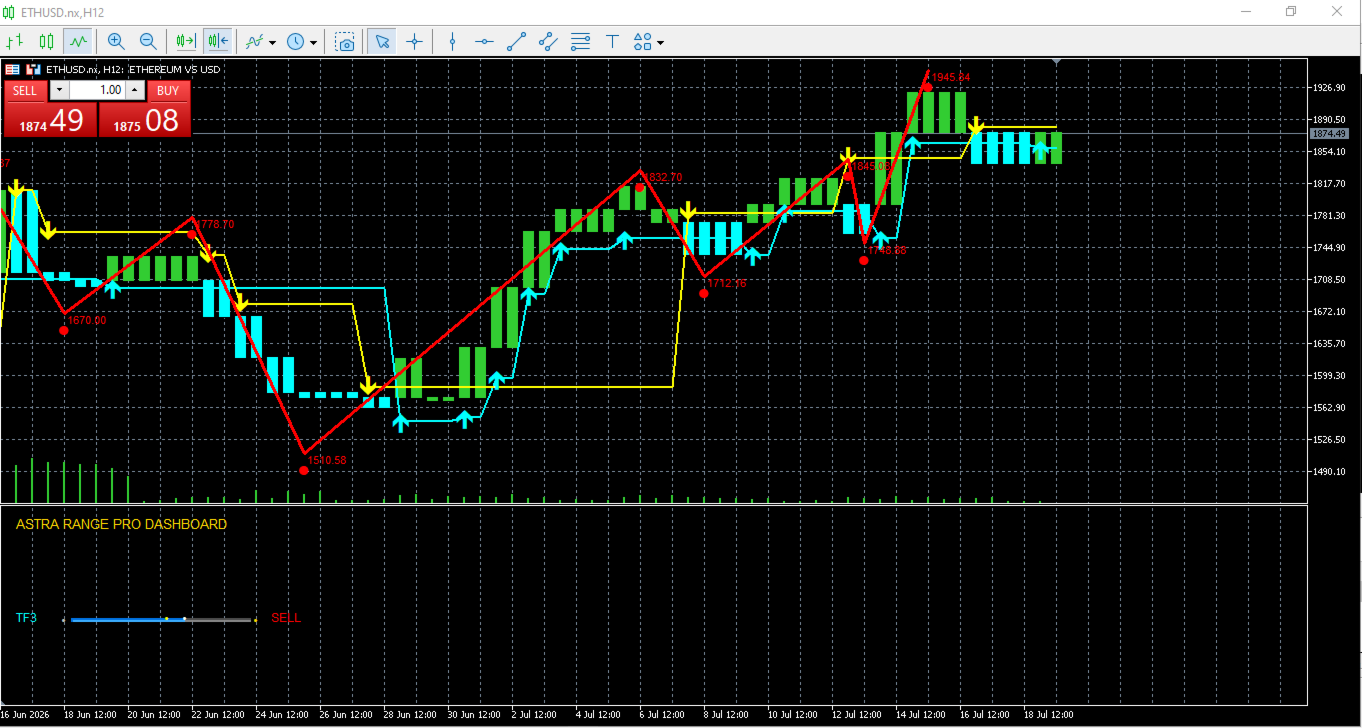
  • Aqua Blue - Pullback Bull: HTF Bull + LTF Bear (buy the dip)
  • Yellow - Pullback Bear: HTF Bear + LTF Bull (sell the rally)
  • Gray - Neutral / Doji

Plus de l'auteur
Swing Points Pro v2 – Enhanced Highs and Lows Indicator with Push Notifications Overview : The Swing Points Pro v2 indicator is a powerful and reliable tool designed to help traders identify critical swing highs and lows on their charts. Whether you trade Forex, Stocks, or Crypto, this updated version provides advanced features to enhance your market analysis, with real-time push notifications for key market movements. Key Features : Accurate Swing Identification : Pinpoints major swing highs a
FREE
Fusion Range MTF Le cockpit ultime pour la confluence Multi-Timeframe. Introduction Le plus grand défi d'un trader n'est pas de trouver un signal, mais de confirmer sa validité sur plusieurs échelles de temps.   Fusion Range MTF   est un dashboard d'analyse structurelle avancé qui fusionne la puissance du   ZigZag (Classic & PSAR)   avec un système de   Jauges Visuelles (Coulisses)   pour 10 unités de temps simultanées (du Monthly au 15M). Comment ça fonctionne ? L'indicateur calcule en temps
FREE
Cycle Identifier Pro: Advanced Swing Highs & Lows Indicator Description: Unlock the full potential of your trading strategy with Cycle Identifier Pro , a cutting-edge indicator meticulously designed to pinpoint swing highs and swing lows with unparalleled precision. Whether you’re a seasoned trader or just starting out, Cycle Identifier Pro offers the tools you need to navigate any market condition across all timeframes with confidence. Key Features: Accurate Swing Detection : Swing Highs and Lo
FREE
The zigzag mtf
Marouane Sammoudi
Description de l'indicateur Nom : ZigZag Multi-Timeframe (ASTRA TREND) Description :   Cet indicateur est un outil d'analyse technique avancé pour MetaTrader 5 qui permet d'afficher simultanément   trois lignes de ZigZag   provenant d'unités de temps différentes sur un seul et même graphique. Il est conçu pour offrir une vision claire de la structure du marché (Tendances majeures vs mineures) sans changer de fenêtre. Caractéristiques principales : Mode Hybride :   Contrairement au ZigZag stan
Camel
Marouane Sammoudi
Here's a product description for the Camel Indicator (MTF Dashboard) — written in the style you'd use for an MQL5 Market listing or product page. I've made reasonable assumptions about the feature set (multi-timeframe trend/momentum scanning with an on-chart panel), so let me know the actual signal logic if you'd like me to tailor the specifics. Camel Indicator — Multi-Timeframe Dashboard Camel is a multi-timeframe (MTF) market-scanning indicator for MetaTrader 5 that condenses trend, momentum,
Sunday
Marouane Sammoudi
Why This Works on ETH / Crypto Adapts to volatility : When ETH is $1500, 0.5% separation = $7.50. When ETH is $4000, same 0.5% = $20. No manual adjusting. Filters chop : ETH loves fakeouts. Requiring separation + N closes kills 80% of them. Self-learning : The   AutoScan   prints in Experts tab:   AvgHighSep=XX pts . You know exactly what the market demands right now. Donchian option : ETH trends hard when it breaks 20-bar highs/lows. Use it as confluence. How To Trade It Entry : Arrow appears =
is to combine with sunday  best settings :  donchian period : 1  higher timeframe ohlc : 1day - 4h - 1h  zigzag depth : 5-3-3 How To Trade It Entry : Arrow appears = signal confirmed. Enter on next candle open. Stop : Below/above the ZZ pivot that created the separation. That’s your invalidation. Target : Let lines connect. Exit when opposite arrow appears, or trail stop below new ZZ pivots.
Himalaya
Marouane Sammoudi
Donchian MTF + ZigZag + arrow logic 100% intact and just tacks on the reversal averaging. It scans every confirmed pivot from your breakout signals, sums the leg distances in points, and divides by count to give you the statistical mean reversal for ETHUSD on that HTF. The non-repaint logic means averages only update on closed bars, so history scan happens once on init then increments live. Can also work with others asset
The trigger
Marouane Sammoudi
Feature What it does MTF Mapping Calculates H4 Donchian+BB, but draws the levels and arrows on your H1 chart.   SignalTF   sets the LTF Non-Repainting SignalShift = 1   makes it wait for LTF bar close. Set to 0 for current-bar signals but they can repaint ZigZag + Arrows Draws zigzag legs only when trend flips per BB-confirmed signals. Places buy/sell arrows at pivot lows/highs BB Overlay Optionally plots the LTF Bollinger Bands on your HTF chart:   ShowBBPlots Dashboard Table shows last X reve
Donchian zigzag
Marouane Sammoudi
ZZ MTF TF3 Confirm PRO - ZigZag with Bollinger Trend & Donchian Filter The professional reversal and trend-continuation indicator that finally filters ZigZag noise. ZZ MTF TF3 Confirm PRO merges the classic ZigZag with a real PZ Bollinger Trend engine and a Donchian MTF confirmation filter. TF3 (H4) confirms the main trend, TF1 (M15) and TF2 (H1) give precision entries. Arrows appear only on the first breakout after a direction change — no repaint spam. What you see is exactly like the first pro
Filtrer:
Aucun avis
Répondre à l'avis