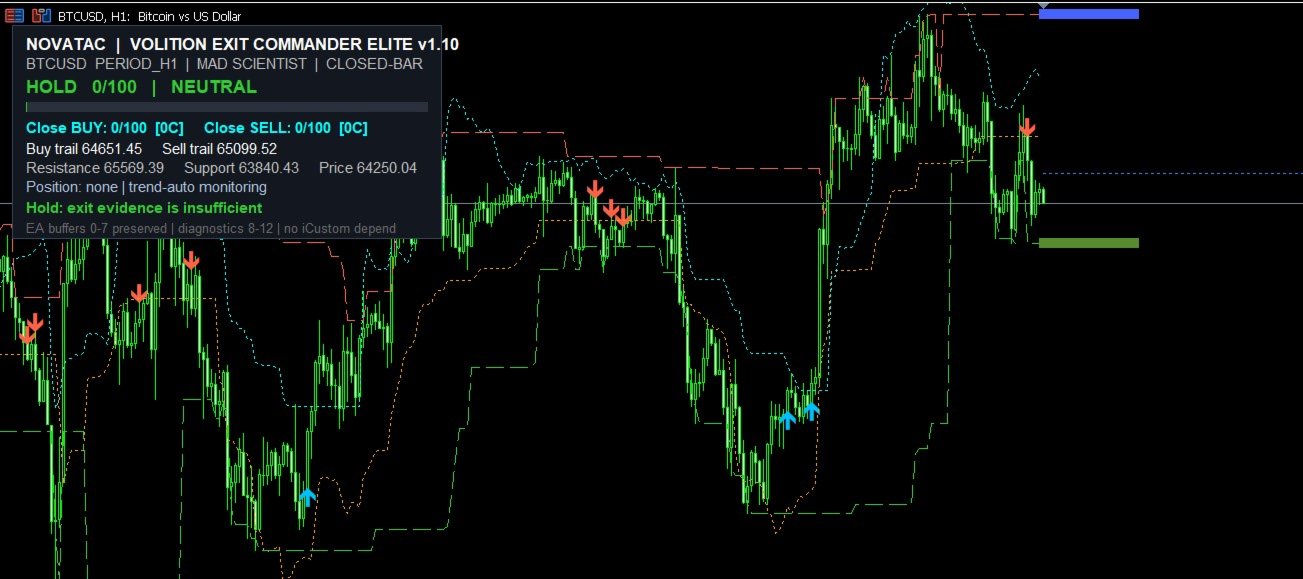
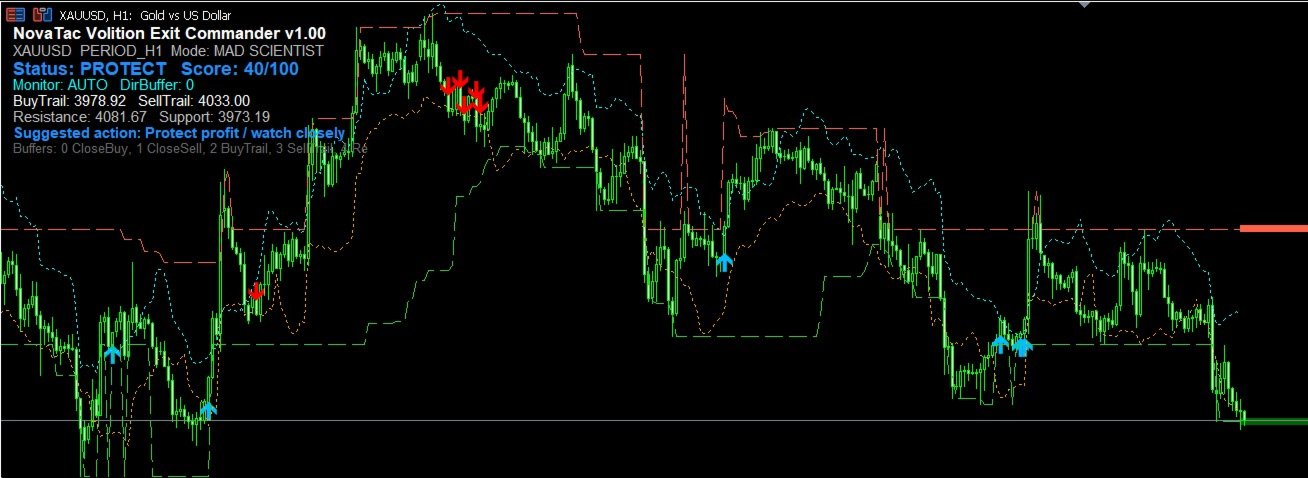
NovaTac Volition Exit Commander is a position-aware MT5 exit indicator with separate BUY and SELL scores, closed-bar confirmation, trailing references and confluence-qualified management states.
NovaTac Volition Exit Commander is a position-aware exit analysis indicator for MetaTrader 5. It evaluates conditions relevant to managing BUY and SELL positions and displays separate Close BUY and Close SELL scores.
The indicator combines momentum, trend strength, volatility, candle behaviour, market structure, tick volume and ATR-based trailing references. Optional entry-price protection and completed higher-timeframe context can also be included in the calculation.
It does not open, modify or close trades. Order execution and position-management decisions remain under the user’s control.
Exit states
Close BUY identifies bearish exit conditions relevant to an existing BUY position.
Close SELL identifies bullish exit conditions relevant to an existing SELL position.
The indicator qualifies its management states using both an exit score and a minimum number of supporting conditions:
1. Protect indicates an early management condition that may require closer monitoring.
2. Exit Warning indicates that several exit conditions are active.
3. Exit indicates that the configured score and confluence requirements have been reached.
4. Critical Exit is the highest configured management state and indicates that the position should be reviewed immediately.
Position-aware monitoring
When open-position context is enabled, the indicator detects positions on the current chart symbol and focuses its monitoring on the relevant direction. Netting and hedging account structures are supported.
When no position is open, the indicator can monitor BUY exits, SELL exits, both directions or select a direction from the current trend.
Closed-bar confirmation
Closed-bar confirmation is enabled by default. Confirmed exit arrows are generated from completed chart candles.
When higher-timeframe context is enabled, the previously completed higher-timeframe candle is used. This reduces changes caused by conditions developing before a candle closes.
Exit profiles
Five profiles are available:
Scalping uses responsive thresholds and tighter trailing references.
Day Trading provides balanced score and trailing settings.
Swing Trading uses wider structural and trailing parameters.
Trend Runner requires stronger exit evidence and allows established trends more room.
Maximum Hold uses the most conservative exit thresholds and widest trailing settings.
Chart information
The indicator can display:
- Close BUY and Close SELL scores
- Qualified management state
- ATR-based trailing references
- Support and resistance targets
- Daily and optional weekly reference levels
- Entry-price protection status
- Directional confluence and conflict information
Popup, sound and push notifications are available. Signal-transition and cooldown controls help prevent repeated alerts from the same condition.
EA integration
The indicator provides output buffers for arrows, trailing references, target levels, directional scores, confluence counts and qualified management states. This allows compatible Expert Advisors and utilities to read its calculated output.
No DLLs, WebRequest connections or external data services are required.
Usage notes
Select an exit profile that matches the intended trading horizon and evaluate the score together with its confluence, trailing and target information.
Symbol volatility and broker pricing conditions can differ, so settings should be evaluated in the Strategy Tester and on a demo account before live use.
Changing the inputs, timeframe or available symbol history can cause historical signals to be recalculated.
NovaTac Volition Exit Commander is an analytical decision-support tool. It does not guarantee trading results.