HighWinRate
- Experts
- Version: 2.0
- Activations: 5

HighWinRate EA Pro v2.00 — Description & Instructions
What It Is
A professional trend-following Expert Advisor for MetaTrader 4 that works on any symbol and any timeframe. It automatically builds a three-level timeframe hierarchy relative to whatever chart you attach it to, ensuring macro trend, intermediate structure, and entry signal all agree before placing a trade.
Suitable for Forex pairs, Gold (XAUUSD), NAS100/USTECm, US30, and most liquid instruments available on MT4.
How The Strategy Works
The EA stacks three timeframes automatically:
| Layer | Timeframe | How it's calculated | What it checks |
|---|---|---|---|
| Macro Trend | 16× chart TF | H1 chart → D1 macro | EMA21 vs EMA55 — broad direction |
| Intermediate | 4× chart TF | H1 chart → H4 intermediate | EMA21 vs EMA50 — structure confirmation |
| Entry Signal | Chart TF | H1 chart → H1 entry | EMA cross + oscillators |
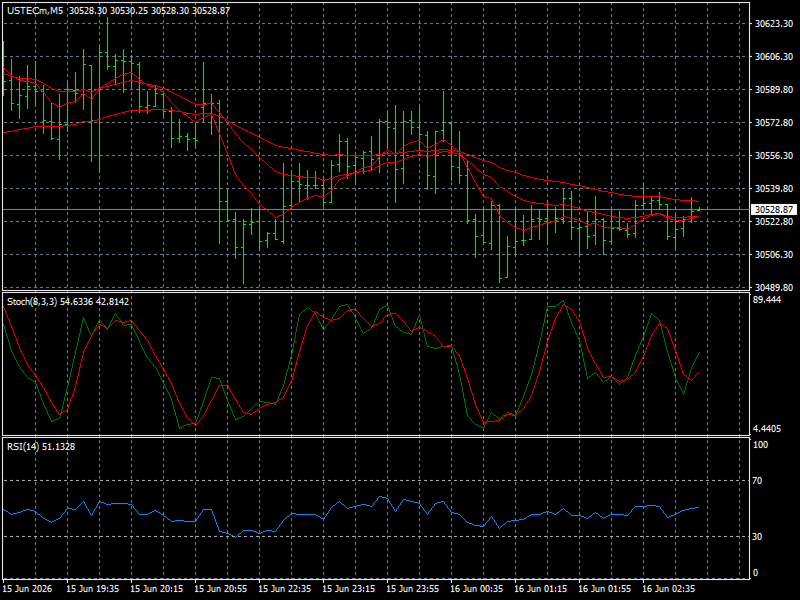
Example on EURUSD H1: Macro=D1, Intermediate=H4, Entry=H1 Example on USTECm M5: Macro=H1, Intermediate=M30, Entry=M5 Example on XAUUSD M15: Macro=H4, Intermediate=H1, Entry=M15
All three layers must agree. On top of that, three entry confirmation filters fire on the chart timeframe:
- RSI — momentum present, not overbought/oversold
- Stochastic — not extended in the wrong direction
- EMA crossover — fast EMA crosses slow EMA with price above/below the trend EMA
Risk Management Features
- ATR-based SL/TP — stop loss and take profit adapt to current volatility automatically. Default is 1:2 Risk:Reward
- Dynamic lot sizing — risks exactly RiskPercent % of balance per trade regardless of symbol
- Breakeven — moves SL to entry once profit reaches 0.6× ATR
- Trailing stop — activates after 1.2× ATR profit, trails at 0.8× ATR distance
- Daily drawdown limit — pauses trading for the day if equity drops 5% from the day's opening balance
- Total drawdown stop — shuts EA down if equity drops 15% from starting balance
- Consecutive loss pause — rests 90 minutes after 3 losses in a row
- Margin safety check — automatically scales lot size down if free margin is insufficient, never sends a failing order
Input Parameters Guide
| Parameter | Default | Description |
|---|---|---|
| InstrumentType | 1 | 1=Forex, 2=NAS100, 3=Gold, 4=US30/SP500 |
| RiskPercent | 1.0 | % of balance risked per trade. Set 0 to use FixedLot |
| FixedLot | 0.01 | Fixed lot size — only active when RiskPercent=0 |
| SL_ATR | 1.5 | Stop loss width as multiple of ATR |
| TP_ATR | 3.0 | Take profit as multiple of ATR (1:2 R:R) |
| MaxSpreadPoints | 50 | Skip trade if spread exceeds this |
| DailyDD_Pct | 5.0 | Max daily loss % before pausing |
| TotalDD_Pct | 15.0 | Max total loss % before stopping |
| MaxConsecLoss | 3 | Losses in a row before pause |
| LossPauseMins | 90 | Minutes to pause after consecutive losses |
| MaxTradesPerDay | 5 | Maximum trades per day |
| TradingStartHour | 0 | Server hour to begin trading (0 = all day) |
| TradingEndHour | 24 | Server hour to stop trading (24 = all day) |
| DebugMode | false | Set true to see signal details in Journal |
Installation Instructions
Step 1 — Install the EA
- Open MetaTrader 4
- Click File → Open Data Folder
- Navigate to MQL4 → Experts
- Copy HighWinRate_EA_Pro.mq4 into that folder
- In MT4, press F4 to open MetaEditor, find the file and press F7 to compile
- Confirm zero errors in the Errors tab
Step 2 — Attach to a Chart
- Open a chart for your chosen symbol and timeframe
- Drag the EA from the Navigator panel onto the chart
- In the EA settings window:
- Set InstrumentType correctly for your symbol
- Set RiskPercent to your preferred risk level
- Tick "Allow live trading"
- Click OK
- Confirm the smiley face icon appears in the top right of the chart
Step 3 — Enable AutoTrading
- Click the AutoTrading button in the MT4 toolbar (must show green/active)
- Without this the EA will load but never place trades
Recommended Settings Per Symbol
| Symbol | Chart TF | InstrumentType | SL_ATR | TP_ATR | MaxSpread |
|---|---|---|---|---|---|
| EURUSD | H1 | 1 | 1.5 | 3.0 | 30 |
| GBPUSD | H1 | 1 | 1.5 | 3.0 | 40 |
| NZDUSD | H1 | 1 | 1.5 | 3.0 | 30 |
| XAUUSD | M15 | 3 | 1.5 | 3.0 | 50 |
| USTECm | M5 | 2 | 1.5 | 3.0 | 30 |
| US30 | M15 | 4 | 1.5 | 3.0 | 50 |
Backtesting Instructions
- Open Strategy Tester (Ctrl+R)
- Select HighWinRate_EA_Pro from the Expert dropdown
- Set your symbol and timeframe
- Set Model: Every tick for accurate results
- Set a realistic starting deposit (minimum $500 recommended)
- Set InstrumentType correctly in Expert Properties before running
- Ignore TestGenerator volume warnings — these are normal broker data quirks and do not affect results
Important Warnings
⚠️ Demo first — always run on a demo account for a minimum of 4 weeks before using real money
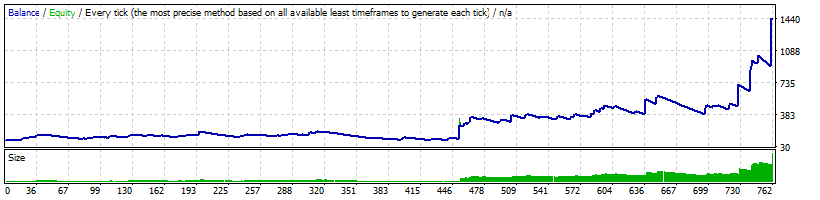
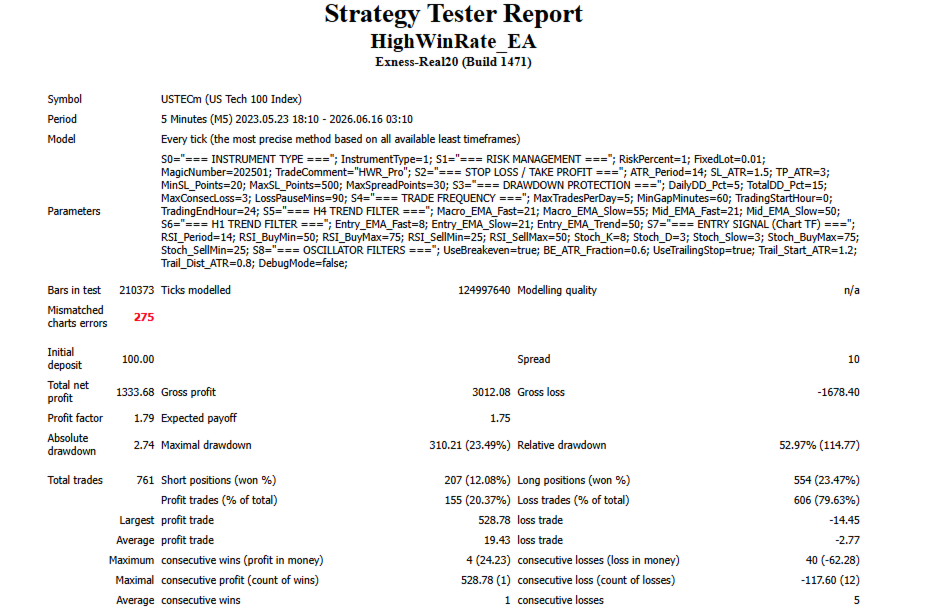
⚠️ Win rate is low, wins are large — the strategy wins approximately 20–35% of trades but each win is roughly 2× the size of a loss. Expect losing streaks of 5–15 in a row — this is completely normal and by design
⚠️ Do not interfere during losing streaks — the consecutive loss pause handles this automatically. Increasing lot size or disabling the EA mid-drawdown is the most common way traders lose money with trend-following strategies
⚠️ Past backtest results do not guarantee future performance — always use sensible risk levels (1% or less per trade)