Multi Currency MA Cross Scanner

  • Indicateurs
  • Shin Kojima
    Shin Kojima
    MT4 indicator developer with 10+ years of live trading experience.
    Specializing in alert tools and scanners for ICT-based traders.
    Zero complaints. Reliable tools. Real support.
    MQL4 / MQL5 Development Services
    • Custom Indicator Modifications
  • Version: 1.0
  • Activations: 5
MA Cross 448 Scanner
Scan 64 pairs x 7 timeframes for MA crossovers — all from a single chart.  |  User Manual

------------------------------------------------------------------------
1. Overview
------------------------------------------------------------------------
MA Cross 448 Scanner is a MetaTrader 4 indicator that monitors moving
average crossovers across 64 currency pairs and 7 timeframes
simultaneously, displaying all results in a single panel.

Drop it onto any chart and it instantly scans every selected symbol and
timeframe for MA1/MA2 crossovers — no need to switch charts manually.

Key specs:
- Alerts fire on confirmed (closed) candles only. No repainting.
- Works on FX pairs, Gold (XAUUSD), indices, crypto — any symbol in
  your broker's Market Watch.
- Default display: 29 symbols x 7 timeframes.
- Full capacity: 64 pairs x 7 timeframes = 448 combinations.
- Settings are fully adjustable per symbol and timeframe.

------------------------------------------------------------------------
2. Typical Workflow
------------------------------------------------------------------------
Step 1  Find signals with 448 Scanner
        The panel highlights a cell when an MA cross is detected.

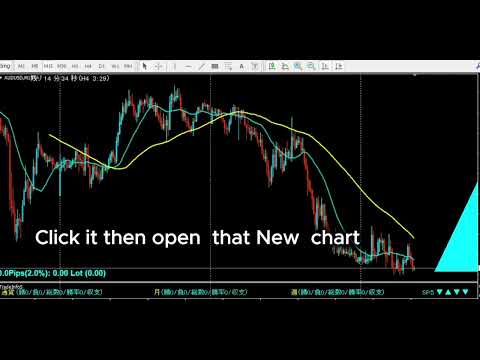
Step 2  Open chart with one click
        Click the timeframe label in the panel to open a new chart
        for that symbol and timeframe instantly.

Step 3  Draw your analysis lines
        Analyze the chart and draw your trendlines or key levels.

Step 4  Restore your chart workspace anytime with AutoLineSaver for 448
        Use AutoLineSaver to save and restore your drawn lines at any time.

------------------------------------------------------------------------
3. Color Guide
------------------------------------------------------------------------
Each cell in the panel represents one symbol x timeframe combination.

Color         Meaning
----------    -------------------------------------------------------
Cyan          MA1 is above MA2. Uptrend in effect.
Dodger Blue   A new upward cross was just detected on this bar.
              Reverts to Cyan on the next bar.
Red           MA1 is below MA2. Downtrend in effect.
Magenta       A new downward cross was just detected on this bar.
              Reverts to Red on the next bar.
White/Gray    No cross detected. MAs have not crossed.
Yellow        Symbol is excluded from scan (SymOnOff feature).

- When an alert fires, the symbol name turns Red temporarily.
  It returns to its normal color on the next scan cycle.
- The number shown next to each symbol name is the current spread.
  When the spread turns Red, the symbol is skipped due to the
  MaxSpread filter.

------------------------------------------------------------------------
4. Installation
------------------------------------------------------------------------
1. Copy  MACrossSearch_en.mq4  to your MT4  MQL4/Indicators/  folder.
2. Copy  AllSearch_en.mqh      to your MT4  MQL4/Include/      folder.
3. Restart MetaTrader 4, or press F5 in MetaEditor to refresh.
4. Attach the indicator to any chart.
   The timeframe of the host chart does not affect scan results.

Both files must be present. MACrossSearch_en.mq4 will not compile
without AllSearch_en.mqh.

------------------------------------------------------------------------
5. First Launch Warning
------------------------------------------------------------------------
Immediately after attaching the indicator, symbols that have not been
recently loaded in Market Watch may lack price history.

If this occurs, the following alert appears:

  "Please load [Symbol][Timeframe] chart once"

Open a new chart for the indicated symbol and timeframe. Once the chart
loads, MT4 downloads the required history and the scanner works normally
from that point on.

------------------------------------------------------------------------
6. How to Specify Symbols (UseSymbols)
------------------------------------------------------------------------
Only symbols visible in MT4's Market Watch window are scanned.
Add any symbol you want to monitor to Market Watch before starting.

There are two ways to enter symbols in UseSymbols:

Method 1 — Currency codes (auto-combination)
  Enter 3-letter currency codes separated by spaces.
  All valid pairs are generated automatically.

  Example: EUR USD JPY  →  EURUSD, EURJPY, USDJPY

Method 2 — Full symbol names (direct)
  Enter the full symbol name to add it directly.

  Example: XAUUSD  →  Gold is added to the scan list

You can combine both methods.
  Example: XAUUSD USD EUR JPY  →  XAUUSD, EURUSD, EURJPY, USDJPY

- Display order follows the order of entry in UseSymbols.
- If your broker adds a suffix to symbol names (e.g. EURUSDm or
  EURUSDPro), enter the suffix in AddSymbol (e.g. AddSymbol = m).

------------------------------------------------------------------------
7. Parameters
------------------------------------------------------------------------
MA Settings
  MAPeriod1     20              Period of the first moving average.
  MAPeriod2     75              Period of the second moving average.
  MAKind1       1               MA type for MA1. 0=SMA 1=EMA 2=SMMA 3=LWMA
  MAKind2       1               MA type for MA2. Same values as MAKind1.
  MAShift1      0               Horizontal shift of MA1 (in bars).
  MAShift2      0               Horizontal shift of MA2 (in bars).
  MAPrice1      PRICE_CLOSE     Applied price for MA1.
  MAPrice2      PRICE_CLOSE     Applied price for MA2.

Timeframe Selection — Display ON/OFF
  Controls which timeframes appear in the panel and are scanned.
  Set to false to exclude a timeframe entirely.

  bUseM1        false           Show M1 in the panel and scan it.
  bUseM5        false           Show M5 in the panel and scan it.
  bUseM15       true            Show M15 in the panel and scan it.
  bUseM30       true            Show M30 in the panel and scan it.
  bUseH1        true            Show H1 in the panel and scan it.
  bUseH4        true            Show H4 in the panel and scan it.
  bUseD1        true            Show D1 in the panel and scan it.
  bUseW1        true            Show W1 in the panel and scan it.

Alert Settings — Alert ON/OFF (independent from display)
  Display and alerts are controlled separately.
  A timeframe can be visible in the panel but fire no alert.
  Example: bUseH1=true + bAlertH1=false
           H1 is shown in the panel, but no alert fires on H1 signals.

  bAlertOnce    true            true: Log to Experts tab only (silent mode).
                                false: Show pop-up alert dialog.
  bFindAlert    true            Alert when a new cross is detected.
  bLostAlert    false           Alert when an existing cross ends.
  bAlertM1      true            Fire alerts on M1 signals.
  bAlertM5      true            Fire alerts on M5 signals.
  bAlertM15     true            Fire alerts on M15 signals.
  bAlertM30     true            Fire alerts on M30 signals.
  bAlertH1      true            Fire alerts on H1 signals.
  bAlertH4      true            Fire alerts on H4 signals.
  bAlertD1      true            Fire alerts on D1 signals.
  bAlertW1      true            Fire alerts on W1 signals.
Spread Filter
  bUseSpread    true            Show the current spread next to each symbol name.
                                Aqua = within the allowed range.
                                Red  = spread exceeds MaxSpread. Symbol is skipped
                                       for that scan cycle automatically.
  MaxSpread     6.0             Spread threshold in pips. Symbols above this value
                                are excluded from scanning until spread drops back
                                below the limit.
  bMail         false           Send an email when an alert fires.
                                Requires MT4 email settings to be configured.

Symbol Settings
  UseSymbols    XAUUSD USD EUR JPY GBP CAD AUD NZD CHF SGD
                                Space-separated list. See section 6 for details.
  AddSymbol     (empty)         Suffix appended to every symbol name.
                                Example: enter "m" if your broker uses EURUSDm.

Special Features
  SelfRifresh   false           Controls color update behavior for multi-instance use.
                                false (default): Colors reset each cycle automatically.
                                  DodgerBlue → Cyan, Magenta → Red, Yellow → White.
                                true: Colors set by other indicators on the same panel
                                  are preserved. Use this on secondary instances when
                                  running multiple scanners on the same chart.
  SymOnOff      false           Enables click-to-exclude on symbol names.
                                false (default): Clicking a symbol has no effect.
                                true: Click a symbol name to toggle it Yellow
                                  (excluded from scan). Click again to restore.
                                  Useful for hiding specific symbols temporarily
                                  without editing UseSymbols.
  AddText       (empty)         Prefix added to all chart object names for this
                                instance. Set a unique value (e.g. "A", "B") when
                                running multiple instances on the same chart to
                                prevent object name conflicts.

Display Position Settings
  ATRCorner     1               Corner where the panel is anchored.
                                0 = Bottom-Left
                                1 = Bottom-Right  (default)
                                2 = Top-Left
                                3 = Top-Right
  TxtXBase      0               Horizontal offset of the entire panel from the
                                anchored corner (pixels). Increase to shift the
                                panel away from the chart edge.
  LineMax       30              Maximum symbol rows per column. When the symbol
                                count exceeds this, a new column is added to the
                                right automatically.
  FontSize      10              Font size of all panel text. Changing this value
                                also scales the spacing between columns and rows.
  TxtXPos       5               Horizontal spacing between each timeframe column
                                in the panel (pixels).
  TxtXSpace     5               Additional horizontal padding between timeframe
                                columns. Adjust together with TxtXPos to fine-tune
                                column spacing.
  TxtYPos       5               Vertical spacing between symbol rows (pixels).
                                Increase if rows overlap at larger font sizes.

------------------------------------------------------------------------
8. Tips
------------------------------------------------------------------------
- All signals are based on the completed previous bar (shift 1).
  The current open bar is never used for signal generation.
- Enabling many timeframes with a large symbol list increases CPU load.
  Disable unused timeframes with bUseM1, bUseM5, etc.
- To run multiple instances on the same chart with different settings,
  set a unique value for AddText on each instance.
Produits recommandés
Indicator for binary options arrow is easy to use and does not require configuration works on all currency pairs, cryptocurrencies buy signal blue up arrow sell signal red down arrow tips do not trade during news and 15-30 minutes before their release, as the market is too volatile and there is a lot of noise it is worth entering trades one or two candles from the current period (recommended for 1 candle) timeframe up to m 15 recommended money management fixed lot or fixed percentage of the depo
The indicator allows you to trade binary options. The recommended time frame is М1 and the expiration time is 1,2,3 minutes. The indicator suitable for auto and manual trading. A possible signal is specified as a arrows above/under a candle. You should wait until the candle closes! Arrows are not re-painted Trade sessions: TOKYO section (Half-end) Currency pairs: USD/JPY Working time frame: M1 Expiration time: 1,2,3 minutes. The indicator also shows good results when using the martingale strateg
FREE
Quantum Falcon Signal Free is a smart visual trading indicator for MetaTrader 4 designed for Forex and Gold traders. The indicator combines: • Trend analysis • RSI momentum confirmation • MACD momentum filtering • ATR volatility filtering • Higher timeframe confirmation • Smart exit signal detection Main Features: • Smart Buy and Sell signals • Exit Buy / Exit Sell alerts • Real-time dashboard on chart • Professional candle arrows • Multi-timeframe trend confirmation • ATR market volatility filt
FREE
Market Profile 3
Hussien Abdeltwab Hussien Ryad
3 (2)
Market Profile 3 MetaTrader 4 indicator  — is a classic Market Profile implementation that can show the price density over time, outlining the most important price levels, value area, and control value of a given trading session. This indicator can be attached to timeframes between M1 and D1 and will show the Market Profile for daily, weekly, monthly, or even intraday sessions. Lower timeframes offer higher precision. Higher timeframes are recommended for better visibility. It is also possible t
FREE
SX Supply Demand Zones accurately identifies and draws high-probability Supply and Demand zones using a sophisticated algorithm. Unlike traditional indicators that clutter your chart, this indicator is designed with a focus on performance and a clean user experience. New Unique Feature: Interactive Legend System What truly sets this indicator apart from everything else is the Interactive Control Legend. You have a professional dashboard directly on your chart that allows you to: Show/Hide: Ins
FREE
TMA AI Bands
Monique Ellen Miranda Dos Santos
L'indicateur TMA AI Bands est basé sur la Moyenne Mobile Triangulaire (TMA) avec des bandes supérieure et inférieure dynamiques et des flèches claires d'achat/vente tracées directement sur le graphique. Il intègre une IA pour une optimisation adaptative et garantit l'absence de repainting, fournissant des signaux de renversement précis lorsque le prix touche les bandes. * Paires : fonctionne avec toutes les paires de devises * Échelles de temps recommandées : D1 / W1 / MN * Variables externe
Volume Profile Sniper v11. 1-un outil Complet pour l'analyse du marché Approche professionnelle du commerce Volume Profile Sniper V11.1 combine plus de 15 filtres clés dans un seul indicateur, fournissant des signaux clairs basés sur une évaluation complète de la situation du marché. Principales caractéristiques Analyse du déséquilibre volumétrique-l'algorithme calcule la proportion d'acheteurs et de vendeurs dans chaque bougie, signalant la prédominance de l'une des parties (seuil configurabl
Smart FVG Indicator MT4 – Détection avancée des Fair Value Gaps pour MetaTrader 4 Smart FVG Indicator MT4 offre une détection, un suivi et des alertes professionnelles de Fair Value Gap (FVG) directement sur vos graphiques MetaTrader 4. Il combine un filtrage basé sur l’ATR avec une logique consciente de la structure du marché afin de réduire le bruit, de s’adapter à la liquidité et de ne conserver que les déséquilibres les plus pertinents pour des décisions de trading précises. Atouts princip
FREE
Pips forex est un système commercial prêt. Cet indicateur montre avec des flèches sur le graphique quand et dans quelle direction vous devez ouvrir une commande. Si la flèche est verte, nous ouvrons une transaction d'achat, et si la flèche est rouge, nous ouvrons une transaction de vente. Tout est très simple et assez efficace. TakeProfit a fixé 15 à 25 points. StopLoss fixé au niveau des points. Lorsque les points bougent, nous annulons immédiatement le StopLoss. Période recommandée pour négoc
High Low Open Close MT4
Alexandre Borela
4.81 (21)
Si vous aimez ce projet, laissez un examen 5 étoiles. Cet indicateur tire les prix ouverts, élevés, bas et de fermeture pour les prix spécifiés période et il peut être ajusté pour un fuseau horaire spécifique. Il s ' agit là d ' un niveau important qui s ' intéresse à de nombreux domaines institutionnels et professionnels. traders et peut être utile pour vous de connaître les endroits où ils pourraient être plus active. Les périodes disponibles sont les suivantes : Jour précédent. Semaine pré
FREE
VR Cub
Vladimir Pastushak
VR Cub est un indicateur permettant d'obtenir des points d'entrée de haute qualité. L'indicateur a été développé pour faciliter les calculs mathématiques et simplifier la recherche de points d'entrée dans un poste. La stratégie de trading pour laquelle l'indicateur a été rédigé prouve son efficacité depuis de nombreuses années. La simplicité de la stratégie de trading est son grand avantage, qui permet même aux traders débutants de négocier avec succès avec elle. VR Cub calcule les points d'ouve
Rainbow MT4
Jamal El Alama
Rainbow MT4 is a technical indicator based on Moving average with period 34 and very easy to use. When price crosses above MA and MA changes color to green, it’s a signal to buy. When price crosses below MA and MA changes color to red, it’s a signal to sell. The Expert advisor ( Rainbow EA MT4) based on Rainbow MT4 indicator, as you can see in the short video below is now available here .
FREE
Time Bubble ***Specialized for GBPJPY 1H time frame*** (tested for two years with success rates about 82%) Time Circle's smart algorithm detects the price circles with time . give strong signals at the right time as result of combine the price and time. our team spent months to develop this indicator specially for GBPJPY ..with high success rates about 82% win trades over two years .tested from December 2016 to November 2018. *** in last two years total signals 1012 with 829 Wins and 183 Lo
VR Grid
Vladimir Pastushak
5 (3)
L'indicateur VR Grid est conçu pour créer une grille graphique avec des paramètres définis par l'utilisateur. Contrairement à la grille standard , VR Grid est utilisée pour créer des niveaux circulaires . Selon le choix de l'utilisateur, le pas entre les niveaux ronds peut être arbitraire. De plus, contrairement à d'autres indicateurs et utilitaires, VR Grid maintient la position de la grille même lorsque la période de temps change ou que le terminal est redémarré. Les paramètres, les fichiers d
FREE
« Dynamic Scalping Oscillator » est un indicateur Crypto Forex personnalisé avancé, un outil de trading efficace pour MT4 ! - Nouvelle génération d'oscillateurs : voir les images pour comprendre leur utilisation. - L'oscillateur de scalping dynamique dispose de zones de survente/surachat adaptatives. - L'oscillateur est un outil auxiliaire permettant de trouver des points d'entrée précis dans les zones dynamiques de survente/surachat. - Valeurs de survente : inférieures à la ligne verte ; valeu
Binary Options Assistant (BOA) ICE Signals Indicator provides signals based on gkNextLevel Binary Options Strategy.  Indicators: 2 Bollinger Bands & Stochastic Stop missing trades, stop jumping from chart to chart looking for trade set-ups and get all the signals on 1 chart! U se any of the BOA Signals Indicator with the  Binary Options Assistant (BOA) Multi Currency Dashboard .   All BOA Signal Indicator settings are adjustable to give you more strategy combinations. The signals can be seen
FREE
Indicateur équipé d'un système de calcul du taux de gain [Caractéristiques de l'indicateur] Cet indicateur permet une confirmation intuitive et facile de l'analyse technique régulière par le biais de signaux de signalisation. De plus, il peut vérifier la pertinence des paramètres actuels en vérifiant le taux de gain et comprend un système de détermination automatique du taux de gain qui s'abstient de générer des signaux lorsque le taux de gain est faible. Cela réduit les entrées inutiles et p
BoxInside MT4
Evgeny Shevtsov
4.83 (6)
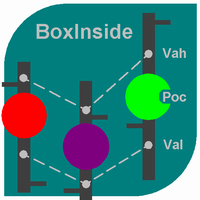
This indicator calculates the volume profile and places labels that correspond to the VAH, VAL and POC levels, for each candle individually. Indicator operation features The indicator works on the timeframes from M5 to MN, but it uses the history data of smaller periods: M1 - for periods from M5 to H1, M5 - for the H4 period, M30 - for the D1 period, H4 - for the W1 period, D1 - for the MN period. The color and location of the VAL, VAH and POC labels on the current candle are considered to be c
FREE
"Turbo Helper pour le scalping" est un système de trading entièrement préparé. Il indique au trader par une flèche sur le graphique quand ouvrir un ordre et dans quelle direction. Il indique également au trader par un symbole carré quand fermer le trade. Ensuite, l'indicateur affiche sur le graphique le nombre estimé de points pour le trade. Cette valeur peut légèrement varier car l'indicateur ne prend pas en compte la taille réelle du spread et du swap de votre courtier. Cependant, pour calcule
Blahtech Market Profile
Blahtech Limited
4.53 (15)
Was: $249  Now: $99   Market Profile defines a number of day types that can help the trader to determine market behaviour. A key feature is the Value Area, representing the range of price action where 70% of trading took place. Understanding the Value Area can give traders valuable insight into market direction and establish the higher odds trade. It is an excellent addition to any system you may be using. Blahtech Limited presents their Market Profile indicator for the MetaTrader community. Ins
L'indicateur construit les cotations actuelles, qui peuvent être comparées aux cotations historiques et, sur cette base, faire une prévision de l'évolution des prix. L'indicateur dispose d'un champ de texte pour une navigation rapide jusqu'à la date souhaitée. Option : Symbole - sélection du symbole que l'indicateur affichera ; SymbolPeriod - sélection de la période à partir de laquelle l'indicateur prendra des données ; IndicatorColor - couleur de l'indicateur ; HorisontalShift - décalage
Adjustable Consecutive Fractals  looks for 2 or more fractals in one direction and sends out a on screen alert, sound alert and push notification, for strong reversal points . Adjustable Consecutive Fractals, shows the fractals on chart along with a color changing text for buy and sell signals when one or more fractals appear on one side of price. Adjustable Consecutive Fractals is based Bill Williams Fractals . The standard Bill Williams fractals are set at a non adjustable 5 bars, BUT withe th
TPO Profile MT4
Kyra Nickaline Watson-gordon
5 (1)
Definition : TPO is a Time Price Opportunity. Instead of using bars or candles with an Open, High, Low, and Close price, each "bar" in a Market Profile is represented by horizontal bars against the price It is called Market Profile terminology. In other words time-price-opportunity (TPO) profiles are histograms of how much time was spent at each price within the span of the profile. By using a TPO chart, you are able to analyze the amount of trading activity, based on time, for each price level
Volume Force MT4
Thiago Pereira Pinho
5 (1)
V-FORCE PRO – L'INDICATEUR DE VOLUME AVANCÉ POUR METATRADER 5 Découvrez la Puissance du Volume Réel avec V-Force Pro – La Révolution dans l'Analyse de Marché ! Arrêtez de Trader dans le Noir ! Visualisez la Force des Gros Joueurs en Temps Réel. Le Problème que Tout Trader Rencontre : Vous êtes-vous déjà demandé pourquoi certains mouvements de marché échouent même lorsque tous les indicateurs techniques pointent dans la même direction ? La réponse se trouve dans le   VOLUME RÉEL   – la pièce la
Un indicateur technique qui calcule ses lectures sur les volumes de transactions. Sous forme d'histogramme, il montre l'accumulation de la force de mouvement de l'instrument de trading. Il dispose de systèmes de calcul indépendants pour les directions haussières et baissières. Fonctionne sur tous les instruments de trading et délais. Peut compléter n’importe quel système commercial. L'indicateur ne redessine pas ses valeurs, les signaux apparaissent sur la bougie actuelle. Il est facile à utilis
TrendMaster Ultra | Structure-Based Trading Without Guesswork Tired of indicators that repaint after the fact? Sick of counter-trend oscillator signals firing in the middle of a powerful move, and endless stop-losses triggered by market noise? TrendMaster Ultra is not just another arrow indicator; it is an intelligent filter of market reality for MetaTrader 4. The system combines strict Price Action logic (Smart Money Concepts) with adaptive technical analysis. This tool takes over the most co
FREE
Trade History Drawer
David Leander Tschacher
Trade History Drawer is an indicator for MetaTrader 4. It shows trades on the chart and draws them in customized colors. Furthermore, the indicator shows a trade summary and saves a CSV history file for either one selected pair or all pairs. Inputs General Settings Number Trades : Number of trades to be drawn on the chart, if -1 then all trades Magic Number : Only trades with this magic number, if -1 then ignore Line Style : Line Style Line Thickness : Line Thickness Arrow Size : Arrow Size
AXIOM STATS PRIX DE LANCEMENT : 99 $ Axiom Stats est actuellement disponible au prix de lancement de 99 $. Après les 30 premiers achats, le prix passera à 199 $. Après votre achat, envoyez-moi un message privé pour recevoir les instructions ainsi que votre cadeau exclusif gratuit. Axiom Stats est un indicateur professionnel conçu pour analyser les statistiques et les performances d’un compte de trading. Il lit les données du compte, analyse les performances, les statistiques, les trades, les ris
Cumulative Delta MT4
Evgeny Shevtsov
4.86 (29)
The indicator analyzes the volume scale and splits it into two components - seller volumes and buyer volumes, and also calculates the delta and cumulative delta. The indicator does not flicker or redraw, its calculation and plotting are performed fairly quickly, while using the data from the smaller (relative to the current) periods. The indicator operation modes can be switched using the Mode input variable: Buy - display only the buyer volumes. Sell - display only the seller volumes. BuySell -
FREE
L'indicateur Crypto_Forex « MFI FLAT Detector » est un outil auxiliaire performant pour le trading ! Sans repeint. Je vous propose d'améliorer vos méthodes de trading grâce à cet excellent indicateur pour MT4. - Cet indicateur affiche les zones de flat-count sur le graphique. Il possède un paramètre de « sensibilité au flat-count » qui permet de détecter ces zones. - Le « MFI FLAT Detector » est très utile pour la détection des divergences et se combine parfaitement avec l'analyse de l'action d
Les acheteurs de ce produit ont également acheté
M1 Sniper
Oleg Rodin
5 (29)
M1 SNIPER est un système d'indicateurs de trading facile à utiliser. Il s'agit d'un indicateur à flèche conçu pour l'unité de temps M1. Cet indicateur peut être utilisé seul pour le scalping sur l'unité de temps M1 ou intégré à votre système de trading existant. Bien que conçu spécifiquement pour le trading sur l'unité de temps M1, ce système peut également être utilisé avec d'autres unités de temps. Initialement, j'avais conçu cette méthode pour le trading du XAUUSD et du BTCUSD. Cependant, je
SR Liquidity
Oleg Rodin
5 (2)
SR Liquidity est un indicateur de trading conçu pour révéler les zones cachées où se concentre la liquidité du marché et où le prix réagit avec le plus d'intensité. Ces zones de liquidité spécifiques agissent comme de puissants niveaux de support et de résistance, vous offrant une cartographie claire des points où le marché est le plus susceptible de se retourner. Plutôt que de tracer des lignes de support et de résistance classiques, l'indicateur SR Liquidity analyse le comportement réel des pr
Ce produit a été mis à jour pour le marché 2026 et optimisé pour les dernières versions de MT5. AVIS DE MISE À JOUR DU PRIX : Smart Trend Trading System est actuellement disponible à $99 . Le prix passera à $199 après les 30 prochains achats . OFFRE SPÉCIALE : Après avoir acheté Smart Trend Trading System, envoyez-moi un message privé pour recevoir Smart Universal EA GRATUITEMENT et transformer vos signaux Smart Trend en trades automatisés. Smart Trend Trading System est un système de trading c
Neuro Poseidon MT4
Daria Rezueva
4.8 (45)
Neuro Poseidon is a new indicator by Daria Rezueva. It combines precise trading signals with adaptive TP/SL levels - creating best possible trades as a result! Message me and get  Neuro Poseidon Assistant  as a gift to automize your trading process! What makes it stand out? 1. Proven profitability on all assets and timeframes 2. Only confirmed BUY and SELL signals present on the chart 3. Adaptive TP & SL levels generated by the software for each trade 4. Easy to understand - suitable for all
Trend SniperX MT4
Sarvarbek Abduvoxobov
Trend Sniper X est un indicateur de suivi de tendance multi-temporalité pour MetaTrader 5 qui aide les traders à identifier la direction de la tendance et les points de retournement potentiels avec clarté et précision. Pour MT5 : https://www.mql5.com/en/market/product/181101 Information sur le prix : Le prix actuel est une offre promotionnelle et peut évoluer au fur et à mesure de la sortie des prochaines mises à jour et nouvelles fonctionnalités. Canal Code2Profit Maîtrisez le marché grâce à l'
Gann Made Easy
Oleg Rodin
4.84 (172)
Gann Made Easy est un système de trading Forex professionnel et facile à utiliser qui est basé sur les meilleurs principes de trading en utilisant la théorie de mr. WD Gann. L'indicateur fournit des signaux d'ACHAT et de VENTE précis, y compris les niveaux Stop Loss et Take Profit. Vous pouvez échanger même en déplacement en utilisant les notifications PUSH. VEUILLEZ ME CONTACTER APRÈS L'ACHAT POUR RECEVOIR GRATUITEMENT DES INSTRUCTIONS DE TRADING ET D'EXCELLENTS INDICATEURS SUPPLÉMENTAIRES! Vou
Dynamic Forex28 Navigator
Bernhard Schweigert
4.43 (7)
Dynamic Forex28 Navigator - L'outil de trading Forex de nouvelle génération. ACTUELLEMENT 49 % DE RÉDUCTION. Dynamic Forex28 Navigator est l'évolution de nos indicateurs populaires de longue date, combinant la puissance de trois en un : Advanced Currency Strength28 Indicator (695 avis) + Advanced Currency IMPULSE avec ALERT (520 avis) + CS28 Combo Signals (Bonus). Détails sur l'indicateur https://www.mql5.com/en/blogs/post/758844 Qu'offre l'indicateur de force de nouvelle génération ? Tout
DayTrader PRO MT4
Davit Beridze
4.33 (6)
DayTrader PRO MT5:  https://www.mql5.com/en/market/product/186222 DayTrader PRO est un indicateur de trading avancé qui combine le filtre Laguerre de John Ehlers avec un puissant moteur d'auto-optimisation. Au lieu d'utiliser des paramètres fixes, l'indicateur recherche automatiquement les meilleurs réglages en fonction des conditions récentes du marché, vous aidant à vous adapter à la volatilité changeante sans ajustements manuels constants. L'indicateur génère des signaux clairs d'ACHAT (BUY)
Advanced Supply Demand
Bernhard Schweigert
4.91 (302)
Offre spéciale : 30 % de réduction La solution idéale pour les traders débutants comme experts ! Cet indicateur est un outil de trading unique, performant et abordable grâce à l’intégration de nombreuses fonctionnalités exclusives et d’une nouvelle formule. Cette mise à jour vous permet d’afficher des zones sur deux unités de temps. Vous pourrez ainsi visualiser non seulement une unité de temps supérieure, mais aussi l’unité de temps du graphique, ainsi que l’unité de temps supérieure : des z
Currency Strength Exotics
Bernhard Schweigert
4.88 (33)
ACTUELLEMENT 20% DE RÉDUCTION ! La meilleure solution pour tout débutant ou trader expert ! Cet indicateur est spécialisé pour montrer la force de la devise pour tous les symboles comme les paires exotiques, les matières premières, les indices ou les contrats à terme. C'est le premier de son genre, n'importe quel symbole peut être ajouté à la 9ème ligne pour montrer la force réelle de la devise de l'or, l'argent, le pétrole, DAX, US30, MXN, TRY, CNH etc. Il s'agit d'un outil de trading unique
Presenting one-of-a-kind Gann Indicator for XAUUSD IQ Gold Gann Levels is a non-repainting, precision tool designed exclusively for XAUUSD intraday trading. It uses W.D. Gann’s square root method to plot real-time support and resistance levels, helping traders spot high-probability entries with confidence and clarity. William Delbert Gann (W.D. Gann) was an exceptional market analyst whose trading technique was based on a complex blend of mathematics, geometry, astrology, and ancient calculation
Prop Firm Sniper
Mohamed Hassan
4.33 (6)
Prop Firm Sniper MT4  is a professional market structure indicator that automatically identifies high-probability BUY and SELL opportunities using BOS and CHoCH analysis. Recommended Timeframes: For backtesting, use the indicator on   M5 or M15   for Gold (XAUUSD), and   M15 or H1   for more volatile Forex pairs such as   GBPUSD, USDJPY, EURGBP , and similar markets. CONTACT ME AFTER PURCHASE TO CLAIM YOUR FREE BONUSES! Prop Firm Sniper  is a professional market structure indicator designed t
Atomic Analyst
Issam Kassas
5 (12)
Ce produit a été mis à jour pour le marché 2026 et optimisé pour les dernières versions de MT5. AVIS DE MISE À JOUR DU PRIX : Atomic Analyst est actuellement disponible à $99 . Le prix passera à $199 après les 30 prochains achats . OFFRE SPÉCIALE : Après avoir acheté Atomic Analyst, envoyez-moi un message privé pour recevoir Smart Universal EA GRATUITEMENT et transformer vos signaux Atomic Analyst en trades automatisés. Atomic Analyst est un indicateur de trading Price Action sans repaint, san
BTMM State Engine Pro by G-Labs — Beat The Market Maker indicator for MetaTrader 4. Asian session range, London and New York kill zones, level progression (L1/L2/L3), peak formation detection (PFH/PFL), entry signals, and a multi-pair scanner from one chart. Stop scanning charts one pair at a time. The State Engine tracks the BTMM daily cycle automatically — Asian box, room boundaries, level blocks, peak formations, and filtered entries — while the scanner dashboard shows level, peak status,
KURAMA GOLD SIGNAL PRO (MT4) — Filtre à 7 couches · TP/SL automatique · Score de qualité · Sauvegarde de l'historique des signaux | Système de trading complet pour le XAUUSD Pas de repeint en temps réel. À l'instant où un signal apparaît, la flèche, l'entrée, le TP et le SL sont verrouillés sur place et ne bougent plus jamais ensuite. Ce que vous tradez, c'est ce signal en temps réel. Et dans la v7.20, chaque signal réellement envoyé est sauvegardé automatiquement et restauré à l'identique aprè
Angle Iindicator - permet d'identifier les changements de direction et de confirmer les tendances. Il analyse le comportement des prix et identifie les points de retournement, en repérant les sommets et les creux sur le graphique. Il prend en charge les directions de tendance. Il est compatible avec tous les instruments financiers et toutes les unités de temps. Ses paramètres internes sont préconfigurés ; il vous suffit de placer l'indicateur sur le graphique et de définir le paramètre « Mul
CRT Candle Range Theory HTF MT4.   Ultimate CRT Indicator: Advanced ICT Concepts and Malaysian SnR Trading System Master the Market Maker's Footprints with the Most Advanced Candle Range Theory Indicator Unlock the true power of  Smart Money Concepts (SMC)  and trade precisely like the institutions with the  Ultimate CRT Indicator . Built exclusively for serious traders, this indicator automates the highly effective  Candle Range Theory (CRT) , a core pillar of  ICT Concepts (Inner Circle Trader
T.M.M Channel System est un système de trading forex qui fournit des signaux pour ACHETER et VENDRE avec la tendance en utilisant un indicateur de canal de prix de filtre de tendance spécial. Cet indicateur est facile à adapter à n’importe quel marché en utilisant seulement deux paramètres. Cet indicateur de canal ne se repeint pas ! L'indicateur de canal est recommandé pour le trading sur les graphiques H4, mais peut cependant être utilisé à tout moment. Après l'achat, vous téléchargerez l'indi
Bermaui Deviation Percent
Muhammad Elbermawi
4.94 (111)
Ou ( BD% ) qui est un indice de volatilité qui mesure la volatilité en pourcentage plutôt qu'en points. L'idée de BD% est de créer un indice en fonction de l'écart type classique (CSD) qui évolue entre 0 et 100 pour cent. Vous pouvez utiliser BD% pour comparer la volatilité d'un même titre sur différentes périodes ou sur différentes périodes. De plus, vous pouvez utiliser BD% pour comparer la volatilité entre différents titres sur différents marchés en termes de pourcentage plutôt que de points
Actuellement 30% de réduction ! La meilleure solution pour tout débutant ou trader expert ! Ce logiciel de tableau de bord fonctionne sur 28 paires de devises. Il est basé sur 2 de nos principaux indicateurs (Advanced Currency Strength 28 et Advanced Currency Impulse). Il donne un excellent aperçu de l'ensemble du marché Forex. Il montre les valeurs de l'Advanced Currency Strength, la vitesse de mouvement des devises et les signaux pour 28 paires de devises dans tous les (9) délais. Imaginez
Currency Strength Pro classe les huit principales devises par force relative, à partir de jusqu'à 28 paires, sur un composite multi-périodes, puis classe les paires du panier lui-même dans un scanner noté. Uniquement des bougies clôturées, jamais à chaque tick. L'idée est simple : négocier une devise forte contre une devise faible, plutôt que le graphique qui a l'air bien aujourd'hui par hasard. Le tableau de force répond à "quelle devise". Le scanner et sa note A/B/C répondent à "quelle paire,
Daily Candle Predictor est un indicateur qui prédit le cours de clôture d'une bougie. L'indicateur est principalement destiné à être utilisé sur les graphiques D1. Cet indicateur convient à la fois au trading forex traditionnel et au trading d'options binaires. L'indicateur peut être utilisé comme un système de trading autonome, ou il peut servir de complément à votre système de trading existant. Cet indicateur analyse la bougie actuelle, calcule certains facteurs de force à l'intérieur du corps
Trend Catcher ind
Ramil Minniakhmetov
5 (11)
INDICATEUR DE DÉTECTEUR DE TENDANCE L'indicateur de détecteur de tendance analyse les mouvements de prix du marché grâce à une combinaison d'indicateurs d'analyse de tendance adaptatifs, propriétaires et personnalisés. Il identifie la véritable direction du marché en filtrant les fluctuations à court terme et en se concentrant sur la force de la dynamique sous-jacente, l'expansion de la volatilité et la structure des prix. Il utilise également une combinaison d'indicateurs personnalisés de lis
Le système PRO Renko est un système de trading très précis spécialement conçu pour le trading de graphiques RENKO. Il s'agit d'un système universel qui peut être appliqué à divers instruments de négociation. Le système neutralise efficacement ce qu'on appelle le bruit du marché en vous donnant accès à des signaux d'inversion précis. L'indicateur est très facile à utiliser et n'a qu'un seul paramètre responsable de la génération du signal. Vous pouvez facilement adapter l'outil à n'importe que
Accès Officiel à l’Écosystème BlueDigitsFx Recevez les mises à jour de l’infrastructure, les ressources de workflow, les nouveaux produits et l’accès à l’écosystème officiel BlueDigitsFx. Écosystème Telegram Site Web Version MT5 BlueDigitsFx Easy 123 System — Puissant système de détection des retournements et cassures pour MT4 Système tout-en-un sans repaint pour identifier les retournements et les cassures du marché — conçu pour les traders qui privilégient la structure, la clarté et les pri
Scalper Inside PRO
Alexey Minkov
4.74 (69)
Scalper Inside PRO helps you read the intraday trend and plan a trade before you enter the market. It is built around three exclusive strategies for a sharper read of the market. The moment a signal appears, the indicator evaluates market direction and calculates the key levels, so you see the potential entry, the expected stop-loss and several profit-taking levels in advance. Detailed performance statistics show how different instruments and strategies performed in history and help you pick ass

Binary Booster
Yaroslav Varankin
5 (1)
Binary Options Trading Indicator: A Reliable Tool for Your Trades This indicator is specifically designed for binary options trading and has proven its high quality, reliability, and adequate accuracy, depending on the dynamics of the chart. Key Points: Signal Interpretation: When a blue cross signal appears, it indicates a potential entry into a trade, though it is considered a weak signal on its own. However, if the blue cross is accompanied by an arrow, it is considered a more reliable buy s
Currency Strength Meter is the easiest way to identify strong and weak currencies. This indicator shows the relative strength of 8 major currencies + Gold: AUD, CAD, CHF, EUR, GBP, JPY, NZD, USD, XAU. Gold symbol can be changed to other symbols like XAG, XAU etc. By default the strength value is normalised to the range from 0 to 100 for RSI algorithm: The value above 60 means strong currency; The value below 40 means weak currency; This indicator needs the data of all 28 major currency pairs a
Arrow Micro Scalper est un indicateur conçu pour le scalping et le trading à court terme, intégré à tout graphique et instrument financier (Devises, crypto, actions, métaux). Dans son travail, elle utilise l'analyse des vagues et un filtre de direction de tendance. Recommandé pour une utilisation sur les périodes de M1 à H4. Comment travailler avec l'indicateur. L'indicateur contient 2 paramètres externes pour modifier les paramètres, les autres sont déjà configurés par défaut. Les grandes flè
Forex Breath System est un système de trading basé sur les tendances qui peut être utilisé sur n'importe quel marché. Vous pouvez utiliser ce système avec des devises, des métaux, des matières premières, des indices, des cryptomonnaies et même des actions. Il peut également être utilisé à tout moment. Le système est universel. Il montre la tendance et fournit des signaux fléchés avec la tendance. L'indicateur peut également vous fournir un type spécial d'alertes lorsque les signaux apparaissent
Plus de l'auteur
================================================================  DispTrade_en.mq4  User Manual ================================================================ OVERVIEW -------- Displays trade history and open positions visually on the MT4 chart using arrows and connecting lines. WHAT IT SHOWS ------------- - BUY Entry Arrow   : Entry point for BUY orders (blue) - SELL Entry Arrow  : Entry point for SELL orders (red) - Exit Arrow        : Close point for historical trades (goldenrod) - Dott
FREE
Reverse Elements - Formatted Description Reverse Elements Reverse Elements is a signal-based indicator designed to help identify potential market reversal points directly on the chart. Using a proprietary calculation method, the indicator displays buy and sell signals with arrows. It is built to support discretionary trading by making potential entry areas easier to recognize visually. This is not an Expert Advisor and does not place trades automatically. Main Features Buy and sell arrows displa
## 1. Overview PDSearch is a scanner that instantly shows you, across every symbol and every timeframe, whether price is currently trading at a premium or a discount $2014 on a single chart. Working out an ICT Premium/Discount bias normally means manually finding the swing high and low and drawing a Fibonacci retracement yourself. PDSearch automates this across every symbol and timeframe, so you can see the discount (buy-side) or premium (sell-side) bias at a glance, color-coded. DSearch  448
FREE
FREE for the First 100 Users   IFVG Signals Indicator  (ICTIFVGmq4_en.mq4)  Platform: MetaTrader 4 Signal  : IFVG Buy / IFVG Sell arrows on the main chart Zone    : Horizontal rectangle drawn at the confirmed IFVG zone IFVG Sing  Guide is Here  -------------------------------------------------------------------------------- WHAT IS AN IFVG? -------------------------------------------------------------------------------- FVG  (Fair Value Gap)  : A 3-bar price gap where Bar[t+2] and Bar[t] do N
FREE
================================================================   TradeInfoS_en  -  Trade Statistics Indicator for MT4   Copyright (C) 2014 fx-mt4ea.com ================================================================ OVERVIEW -------- Displays trade history statistics and market info in a separate indicator window. Shows results for All-time, This Month, and This Week in three columns. DISPLAY LAYOUT -------------- [ S ]  T:xx/W:xx/L:xx/R:xx%/PL:xx    <- All-time stats [ M ]  T:xx/W:xx/L:xx
FREE
FREE for the First 50 Users ================================================================   ShowKillZones v1.0   - Corrected NY AM end time from 11 to 10, and NY PM end time from 17 to 16 (adjusted to Kill Zone hours) [cite: 321, 326]   - Changed NY AM/PM labels to Kill Zone [cite: 321, 326] v1.0  -  User Manual [cite: 321] ================================================================ [Overview] This indicator displays ICT Kill Zones (session hours) on the chart as background zones an
FREE
First 20 Downloads FREE ## 1. Overview $2014 MA Perfect Order All-Currency Scanner Detects "Perfect Order" moving average alignment across all currency pairs simultaneously. A Perfect Order occurs when 3-5 moving averages of increasing periods are stacked in a single, uninterrupted order $2014 proof that price is trending cleanly with no conflicting timeframes.   BUY  signal : Shorter-period MAs are all above longer-period MAs (fast-to-slow stack) -> strong uptrend   SELL signal : Shorte
FREE
Stoch Cross 448 Scanner Scan 64 pairs x 7 timeframes for stochastic golden/dead crosses — all from a single chart.  |  User Manual ------------------------------------------------------------------------ 1. Overview ------------------------------------------------------------------------ Stoch Cross 448 Scanner is a MetaTrader 4 indicator that monitors stochastic cross signals across 64 currency pairs and 7 timeframes simultaneously, displaying all results in a single panel. Drop it onto any
FREE
First 50 Downloads Free      AutoLineSaver for 448 Save and restore your chart workspace automatically.  |  User Manual 1. Overview AutoLineSaver automatically saves every line you draw on the chart and restores them the next time you open it. No more redrawing your analysis from scratch. Drop AutoLineSaver onto your chart once, and your workspace is always preserved. What it saves: • Horizontal lines • Trendlines • Rays (extended trendlines) • Vertical lines • Rectangles • Fibonacci retra
FREE
## 1. Overview Scan up to 64 symbols $FFFD~ 7 timeframes = 448 combinations simultaneously. --- ## 2. All-Currency Monitoring Series Tools that monitor all currency pairs at once become an incredibly powerful weapon once mastered ? a trading tool for life. The key is to match the right tool to your trading strategy. Here are the hottest tools available right now: - IFVG All-Currency Scanner   The most effective tool for catching ICT fake-out moves.   https://www.gogojungle.co.jp/tools/
FREE
RSI Border Search scans up to 64 symbols across 7 timeframes (448 combinations) in real time, detecting when RSI reaches overbought or oversold levels on confirmed bars. KEY FEATURES - Multi-Symbol Scanner: Monitor up to 64 symbols x 7 timeframes = 448 cells simultaneously. - RSI Boundary Detection: Detects when RSI crosses above or below your specified boundary level on confirmed (closed) bars. - No Repaint: Only confirmed bars are evaluated. The forming bar is never used, so signals
FREE
MagicalTouch for MT4 Draw a line. Wait for the alert. MagicalTouch monitors lines you draw on MT4 and fires an alert the instant price touches them. What it does Horizontal lines: Alerts when price hits the specified level. Vertical lines: Alerts when a candle reaches the specified time. Trendlines: Alerts on touch (a unique feature MT4 cannot do natively). Alert Types: Supports Popup, Sound, Email, and Mobile Push Notifications. Quick Start (3 Steps) Apply: Drag MagicalTouch onto any chart. Dr
50% OFF for the First 50 Users 1. Overview  ?  ICT IFVG All-Currency Scanner Detects IFVG (Inverse Fair Value Gap) signals across all currency pairs simultaneously. An IFVG occurs when a candle body fully breaks through a prior Fair Value Gap in the OPPOSITE direction ? a key ICT concept indicating a potential institutional reversal. IFVG 448 Scanner Guide is Here    BUY  signal : Bear FVG is broken upward   → price likely to rise   SELL signal : Bull FVG is broken downward → price likely to
HigherTF Background Candle draws higher timeframe candlesticks directly on your chart background, giving you instant multi-timeframe context without switching charts. KEY FEATURES - Background HTF Candles: Renders Open/High/Low/Close of any higher timeframe as colored rectangles behind your price action. - Instant TF Switching: Press keys 1-9 to switch between M1, M5, M15, M30, H1, H4, D1, W1, MN1. Press 0 to hide. - Auto-Promotion: If the selected TF is equal to or lower than the cha
Reverse_Elements_AllSearch Reverse_Elements signals multi-symbol / multi-timeframe scanner for MetaTrader 4 ---------------------------------------------------------------------- Important Requirement ---------------------------------------------------------------------- Reverse_Elements_AllSearch requires the main Reverse_Elements indicator. Reverse_Elements_AllSearch is not a standalone signal-generation indicator. It is a scanner that reads signals from the main Reverse_Elements indicator an
Filtrer:
Aucun avis
Répondre à l'avis