
TradeConsole
- Utilitaires
- Version: 1.8
- Mise à jour: 25 février 2026

TradeConsole — On-Chart Trading Dashboard with Smart Alerts
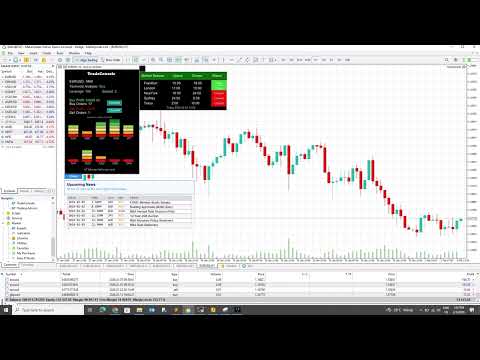
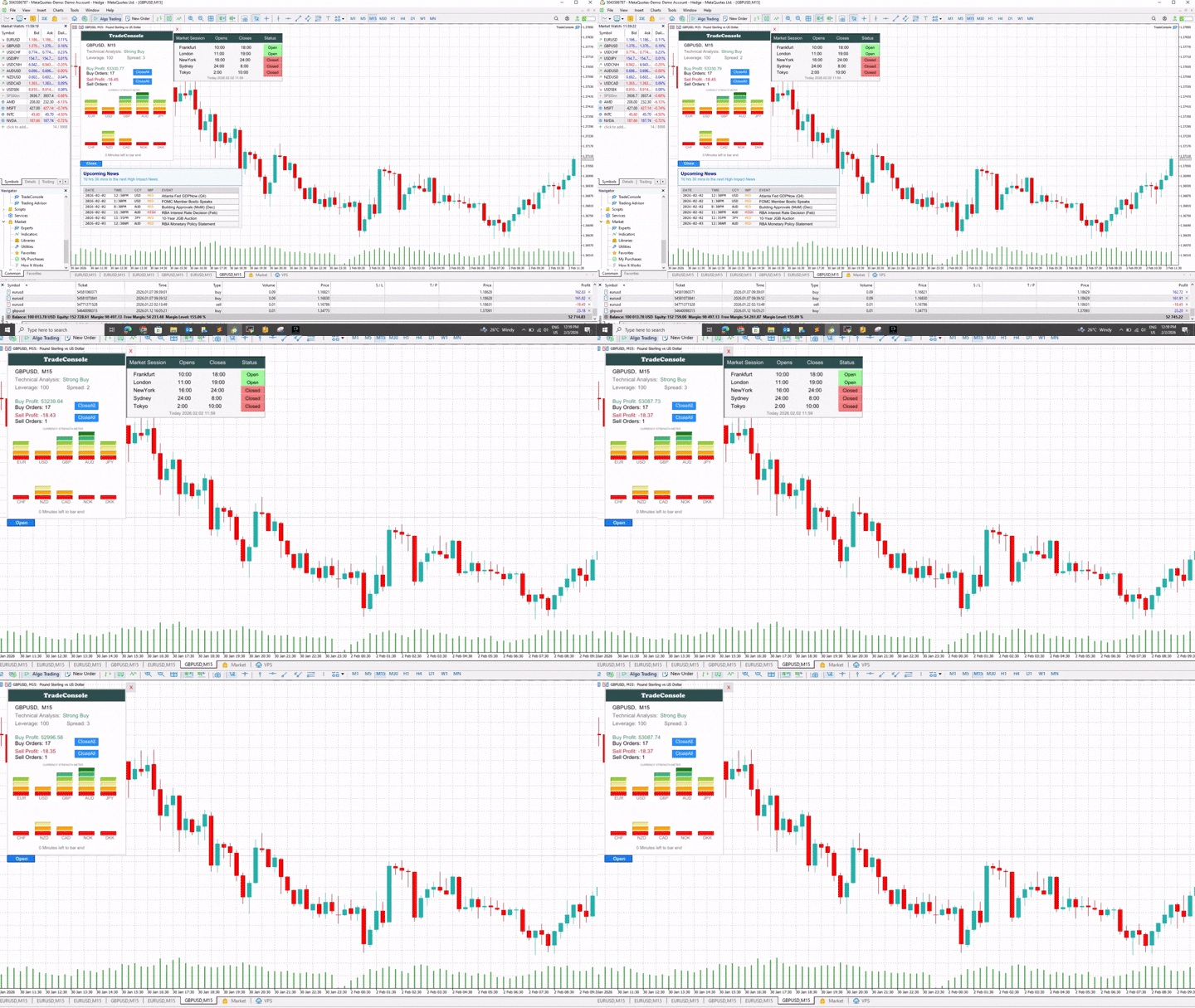
TradeConsole is a lightweight on-chart utility designed to help traders keep essential market context in one place. It combines session tracking, an upcoming economic news panel, a currency strength view, a quick technical bias summary, trade statistics, and one-click control tools. The purpose of the dashboard is to improve chart awareness, reduce screen clutter, and support faster decision-making during live trading.
Main Features
On-chart dashboard
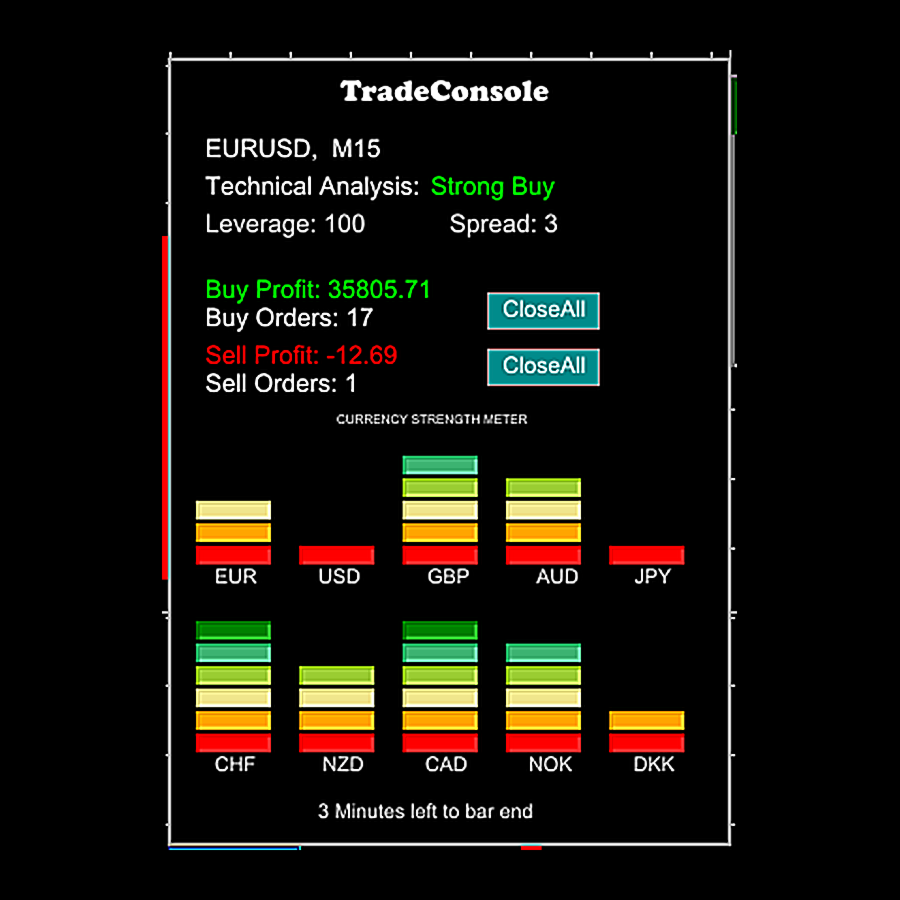
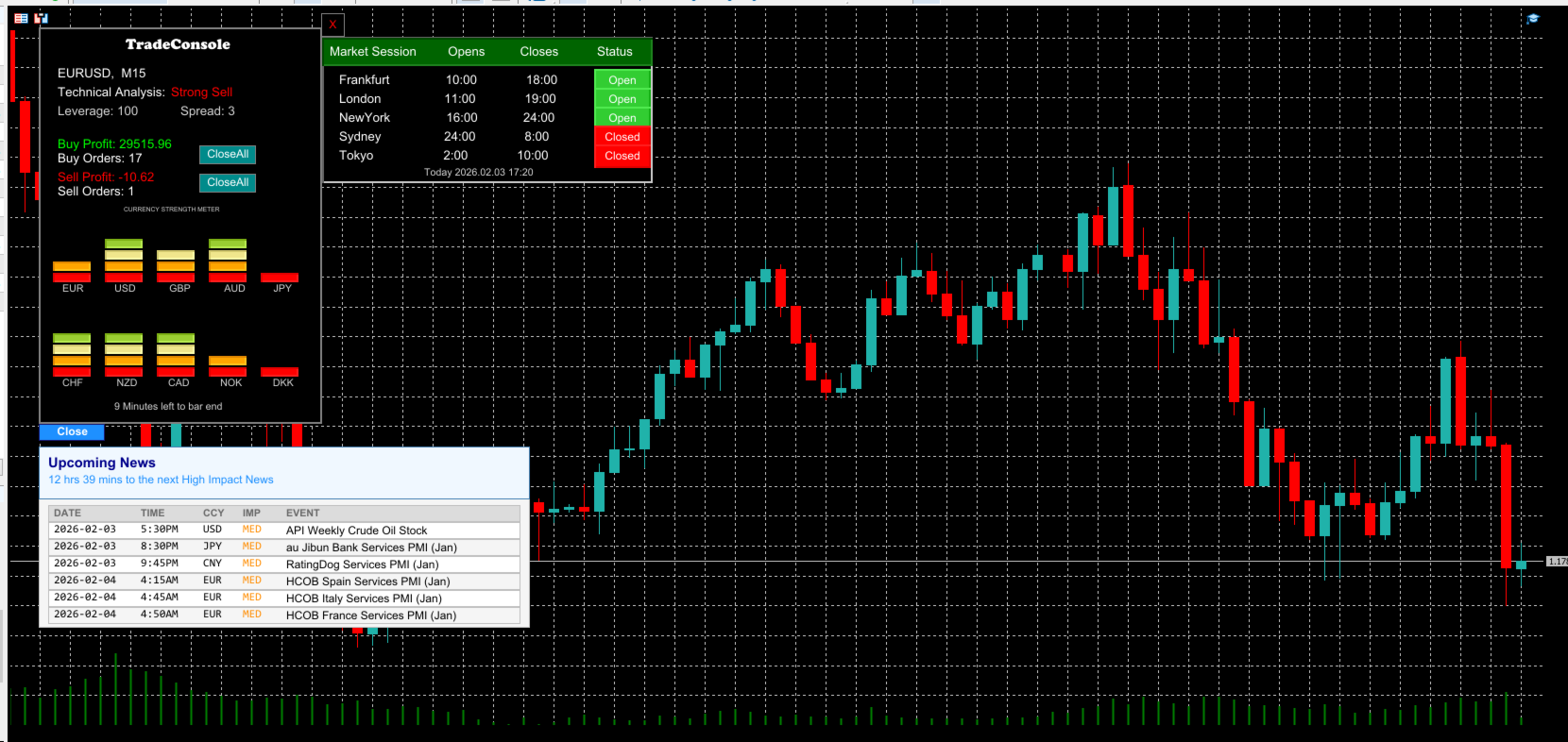
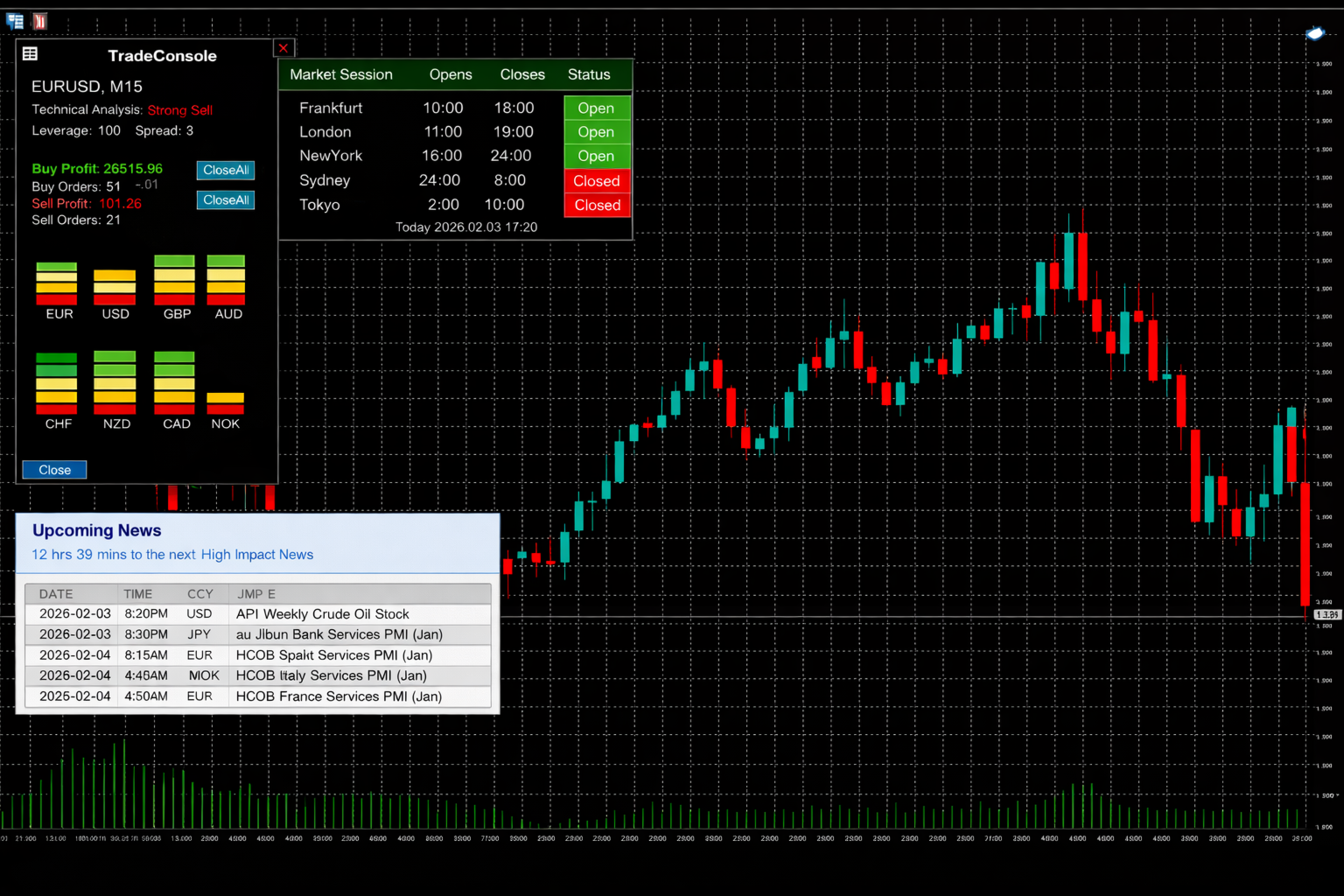
TradeConsole displays the current symbol and timeframe directly on the chart, together with key trading information such as spread and leverage, depending on what is provided by the terminal and broker. The interface is compact and designed to remain readable without obstructing price action.
Technical bias overview
The utility provides a quick directional market read, such as Strong Sell, Sell, Neutral, Buy, or Strong Buy, based on the internal logic and settings selected by the user. This can be useful when switching between pairs or timeframes and when checking overall market direction.
Market sessions panel
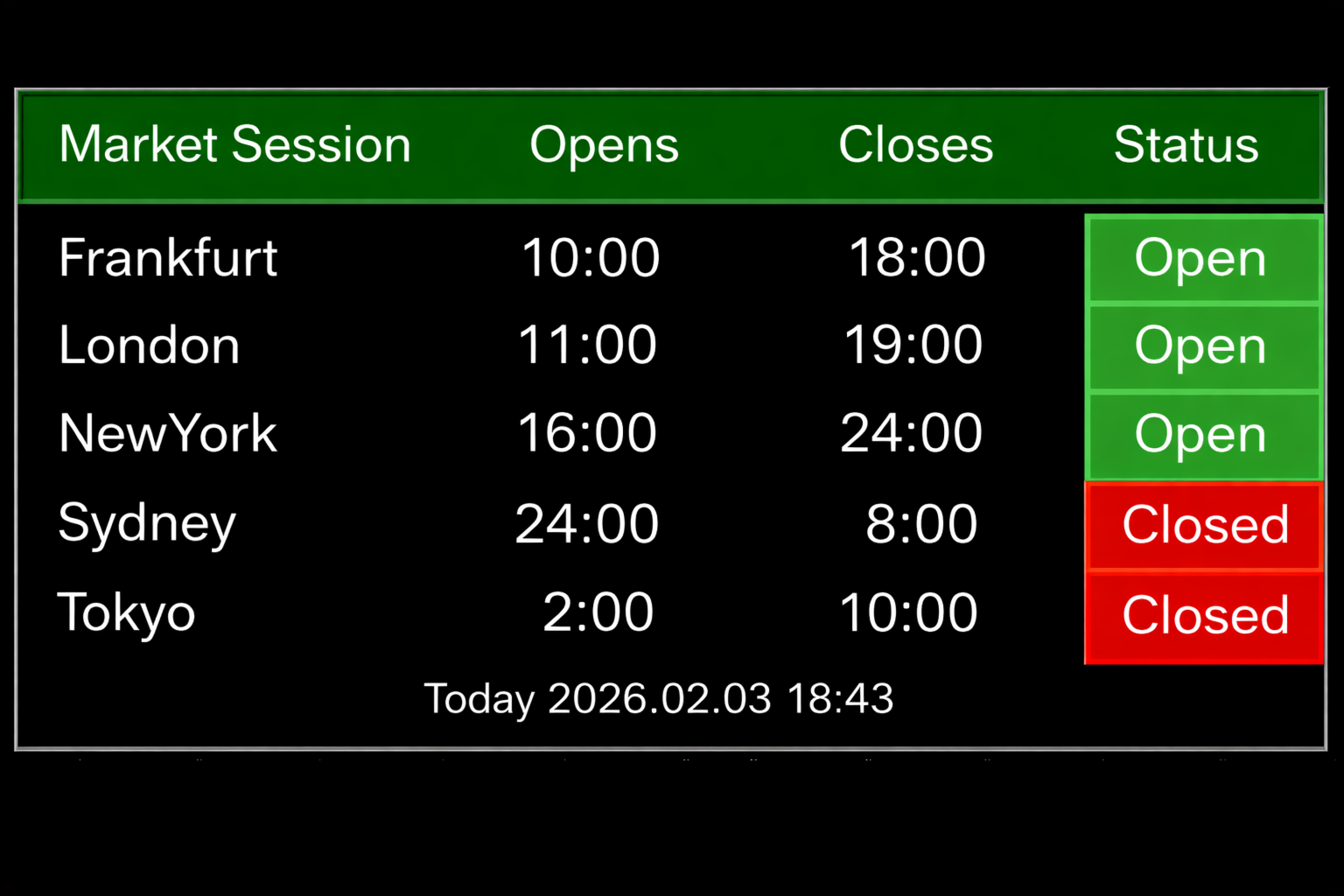
TradeConsole tracks the main trading sessions:
Frankfurt
London
New York
Sydney
Tokyo
For each session, the dashboard shows open time, close time, and current status. This helps traders identify active market hours, focus on higher-liquidity periods, and avoid quieter conditions.
Upcoming economic news panel
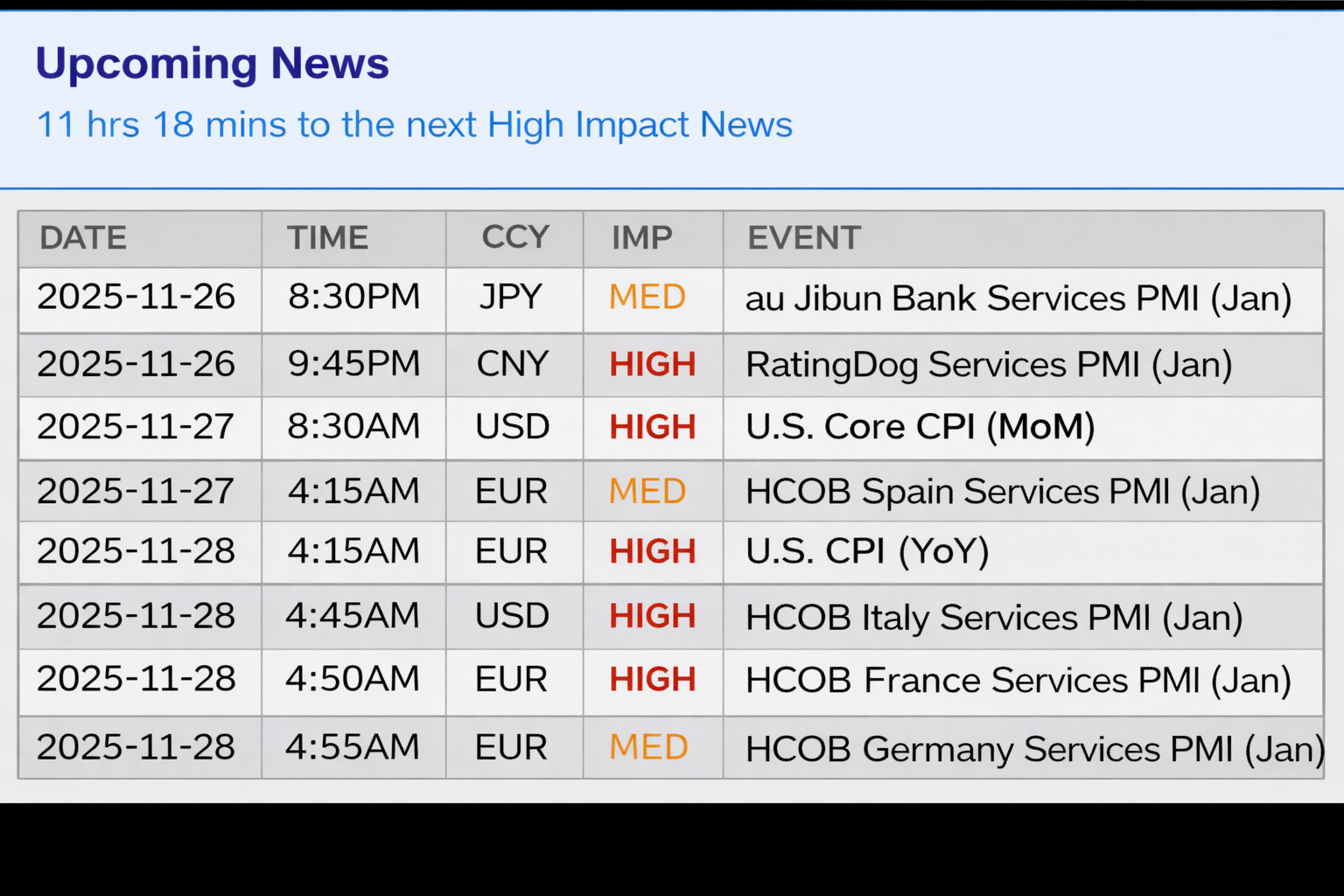
The news section presents scheduled economic events in a clear table. It includes the event date, time, currency, impact level, and event title. A countdown to the next important release is also displayed, helping traders prepare for potential volatility.
Alerts
TradeConsole includes built-in alerts for important timing events. These alerts can be used to notify the trader before scheduled news releases and around session activity, depending on the configured settings. This can be useful for managing risk, avoiding unexpected volatility, and preparing trade decisions in advance.
Currency strength meter
The strength meter provides a visual comparison of major currencies. It helps identify relatively strong and weak currencies, which can support pair selection and improve focus on stronger directional opportunities.
Trade summary and one-click controls
TradeConsole shows summary trading information such as buy profit, sell profit, buy orders, and sell orders. It also includes quick management controls such as closing all positions, allowing faster response when market conditions change.
Typical Use
TradeConsole can be useful for scalping and intraday trading by highlighting active sessions and upcoming news events. It can also support swing traders who want to monitor important releases and adjust exposure ahead of market-moving events. For traders watching multiple symbols, the combination of strength, news, and chart-side trade information can help narrow attention to the most relevant opportunities.
Important Notes
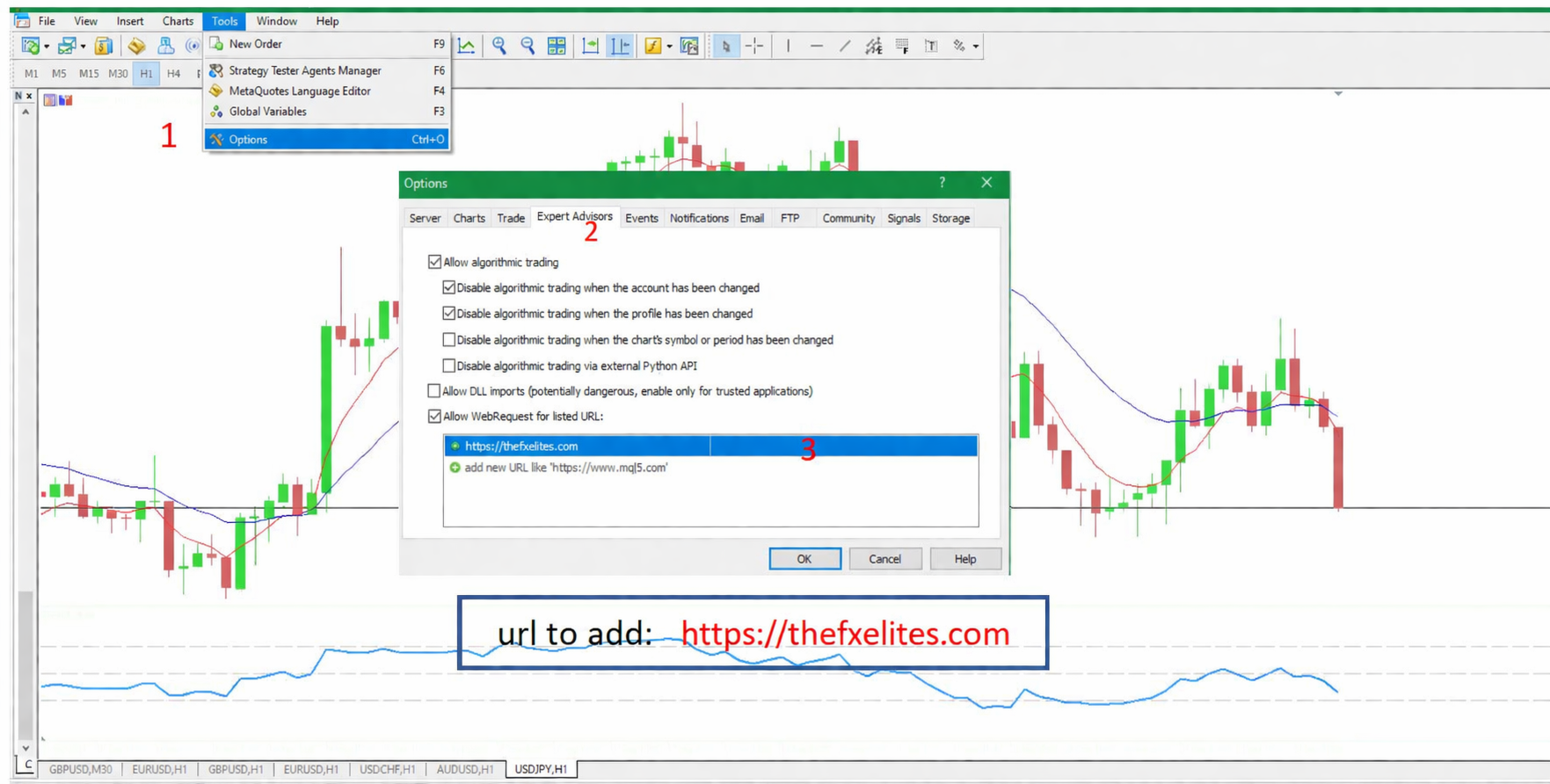
To use online news features, WebRequest must be enabled in the MetaTrader terminal settings and the required source must be added to the allowed URL list. For Market publication, it is better not to place third-party URLs directly in the product description. Such setup details should be provided in the product comments, documentation on MQL5, or in the seller’s blog section, since MQL5 rules prohibit third-party links in Market descriptions.
TradeConsole is an informational and trade-management utility. It does not guarantee profits or eliminate trading risk. Any trading decision remains the responsibility of the user. MQL5 also requires that product descriptions avoid promises of profit or misleading claims.
Here is an even more compact version you can paste directly into MQL5:
TradeConsole — On-Chart Trading Dashboard with Smart Alerts
TradeConsole is a compact on-chart utility that brings together essential trading context in one place. It includes market session tracking, an economic news panel, a currency strength meter, a technical bias summary, trade statistics, and one-click controls.
The dashboard displays the current symbol and timeframe, together with information such as spread and leverage when available from the terminal or broker. Its compact layout is designed to remain clear while preserving chart visibility.
TradeConsole tracks the Frankfurt, London, New York, Sydney, and Tokyo sessions, showing each session’s open time, close time, and current status. This helps traders focus on active trading hours and avoid low-liquidity periods.
The news panel shows scheduled economic events with date, time, currency, impact level, and event title. A countdown to the next important release is also included to help traders prepare for possible volatility.
The built-in alerts can notify the user before important news events and around session timing, depending on the selected settings. This can help with planning entries, reducing exposure, and managing risk during volatile conditions.
The currency strength meter provides a quick visual comparison of major currencies, helping identify stronger and weaker currencies for pair selection.
TradeConsole also includes a trade summary section showing buy profit, sell profit, buy orders, and sell orders, together with quick action controls such as closing all positions.
This product is intended as an informational and trade-management tool. It does not guarantee profits. Trading involves risk, and testing on a demo account is recommended before live use.












































This a nice complete tool, great job