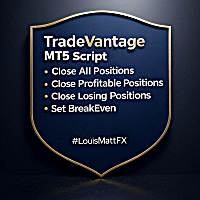
TradeVantage MT5 Script
- Utilitaires
- Version: 4.5

TradeVantage MT5 Script is a user-friendly, efficient tool designed for MetaTrader 5 traders to manage open positions with ease. This script offers four powerful trade management options through a straightforward dialog box, enabling rapid execution on the current chart's symbol. Whether you're looking to close all positions, secure profits, minimize losses, or set positions to break-even, TradeVantage simplifies the process with reliability and precision.
Key Features:
· Close All Positions: Instantly close all open positions for the current symbol.
· Close Profitable Positions: Secure profits by closing only positions with positive returns.
· Close Losing Positions: Limit losses by closing only positions in negative territory.
· Set BreakEven: Protect your trades by moving stop-loss levels to the entry price.
· Robust Error Handling: Includes retry mechanisms and detailed error logging for dependable execution.
· Customizable Parameters: Adjust slippage, retry attempts, and delay settings to suit your trading environment.
After downloading TradeVantage from the MQL5 Market, you can find it in the MetaTrader 5 platform:
· Open MT5 and navigate to the Navigator panel (Ctrl+N if hidden).
· Locate the script under Scripts > Market > TradeVantage MT5 Script.
· Drag and drop the script onto the desired chart or double-click to launch it.
How to Use TradeVantage:
· Enable Automated Trading: Ensure automated trading is enabled in MT5 (Tools > Options > Expert Advisors > Allow Algo Trading).
· Run the Script: Drag the script onto the chart of the symbol you wish to manage or double-click it in the Navigator.
· Select Action: In the pop-up dialog, choose one of the four options:
· Close All Positions
· Close Profitable Positions
· Close Losing Positions
· Set BreakEven
· Adjust Parameters (Optional): Modify slippage (default: 10 points), max retries (default: 3), or retry delay (default: 50ms) if needed.
· Execute: Click OK to initiate the action. The script will process your request, provide real-time feedback, and play a sound notification for trade closures.
· Review Logs: Check the Experts or Journal tab for detailed execution logs and any error messages.
For further questions, support, or custom requests, contact the author. Please give your rating as it would greatly help in future.
Developed by Louis MattFX 2025.