 MetaTrader 5
 Experts
 Indicateurs
 Bibliothèque
 Utilitaires
 Widgets
 Règles
Regardez les tutoriels vidéo de Market sur YouTube
Comment acheter un robot de trading ou un indicateur
Exécutez votre EA sur
hébergement virtuel
hébergement virtuel
Test un indicateur/robot de trading avant d'acheter
Vous voulez gagner de l'argent sur Market ?
Comment présenter un produit pour qu'il se vende bien
Nouveaux utilitaires de trading pour MetaTrader 5 - 71
 Vous trouverez ci-dessous des programmes de trading simplifiant le trading dans MetaTrader 5. Passez la souris sur un utilitaire pour lire sa description et son objectif.
TradeSnap capture et enregistre automatiquement l'écran lorsqu'un ordre d'ACHAT/VENTE est exécuté.
Définissez-le simplement sur le graphique et il sera enregistré automatiquement sans aucun travail supplémentaire.
Les lignes, les flèches, etc. sur le graphique sont également enregistrées telles qu'elles sont dans l'image.
La taille de l'image pouvant être de 10000x10000 pixels, vous pouvez donc enregistrer une image horizontale qui montre l'historique des mouvements de prix.
Informations s
FREE
Le calculateur de trading vous permet de calculer les paramètres d'une transaction avant de l'ouvrir et d'obtenir les valeurs de la marge, du volume de la transaction et du risque, ce qui vous permet d'évaluer assez précisément la transaction à la fois en termes de perte et de profit possibles. Il affiche également la méthode de calcul pour l'instrument actuel, la devise de profit, le taux de conversion, la devise de base, la taille de l'équité, le volume de la position, le risque en pourcentag

Introducing KML Grid: Maximize Your Trading Potential with the Grid Strategy
KML Grid is the ultimate tool to take your trading to the next level with the Grid strategy. Designed for ambitious traders, KML Grid provides you with an innovative way to capitalize on market fluctuations and maximize your profit potential.
Empower Your Trading with the Grid Strategy: The Grid strategy is known for its ability to harness market conditions within a range. KML Grid intelligently utilizes this strateg

TradeInfo is a utility indicator which displays the most important information of the current account and position.
Displayed information: Information about the current account (Balance, Equity, Free Margin). Current spread, current drawdown (DD), planned profit, expected losses, etc. Number of open position(s), volume (LOT), profit. Today’s and yesterday’s range. Remaining time to the next candle. Last day profit information. MagicNumber filter. Comment filter.
Indicator parameters: ShowPro
FREE

Advanced harmonic filter is a reliable and smart utility that uses an author's algorithm to process continuous data and present them in the form of harmonic oscillations. The utility can identify regularities and patterns in the input data, which are then used to generate output data that is most similar to the input data. This makes it a powerful tool to use with other indicators to predict future trends and identify Elliott waves on selected intervals. The utility is most effective when us
FREE

Advanced harmonic filter is a reliable and smart utility that uses an author's algorithm to process continuous data and present them in the form of harmonic oscillations. The utility can identify regularities and patterns in the input data, which are then used to generate output data that is most similar to the input data. This makes it a powerful tool to use with other indicators to predict future trends and identify Elliott waves on selected intervals. The utility is most effective when us

Telegram Bot EA This Expert Advisor (EA) is a powerful tool that allows traders to receive Telegram notifications, manage Drawdown alerts, set up charts, and much more, all directly from the MetaTrader 5 platform.
The Expert Advisor (EA) tool, integrated with Telegram, offers extensive customizable options to enhance your trading activities. The product allows you to display the signal name in the messages for easy tracking. It further provides the feature of sending the MQL5 link, either with

Use Day Trading Tracker to keep a record of your earnings across accounts. This indicator will show a dashboard in the Meta Trader chart to show for the profit or loss money in your account. It’s easy to see just how much money you’re making matched betting with the Forex Trading Profit Tracker. Key features: Track your profit over time Check out your stats. Track expected profits against actual profits. Export account history to Excel. MT4 version: https://www.mql5.com/en/market/product/39113
FREE

This script allows you to visualize the risk of your account based on the open orders you have. * Low risk is between 0 and 10% of handicap * Medium risk is between 11% and 30% of handicap * High risk is more than 31% of handicap
The script displays the spread of the current pair, the total of open positions, showing the lotage for both directions (buy, sell) as well as the number of buy and sell operations.
FREE

Position Calculator calculates how many lots to trade based on: Entry and stop-loss levels Risk tolerance Account size (balance, equity, or even your savings account) Account currency Currency exchange rates - The main tab of the panel provides the primary control over the EA's functions and serves to output the most important calculation results: the position size, risk, reward, and risk-to-reward ratio. - The risk tab can help you assess current and potential risk and reward profile. Using a s
FREE

Exaado Capital care If you've been searching for ways to manage Drawdown control, Drawdown Control, Balance protection, or Daily Drawdown Limit related to trading with Prop Firms, FTMO, My Forex Fund, or Funded accounts, then you've come to the right place. Additionally, if you're looking to safeguard your trading account, we can help. Do you struggle with managing your drawdown while trading funded accounts? Our EA is designed specifically for those in your position. Many prop firms have a "Tra
FREE

Breaking TrendLine This Forex Expert Advisor is a semi-automated trading system that utilizes trend lines and support/resistance levels to execute buy and sell orders in the foreign exchange market. The system automatically places stop-loss and take-profit orders based on predefined parameters set by the user. The Expert Advisor operates on an algorithmic approach to trading, allowing for precise and timely execution of trades without the need for human intervention. This system provides traders

*Display all text information you need on your charts.*
This will help you on displaying text on the chart, to note everything , for example: strategy.
* BUY SIGNAL
- rule 1 - rule 2 - rule 3 - etc * SELL SIGNAL
- rule 1 - rule 2 - rule 3 - etc
This will remind you to follow the discipline and trading strategy set by you.
The Discipline to Follow Rules is the Mark of a Top Trader
Safety first, then profit will come.
FREE
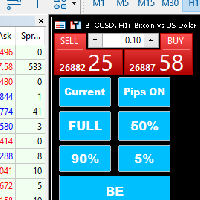
Introducing our MT5 Expert Advisor (EA) with advanced functionality to optimize your trading strategy: Current/All Button: Choose between closing trades on the current chart or all running trades across multiple charts. Enjoy flexibility in managing your positions with a single click. Pips Display Toggle: Easily view or hide your running pips and total pips. Stay informed about your trade progress with real-time updates. Full Close Button: Close all active trades swiftly and efficiently. Streaml

Présentation du FX28 Trader Dashboard - Votre gestionnaire de transactions ultime Découvrez tout le potentiel de votre expérience de trading avec le FX28 Trader Dashboard, un gestionnaire de transactions complet et intuitif conçu pour élever votre trading Forex à de nouveaux sommets. Que vous soyez un trader expérimenté ou que vous débutiez votre parcours financier, cet outil puissant a été développé pour simplifier vos activités de trading et améliorer votre processus de prise de décision. Car

Cacher l'échelle - Outil pour les traders qui ont besoin de plus d'espace à l'écran Instructions Appuyez sur la touche "T" pour cacher l'échelle de temps et "P" pour cacher l'échelle de prix. Vous pouvez personnaliser ces touches en cliquant sur le bouton correspondant et en tapant une nouvelle touche sur le clavier. Pour cacher les deux échelles en même temps, vous pouvez attribuer la même touche aux deux options. Pour afficher les échelles à nouveau, il suffit d'appuyer à nouveau sur la touche
FREE

Présentation du bouton utilitaire MQL5 - la solution ultime pour une gestion des transactions sans effort ! En un seul clic, vous pouvez fermer instantanément toutes les positions ouvertes, rendant votre expérience de trading plus fluide et plus efficace que jamais.
Cet outil innovant est conçu avec la simplicité à l’esprit, garantissant qu’il est facile à utiliser pour les traders de tous niveaux. Que vous soyez un professionnel chevronné ou un débutant, le bouton utilitaire MQL5 offre un moy
FREE

L'E.A écoute les événements du clavier et effectue des actions spécifiques en fonction des touches qui sont pressées.
Lorsque la touche "C" est enfoncée, le script itère à travers toutes les positions ouvertes et les ferme.
Lorsque la touche "D" est enfoncée, le script itère à travers toutes les commandes en attente et les supprime.
Cet E.A pourrait être utile pour les traders qui veulent fermer rapidement toutes les positions ouvertes ou supprimer tous les ordres en attente d'une seule touc

product video: https://vimeo.com/824742776?share=copy Trade Assistant, Trade Manager, Trade Panel for MetaTrader 5 with the following functions:
- Display the remaining candle time and the current time of day
- Open long and short positions without SL and TP at the current market price
- Display of the current ask, bid and spread
- Open long and short positions with predefined lot size, SL and TP at the current market price
- Quick selection of the lot size (freely selectable lot sizes)
-
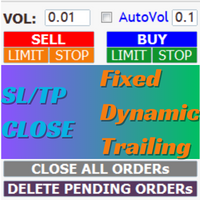
AIP – TradeManagement The main functions of Ea TradeManagement 1. GUI o Interact with running EAs o GUI for placing orders o Closing orders by Ticket o Closing orders by MagicNumber o Closing all orders o Delete Pending orders 2. General management: o Management based on Symbol, manually orders , orders from the EA, and orders from other EAs o User-friendly trade interface with the ability to drag and drop SL,TP,Entry o Support backtest
3. Stoploss man

[ MT4 Version ] [ Discord Version ] [ Pro: Telegram + Discord ] Post your trades to Telegram automatically — and keep every signal UPDATED: this is the only sender that EDITS the original message when you modify SL/TP or close the trade. Your followers always see the real state of every trade, and your channel stays clean and professional. Built for signal providers, VIP channel owners and traders who share their trading. WHY THIS ONE ️ EDITS THE ORIGINAL SIGNAL
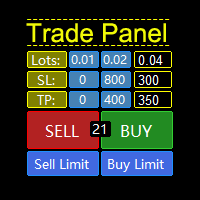
MQL5 Trading Panel SL TP — это мощный инструмент, призванный помочь трейдерам эффективно управлять своими позициями на платформе MetaTrader 5. Эта торговая панель предоставляет простой в использовании интерфейс для установки уровней Stop Loss (SL) и Take Profit (TP) для открытых позиций. MQL5 Trading Panel SL TP обладает широкими возможностями настройки и может быть адаптирована к конкретным потребностям отдельных трейдеров. Панель можно изменять в размере, перемещать и настраивать с помощью ра

Instead of sticking to the Charts,let's use OneKey.
Welcome to our new product - OneKey ! This is a great product written in MQL5, a streamlined version of the ALL IN ONE Keylevel product with the only feature removed being Algo trading. Other features of the product are kept intact and not affected. OneKey integrates many notable functions, including trend determination and Kelevel drawing, detecting Engulfing candle signals, Pinbar, Sideway breakout patterns, BOS, CHOCH, along with profession

--- StudentK Strategy EA --- 1. Various strategies available 2. Private channel for discussion 3. Keep going improvements for opportunities
4. Adapt StudentK's Indicators for advanced usage
5. ** Price must be increased from time to time (old 1-year members will get discount) **
--- Context --- StudentK is not indicated as a master or K Sir for knowledgeable person who claims for winning all the time. (But lots of traders should know the fact that it is rarely truth, especially in fluctuated p
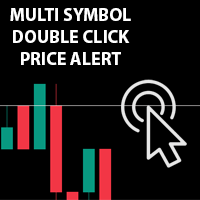
Double-cliquez sur plusieurs symboles n'importe où sur le graphique pour définir une alerte de prix et être averti par Terminal Alert ou Push Notification
1. Ajouter l'utilitaire EA sur le graphique
2. Parcourez le graphique avec les touches fléchées <- gauche ou -> droite
3. Double-cliquez n'importe où sur le graphique et cela ajoutera une ligne, faites glisser cette ligne pour définir le prix souhaité et le tour est joué, l'alerte est définie ! Lorsque le prix atteindra la ligne, il vous en
Because of the variety of strategies that traders and investors have developed over time, quantified, statistics-based strategies over time stand out. Statistical strategies are not based on technical analysis or similar patterns, as some might expect, but on the approach of using recurring patterns in the market, caused, for example, by liquidity effects, on the basis of a period-based entry and exit.
The Quantifier Expert Advisor therefore offers the possibility to implement exactly these sa

[ MT4 Version ] [ Telegram Version ] [ Pro: Telegram + Discord ] Post your trades to Discord automatically via webhook — no bot setup, no permissions: paste ONE URL and you are live in 60 seconds . And keep every signal UPDATED: the original message is edited when you modify SL/TP or close the trade. Built for signal providers, trading communities and prop-firm teams living on Discord. WHY THIS ONE WEBHOOK-BASED — no bot to create, no tokens, no permissions. Disc

It Will Close Your All Trade in Half of second no matter you open 100 plus trade open it will close all trade half of second .
it good work for 1 -5 min scalping this Ea have many function see the pic i uploaded there .
ea that have function close all trade , close all lossing trade , close all profit trade . also have lot system where you can put your expected lot and buy sell button and it can close 100 trade in 1 second
Индикатора группирует исторические и актуальные данные по наименованиям инструментов. Индикатор работает с любыми инструментами. Сортировка по наименованию инструмента и прибыли, убытку. Движение средств (ввод / вывод), прибыльность за последние две недели. Информация сведена в таблицы с возможностью настройки формата таблиц. В одном окне информация по всем инструментам с которыми вы когда - либо работ работали.

Ce gestionnaire d'actions ferme autant de positions ouvertes instantanément simplement par le seuil de profit/récompense ou de perte/risque que vous y avez entré (dans la devise de base de votre compte de trading).
Le gestionnaire d'actions gère chaque position en fonction de ce seuil de profits et pertes. Par exemple, vous aviez 10 positions ouvertes et 5 d'entre elles avaient franchi le seuil, le gestionnaire d'actions les fermera toutes au moment où elles l'ont franchi à la vitesse de l'ord
FREE

Tick Database — export of tick database from MT5 terminal to MT4. The utility provides access to the tick database in real time. This is necessary to generate synthetic charts in the MT4 terminal, which initially does not provide for loading a tick database. For example, you can organize permanent access to the tick database for the Seconds Chart utility. If the opening time of the current candle in the terminals is different, then you need to specify the time offset in hours. Example We open M1
FREE

1. What is this Many of the EA's on the market have cheats inside to optimize its money curve, which results in the buyer wasting money and effort and buying a junk EA . This tool is an effective tool for detecting whether an EA is cheating by allowing the data to be panned to the left for 28 years. 2. How to use a. Load it and it will generate a new symbol, usually it will be named with a suffix. For example, EURUSD --> EURUSD_28year. b. If your want to test one EA, you should open The time fr

The application works as a service. It sends the report to the e-mail address you enter in your Meta Trade program.
Prepares H1 analysis reports every hour.
Prepares and sends D1 analysis reports after 00:00 at night.
Meta Trader analyzes all symbols loaded from the watch screen.
Below is a report for H1. I have added 2-3 symbols in the market watch as an example.
You have an assistant who does these analyzes for you every hour and sends you an e-mail. All the analysis is now done for yo

El EA Boton pone botones de Buy y Sell en la pantalla Ideal para usuarios que habren muchas ordenes y diferentes pares
9 botones buy desde 0.01 al 0.09 y 9 botones sell de 0.01 al 0.09 9 botones buy desde 0.1 al 0.9 y 9 botones sell de 0.1 al 0.9 Boton Close buy y sell Boton Close buy positivos y Boton Sell positivos Boton Close buy negativos y Boton Sell negativos un boton close all y botones buy de 1, 5 y 10 y botones de sell 1,5, 10

This utility is a stop loss assistant simply make a trade as you desire, ether a buy or a sell. Manually set your own stop loss as you desire the higher the timeline the lower the stop loss.
When the Algorithm Trading or Auto Trading is enabled the stop loss will follow the market price. Stop/disable the Algorithm Trading or Auto Trading.
This is a simple stop loss tailing utility use at own risk or pleasure.

Trade Manager pour vous aider à entrer et sortir rapidement des transactions tout en calculant automatiquement votre risque. Y compris des fonctionnalités pour vous aider à éviter le sur-trading, le trading de vengeance et le trading émotionnel. Les transactions peuvent être gérées automatiquement et les mesures de performances du compte peuvent être visualisées dans un graphique. Ces fonctionnalités rendent ce panneau idéal pour tous les traders manuels et contribuent à améliorer la plateforme

Cet outil ajoute une échelle de temps d'origine avec une différence de temps spécifiée ou calculée automatiquement au bas du graphique.
En utilisant cet outil pratique, vous pouvez améliorer la lisibilité du graphique et réduire le stress mental en l'affichant dans un format horaire familier à vous ou à votre pays.
Même si vous n'avez pas besoin de calculer les différences de temps, il suffit de remplacer l'échelle de temps par défaut par Local_Time pour améliorer la lisibilité du graphique.
FREE

Msg2Slack est l'outil qui envoie des messages depuis les zones de texte MT4/MT5 vers Slack. En un seul clic sur le bouton situé sur le côté droit de la zone de texte, vous pouvez facilement envoyer du texte et des images graphiques à votre chaîne Slack. Même si vous dessinez des lignes, des marques, des commentaires et plus encore sur le graphique, l'image sera publiée.
Que vous souhaitiez envoyer des messages à vous-même ou à un groupe, cet outil simple mais puissant facilite incroyablement la
FREE

PropAngel EA is a manager EA to help you to pass proprietary firm challenges and evaluations and to keep your funded accounts. PropAngel EA makes sure you do not breach daily drawdown limit which gives you change to continue trading the account and recover from the drawdown. PropAngel EA makes sure that at the moment you have reached your challenge, evaluation or scaling target all trading will be immediately stopped. This is done to prevent account falling away from the target. PropAngel EA giv
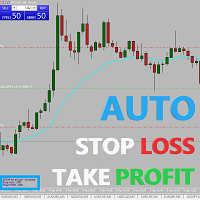
Easy and simple Automatic Stop Loss and Take Profit manager.
For all pairs, indexes etc. Works with all instruments.
All types of orders. All charts.
Users inputs:
- take profit in pp
- stop loss in pp
- font name,size and color
- corner for place settings info
Save & Load settings option.
Fast, simple and reliable trade assistant.
A "MUST HAVE" for all traders.
Check out other tools provided by our team!
This indicator shows both GMT time and your broker's time on the chart.
Simply attach the indicator to a chart, and you will see the GMT time and your broker's time displayed in the top left corner, as shown in the screenshot. By using this indicator, you can always stay informed about your broker's time, which is especially useful during daylight saving changes.
You won't have to worry about whether your broker follows the US or EU schedule, as the indicator automatically adjusts to reflect any
FREE

Easy and simple tool which close all trades in defined point of time. It can also close all open trades when opened positions reach defined target profit or stop loss.
For all pairs, indexes etc. Works with all instruments.
All types of orders. All charts.
Users inputs:
- close time (hour,min,sec)
- take profit (in users currency)
- stop loss (in users currency)
Save & Load settings option.
Fast, simple and reliable.
Check out other tools provided by our team!
FREE

TrendFollowing is an multi-currency scanner that just indicates where to buy/sell: Abilities: Opens up the chart automatically with and arrow indicating where to take action. Send the signal to a telegram channel, see @fx_signal_com channel to get the idea. Configuration: No need to configure "Market Watch". Open a chart and attach the scanner to it. Trading Rules: Use only buystop/sellstop orders above/below arrow on the chart. Delete the pending order if price retraces below/above the moving
FREE

TrendFollowing is an multi-currency scanner that just indicates where to buy/sell: Abilities: Opens up the chart automatically with and arrow indicating where to take action. Send the signal to a telegram channel, see @fx_signal_com channel to get the idea. Configuration: Configure "Market Watch" with all the symbol you like to trade. Open a chart and attach the scanner to it. Trading Rules: Use only buystop/sellstop orders above/below arrow on the chart Delete the pending order if price retrac
Este script permite abrir operaciones de forma rápida con un loteo automático basado en el "equity".
También permite habilitar/deshabilitar la colocación de SL y TP al hacer clic en un botón. Si se habilita el SL o el TP, también se tiene la posibilidad de establecer el riesgo que se desea tomar en pips.
* Se recomienda ocultar los botones de compra y venta originales.
FREE
Trading assistant that offers advanced management of your trades with optimization features. It automatically calculates the risk per trade, makes it easy to set up new orders, and offers advanced management tools such as automatic trade closing in 5 different ways. It also has other useful features that will improve your control and decision making. And best of all, you can use it in the strategy tester to perfect your tactics before trading live!
Our trading assistant is a trading tool that

Here is a powerful trading tool that will allow you to trade manually or automatically in any market, but is especially useful in markets with high volatility and liquidity.
This system has two EAs (Expert Advisors): one for Buy and one for Sell, which work independently. The operation is based on the hedging strategy and the increase in lots based on the Fibonacci sequence, which will allow you to always add the two previous lots: 1, 2, 3, 5, 8, 13...
You decide how you want to trade: you ca
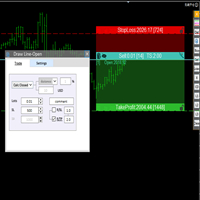
交易者的最佳伙伴! 基本使用设置 基本: 支持语言的选择切换(目前支持中文和英文) 自动识别语言 划线交易
支持英文中文自动选择,自动识别.
1.划线交易 ( 支持拖拉,支持多个订单线 ) 2.手数管理: 两种手数计算模式 ①资金的风险比例,例如设置风险百分比为1的时候,1万美金可交易1手. 计算手数 = 资金(净值或者余额或者剩余保证金) * RISK /10000 ②按亏损金额计算,本设置需要配合止损设置, 计算手数 = ( 当订单被初始下单设置的止损所止损的时候所亏损金额 计算得到的手数,小于最低手数会等于最小手数) ; 3.盈亏比等设置,
设置部分 1. 自动吸附最近高低点 2.高低点偏移 3.自动选择订单习惯 4.SL TP设置方式 5.语言设置

Bot to attach to any different chart than the one using to get the orders and send them to telegram Inputs: Telegram Bot Token, Telegram Chat ID Sends Open Price, Order Type, Lots, Take Profit and Stop Loss instantly after the trade is executed. Easy to SetUp and to use My other Bot for XAUUSD and USDCHF: https://www.mql5.com/en/market/product/94001 Just remember to go to Tolls->Options->ExpertAdvisors->Allow Web Request for listed URL: https://api.telegram.org/

Cet outil place des stops sur vos positions
Testez rapidement par Metatrade Strategy Tester. Votre stop sera au dernier bas en cas de position longue Ou votre stop sera au dernier top en cas de position courte
De plus, cet outil gère le suivi de vos positions ouvertes. placez toujours votre stop au dernier haut formé ou au dernier bas formé
pour créer les hauts et les bas j'utilise l'indicateur gratuit "Supports and Resistances Lines" qui est disponible en téléchargement sur ce lien : télécha

La plupart d'entre nous utilisent un VPS pour faire tourner nos EA 24/7, mais comment contrôler si ces terminaux sont opérationnels ?
Que se passe-t-il s'ils se plantent ou s'arrêtent à cause d'une mise à jour ? Comment puis-je en être informé ?
C'est là que notre système de surveillance Heartbeat entre en jeu.
Il vous fournit une surveillance 24/7 pour tous vos terminaux et VPS.
De quoi avons-nous besoin pour cela ?
1. Un compte utilisateur gratuit chez Cronitor , un service de surveillan
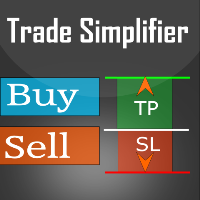
Trade simplifier is a trade panel that simplifies trade opening. It is simple and easy to understand, with key features to ease trading. Features include:
Order type selection Fixed lot entry from the chart user interface Easy Take profit entry field on the chart user interface Visual take profit selection and adjustment via the line that appears when you click the Take Profit button Easy Stop loss entry field in points on the chart user interface Visual Stop Loss selection and adjustment via
FREE

All in one Multipurpose Telegram Trade Management , Manage and Copy Trades on the go From Telegram Pro Version MT5: www.mql5.com/en/market/product/95742 Pro Version MT4: www.mql5.com/en/market/product/85691
Execute Trades on mobile with fast execution When away from desktop MT5, or scalping the market with mobile device, or needed to copy trades from telegram groups while away, or doing some other activities, Telegram EA Manager is an effective tool to perform any trade operation with swift
FREE

Copy trades with ease using the MetaTrader5 trade copier - the quickest and easiest way to copy transactions between different MetaTrader 5 accounts! This innovative tool allows you to locally copy trades in any direction and quantity, giving you full control over your investments.
Attention!
You need to download the Trade Copier Slave mq5 file as well to run this EA. Download it from here https://www.mql5.com/en/market/product/96541
Designed to work on both Windows PC and Windows VPS, this
FREE
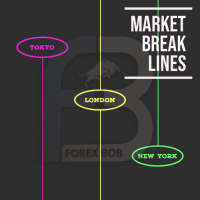
Market Break Lines is an utility tool to create a partition line at market openings/closings of Tokyo/London/NewYork sessions. This will help you to compare the market movements, volatility variations between the different markets.
Inputs: Inputs are simple to feed the time of Tokyo/London/NewYork sessions as per your broker server time Change Color and width of partition lines You can enable or disable any line (Hide/Show).
Please don't forget to support by giving handsome reviews/rating MT
FREE

Copy trades with ease using the MetaTrader5 trade copier - the quickest and easiest way to copy transactions between different MetaTrader 5 accounts! This innovative tool allows you to locally copy trades in any direction and quantity, giving you full control over your investments. Designed to work on both Windows PC and Windows VPS, this program is versatile and adaptable to your trading preferences. Whether you prefer to work from your desktop or a virtual private server, the MetaTrader5 trade

IMPORTANT: Blocks&Levels Alerts MT5 indicador.
Gives you the ability to easy draw Blocks and Levels (support and resistance) using key shortcuts and Alerts when price touch them. Please use it and give me feedback!! It really helps! Thank you very much! DESCRIPTION:
Blocks&Levels Indicator, has useful key shortcuts for draw Levels, Blocks Zones, change chart Time Frames, Select or Deselect all drew objects. SETUP: Just install the Indicator on the Chart
Open and navigate Indicator properties
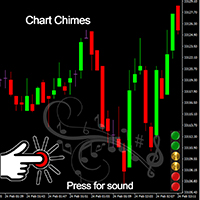
Présentation du Chart Chimes - l'indicateur MT4/MT5 qui fait du trading une symphonie sonore ! Vous en avez assez de regarder des graphiques toute la journée ? Besoin d'un petit coup de pouce pour garder le moral pendant que vous tradez ? Eh bien, Chart Chimes a ce qu'il vous faut !
Avec Chart Chimes, chaque fois que vous appuyez sur ce bouton, vous entendrez un son amusant qui vous fera sourire et vous fera sauter le pas. Imaginez que vous échangez avec le son d'une trompette triomphante ou d
FREE

Le seul but de Blind Broker System est de cacher vos plans commerciaux et de les rendre invisibles à votre courtier. Si vous voulez vraiment le rendre "aveugle" et vous assurer qu'il ne sait rien à l'avance de vos niveaux de stop loss, de vos niveaux de profit, de vos volumes - utilisez simplement ce robot de trading.
Remerciements particuliers à M. Henryk Kardas pour l'initiation et l'idée de ce projet. Gardez à l'esprit qu'une démo gratuite fournie par MQL ne peut pas vous permettre de test

"Terminator Trades " EA Robot, construit sur le puissant code MQ5, est conçu pour simplifier le processus de fermeture de vos positions et de commandes en attente. Vous pouvez vous ajuster si vous souhaitez fermer tous les métiers ou par des symboles spécifiques. Avec un seul clic sur un bouton, vous pouvez gérer efficacement vos positions actuelles, en vous assurant de ne jamais manquer une opportunité de mettre fin à un métier.
FREE

All in one Multipurpose Telegram Trade Management , Manage and Copy Trades on the go From Telegram Pro Version MT4: www.mql5.com/en/market/product/85691
Execute Trades on mobile with fast execution When away from desktop MT5, or scalping the market with mobile device, or needed to copy trades from telegram groups while away, or doing some other activities, Telegram EA Manager is an effective tool to perform any trade operation with swift execution. In other words, Our Telegram Trade Manag

ขอบคุณ แรงบันดาลใจ จากโค้ชแพม ที่ทำให้เริ่มทำ Close all ตัวนี้ และขอขอบคุณทุกคนที่ให้ความรู็มาโดยตลอด ไม่ว่าจะทางตรงทางอ้อม ขอบคุณทุกคนที่ให้ความรู้เพื่อนร่วมเทรด ทั้งนี้เพื่อให้นักเทรดทุกคนได้มีเครื่องมือในการควบคุมการปิดการซื้อขาย จึงขอพัฒนาโปรแกรม close all version 5 ได้ใช้ทุกคน Close all and update profit Version 1.00 (MT5) Full version Give you free
For MT4 Click https://www.mql5.com/en/market/product/79252
Fix TPSL calculate
Program function
Tab 1 Close order function and show br
FREE

Introducing the "Auto Timed Close Operations", a useful utility for MetaTrader 5 traders! This utility has been developed to help traders of all levels automatically close their open positions at the exact moment they desire. With the "Auto Timed Close Operations", you gain the required control over your trades and can avoid unwanted surprises at the end of the day or at any other predefined time. We know how important it is to protect your profits and limit your losses, and that's exactly what
This EA will set breakeven or breakeven-plus for your trades, whether you have manually or automatically set stop loss or not. If your broker charges commissions per trade, you need to set breakeven plus, not just breakeven, in order to cover up those charges and properly let your trades run at zero risk. Inputs:
In the inputs section , set BEPoffsetPips to 0, to use it as a "breakeven" EA. Or set BEPoffsetPips to any amount of pips you want, to use it as a "breakeven-plus" EA. "OnProf

Customize your charts with this simple utility. Choose in the 24 pre-built color sets, or use your own colors, save them to re-use them later. You can also add a text label on your chart.
--- Chart Colors-- Color Set : 24 prebuilt color sets (select "Custom" to use colors below) Background color Foreground color Grid color Chart Up color Chart Down color Candle Bull color Candle Bear color Line color Volumes color --- Label--- Text Label : Type the text you want to appear on the chart Label P
FREE

OR One-Click - Exiting EA on OsMA and RSI
This utility will not create a new position for you nor will it find a new opportunity. It will help you exit a trade. It allows you to use the "One-Click" feature on your cellphone MT5 APP to place a trade; then the utility will modify and manage the position until it is closed. This utility will work on the following 16 symbols. USDJPY, EURJPY, AUDJPY, CADJPY, GBPJPY, EURUSD, EURGBP, EURCAD, EURAUD, AUDCHF, AUDCAD, USDCAD, USDCHF, AUDUSD, GBPUSD, N
FREE
Multi Chart Sync MT5 is a tool that synchronizes the chart symbol it is placed on to other charts, it can also be customized to exclude/skip some pairs from being synchronized to other charts, It also supports prefixes and suffixes that can be set from the input parameters for brokers with none-standard symbol formats, Synchronisation can be done once or continuously where if a synchronized chart symbol changes it will be reverted to the original/master symbol. This tool comes in handy for mult
基于Goodtrade/GoodX 券商推出的黄金双仓对冲套利的交易模型/策略/系统,在日常的操作遇到的问题: 1、B账户跟随A账户即刻下单。 2:A账户 下单后 B账户 自动抄写止损止盈。 3:A账户平仓B账户同时平仓。 4:B账户平仓A账户也平仓。 5:不利点差下拒绝下单。 6:增加有利点值因子。 通过解决以上问题,改变了熬夜、手工出错、长期盯盘、紧张、恐慌、担心、睡眠不足、饮食不规律、精力不足等问题 目前解决这些问题后,有效提升了工作效率和盈利比例,由原来月10%盈利率提升到月45%的最佳盈利率。 原来的一名交易员只能管理操作两组账户,通过此EA提高到操作管理高达16组交易账户,或许你可以超越我们的记录,期待你的经验交流。 此EA分为: GoodtradeGoodX Tradercropy A GoodtradeGoodX Tradercropy B 是一个组合EA,假设您购买的额 GoodtradeGoodX Tradercropy A 必须同时购买 GoodtradeGoodX Tradercropy B 两个组合使用会到最佳效果。

Close it All is the EA that most of traders want because it help them did not miss their profit or protect them from the loss. Why you need the Close It All ? the EA work to close all open positions and the pending orders in the account when its reached to specified profit or loss. Input Parameters : ProfitInMoney : the number of profit in USD. LossInMoney : the number of loss in USD.
the upcoming versions including more helpful tools.

Le seul but de Blind Broker System est de cacher vos plans commerciaux et de les rendre invisibles à votre courtier. Si vous voulez vraiment le rendre "aveugle" et vous assurer qu'il ne sait rien de vos niveaux de stop loss, volumes, niveaux de profit à l'avance, utilisez simplement ce robot de trading.
Blind Broker System est un système alternatif de gestion des ordres. Dans un certain sens, il est identique au système à l'intérieur de Meta Trader Terminal.
La différence est que toutes les
FREE
Découvrez comment acheter un robot de trading sur le MetaTrader Market, le magasin d'applications de la plateforme MetaTrader.
e système de paiement de MQL5.community prend en charge les transactions via PayPal, les cartes bancaires et les systèmes de paiement populaires. Nous vous recommandons vivement de tester le robot de trading avant de l'acheter, pour une meilleure expérience client.

Vous manquez des opportunités de trading :
- Applications de trading gratuites
- Plus de 8 000 signaux à copier
- Actualités économiques pour explorer les marchés financiers
Inscription
Se connecter
Vous acceptez la politique du site Web et les conditions d'utilisation
Si vous n'avez pas de compte, veuillez vous inscrire