 MetaTrader 5
 Experts
 Indicateurs
 Scripts
 Bibliothèque
 Stockage
Rejoignez notre page de fans

FxCraft Example EA – Bollinger Bands mean reversion - expert pour MetaTrader 5

- Vues:
- 83
- Note:
- Publié:
-
 Vous manquez des opportunités de trading :
- Applications de trading gratuites
- Plus de 8 000 signaux à copier
- Actualités économiques pour explorer les marchés financiers
Inscription Se connecterVous acceptez la politique du site Web et les conditions d'utilisation
Si vous n'avez pas de compte, veuillez vous inscrire -
 Besoin d'un robot ou d'un indicateur basé sur ce code ? Commandez-le sur Freelance
Aller sur Freelance
Besoin d'un robot ou d'un indicateur basé sur ce code ? Commandez-le sur Freelance
Aller sur Freelance
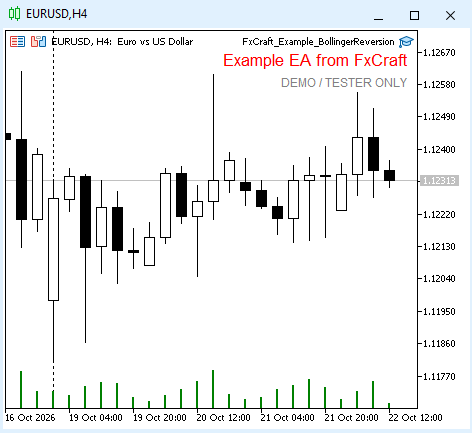
An educational example of a mean-reversion Expert Advisor based on Bollinger Bands. It shows how to combine two indicators, limit trading to selected hours and manage exits based on the current indicator value.
Strategy
- BUY: bar 2 closed below the lower band and bar 1 closed back inside the bands (optionally: RSI on bar 2 below the lower level). SELL – the other way round (upper band, RSI above the upper level).
- Exit: when the price touches the current middle band (BUY: Bid ≥ middle, SELL: Ask ≤ middle) or at Stop Loss.
- Trading hours limit only opening new positions (overnight ranges such as 22:00–06:00 are allowed); closing always works. Optionally, positions can be closed outside trading hours.
- Maximum number of open positions at once – a parameter (1 by default).
What the code demonstrates
- reading two indicators through handles and CopyBuffer with a check of the number of copied values,
- an optional filter that can be switched on and off,
- time windows in server time, including ranges that cross midnight,
- free margin, lot and stop level checks, spread filter, order retries.
Inputs
- TimeFrame – timeframe of the signal (current chart by default)
- Bollinger Bands period / deviation / applied price – 20 / 2.0 / Close
- Use RSI filter – off by default; RSI period 14, lower level 30 (BUY below), upper level 70 (SELL above)
- Trading start / end (HH:MM, server time) – 00:00 / 00:00 (start = end → all day)
- Close position outside trading hours – off
- Lot (fixed) – 0.10; Stop Loss – in points, 0 = none (300)
- Max open positions at once – 1
- Magic number – 5020; Max slippage – 10 points; Max spread – 30 points (0 = off)
Important This is an educational example, not a trading system. It works only on demo accounts and in the Strategy Tester – on a live account it shows a message and stops. Provided "as is", without any warranty. Not investment advice. Trading Forex and CFDs involves a high risk of losing capital. License: FxCraft Example EA License (see the source header).
FxCraft Example EA – MA Cross
Educational Expert Advisor: moving average crossover with clean, commented MQL5 code – margin, volume, stop level and spread checks, order retries. Demo accounts and Strategy Tester only.
 AttachExpert: attach an EA with inputs to a chart from code
AttachExpert.mqh attaches an Expert Advisor to a chart from MQL5 code, with the inputs you choose and with "Allow Algo Trading" on or off.
FxCraft Example EA – Range Breakout with pending orders
Educational Expert Advisor: daily range breakout with BuyStop/SellStop pending orders, risk-reward take profit and trading days. Clean, commented MQL5 code with margin and stop level checks. Demo and Strategy Tester only.
Spread Monitor
Spread Monitor is an MQL5 Expert Advisor that draws a colour-coded panel on the chart. The panel shows the current spread of the attached symbol in points, along with the average, minimum, and maximum over a rolling history. It also counts how many stored samples exceeded a warning level, and turns the status row red when the current spread is above that level. The utility does not place orders. Inputs control the warning level, the history size, the refresh interval, and the panel position. Panel objects are removed when the EA is detached.