 MetaTrader 5
 Experts
 Indicateurs
 Scripts
 Bibliothèque
 Stockage
Rejoignez notre page de fans

FxCraft Example EA – MA Cross - expert pour MetaTrader 5

- Vues:
- 69
- Note:
- Publié:
- Mise à jour:
-
 Vous manquez des opportunités de trading :
- Applications de trading gratuites
- Plus de 8 000 signaux à copier
- Actualités économiques pour explorer les marchés financiers
Inscription Se connecterVous acceptez la politique du site Web et les conditions d'utilisation
Si vous n'avez pas de compte, veuillez vous inscrire -
 Besoin d'un robot ou d'un indicateur basé sur ce code ? Commandez-le sur Freelance
Aller sur Freelance
Besoin d'un robot ou d'un indicateur basé sur ce code ? Commandez-le sur Freelance
Aller sur Freelance
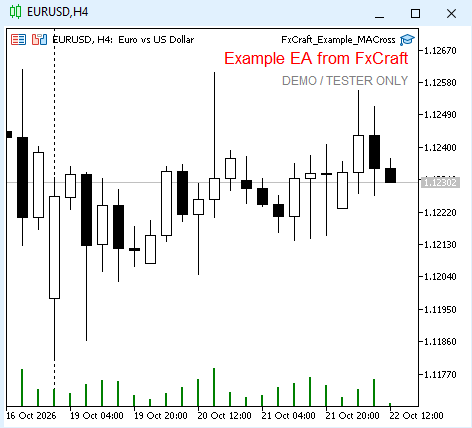
An educational example of a simple trend-following Expert Advisor. It shows how to structure a trading robot in MQL5: signal on closed bars, order execution with checks and retries, and safe handling of a terminal restart.
Strategy
- A BUY signal appears when the fast MA crosses above the slow MA on closed bars (fast ≤ slow on bar 2 and fast > slow on bar 1); SELL – the other way round. The signal is checked once, at the opening of a new bar.
- After start the EA does not open a trade immediately – it waits for the first new crossover.
- One position at a time. An opposite signal closes the position and opens the opposite one.
- If opening fails (spread, requote), the EA retries on the next ticks, but only until the end of the signal bar.
What the code demonstrates
- free margin check ( OrderCalcMargin ) before every order,
- lot normalized to the symbol's minimum, maximum and step,
- SL/TP widened to the broker's minimum distance ( SYMBOL_TRADE_STOPS_LEVEL ),
- spread filter, retries on requotes and price changes, indicator handles released in OnDeinit ,
- messages in English or Polish, depending on the terminal language.
Inputs
- TimeFrame – timeframe of the signal (current chart by default)
- Fast MA period / Slow MA period – 10 / 30 (slow must be greater than fast)
- MA method / Applied price – EMA / Close
- Lot (fixed) – 0.10
- Stop Loss / Take Profit – in points, 0 = none (300 / 600)
- Magic number – 5010
- Max slippage – in points (10)
- Max spread – in points, 0 = off (30)
Important This is an educational example, not a trading system. It works only on demo accounts and in the Strategy Tester – on a live account it shows a message and stops. Provided "as is", without any warranty. Not investment advice. Trading Forex and CFDs involves a high risk of losing capital. License: FxCraft Example EA License (see the source header).
 AttachExpert: attach an EA with inputs to a chart from code
AttachExpert.mqh attaches an Expert Advisor to a chart from MQL5 code, with the inputs you choose and with "Allow Algo Trading" on or off.
News Lines Utility – Economic Calendar Lines and Event Panel
Short description (for the "Short description" field) Shows economic news events directly on your chart as colour-coded vertical lines with tooltips, plus a draggable event panel with upcoming and recent releases. Works on every symbol and timeframe, with filters for impact level and instrument groups (Gold & Silver, Forex Majors, Indices, Oil & Gas).
FxCraft Example EA – Bollinger Bands mean reversion
Educational Expert Advisor: Bollinger Bands return to the mean with an optional RSI filter and trading hours. Clean, commented MQL5 code with margin, volume and stop level checks. Demo and Strategy Tester only.
FxCraft Example EA – Range Breakout with pending orders
Educational Expert Advisor: daily range breakout with BuyStop/SellStop pending orders, risk-reward take profit and trading days. Clean, commented MQL5 code with margin and stop level checks. Demo and Strategy Tester only.