Jason Smith / Profile
- Information
|
1 year
experience
|
22
products
|
15
demo versions
|
|
2
jobs
|
0
signals
|
0
subscribers
|
The best algorithmic developers aren't just programmers - they're traders who code.
I develop and code custom trading strategies, automation tools and custom software across multiple platforms and languages, including TradingView (Pine Script), MetaTrader 5 (MQL5), Python and other modern development frameworks.
Looking for a quantitative developer role.
I can turn trading strategies into fully functional systems.
Extensive experience with Linux (Gentoo, Debian) and Unix systems (FreeBSD, OpenBSD)
I’m available for projects.You can ask for me directly in the Freelance section.
How Observation Changes Outcomes :
In quantum mechanics, when light (or electrons) passes through two slits, it creates an interference pattern on the screen behind them.
Each particle seems to go through both slits at once, existing in a super position of all possible paths and the resulting pattern reflects the probabilities of where the particle could land.
If you try to measure which slit the particle goes through, the interference pattern disappears.
Observing the particle forces it into a definite state - it goes through one slit or the other.
The act of measurement collapses the wave function and fundamentally changes the outcome.
Before you check a trade, it’s in super position.
From a statistical perspective, your trade has a probability of winning or losing based on your system but you don’t yet know the outcome.
The trade is evolving naturally, just like a quantum system.
The moment you look at it, your observation collapses the “trade wave function” into a definite state - good or bad, winning or losing.
That observation triggers an emotional reaction — stress, fear, or overconfidence—which can cause you to break your plan, over-leverage, or revenge trade.
Just like in quantum mechanics, the act of measurement affects the system.
If you hadn’t looked, the system would have continued evolving naturally and you would have followed your plan without emotional interference.
This analogy mirrors the quantum concept perfectly - observation changes the outcome, not because the market changed, but because your interaction with it changed your behavior.
In other words, checking too often destroys the natural probabilistic outcome of your system, just like measuring the slit destroys the interference pattern.
The trade itself hasn’t changed; your observation changed how you interact with it, which changes the outcome.
Final Thoughts:
Traders, you know what I’m talking about — in a demo, you can leave your strategy untouched for days, weeks, even months.
The moment it goes live, you start checking too often, micromanaging your trades, and suddenly your observation is affecting the outcome.
I develop and code custom trading strategies, automation tools and custom software across multiple platforms and languages, including TradingView (Pine Script), MetaTrader 5 (MQL5), Python and other modern development frameworks.
Looking for a quantitative developer role.
I can turn trading strategies into fully functional systems.
Extensive experience with Linux (Gentoo, Debian) and Unix systems (FreeBSD, OpenBSD)
I’m available for projects.You can ask for me directly in the Freelance section.
How Observation Changes Outcomes :
In quantum mechanics, when light (or electrons) passes through two slits, it creates an interference pattern on the screen behind them.
Each particle seems to go through both slits at once, existing in a super position of all possible paths and the resulting pattern reflects the probabilities of where the particle could land.
If you try to measure which slit the particle goes through, the interference pattern disappears.
Observing the particle forces it into a definite state - it goes through one slit or the other.
The act of measurement collapses the wave function and fundamentally changes the outcome.
Before you check a trade, it’s in super position.
From a statistical perspective, your trade has a probability of winning or losing based on your system but you don’t yet know the outcome.
The trade is evolving naturally, just like a quantum system.
The moment you look at it, your observation collapses the “trade wave function” into a definite state - good or bad, winning or losing.
That observation triggers an emotional reaction — stress, fear, or overconfidence—which can cause you to break your plan, over-leverage, or revenge trade.
Just like in quantum mechanics, the act of measurement affects the system.
If you hadn’t looked, the system would have continued evolving naturally and you would have followed your plan without emotional interference.
This analogy mirrors the quantum concept perfectly - observation changes the outcome, not because the market changed, but because your interaction with it changed your behavior.
In other words, checking too often destroys the natural probabilistic outcome of your system, just like measuring the slit destroys the interference pattern.
The trade itself hasn’t changed; your observation changed how you interact with it, which changes the outcome.
Final Thoughts:
Traders, you know what I’m talking about — in a demo, you can leave your strategy untouched for days, weeks, even months.
The moment it goes live, you start checking too often, micromanaging your trades, and suddenly your observation is affecting the outcome.
Friends
154
Requests
Outgoing
Jason Smith
Been spending time lately cleaning up and organizing projects.
Lots of scripts, backups, different versions - the usual mess that builds up when you’re testing ideas and iterating quickly.
Trying to bring some structure to it now so things are easier to maintain and build on.
Time to back up all code and clean the work enviroment :)
At the same time, tightening up some of the core logic behind what I’m working on — focusing more on consistency and clarity.
Lots of scripts, backups, different versions - the usual mess that builds up when you’re testing ideas and iterating quickly.
Trying to bring some structure to it now so things are easier to maintain and build on.
Time to back up all code and clean the work enviroment :)
At the same time, tightening up some of the core logic behind what I’m working on — focusing more on consistency and clarity.
Jason Smith
“until the world blows, we will excel”
No matter how long things go on or how difficult life becomes, we will keep pushing forward and continue to succeed.
Progress and self-improvement won’t stop under any circumstances.
Resilience, persistence, and confidence
No matter how long things go on or how difficult life becomes, we will keep pushing forward and continue to succeed.
Progress and self-improvement won’t stop under any circumstances.
Resilience, persistence, and confidence
Jason Smith
Thought of the day:
To live is to suffer, to survive is to find some meaning in the suffering.
Friedrich Nietzsche explored the idea that suffering is an inherent part of life and that meaning must be created rather than discovered.
He suggests that human beings transform suffering into growth through interpretation and strength of will.
It reflects his belief that suffering is fundamental to existence, and that individuals must create meaning through their response to it.
To live is to suffer, to survive is to find some meaning in the suffering.
Friedrich Nietzsche explored the idea that suffering is an inherent part of life and that meaning must be created rather than discovered.
He suggests that human beings transform suffering into growth through interpretation and strength of will.
It reflects his belief that suffering is fundamental to existence, and that individuals must create meaning through their response to it.
Jason Smith
Monte Carlo simulation with GPU acceleration and CPU fallback.
The system automatically uses the GPU via PyTorch when available, enabling fully vectorised, high-speed simulations.
If a compatible GPU is not detected, it seamlessly falls back to CPU execution, ensuring reliability across all environments without breaking functionality.
This approach combines performance and portability—leveraging GPU parallelism for large-scale simulations while maintaining full compatibility on standard CPU-only systems.
The system automatically uses the GPU via PyTorch when available, enabling fully vectorised, high-speed simulations.
If a compatible GPU is not detected, it seamlessly falls back to CPU execution, ensuring reliability across all environments without breaking functionality.
This approach combines performance and portability—leveraging GPU parallelism for large-scale simulations while maintaining full compatibility on standard CPU-only systems.
Jason Smith
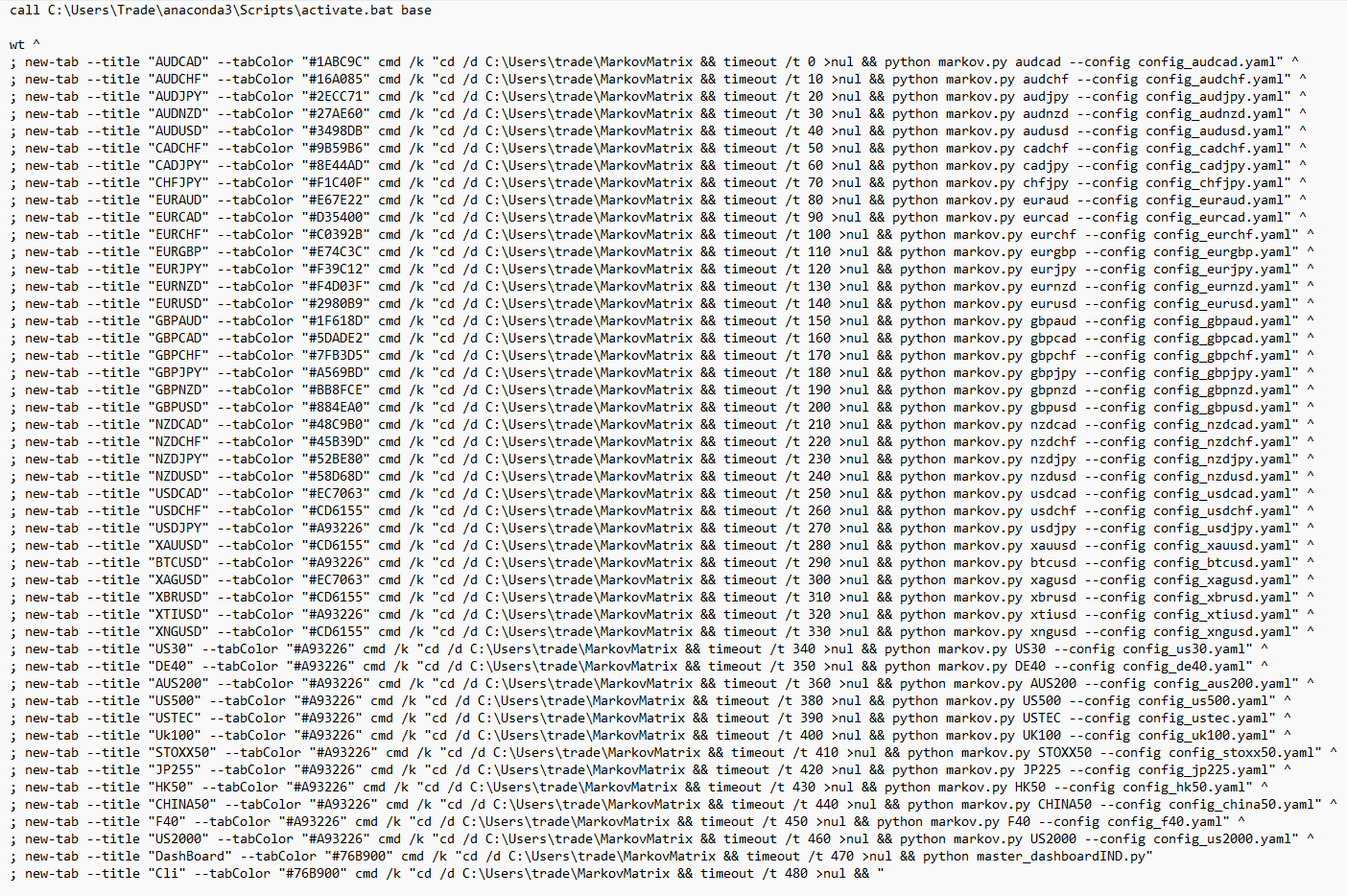
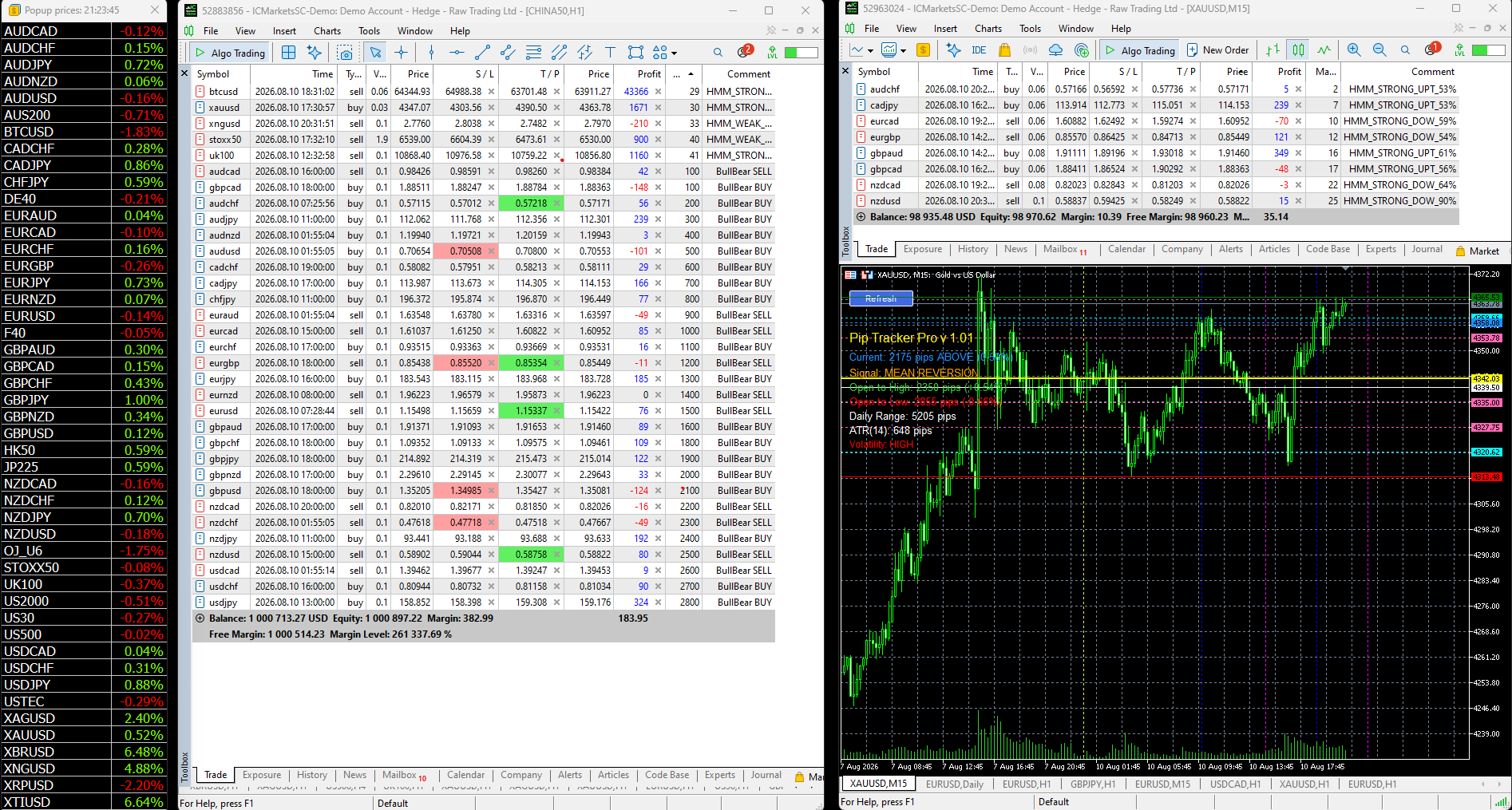
28 bots (Forex pairs) are loaded and waiting for the HMM signal.
Deployment is handled via batch files, so startup is quick and simple.
One click launches all 28 Markov instances, and another click starts the bots—just two files: markov.bat and bot.bat
The image below is just the bots
Deployment is handled via batch files, so startup is quick and simple.
One click launches all 28 Markov instances, and another click starts the bots—just two files: markov.bat and bot.bat
The image below is just the bots
Jason Smith
2026.04.28
Still in beta and nearly ready for sale. The bot doesn’t even have a proper name yet. It originally started as a gold-only system, which is where the name came from, and the version number reflects how many iterations, upgrades, and debug cycles it’s gone through since those early “goldbot” builds. What I have now could be the final version, but I still need to finish testing all the CLI flags before confirming that.
Jason Smith
Hidden Markov Model.
Note the different position sizes -
The HMM applies a multiplier such as 38%, 54%, 75%, or 95%.
Base position: 1 mini lot (fixed maximum configuarable).
Final position: Base × Multiplier (then rounded to micro lots).
NZDJPY: 95% → 1 mini × 0.95 = 0.95 mini → 9 micro
EURJPY: 75% → 1 mini × 0.75 = 0.75 mini → 7 micro
CADJPY: 54% → 1 mini × 0.54 = 0.54 mini → 5.4 micro → 5 micro
EURGBP: 38% → 1 mini × 0.38 = 0.38 mini → 3.8 micro → 4 micro
Drift cap (when active): 50% maximum.
Example: NZDJPY at 95% would be reduced to 50% → 5 micro.
The HMM is your position sizing engine.
Confidence determines risk, which determines the multiplier, which determines the micro lots.
1 mini lot is the risk ceiling.
The model decides how far below that ceiling each trade should be placed.
Note the different position sizes -
The HMM applies a multiplier such as 38%, 54%, 75%, or 95%.
Base position: 1 mini lot (fixed maximum configuarable).
Final position: Base × Multiplier (then rounded to micro lots).
NZDJPY: 95% → 1 mini × 0.95 = 0.95 mini → 9 micro
EURJPY: 75% → 1 mini × 0.75 = 0.75 mini → 7 micro
CADJPY: 54% → 1 mini × 0.54 = 0.54 mini → 5.4 micro → 5 micro
EURGBP: 38% → 1 mini × 0.38 = 0.38 mini → 3.8 micro → 4 micro
Drift cap (when active): 50% maximum.
Example: NZDJPY at 95% would be reduced to 50% → 5 micro.
The HMM is your position sizing engine.
Confidence determines risk, which determines the multiplier, which determines the micro lots.
1 mini lot is the risk ceiling.
The model decides how far below that ceiling each trade should be placed.
Jason Smith
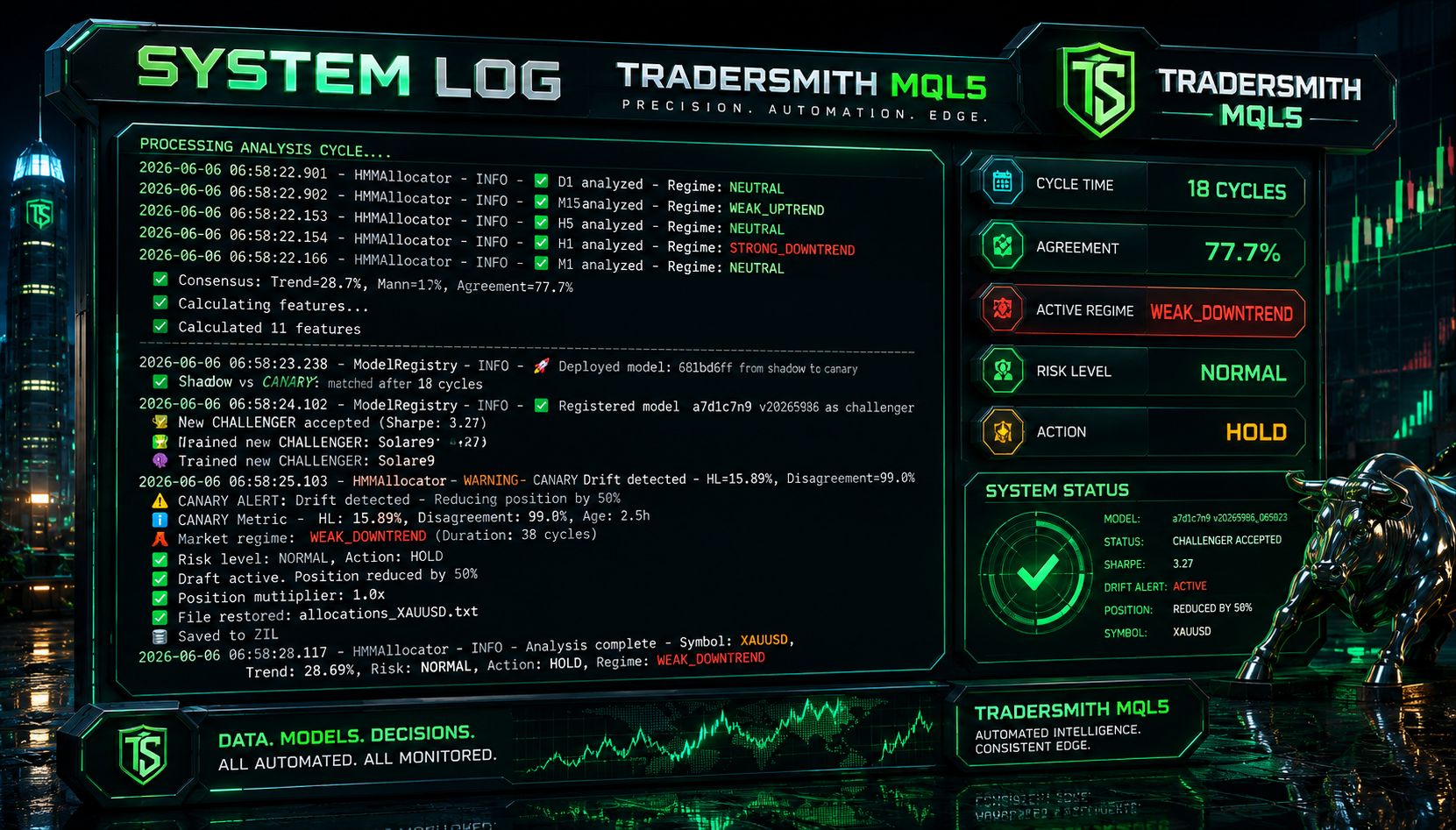
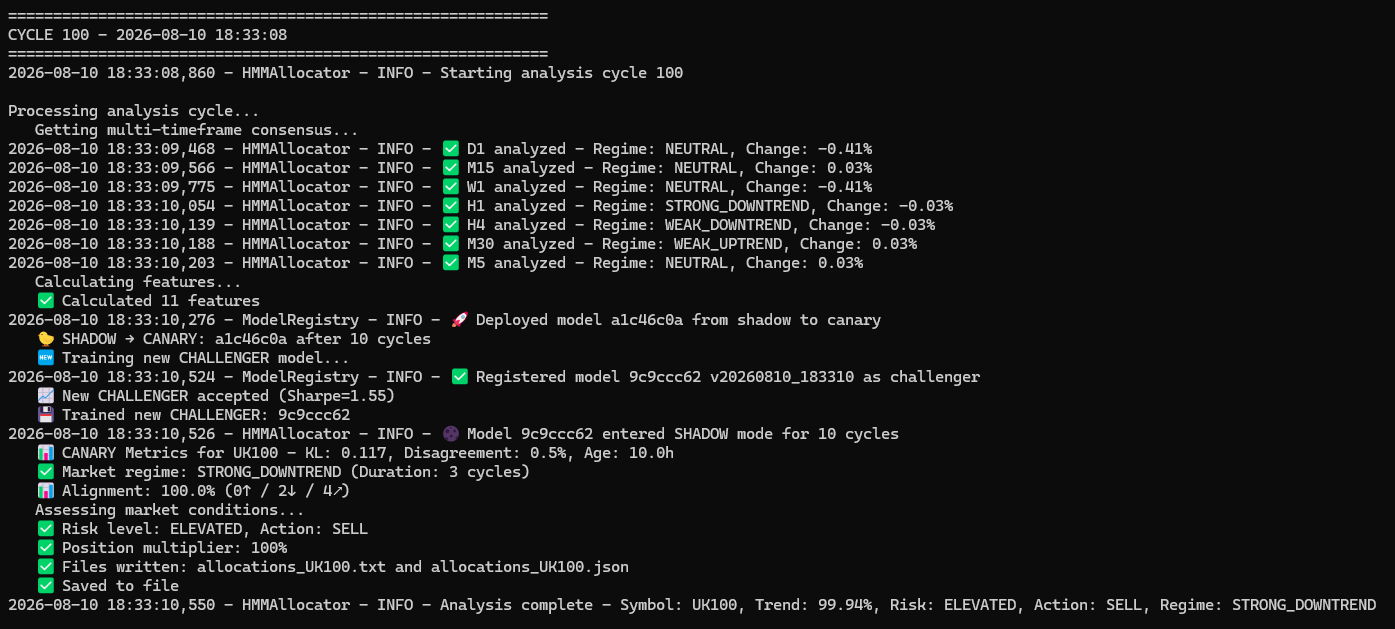
“Canary Drift” meaning
Drift refers to the degradation of a model’s performance over time as market conditions change.
A strategy that once worked well can begin to fail as the underlying data patterns shift in ways the model was not trained on.
The canary model is designed to detect this drift early, before the production system begins to lose money.
It acts as a real-time monitoring layer, running alongside live trading models to identify early signs of instability.
The idea is similar to the “canary in a coal mine.” Miners once used canaries underground as an early warning system for toxic gas.
If dangerous conditions appeared, the canary would be affected first, giving miners time to evacuate before the situation became fatal.
In the same way, the canary model is exposed to the same market data as the production system but is used purely for monitoring rather than trading.
Your production model is the one placing real trades, while the canary continuously “tests the air” on the same inputs.
If the canary’s performance begins to degrade, it signals that market conditions may have shifted.
This allows you to pause trading or roll back to a more stable champion model before real losses occur.
This matters because markets are constantly evolving.
A model that performs well in one regime may fail in another without obvious warning signs in individual predictions.
Drift can take different forms, including data drift, where the input distributions change due to shifts like volatility spikes or new correlations between assets.
It can also appear as concept drift, where the relationship between inputs and outputs changes, such as when previously reliable support and resistance levels break down.
In other cases, prediction drift can occur, where the model’s outputs become systematically biased, for example repeatedly holding positions when trades should actually be taken.
In this setup, the canary is showing “monitoring drift” at the same age as your production and champion models, which indicates they were all trained from the same batch.
The canary is actively checking for any performance degradation.
The alert does not necessarily confirm failure, but it is a warning that performance divergence has begun and should be investigated.
Overall, the canary acts as an early warning system for model decay.
It does not execute trades itself but instead monitors behaviour continuously.
If it detects drift, it provides the signal to pause or roll back the production system, protecting capital before meaningful losses occur.
Drift refers to the degradation of a model’s performance over time as market conditions change.
A strategy that once worked well can begin to fail as the underlying data patterns shift in ways the model was not trained on.
The canary model is designed to detect this drift early, before the production system begins to lose money.
It acts as a real-time monitoring layer, running alongside live trading models to identify early signs of instability.
The idea is similar to the “canary in a coal mine.” Miners once used canaries underground as an early warning system for toxic gas.
If dangerous conditions appeared, the canary would be affected first, giving miners time to evacuate before the situation became fatal.
In the same way, the canary model is exposed to the same market data as the production system but is used purely for monitoring rather than trading.
Your production model is the one placing real trades, while the canary continuously “tests the air” on the same inputs.
If the canary’s performance begins to degrade, it signals that market conditions may have shifted.
This allows you to pause trading or roll back to a more stable champion model before real losses occur.
This matters because markets are constantly evolving.
A model that performs well in one regime may fail in another without obvious warning signs in individual predictions.
Drift can take different forms, including data drift, where the input distributions change due to shifts like volatility spikes or new correlations between assets.
It can also appear as concept drift, where the relationship between inputs and outputs changes, such as when previously reliable support and resistance levels break down.
In other cases, prediction drift can occur, where the model’s outputs become systematically biased, for example repeatedly holding positions when trades should actually be taken.
In this setup, the canary is showing “monitoring drift” at the same age as your production and champion models, which indicates they were all trained from the same batch.
The canary is actively checking for any performance degradation.
The alert does not necessarily confirm failure, but it is a warning that performance divergence has begun and should be investigated.
Overall, the canary acts as an early warning system for model decay.
It does not execute trades itself but instead monitors behaviour continuously.
If it detects drift, it provides the signal to pause or roll back the production system, protecting capital before meaningful losses occur.
Jason Smith
Empiricism: Knowledge comes from experience and observation.
A Priori: Knowledge comes from reason and logic, independent of experience.
Imagine a child kept artificially alive from birth, but without any senses — no sight, no hearing, no touch, taste, or smell.
For years, this person grows, completely cut off from the world.
Then, at maturity, the five senses are suddenly given.
The question is striking - would this person have a single thought in their head?
It asks whether all knowledge comes from experience, whether the mind could hold any innate ideas independent of that experience, and how much of thought depends on the senses versus reasoning alone.
It’s a simple yet profound way to reflect on how we become who we are — shaped through experience, perception, and the constant interaction between mind and world.
An empiricist would say the child has no thoughts at first, because all knowledge comes from experience — the mind is a blank slate until the senses provide input.
An a Priori thinker like Immanuel Kant would argue that while the child gains knowledge through experience, certain structures of understanding or concepts are innate, so the mind isn’t completely empty.
We are born with an inherent capacity for logical thinking that is not derived from observation, but is realised through experience.
A Priori: Knowledge comes from reason and logic, independent of experience.
Imagine a child kept artificially alive from birth, but without any senses — no sight, no hearing, no touch, taste, or smell.
For years, this person grows, completely cut off from the world.
Then, at maturity, the five senses are suddenly given.
The question is striking - would this person have a single thought in their head?
It asks whether all knowledge comes from experience, whether the mind could hold any innate ideas independent of that experience, and how much of thought depends on the senses versus reasoning alone.
It’s a simple yet profound way to reflect on how we become who we are — shaped through experience, perception, and the constant interaction between mind and world.
An empiricist would say the child has no thoughts at first, because all knowledge comes from experience — the mind is a blank slate until the senses provide input.
An a Priori thinker like Immanuel Kant would argue that while the child gains knowledge through experience, certain structures of understanding or concepts are innate, so the mind isn’t completely empty.
We are born with an inherent capacity for logical thinking that is not derived from observation, but is realised through experience.
Jason Smith
For sale: the complete HMM (Hidden Markov Model) Allocator package, including the Markov Matrix Python bot, interactive dashboard, source files, and full copyright ownership.
Perfect for anyone looking to deploy advanced algorithmic trading tools immediately.
This complete package is available exclusively on the MQL5 Marketplace.
DM me for more info
Perfect for anyone looking to deploy advanced algorithmic trading tools immediately.
This complete package is available exclusively on the MQL5 Marketplace.
DM me for more info
Jason Smith
2026.04.27
Includes full instructions and ongoing support, along with a comprehensive PDF guide explaining how to use the system and customise it to trade a wide range of assets, including indices, oil, gold, Bitcoin, stocks, and more.
Jason Smith
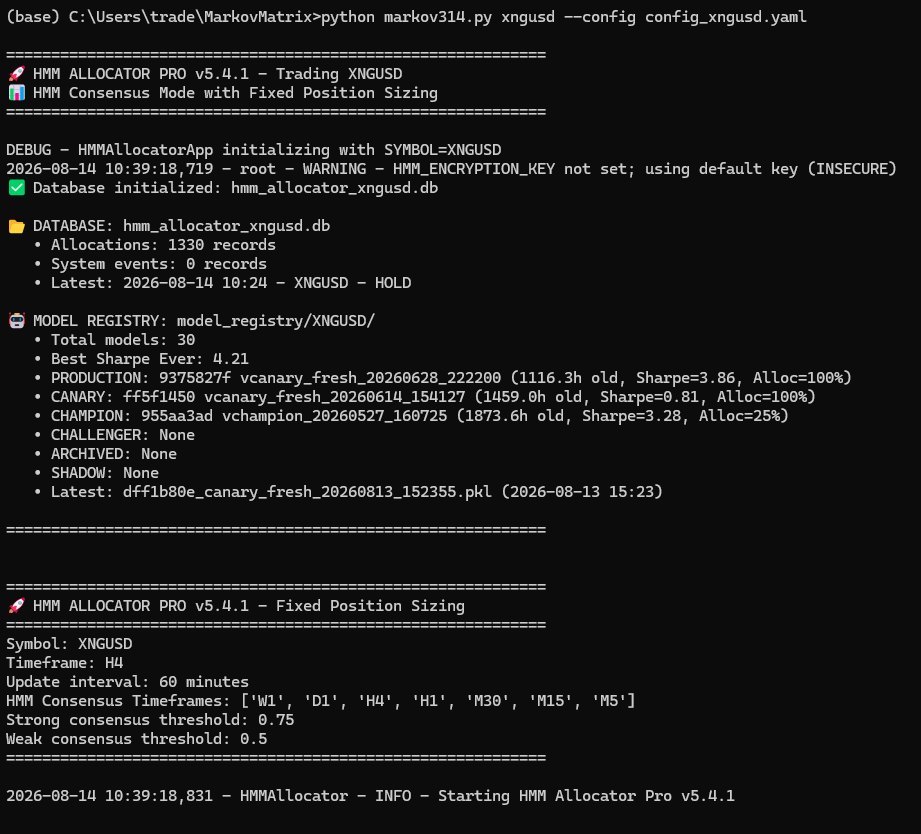
Markov Matrix HMM bot start up screen (part 1).
A Hmm allocator. (Hidden Markov Model)
A dashboard.
Python bot and an mql5 one.
This complete package is available exclusively on the MQL5 Marketplace. Coming soon !
A Hmm allocator. (Hidden Markov Model)
A dashboard.
Python bot and an mql5 one.
This complete package is available exclusively on the MQL5 Marketplace. Coming soon !
Jason Smith
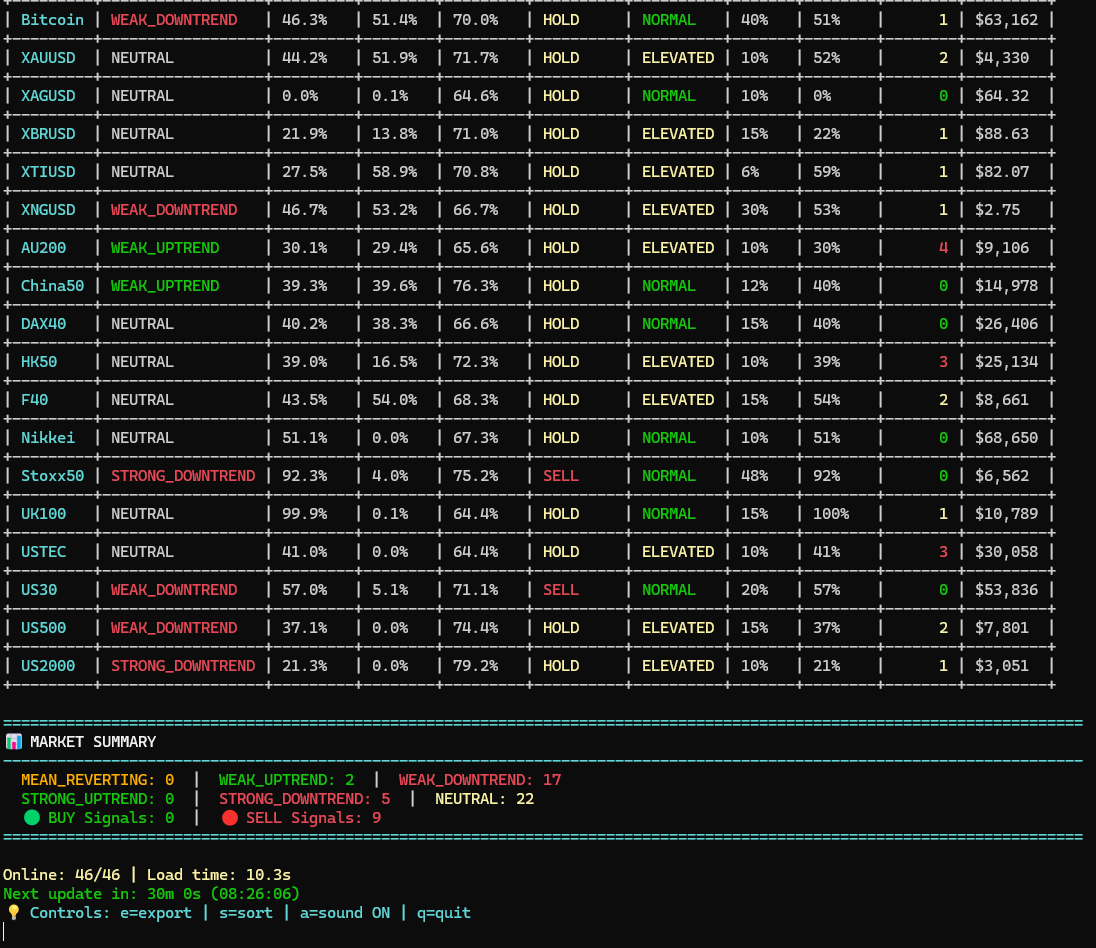
HMM allocator analyzes market regimes and outputs BUY/SELL/HOLD signals with quality scores and position sizing.
Jason Smith
You’ve already seen the HMM dashboard.
The Python bot that receives signals from Marko also has its own dashboard.
The dashboard is a real-time web interface that lets you monitor and control your trading bot from any browser.
It displays your account balance, equity, daily profit and loss, all open positions with current profit or loss, the most recent HMM signal received, and a live log of bot activity.
You can also pause trading, resume trading, or manually close any open position with a single click.
When you run the bot with the --dashboard flag, it starts a web server on port 5000 (or a port you specify with --dashboard-port), and you access it by opening http://localhost:5000 in your browser.
It updates automatically every two seconds, giving you full visibility and control without needing to touch the command line.
The Python bot that receives signals from Marko also has its own dashboard.
The dashboard is a real-time web interface that lets you monitor and control your trading bot from any browser.
It displays your account balance, equity, daily profit and loss, all open positions with current profit or loss, the most recent HMM signal received, and a live log of bot activity.
You can also pause trading, resume trading, or manually close any open position with a single click.
When you run the bot with the --dashboard flag, it starts a web server on port 5000 (or a port you specify with --dashboard-port), and you access it by opening http://localhost:5000 in your browser.
It updates automatically every two seconds, giving you full visibility and control without needing to touch the command line.
: