
You are missing trading opportunities:
- Free trading apps
- Over 8,000 signals for copying
- Economic news for exploring financial markets
Registration
Log in
You agree to website policy and terms of use
If you do not have an account, please register
I also noticed an error
This image caused an error. It is definitely a PNG, but it has no DPI in the data
//upd. Some of them also have no PDI data, but they work.
As I've already written that PNG decompression algorithm was not developed by me, I'm Zorro 7 years ago. To be more precise, he must have ported it from some C++ code. Moreover, this code always gave an error, and I just bypassed this error by simply ignoring it, after which decompression worked. That's why there may be some joints. I didn't understand the specification of the PNG format and its versions. Maybe you need to dive into this format or jpg format in more detail.
Especially this png file is crooked with squares without transparency with 8-bit colour mask instead of 24-bit.
like this
I suppose it will go down well in the market.
That's why I made an example with parsing and scaling of icons on transparent background.
As I've already written, the PNG decompression algorithm was developed not by me, but by Zorro 7 years ago. To be more precise, he must have ported it from some C++ code. Moreover, this code always gave an error, and I just bypassed this error by simply ignoring it, after which decompression worked. That's why there may be some joints. I didn't understand the specification of the PNG format and its versions. Perhaps you need to dive into this format or the jpg format in more detail.
Especially this png file is crooked with squares without transparency with 8-bit colour mask instead of 24-bit.
I tried it. I noticed squares only in case of resizing. That's why my resize algorithm is probably not perfect. I've already written once that this algorithm was created on the fly literally in half a day quite a long time ago. Now I would do this algorithm quite differently. But, unfortunately, I don't have time yet.
I understand myself that writing a code for 3+ is a day and for 5+ it is a month. And if the project is large, the terms can be in even larger ranges.
On what we have, thank you. This is enough for now.
Is there any way in kanvas to fill the screen with a circular gradient from the centre?
There was an example of a vertical gradient here - https://www.mql5.com/ru/code/31689
Does canvas have a way to fill the screen with a circular gradient from the centre?
There was an example of a vertical gradient here - https://www.mql5.com/ru/code/31689
it's easy to do.
you only need one formula:
R2 = X2+Y2
I think I even gave the function
Does canvas have a way to fill the screen with a circular gradient from the centre?
There was an example of a vertical gradient here - https://www.mql5.com/ru/code/31689
you can use this option:
gradient goes also by alpha channel (transparency)you can use this option:
gradient goes also by alpha channel(transparency)Thanks, I'll give it a try.
Nikolai, hi!
Once I asked you to create sliders to make it convenient to choose the period of viewing the graph
I meant this:
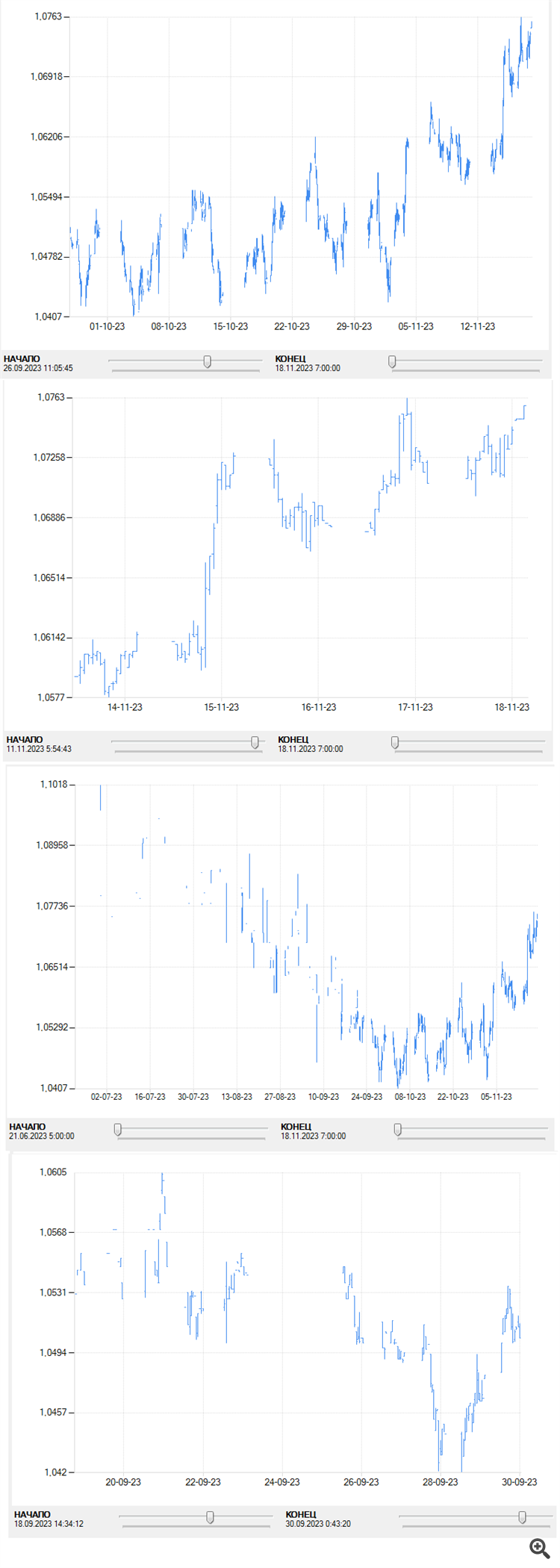
very convenient!Nikolai, hi!
Once I asked you to create sliders to make it convenient to choose the period of viewing the graph
I meant this:
very convenient!Firstly, it is not very convenient (IMHO)