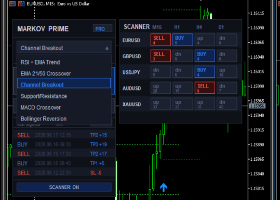

📊 GETTING STARTED WITH YOUR EA
🎯 HOW TO LAUNCH THE EA ON A CHART
Drag & drop your EA from the Navigator panel (Ctrl+N) onto any chart. Simple as that!
✨ Pro tip: The EA works on ANY symbol and ANY timeframe - it auto-detects everything! No need to stress about settings.
📖 Full setup details available here:
🔗 https://www.mql5.com/en/blogs/post/754548
⚙️ SYMBOL TRADING CONFIGURATION
To change trading symbols, modify the inputs - don't touch the chart!
✅ No suffix/prefix needed - The EA automatically detects them!
Example: If your broker shows EURUSD.m , just enter EURUSD in the symbol list. The EA handles the rest!
🔢 RUNNING WITH OTHER EAS
🟢 YES! You can run this EA alongside others.
⚠️ Only one rule: Use a different Magic Number for each EA on the same symbol.
🔄 UPDATING YOUR EA
When a new version drops, here's what you do:
📥 Step-by-step update guide:
🔗 https://www.mql5.com/en/blogs/post/756832
📈 BACKTESTING YOUR STRATEGY
🎯 Want accurate backtest results?
Contact me privately and I'll provide you with the correct .ini settings file to load in your MT5 Strategy Tester.
Don't guess the settings - get it right the first time!
💬 JOIN OUR COMMUNITY
📱 TELEGRAM CHANNEL
Send me a private message in MQL5 Chat and I'll share the invite link with you!
🏆 MQL5 CHANNEL
🔗 Direct link: I'll provide the link right here!
📁 SETFILE GUIDE
🥇 BEST SETFILE OPTION
The DEFAULT setfile is your best starting point!
📌 But remember:
-
You can optimize for your specific broker
-
Additional setfiles will be posted in our channels
-
For Prop Firm (Funded Accounts) - contact me privately for the specialized setfile
🎁 BONUS EA - CLAIM YOUR GIFT!
After purchase:
-
📸 Take a screenshot of your purchase confirmation
-
✉️ Send it to me via private message
-
🎁 I'll send you a FREE Gift EA!
💰 RISK & DEPOSIT RECOMMENDATIONS
Minimum Deposit: $100 USD (or equivalent)
Recommended Approach: 🛡️ LOW RISK is always the smart play!
📋 COMPLETE INPUT PARAMETERS BREAKDOWN
🔧 CUSTOMIZE GENERAL OPTIONS
| Parameter | Description |
|---|---|
| trading symbol list | Enter the currency pairs you want to trade, separated by commas. Example: EURUSD,GBPUSD,NZDCHF |
| detect suffixes automatically | When ENABLED (TRUE), the EA automatically identifies broker-specific suffixes like .m or # - you don't need to type them! |
| main magic number setup | Unique identifier for this EA's trades. Change this if running multiple EAs on same symbol |
| ea order commentary | Custom text that appears in your trade comments - great for identifying which EA opened which position |
⏰ TIMED POSITION EXIT
| Parameter | Description |
|---|---|
| closing time setup on friday(-1:off) | Set hour to close all positions before weekend. Use -1 to disable. Example: 17 = close all trades at 5 PM Friday |
📉 DRAWDOWN-TRIGGERED EXIT
| Parameter | Description |
|---|---|
| maximum drawdown allowed to restrict new trades | Percentage of drawdown that stops new trades from opening. At 80%, EA pauses entering positions |
| close on drawdown option | When ENABLED (TRUE), EA will automatically close all positions if drawdown hits the maximum level |
🎯 GROUP OF ADDITIONAL PARAMETERS
| Parameter | Description |
|---|---|
| backtest-friendly direction stability | Number of same-direction ticks required before entering a trade. Higher values = more confirmation, better for backtesting accuracy |
🔄 SET RECOVERY ZONE PARAMETERS
| Parameter | Description |
|---|---|
| toggle recovery zone on/off | Master switch for the Recovery Zone feature. ENABLE to use grid-style recovery trading |
| profit type for recovery setup | Choose between usd_percent (dollar amount) or percentage-based profit targets for recovery completion |
| total profit usd setup (after recovery) | Dollar amount target to achieve before recovery zone is considered complete |
| total profit % setup (after recovery) | Percentage target of account balance to achieve before recovery zone is considered complete |
🚦 HANDLE SAME ORDER ENTRIES
| Parameter | Description |
|---|---|
| enable one trade per symbol | When ENABLED (TRUE), EA will only open ONE trade per currency pair at a time |
| minimum distance between trades of the same pair | Minimum point distance required between consecutive trades on same pair. Set to 0 for no restriction |
📰 FILTER DURING NEWS
| Parameter | Description |
|---|---|
| toggle high impact news filter on/off | ENABLE to pause trading during Red/High impact economic news events |
| toggle medium impact news filter on/off | ENABLE to pause trading during Orange/Medium impact news events |
| toggle low impact news filter on/off | ENABLE to pause trading during Blue/Low impact news events |
| trading pause duration before news | Minutes/hours before news event to stop trading (default: 2) |
| trading pause duration after news | Minutes/hours after news event to resume trading (default: 2) |
| zoom factor | Adjusts the on-chart dashboard size for better visibility |
💰 MONEY MANAGEMENT
| Parameter | Description |
|---|---|
| set method for lot calculation | Options: mid_risk (balanced), low_risk (conservative), high_risk (aggressive), or fixed (manual lot) |
| choose fixed lot size | Used ONLY when lot method is set to fixed . Enter your desired lot size (e.g., 0.01) |
| forcing risk in all situations | When ENABLED (TRUE), EA ignores other safety parameters and uses the risk method no matter what |
🏢 PROP FIRM CONTROLS
| Parameter | Description |
|---|---|
| ftmo randomizer option activated | When ENABLED (TRUE), adds slight random variations to TP/SL to appear more human-like - useful for prop firm challenges |
🕐 TIME RANGE FOR TRADING
| Parameter | Description |
|---|---|
| set trading start time | Daily time when EA begins opening trades (24h format) |
| set trading end time | Daily time when EA stops opening new trades (24h format) |
| enable trading on monday | ENABLE to allow trading on Mondays |
| enable trading on tuesday | ENABLE to allow trading on Tuesdays |
| enable trading on wednesday | ENABLE to allow trading on Wednesdays |
| enable trading on thursday | ENABLE to allow trading on Thursdays |
| enable trading on friday | ENABLE to allow trading on Fridays |
📱 ADJUST NOTIFICATION PREFERENCES
| Parameter | Description |
|---|---|
| turn on/off sending notifications to mobile | ENABLE to receive trade alerts on your MetaTrader mobile app |
| turn on/off sending alert pop-ups | ENABLE to get pop-up alert windows on your MT5 desktop platform |
🎯 QUICK REFERENCE CARD
| Action | How To |
|---|---|
| 🚀 Run EA | Drag to chart |
| 🔄 Change symbols | Edit inputs |
| 🎲 Multiple EAs | Different Magic Numbers |
| 📊 Backtest | Ask for .ini file |
| 🎁 Get Gift EA | Send purchase screenshot |
| 🏦 Prop Firm | Contact for setfile |