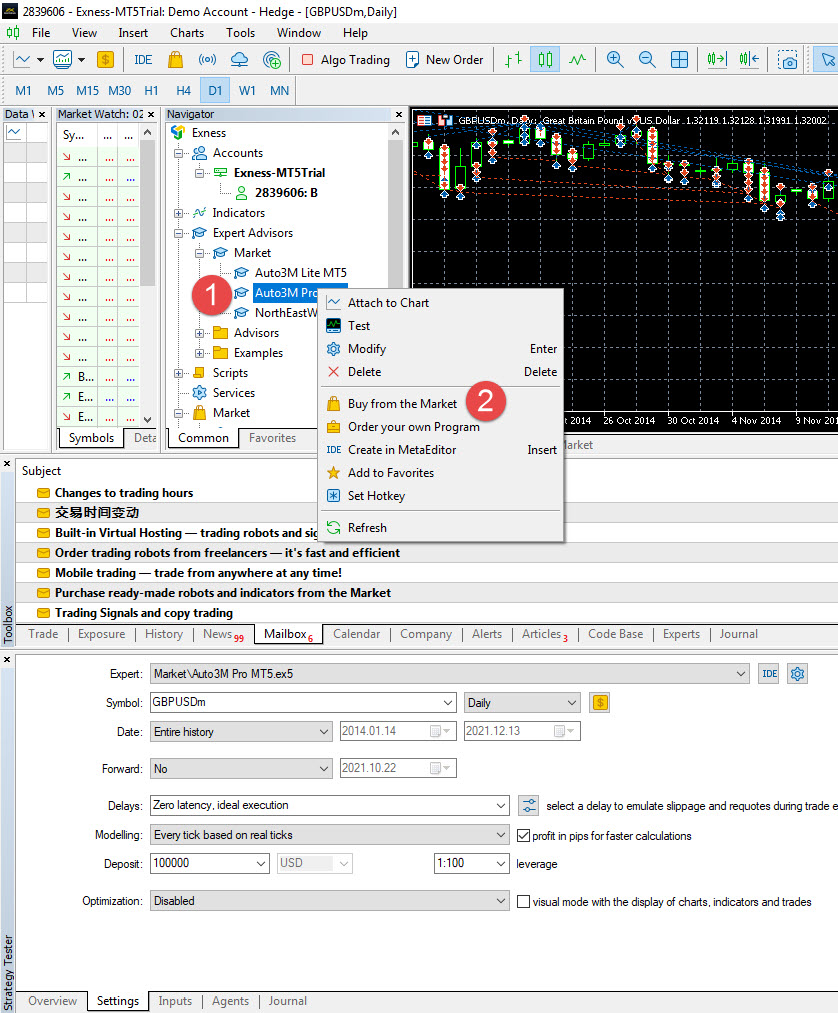
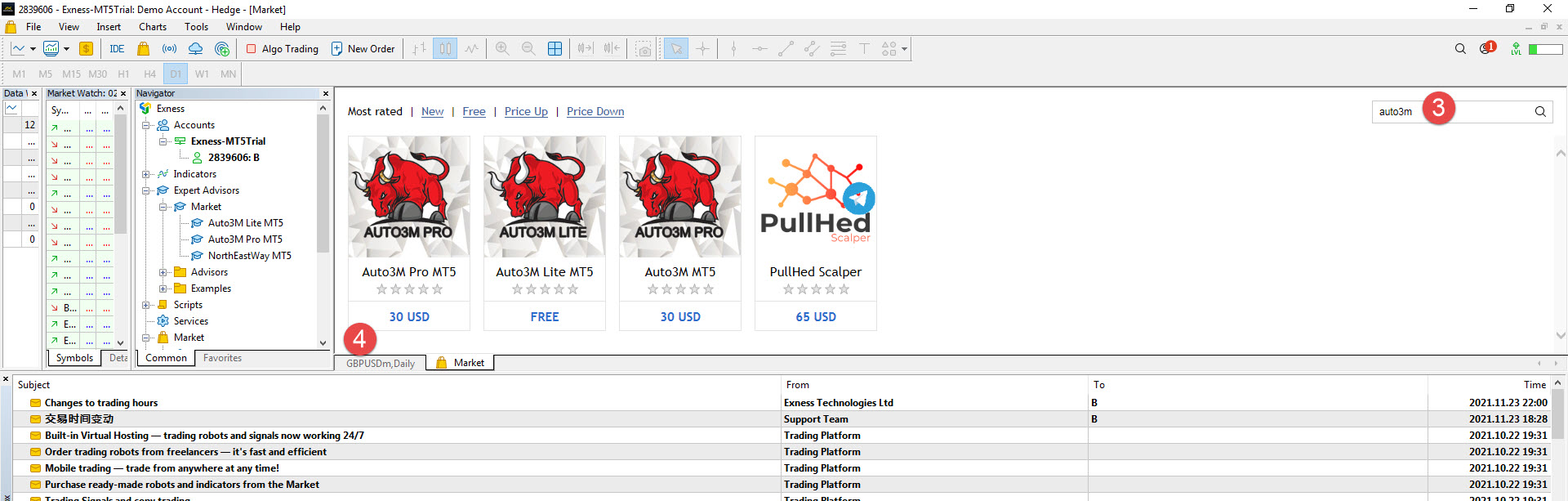
All Blogs / Other All Blogs Analytics & Forecasts Weekly Trends Forecasts Trading Systems My Trading Charts Trading Strategies Statistics Trading Ideas Scalping Neural Networks Wave Count Market News Currency Metals Crude Oil Company News Events Banks Brokers Law/Regulations Other Rules Other ๊Update EA AUTO3M 14 December 2021, 03:58 Mr Anucha Maneeyotin 0 193 Step 1 Right click on EA AUTO3M Step 2 Select buy from the market Step 3 : Search AUTO3M Step 4 : Select your version Step 5 : Click update demo or update #Update EA To add comments, please log in or register EA backtests: read equity drawdown before comparing returns Trading Strategies 135 0 Freeze the Costs Too: Why a Forward Test Can Fool You Trading Strategies 14 0 From Indicator Dashboard to a Testable Trading Decision Trading Strategies 17 0 Collie Gold on prop firms and shared accounts: how to size your exposure Trading Systems 23 0 Collie Gold: the complete user manual (setup, profiles, backtesting, VPS and panel) Trading Systems 20 0 Meet Collie Gold: gold baskets, each with its own stop Trading Systems 19 0 3 Things to Check Before Running a Bitcoin EA on MT5 Analytics & Forecasts 20 0 How to Size a Forex Trade Before You Click Buy Trading Strategies 23 0 Wall Street Smart Pro – Installation Guide / Guía de Instalación Trading Systems 22 0 48 MT5 Trade Copier: Drawdown Protection vs Stop Loss – Two Different Jobs 45 Fully Automated XAUUSD Trading – FREE EA 65 Liquidity Sweeps Explained: How I Read Liquidity on XAUUSD forex technical analysis eurusd EUR/USD gbpusd gold usdjpy GBP/USD usd/jpy usd Trading AUD/USD usd/chf S&P 500 forecast usd/cad Fed bitcoin Fxwirepro dax fundamental analysis VistaBrokers Gold spot ($) Silver spot ($) Crude Oil (WTI) USD/TRY audusd EUR forex news ECB