Goat Prop Guard MT4

  • 实用工具
  • Julius Mreje Mwanyasi
    Julius Mreje Mwanyasi
    • MQL5 Developer - Trading Tools 在  GOATS DYNASTY
    • 肯尼亚
    • 944
    GOATS DYNASTY - 适用于 MetaTrader 5 和 MetaTrader 4 的高端交易工具。
    我开发简洁可靠的指标、工具和智能交易系统(EA),注重准确性、速度以及图表上的高端视觉效果。
    我的产品:
    - Gold Sniper - XAUUSD 交易时段区间突破与回测信号,附带止损/止盈位
    - Currency Strength - 8 种主要货币的实时强弱指标(MT5 和 MT4)
    - Telegram Signal Sender - 将交易和高端图表截图发送到您的 Telegram 频道
  • 版本: 1.0
  • 激活: 5

Goat Prop Guard MT4 protects prop-firm challenge and funded accounts on MetaTrader 4. It watches your account every tick and closes everything before a firm rule is broken - so one bad trade or one revenge session cannot cost you the account.

Rules it enforces

  • Daily loss limit - % or money, measured from day-start balance, equity, or the higher of the two; custom day reset hour (server time)
  • Max overall drawdown - static or trailing; trailing floor can stop rising once it reaches the start balance
  • Profit target - notify, or close all and lock trading when the target is hit
  • Safety buffer - acts before the real limit (default at 90%) and warns at 70%
  • Max trades per day, max open positions, max lot per position
  • Mandatory stop loss - positions without SL are closed after a grace period you choose
  • Friday close - flatten and lock before the weekend

When a limit is hit

  • All positions are closed and pending orders deleted
  • The account stays flat until the lock ends (next trading day for daily rules)
  • Popup and push notifications

Built to be trusted

  • State is saved to a file, so locks and the day reference survive terminal restarts and global-variable wipes
  • Deposits and withdrawals do not distort the daily reference - safe to start on the same day the challenge is funded
  • Live panel: status, balance, equity, day reference, daily loss / drawdown / target meters, trades today, time to day reset, CLOSE ALL NOW button
  • No DLL, no WebRequest

Also available for MetaTrader 5: Goat Prop Guard. Pairs well with Goat Trade Copier MT4 when you trade several challenge accounts.

GOATS DYNASTY - Engineered for Presence

推荐产品
Grid Trading
Waseem Raza
5 (3)
Grid Trading EA is a semi-automated one-click trading EA for both Normal Trading and Grid/Martingale Trading . Normal Trading Simply click Buy or Sell directly from the chart. The EA will automatically manage trades by: Setting Stop Loss and Take Profit Managing Trailing Stop Grid / Martingale Trading When Grid Trading mode is enabled, the EA will automatically open additional grid orders at specified distances while increasing the lot size based on your settings. Inputs & Settings Lots — Initia
Expert Advisor for MT4 Useful utility MUST have for all traders.  With 1 click button, you're able to close all your open positions. Its come with a warning pop up notification when you click to close all your trades, to avoid an accident press the button. Just press 'Yes' to confirm or 'No' to cancel it. The expert will close all your open positions no matter what pairs you currently open or directions. Just attach the expert on 1 of your chart, and you're good to go.
QuantumGuard Pro - 智能量子风控交易系统 核心功能 五组独立资金管理,智能分散风险 三重风控保护:盈利目标+回撤保护+全局风控 专业交易面板,一站式交易执行 24小时实时风险监控和保护 自动显示每组均价线,可视化监控 单独一键平仓单组订单,精准控制 订单组高亮显示,状态一目了然 智能部分平仓+自动平保,无风险追逐利润 主要特色 智能风控系统: 5个交易组独立设置风控参数 动态点峰值追踪,自动平保设置 日亏损限额、周亏损限额、全局回撤保护 每组自动显示均价水平线,实时监控持仓成本 支持单独平仓任意组别订单,灵活管理仓位 订单组高亮显示,活跃组别清晰可见 盈利目标触发部分平仓,剩余仓位自动设置平保 专业交易面板: 买入卖出和4种挂单类型 批量平仓功能(按比例、方向、盈亏平仓) 实时数据监控和图表显示 每组独立平仓按钮,快速执行单组平仓 视觉化组别状态显示,操作更直观 可设置部分平仓比例,灵活锁定利润 盈利优化策略 达到盈利目标自动执行部分平仓 自定义平仓比例(25%/50%/75%等) 剩余仓位自动设置平保止损,零风险持仓 锁定部分利润的同时保留盈利潜力 智能追踪新高,最
Trading Control Pad
Sukunthakan Ngernbamrung
Trading Control Pad is a useful tool for all traders. To send BUY/SELL, pending order, modify and automatic setting SL and TP in one click by the current symbol. The Trading Control Pad can help you being comfortable and quickly trading.  Pad can help you automatic and manual partially close some lot at the target, breakeven and trailing stop. The Trading Control Pad features / Functionality Showing the currency pair, the total positions, the number of buy and sell orders. Standard tools for op
Order Block Draw MTF
Jorge Delgado Segura
4 (1)
Just $30 for six months!!!. This will draw Order Blocks just by clicking on a candle with different colors for different timeframes. It will use the body or the wicks. It can also draw the mean threshold of the candle open/close or high/low. As a drawing tool, it is not active all the time after adding it to the chart. Activate by pressing 'b' twice on the keyboard within a second. If activated but then decided not to draw, deactivate by pressing 'b' once.  Box color depends if candle is abov
This tool will perform Trailing stop loss and Break even management for orders. Helps you limit or reduce the time spend watching orders on the screen, especially when you need to go to sleep. Just add this EA to 1 chart, you can manage all pairs. You can filter orders by comment, magic number, symbol, and order ticket number. When Breakeven it can add shift/offset pips (to cover the commission...). You can try in strategy tester before purchase. The EA will add Buy and Sell alternately, so yo
The professional utilities "Ichimoku Waves Meter" to analyse graphs using the correct interpretation of Ichimoku kinkōhyō! Is a graphic program that allows traders to quickly and easily measure the proportions between the indicated points on the price graph. This time and price indicator is a basic tool for analysing the chart according to the Ichimoku strategy on the MT4 platform. Using this tool allows an insightful and complete analysis of time waves as well as price waves in a very short ti
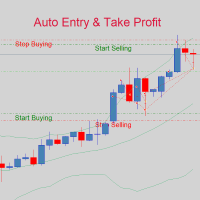
If you are good at market analysis this Semi-automatic EA will help you to manage trade for entry and take profit as you analyzed You job is set the zone for buying or selling by moving the lines on MT4 chart For Supply and Demand Strategy - Support & Resistance System.. Buy low sell high from potential reversal point For this tool you only need to set the Market zone for buy or sell Start lots should be small for low drawdown for 0.01 standard lots for each $200 or more Default setting is for t
Recovery Assistant Pro for MT4 Manual Recovery Trading Assistant Recovery Assistant Pro is a Manual Trading Assistant EA for Recovery trade calculations and management. Helps calculate the appropriate Lot Size. Designed to calculate Recovery trade parameters based on floating loss and the selected Target USD. Simplifies Recovery calculations that would otherwise require manual calculation. The trading panel provides direct access to the main Recovery functions from the chart. Includes a Recov
The Arrow Scalper
Fawwaz Abdulmantaser Salim Albaker
1 (2)
Dear Friend..  I share with you this simple Expert Adviser .. it is full automatic  this Expert Adviser following the trend of the pair you install on or any stocks or indices , it is works like that: - when the trend on H4 chart show a start of up trend the expert will wait till the 15M & 1H charts show an up trend the EA will open a buy order directly , and do the same for down trend and open a sell order the buy or sell  order lot size and take profit and stop loss will measured manually  by
FREE
Trade Manager G2 MT4
Ida Bagus Putu Mahardika
TRADE MANAGER G2 – PRODUCT DESCRIPTION By Ida Bagus Putu Mahardika Trade Manager G2 – All-in-One Trading Panel for Professional Execution & Risk Management Trade Manager G2 is a next-generation trading panel designed to give you full control over order execution, position management, and profit optimization in real time on MetaTrader 5. With a modern card-based user interface and individual TP actions per level, this panel elevates your trading experience to the next level. KEY ADVANTAGES OF
Title: [BB Zone Pro] Smart Reversion Scalper – Profit from Market Exhaustion Catchphrase: "Stop getting stopped out by 'Band Walks.' Wait for the market to exhaust its momentum before you strike." While standard Bollinger Band indicators signal as soon as a price touches the band, BB Zone Pro uses a sophisticated "Time-at-Price" confirmation. It ensures you only enter a trade when the market is truly overextended, capturing the high-probability snap-back. Key Highlights: Time-Confirmed Entry:
FREE
EAsy ClickTrade is the easiest way in the Forex market to: Execute trades instantly as a function of selected Equity Risk and your desired StopLoss Level for ANY CURRENCY PAIR . Calculate the risk exposure to the market in terms of equity at risk per currency and direction. Calculate how attractive a potential trade is in terms of Risk and Spread Cost (excellent for scalpers and short-term traders). Inputs Select Risk for Lots Calculation [% Equity]. By default 1%. This is the initial value for
适用于 MT4 的 Telegram to Discord Pro Telegram to Discord Pro 是一款适用于 MetaTrader 4 的桥接型 Expert Advisor,可从 Telegram 机器人聊天、频道或群组中读取交易信号和交易管理消息,然后以清晰且可自定义的格式将其转发到您的 Discord 频道。 该 EA 适用于交易者、信号提供者、私人社区以及自动化用户,他们希望将 Telegram 中的交易消息实时同步到 Discord。 它可以识别并转发 Buy、Sell、Close、Breakeven 和 Partial Close 等消息。它还可以读取信号细节,例如交易品种、入场价、止损、止盈水平以及 open TP 文本,然后将信息以格式化模式或原始文本模式发送到 Discord。 该 EA 同时支持普通 Telegram 消息和 Telegram 频道帖子,因此适用于私有频道、公共频道、群组以及基于机器人的工作流程。 如需 Discord 和 Telegram 设置帮助,请阅读 README 指南。 此 EA 的功能 Telegram to Disc
PrecisionEntry EA is a semi-automatic Expert Advisor for MetaTrader 4 that enables precise order placement at the click of a button — without taking control away from the trader. With a single click on the LONG or SHORT button, the EA automatically places a BuyStop or SellStop order at the high or low of the previous candle. Stop-loss, take-profit, and lot size are calculated fully automatically — based on the configured risk percentage and the desired risk-reward ratio. Features: Interactive on
ScaleIn splits one manual entry into several positions. Open a trade as usual: ScaleIn adds the extra positions you choose, each with its own take profit, while keeping the total risk of the whole trade under control. Positions to open - Number of additional positions. - Same volume as your original trade, or custom volumes for each position. Entries - Market orders (all positions open immediately), or pending orders placed at a set distance between levels. Stop loss and take profit - Stop l

News Panel
Radek Reznicek
5 (2)
News Panel  is a fully adjustable utility for Forex News. It can show upcoming news in InfoPanel as well as lable for upcoming and past news labels on the chart.  This utility also enables Upcoming news Alerts and Push notification. User can change number of upcoming news displayed, colors and many others. Instructions Alow WebRequest for Listed URLS in Metatrader Tools -> Options -> Expert Advisors tab (see screen or watch the video) Add " https://ec.forexprostools.com/ " to the list of allo
Trading panel for manual trading. Has a fairly wide functionality. Allows you to automatically calculate the order size, open both market and pending orders. It has a wide range of options for closing orders, it is possible to partially close orders, close orders after reaching a certain profit or loss, separately close profitable and unprofitable, buy and sell, as well as pending orders. The panel also contains a simple implementation of a grid of pending orders, reverse and lock functions, tr
Trade Closer
Kayla Nichole Clay
Trade Closer Set a trade and only have a profit target in mind?  Drag onto the pair of choice, enter your profit target into the box and you're good to go. No need to set a Take profit anymore Your trade will be closed for you once the profit target is hit and will send an alert to your account. Disclaimer: Only works on the windows version of MT4 and only when the computer terminal is active


Various Trailing Manager EA Various Trailing Manager EA is a professional trader's tool that provides protection of floating profit on open trades. This EA Utility allows you to manage (with advanced filtering) unlimited open orders (manual or EA) with trailing stops based on 7 methods: percent, ATR, Moving Average, Candle, Parabolic, Fractal. The trailing stop can be either real or virtual, and you can exit fully or with a partial close percent on touch or bar close. Visualize all orders and t
Close_All_Trades_with_TP_SL is a reliable and efficient MQL4 Expert Advisor designed to simplify and automate trade management for all open positions on your MT4 account. This EA is especially useful for traders who open multiple trades quickly or use high-frequency strategies where manual TP/SL placement becomes difficult and time-consuming. The primary purpose of the EA is to ensure that every open trade—whether Buy or Sell—always has a predefined Take Profit (TP) and Stop Loss (SL) applied. M
FREE
Trade Desk for MT4
Mostafa Saad Saeed Shawara
Trade Desk 是 MetaTrader 上的交易面板和交易管理器。在图表上规划入场,用手数计算器确定仓位,然后在同一面板管理持仓:止损、多个止盈、保本和移动止损。 附加说明: 模拟账户试用版 — MetaTrader 5 版 Trade Desk 多数图表工具只帮助下单。成交之后仍需要仓位管理器。 Trade Desk 把这两件事放在同一张图表上。拖动价位并实时看到风险回报比,从面板发送订单,再选中任意持仓进行修改,不必打开单独的下单窗口。发给经纪商的修改会保持为预览,直到按下「更新」,因此拖动线条不会意外改动持仓。 主要功能 图表上的交易面板: 快速 Buy 和 Sell,手数、固定金额风险和账户百分比风险,与价位表和持仓列表放在一起。 图表交易助理: 拖动入场、止损和止盈线。移动时面板显示价格、点数、金额和 风险回报比。 手数计算器: 固定手数、美元风险或账户百分比。仓位随止损距离变化。 多个止盈: 同一笔交易可放多个目标价,每个目标有自己的距离和 风险回报比。 目标达到后移动止损: 保持止损、移到保本,或在该级别到达后移到上一个止盈。 保本与移动止损: 价格走出设定距离后
MT4顶级交易管理工具 - 交易面板、仓位大小计算器和风险管理器 Top Trade Manager 是一款功能齐全的 MetaTrader 4 交易管理工具 :集交易面板、 仓位计算器 和风险管理于一体。只需将入场点、止损点和止盈点拖放到图表上,即可立即计算手数、风险和回报。然后,您可以利用 部分平仓 、 盈亏平衡 、 追踪止损 和 隐藏止损止盈等 功能管理交易,还可以查看 经济新闻日历 ,并使用内置绘图工具在图表上进行标记。 它是一款手动交易工具:它绝不会自行开仓。每一笔交易都由您决定,而顶级交易管理器会为您完成计算和管理。 主要特点 可视化交易计划:在图表上拖动入场点、止损点和止盈点。 按余额或权益的风险百分比或固定现金金额计算交易规模。 一键查看市价单和挂单。 每笔交易最多可设置 9 个部分止盈和 9 个部分止损。 盈亏平衡点、6 种追踪止损方法和蜡烛图收盘止损。 虚拟(隐藏式)止损和止盈。 基于 ForexFactory 经济日历的外汇新闻过滤器,在新闻发布前发出提醒并关闭。 高级图表绘制工具,具备价格提醒、撤销和重做功能。 深色和浅色主题、图表通知和推送通知。 图表上的可视
BreakEven Grid Utility for MT4 BreakEven Grid is a powerful utility for manual trade management on the MetaTrader 4 platform. It provides a convenient on-screen panel with buttons to help you manage your open positions with a single click.  Features: Set BE+Profit: Automatically sets Take Profit to breakeven + desired profit in pips or money. Close BUY/SELL: Instantly close all Buy or Sell orders for the current symbol. Close +$/-$/Old/New: Close only profitable, losing, oldest or newest tra
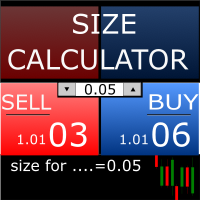
Size Calculator allow you to calculate the size you need for your position giving two parametres: the number of pips risked and the money risked, for example if you want to risk 20 USD on 200 pips, then you will need to input 200 in the case reserved for pips and 20 in the case reserved for risk, the size will appear in left top carner of the chart in your metatrader 4 platform,  Size Calculator  support the following symbols : EURUSD GBPUSD AUDUSD NZDUSD  GOLD WTI  EURJPY GBPJPY USDJPY AUDJPY C
ChangePeriod MT4
Kazuya Yamaoka
You can change the time period of the chart at the touch of a button. You can also change multiple charts at the touch of a button. You can also change multiple charts at the touch of a button, saving you the trouble of changing time periods. We are live-streaming the actual operation of the system. https://www.youtube.com/@ganesha_forex We do not guarantee your investment results. Investments should be made at your own risk. We sharll not be liable for any disadvantage or damage caused by th
Margin Call Shield – Defend Your Margin on Your Terms Margin Call Shield   is a tool for MetaTrader 4 traders who want to decide for themselves which open positions are closed during margin call situations before the platform does so automatically based on its internal rules. By default, the broker or platform decides which positions to close, often using undisclosed algorithms. Margin Call Shield lets you set this order according to your own strategy. Why Was Margin Call Shield Created? In a  
Golden Gestion TP SL
Matthias Hubert Patrick Snidaro
Auto SL/TP Manager EA – Gestion Automatique Intelligente Auto SL/TP Manager EA est un Expert Advisor conçu pour automatiser la gestion des commandes avec une efficacité maximale et une grande discrétion. Il gère automatiquement : Le Stop Loss (SL) et le Take Profit (TP) Le Profit Lock (verrouillage progressif des bénéfices) Le Trailing Stop avec plusieurs méthodes avancées L' affichage masqué du SL et du TP pour plus de discrétion (non visible par le courtisan) C'est l'outil idéal pour les
Close at time
Yaotang Liu
5 (2)
Close at time is a very useful EA to close specific positions at specific time. It also provides additional condition to setup. Close specific positions at time. Close specific positions which currently profits. Close specific long positions only. Close specific short positions only. Close specific pending orders. It is useful to support your trading strategies. Parameters description magic : Target magic number to close. close_time_hr: Hour to close. (MetaTrader 4 terminal time) close_time_min
FREE
Telegram Signal Sender
Biswarup Banerjee
5 (1)
通过 Telegram Signal Sender MT4 提升您的外汇信号分享能力,这是一款强大的工具,旨在自动化并简化将交易信号发送到您的 Telegram 频道的流程,非常适合有志成为信号提供者或已建立信号提供服务的交易者。在 Forex Factory 和 Reddit 的 r/Forex 等交易社区中广受好评,并在 Investopedia 和 MQL5 论坛的讨论中因其高效的信号传播而备受关注,该工具深受希望扩大受众的交易者喜爱。用户报告称,由于及时且专业的信号传递,关注者参与度提高了 30-40%,许多人指出手动发送信号的时间减少了 50%。主要优势包括自动生成信号、可定制的风险管理以及用户友好的界面,简化了向公共或私人 Telegram 频道分享高质量信号的过程,从而提升您作为可靠信号提供者的声誉。 Telegram Signal Sender MT4 提供了一个可定制的面板(通过 PANEL_TOP、PANEL_LEFT、PANEL_WIDTH_PCT、PANEL_HIGHT_PCT、TEXT_HIGHT_PCT 和颜色等输入进行配置),用于根据用户定义的风险回报比率
该产品的买家也购买
欢迎来到 Trade Manager EA——这是一个终极风险管理工具,旨在使交易变得更直观、精准和高效。它不仅仅是一个下单工具,而是一个用于无缝交易计划、仓位管理和风险控制的全面解决方案。不论您是新手交易员、资深交易员,还是需要快速执行的剥头皮交易员,Trade Manager EA 都可以满足您的需求,适用于外汇、指数、大宗商品、加密货币等各种市场。 借助 Trade Manager EA,复杂的计算已成过去。只需分析市场,在图表上用水平线标记入场、止损和止盈,设置您的风险水平,Trade Manager 就会立即计算出理想的头寸规模,并实时显示以点、账户货币计价的止损和止盈。每笔交易都得以轻松管理。 主要功能: 头寸规模计算器 :根据定义的风险瞬间确定交易规模。 简单的交易计划 :在图表上用可拖动的水平线直接计划交易,设置入场、止损和止盈。 实时显示 SL 和 TP :以账户货币、点或分显示止损和止盈,便于分析。 高级保护工具 盈亏平衡选项 : 基本盈亏平衡 :当您的交易达到设定水平时自动保护利润。 多级盈亏平衡 :设置多达 4 个级别以逐步保护利润。 尾随止损选项 : 基本尾随
The product will copy all telegram signal to MT4   ( which you are member  ) , also it can work as remote copier.  Easy to set up, copy order instant, can work with almost signal formats, image signal, s upport to translate other language to English Work with all type of channel or group, even channel have "Restrict Saving Content", work with  multi channel, multi MT5 Work as remote copier: with signal have ticket number, it will copy exactly via ticket number. Support to backtest signal. How to
News Filter EA MT4
Rashed Samir
4.64 (11)
News Filter EA: Advanced Algo Trading Assistant News Filter EA is an advanced algo trading assistant designed to enhance your trading experience. By using the   News Filter EA , you can integrate a Forex economic news filter into your existing expert advisor, even if you do not have access to its source code. In addition to the news filter, you can also specify   trading days   and   hours   for your expert. The News Filter EA also includes   risk management   and   equity protection   features
TradePanel MT4
Alfiya Fazylova
4.84 (95)
交易面板是一款多功能交易助手。该应用包含超过50种手动交易功能,并允许您自动执行大多数交易任务。 应用程序说明 : https://www.mql5.com/zh/blogs/post/761102 用于模拟账户的应用程序试用版: https://www.mql5.com/zh/blogs/post/762579 如何安装应用程序: https://www.mql5.com/zh/blogs/post/762580 如何在可视化模式下测试应用程序: https://www.mql5.com/zh/blogs/post/770278 如何在VPS MetaTrader上安装应用程序: https://www.mql5.com/zh/blogs/post/770196 贸易. 只需单击一下即可执行交易操作: 打開掛單和頭寸,並自動計算風險。 一鍵打開多個訂單和頭寸。 打開訂單網格。 按組別關閉掛單和頭寸。 反轉頭寸方向(關閉買入>打開賣出,關閉賣出>打開買入)。 鎖定頭寸(通過開啟缺少的頭寸,使買入和賣出頭寸的數量相等)。 一鍵部分關閉所有頭寸。 將所有頭寸的止盈和止損設置在同一價格水平。
Telegram to MT4 Multi-Channel Copier   可将您 Telegram 和 Discord 频道中的交易信号自动复制到 MetaTrader 4。无需机器人、无需浏览器扩展、无需手动复制。信号一到 Telegram 或 Discord,EA 几秒内就在您的终端开仓。 在复制某个频道之前,内置回测器还能告诉您该频道在您的账户上会有怎样的表现。 产品包含两个组件:一个监听您 Telegram 频道的 Windows 应用程序,以及在 MT4 终端执行信号的本 EA。同时提供 MT5 版本   点此 . 购买前先试用:   应用程序可免费下载。连接您自己的频道,查看每条信号的读取结果。Backtest 选项卡和实际交易需要已购买或已租用的 EA。本页面的免费演示版只能在策略测试器中运行,而策略测试器无法读取 Telegram 和 Discord。 设置指南与应用下载:   https://www.mql5.com/en/blogs/post/768988 了解如何 回测任何 Telegram 信号频道 。 当前价格将来会上调。 工作原理 应用通过您自己的 Te
神速EA跟单(TradeMirror)是一款MT4/MT5平台的订单复制软件。 使用教程 请点击 神速EA跟单使用教程 链接以查看更多使用教程 为什么选择神速EA跟单 我们深知对于金融软件而言安全、稳定和隐私的重要性,因此我们在细节处对这三大要素进行了额外的加固: 提供用户友好的图形界面,操作简单易用 注重隐私安全,适合对订单分发有隐私要求各种金融场景 精准复制订单,毫秒级分发 支持全平台,MT4/MT5全面覆盖 智能感知系统状态,邮件通知守护交易安全 核心功能列表 对于跟单软件而言,功能并不是越多越好的,因此经过严谨的需求分析,我们对程序进行了精简,并最终保留了如下核心功能: 多重连接 邮件通知 手数缩放 信号过滤 反向跟单 重置止盈/止损 免费演示 在购买Trademirror之前,你总是可以尝试免费演示。 点击本页面上的免费演示按钮 点击是的,我有Metatrader 4/5 允许浏览器打开Mt4/5 在Mt4/5中,找到专家顾问/市场/TradeMirror,打开它并点击测试 启用复盘显示(否则你将看不到GUI界面)。 点击开始 现在你可以在可视化图表上看到TradeMirro
PZ Trade Pad Pro MT4
PZ TRADING SLU
3.67 (3)
这是一个可视化的交易面板,可帮助您轻松进行交易管理,避免人为错误并增强交易活动。它结合了易于使用的视觉界面以及完善的风险和位置管理方法。 [ 安装指南 | 更新指南 | 故障排除 | 常见问题 | 所有产品 ] 易于使用 从图表轻松交易 精确的风险管理交易,无忧 保本是重中之重 让利润不受您的关注 尽快享受无风险交易 所有已开通交易的自动追踪止损 交易开始后立即设置初始止损 进行交易后,EA将执行以下任务: 初始止损/获利被自动放置 它会尽快锁定自由行(可选) 它将止损首次移动到盈亏平衡点(可选) 它使用您所需的方法跟踪止损,直到止损为止 其他很酷的功能是: 出色的终端活动报告 单一但功能强大的尾随止损方法 干净的图表界面 没有输入参数 我进行交易后会怎样? 这是您进行交易后EA的操作: 它放置初始止损并获利订单。 尽快搭便车并确保保本。默认情况下,这是通过在达到盈亏平衡点时关闭50%的交易来完成的,默认情况下为5点。这意味着,如果您日后被淘汰,您将一无所获(可选)。 盈亏平衡后,跟踪止损开始运行。 它跟踪止损,直到止损为止,让利润运行。 尾随止损如何运作? 追踪止损表示为所管
需要支持?如何设置?有问题?请用您的语言在这里提问,快速回复: https://www.mql5.com/en/market/product/139089/comments 试用版下载 Copy Cat More (跟单猫) MT4 交易跟单器 (Trade Copier) 不仅仅是一个简单的本地交易跟单器;它是一套 完整的风险管理与执行框架 (risk management and execution framework), 专为当今的交易挑战而设计。从自营公司 (prop firm) 挑战到个人投资组合管理,它凭借 稳健的执行、资金保护、灵活的配置和先进的交易处理的结合,适应各种情况。 该跟单器同时支持   主控端 (Master,发送方) 与 受控端 (Slave,接收方)   两种模式,可实时同步市价单与挂单、交易修改、部分平仓以及对锁平仓 (Close By) 操作。它兼容模拟与真实账户、交易或投资者登录,并通过持久化交易记忆 (Persistent Trade Memory) 系统确保恢复——即使 EA、终端或 VPS 重启也不例外。可借助唯一 ID 同时管理多个主控
Trade Indicator Assistant is a powerful MT4 utility designed to turn indicators into automated trading systems. Its main feature is the ability to automatically detect an indicator’s   BUY and SELL signal buffers , without requiring you to know the buffer numbers, search through indicator settings, or modify the indicator source code. Bonus Indicator: After purchasing Trade Indicator Assistant, contact me to receive Trade Signal Pro completely free as a bonus indicator. [Download Demo Version]
Trade Manager Pro MT4
Bryan Djoufack Nguessong
这是一个使你的交易更容易的工具,它将耗时的任务如订单管理和风险管理放在一个或几个点击上。 功能介绍 风险管理  根据风险字段中指定的%或$的风险自动计算手数,并让您通过放置SL TP等线来输入,并显示实时风险回报。 TrueRisk,所以在计算外汇对的手数时,它包括了佣金,所以当你指定1%时,你的风险是1%,所有的交易费用是1%,或者不是,你自己选择。 大宗交易处理程序,让你在一次点击中输入超过一个符号每个头寸最大交易量的10倍,而不是自己慢慢打开每个头寸。(必须不超过符号规格中提到的交易量限制或超过显示的每个头寸最大交易量的10倍)。 输入指数或其他资产,即使自动计算的手数不尊重四舍五入的手数。(1, 0.1 和 0.01 手的步数处理) 交易管理  只需点击一下 ,你就可以。 设置收支平衡的开仓,包括佣金和点差或不包括,由您选择。 通过在文本字段中指定SL或TP的新价格来批量改变已建仓位的SL或TP,并根据输入的新SL和TP价格来设置买入或卖出。 批量关闭头寸,而不是单独缓慢地关闭它们。 批量删除限价单。 AUTO BE功能,让您设置AUTO BREAKEV
Trade Assistant Pro 36 in 1
Makarii Gubaydullin
4.76 (21)
多功能交易工具:手数计算器、网格订单、风险回报比、交易管理、供需区、价格行为分析等 演示版   |   用户手册 交易助手 不能在策略测试器中运行:您可以下载 演示版 来测试此 实用工具 。 如有任何问题 /改进想法/发现错误 ,请 联系我 如需MT5版本,请点击 此处 简化、加速并自动化您的交易 流程 。通过此 仪表板 扩展标准终端功能。 交易面板 适用于任何交易品种:外汇、股票、指数、加密货币等。 1. 开立新交易 :手数/风险/风险回报比计算:手动交易的风险管理 手数计算器(基于风险规模计算交易量) 风险计算器(基于手数计算风险金额) 风险回报比 网格订单: + 动态间距选项和分割手数选项 订单激活触发器,+ 买入止损限价/卖出止损限价:MT4也可用 虚拟止损,虚拟止盈(隐藏止损,隐藏止盈:经纪商不可见) 智能止损/入场价位:如果K线收盘价超越此价位(避免错误触发) 隐藏订单(虚拟订单) 计划订单:即使市场休市也可下单(周末计划器) 附加多级止盈(多重获利了结) OCO订单(一单取消另一单),具有不同ID 交易可视化 + 图表上调整 以买入价(Bid)设置的止损/入场价位:避
MT4 至 Telegram 信号提供者 是一款易用、可完全自定义的工具,它使发送信号到 Telegram 成为可能,将您的账户变成信号提供者。 消息的格式 可以完全自定义! 但是,为了简便使用,您也可以选择一个预设模板,并能够启用或禁用消息的特定部分。 [ 演示 ]  [ 手册 ] [ MT5 版本 ] [ Discord 版本 ] [ Telegram 频道 ]  New: [ Telegram To MT5 ] 设置 可通过 用户指南 获取逐步说明。 无需了解 Telegram API;开发者提供所需的一切。 主要特性 自定义发送给订阅者的订单详情的能力 您可以创建分层订阅模型,例如铜牌、银牌、金牌。金牌订阅可获得所有信号等。 按订单号、符号或备注过滤订单 包括执行订单的图表的屏幕截图 在发送的屏幕截图上绘制已关闭的订单,以便额外验证 推迟发送新订单消息的可能性,以便在发送前对位置进行调整 订单详情的全透明度: 新的市场订单 *附带屏幕截图 订单修改(止损、获利点) 已关闭订单 *附带屏幕截图 部分关闭订单 ** 新的挂起订单 修改的挂起订单(进场价格) 挂起订单激活(
KT Equity Protector MT4
KEENBASE SOFTWARE SOLUTIONS
3.75 (4)
An equity protection EA for MetaTrader that enforces your loss limits and profit target for you: when your account reaches a rule you set, it closes your trades on every symbol, before one bad day turns into a lost account. It suits prop firm challenges and personal accounts alike. Attach it to one chart, answer a few questions in the on-chart setup wizard, and it watches your whole account in the background while you trade by hand or with other EAs. What it protects Daily loss limit: a percenta
Unlimited Trade Copier Pro is a tool to copy trade remotely to multiple MT4, MT5 and cTrader accounts at different computers/locations over internet. This is an ideal solution for you if you are a signal provider and want to copy your trades to other receivers globally on your own rules. One provider can copy trades to multiple receivers and one receiver can get trade from multiple providers as well. The provider can even set the subscription expiry for each receiver, so that receiver will not b
Strategy Builder offers an incredible amount of functionality. It combines a trade panel with configurable automation (covert indicators into an EA), real-time statistics (profit & draw down) plus automatic optimization of SL, TP/exit, trading hours, indicator inputs. Multiple indicators can be combined into an single alert/trade signal and can include custom indicators, even if just have ex4 file or purchased from Market. The system is easily configured via a CONFIG button and associated pop-up
Take a Break
Eric Emmrich
5 (31)
Take a Break pauses your Expert Advisors when trading is a bad idea: before news, after a daily loss, outside your trading hours, or when a rule you wrote yourself says so. When the pause is over, your EAs simply continue. Account protection for all your EAs in one tool: news filter, drawdown and equity protection, time filter and custom rules. One EA on one chart protects the whole account, the free indicator gives every chart its own rules on top. Free demo | What is new in 26.09 | Support Ass
跟单->方便快捷的界面交互,用户上手即用       ->>>> 推荐在windows电脑,或者VPS Windows上使用 特色功能: 多样化个性跟单设置: 1.对不同的信号源可以设置不同的手数模式 2.不同的信号源分别设置正向反向跟单 3.信号分别设置注释 4.是否根据合约手数校准手数 多样化个性跟单设置2: 1.对不同的品种可以设置不同的手数模式 2.不同的品种分别设置正向反向跟单 3.信号分别设置注释 4.是否根据合约手数校准手数 注释过滤,MAGIC过滤,信号手数过滤,本地品种过滤 净持仓模式(该模式下手数计算仅支持倍率) 工作时间设置 反向同步接收端的平仓 订单绑定功能:任意订单可以绑定到设置信号源订单上 (双击表格更改) 账户风险控制  基本功能: 跟单正常交互速度0.5s以下 自动检测信号源,并显示信号源账号列表 自动匹配品种,不同平台常用交易品种(后缀不同等特殊情况)95%自动匹配,基本无需手动设置,品种映射表可随意双击更改对应品种.(映射表具有快速搜索品种功能) 4种手数计算模式(1.倍率 2.固定手数 3.自适应资金风险 4.源账户资金比例风险) 特殊手数模式
Trade Manager MT4 DaneTrades
Levi Dane Benjamin
4.09 (11)
交易管理器可帮助您快速进入和退出交易,同时自动计算风险。 包括帮助您防止过度交易、报复性交易和情绪化交易的功能。 交易可以自动管理,账户绩效指标可以在图表中可视化。 这些功能使该面板成为所有手动交易者的理想选择,并有助于增强 MetaTrader 4 平台。多语言支持。 MT5版本  |  用户指南+演示 交易经理在策略测试器中不起作用。 如需演示,请参阅用户指南 风险管理 根据%或$自动调整风险 可选择使用固定手数或根据交易量和点自动计算手数 使用 RR、点数或价格设置盈亏平衡止损 追踪止损设置 最大每日损失百分比,在达到目标时自动平仓所有交易。 保护账户免遭过多提款并阻止您过度交易 最大每日损失(以美元为单位)在达到目标时自动关闭所有交易。 保护账户免遭过多提款并阻止您过度交易 一键实现所有交易的盈亏平衡 自动计算从手机/电话发送的交易的风险 OCO 在设置中可用 交易和头寸管理 通过设置每月、每周、每天、每小时或每分钟的最大交易次数,停止过度交易和报复性交易。 高级挂单管理。 调整何时关闭挂单的规则 追踪挂单 支持市价订单和挂单 每日最大利润目标(以美元为单位)以确保头寸并停止
一旦您確定了要進行交易的關鍵區域,就會自動交易支撐和阻力或供需區域。該 EA 允許您只需單擊即可繪製買入和賣出區域,然後將它們準確地放置在您預期價格轉向的位置。然後,EA 會監控這些區域,並根據您為這些區域指定的價格行為自動進行交易。一旦進行初始交易,EA 就會在您放置的相反區域(即目標區域)獲利。然後,您有兩種選擇,要么關閉交易並繪製新的區域進入,要么獲利退出並立即反向反向交易,創建「始終在」的市場風格策略。 包含輸入和策略的完整手冊位於: https://www.mql5.com/en/blogs/post/760256 該 EA 專為在市場上不使用固定或硬止損的頭寸交易者或美元成本平均交易策略而設計。相反,它的目的是透過在下一個可用支撐或阻力區域以相同方向進行新交易來縮小不正確的交易,並調整您在市場中頭寸的平​​均價格。如果需要的話,還有備用退出標準,形式為每筆交易的最大損失金額或基於時間的退出。 只需按下按鈕即可繪製準備放置在感興趣等級的區域。 關閉按鈕和關閉最舊的按鈕可退出所有交易,或僅退出舊交易(如果它們跌幅過大而無法立即調整您的平均頭寸)。 適用於任何時間範圍內的
Riskless Pyramid
Snapdragon Systems Ltd
5 (1)
Introduction This powerful MT4 trade mangement EA offers a way potentially to aggressively multiply trade profits in a riskfree manner. Once a trade has been entered with a defined stoploss and take profit target then the EA will add three pyramid add-on trades in order to increase the overall level of profit. The user sets the total combined profit target to be gained if everything works out. This can be specified either as a multiple of the original trade profit or as a total dollar amount. Fo
The News Filter
Leolouiski Gan
5 (25)
这个产品在新闻时间过滤所有的专家顾问和手动图表,因此您不必担心突然的价格波动会破坏您的手动交易设置或其他专家顾问输入的交易。此产品还带有完整的订单管理系统,可在任何新闻发布前处理您的持仓和挂单。一旦您购买了 The News Filter ,您将不再需要依赖以后的专家顾问内置的新闻过滤器,因为这个产品可以从此过滤它们所有。 新闻选择 新闻来源于Forex Factory的经济日历。 选择可以基于任何一种货币,如USD,EUR,GBP,JPY,AUD,CAD,CHF,NZD和CNY等。 选择也可以基于关键识别,例如Non-Farm (NFP),FOMC,CPI等。 能够选择新闻影响级别的筛选,从低、中、到高影响。 自动模式只选择与图表相关的新闻。 新闻来源每小时自动刷新,以确保最新的新闻数据。 为每个新闻影响级别提供单独的输入,以确定您要过滤掉的新闻发布前后的分钟数。 订单管理选项 在新闻发布前关闭未平仓头寸的选项,并在新闻发布后恢复它们。 在新闻发布前删除挂单的选项,并在新闻发布后恢复它们。 在新闻发布前移除止损和止盈水平的选项,并在新闻发布后恢复它们。 在新闻发布前移动止损和止盈
Prop Guardian Risk Manager MT4 – Drawdown, Risk & Hedge Protection for Prop Firm and Managed Accounts Prop Guardian Risk Manager is a professional risk-control utility for MetaTrader 4, designed for prop firm traders, money managers and anyone who wants strict account-level risk protection. It does not generate trading signals, strategy entries or trading decisions. Instead, it runs in the background, monitors your account risk and can automatically block new exposure, close managed trades or ac
FCK CurrencyStrength Pro
Patel Hitendrakumar Mahendrabhai
Hi Friends, " FCK Currency Strength Pro " is a auto & semi auto trading expert with direction of pair. Buy-Sell separate or multi currency in one click. The strategy of  FCK Currency Strength Pro  is a combination of custom indicator, Trendlines, Support & Resistance levels ( Price Action ) and most important secretive trading algorithm mentioned above. Download News Ex4 and csv file You need the following SDSnews.ex4 in MQL4/Libraries and the daylightsavings.csv in MQL4/Files. Only 4 of 5 copi
Grid Manual MT4
Alfiya Fazylova
4.71 (17)
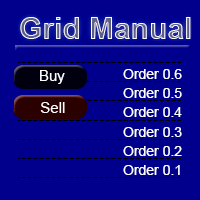
Grid Manual是一个交易面板,用于处理订单网格。 该实用程序是通用的,具有灵活的设置和直观的界面。 它不仅可以在亏损方向上设置订单网格,还可以在盈利方向上设置订单网格。 交易者不需要创建和维护订单网格,实用程序会这样做。 打开一个订单就足够了,Grid manual会自动为它创建一个订单网格,并伴随它直到非常关闭。 完整说明和演示版 此處 。 该实用程序的主要特性和功能: 伴隨以任何方式打開的訂單,包括從移動終端打開的訂單。 適用於兩種類型的網格:“限制”和“停止”。 使用兩種方法計算網格間距:固定和動態(基於 ATR 指標)。 允許您更改未結訂單網格的設置。 顯示圖表上每個網格的盈虧平衡水平。 顯示每個網格的利潤率。 允許您一鍵關閉網格中的盈利訂單。 讓您一鍵關閉每個訂單網格。 允許您對訂單網格應用追踪止損功能。 允許您在訂單網格上應用將訂單網格的止損轉移到盈虧平衡水平的功能。 相對於訂單網格的盈虧平衡水平自動重新排列止盈(僅在限價網格模式下,距離取決於所選的計算類型:“保守”或“激進”)。 最多可管理 20 個訂單網格,每個網格最多可包含 100 個訂單。
DrawDown Limiter MT4
Haidar Lionel Haj Ali
5 (8)
DrawDown Limiter v5.0 — 高级账户保护控制器 DrawDown Limiter v5.0 是一款运行于客户端的交易账户保护控制器,用于监控您的交易账户,并在达到您所设定的风险、盈利、新闻、时间计划、Rollover 或持仓数量限制时自动采取相应措施。 它可以通过一个独立图表监控 手动交易、自动化策略、多个 EA、挂单以及浮动持仓 。它既可以保护整个交易账户,也可以通过 Magic Number 仅监控特定 EA 或一组 EA。 DrawDown Limiter 的目的不仅仅是显示回撤,而是 主动执行您设定的交易规则 ,并在保护条件保持有效期间持续执行这些规则。 DrawDown Limiter v5.0 不仅用于监控您的亏损程度,还用于控制策略何时可以继续运行、哪些风险敞口可以保留、何时必须停止交易,以及自动化交易环境何时可以安全恢复运行。 需要帮助或有任何问题?  请查看   DrawDown Limiter 用户指南 我是  Lio ,欢迎随时联系我!  我们始终愿意为您解答问题、提供帮助并持续改进产品。 统一的保护系统 DrawDown Limiter v
Risk manager Risk manager - it will simplify the tracking of drawdown and will notify you (alert) when the specified risk is reached, and close/lock orders when the critical DD risk level is reached. If the specified drawdown is exceeded, you can choose two options for actions: All orders will be closed that mean loss will be fixed on depo. The terminal also closes. Instead of fixing the loss on depo, the opposite order will be opened - orders locking will occure. Not a single order will be c
MACD Divergence Scanner is a multi-timeframe and multi-symbol dashboard and alert that checks all timeframes and symbols to find regular and hidden divergences between price chart and MACD indicator. This divergence scanner is integrated with support and resistance zones so you can check the MACD divergences in the most important areas of the chart to find trend reversals in the price chart. Download demo version   (works on M 1,M5,M30,W1   timeframes) Full description of scanner parameters ->  
Support and Resistance Dashboard for MT4 is a multi-timeframe and multi-symbol scanner and alert system that finds S/R zones and pivot points for all timeframes and symbols and alerts when price has interaction with them. If you are using support and resistance (or supply and demand) zones in your trading strategy, this dashboard and its alert and filtering system is a big time saver for you. Download demo version   (works on M 1,M5,M30,W1   timeframes) Full description of scanner parameters ->
VirtualTradePad PRO SE MT4 — MetaTrader 4 高级交易面板和图表工作区 VirtualTradePad PRO SE 是一款适用于 MetaTrader 4 的专业交易面板和交易管理工作区。它帮助交易者通过一个基于图表的界面,更快速地开仓、管理、保护、平仓和分析交易。 该产品专为需要的不只是简单按钮集合的活跃手动交易者而创建。PRO SE 将一键执行、挂单、持仓控制、部分平仓、篮子利润/亏损逻辑、加仓均价层级、ATM 规则、信号监控、市场信息、策略测试器流程和面向 VPS 的准备整合到一个结构化工作区中。 MT5 版本 | 完整说明和截图 | 如何购买 | 如何安装 | 如何获取日志文件 | 如何测试与优化 | Expforex 的所有产品 为什么交易者会选择这套面板 图表一键交易 ,并支持键盘快速操作 快速完成开仓、平仓、修改、反转、锁仓与部分平仓 深度控制仓位、挂单、总利润与风控逻辑 自动参数计算,减少手动输入与重复劳动 相对于普通手动交易的优势 一个工作区替代多个窗口 — 交易执行、持仓控制、风险信息和管理工具都保留在图表上。 更快处理交易
Ultimate Partial Profit EA
BLAKE STEVEN RODGER
4.67 (3)
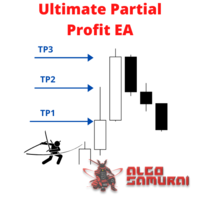
This EA Utility delivers a robust solution for managing an unlimited array of open orders, both manual and automated. It enables customizable partial profit levels utilizing metrics such as pips, ratios, ATR (Average True Range), and profit amounts for precise trade management. The utility features an advanced on-screen display, offering clear visualization of all orders and their profit levels to enhance strategic decision-making and control. To evaluate its performance and interface, the EA s
作者的更多信息
Free session and ICT killzone indicator. Shows the Asia, London and New York sessions, the killzones, liquidity lines and key opens on any chart, with the times handled automatically for your broker. Price moves in sessions. Goat Killzones shows you where each session's liquidity is, and when the high-probability windows open. What it draws (every element can be switched on or off) Session boxes for Asia, London and New York, covering each session's high and low. ICT killzones: Asia, London Open
FREE
GOAT Currency Strength
Julius Mreje Mwanyasi
GOAT Currency Strength shows which of the 8 major currencies (USD, EUR, GBP, JPY, CHF, CAD, AUD, NZD) are really driving the market right now, so you trade the strongest against the weakest instead of guessing. How it works For each of the 28 major pairs the indicator measures the rate of change over a chosen period on a chosen timeframe. The change is credited to the base currency and debited from the quote currency. Each currency's score is the average over all its pairs, mapped to a 0–100 sc
FREE
GOAT Currency Strength MT4
Julius Mreje Mwanyasi
GOAT Currency Strength shows which of the 8 major currencies (USD, EUR, GBP, JPY, CHF, CAD, AUD, NZD) are really driving the market right now, so you trade the strongest against the weakest instead of guessing. How it works For each of the 28 major pairs the indicator measures the rate of change over a chosen period on a chosen timeframe. The change is credited to the base currency and debited from the quote currency. Each currency's score is the average over all its pairs, mapped to a 0–100 sc
FREE
Goat Trade Panel MT4
Julius Mreje Mwanyasi
Goat Trade Panel MT4 brings one-click, risk-based trading and a TradingView-style position tool to MetaTrader 4. Set your risk once - the panel calculates the lot size for every trade. Trading Risk-based lot sizing - % of balance or fixed money; lot, money at risk and R:R shown live before you click One-click BUY / SELL with automatic SL and TP from your stop distance and reward:risk Long / Short position tool - drag entry, stop and target lines on the chart; places a market or pending order (li
Goat Trade Copier MT4 copies trades between terminals on the same computer or VPS. Trade one account and every other account follows automatically, usually within a second. Cross-platform: it uses the same channel format as Goat Trade Copier for MetaTrader 5, so an MT4 master can feed MT5 slaves and an MT5 master can feed MT4 slaves . Tested live: MT4 open and close mirrored on MT5 within a second. How it works Attach it in MASTER mode on the account you trade from (manual trades or any EA). Att
Goat Replay turns any MetaTrader 5 chart into a bar-by-bar market replay. Choose a past date, press OPEN REPLAY, and the chart is cut at that moment. Play, pause, step forward or back one bar, change the speed, or jump straight to the Asia, London or New York open. Every trade on the replay chart uses a simulated account. No real orders are sent. Replay Any symbol and timeframe, built from M1 history (4 price steps per bar) PLAY / PAUSE, STEP +1 / STEP -1, 7 speeds, JUMP to a date, PICK BAR on t
Protects your prop-firm challenge or funded account. Enforces daily loss, max drawdown (static, trailing, EOD), lot, stop-loss, weekend and news rules across the whole account, and closes everything before the firm's limit is hit. Most prop accounts aren't lost to a bad strategy. They're lost to one trade that breaks one rule. Goat Prop Guard watches your whole account (every symbol, every EA, every manual trade) and enforces your firm's rules before the firm does. Account rules Daily loss limit
One-click trading panel with a TradingView-style position tool. Risk-based lot sizing, drag-to-adjust entry, stop and target, market and pending orders, auto breakeven, trailing stop and partial close. Stop doing lot-size maths before every trade. Goat Trade Panel works out the exact lot from your risk and stop, lets you plan the trade visually on the chart, and manages it after entry. One-click trading BUY and SELL buttons with live prices. CLOSE ALL, CLOSE BUYS, CLOSE SELLS, CLOSE PROFIT, CLOS
Goat Trade Copier
Julius Mreje Mwanyasi
Goat Trade Copier copies trades between MetaTrader 5 terminals on the same computer or VPS. Trade one account and every other account follows automatically, usually within a second. Built for prop firm traders running several funded accounts, signal providers, and anyone managing more than one MT5 account. How it works Attach it in MASTER mode on the account you trade from (manual trades or any EA). Attach it in SLAVE mode on each receiving account, using the same Channel name. Opens, closes, pa
Goat SMC Structure
Julius Mreje Mwanyasi
Goat SMC Structure maps Smart Money Concepts on your MetaTrader 5 chart automatically: market structure, order blocks, fair value gaps, liquidity and premium/discount zones - with a higher-timeframe bias panel so you always know which side you should be trading. Calculated on closed bars only - confirmed structure never repaints . Market structure Internal and swing structure, each with its own swing length (or automatic lengths per timeframe) BOS (break of structure) and CHoCH (change of charac
GOAT Gold Sniper
Julius Mreje Mwanyasi
GOAT Gold Sniper trades one clear idea on XAUUSD: the New York opening range , taken only in the direction of the higher-timeframe market structure. One setup per day at most, with Entry, Stop Loss, TP1 and TP2 drawn on every signal and an honest statistics panel that tracks every past signal on your own chart. How a signal is formed (closed bars only, no repaint) Range: the high and low of the New York opening range (default 09:30 - 10:30 New York time) are marked with a box. Trend: the higher-
GOAT Telegram Signal Sender posts every trade on your MT5 account to your Telegram channel automatically - manual trades, EA trades and trades from your phone. One clean, live-updating message per trade, branded chart screenshots, Free / VIP channels, performance reports and secure remote commands. What makes it different One message per trade: the signal is posted once and then edited live (Running - SL moved - Closed +2.4R). Optional short replies under it for every update, so your channel sta
筛选:
无评论
回复评论