Session Box Hours
- 指标
-
Aleksandr Bernes
 专注为裁量交易者打造实用 MetaTrader 5 工具的 MQL5 开发者:交易面板、风险仓位、出场工具与清晰图表指标。
工作经验:
• 软件开发与自动化 10 年以上
• 多年开发并打磨用于实盘裁量交易的 MT5 工具
• Market 已发布:Chart Order Panel、Manual Order Panel、Risk Trade Panel、Risk Lot Size Panel、Basket Exit Levels、Trend Arrow NR、Session Box Hours - 版本: 1.0
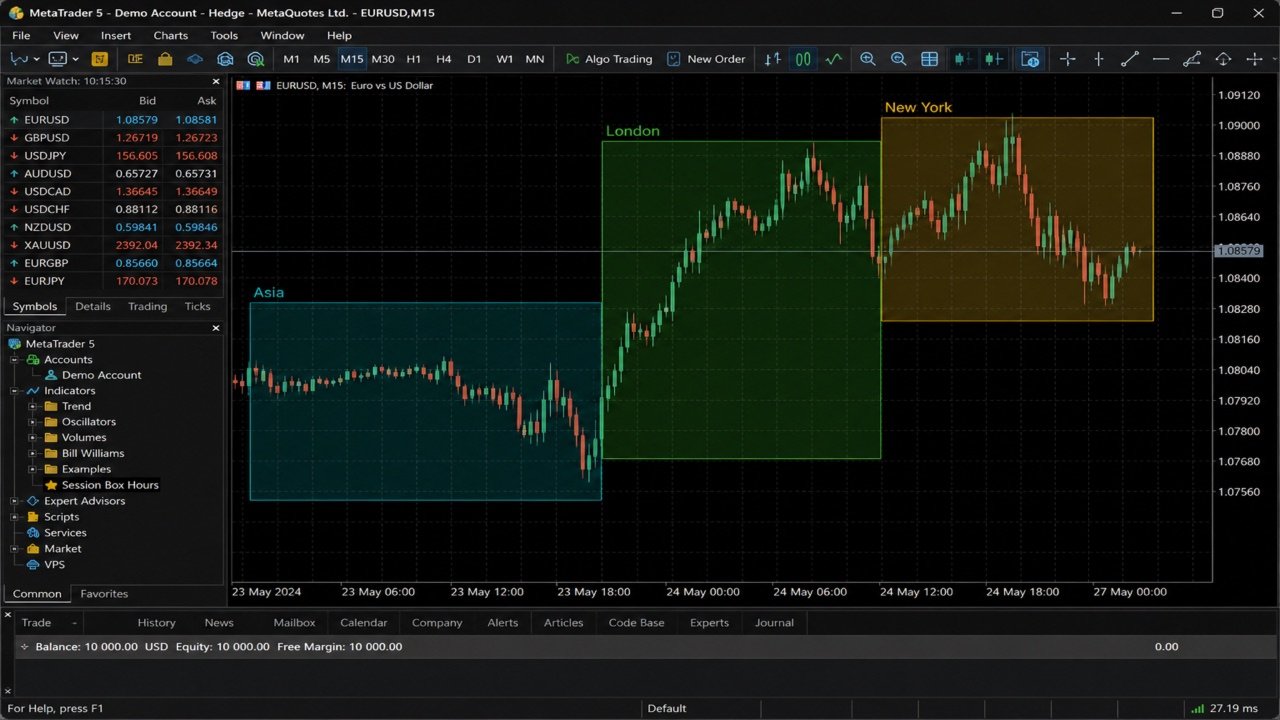
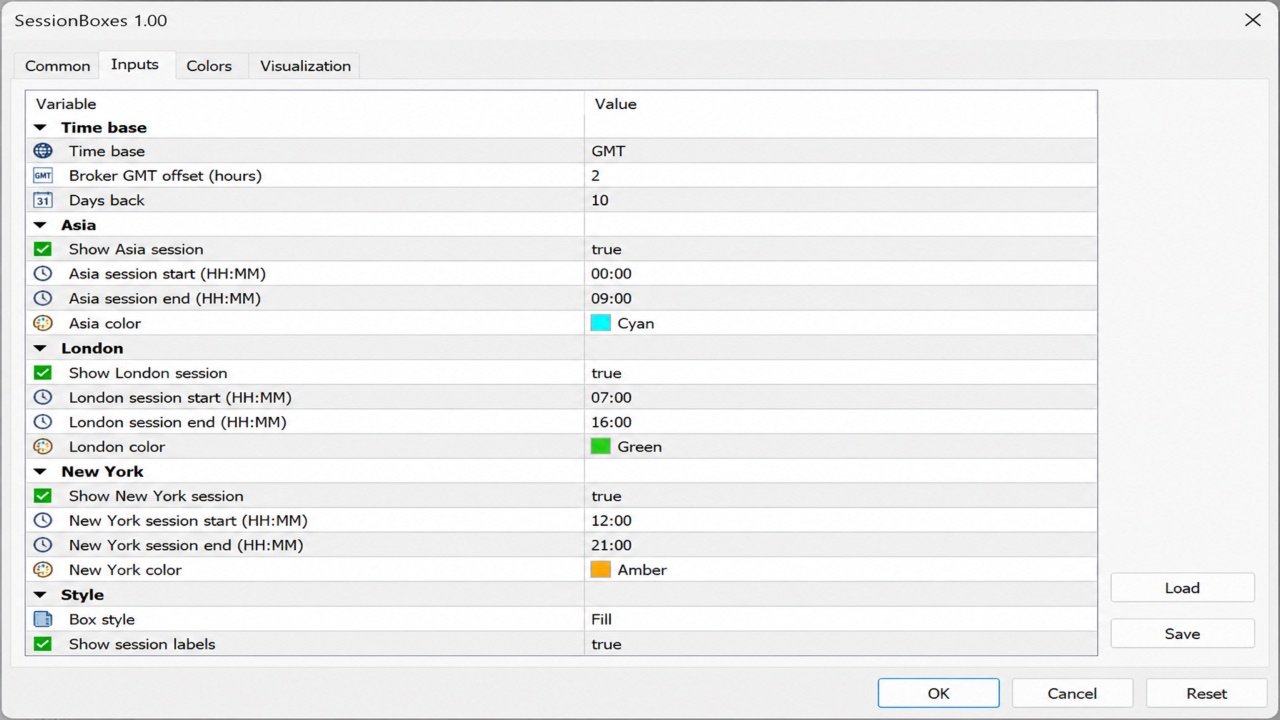
Session Box Hours 在图表上绘制亚洲、伦敦与纽约交易时段矩形。每个框取该时间窗口内 K 线的最高价与最低价。仅作视觉参考 — 不下单,也不生成入场信号。 功能 - 三个时段:Asia、London、New York(各自开关 + 时/分 + 颜色) - 时间基准:经纪商/服务器时钟,或带 Broker GMT 偏移的 GMT 小时 - 跨夜时段(结束 ≤ 开始)延伸到次日 - 通过 Days Back 控制历史深度(默认 10) - 可选填充与时段名称标签 - 移除时清理对象(前缀 SBX100_) 默认时段(GMT 模板) - Asia 00:00–09:00 - London 07:00–16:00 - New York 12:00–21:00 使用 GMT 基准时,将 Broker GMT offset 设为经纪商的 GMT+N;或改用服务器时间,并直接按服务器时钟填写小时。 适用对象 - 需要清晰时段叠加的主观交易者 - 与风险/执行工具(如 Risk Lot Calculator 或 Risk Trade Panel)搭配的免费辅助 要求 - MetaTrader 5 - 任意品种/周期(通常 M15–H1 更清晰) 使用方法 1. 将 SessionBoxes 挂到图表。 2. 选择时间基准(GMT + 偏移,或服务器小时)。 3. 启用需要的时段并调整时间/颜色。 4. 框仅作时间上下文 — 不是完整交易系统。 说明 - 默认值为常见外汇模板,不保证交易所开盘时间。 - 请按经纪商的时段定义调整小时。 - 不保证盈利。时段框仅是视觉上下文。 欢迎反馈。评价与评论能帮助我把产品做得更好——请告诉我哪些好用、哪些需要改进。