Session Box Hours
- Indicatori
-
Aleksandr Bernes
 Sviluppatore MQL5 focalizzato su tool pratici per MetaTrader 5: pannelli di trading, sizing del rischio, utility di uscita e indicatori chiari.
Esperienza:
• Oltre 10 anni nello sviluppo software e automazione
• Diversi anni di utility MT5 per trading discrezionale - Versione: 1.0
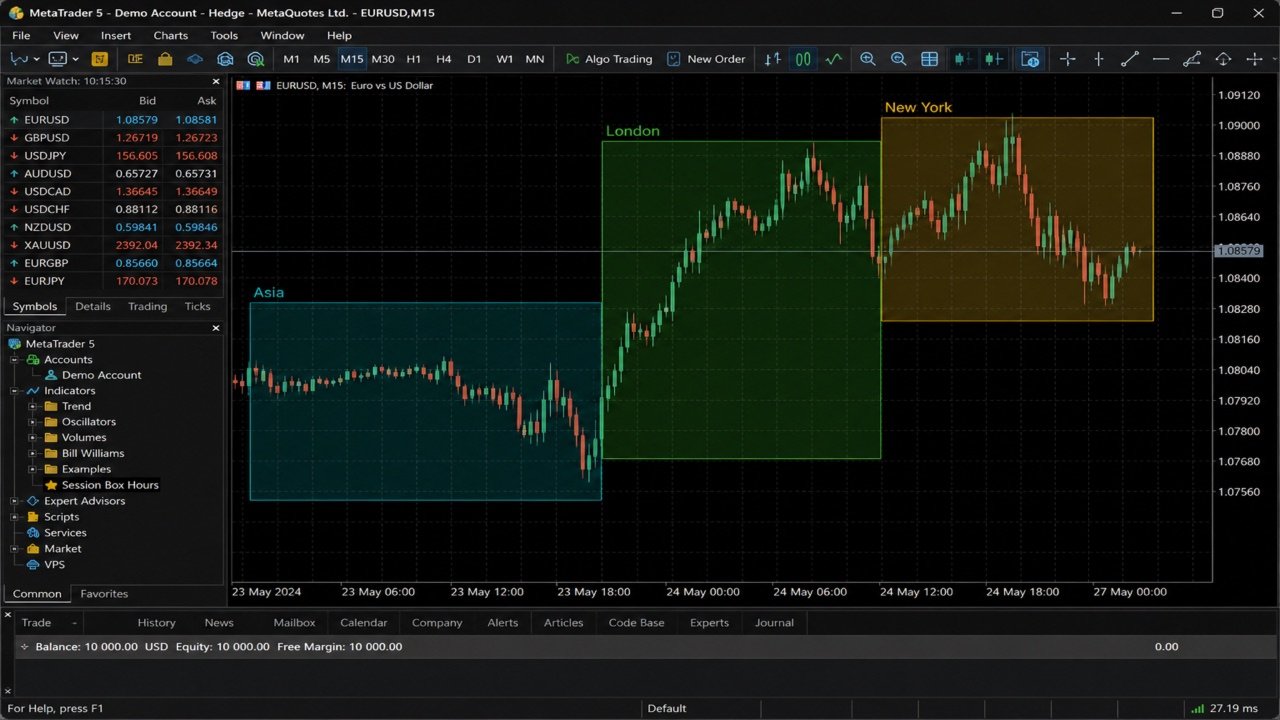
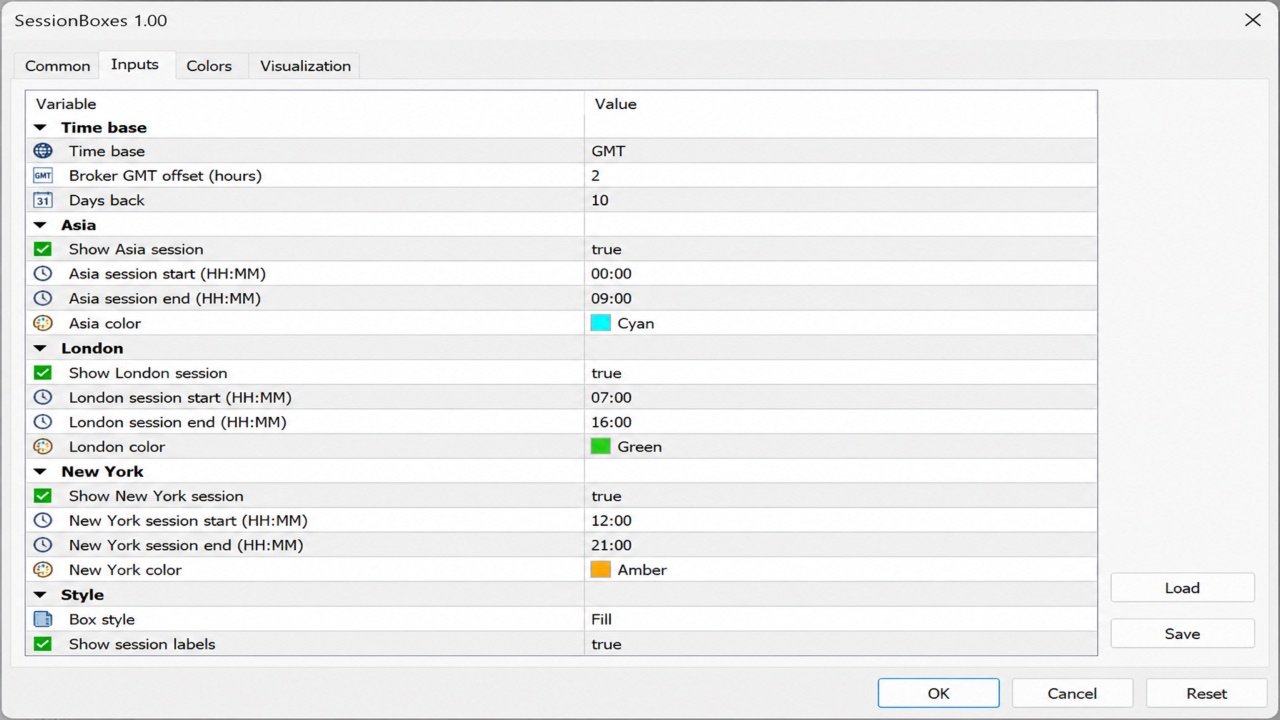
Session Box Hours disegna rettangoli di sessione Asia, London e New York. Ogni box usa high/low delle barre nell’intervallo orario configurato. Solo contesto visuale — non invia ordini né genera segnali di ingresso. Cosa fa - tre sessioni: Asia, London, New York (ognuna on/off + ore/minuti + colore); - base oraria: orologio broker/server oppure ore GMT con offset Broker GMT; - sessioni overnight (fine ≤ inizio) passano al giorno successivo; - profondità storica via Days Back (default 10); - riempimento opzionale e etichette nome; - oggetti puliti alla rimozione (prefisso SBX100_). Orari predefiniti (template GMT) - Asia 00:00–09:00 - London 07:00–16:00 - New York 12:00–21:00 Con base GMT, imposta Broker GMT offset sul GMT+N del broker, oppure passa all’ora server e inserisci le ore già in ora server. Per chi - trader discrezionali che vogliono un overlay chiaro delle sessioni; - companion gratuito di tool di rischio ed esecuzione (es. Risk Lot Calculator o Risk Trade Panel). Requisiti - MetaTrader 5; - qualsiasi simbolo/timeframe (di solito più chiaro su M15–H1). Come usare 1. Attacca SessionBoxes a un grafico. 2. Scegli la base oraria (GMT + offset oppure ore server). 3. Abilita le sessioni necessarie e regola ore/colori. 4. Usa i box solo come contesto temporale — non è un sistema completo. Note - I default sono un template FX comune, non una garanzia degli orari di borsa. - Adatta le ore alla definizione di sessione del tuo broker. - Nessuna garanzia di profitto. I box di sessione sono solo contesto visuale. Feedback benvenuto. Recensioni e commenti aiutano a migliorare il prodotto: dite cosa funziona e cosa migliorare.