Visual Tiger Speed Indicator
- 指标
- 版本: 1.0
- 激活: 5

| Visual Tiger Speed Indicator: new full-chart interface and bug fixes |
|---|
| Test it free in the Strategy Tester before buying. Questions? Send me a private message. Send a screenshot of your order and get a free expert advisor. |
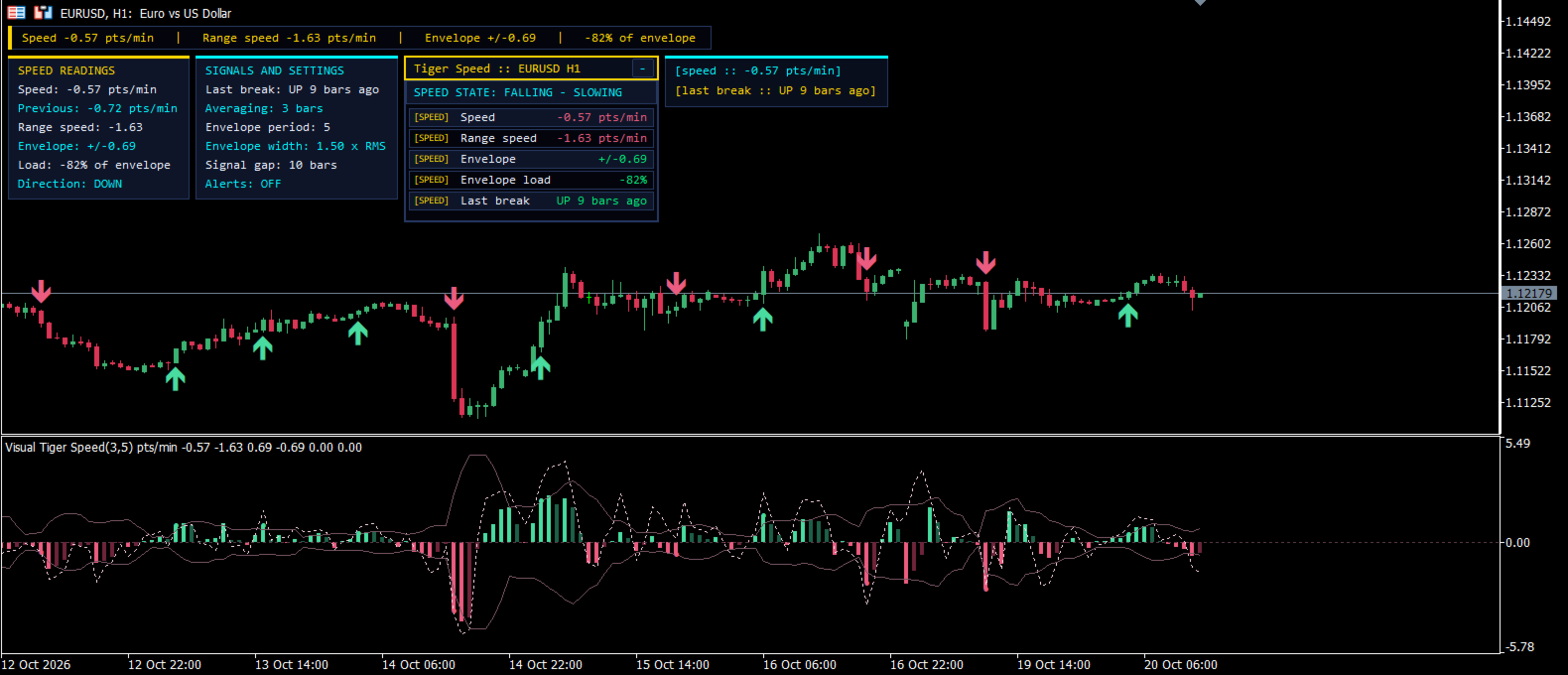
Visual Tiger Speed Indicator measures how fast price is moving, not only where it is. It averages price change over a few bars, wraps the speed in a deviation envelope scaled by its own RMS, and marks a dot when the speed breaks that envelope. A live gauge on the chart shows the current speed at a glance.
What is new
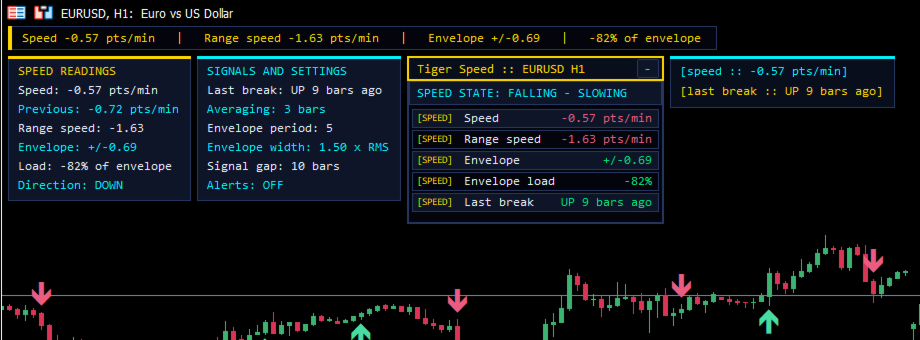
- New interface: a full-chart HUD on the left with speed and envelope readings; real data only, sized to your chart.
- Signal arrows are also drawn on the main-chart candles.
- Fixed: division by zero guard for point size and period minutes.
- Fixed: the gauge drew a huge value when the speed buffer was still empty; it is now skipped.
- Fixed: the chart sub-window lookup ran on every tick; it is now cached.
- Fixed: the gauge lagged behind; the chart is now redrawn right after each gauge update.
- Signal logic and default inputs are unchanged.
How to use it
- Attach it to any symbol and timeframe.
- A dot in the up colour means speed broke the upper envelope (strong upward push); the down colour means a strong downward push.
- Use the gauge to judge whether a move is accelerating or fading.
- Enable the pop-up alert to be notified of speed breaks.
Inputs
- Averaging bars: number of bars used to average the speed.
- Price: applied price for the calculation.
- Deviation envelope period: period of the RMS speed envelope.
- Envelope width: envelope size as a multiple of RMS speed.
- Dots when speed breaks the envelope: shows signal dots.
- Enable bars between signals: turns on signal spacing.
- Bars to wait between signals: minimum bars between signals.
- Pop-up alert on speed break: alert on a new signal.
- Up speed colour: colour of upward speed signals.
- Down speed colour: colour of downward speed signals.
- Show speed gauge: shows the on-chart gauge.