 MetaTrader 5
 专家
专家
 指标
指标
 程序库
程序库
 实用工具
实用工具
 窗口小部件
窗口小部件
 规则
规则
适用于MetaTrader 4的EA交易和指标 - 321
 EA交易自动执行市场交易,而指标可使您更准确地分析报价并预测价格行为。
通过这些应用程序,您将能够更明智地在MetaTrader 4执行交易,抓住更多的交易机会。
EA交易自动执行市场交易,而指标可使您更准确地分析报价并预测价格行为。
通过这些应用程序,您将能够更明智地在MetaTrader 4执行交易,抓住更多的交易机会。 
The Trend Confirm indicator is a set of indicators and a set of channel movements. The purpose of the indicator is to find a healthy trend and designed to confirm these trends. There are two channels in the trend. The blue channel line is used to confirm the ascending trend. The green trend line is used to confirm the downtrend.
How to use? If the trend line in the indicator goes above the blue channel line, the trend is starting to rise. If the trend line within the indicator falls below the g
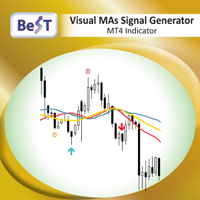
BeST_Visual MAs Signal Generator MT4 Indicator is a very useful Visual Tool that can display in the Chart all ENTRY signals (BUY and SELL) and also any corresponding EXIT signal, based on a total of 12, common but also different trading strategies, in which the Entry and Exit Signals are derived exclusively by using Moving Averages (MAs). The two main groups of MAs Strategies included in this tool are: A) Crossover Signals This group includes 4 different strategies (A1-A4), where Entry and Exi

Version 1.05 - added option to use mouse to set the Data Offset (anchor). Just hold down your SHIFT key, then double-click anywhere on the chart, then release the SHIFT key and the anchor will be set to the bar nearest to your double-click.
Version 1.04 - added fix for demo mode (i.e., operation in Strategy Tester). Use Open Prices Only and check Use Date (select a date range)
The MESA Cycles indicator calculates the power spectrum of a data series using the Maximum Entropy Spectrum Estimation m

The MESA Spectrum indicator calculates the power spectrum of a data series using the Maximum Entropy Spectrum Estimation method and produces a power spectrum plot. The Maximum Entropy algorithm, unlike a simple FFT transform, will include frequencies from the entire complex frequency plane and not just the Nyquist interval which, in general terms, means that it can resolve cycle periods that are larger than the data window passed to the function. In addition, MESA has the ability to fit very sha

BB SCALPER The BB Scalper Expert Advisor based on high move of price to detect the opportunity for buy or sell. Features spread protection slippage protection no grid no martingale a small SL for every trade SETTING StopLoss: Stop loss value for each order to protect the balance. TakeProfit: Take profit value to close order when it take the target. MagicNumber: Magic number for each order. StartDistance: The distance for pending order with price. MaxSpread: The limit spread for execute a order.
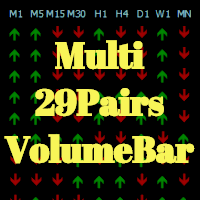
Hola Traders. This indicator Developed from VolumeBar indicator. By the signal show from the last bar complete. Show 9 time frame and 29 pairs currency. XAU,USD,EUR,GBP,AUD,NZD,CAD,CHF,JPY
The display parameters are color customizable. Original Parameters: ColorGreen - buy signal. ColorRed - sell signal. Font29PairsColor - color of font 29 pairs currency.
Thanks Traders

Oscillator Trend indicator macd, divergence and a set of algorithms is a trend indicator. The aim of the indicator is to generate signals with high reliability using the above-mentioned calculations.
The indicator is very easy to use. Red arrows give sale signal. The Aqua arrows give a buy signal. Thanks to the alert feature, you can easily reach the signals. It works without any setting. It can be used in all time frames. The recommended time frames are m15, m30 and h1.
Parameters Trendlines

Overview
The Expert Advisor allows you to receive notifications to the mobile phone (or tablet PC), mailbox or play the sound alert when some events occured: opening or closing position, placing or deleting pending order; changing open price, stop loss or take profit; the account balance, equity, margin level, free margin or drawdown has reached the user specified level. You can specify a notification interval, notification text template and audio file for sound alerts. Expert Advisor saves the
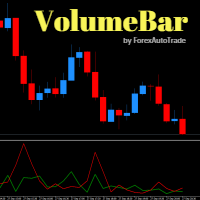
VolumeBar Hola Traders. This indicator will show line graph of each bar's volume. Indicates the volume of purchases and sales of each bar's volume. You can use this indicator with every currency pairs and every time frame. The display parameters are color customizable.
Original Parameters: ColorGreen - buy volume. ColorRed - sell volume.
Thanks Traders

这 入口点 指标是 专业信号仪表盘 它结合了多达三个时间框架内的多个技术指标,生成一个单一的指标。 整合入场信号 。交易者无需分别在不同的窗口中查看移动平均线、CCI、RSI、随机指标、比尔·威廉姆斯加速器和成交量分析,即可在一个窗口中查看所有这些指标。 直观的可视化面板 。系统独立分析每个时间段,然后应用 加权投票 根据您选择的优先级,生成清晰的 买入、卖出或强烈买入/卖出信号 当各项指标一致时。 18 种仪表盘颜色主题 通过可调节的缩放功能,显示屏能够适应任何交易设置,同时保持界面简洁易读。
核心功能
该指标最多可处理三个用户选择的时间周期(默认为 M1、M5 和 M15),并使用一系列成熟的工具对每个周期进行分析。 趋势方向 ,它最多使用五个 移动平均周期 (默认值为 5、8、13、21、34),您可以选择使用 SMA 或其他方法。 动量振荡器 – CCI(周期 14,阈值 ±100)、RSI(周期 9,水平 70/30)和随机指标(%K 14,%D 3,减速 3,水平 80/

The Sensitive Volume indicator is an indicator designed to generate trading signals. The purpose of this indicator is to generate signals from the highest probability of trading. Using a number of price movements and a set of indicator properties to generate these signals.
Easy to use, simple and understandable to the user. With alert features, user signals can be reached quickly. Visually the user can easily recognize the signals. This indicator will not repaint. Parameters Trend_Period - pe

The work of the advisor is based on the lagging properties of trend indicators. At the time of finding the price in the consolidation zones, when the technical indicators data do not correspond to the current price formations, the adviser decides on entering the market.
Each transaction has a rigid stop-loss and take-profit.
Each trade is controlled by a trailing stop. Recommended trading instruments: EURUSD 5m, GBPUSD 5m, USDJPY 5m. Settings:
Comment to order - Comment to opened orders; Take
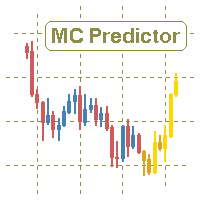
The utility refers to probabilistic analysis tools, in particular the Monte Carlo method. The Monte Carlo method is defined as the simulation of processes in purpose to evaluate their probabilistic characteristics and apply them to the solvable task.
Operation features The simulation uses a tick model with the subsequent transformation to the candles form, as a model as close as possible to the real market process. The utility generates a stream of a random tick sequence until a result with the
BinaryUniversal is a signal indicator for binary options and Forex. In its work, the indicator uses a complex algorithm for generating signals. Before forming a signal, the indicator analyzes volatility, candlestick patterns, important support and resistance levels. The indicator has the ability to adjust the accuracy of the signals, which makes it possible to apply this indicator for both aggressive and conservative trading. The indicator is set in the usual way, it works on any time period and
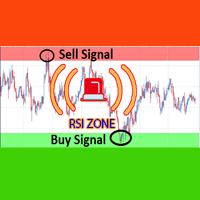
Over BS RSI Zone Alarm is an oscillator indicator which based on RSI oversold/overbought indicator.
It'll alert signal on next bar open with an audio or pop up on the chart
When RSI above 70 that the signal oversold alert.
And RSI below 30 that the signal overbought alert.
The indicator can customize Level of Relative Strength Index. Messages/Sounds (Notifications and sound settings) RSI_Period - Period of Relative Strength Index.
Level_Overbought_Zone - Level of Relative Strength Index for Ove

AlfredsSoft is a unique trading system consisting of several advisers. It was conceived as a safe portfolio for long-term investment. It includes scalp, flat and trend advisers. Not martengel, no grid, no hedging. Always uses a stop-loss and take profits, or specifies the conditions for exiting the position. Use on the EURUSD pair. Timeframe H1. Deposit 300 $ for 0.01 lot! Has successfully passed the test since 2008 with a spread (20). For better performance, use a broker with a low spread and p

This indicator shows the remaining time for the candle to close, even if the price does not change in value, the clock keeps counting backward. You can also program price alert levels using trend lines.
It can be used together with Expert Advisors and other panels, such as Controller without limit .
MT5 version
Instructions To set a price alert level, you must draw a trend line. Once the object has been drawn, it must be named so that the indicator recognizes the object. In the name, th
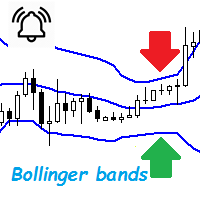
Bollinger Bands are a very common indicator in the world of online trading, this indicator gives very useful information for many forex trading strategies, but also for all other styles of strategies such as scalping and even trading medium and long term. It is calculated from a moving average calculated over n periods (20 by default). From this moving average, a standard deviation calculation is defined. By adding this standard deviation in real time to the basic moving average, we obtain the u

Mantis EA is a breakout system that uses Machine Learning/Artificial Intelligence algorithms in order to define daily support and resistance for EURUSD.
It also provides a risk management methodology by setting lot size according to the capital risk percent.
EA's params are: MagicNumber - must be unique for each EA instance UseFixedLots - true/false for selecting lot size method FixedSize - if UseFixedLots = true then the lot size will be the value of FixedSize param RiskPercent - if UseFixed

Modify BUY orders_v1.0 Managing Orders During trading, you may need to modify orders, i.e. to change stop levels or take profit. This can be done with one click with THE SCRIPT Modify BUY orders v1.0
The script modifies all orders (market ) with specified Take Profit and Stop Loss.(pip or price) If the take profit or(and) stop loss is incorrect, then the value is not changed.
Parameters SCRIPT; Take Profit (PIP) Stop Loss (PIP) Take Profit (price) Stop Loss (price)

Modify SELL orders v1.0 Managing Orders During trading, you may need to modify orders, i.e. to change stop levels or take profit. This can be done with one click with the script Modify SELL orders v1.0
The script modifies all orders (market ) with specified Take Profit and Stop Loss.(pip or price) If the take profit or(and) stop loss is incorrect, then the value is not changed.
Parameters script : Take Profit (PIP) Stop Loss (PIP) Take Profit (price) Stop Loss (price)

Virtual Scalper - the most safe for your deposit the automated adviser. Not martingale. EA uses unique innovative algorithm of an input in the transaction, based on the virtual pending orders. EA is adapted on trade on high-volatile market and economic news. Thus EA is not included into the transaction at raised spread. Minimum deposit for trade 100$ For trade the broker with low spread (from 0 - to 10 on a 5-sign) is used ECN. Pairs GBPUSD, EURUSD, USDJPY. Timeframe M1 - M5. Parametrs: Stoplo

PriceRunner 指标专为趋势检测而设计,不受意外价格飞跃的影响。 它使用价格系列和一些移动平均线来降低噪音。 它适用于多个时间范围,甚至是 M1。 为了提高效率,建议对 M1 图形使用默认参数(见屏幕截图)。 您可以更改其他时间范围的设置。 使用此指标的示例:如果黄金向下交叉至蓝色,并且黄金和蓝色均低于灰色,则可能是一个有希望的卖出信号。
要从此指标获取信号(对于专业专家用户):黄金:缓冲区编号。 0,蓝色:缓冲区编号。 1,灰色:缓冲区编号。 2个 该指标使用相同的逻辑并计算“TripleS 指标”,但它在单独的窗口中绘制,而不是在图表窗口中绘制。如果您之前卖过“TripleS 指标”,我不建议您也卖掉它。请先查看屏幕截图并对其演示进行测试。 输入参数 Period:回溯期,默认为10。 Period2:回溯期,默认为10。 Period3:回溯期,默认为21。 xfast:快速 MA,默认为 2。 xfast2:快速 MA,默认为 5。 xfast3:快速 MA,默认为 8。 xslow:慢 MA,默认为 30。 xslow2:慢速均线,默认为 30。 xslow3:慢
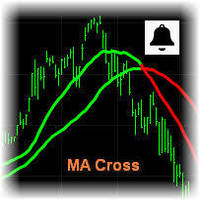
MA Cross Signal Alerts_v1.0 The Moving Average Cross displays a fast and a slow moving average (MA). A signal arrow is shown when the two MAs cross. An up arrow is displayed if the fast MA crosses above the slow MA and a down arrow is given if the fast MA crosses below the slow MA. The user may change the inputs (close), methods (EMA) and period lengths.
When two Moving Averages cross the indicator will alert once per cross between crosses and mark the cross point with down or up arrow.
Ale
Алгоритм индикатора строит уровни поддержки и сопротивления. На основе этих уровней индикатор ищет ложный пробой одного из уровней. Если условие выполнено индикатор ждет возврат в зону ложного пробоя. Если возврат произошел - индикатор выдает сигнал. Индикатор не перерисовывается. Встроен звуковой сигнал. Доступна информационная панель о торговле. Есть возможность автоматически вычислять уровни Stop Loss и Take Profit. Входные параметры Set Interval Draw Arrow - интервал уровней поддержки и сопр

This Expert Advisor is a light version of the Silver Line EA and is optimized exclusively for EURGBP. If you will use the EA on other pairs, you need to optimize the settings for best result. The EA automatically determines the number of digits in quotes. The expert advisor can work on standard accounts, ECN, cent and micro accounts. The timeframe on which the expert advisor works is defined in the settings. Therefore you can put any period on the chart or change it during work, the result is n

This Expert Advisor trades the trends, long and short. As soon as the momentum is big enough it enters a trader. When the momentum gets weaker the trade is being closed. So the Stop Loss and the Take profit is the momentum.
It is best suited for the currency pair EURJPY in H1 timeframe.
Inputs:
Lotsize: The lotsize for the trade StopLoss: Here you can set the S/L level (default: 0 = not active)
TralingStop: Here you can set the T/S (default: 0 = not active) TakeProfit: Here you can set the T/P

3S indicator designed for trend detection without the effect of accidental price leaps. It uses Price Series and a few moving averages for noise reduction. It works on multiple timeframes, even M1. To increase effectiveness, it is recommended to use default parameters for M1 graphic (see screenshots). You can change settings for other time frames. Example of using this indicator : If Gold cross to Blue down and both gold and blue under the Gray , it could be a promising sell signal .
To

MultiTimeframe (MTF) Support and Resistance Indicator is use to measure last 320 bar (user input) of support and resistance of the dedicated timeframe. User can attached this indicator to any desire timeframe.
Features: User input desire timeframe (default Period H4) User input numbers of last bars (default 320 bars) User input measurement of last HH and LL (default 10 bars) Line styling and colors. MT5 version: https://www.mql5.com/en/market/product/31983
This indicator super indicator.Indicator displays trend movement. Indicator calculates automatically bars Features
FiltPer - displays indicator period. Multiplier - displays indicator multiplier. How to understand the status: If the indicator bar is higher , trend is up. If the indicator bar is lower , trend is down. IIIIIIIIIIIIIIIIIIIIIIIIIIIIIIIIIIIIIIIIIIIIIIIIIIIIIIIIIIIIIIIIIIIIII

TraderPro is a fully automated advisor for professional trade. In his work, the adviser uses a grid algorithm with hedging positions. Hedging positions increases the likelihood of successful transactions and reduces the risk of losing the deposit. The adviser is established in the usual way on the schedule with the time period M5 and works with any trading tools. To obtain high trading indicators, it is necessary to periodically optimize the parameters of the adviser. A detailed optimization al

A trending market is one in which price is generally moving in one direction. ... When trading a trend-based strategy, traders usually pick the major currencies as well as any other currency utilizing the dollar because these pairs tend to trend and be more liquid than other pairs.
Best Trend Indicator That Tells You the Direction of the Trend
Trend MagicX_v1.1 displays the trend direction, duration, intensity and the resulting trend rating for all time frames in real time. You'll see at a

Hola Traders. Lot - lot size for pending orders. Martingale - double lot size of pending orders. *(No Martingale = 1.00) TotalGridEachSide - unit each side of pending orders. SpaceOfFirstOrder - distance for the first order in points. Take Profit - profit in points. Stop Loss - loss in points. The entire positioning uses POINTS only. (10 point = 1 pip)
and you can open order BUYLIMIT, SELLLIMIT, ALLBUYANDSELL you can Close Pending, Close orders Profit and Loss and Close All *** ideas for usin

Warning! The default input values are already optimized for EURUSD at time frame M1, spread at 16 and hedged account mode with leverage 1:100 and initial deposit of US$ 500. Always use the strategy tester optimization to set the best values for your assets, time frame, spread and account mode. It is very important and strongly recommended for successful trading. Optimize the input values as your needs. The EA's Strategy: This expert advisor uses 2 built in indicators (Zig Zag and CCI) in order t
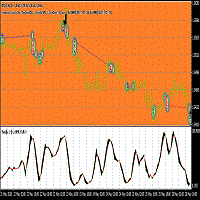
This Expert adviser uses an Oscillation of the indicator iStochastic to enter and exit trades in the form of pending Orders ,while trailing them.it also sends emails when a trade is opened long or short,it also creates euro objects of size 200.200 on the upper left corner of the chart you are trading. Here are the Parameters used in the EA double stop loss=50; double Take profit=50; double lot=1; double Trailing stop=30; double ISTOCHMINLEVEL=20; double ISTOCHMAXLEVEL=80; This parameters were

The advisor algorithm calculates the correlation between the built-in algorithms for determining the patterns of price movements. When the dynamically calculated required correlation level is reached, the adviser enters the market.
Each transaction is controlled by a short trailing stop, which accompanies each market order in both zones - profitable and unprofitable.
Advisor is recommended to use simultaneously on the following trading instruments: EURUSD M5, GBPUSD M5, EURGBP M5, USDCAD M5. P

Panel "panel_kjutaMultiTerminal" for trading. Opens, modifies, closes and deletes trading and pending orders from the chart using virtual lines, buttons and the active information terminal. Automatically opens an order by indicator levels. Hints in Russian, English or disabled. It has a number of functions for trailing virtual Take Profit lines and limit orders. Displays information on the active information terminal. Hides and includes virtual lines S/L , T / P, buttons "<>","M","X", as well a
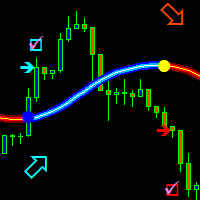
The trend is your friend! This is what this indicator is all about. Follow this famous saying and be safe.
Characteristics:
Buy/Sell signals fixed on the close of a bar. Works on all symbols and all timeframes. Clear visual market trend laser line, Buy/Sell signal arrows, market strength meter, TP1 & TP2 boxes. Visual signals when to enter, when to exit the market. No repainting. Compatible with Flexible EA for trading automation. (Ask for a free set file optimized to perform 2010-2018) Parame
Порядок работы
Cоветник работает на любом таймфрейме на любых валютных парах. При работе советника анализируется несколько трендовых индикаторов и показатели объема торгов, при возникновении необходимых условий происходит открытие рыночного ордера. Советник не открывает следующий ордер, пока не закроется предыдущий.
Советник имеет блок TrailingStop , позволяющий перемещать StopLoss за движением цены. Основным отличием этого блока от стандартного является его не линейность. В настройках вам

CloseDelet_Orders CloseAtProfit is an EA that I use only to close orders after defined profit, or loss, close all orders , also delete pending orders.
I am using it in live trading. The speed of closing depends on time when it trades, on broker you are using and symbols you are trading. INPUTS:
win_USD_All = close all orders (sell+buy) when the profit is greater than defined profit to close; win_USD_BUY = close only orders buy when the profit is greater than defined profit to cl

This is the FXTraderariel TrendTrader .It analysis the trend and displays it, due to changing the changing the candle color. It took me over 12 Year to develop this system. But it shows the market perfect. Very easy to follow, even for beginners.
It works on all Pairs and all Timeframes (however we advice only pro traders to trade smaller Timeframes, novice traders should stick to higher TF like H4 and D1).
Depending on the settings it and trading style, it can be used for scalping or long-ter
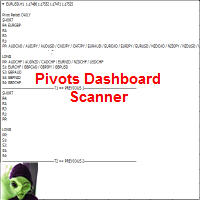
This indicator scans and displays where the currency pairs currently are in reference to Pivot Levels. You have the option to choose between Daily, Weekly, Monthly, Quarterly, and Yearly pivots. Standard Pivot Levels and Camarilla Pivot Levels formulas came from the book Secrets of a Pivot Boss: Revealing Proven Methods for Profiting in the Market by Frank O. Ochoa. It also includes all types of alert options.
Features Attach to one chart and scans all the currency pairs configured and visible
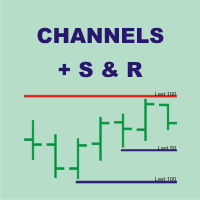
Channels + S & R Indicator (CSRI)
Indicator draws 3 channels (Large, Medium, Small) within bars’ range of current timeframe and pair / instrument. It can identify Support and Resistance levels within any chosen channel. Additionally Fibonacci levels can be drawn for Large Channel. All lines and levels can be customized by color and width.
Identify Support and Resistance Levels for any Channel:
IdentifySupportAndResistanceLevels - Identify Support and Resistance Levels IdentifySRforChannel – Ide

New Version updated(1.5) with a special trend filter!
Set file for EURUSD H1 ---> https://c.mql5.com/31/291/hendrix_ea_eurusd_h1_set_files.zip
Please Read it before start! I made an article on how to easy optimize it for your broker, pair and timeframe!
Instructions here: https://www.mql5.com/en/blogs/post/723159
Is this EA too slow for you? Take a look at the more aggressive and faster version Hendrix Turbo Grid ( https://www.mql5.com/en/market/product/38097 )
WARNING: using Hendrix EA

Sentinel Grid, is an Expert Advisor that allows you to create complex trading strategies. Things unthinkable only until some time ago. You will have total control of the operation, being able to decide to mount, for example, two equal and opposite grids to take advantage of a moment of laterality of the market, gaining if the price moves above or below the entry level. As you can opt for two Anti-Grid, always equal and opposite to take advantage of a moment of strong trend without having to gue

Price action is among the most popular trading concepts. A trader who knows how to use price action the right way can often improve his performance and his way of looking at charts significantly. However, there are still a lot of misunderstandings and half-truths circulating that confuse traders and set them up for failure. Using PA Trend Reversal will be possible to identify high probability exhaustion moves of a trend. ️ AVOID NEWS AND SPEECHES - most of the bad signals are during the news/sp
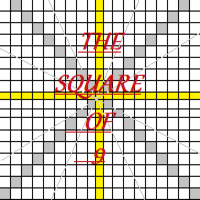
Welcome all to the famous Gann's "Square Of 9"!! This method was used by one of the best traders in the history, a person who made his way among the top traders. An "Holy Grail" for whoever wants to learn trading. The "Square of 9" was used by this genius to find the market's future supports and future resistances. Nowadays is possible to find them with just a click, thanks to softwares. At the time Gann was using just his set of square and goniometer!! Gann describes, partially, the tecnique on

This is the FXTraderariel F.U.E.L . It scans the market for opportunities and shows a buy or sell signal.It uses price action and VIX to find the best opportunities. Depending on the settings it and trading style, it can be used for scalping or long-term trading . The indicator can be used on every time frame , but we advise to use it on H1 and H4 . Especially if you are a novice trader. Pro Traders can also you use it for scalping in smaller timeframes (M1, M5 and M15). This indicator is not a
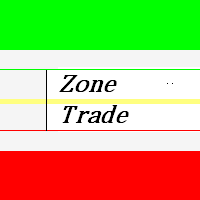
This indicator zone indicator.Indicator displays high and low zone.
Features Green color - Shows movement on the high zone.
Red colr - Shows movement on the low zone. Yellow colr - Shows movement on the zero zone.
How to understand the status:
If the bar is higher than the yellow color line , trend is up. If the bar is lower than the yellow color line , trend is down.

Indicator FiboZag - transfer the indicator to the chart and the Fibonacci levels will be built automatically on the last ZigZag turn. The main advantage lies in the correct construction of Fibonacci levels and markup of price levels. Simple, visual and effective use. The indicator is not redrawn and does not lag. Works on all currency pairs and on all timeframes.

Hrumer Alpha - a fundamentally new forex indicator, which is built on the algorithm of tracking the peak values of the price. This is not ZigZag and not Fraclals and despite the visual similarity, does not have anything to do with these indicators. It does not redraw its values and works from the zero bar, that is, with Open [0]. He quickly reacts to any changes in the price and informs the trader about the reversals. Works on all currency pairs and timeframes. You can use for long trading,

Hola Traders. Lot - lot size for pending orders. Martingale - double lot size of pending orders. *(No Martingale = 1.00) TotalGridEachSide - unit each side of pending orders. SpaceOfFirstOrder - distance for the first order in points. Take Profit - profit in points. Stop Loss - loss in points. The entire positioning uses POINTS only. (10 point = 1 pip)
and you can open order BUYSTOP, SELLSTOP, ALLBUYANDSELL you can Close Pending, Close orders Profit and Loss and Close All *** ideas for using

Lite version of Muholov Trend Trader Multicurrency trend advisor. Analyzes and trades up to 8 trading instruments simultaneously. Always follows the trend. 4 timeframes are taken for analysis: W1, D1, H4, H1. The main trend is determined by the highest selected timeframe (W1, D1, H4 - selected by a trader in the settings). Transactions open with a signal on H1. Closing orders takes place by take profit or by chains, when the specified profit of the chain is reached (specified in the settings).

Neuron One
is a masterpiece EA, jointly developed from 9 champion forex traders together with our programmers and software. We approached those 9 champion forex traders, who have almost 10 years-experience in forex trading to corporately generate a powerful EA.
During 4 years of developing Neuron One, 9 forex champions have applied their best strategies to our EA. Moreover, our programmers have been optimizing the trading strategies using our ultimate software to maximize the efficiency of EA.
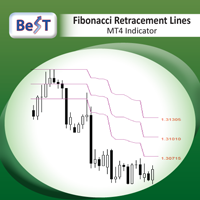
BeST_Fibonacci Retracement Lines is an MT4 Indicator that by default is based on common Fibonacci levels but it can also draw any 3 desired levels of Retracement or Support of a trending move. It can be used to identify pullback points but also additionally as a kind of a Trailing Stop . BeST_Fibonacci Retracement Lines indicator: • by default draws 38.2%, 50% and 61.8% Retracement Levels of the current price move defined using the Highest High (HH) and Lowest Low (LL) of a desired Look Back Pe

The expert implements the strategy of "catching tails", earning on inevitable corrections after the beginning of a powerful trend. For the beginning of the trend, the moment of occurrence of a strong directed candle is taken. The order is opened in the opposite direction from the trend. If the price continues to go on a trend, then the level of the planned profit is shifted by implementing a grid of warrants, waiting for an inevitable correction or reversal of the trend.
The input parameters in

The script opens a separate window and displays information about the current open positions in it.
The informer will be useful to those who operate with a large number of positions open on different instruments in different directions.
It allows you to quickly decompose the loading of the deposit by instruments, visually identify the most tense places in the aggregate position. For the exposed stop orders, it calculates the total risks and goals.

ATRA EA is based on our ATR Accelerator Indicator. Strong Price Movements will be used as Trade entry. ATRA EA gives you a really powerful framework to run your Trading-Strategies Features:
Different Exit Strategies Trailing Take Profit Exit by MA Cut Exit by Signal Change Risk & Money management Balance based dynamic Lot calculation Define your own Risk percentage of minimum free equity Track Long run Trades -> set new TP after a defined time News Filter integrated, to prevent miss trades on
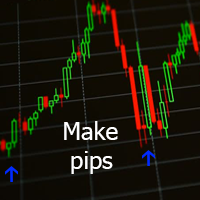
Данный индикатор отмечает участки разворота тренда, в точках разворота давая сигнал на вход в рынок в виде стрелок соответствующего цвета и направления и звукового оповещения. За расчет точек разворота отвечают классические технические индикаторы Bollinger Bands и MA . Расчет MA производится не по периоду, а по объему контракта разделённому на цены OHLC. Индикатор не перерисовывается.
Входные параметры Show Text Label - показывать текстовые метки Set Stop Loss - показывать расстояние до Stop

The Sensitive Oscillator indicator is designed to find trends. It recognizes trends with its own algorithm and changes color. Finds trends relative to the degree of sensitivity. You can use it in all time periods. You can use this indicator alone or in conjunction with other indicators suitable for your other strategies.
Transaction strategies You can do breakout strategies with this indicator. Each time you change colors, you can enter the process. You can use it in the long run by putting sto
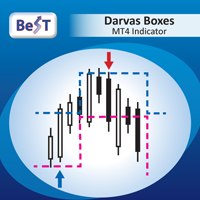
BeST_Darvas Boxes is an MT4 Indicator based on the trading method developed in the 50’s by the Hungarian Nicolas Darvas . BeST_Darvas Boxes indicator draws the Top and the Bottom of every Darvas Box that can be confirmed on the current Chart. draws Buy and Sell Arrows for every confirmed Upwards or Downwards Breakout of the above levels. draws always only after the bar closing and so is non-repainting or backpainting .
Note : Every customer who wants to have the older version v_1.75 with th

Gegatrade Advanced EA is a state of the art Cost Averaging system It is secured by a built-in “ News WatchDog ” that suspends trading during news events
the EA has lot of preset configuration files that can be downloaded from its Blog For full description visit the Blog : https://www.mql5.com/en/blogs/post/720582
Trading Strategy
The EA uses different strategy to each pre-set file which can all be downloaded from the Blog
Gegatrade Advanced is open for the user to define his own strateg
Iterative Moving Average – IMA. IMA is obtained by correcting the usual MA. The correction consists in addition to MA averaged difference between the time series (X) and its MA, i.e. IMA(X)=MA(X) + MA ( Х -MA(X)). Correction is done in several iterations (and, exactly, 2 iterations in this indicator) and with a change in the averaging period. As a result, the time-series points begin to cluster around (on all sides) of the getting IMA and with a smaller de

This is a script used for placing pending orders. However, this does not create a trivial grid of orders, but a little "thinks and counts" ;) The general idea that guided me when writing this script is the concept of playing the demand and supply zones by setting pending "limits", but with a predetermined level of risk that I accept. Operating principles: - put a rectangle on the graph, which is supposed to reflect the "zone" we are going to play, - drag the Pending_Orders_1v6_Rectangle script t
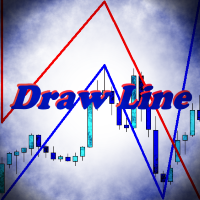
Indicator Draw Line, is a utility for drawing in the chart trend lines, connecting together and following one after another. It will be especially useful for traders who use in their trading wave analysis. Above the graph are buttons for switching the basic settings: Calling the color bar, Turning the indicator on and off, Turning the sound on and off, Clearing the chart from the created objects. With the rest of the settings will not be difficult to understand. Use your health!
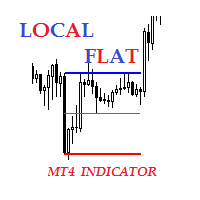
Description The indicator of local flat. The indicator allows to find local flats in the following options: Width of channels that is not more than certain number of points Width of channels that is not less than certain number of points Width of channels that is not more and not less than certain number of points The indicator displays the middle and boundaries of the channel. Attaching multiple instances of the indicator to the chart with different ranges leads to displaying a system of chann

Все трейдеры знают, что без статистики работать нельзя и ведут статистику на бумаге или используют интернет ресурсы. Индикатор "VG-Statistics" создает статистику по истории Ваших сделок. Для правильной работы нужно выбрать нужный период в истории сделок и нажать кнопку "Развернуть" в левом углу графика, по умолчанию будут подсчитаны все сделки загруженные в ваш терминал с учетом комиссии и свопа, для подсчета например только "EURUSD" установите индикатор на график "EURUSD" и в настройках изменит

Pro Strong Trend is an indicator that generates trend signal. It generates trend signal with its own algorithm. These arrows give buying and selling signals. The indicator certainly does not repaint. Can be used in all pairs. Sends a signal to the user with the alert feature.
Trade rules Enter the signal when the buy and sell signal arrives. Processing should only be initiated when signal warnings are received. It is absolutely necessary to close the operation when an opposite signal is receive
Signal Arrows is an indicator that generates trade arrows. It generates trade arrows with its own algorithm. These arrows give buying and selling signals. Can be used in all pairs. Sends a signal to the user with the alert feature. The indicator certainly does not repaint.
Trade rules Enter the signal when the buy signal arrives. In order to exit from the transaction, an opposite signal must be received. It is absolutely necessary to close the operation when an opposite signal is received. The
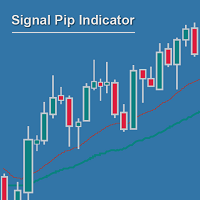
Measuring the distance between two MAs can be much more powerful and reliable than waiting for crossing MAs, and then again for confirmatory setups... If you no longer want to wait for MA crosses as being too late for good entry positions, you are right with the Signal Pip Indicator.
You are supposed to set an alarm for the distance between two MAs, fast & slow, whereas a 3rd confirmatory MA can be added as additional trigger & a fourth to filter out.
You are able to select to be alerted when t
您知道为什么MetaTrader市场是出售交易策略和技术指标的最佳场所吗?不需要广告或软件保护,没有支付的麻烦。一切都在MetaTrader市场提供。
