 MetaTrader 5
 专家
专家 指标
指标 程序库
程序库 实用工具
实用工具 窗口小部件
窗口小部件 规则
规则适用于MetaTrader 4的EA交易和指标 - 325
 EA交易自动执行市场交易,而指标可使您更准确地分析报价并预测价格行为。
通过这些应用程序,您将能够更明智地在MetaTrader 4执行交易,抓住更多的交易机会。
EA交易自动执行市场交易,而指标可使您更准确地分析报价并预测价格行为。
通过这些应用程序,您将能够更明智地在MetaTrader 4执行交易,抓住更多的交易机会。 
News Robo Expert Advisor 是一个强大的工具,旨在帮助新闻交易者在新闻发布期间打开带有隐藏止损的挂单。它提供多种功能,可增强您的交易体验并保护您的交易。 News Robo 的主要功能之一是隐藏止损,这对于喜欢向做市商经纪人隐瞒止损的新闻交易者来说是理想的选择。一旦实现盈利头寸,止损会自动显示,让您有效地确保您的收益。此外,Expert Advisor 采用适当的风险管理技术来确保您的交易资金受到保护。 使用 News Robo,您有两种打开挂单的选项:快速模式和时间模式。快速模式使您能够根据默认设置快速打开挂单,如果您忘记手动设置消息时间,则提供了一个方便的解决方案。另一方面,时间模式允许您指定打开挂单的确切时间,提供更多的灵活性和自定义。 Expert Advisor 的设计具有用户友好的设置,使所有经验水平的交易者都可以使用它。您可以根据您的交易偏好轻松配置手数、最大风险、追踪止损、止损、获利和放置挂单的距离等参数。 EA 还提供快速活动,确保在新闻事件期间及时执行交易。它提供通知警报,让您随时了解重要的市场动态,即使您没有主动监控您的交易平台。 为了进一步
An indicator of round levels. A range of important price levels with sound and text alerts, which are generated when the current Bid price of a currency pair is equal to a round number. This indicator visually shows the trader true support and resistance levels, which are used by most of traders and trading robots. The advantage provided by this indicator is that the trader using this indicator on a chart does not need to draw any additional levels. Round price levels represent a certain barrier

This Expert Advisor is designed for working with all major currency pairs on all timeframes (M1-D1). Micro Martingale is a flexible concept of Martingale, which can work as Full Martingale (Average closing) or Martingale combined with trailing, stop loss and take profit, depending on parameter settings. Orders are triggered based on mathematical algorithms of price correction/reversal. The Expert Advisor will work better during high fluctuations.
Warning Martingale System is at high risk. For t
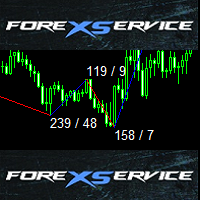
This is standard ZigZag indicator with some cool additional features - colored range, amount of pips between highs and lows and also amount of candles between indicator range.
Default ZigZag indicator variables depthZigZag deviationZigZag backstepZigZag
Bullish market variables lineUpColor - line color lineUpStyle - line style lineUpWidth - line thickness textUpColor - color of text with amount of pips and candles textUpFont - font of text with amount of pips and candles textUpSize - size of t
Stochastic Dashboard is an information panel which allows you to have a global market vision through a stochastic indicator. Stochastic Dashboard analyzes and tracks all the assets you want to invest in. Take advantage of this useful dashboard where you can open in a few seconds the chart and quickly invest in it.
Main features of Stochastic Dashboard Graphical panel that allows you to know the situation of many assets. 7 different stochastic situations to discover when an asset is overbought o
This indicator is based on the Stochastic on one or more timeframes and on any Currency Cross Pair. The indicator generates an alert message when it detects a buy or sell signal. It also draws a vertical bar on the price chart: green for buy or red for sell, yellow if flat. Alert messages and Vertical bars for BUY or SELL, are generated when the Stochastic is consistent for all chosen timeframes else a FLAT signal is generated.
Features Easy flexible settings: Detection of the Stochastic signal

This Expert Advisor is based on a scalping strategy that uses Moving Average Envelopes Indicator . The Moving Average Envelopes indicator reflects the price overbought or oversold conditions, which help to identify the entry or exit points as well as possible trend break-downs. The moving average envelopes consist of an upper envelope placed above, and a lower envelope placed below. The distance between the moving average envelopes or the width of the bands/channels based on the volatility measu

SDX is our latest and most advanced dashboard for manual trading. The app is based on our proven grid platform and offers unique trading opportunities for both experienced and new traders. This unique combination of innovative tools is designed to simplify the trading process and to give you real advantage. The system is ideal for short term trend following, counter-trend trading and scalping on the Forex market.
Main Features Ability to work simultaneously with 10 pairs from one screen. Abilit

The Momentum Channel indicator works according to the daily price index. The indicator is used to analyze the parity price. This analysis is done through channels. channels are used to find trend return points. The indicator has 3 channel lines. these are the lines at 30, 50, and 70 levels. The 70 level is the overbought territory. Price movements in 70 and above indicate that the chart will fall in the near future. Price movements at 30 and below indicate that the chart will rise in near future
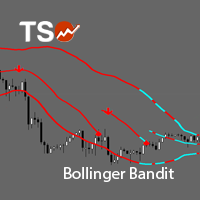
TSO Bollinger Bandit Strategy is an indicator based on the Bollinger Bandit Trading Strategy as presented in the book Building Winning Trading Systems with TradeStation by G. Pruitt and J. R. Hill. SCANNER is included . Now with Scanner you can find trading opportunities and setups easily and faster.
Features A complete entry and exit strategy for trending markets. Get email / push notifications when an entry signal occurs. The indicator is not repainting. Can easily be used in an EA. (see For

SFO Trend Racer system is a trend indicator created by the CEO and Founder of " Simple Forex Options ", Tevin Marshall . It serves 6 different functions all in one. It shows the trader the entry signals as well as exit signals, whether it is a take profit or a stop loss. It also uses trend filters and signal confirmations so that the trader is able to make the most logically fit decision. Trend Racer uses various filters and specific settings from a plethora of indicators. The beauty in this ind

Compas - is a fully automatic intraday trading robot, that trades mainly in the Pacific session. The EA Compas is safe and trades one order with a fixed Stop Loss. EA Compas is suitable for investment accounts that require reduced risks. The performance of EA Compas should be evaluated over long distances.
The default settings are for GBPCAD M1
Setting For the operation to be correct, follow the instructions: To download the news list, it is necessary to add http://ec.forexprostools.com to th

CCI 行动专家顾问 是一个强大的工具,旨在自动化 CCI(商品通道指数)策略 ,允许交易者利用 CCI 水平触及。凭借其用户友好的设置和强大的风险管理系统,该 EA 为希望将 CCI 指标纳入其交易方法的交易者提供了可靠且高效的解决方案。 该 Expert Advisor 的主要特点之一是其适当的风险管理系统,可帮助交易者保持对其交易资本的控制。通过指定手数和最大风险占总保证金的百分比,交易者可以有效地管理他们的市场敞口并保护他们的投资。 EA 完全自动运行,根据预定义的 CCI 级别参数执行交易。当达到指定的 CCI 水平时,EA 相应地打开订单,允许交易者利用 CCI 指标识别的潜在市场变动。这种自动化为交易者节省了时间和精力,因为他们不再需要手动监控市场的 CCI 信号。 为了保障利润,EA 交易会自动调整止损水平,随着交易的顺利进行将其移至盈利方。此功能有助于保护收益并确保利润得到保障,同时最大限度地减少潜在损失。此外,隐藏的止损水平通过防止其他市场参与者成为目标而增加了额外的安全层。 EA 结合了基于流行规则的信号过滤,使交易者能够通过将其与特定的 CCI 指标信号对齐来增

This panel is designed for quick visual search for the price action patterns on several instruments simultaneously. It is possible to add and remove instruments. Clicking the signal button allows you to quickly move to the chart with the identified pattern and timeframe. The panel searches for 8 candlestick patterns: PIN-BAR, EXTERNAL BAR, INSIDE BAR, DOJI, LEVEL, HIGH/LOW OF N BAR, FAKEY, ONE-WAY N BAR. Any of the patterns or the periods can be disabled by clicking its title. It can also search

Schrodinger trading machine is an Expert Advisor (robot) for any financial instrument on MetaTrader 4 platform. Both main input parameters (N and M) are optimized for EURUSD H1 . Of course, you are able to optimize these parameters for any currency pair and timeframe. For example, the main input parameters for GBPUSD H1: N = 5.0 and M = 12 The main input parameters N and M can be any positive numbers. These are input parameters (weight coefficients) of the one layer neural network. N is a double
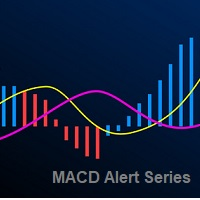
The Moving Average Convergence Divergence Indicator (MACD) is both a trend–seeking and momentum indicator which uses several exponential moving averages set to closing prices to generate trading signals. We added several types of alerts to aid in your search for better opportunities in the market.
Product Features Email Alert Sound alert Push Notification (Alerts can be sent to your mobile phone) Signs on chart Alert box Possibility to work with both histogram and visual line Alert on zero hist
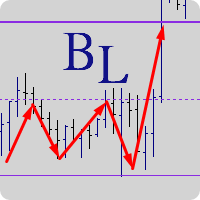
"Balance cost" analysis method Created by Trader AFI_man. The BalanceLines indicator plots balance levels for a given time interval. The balance line divides the market volume into sellers (above the balance level) and buyers (below the balance level). In any movement, if the price is fixes above the balance level, there comes a moment when sellers are unable to hold off buyers, which leads to a growth. Similarly, when the price is fixed below the balance level, there comes a moment when buyers

GUME Simple Entry indicates the buy and sell entry points of all instrument by analyzing the market movement. It is designed to indicate entry points for any currency pair and all trading periods. It is optimized for M5 for scalping and M15 and higher periods for long term trading. It is also optimized for EURUSD, GBPUSD, GBPJPY, EURJPY and XAUUSD. It is designed to display a colored arrow up or down for buy or sell signal respectively for convenience and ease of use.
Indicator Parameters time
This specific indicator is designed to solve one specific problem : In case the connection to the broker's server is lost, remember when the connection was lost, and at what time the connection was resumed. Thus, the user sees the time when there was no connection to the broker's server . An Alert box is displayed on the screen, which records when the connection was lost and resumed. Of course, the indicator will not react to slight losses of packets. For better visualization of the indicator op

This Expert Advisor's main strategy is based on the usage of two kind of indicators: two built-in shifted RSI to measure the asset prices oscillations and a Parabolic SAR to check the prices trends. It combines these indicators signals in order to get stronger signals and ensure the EA will do good trading operations. The second strategy consists of sending a new opposite order against a losing order since it reaches the minimum negative profit defined by the "Minimum Loss Value to Reverse (in c
The Expert Advisor's operating algorithm is based on a priori known truth 'The price does not stand still'. We add math and logic to this truth and receive an Expert Advisor, which allows catching almost all the movements in the market. When an order is opened, a breakout Stop order of a larger volume is set instead of Stop Loss. If the price reaches this order, another pending Stop order of a larger volume is placed. This approach is called Swing or Pendulum Swing . Double Swing uses this appro

The Average Daily Range shows the dynamic levels of average pip range on a pair measured based on the daily Highs and Lows over a certain periods. You can use the ADR to visualize potential price action outside the average daily move. When ADR is above average, it means that the daily volatility is higher than usual. The ADR can be helpful in setting targets for positions. If the ADR shows you that a pair has an average daily range of 80 pips, then it might be wise to tighten up your target

InvestorPRO is a stable Expert Advisor for professional traders. The EA trades in a fully automated mode. The trading algorithm of the EA is based on analysis of numerous factors that affect the dynamics of an instrument. This EA has been created to provide the trader with a comfortable environment for investment in the financial instruments of the Forex market.
The EA is installed in the usual way and is suitable for trading any trading symbols. The EA is designed for trading on the D1 timefram
The utility is created to assist traders. How it works
Changes in the balance are displayed as a green or red line on the screen. The market entry moments are displayed on the chart both for current deals and deals in history. If there are several orders of the same type, the utility calculates the average price and marks it with white dashes. The utility can send a report on balance change to the user's email.
By user's command Modification of all TP (SL) of Selected orders on the Current pair

This robot uses its own built-in oscillator and other tools to measure market movements (volatility, speed, power, and direction). At an appropriate time, it places an invisible pending order on the market, which it continues to work with according to the set TradingMode. It is recommended to use a fast broker with low fees, accurate quotes and no limitation of stop loss size. You can use any timeframe.
Features spread protection slippage protection no grid no martingale a small SL for every tr

Turbo Scalp is a scalper based on mathematical analysis of the market situation, for working under any market conditions. The scalper moves along the expected trend line and closes positions at a trend reversal. The EA uses an algorithm based on rough mathematics to determine the expected trend line. The EA does not use any indicators. The EA trades around the clock. When deals in one direction is closed, it opens deals in the opposite direction.
The EA is most suitable for working on the EURUS
Manage your risk and make your trading easier A free version with no restriction, only limited up to 20 trades, is available here . With Fx Easy Trade you can create orders easily and system will calculate automatically the position size, create statistical report, draw supports and resistances on all timeframe you have in one click, create alerts, send notification, scan the market, etc. More details below. Define your risk in euro or dollar (for example, 20€), and the system will calculate pos

NC Strength EA 是一个趋势EA系统,支持单一货币或多货币操作。 根据价格走势判断趋势反转完成订单。 可灵活设置风险等级,当然了,风险与利润往往是成正比的。
参数 MoneyManagementType:资金管理模式 Risk:资金风险的百分比 Lots:订单手数 MagicNumber:图表唯一标识(多图表请设置为不同数值) RiakLevel:风险级别,分为Low,Standard,High三种模式,级别越高风险越大,可能获得的利润也相对越高 StopPercentage:最大亏损控制
设置 当MoneyManagementType设置为Auto时,将按照Risk自动设置订单手数 当MoneyManagementType设置为Fixedlot时,将按照Lots固定设置订单手数 RiskLevel设置为Lowlevel时可能发生的回撤最低,但是利润也会相对变少 RiskLevel设置为High时可能发生的回撤最高,但是利润也会相对较多
推荐货币对和图表 H1:AUDCAD,CADCHF,AUDJPY,GBPUSD,EURGBP,CADJPY,GBPAUD,AUDNZ

该指标显示其他(和非标准)时间范围的最高价/最低价/开盘价/收盘价 - 年、6 个月、4 个月、3 个月、2 个月、月、周、日、H3-H6-H8-H12 小时 M45 M90。 您还可以设置打开蜡烛的班次并构建虚拟蜡烛。 这些时间范围之一的“周期分隔符”以垂直线的形式提供。 可以针对当前或先前水平的突破(突破昨天/上周的高点/低点等)配置警报。 您还可以将所有级别向右移动一个周期。 也就是说,当前周期将显示前一周期的最高价/最低价.
参数 Number of levels to calculate (0-all) — 屏幕上将显示多少条。 Change the opening of bars (hours) — 将蜡烛的开盘移动 n 小时。 该指标将根据新的开盘时间绘制虚拟柱。 MN1 以上的周期不会改变。 Move the levels to the right — 将所有级别向右移动一格。 您将看到当前蜡烛的先前水平。 Period Separator (vertical lines) — 显示垂直线、周期分隔符。 Show High Lines (trigger for

This long-term trading system works on 9 pairs and timeframe. The Expert Advisor uses various trading systems, such as trend trading, counter-trend trading and others. The EA has the built-in smart adaptive profit taking filter. The robot has been optimized for each currency and timeframe simultaneously. It does not need arrival of every tick and high execution speed. The EA works with all brokers. EA uses economic news. No martingale, grid and other risky strategies. Use multicurrency testing

This Expert Advisor trades only following the market directions. So if the market goes north buy positions will be added, and if the market goes south sell positions will be added to a specific number of pips from the last entry. If a market range is set the expert will not open another position but wait for the breakout. The open positions are managed until they are closed with a profit. You can limit the number of opened positions. Only one position can be opened on a bar. A useful tool when t

Round Lock 是一款具有动态仓位锁定功能的智能交易系统。Round Lock 是一款具有动态仓位锁定功能的智能交易系统,它是一款先进的交易系统,采用双向订单锁定策略,仓位逐步增长,并根据市场动态调整。 圆锁的优点: 通过锁仓进行风险控制, 市场趋势领域交易量的动态增长, 根据限制设置灵活的行为, 适用于平缓和趋势阶段,在每种情况下优化结果, 具有保护机制的平均策略和电网方法的自动化。 MT5 version -> HERE / Problem solving -> HERE 顾问会开立两笔反向订单。当其中一笔订单盈利平仓后,顾问会重新开立两笔订单,订单量会根据 Multiplier_Volume 乘数和顾问开立的订单数量而增加。每开立一笔新订单,顾问都会以相同的交易量开立订单,并相互锁定。开立订单的过程会持续到同类型的订单数量达到 Limit_for_orders 的数量,届时顾问只会增加网格,而不会锁定。 Round Lock 的工作原理: 顾问开设一对方向相反的订单(买入/卖出),从而固定仓位并控制波动性。 仅当前一对订单中的其中一个通过获利平仓后,才会开设新的一

Everlasting Grid Expert Advisor is a grid scalping robot and is able to work with any currency pair on M15 timeframe (currencies with lower spreads are preferred). It uses Moving Averages to find trend and place orders. If it is a false signal, the robot places a recovery grid orders to recover the losses. All the positions are closed when it reaches the target profit defined in settings.
Requirements Optimized to work on EURUSD M15. Minimum recommended deposit is $3000. An ECN broker with low
The Signal SASON indicator is designed to generate trading signals. It works to find potential trade entry points. The signals are found by analyzing a series of candlestick movements and a set of algorithms. This indicator calculates the reversal points of the pair you are using. It does not have deceptive properties like re-painting.
Rules and Features When a signal arrives, it is recommended to use take profit and stop loss level. Use timeframe M15 and up. It works on all currency pairs, exc

Crossover Action Expert Advisor 是一种高级工具,旨在自动执行最流行的交易策略之一,即 移动平均线交叉策略 。凭借其直观的界面和强大的功能,该专家顾问消除了手动交易的复杂性,并根据移动平均线交叉自动执行交易。 该专家顾问的主要特点之一是其适当的风险管理系统,确保以适当的手数和最大风险限额执行交易。这有助于保护您的交易资金并最大程度地减少潜在损失。 专家顾问完全自动运行,无需人工干预。它利用潜在的趋势逆转或延续,在移动平均线交叉处开单。此外,随着交易的进行,它会自动调整止损水平以保护利润。止损水平是隐藏的,为您的交易增加了一层额外的安全保障。 为了增强信号的可靠性,专家顾问应用了先进的过滤技术。这些过滤器有助于消除错误信号并提高交易策略的准确性。通过合并这些过滤器,专家顾问确保只对最可靠和高概率的交易机会采取行动。 专家顾问的用户友好设置使配置和适应您的特定交易偏好变得容易。您可以自定义参数,例如手数、最大风险、移动止损、止损、获利等等。这种灵活性使您能够根据您想要的风险回报概况和交易风格调整专家顾问。 总之,Crossover Action Expert

One Click Trader is a tool designed for MetaTrader 4 platform, which enables you to take your trading to the next level. It enables you to open, manage and close your trades in simple an efficient way by just one click of your mouse button. Up arrow minimizes the OCT panel Down arrow maximizes the OCT panel Right arrow displays the next panel with additional features Left arrow hides the panel with additional features Red SELL button enables you to open short market orders Red SELL STOP button e
Heterodyne 外差是基于强度指数指标 (RSI) 的振荡器。将指标读数的当前值与指定周期内的最大和最小指标值进行比较,并计算平均值。指标读数也使用移动平均 (MA) 方法进行平滑处理。买入信号是指标自下而上穿过给定水平,卖出信号是指标自上而下穿过给定水平。
设置 RSIperiod - 指标周期 系数 - 查找最大值和最小值的系数 中线——信号线电平 Applied_Price - 使用价格 MAPeriod - 平滑期 MAMethod - 抗锯齿方法 警报 - 启用包含自定义数据的对话框 Text_BUY - 购买信号的自定义文本 Text_SELL - 卖出信号的自定义文本 Send_Mail - 将电子邮件发送到“邮件”选项卡上的设置窗口中指定的地址 主题 - 电子邮件标题 Send_Notification - 向在“通知”选项卡的设置窗口中指定了 MetaQuotes ID 的移动终端发送通知。

The indicator has the following features Predictive Trend (Histogram) - it uses an advanced predictive probability and statistics calculation plus linear regression to know the possible trend. This must be used with at least 3 timeframes for a more accurate reading of the trend: D1, H4, H1. In some cases (subjective), you may want to use M5 for a more precise reading. Velocity (Dotted Line) - Green dotted line indicates a speed of price movement upward. Red dotted line indicates a speed of price
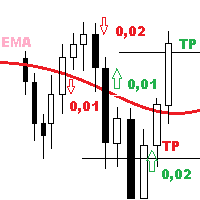
UniMartin is a universal Expert Advisor combining trend strategies, grid and martingale. The EA trades in the trend direction, making decisions based on the MA indicator (at least TrendBars amount of bars should closer for a trend to appear). If averaging is necessary, the minimum step is set for the EA. The decision on the need for averaging is made based on original methodology for determining the market volatility (the CoeffOfVolatMarket parameter can be changed from 0 to 10 with any intermed

Boxy Trader is a trading robot, which is not using indicators. The Expert calculates and trades the tops and the bottoms of the current swing with more than 70% success rate. Its robust risk management system is the key of its success. This system works on all instruments with no restrictions. Usage of Stop Loss and Take Profit, always . No martingale, no grid, no hedging. Suitable for deposits starting at $100. 100% made in Spain. Stable results, tested since 2003. Testing, determining risks an

Special Trend Oscillator is an indicator designed to detect trend change points and measure the power of the current trend. This indicator is a different model of the MACD indicator. The indicator has two channels. The blue channel is the upper line of the upward trend. The red channel line is the underscore of the downward trend. Buy when the trend line reaches the red line. Sell when the trend line reaches the blue line. Our Popular Products Super Oscillator HC Cross Signal Super Cross Trend S
The Expert Advisor calculates the divergence on the current and higher timeframes. In case the divergences coincide, the EA starts its operation. Deals have strict take profit and stop loss levels. Each deal is managed by trailing stop. The strategy involves the use of a tight stop-loss. Therefore, losing deals and/or series of losing deals are not uncommon. This EA is not suitable for those who have difficulties coping with losing deals. The EA is recommended for simultaneous use on the followi

Big Pineapple is a martingale Expert Advisor with a great diversification of operations and different systems working on 27 pairs. This increases the chances of sustained growth and reduces exposure to a single pair. The risk is very controlled. Unlike other martingale EAs, this EA is very safe with very low drawdown. The minimum deposit is 10,000 USD with 0.01 initial lot size. If you want to run it in a smaller account, you could open a cent account and run it with at least 100 USD. The EA doe

Harrow Race is an Expert Advisor that has been developed based on Harrow Order. This is the high risk version of Harrow Order, which uses decreasing Anti-Martingale lot for real orders, and increasing Martingale lot for virtual orders. This EA is for traders who are brave enough to take risk with the Anti-Martingale method. For more information about Harrow Order, you can read https://www.mql5.com/en/market/product/28456 . This EA works using the same principle as the Harrow Order. When the pric

You can now use the conventional price charts to display Renko bars. This indicator can send dialog boxes with alerts, push notifications to mobile devices and emails. You can easily use this indicator to create Expert Advisors, because the indicator uses buffers.
Indicator parameters Renko size, points - size of Renko bars Arrows gap, points - distance to the signal arrows Alerts - true/false - use pop-up alerts when signals appear Push notifications - send Push notifications to the mobile ter

Harmonic Master Scanner is a dynamic tool that helps harmonic traders to identify and draw harmonic patterns on the chart. Harmonic Master Scanner is a software designed to work in MetaTrader 4. Harmonic Master Scanner works based on original MetaTrader 4 Zigzag indicator and the standard harmonic patterns elements. This software can send alert and email to you when a Harmonic pattern is detected on any charts. The entry point is the "D" point. The scanner only shows the present pattern one by o

StarEA is an Expert Advisor based on the StarBot utility. The EA opens orders when the price passes trade levels calculated on the average volatility for the previous day. Stop Loss is set to the opposite level. Take Profit is not set, as the EA continues to monitor the distances covered, and partially closes the order by three levels. The EA works on the Н1 timeframe. Currency pairs: GBPUSD, EURUSD, EURGBP, USDJPY, USDCAD, USDCHF (more will be added). Set files for each pair are available in th

One of the main goals in the development of this Expert Advisor was ease of use. As a result, this EA has a minimum of parameters, which are easy to understand. At the same time, it is very flexible and customizable for almost for any instrument (currency pair).
The logic According to the given algorithm, the EA determines local support and resistance levels (at startup, the previous quotes are disregarded). When a candle closes beyond any level, a deal is opened in the same direction. By defau
MartinTrend trades in the market every day at certain times. To determine the trend direction, it uses a built-in original indicator on the specified number of bars of the current chart timeframe. After opening a trade, it either opens additional orders with decreased lot sizes, or averaging orders with an increase in the lot. It uses a risky martingale strategy with a constant coefficient of 2 both for decreasing the lot for additional orders and for increasing the lot for averaging. To reduce
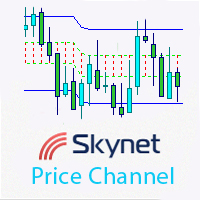
This indicator displays an equidistant price channel, identifies short-term trends and automatically finds the best levels for the upper and lower borders of the channel. It is optimized for major timeframes and currency pairs.
Advantages visualization of short-term trends automatic setting of upper and lower channel borders suitable for scalping strategies based on a rebound from the channel borders
Parameters smooth - border smoothing coefficient. The default value is 1; pricetype - use Open

This grid Expert Advisor uses signals based on breakout of waves by R.N. Elliott. The operation principle of the Expert Advisor lies not only in accumulating positions against the trend (as all grid EAs do), but also along the trend (the principle of turtles). The unique risk control system manages the entire process from opening the grid of order to closing it. The risk control system consists in determining the critical level of lot accumulation in one direction. When a critical event occurs,

The KFX PATTERN manual Expert Advisor is a price pattern based System. Manual stands for the fact that he does not open trades independently. Only shows the individual levels with the profit target. The individual strategies are based on those of Thomas Bulkowski's books. The following Patterns have been integrated: Three Falling Peaks. Three Rising Valleys. Diamond Pattern. High and Tight Flags. Cup with Handle Pattern. Horn Top. Horn Bottom. Earnings Flag. Three Line Strike. Falling Three Meth
The Full Control is a fully automated multi-currency Expert Advisor, which applies indicator-based analysis of the market using "Stochastic", "Ichimoku" and "Volumes". It trades on the M1 timeframe using one order at a time. The EA uses the Martingale system.
The Expert Advisor Operation Principle When buy or sell conditions are detected based on the Stochastic, Ichimoku and Volumes indicators, the EA opens the first order with the initial lot (equal to StartLot) with preset Takeprofit and Stop

TwilightTrade SEES is an automated Expert Advisor based on level trading strategy, price action and some MetaTrader 4 standard indicators. With Profit Close and Profit Percent, you will control your profit and with no stop loss you will protect your balance. The money management gets the right automatic lot calculation based on your risk per trade. This system uses no grid, no martingale, no arbitrage, no hedges, no tick scalping, and the best part is running fully automatic. TwilightTrade SEES

This panel is designed for quick visual search for the price action patterns on several instruments simultaneously. It is possible to add and remove instruments. Clicking the signal button allows you to quickly move to the chart with the identified pattern and timeframe. The panel searches for 8 candlestick patterns: PIN-BAR, EXTERNAL BAR, INSIDE BAR, DOJI, LEVEL, HIGH/LOW OF N BAR, FAKEY, ONE-WAY N BAR. Any of the patterns can be disabled by clicking its title. It can also search in history (by
This multifunctional Expert Advisor has been created in the form of a designer and is suitable both automatic and manual trading. Its main advantage is the ability to select and adjust the strategy for the current market conditions. To recover from the drawdown, the EA fully utilizes the feature of the currency market - the price cannot remain in a narrow channel for a long time. A breakout of the flat in one direction or another is inevitable. So, by placing orders in the breakout direction, yo
Yellow mouse scalping is a fully automatic Expert Advisor designed for night trading on a calm market. The strategy is night scalping. The standard RSI and ATR indicators are used to find entry points. Closing of transactions takes place according to the author's algorithm, which significantly improves the risk control and security of the deposit. Risky strategies like "martingale" are not used. Monitoring of the advisor's work, as well as my other developments, can be viewed at https://www

This EA uses an Alligator indicator and has a classic strategy to trade as the Alligators Jaw, Teeth and Lips calculation results are compared each tick. This way, the EA opens orders at right moment and closes the orders as it reaches the right profit value. It protects your money because it is provided with: trailing stop loss to protect your profit. Once your order has a positive profit, it sets SL at a certain distance in order to keep a positive profit; Spread value limit to prevent opening

It is so very disappointing when the price does not have enough points to achieve Take Profit and makes a reversal. This EA sets virtual levels near the TakeProfit levels. This EA sets virtual levels next to TakeProfit orders. If these levels are reached by price, breakeven or trailing stop is applied for an order.
Features This EA does not set new orders. The aim of this EA is to manage stop losses of existing orders that are set by another EA or manually (magic number equals 0). For correct w

SA Assistant is an intuitive tool without complicated settings, designed to facilitate the trading operations in the MetaTrader 4 terminal. SA Assistant is not designed for working in the strategy tester. Please test the EA on a demo account before using it on a live account.
The SA Assistant EA is visually divided into 4 blocks: 1. "Information" - displays in real time: trading account balance leverage spread of the instrument the EA is attached to current account profit account equity account

The KFX High and Tight Flag pattern Indicator is part of the KFX Pattern manual Expert Advisor. The indicator shows the entry level (breakout) with the profit target and the stop loss. The strategy is based on Thomas Bulkowski's book, Encyclopedia of Chart Patterns second edition. High and tight Flags are the best performing Chart Pattern in both Bull and Bear markets. They are perfect pattern for trend following. Suitable for every Currency pair, Options, Commodities, Stocks, Indicies and Timef

The KFX Bulls and Bears indicator consolidates the Bulls and Bears Power sample indicators in one indicator. This indicator is a modification of a known Bulls/Bears power indicator by Elder. It measures distance between extreme price and moving averages.
Parameters Source - choose between Close, Open, High, Low, Median, Typical or Weighted Price. Periods - period for calculating the moving averages. MA Type - Select between Simple, Exponential, Smoothed or Linear Weighted. Verbose - Allows the

News filter, equity guard & session control for all your EAs — one tool, full protection — Free Demo | Latest Updates v26 (August 2026) is the biggest update ever: the EA now protects your entire account — every chart, no helper needed — and the indicator gives any chart its own protection rules (news, loss limits, trading times and more). The AI Trade Assessment arrives in MetaTrader 4 — automatic verdicts on new entries and on-chart assess buttons alike. Existing setups keep working unchanged
This indicator visualizes the intersection of two moving averages. (SМА, EMA, SMMA, LWMA). It has been created for visibility of signals and notification about intersections of Moving Average. Moving Average is simply the averaged value of the price for the selected timeframe (TF).
Therefore, the moving averages are used on a wide variety of timeframes, from 1 minute to a year and even decades.
Possible types of moving averages in the indicator SMA (Simple Moving Average); EMA (Exponential Movi

BullsBears Action Expert Advisor 是一款先进的交易解决方案,专为依赖基于交易量的市场分析的交易者而设计。利用牛市和熊市的交易量数据,此 EA 可根据市场强度自动识别潜在交易机会,并根据用户定义的参数执行买入或卖出订单。它是完全可定制的,允许交易者使用多个过滤器、风险管理选项和交易执行控制来微调他们的策略。
此 EA 包含增强型风险管理系统,允许交易者定义每笔交易的最大风险百分比,从而帮助有效管理风险。手数管理系统支持基于风险百分比的动态头寸调整。利润保护功能(包括追踪止损、盈亏平衡和分步利润锁定)使交易者能够有效确保收益。警报系统已得到改进,可提供及时的弹出窗口、移动端和电子邮件通知,以了解交易执行情况和市场状况。
交易者使用多个时间范围过滤交易信号,确保在进入头寸之前确认。其他过滤器(例如移动平均线交叉、CCI、RSI 和随机指标)可进一步细化交易信号。EA 还可以根据价差条件、之前的蜡烛范围和蜡烛类型限制交易,让交易者更好地控制执行质量。时间范围过滤器仅允许在指定时间内进行交易,每日利润目标设置在达到期望的利润水平后停止交易。
简单的仪表板显

One of the main goals in the development of this Expert Advisor was ease of use. As a result, this EA has a minimum of parameters, which are easy to understand. At the same time, it is very flexible and customizable for almost for any instrument (currency pair).
The logic According to the given algorithm, the EA determines local support and resistance levels (at startup, the previous quotes are disregarded). When a candle closes beyond any level, a deal is opened in the opposite direction, expe

This indicator calculates the strength of the major currencies (EUR, USD, CAD, GBP, CHF, NZD, USD, JPY) and shows the top 4 strongest currency pairs that are currently in a high probability trend for the day or for the week.
Usage The indicator displays 8 currency pairs with a trend direction (e.g. "EURUSD-DOWN") and ranked according to strength, with 1 being ths strongest. There will be 4 pairs for intraday and 4 pairs for intraweek If a currency pair is present in the top 4 intraday, it is in

Eternal Scalper Expert Advisor is a Scalping robot and is able to work with any currency pair in 15 Min timeframe. It uses Moving Averages to find trend and place orders. If it was a false signal the robot places a recovery order to recover the losses.
Advantages scalping trades any pair spread/execution-tolerant
Requirements Minimal deposit: $1000 ($10 for cent accounts) Account type: any Currency pairs: any Timeframe: M15
Settings General settings Slippage. ProfitFactor – dynamic factor bas

A mathematical multicurrency trading system based on the principle of a neural network. It uses a general database of algorithms "S1M1" consisting of the most stable trading algorithms in its work. Before getting into the "S1М1" general database of algorithms, each block of conditions has passed the testing for stability with the identification of certain market dependencies for that block. A network created in such a way allows the EA to automatically select the most optimal variant of response

Our indicator uses a unique price action candlestick pattern called Engulfing, this indicator represent the price action behavior on your metatrader4 chart. The indicator seek the most valuable engulfing pattern and identify those as support and resistance levels.
Indicator parameter Bars to calculate: maximum bars to seek. Alert Option: True / False. Candle bear: color for detected bear candle. Candle bull: color for detected bull candle. Base line style: style for the base line. Base line wid
MetaTrader市场是您可以下载免费模拟自动交易,用历史数据进行测试和优化的唯一商店。
阅读应用程序的概述和其他客户的评论,直接下载程序到您的程序端并且在购买之前测试一个自动交易。只有在MetaTrader市场可以完全免费测试应用程序。
