 MetaTrader 5
 专家
专家 指标
指标 程序库
程序库 实用工具
实用工具 窗口小部件
窗口小部件 规则
规则适用于MetaTrader 4的EA交易和指标 - 316
 EA交易自动执行市场交易,而指标可使您更准确地分析报价并预测价格行为。
通过这些应用程序,您将能够更明智地在MetaTrader 4执行交易,抓住更多的交易机会。
EA交易自动执行市场交易,而指标可使您更准确地分析报价并预测价格行为。
通过这些应用程序,您将能够更明智地在MetaTrader 4执行交易,抓住更多的交易机会。 
NEW UPGRADE v1.3 NOW AVAILABLE SEE BENEFITS OF NEW v1.3 HERE: https://www.mql5.com/en/blogs/post/725279 https://www.mql5.com/en/market/product/32397#!tab=comments&page=3&comment=11215745
Price Track EA is a multi-settings, multi-strategies expert a

This Expert Advisor is based on Trend Following Systems . The mechanism (stop-and-reverse) technical indicator. Based on a price and time trading system, the indicator is used for analyzing market trends. The indicator trails price as the trend extends over time. It is similar to the Moving Average, as the only difference is that the indicator moves with higher acceleration and may change its position in terms of the price. In general, the indicator moves below the prices as they go up (bull mar

Trade Trend indicator is an oscillator designed to calculate trend reversal points. A set of bar calculations and a set of algorithms to calculate trend reversals. Level probing system with high probability trends. All of these features combine to make it easier for investors to find trends.
Suggestions and Features There are two levels on the Trade Trend indicator. They are at levels of upper level and lower level. The oscillator bar should be below lower level to find the upward trend. And a

SonicTradeCopier: (Best for scalping)
Easy Fast Reliable trade copier. Copy trades from one terminal to an other (internet copy feature coming soon.)
MT4 to MT4. MT4 to MT5. MT5 to MT5. MT5 to MT4. MT4/MT5 to any other platform copy possibility for custom made solutions. Reverse trading. Advance filters for traders.
Features:
(Setting up copying policies) Sender only has to setup signal name and start sending signals [ You must start signal sender first always ]. Receiver sets up signal na
Our custom RSI indicator uses the standard RSI calculation, but it adds a few super-useful upgrades. In our opinion this is the RSI indicator that should come standard with MT4! Have a look and decide for yourself!
Our indicator has the following benefits:
Never miss another RSI set-up when you are away from your computer A colored RSI line makes it easy to see when price is overbought or oversold Get alerts when price moves into overbought/oversold, out of overbought/oversold, or both Customiz

引入 Fibo Channels Ultimate 技术指标,这是一款旨在彻底改变您的斐波那契交易策略的强大工具。凭借其先进的功能,该指标会自动在您的图表上绘制所有过去的斐波那契通道,为您节省时间和精力。 Fibo Channels Ultimate 与众不同的是其卓越的定制功能,允许专业交易者绘制他们想要的任何斐波那契水平。这种灵活性确保您可以定制指标以完全符合您独特的交易风格和偏好。 使用 Fibo Channels Ultimate 保持消息灵通,绝不会错过任何交易机会。该指标直接向您的移动设备、电子邮件发送信号,并在价格触及斐波那契水平时显示弹出警报并伴有声音通知。使用激活/停用功能完全控制您的警报,使您能够根据需要自定义通知。 我们了解包含最重要的斐波那契水平的重要性,这就是我们将它们集成到斐波纳奇通道终极指标中的原因。但是,我们还为您提供自定义这些级别的自由,从而实现真正个性化的斐波那契交易体验。 Fibo Channels Ultimate 以其用户友好的参数而自豪,可以轻松导航和配置指标以满足您的喜好。无论您是经验丰富的交易员还是刚刚起步,该指标都将简化您的交易流程,并

Trend Waves indicator is a trend indicator that uses Average True Range and Standard Deviation indications. It is aimed to find more healthy trends with this indicator. This indicator can be used alone as a trend indicator.
Detailed review 4 different trend colors appear on this indicator. The aqua color represents the rising trend. Dark aqua color means the train is getting weaker. pink color represents the downtrend trend. The dark pink color means the trend is weaker. Parameters Stdeviatio
This indicator detects Inside Bar Narrow Range 4 and Inside Bar Narrow Range 7 two powerful patterns on 28 pairs on all timeframes. "Inside Bar Narrow Range 4" is an inside bar with the narrowest range out of the last 4 bars so "Inside Bar Narrow Range 7" an inside bar with the narrowest range out of the last 7 bars.
Hence, IBNR4 and better IBNR7 are an objective criterion for identifying decreased range and volatility. Once we find an IBNR4 or an IBNR7 pattern, we aim to trade the breakout

Pallada Auto System is a fully automated expert with the ability to use both with and without stop loss. The system works on the principle of placing pending orders at the same time Trading Instruments - Forex (EUR / USD) Growth rates per month are 5-30% with different expert settings. The trading advisor has established itself as an assistant in a calm, measured trading without nerves and stress. Try it and you will understand all the delights of trading without negative factors affecting

Краткие сведения и преимущества эксперта Стратегия основана на принципе пробоя уровней поддержки и сопротивления; Скальпинг; Советник всегда использует виртуальные Take Profit и Stop Loss; Возможна мультивалютная торговля; Простота в использовании; Широкий выбор подходящих валютных пар; Минимальная величина начального депозита.
Рекомендации Использование VPS серверов; Стабильность интернет соединения; Рекомендую использовать возможность мультивалютной торговли. Для этого запустите эксперта на н

RSI strategies EA supports multiple RSI based strategies. Purchasing this EA can save you the time taken to automate your existing RSI strategy, through coding a custom EA and it also helps you discover profitable RSI strategies as its fully compatible with the strategy tester and all settings are editable. The EA supports both scalping, short term and long term strategies. The various supported settings are explained below: NOTE: The default settings in the EA are simply place holders. Before

The EA's algorithm determines the current state of the market - a bullish trend, bearish, or sideways movement and opens positions in the direction of the intended price movement.
In addition, at the time of making a trading decision, the adviser analyzes 4 and 5 candlestick formations for a certain period of time. If more than 2 formations coincide with a positive result, the adviser makes an entry into the market.
The SAR indicator is used as a filter. The best results are achieved on tradin

Increase the lot size of the signal you have subscribed When you are using trade copy service, you will have the option to trade more lot sizes with this EA. For example, if the signal provider is trading micro lots, you will be able to add increased lot sizes in the next tick after receiving the trade signal. Parameter description: Enabled : Enable/Disable EA EA magic number : EA Magic number New lot size to trade : Percentage from the providers lot size. This lot size will be used to open
FREE
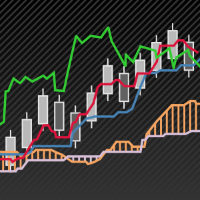
Realization of trend movement indication with points for potential stops in the TrendCloud indicator. It can be easily used as an independent trading system. You can interpret this: the location of the course above or below the shadows show the presence of a trend. The transition to the shadow warns of a possible reversal. Entering the price inside the shadow speaks in a flat motion. The indicator tracks the market trend with unsurpassed reliability, ignoring sharp market fluctuations and noises
The Expert Advisor places limit orders for breakdown according to 2 indicators. When 1 order triggers, the second order is deleted automatically. There is a virtual trailing from 1 point. I recommend to set the minimum possible distance (from the price to a pending order) (depending on the symbol on which it costs). I recommend setting the trailing from 10 points in the strategy tester.

指標的算法基於價格被緩慢移動平均線吸引的事實
這同樣適用於在緩慢移動平均線附近移動的快速移動平均線
這些移動平均線具有特殊的平滑算法。
當快速移動平均線上升且低於慢速移動平均線時,我們有一個潛在信號可以開倉 - 買入
當快速移動平均線下降並且高於緩慢的移動平均線時,我們有一個潛在的信號來開倉 - 賣出
白色和藍色圓點表示市場潛在退出的位置
如果該點為白色 - 這是買入退出的建議。
如果該點為藍色 - 這是賣出退出的建議。
紅色鑽石標誌著潛在的止損
適用於所有儀器和圖表。
您可以同時使用許多工具。
指示燈不會覆蓋其信號
設置
條形數組的條形大小來計算指標
P期快速移動平均線
M期緩慢移動平均線
模式模式選項
如果mode = true,則可以在圖表上看到潛在的止損點
如果mode = false,則圖表上不會顯示潛在止損。
如何設置指標?
在圖表上運行指標
從終端窗口中選擇:Charts => Indicators List => Merlin => Edit
將出現在指標窗口中
配置設置
畢竟,創建一個模板:Charts => Template => Sa

For watch tread
https://www.mql5.com/en/signals/548990
Anubes is an Expert Adviser making you trading is very easy with low risk and little of time you can get your profit Anubes following the trend with Discipline It will be updated every 3 months to make sure that the strategy is still suitable for the current market condition Features Good at EURUSD, GBPUSD, EURAUD, GBPAUD. Over ten years of back-testing. (10,000+ deals) Do not require fast execution or low spread. EA Settings:you can

Always Strong indicator, an indicator that uses MacD and Bollinger bands. It is a coded indicator to find trends. It finds these trends by its own algorithm. This indicator requires visual monitoring. It does not give any warning because it needs visual follow-up. The main trendline should turn down to find the down trend. The main trend line should go under the white line and then go under the yellow line. The main trendline should turn upward to find the upward trend. The main trend line shoul

The EA is based on trend following strategy. By mainly using GMMA,this EA catches the trend. Trades is closed if the trend is changed according to GMMA.
Simply put,you can win big by using this EA and keep losses minimum.
What is GMMA?
GMMA means "Guppy Multiple Moving Average". This strategy utilizes 12 moving averages.
Because of that,GMMA is more robust and profitable than simple moving average strategy.
PAIR AND TIMEFRAME The EA is especially made for EURUSD and Daily chart. It is importa

Обзор
Это полностью автоматизированный торговый советник. Вам достаточно лишь указать необходимый размер объёма сделок Lot. Далее советник сделает всё сам. Такая простота использования советника позволит использовать его даже начинающему трейдеру.
Торговая стратегия
Советник использует встроенные индикаторы собственной разработки а так же индикатор RSI. Советник пытается определить направление тренда. После чего открывает сделку. Советник имеет виртуальные Take Profit и StopLoss. В случае мину

THE REVOLUTION Simple Trade is suitable for all type of traders whether you are a Swing Trader, Day Trader or Scalper.
THE REVOLUTION Package consist of 3 EAs which combine into a Single EA which can create many stategies depend on the trading skills used/known by each traders. We provide AUTO_SETTING expecially for beginner or no experience investors which this AUTO_SETTING will trade to achieve 1000 Points or 10%/month, and for traders/investors who have experiences in trading can develop thei

Strong Pivot trend indicator is a trend indicator that uses standard pivot calculation and some indicators. The purpose of the indicator is to calculate the possible trends using the pivot point. And to give the user an idea about trend direction.
You can use this indicator as a trend indicator. Or with other indicators suitable for your strategy.
Features The blue bar represents the upward trend. The yellow bar represents the downward trend. The blue pivot point represents the upward trend. T

This cluster indicator is a next generation of CCFpExtraSuperMulti . It's improved in a way, which allows for processing mixed clusters, where symbols from various markets can be included. For example, it can handle Forex, indices, CFDs, spot at the same time. Number of visible lines increased to 16. An interactive ruler can be enabled to measure signals' strength on the history. The indicator creates a set of embedded cluster indicators (CCFpExtraIndices) with carefully selected periods and com

Profi is a fully automated expert Advisor. It is stable and supports multi-currency trading. The algorithm of the EA is based only on the analysis of changes in the price of the trading instrument and does not contain indicators. The EA is placed on a chart with a time period D1 with any trading instrument. The EA trades when a new daily candle appears.
The parameters of the EA Lots=1 - trading volume Tp=50 -fixed profit in points Sl=0 -fixed loss in points (I recommend to leave the default val

Super Trend Lines is an indicator that calculates trends using a set of channels and using a set of algorithms. This indicator helps to find trend return points. It generally represents an oscillator. This trend tracking system helps the investor to understand small or large trends and determines the direction according to it.
Time frames: M15, M30, H1
Parameters Period : general trend period. Bar : bar calculation setting Channel_Cal : channel calculation period. The smaller the value here, t

Dynamic Support and Resistance is the collective work of three traders with several decades worth of experience trading all financial markets. The math behind these levels is unlike anything ever produced in the public trading world. Dynamic S&R is a tool to measure ranging markets, trending markets, and aids in catching the turns of the trends when combined with Dynamic PriceWraps. Dynamic S&R can be used for spot FX, futures, stocks, and is incredibly useful in options trading for all produ

Общие сведения Для начала торговли достаточно небольшого депозита. Подходит для мульти-валютной торговли. Не зависим от качества соединения и торговых условий. Мониторинг моих счетов : https://www.mql5.com/ru/signals/author/mizrael
Принцип работы Эксперт открывает ордера по встроенному индикатору. Если прибыль ордера больше значения параметра Profit в пунктах графика. Данный ордер закрывается и открывается новый в противоположном направлении объёмом Lot . Если прибыль ордера меньше значения

Порядок работы
Советник работает на любом таймфрейме на любых валютных парах. При работе советника анализируется несколько трендовых индикаторов и показатели объема торгов, при возникновении необходимых условий происходит открытие отложенного ордера, который остается открытым в течение определенного времени. Советник не открывает следующий ордер, пока не закроется предыдущий.
Советник имеет блок TrailingStop , позволяющий перемещать StopLoss за движением цены. Основным отличием этого блока

This Expert Advisor is using three Moving Averages to find the direction of the trend. There is three different Moving Averages that has to be in the right order and the EA is looking for this in different timeframes to make sure it's in the order to trade. Then the EA will look for both the Stochastic and RSI in different timeframes before everything is looking good. Now it will take a BUY or SELL trade, depending on the indicators. It will set the Stop Loss and Take Profit depending on the hig
小蜜蜂EA是根据MACD指标,KDj指标等多个指标产生共振,结合波浪理论,编译的一个趋势加马丁类型的EA,成功率是非常高的。
使用周期是M30以上的周期,下单的频率不高,大部分时间这款EA是出于观望状态,已有机会,稳准狠的对交易品种进行下单,
关于参数
参数设置有点复杂,但是使用者没必要害怕,我已经把参数调成了最理想的参数,下载就可直接使用,
最少资金不少于3000美金, EA is based on MACD index, KDj index and other indicators resonance, combined with wave theory, compiled a trend plus Martin type EA, the success rate is very high.
Usage cycle is more than M30 cycle, order frequency is not high, most of the time this EA is out of wait-and-see state, has the opportunity to

The Pallada Manual System indicator is a complete manual trading system that does not require the use of any other indicators. Very simple and clear to use. Estimated profitability, depending on the setting, is 5-30%. The indicator is ideal for those who want to control the trading process, but do not sit at the monitor for days. Ideal for calm measured trading without nerves and stress.
The Expert Advisor places a grid of limit orders above and below the current price according to the settings. After the orders are triggered, the adviser controls the current state of profit. In case of reaching the profit specified in the settings (in the deposit currency), the adviser closes market and pending orders and opens the grid again. Settings Initial trading lot - Trading lot for the first order; LotKoef - The multiplication factor for each subsequent order; The distance to the firs
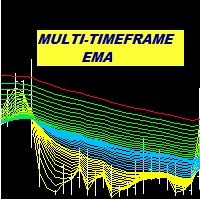
Multi Period EMA A trend indicator based on the exponential moving average. Keeping track of multiple EMA is a more effective way of detecting possible trend development. This indicator allows for the setting of as many as 6 different EMA periods. Unused period parameters can be set to zero to exclude the particular EMA from being displayed on the chart.
Features Up to 6 EMA displayed on chart. Option to select high EMA and Low EMA in order to detect crossovers Alert in event that change in sl

NHScalper - торговый советник для ночного скальпинга. Рекомендуемая валютная пара - EURUSD Рекомендуемый ТФ - М5 Параметры советника: TimeBegin - время начала торговли (ч) TimeEnd - время окончания торговли (ч) MagicNumber - маджик; Percent - процент от свободных средств для расчета лота htp - скрытый тэйк профит MaxOrders - максимальное количество одновременно открытых ордеров (отбор по маджик)
Relative Trend Bias
The Relative Trend Bias indicator is a simple indicator that helps you identify the current directional movement bias of a financial instrument based on the number of bars specified. Helps you identify the current trend based on a bar period of your choice Shows you level "safety zones" for reversals Shows you when the trade bias changes while the indicator is active on the chart
Indicator is forward facing. It does not backdraw/backpaint but it can be tested on the indica

Entry Point Dashboard Ultimate 是一款 适用于 MT4 和 MT5 的多时间框架交易仪表盘指标, 旨在通过将多种交易工具整合到一个可视化仪表盘中,简化 技术分析 、 市场趋势分析 和 入场点识别 。该指标分析选定时间框架内的 移动平均线 、 CCI 、 RSI 、 随机指标 、动量数据和成交量,从而提供当前市场状况的结构化概览。它专为 外汇交易者 、 黄金交易者 、 指数交易者 、 加密货币交易者 、 超短线 交易者、 日内交易者 、 波段交易者 和 系统化交易者 而设计,有助于将复杂的图表信息整理成清晰的仪表盘视图。通过扫描多个交易品种和时间框架,该指标为交易者提供便捷的 市场分析工具 、 趋势检测工具 和 信号确认仪表盘, 无需手动查看多个图表和指标。 核心功能
该指标将几种常用的技术分析方法整合到一个可自定义的仪表盘中。交易者无需打开多个指标窗口,即可通过单一界面监控不同的市场因素。
该仪表盘最多可分析三个选定的时间段,并对每个时间段进行独立评估。每个时间段都会根据不同技术指标之间的关系获得一个方向性偏差,然后使用可自定义的 加权投
Данный индикатор отмечает участки разворота тренда, в точках разворота давая сигнал на вход в рынок в виде стрелок соответствующего цвета и направления движения в виде линий, а также звукового оповещения. Основан на закономерностях рынка FOREX, точных определениях текущего экстремума и нахождения свечных моделей на вершинах/низах рынка. Универсальный алгоритм помогает определить точки разворота указывая стрелками где осуществить вход в рынок. Дополнительно Индикатор не перерисовывается. Выводит

About
Holy Renko is a trend identifier capable of identify small and long market movements. This indicator should be use in Renko Charts.
VIDEO (information and tips) [HERE]
How to install Renko Charts [HERE]
Features
Developed for Renko Charts Easy to analyze Fast signals Not repaint (when candle close) Statistics panel Filters false signals
Alerts, emails and push notifications
Advantages of Renko Chart Easy to install Easy to analyze Filter out the noise of wicks Easy identification
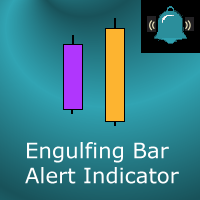
This indicator marks Engulfing Bars (bars with a higher high and a lower low than the previous bar) on your chart. It will also send alerts when one forms, including via e-mail or push notification to your phone . It's ideal for when you want to be notified of an engulfing/outside bar set-up but don't want to have to sit in front of your chart all day. You can configure all the settings including:
Whether it should be "range engulfing" (so high is higher than previous bar and low is lower than

WorldAdvisor is an automated expert Advisor with a great potential of trading strategies. The main feature of this EA is the presence of a function to reduce drawdown and output to breakeven trading account. The expert Advisor is installed in the usual way, works on any time period and with any trading symbols, you can use it in multi-currency mode, setting it on different charts.
Advisor's advantages
trades a fixed lot ( no martingale system) it is possible to automatically calculate the TakeP

Description
The base of this indicator is an ZigZag algorithm based on ATR and Fibo retracement. The ZigZag can be drawn like a classic ZigZag or like Arrows or needn't be drawn at all. This indicator is not redrawing in sense that the ZigZag's last shoulder is formed right after the appropriate conditions occur on the market. The shoulder doesn't change its direction afterwards (can only continue). There are some other possibilities to show advanced information in this indicator: Auto Fibo on

This indicator based on OBV. He is essentially trending , it can "feel" the trend change. The arrow-signal does not disappear and does not redraw after a bar closes. An order may be opened towards the arrow direction at the next bar after the signal appears. Using this indicator is intuitive. Once the first turquoise arrow appears, buying is preferred. Red – selling. I recommend using the indicator on the H1 timeframe. When the first hand of the opposite color appears and the hour bar clos

The Multi Strategy Trading Robot
This automated trading robot always uses stop loss. Big Hunter is specially designed to trade gold , but you can test it on other pairs since you have the access to the parameters. The robot uses different strategies like swing trading , momentum trading , position trading and more. It's backtested for the last 10 years under the harshest, simulated market conditions. Each trade has unique SL, TP, Trailing stop, and breakeven. These parameters are variable a
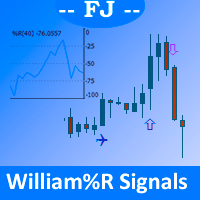
It draws on the main price chart icons indicating clearly the different crosses produced by the William% R oscillator signal as it passes through the overbought, oversold, and intermediate lines.
Allowed customization: - Position of overbought/oversold lines - Your prefered icons - The color of each icon - Periods to use in William% R
Parameters: - WilliSignalsOn_Off: It allows you to hide/show the indicator without having to delete / re-add and configure this indicator - WilliPeriods: Periods

SAFE FUND EA is a carefully created expert advisor for long term traders like hedge funds, banks and financial institutions. It trades safely and does not look to gain abnormal profits.
It does not trade often, except its strict market conditions are met. It does NOT use dangerous trading strategies like martingale, grid or hedging.
The EA assesses the market and looks for safe entry and exit points to keep drawdown low and profits high. It is not for scalpers, but those who have the disciplin
Tai Chi6EA Time frame: M30 ,H1. Tai Chi6是在之前的TaiChi系列的EA基础上,加上马丁格尔的理论,对下单做了适当的调整,基础理论还是MACD指标的背离,删减了一些正确率不高的信号,最终编写成的一款TaiChi升级版。以前购买过Tai Chi(1---5)朋友可能对这款EA比较了解,在这里我就不做过多的解释了,有兴趣可以测试一下看看效果。 关于参数
我个人认为我自己的默认参数还是比较理想的,使用默认参数就可以了。 EA设置: 使用默认设置或设置文件。
品种: 适合所有点差较小的品种。
时间框架: M30及以上。 Time frame: M30 ,H1.
经纪人: ECN经纪人,低传播/佣金,1:400杠杆,非FIFO或FIFO。
最低存款额:3000美元。 欢迎下载测试,请在评论中留下你们的宝贵意见,我们会不断的改进和提升!

Extended VERSION
Ultimate solution on price action trade system Built Inside One Tool! Our smart algorithm tool will detect the price action pattern and alert upon potential with entry signals and exit levels including stoploss and takeprofit levels based on dynamic and unique calculation. This tool will also filters out market currency strength to ensure our entry are in a good currency conditions based on it's trend.
Benefit You Get
Easy, visual and effective price action detection. Gives

MaxProfitDZ Expert adviser MaxProfitDz v1.4 Recommendations Symbol: ALL PAIRS ..i Recommended EURUSD. Time Frame:1M. Brokers: ALL brokers . low spread/commission, 1:500 leverage Minimum Deposit Recommended : $500 USD
Lot Size for 500$ : 0.01 Use a broker with good execution and with a spread of 0.1-2 points. A very fast VPS is required
Parameters EA TrendON=true (Read the note ) MMType = 2 LotMultiplikator = 1 LotConst_or_not = TRUE Take profit :5-10 pips for accounts with five
SymbolAutoChanger PRO There is also version for MetaTreader5 This tool allows you to automatically change the chart symbols in a row. Example: EUR → GBP → JPY → CHF → CAD → AUD → NZD You need only to set up interval in seconds between auto switch. Also, you can choose whether to switch between all symbols provided by your broker or only between symbols available in the Market Watch window.
PRO version has following featuters: Next button Previous button Pause/Continue botton With this extra
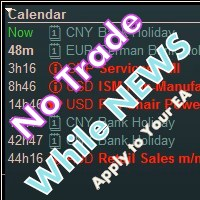
Library for an Expert Advisor. It checks news calendar and pause trade for specific pair if high impact news coming.
News Filter for an Exert Advisor. Easily apply to your EA, just needs simple scripts to call it from your EA. Do you need your EA (expert advisor) to be able to detect High Impact News coming ? Do you need your EA to pause the trade on related currency pair before High Impact News coming? This News Filter library is the solution for you. This library requires indicator NewsCal-

斐波那契折返和扩展画线工具 适用于MT4平台的斐波那契折返和扩展画线工具,适合于使用黄金分割交易的交易者 优点:没有多余的线,没有过长的线,易于观察发现交易的机会
试用版: https://www.mql5.com/zh/market/product/35884 主要功能:
1.可以直接画出多组斐波那契折返,可以看出重要折返点之间的关系;
2.可以画出斐波那契扩展,比率有三种0.618,1,1.618
3.画出的斐波那契折返和扩展均可左右移动,有数值显示,方便观察
4.可通过数字键切换周期
使用指南和功能键:
1.按 [ 或R画折返,按需要画折返,最多云持8组折返;
2.按 ] 或E画扩展;
3.按 \ 删除当前周期下的所有扩展和折返,其余周期的不受影响
4.如何左右移动折返和扩展
(1)点击第一组折返的F5字符,可以左右移动折返; (2)点击COP的字符 ,可以左右移动扩展; 5. (1)点击第一组折返的F5字符,按del 可以删除这组折返; (2)点击COP的字符, 按del 可以删除这组扩展;
6.修改折返和扩展(随着市场的运行,焦点或者反弹点需要修改)
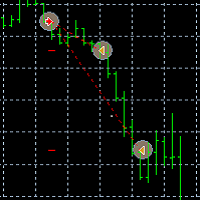
TaiChi4 Tai Chi4EA Tai Chi2EA is according to MACD indicator deviation written a trend oriented EA。 Broker: ECN broker, low communication / Commission, 1:400 leverage, non FIFO or FIFO. If you want to run in different currency pairs, please modify the parameters BM and SM。 Please use default parameters. As the world's most knowledgeable person, I've set the parameters to the optimal parameters, users can directly use, without modification.

Let´s try to make some real money!
Call me profit addicted. I thought why not try to make THE dream come reality. With discipline, a clear strategy and this indicator I focus on entering the perfect trades. This indicator is very easy to use as you will get perfect entry points for Put or Call trades.
The arrows are calculated with: - Momentum parameters - Candle stick patterns - Fundamental Price action
We recommend to combine it with Parabolic, ZigZag or Elliot waves indicator

斐波那契折返和扩展画线工具 适用于MT4平台的斐波那契折返和扩展画线工具,非常适合于利用帝纳波利点位交易法和黄金分割交易的交易者 主要功能: 1.可以直接画线多组斐波那契折返,重要折返点之间的关系一目了然 2.可以画出斐波那契扩展 3.画线的斐波那契折返和扩展均可左右移动方便观察,有数值显示 4.图表显示非常清爽 5.可通过数字键切换周期 功能键: 1.按 [ 画折返,按需画折返,最多可画8组 2.按 ] 画扩展 3.按 \ 删除当前周期下的所有扩展和折返 4.移动、删除折返和扩展 (1)点击第一组折返的F5线条, 点击1次(变成黄色),按键盘上的Delete可删除该焦点的折返。 点击2次(恢复颜色),可以移动折返到合适的位置 (2)点击COP的线条 点击1次(变成黄色),按键盘上的Delete可该组折返 点击2次(恢复颜色),可以移动扩展到合适的位置 5.修改折返和扩展: (1)选择焦点F或反弹点数字(F或反弹点字体变大,变成黄色),移动鼠标。 (2)选择ABC三点中的某一个(字体变大,变成黄色),移动鼠标。
如何使用可以看相关视频

This indicator displays Super Power Beeta trend movement.Indicator is version 2 . Features Multiplier - displays multiplier movement. Multiplier2 - displays multiplier2 movement. Trend - displays indicator trend 1 and trend 2 (true/false).
Background:color - displays background color (true/false).
separate_window - displays trend separate window.(0-1....) separate_window2 - displays trend (background color )separate window.(1-2....) X - move the trend left and right.
Y - move the trend up an

Pips collector - this indicator is a complete mechanical trading system. Pips collector itself analyzes the market for 57 characteristics, determining the direction of the trend, volatility, aggressiveness, resistance and support. After this, the Pips collector displays the signals for opening buy or sell orders. Interpretation of trading with Pips collector is very simple and suitable for both professional traders and beginners. Also, the Pips collector indicator can send signals to the trader
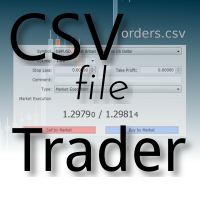
CSV Trader reads CSV files and executes the orders written in. When you need to send orders to mt4 using different platforms or softwares you can easily set them to write their orders to CSV file and then use this EA to execute them in MT4. Many time I read in Freelance section that people needed a CSV trade executor and now I coded a generic one that can fits all your need. Pay attention: if you are in live/demo you should put your CSV files in " MQL4\Files\CSV_Orders\ " , when you backtest it

The EA contains a combination of several trend and anti-trend virtual strategies with averaging with different parameters. The EA is easy to use. It is enough to choose a suitable strategy for the trading pair, set the Risk parameter and you can start trading. Open the M15 chart with the pair being traded and move the EA to it. Lots will be calculated automatically based on the balance, Deposit currency and Risk parameter. Recommendations: Trading EURUSD, USDCAD, AUDNZD, AUDCAD, NZDCAD, USDJPY;

Range Volume Profile The indicator Range Volume Profile shows the distribution of transactions on the price scale in a given time range. This tool simplifies the analysis of the market situation and helps to find the price levels where a large player is sitting. Features: shows the distribution of tick volumes relative to the price. shows the distribution of real volumes relative to the price. If your broker provides them. you can select the part of the chart that you want to explore. for cert

Ultimate solution on price action trade system Built Inside One Tool! Our smart algorithm tool will detect the price action pattern and alert upon potential with entry signals and exit levels including stoploss and takeprofit levels based on the time setting on each market session. This tool will also filters out market currency strength to ensure our entry are in a good currency conditions based on it's trend.
Benefit You Get
Easy, visual and effective price action detection. Gives you the a
Monitoring of a real account of an analog on the mt5 platform - https://www.mql5.com/ru/signals/806730 Fully automatic trading strategy that does not use any indicators. This system is suitable for 4 and 5 digit brokers. At the very beginning of trading, two multi directional orders are placed with the lot specified in the settings. Then the martingale principle is included in the work. The orders are closed or by the specified take profit line (for purchases-blue, for sales-red) or a new order
------------------------------------ | LIVE ACCOUNT | ------------------------------------ Live account at mql5.
https://www.mql5.com/en/signals/457344
------------------------------------ | Suggestion | ------------------------------------ Every $30 with 0.01 lot.
Eg. $90 trade with 0.03 lot.
Timeframe: m5
Suggest pair: Eurusd ( i only focus on EU pair )
One pair already profit well, please check mql5 result VPS: timezone UTC 00:00
-----------------
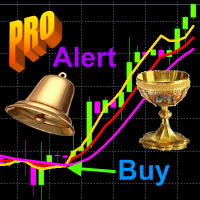
Structure of the indicator. The Cunning crocodile indicator consists of three moving averages (applied to the price Median price = (high + low)/2 ) : 1) the usual MA ( SMA , EMA , SMMA , LWMA ) or the mean <X> of the process X and her two generalizations 2) <XF> = <X / <X >> * <X> and 3) <XS> = <X * <X >> / <X> with the same averaging period. All three curves intersect at common points that (such an intersection in which the cunning crocodile, unlike the usual one, "never

The EA uses economic news trading using low, medium and high news. The EA is set for each piece of news separately. Trading is conducted on 26 currency pairs and 4 timeframes from M5-M30. The EA uses trading on such indicators as CCI, Standard Deviation, Moving Average, Relative Strength Index, Momentum and MACD . The EA looks for small price deviations by indicators and uses 3 types of economic news to confirm the position opening. Adaptive breakeven, trailing stop , and partial position cl
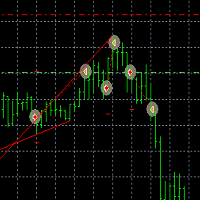
TaiChi3 Tai Chi3EA Tai Chi2EA is according to MACD indicator deviation written a trend oriented EA。 Broker: ECN broker, low communication / Commission, 1:400 leverage, non FIFO or FIFO. If you want to run in different currency pairs, please modify the parameters BM and SM。 Please use default parameters. As the world's most knowledgeable person, I've set the parameters to the optimal parameters, users can directly use, without modification. The historical data of the test may not be accurate, b

Warning! The default input values are already optimized for EURUSD at time frame M1, spread at 14 and hedged account mode with leverage 1:100 and initial deposit of US$ 10,000. Always use the strategy tester optimization to set the best values for your assets, time frame, spread and account mode. It is very important and strongly recommended for successful trading. Optimize the input values as your needs. The EA's Strategy: This expert advisor has built in indicators (EMAs) calculated in realtim

The Stochastic Standard/Hidden Divergence indicator will plot the stochastic (%K and %D), and will also identify and plot standard (regular) divergences between the indicator and the price action, OR it can be set to identify and plot hidden (reverse) divergences between the indicator and the price action. The divergences themselves are implemented as lines (default green for bullish divergence and red for bearish divergence) drawn in the indicator pane. If activated via the Inputs dialog, alert

The Momentum Standard/Hidden Divergence indicator will plot the momentum, and will also identify and plot standard (regular) divergences between the indicator and the price action, OR it can be set to identify and plot hidden (reverse) divergences between the indicator and the price action. The divergences themselves are implemented as lines (default green for bullish divergence and red for bearish divergence) drawn in the indicator pane. If activated via the Inputs dialog, alerts will be genera

The RSI Standard/Hidden Divergence indicator will plot the Relative Strength Index (RSI), and will also identify and plot standard (regular) divergences between the indicator and the price action, OR it can be set to identify and plot hidden (reverse) divergences between the indicator and the price action. The divergences themselves are implemented as lines (default green for bullish divergence and red for bearish divergence) drawn in the indicator pane. If activated via the Inputs dialog, alert

The MACD Standard/Hidden Divergence indicator will plot the MACD, and will also identify and plot standard (regular) divergences between the indicator and the price action, OR it can be set to identify and plot hidden (reverse) divergences between the indicator and the price action. The divergences themselves are implemented as lines (default green for bullish divergence and red for bearish divergence) drawn in the indicator pane. If activated via the Inputs dialog, alerts will be generated when
MetaTrader市场是独有的自动交易和技术指标商店。
阅读MQL5.community用户备忘更多地了解我们提供给交易者的独特的服务:复制交易信号,自由职业者开发的自定义应用程序,通过支付系统完成的自动付款和MQL5云网络。
